
Diese Seite ist keine offizielle Seite der App oder ihres Entwicklers, sondern eine unabhängige redaktionelle Veröffentlichung, die zu Informations- und Kommentarzwecken erstellt wurde. Sofern nicht ausdrücklich anders angegeben, sind weder die App noch ihr Entwickler mit MWM, Apple, Google Play, dem App-Herausgeber oder dem Entwickler der App verbunden, von ihnen unterstützt, gesponsert, autorisiert oder anderweitig offiziell verbunden, und nichts auf dieser Seite impliziert, dass die App unter Verwendung der Dienste von MWM entwickelt wurde. Alle Marken, Logos, Screenshots und andere Inhalte bleiben Eigentum ihrer jeweiligen Inhaber.

Fax from iPhone - Send Docs
Überspringen Sie den Weg ins Büro und erledigen Sie wichtige Unterlagen von überall. Scannen, unterschreiben und senden Sie sichere Dokumente in Sekundenschnelle mit sofortigem Zustellnachweis für absolute Sicherheit.
Downloads
198K+Bewertung
Bewertungen gesamt
4K+Herausgeber
Kategorie
BusinessSprachen
4Neueste Version
1.1.11Größe
14.0 MBErstveröffentlichung
15. Aug. 2024Gebaut für den modernen Profi
Verschwenden Sie keine Zeit mehr mit der Suche nach physischen Faxgeräten. mFax verwandelt Ihr iPhone in einen Hochleistungs-Produktivitätshub, mit dem Sie wichtige Unterlagen von überall erledigen können.
Smarter mobiler Scanner
Verwandeln Sie physische Verträge oder medizinische Formulare mit der Kamera Ihres iPhones sofort in professionelle digitale Faxe.
Garantierter Zustellnachweis
Erhalten Sie Sicherheit durch Echtzeit-Benachrichtigungen und detaillierte Zustellbelege, die als rechtlicher Übertragungsnachweis dienen.
Häufig gestellte Fragen
Alles, was Sie über wissen müssen Fax from iPhone - Send Docs
Was ist Fax from iPhone - Send Docs (mFax App)?
Fax from iPhone - Send Docs, auch bekannt als mFax App, verwandelt Ihr iPhone in ein vielseitiges Faxgerät. Es verwendet fortschrittliche Internet Protocol (IP)-Technologie, um Faxdokumente direkt über das Internet von Ihrem Gerät zu senden.
Wie funktioniert Fax from iPhone - Send Docs?
Fax from iPhone - Send Docs ermöglicht das Faxen direkt von Ihrem iPhone aus über fortschrittliche Internet Protocol (IP)-Technologie. Benutzer können Dokumente in wenigen schnellen Schritten senden und machen herkömmliche Faxgeräte und Festnetzanschlüsse überflüssig.
Kann ich mit Fax from iPhone - Send Docs rund um die Uhr Faxe senden?
Ja, Fax from iPhone - Send Docs unterstützt das Faxen rund um die Uhr. Benutzer können jederzeit Faxe von ihrem iPhone aus senden, ohne zeitliche Einschränkungen, was eine ständige Verfügbarkeit gewährleistet.
Bietet Fax from iPhone - Send Docs einen Nachweis über die Faxzustellung?
Ja, Fax from iPhone - Send Docs bietet einen Nachweis über die Faxzustellung. Die App sendet für jedes von Ihrem iPhone versendete Fax eine Bestätigung, die für Seelenfrieden und Nachvollziehbarkeit sorgt.
Welche Dateiformate unterstützt Fax from iPhone - Send Docs zum Faxen?
Fax from iPhone - Send Docs unterstützt mehrere Dateiformate zum Faxen. Dazu gehören PDF, DOC, JPG, PNG, TIFF und HTML, was eine breite Kompatibilität für verschiedene Dokumententypen bietet.
Kann ich mit Fax from iPhone - Send Docs Dokumente scannen?
Ja, Fax from iPhone - Send Docs verfügt über einen schnellen Dokumentenscanner. Diese Funktion ermöglicht es Benutzern, Dokumente schnell zu erfassen und zu bearbeiten, um sie direkt von ihrem iPhone aus zu faxen.
Wie behandelt Fax from iPhone - Send Docs elektronische Signaturen?
Fax from iPhone - Send Docs ermöglicht es Benutzern, elektronische Signaturen zu Dokumenten hinzuzufügen. Diese Funktion gewährleistet die Authentizität und Sicherheit von Faxen, die direkt von Ihrem iPhone gesendet werden.
Ist Fax from iPhone - Send Docs sicher?
Ja, Fax from iPhone - Send Docs gewährleistet unübertroffene Sicherheit. Die App hält Ihre Faxe sicher und zugänglich, wann immer Sie sie benötigen, und nutzt dabei sichere Übertragungsmethoden.
Kann ich meine gesendeten Faxe in Fax from iPhone - Send Docs verfolgen?
Ja, Fax from iPhone - Send Docs bietet eine umfassende Faxhistorie. Diese Funktion ermöglicht es Benutzern, jedes gesendete Fax zu verfolgen und hilft ihnen, organisiert zu bleiben.
Wie funktioniert die Abonnementerneuerung für Fax from iPhone - Send Docs?
Abonnements für Fax from iPhone - Send Docs verlängern sich automatisch, es sei denn, die automatische Verlängerung wird mindestens 24 Stunden vor Ende des aktuellen Zeitraums deaktiviert. Die Zahlung wird Ihrem iTunes-Konto belastet.
Ist die mFax App HIPAA-konform?
Ja, die mFax App ist HIPAA-konform. Dies gewährleistet die sichere Handhabung sensibler Gesundheitsinformationen beim Faxen über die Anwendung und erfüllt strenge regulatorische Standards.
Die folgenden Screenshots und die Beschreibung stammen direkt aus dem offiziellen Store-Eintrag der App und sind Eigentum des Entwicklers.
App Store
Screenshots
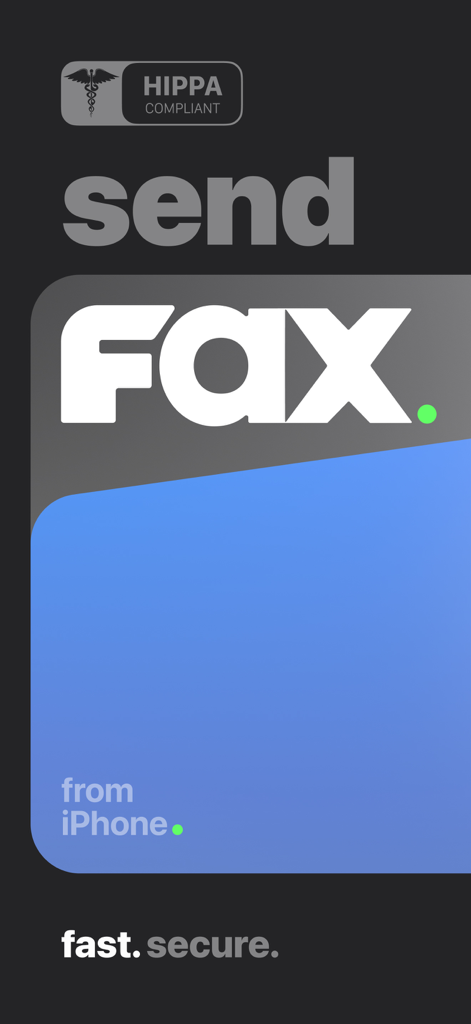
mFax App Startbildschirm mit dem Text Fax vom iPhone senden und HIPPA-konformer Badge
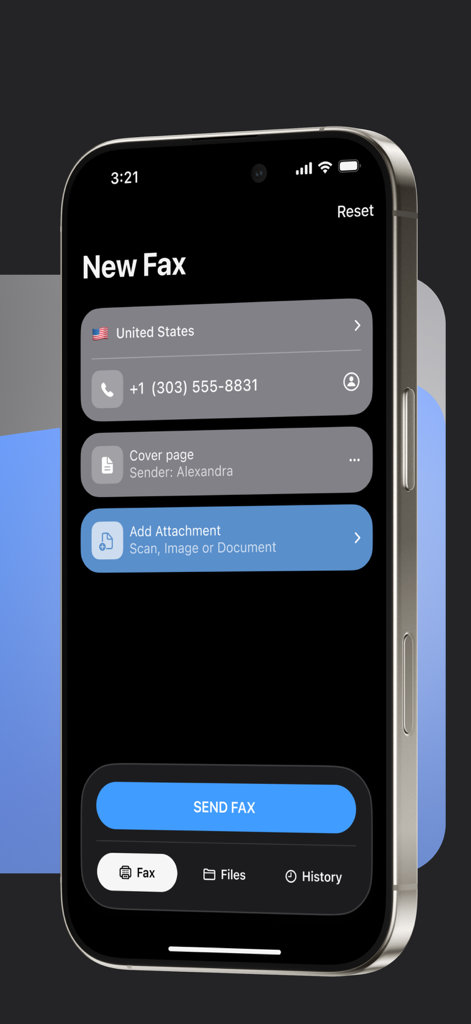
Oberfläche der mFax App auf einem iPhone, die den Bildschirm Neues Fax zum Senden von Dokumenten anzeigt
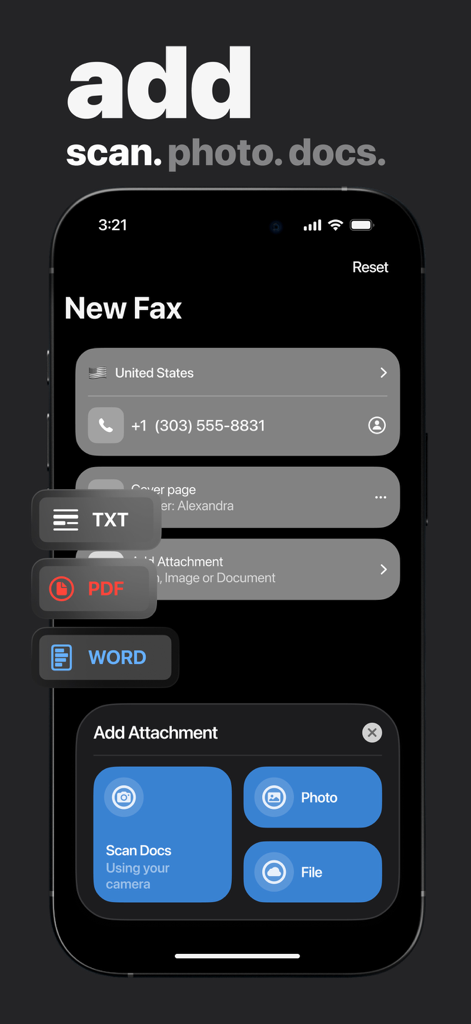
Oberfläche der mFax App, die Optionen zum Hinzufügen von Anhängen per Scan, Foto oder Datei für ein neues Fax anzeigt
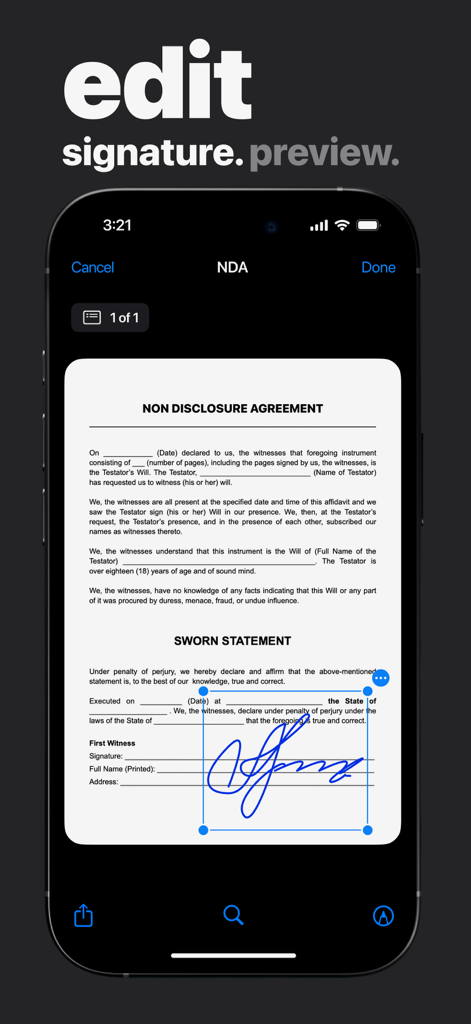
Benutzer bearbeitet eine elektronische Signatur auf einem NDA-Dokument innerhalb der mFax App
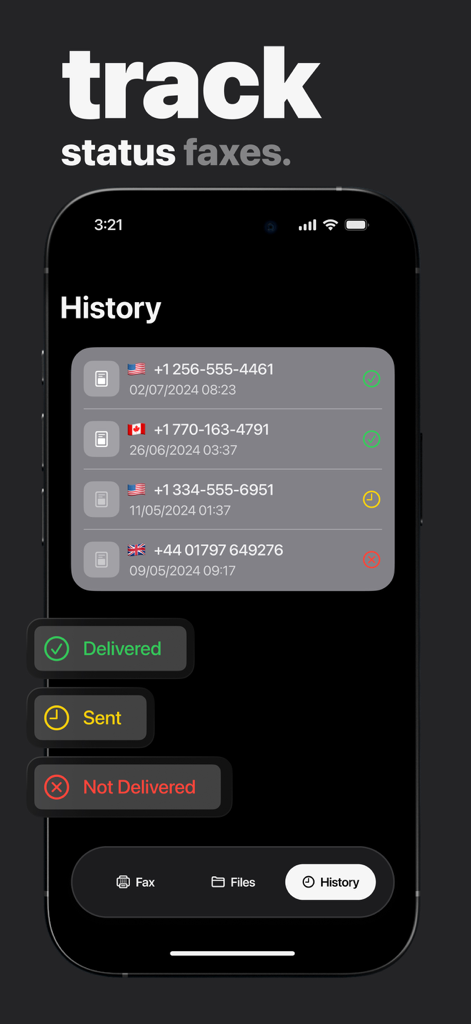
Screenshot zeigt den Faxverlauf mit Zustellstatusanzeigen in einer iPhone App
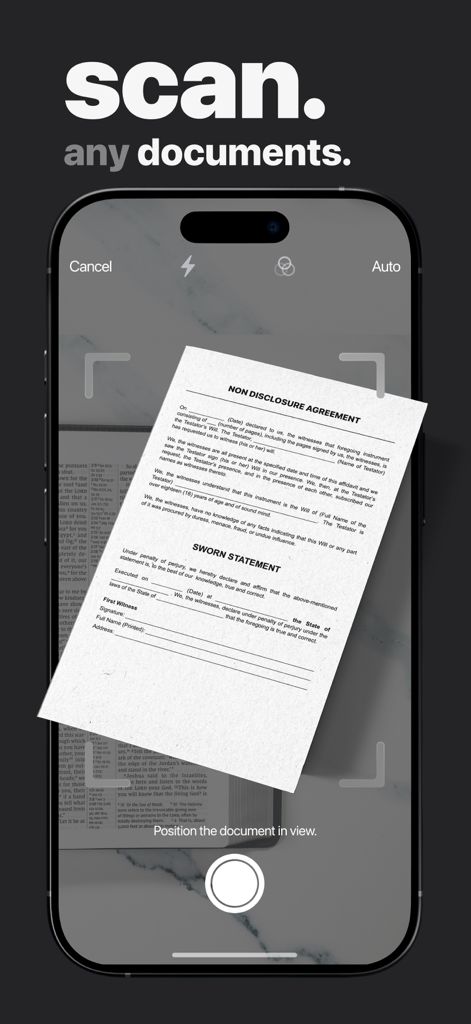
Mobile App-Oberfläche, die ein Rechtsdokument zum Faxen von einem iPhone scannt
Beschreibung
Download
Ähnliche Apps
Apps mit ähnlichen Funktionen und Nutzererfahrung

FAX ®
Trendest Insight SRL

FAX from iPhone: Send Doc App
Municorn Limited

FaxFree: Send Fax From iPhone
BP Mobile LLC

Fax From iPhone - Receive Fax
Caprinix LLC

Snapfax: Pay-as-you-go Fax
Extracomm Inc

Fax Burner: iPhone Fax App
Paul Rydell

FAX for iPhone: Send & Receive
7270356 Canada Inc

#FAX from iPhone: free sending
Vahagn Gevorgyan

Genius Fax - Faxing app
The Grizzly Labs
Diese Seite ist keine offizielle Seite der App oder ihres Entwicklers, sondern eine unabhängige redaktionelle Veröffentlichung, die zu Informations- und Kommentarzwecken erstellt wurde. Sofern nicht ausdrücklich anders angegeben, sind weder die App noch ihr Entwickler mit MWM, Apple, Google Play, dem App-Herausgeber oder dem Entwickler der App verbunden, von ihnen unterstützt, gesponsert, autorisiert oder anderweitig offiziell verbunden, und nichts auf dieser Seite impliziert, dass die App unter Verwendung der Dienste von MWM entwickelt wurde. Alle Marken, Logos, Screenshots und andere Inhalte bleiben Eigentum ihrer jeweiligen Inhaber.