FengShui Transparent Compass
Herunterladen auf App Store

Diese Seite ist keine offizielle Seite der App oder ihres Entwicklers, sondern eine unabhängige redaktionelle Veröffentlichung, die zu Informations- und Kommentarzwecken erstellt wurde. Sofern nicht ausdrücklich anders angegeben, sind weder die App noch ihr Entwickler mit MWM, Apple, Google Play, dem App-Herausgeber oder dem Entwickler der App verbunden, von ihnen unterstützt, gesponsert, autorisiert oder anderweitig offiziell verbunden, und nichts auf dieser Seite impliziert, dass die App unter Verwendung der Dienste von MWM entwickelt wurde. Alle Marken, Logos, Screenshots und andere Inhalte bleiben Eigentum ihrer jeweiligen Inhaber.


Logo von FengShui Transparent Compass
Herunterladen auf App Store

FengShui Transparent Compass

Beherrschen Sie Ihre Umgebung mit dem ultimativen digitalen Luopan. Überlagern Sie hochpräzise Kompassskalen direkt auf Architekturpläne und Karten, um den Energiefluss mit professioneller Genauigkeit zu optimieren.

Kennzahlen

Downloads

12K+

Bewertung

3.2/5

Bewertungen gesamt

0

Herausgeber

fate amtb

Kategorie

Utilities

Sprachen

4

Neueste Version

6.6

Größe

70.7 MB

Erstveröffentlichung

26. Sept. 2018
Funktionen

Professionelle Feng Shui Analysewerkzeuge

Verwandeln Sie Ihr Gerät in ein Präzisions-Luopan. Beherrschen Sie den Energiefluss in jedem Raum mit fortschrittlichen Overlays, die für Hausbesitzer, Designer und Praktiker entwickelt wurden.

Transparenter Digitaler Luopan

Überlagern Sie nahtlos mehr als ein Dutzend professionelle Kompassansichten auf Hausgrundrisse oder Live-Karten für sofortige Orientierung und Bewertung.

Präzise Raumvermessung

Definieren Sie Energiebereiche genau mit dem Neun Paläste-Raster und Polygon-Werkzeugen, um das wahre Zentrum jeder architektonischen Anordnung zu lokalisieren.

Die folgenden Screenshots und die Beschreibung stammen direkt aus dem offiziellen Store-Eintrag der App und sind Eigentum des Entwicklers.

App Store

Screenshots
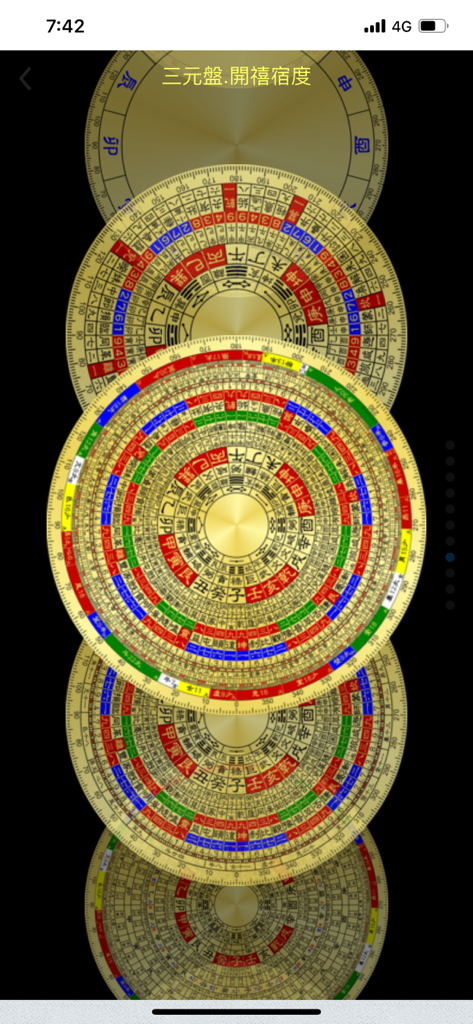
FengShui Transparent Compass - Ein vertikaler Stapel verschiedener digitaler Feng Shui Luopan Kompass-Designs mit traditionellen chinesischen Markierungen.
Ein vertikaler Stapel verschiedener digitaler Feng Shui Luopan Kompass-Designs mit traditionellen chinesischen Markierungen.

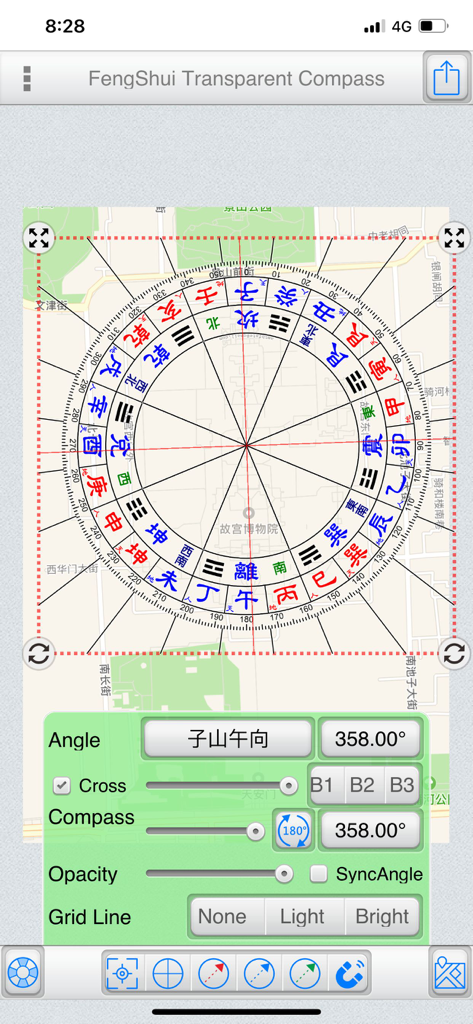
FengShui Transparent Compass - Ein digitaler Feng Shui Luopan Kompass, überlagert auf einer Stadtkarte mit Einstellungsreglern für Winkel und Deckkraft.
Ein digitaler Feng Shui Luopan Kompass, überlagert auf einer Stadtkarte mit Einstellungsreglern für Winkel und Deckkraft.

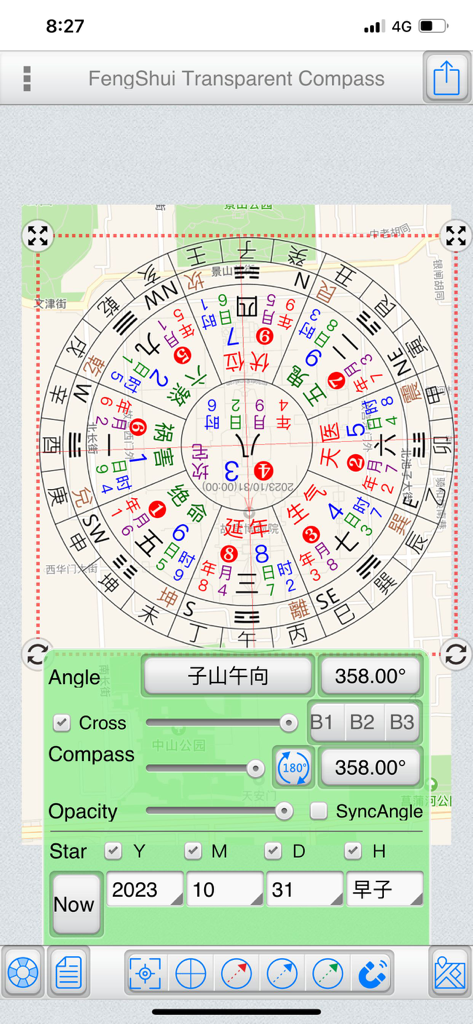
FengShui Transparent Compass - Ein digitales Feng Shui Kompasswerkzeug, überlagert auf einer Karte mit einstellbaren Einstellungen für Winkel und Transparenz.
Ein digitales Feng Shui Kompasswerkzeug, überlagert auf einer Karte mit einstellbaren Einstellungen für Winkel und Transparenz.

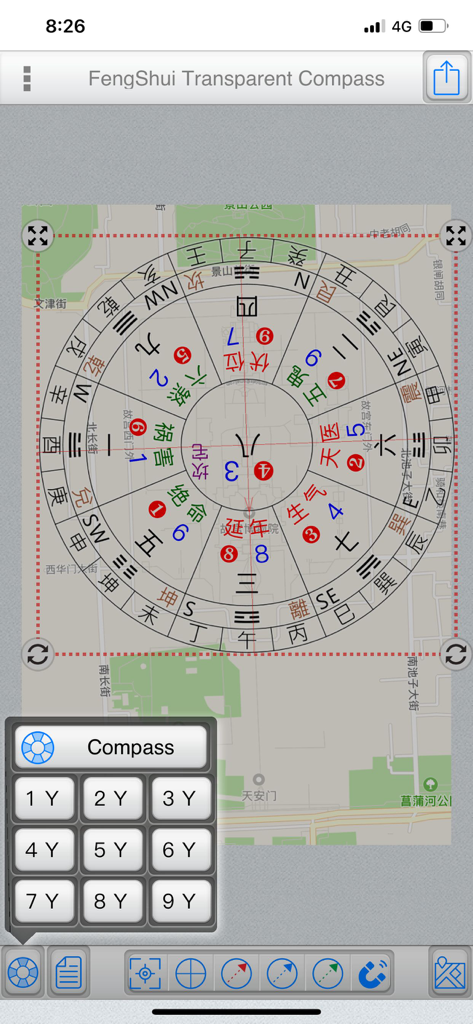
FengShui Transparent Compass - Digitales Feng Shui Kompasswerkzeug, überlagert auf einer Straßenkarte zur Orientierungsanalyse.

Digitales Feng Shui Kompasswerkzeug, überlagert auf einer Straßenkarte zur Orientierungsanalyse.
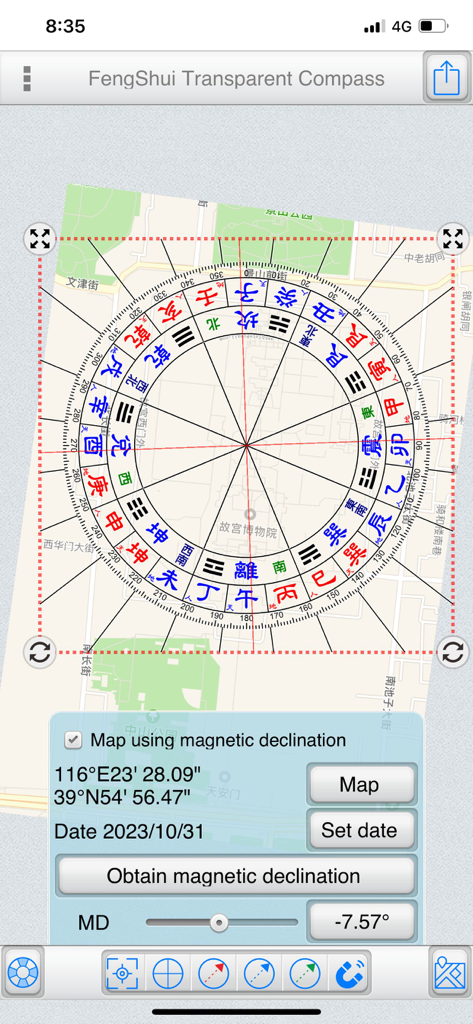
FengShui Transparent Compass - Ein transparenter Feng Shui Kompass, überlagert auf einer Stadtkarte mit Bedienelementen für die magnetische Deklination.
Ein transparenter Feng Shui Kompass, überlagert auf einer Stadtkarte mit Bedienelementen für die magnetische Deklination.

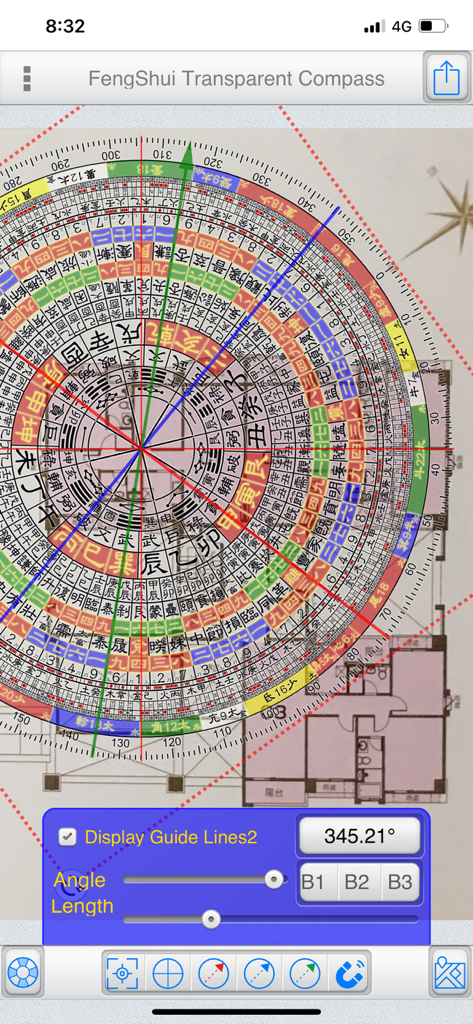
FengShui Transparent Compass - Digitaler Feng Shui Kompass-Overlay auf einem architektonischen Grundriss zur Orientierungsmessung.
Digitaler Feng Shui Kompass-Overlay auf einem architektonischen Grundriss zur Orientierungsmessung.

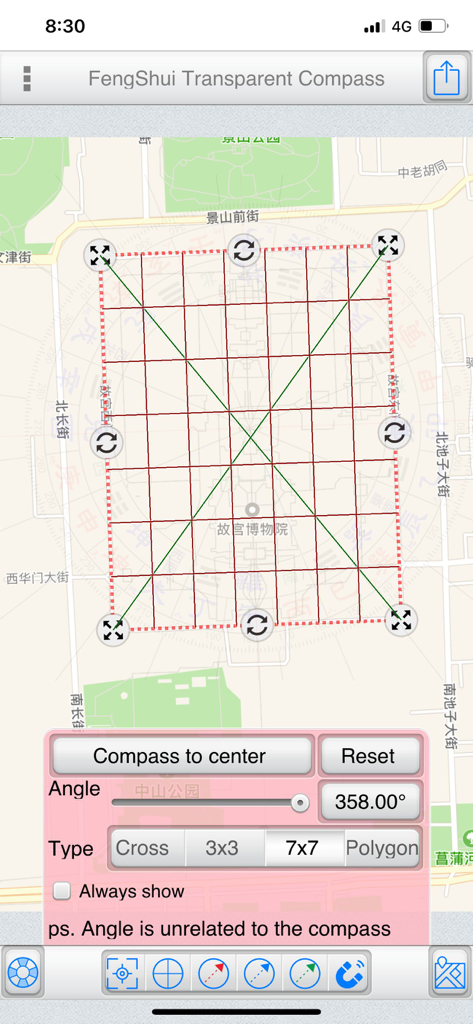
FengShui Transparent Compass - Ein Screenshot der FengShui Transparenter Kompass-App, der ein 7x7-Raster zeigt, das auf einer Stadtkarte mit Orientierungs- und Winkelreglern überlagert ist.
Ein Screenshot der FengShui Transparenter Kompass-App, der ein 7x7-Raster zeigt, das auf einer Stadtkarte mit Orientierungs- und Winkelreglern überlagert ist.

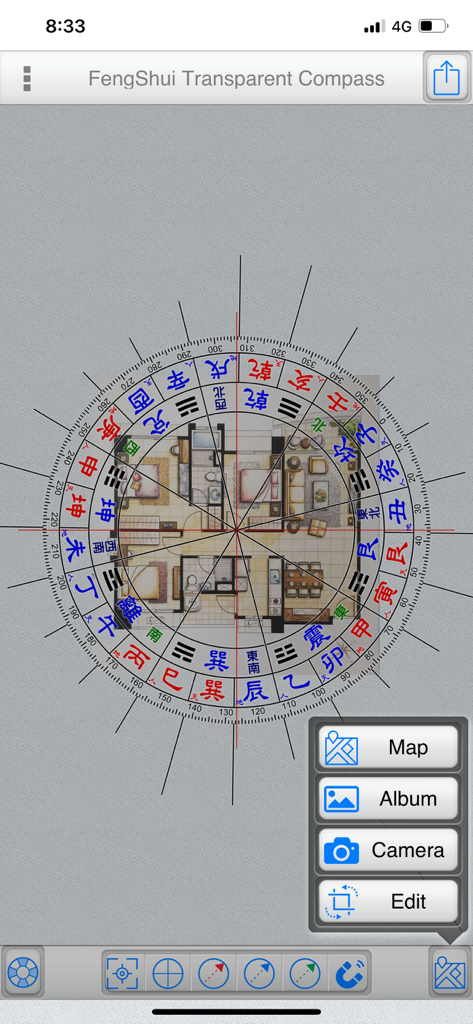
FengShui Transparent Compass - Ein digitaler Feng Shui Kompass, überlagert auf einem architektonischen Grundriss eines Hauses zur Orientierungsmessung.
Ein digitaler Feng Shui Kompass, überlagert auf einem architektonischen Grundriss eines Hauses zur Orientierungsmessung.

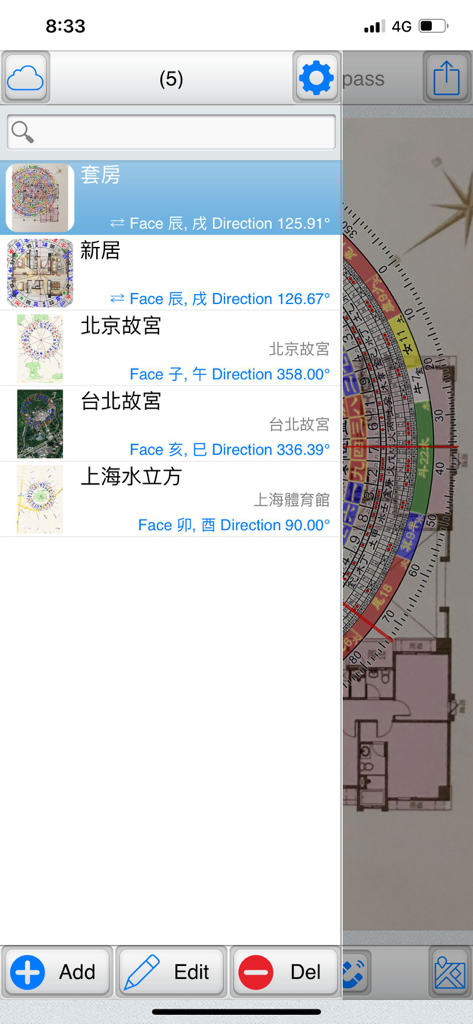
FengShui Transparent Compass - Bildschirm zur Dateiverwaltung, der eine Liste gespeicherter Grundrisse und ihrer Orientierungsdaten in der FengShui Transparenter Kompass-App anzeigt.
Bildschirm zur Dateiverwaltung, der eine Liste gespeicherter Grundrisse und ihrer Orientierungsdaten in der FengShui Transparenter Kompass-App anzeigt.

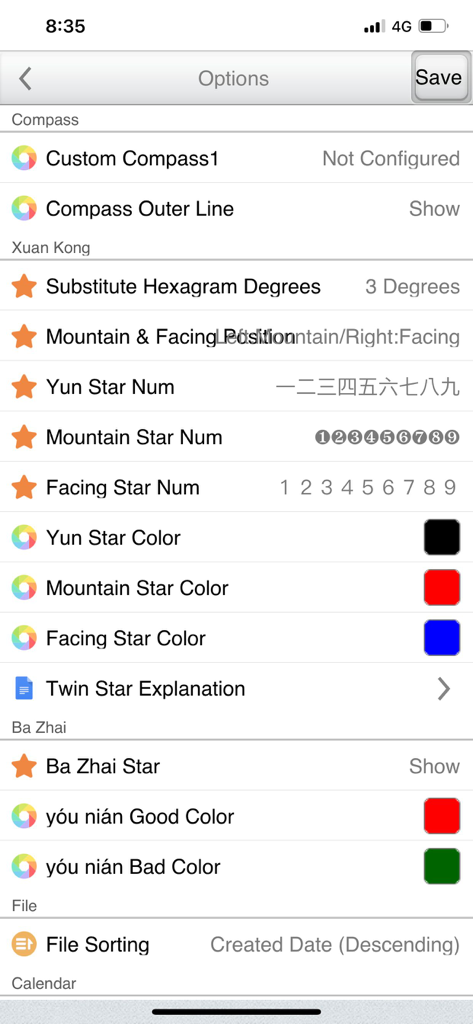
FengShui Transparent Compass - Einstellungsbildschirm der FengShui Transparenter Kompass-App, der Anpassungsoptionen für Xuan Kong- und Ba Zhai-Analysen zeigt.

Einstellungsbildschirm der FengShui Transparenter Kompass-App, der Anpassungsoptionen für Xuan Kong- und Ba Zhai-Analysen zeigt.

Beschreibung

"FengShui Transparent Compass" is a tool used for measuring orientation on "maps" and "house architectural floor plans." It provides various polar scales, acting as a transparent compass overlaid on a map or image to facilitate orientation measurement and Feng Shui assessment. Provides more than a dozen compass face options. File Management: (Offers file management with thumbnail previews to easily manage all manipulated files) Supports iCloud Cloud Backup and Data Recovery functions (backing up overlay files and settings). Base Maps:  ●Map: Capture maps to use as base maps, with three display modes: Normal, Satellite, and Hybrid. You can also search for addresses (which can be recorded in the current file).  ●Album: Choose images from the device's photo album as base maps.  ●Camera: Use the camera to take photos and use them as base maps.  ●Edit: Crop and rotate base maps. Central Positioning:  ●Purpose: Measure the central position of a specific area on the base map.  ●Styles: Offers four styles – Crosshair, Nine Palaces Grid, 7x7 Grid, and Polygon.  ●Fixed Display: Check to keep it displayed continuously and save the state.  ●Operating Steps:   ●Place a polygon and align it with a specific area on the base map.   ●Adjust its size and rotation freely.   ●Tap "Place Polar Scale in Center" to position the polar scale at the center. Note that the rotation angle does not affect the polar scale; the primary purpose is alignment with the base map.  ●Polygon Operation:   ●Drag the red dot to align with the measured area.   ●Tap on a line and drag to add a new point. The blue central dot represents the center of the polygon. Polar Scale:  ●Adjust the angles of the "Polar Scale" and "Crosshair" to align with the orientation of the buildings on the base map.  ●Input angles or use sliders to adjust them.  ●Sync Option:   ●Map as the base map: Uncheck synchronization since the map's orientation is fixed at True North, and you only need to adjust the crosshair orientation.   ●Photo as the base map: Synchronization is automatically checked. If the bottom is "Zuo Shan" and the top is "Xiang Shan," synchronization is adjusted accordingly. (Exceptional cases can uncheck synchronization and adjust separately.)  ●Transparency: Adjust the transparency of the polar scale based on the base map's color.  ●Crosshair: Show or hide the crosshair.  ●Gesture Controls:   ●Tap the polar scale once to reveal buttons at its four corners.    ●Hold the top-left and top-right corners to resize and rotate the polar scale.    ●Hold the bottom-left and bottom-right corners to resize the polar scale (use this if you don't want to change the angle).   ●Two fingers to zoom in and out.  ●You can also share the overlay via Google Cloud Print, WeChat, Line, Messenger, and other platforms depending on device sharing options. Double Star Explanation:  ●When using a 1-9 Yun Xuan Kong Flying Star chart, tapping on a palace will display a double star explanation (editable in settings). Auxiliary Lines:  ●Offers three auxiliary line colors: Red, Blue, Green.  ●Tap the bottom function to display a specific auxiliary line, or uncheck it to hide.  ●Methods to adjust auxiliary line angles:   1.From within the polar scale, drag to rotate the auxiliary lines.   2.Use the angle buttons below to input angles.   3.Use the slider below to adjust angles. Magnetic Declination:  ●Specify latitude, longitude, and date to obtain magnetic declination from the NOAA website, or manually input magnetic declination.  ●You can apply magnetic declination to correct the orientation of the base map. Preferences Settings... ● This tool is only an auxiliary tool for Feng Shui identification, and the user needs to have relevant knowledge of Feng Shui. ● Operation interface: Traditional Chinese, Simplified Chinese, Japanese, English. ● It also supports tablet large screen display in any direction.

Download

Herunterladen auf App Store

Diese Seite ist keine offizielle Seite der App oder ihres Entwicklers, sondern eine unabhängige redaktionelle Veröffentlichung, die zu Informations- und Kommentarzwecken erstellt wurde. Sofern nicht ausdrücklich anders angegeben, sind weder die App noch ihr Entwickler mit MWM, Apple, Google Play, dem App-Herausgeber oder dem Entwickler der App verbunden, von ihnen unterstützt, gesponsert, autorisiert oder anderweitig offiziell verbunden, und nichts auf dieser Seite impliziert, dass die App unter Verwendung der Dienste von MWM entwickelt wurde. Alle Marken, Logos, Screenshots und andere Inhalte bleiben Eigentum ihrer jeweiligen Inhaber.








