
Diese Seite ist keine offizielle Seite der App oder ihres Entwicklers, sondern eine unabhängige redaktionelle Veröffentlichung, die zu Informations- und Kommentarzwecken erstellt wurde. Sofern nicht ausdrücklich anders angegeben, sind weder die App noch ihr Entwickler mit MWM, Apple, Google Play, dem App-Herausgeber oder dem Entwickler der App verbunden, von ihnen unterstützt, gesponsert, autorisiert oder anderweitig offiziell verbunden, und nichts auf dieser Seite impliziert, dass die App unter Verwendung der Dienste von MWM entwickelt wurde. Alle Marken, Logos, Screenshots und andere Inhalte bleiben Eigentum ihrer jeweiligen Inhaber.


Filmora: AI Video Editor&Maker
Für die Aufmerksamkeitsökonomie: Filmoras KI destilliert aus jeder Aufnahme sofort viralen Stoff.
Downloads
25M+Bewertung
Bewertungen gesamt
335.1KHerausgeber
Kategorie
Photo & VideoSprachen
21Neueste Version
15.3.50Größe
654.6 MBErstveröffentlichung
28. Apr. 2016Analyse der KI-gestützten Videobearbeitung mit Filmora
Eine Bewertung der Kernfunktionen, die Content-Ersteller von Anfängern bis Profis auf Plattformen wie TikTok, Instagram und YouTube unterstützen.
Text zu Video mit KI-Copywriting
Dieses Tool generiert Videos basierend auf Texteingaben, inklusive KI-generiertem Copywriting und Untertiteln, was die Inhaltserstellung revolutioniert.
KI-Auto-Schnitt
Die App ermöglicht das automatische Zusammenfügen von Höhepunkten zu filmischen Erzählungen, was den Bearbeitungsprozess erheblich beschleunigt.
Dynamische Untertitel
Es wandelt Sprache automatisch in dynamische Wort-für-Wort-Untertitel um, was die Zugänglichkeit und das Engagement auf sozialen Medien steigert.
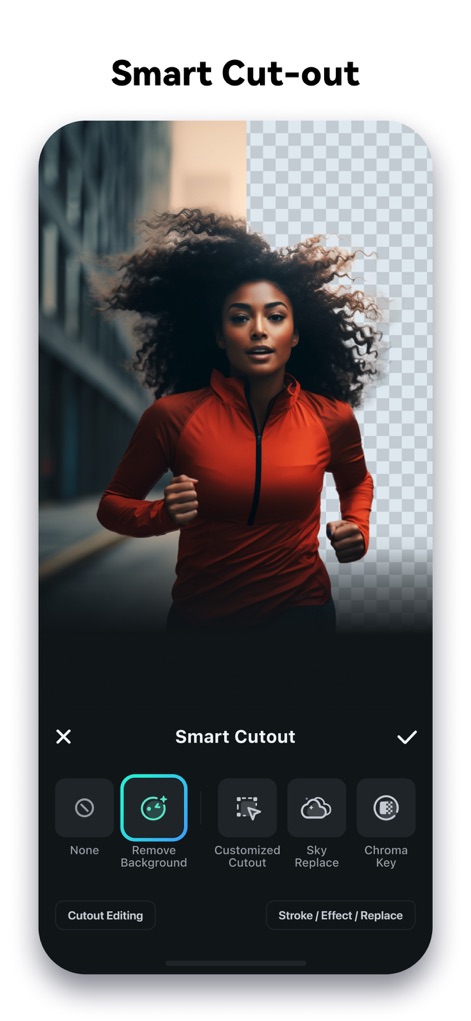
KI-Smart-Ausschnitt
Dieses Feature ermöglicht das präzise Freistellen von Objekten mit einfacher Gestensteuerung und bietet erweiterte Optionen für Ränder, Effekte und Hintergrundaustausch.
KI-Entferner
Die App bietet die Funktion, unerwünschte Elemente mühelos aus Videos zu entfernen, was die Videoqualität und den Fokus verbessert.
Bild zu Video (mit KI)
Dieses Tool verwandelt kreative Ideen durch fortschrittliche KI-Technologie in dynamische Videos aus statischen Bildern.
Intelligentes Tracking
Es unterstützt das intelligente Verfolgen von Gesichtern, Objekten oder anderen Elementen für Sticker, Texte und Bild-in-Bild-Effekte.
Anpassung der Videoformate
Die App ermöglicht die schnelle Anpassung der Videoformate für verschiedene soziale Plattformen wie Instagram, TikTok und YouTube.
KI-Musik & Soundeffekte
Dieses Feature generiert professionelle Musik und Soundscapes, die passend zum Videoinhalt erstellt werden.
Vorgefertigte Vorlagen
Die App stellt atemberaubende Vorlagen bereit, die es Nutzern ermöglichen, Videos mit integrierten KI-Effekten mit einem Klick zu erstellen.
Häufig gestellte Fragen
Alles, was Sie über wissen müssen Filmora: AI Video Editor&Maker
What is Filmora AI Video Editor?
Filmora AI Video Editor is an AI-based video editor and movie maker. It features tools like Image to Video, VideoGen, AI Auto Cut, and Dynamic Captions to help users create and edit videos.
Does Filmora AI Video Editor offer an "Image to Video" feature?
Yes, Filmora AI Video Editor includes an "Image to Video" feature. Users input creative ideas, and the AI converts photos into dynamic videos. This feature is also visible in Screenshot #3.
Can Filmora AI Video Editor remove unwanted elements from videos?
Yes, Filmora AI Video Editor includes "AI Remover" for effortlessly erasing unwanted elements from videos. It also features "AI Smart Cutout" for customized object removal and background replacement.
What are the subscription options for Filmora Pro?
Filmora Pro subscriptions offer Monthly, Annual, or Perpetual billing options. These subscriptions grant access to all features and paid editing materials, while automatically removing watermarks and logo rolls.
Does Filmora AI Video Editor support Text to Speech conversion?
Yes, Filmora AI Video Editor supports Text to Speech. This feature transforms written text into professional voiceovers for videos, enhancing auditory content. Screenshot #4 displays the Text-To-Speech functionality.
How does Filmora AI Video Editor handle captions?
Filmora AI Video Editor provides "Dynamic Captions," which auto-convert speech to text into word-by-word captions. It also features "Text to Video" for generating videos with AI copywriting and subtitles.
Does Filmora AI Video Editor allow adjusting video speed?
Yes, Filmora AI Video Editor allows users to adjust video speed. It includes speed control with customizable and pre-set curves, enabling fast or slow-motion effects. Screenshot #7 shows the "Speed Curve" interface.
Can Filmora AI Video Editor extract music from videos?
Yes, Filmora AI Video Editor can extract music directly from videos. It also enables users to split audio to remove unwanted segments and to add various music, sound effects, or voice-overs.
Is Filmora AI Video Editor suitable for beginners?
Yes, Filmora AI Video Editor offers user-friendly features for beginners. These include trimming, splitting, merging clips, adding text and emojis, and using stunning templates for one-click video creation.
How do I contact support for Filmora AI Video Editor?
You can contact support for Filmora AI Video Editor via email at mailer@service.wondershare.com or by visiting their support website at http://support.wondershare.com.
Die folgenden Screenshots und die Beschreibung stammen direkt aus dem offiziellen Store-Eintrag der App und sind Eigentum des Entwicklers.
App Store
Screenshots
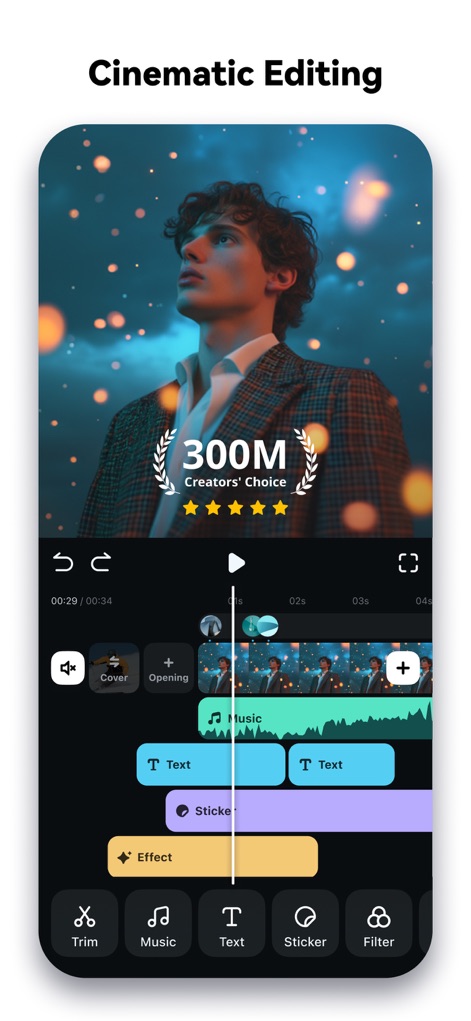
Professionelle Videobearbeitung
Nutzer können Videos präzise auf der vielschichtigen Zeitleiste bearbeiten und von der "300M Creators' Choice"-Auszeichnung profitieren.
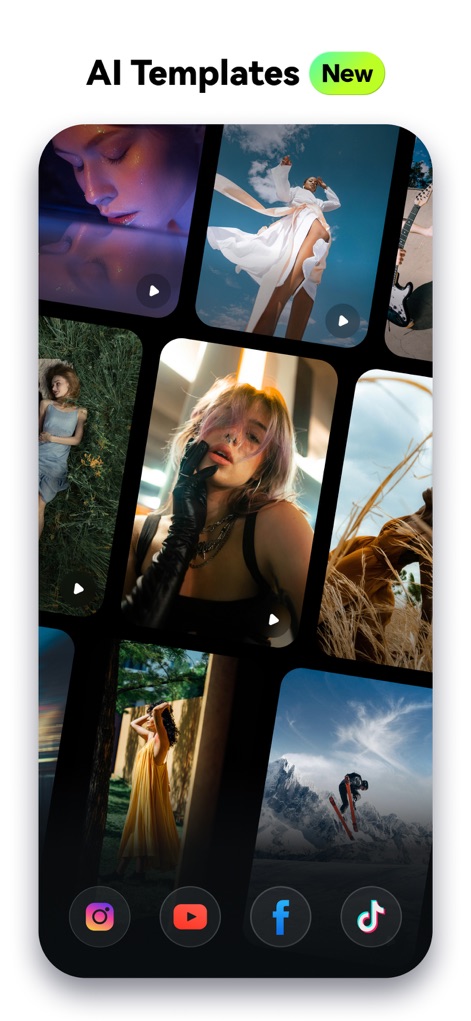
Kreative KI-Vorlagen
Die App bietet eine Fülle von kreativen KI-Vorlagen, mit denen Nutzer Videos für verschiedene soziale Medien wie TikTok und Instagram schnell gestalten können.
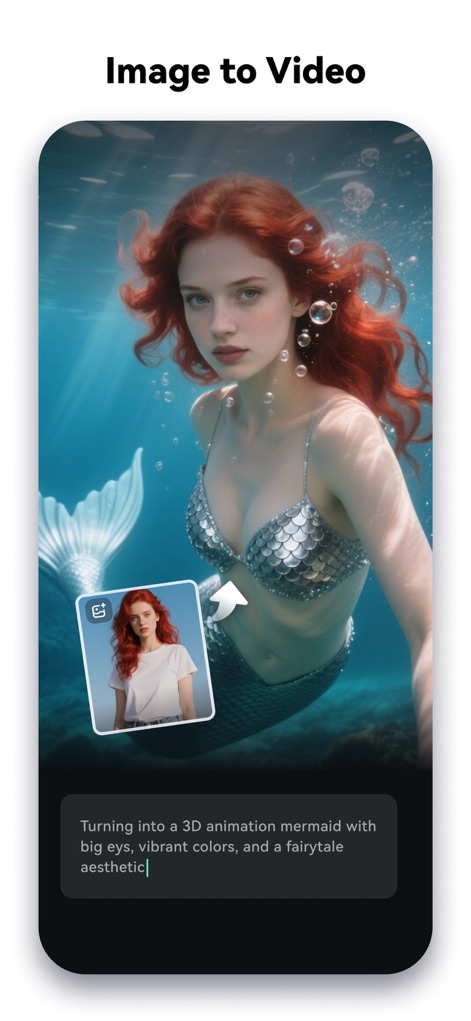
Bilder in Videos
Mit der Funktion "Image to Video" können Nutzer durch Texteingaben Bilder wie eine Frau in eine dreidimensionale Meerjungfrau verwandeln und so kreative Visionen realisieren.

Text in Sprache
Dieses Tool wandelt geschriebenen Text, wie "Welcome to Filmora", nahtlos in professionelle Voiceovers um, unterstützt durch die intuitiv bedienbare TTS-Funktion.

Automatische Untertitel
Die App erstellt dynamische Untertitel, wie die hervorgehobene Phrase "powerful animated captions", automatisch aus gesprochenem Text und verbessert so die Zugänglichkeit von Videos.

KI-Musik Sounds
Nutzer können mit der KI-Musikfunktion professionelle Soundtracks generieren, deren Stimmung sich anhand der visuellen Soundwellen und der Mood-Auswahl anpassen lässt.

Variable Geschwindigkeiten
Dieses Tool ermöglicht präzise Geschwindigkeitsanpassungen durch eine intuitive Kurvensteuerung, mit der Nutzer die Dynamik ihrer Aufnahmen von Surfern am Strand individuell anpassen können.

Social Media Optimiert
Die App bietet optimierte Videoformate für alle wichtigen Social-Media-Plattformen, sodass Nutzer Inhalte wie das "SALE"-Video mit dem passenden Seitenverhältnis für TikTok exportieren können.
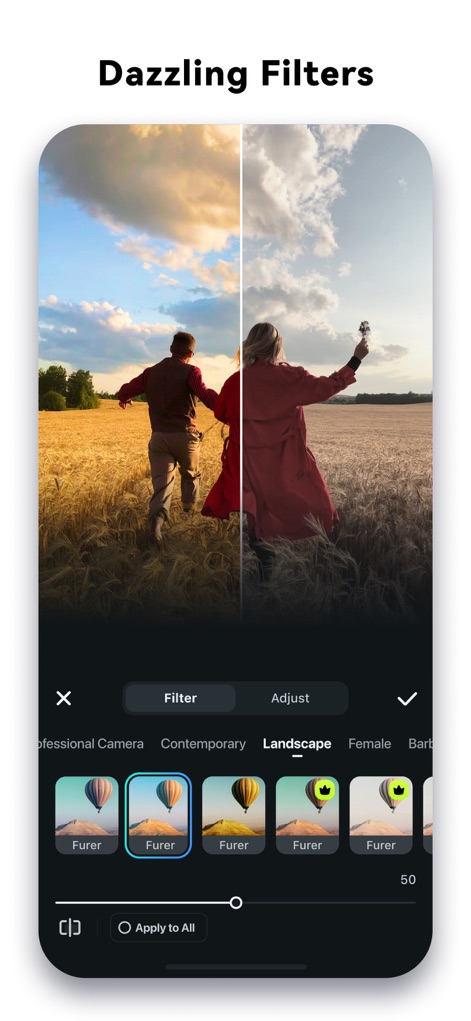
Beeindruckende Filtereffekte
Nutzer können ihre Videos mit einer Vielzahl von beeindruckenden Filtern, wie dem "Furer"-Filter, veredeln, was sich durch den deutlichen Vorher-Nachher-Vergleich des Landschaftsbildes zeigt.
Intelligenter Ausschnitt
Die "Smart Cut-out"-Funktion ermöglicht es Nutzern, Objekte wie die rennende Frau präzise freizustellen, indem sie den Hintergrund transparent machen oder Optionen wie "Hintergrund entfernen" nutzen.
Beschreibung
Download
Ähnliche Apps
Apps mit ähnlichen Funktionen und Nutzererfahrung

InShot - Video Editor
SHANTANU PTE. LTD.

快影
Beijing Kwai Technology Co., Ltd.

Leto: Font for Instagram Story
Leto.Fonts FZCO

Templify・ Photo & Video Editor
Templify Media, Inc.

Spring - Video Editor
KineMaster Corporation

Impresso - Video & Logo Maker
PIXERY BILGI TEKNOLOJILERI ANONIM SIRKETI

Movavi - Video Editor
Movavi Emea LLC

Zebra: Photo & Video Editor
Dmitriy Biserov

快剪辑-AI写真&视频大片一键制作
Wenzhou XunChi Digital Technology Co., Ltd.
Diese Seite ist keine offizielle Seite der App oder ihres Entwicklers, sondern eine unabhängige redaktionelle Veröffentlichung, die zu Informations- und Kommentarzwecken erstellt wurde. Sofern nicht ausdrücklich anders angegeben, sind weder die App noch ihr Entwickler mit MWM, Apple, Google Play, dem App-Herausgeber oder dem Entwickler der App verbunden, von ihnen unterstützt, gesponsert, autorisiert oder anderweitig offiziell verbunden, und nichts auf dieser Seite impliziert, dass die App unter Verwendung der Dienste von MWM entwickelt wurde. Alle Marken, Logos, Screenshots und andere Inhalte bleiben Eigentum ihrer jeweiligen Inhaber.