Find Device - bluetooth finder
Herunterladen auf App Store

Diese Seite ist keine offizielle Seite der App oder ihres Entwicklers, sondern eine unabhängige redaktionelle Veröffentlichung, die zu Informations- und Kommentarzwecken erstellt wurde. Sofern nicht ausdrücklich anders angegeben, sind weder die App noch ihr Entwickler mit MWM, Apple, Google Play, dem App-Herausgeber oder dem Entwickler der App verbunden, von ihnen unterstützt, gesponsert, autorisiert oder anderweitig offiziell verbunden, und nichts auf dieser Seite impliziert, dass die App unter Verwendung der Dienste von MWM entwickelt wurde. Alle Marken, Logos, Screenshots und andere Inhalte bleiben Eigentum ihrer jeweiligen Inhaber.


Logo von Find Device - bluetooth finder
Herunterladen auf App Store

Find Device - bluetooth finder

Hören Sie auf, in Panik zu geraten und sparen Sie die Kosten für Ersatz. Unser visueller Signal-Radar führt Sie präzise zu Ihrer verlegten Apple Watch, AirPods oder jedem anderen Bluetooth-Gerät.

Kennzahlen

Downloads

7K+

Bewertung

4.5/5

Bewertungen gesamt

100

Herausgeber

LANARS LLC

Kategorie

Utilities

Sprachen

33

Neueste Version

1.2.6

Größe

15.4 MB

Erstveröffentlichung

1. Dez. 2020
Funktionen

Aufhören zu suchen, anfangen zu finden

Verwandeln Sie Ihr iPhone in einen hochpräzisen Radar, um jedes verlorene Bluetooth-Gerät in Sekundenschnelle zu lokalisieren, von AirPods bis zu Apple Pencils und Fitnesstrackern.

Echtzeit-Signal-Radar

Nutzen Sie unseren 'Wärmer oder kälter'-Entfernungssensor, um genau zu sehen, wie nah Sie Ihrem Gerät sind. Kein lästiges Durchsuchen des ganzen Raumes mehr.

Universeller BLE-Scanner

Speziell für das Apple-Ökosystem optimiert, aber dennoch leistungsstark genug, um jedes Bluetooth Low Energy-Gerät wie Lautsprecher oder Smart Bands zu finden.

Die folgenden Screenshots und die Beschreibung stammen direkt aus dem offiziellen Store-Eintrag der App und sind Eigentum des Entwicklers.

App Store

Screenshots
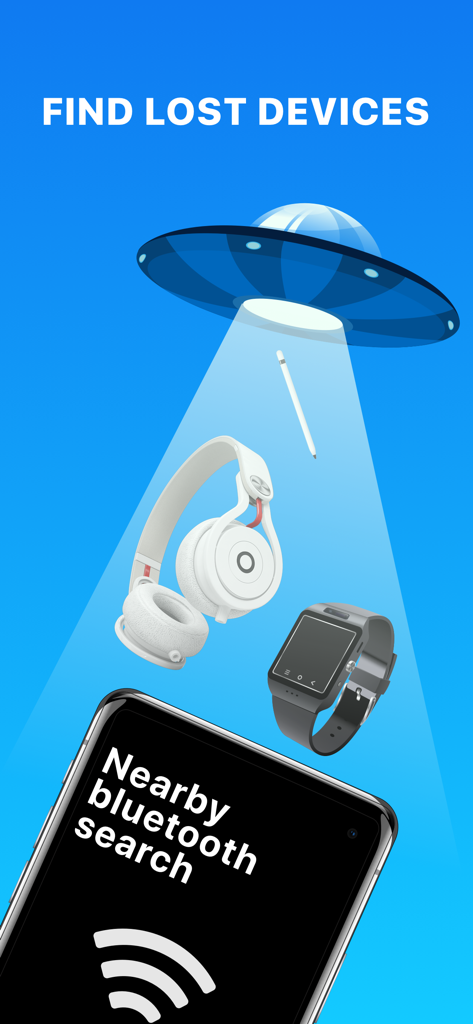
Find Device - bluetooth finder - Eine Illustration, die ein UFO zeigt, das mit einem Strahl nach verlorenen Gegenständen wie Kopfhörern und Smartwatches über einem Telefon sucht, auf dem die Find Device-App läuft

Eine Illustration, die ein UFO zeigt, das mit einem Strahl nach verlorenen Gegenständen wie Kopfhörern und Smartwatches über einem Telefon sucht, auf dem die Find Device-App läuft

Find Device - bluetooth finder - Cartoon-Junge, der mit einer Sprechblase feiert, in der steht, dass es funktioniert, und einer Zählung gefundener Geräte
Cartoon-Junge, der mit einer Sprechblase feiert, in der steht, dass es funktioniert, und einer Zählung gefundener Geräte

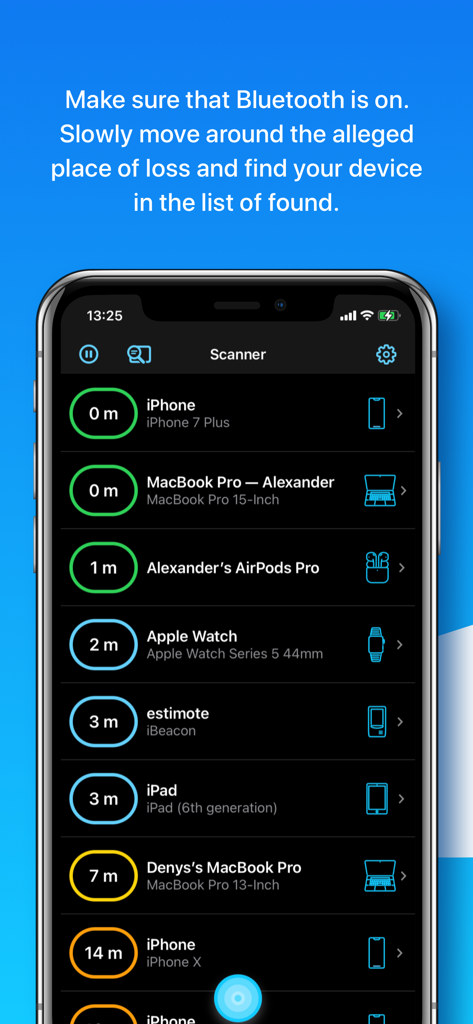
Find Device - bluetooth finder - Oberfläche der Find Device-App, die eine Liste von Bluetooth-Geräten in der Nähe mit geschätzten Entfernungen in Metern anzeigt
Oberfläche der Find Device-App, die eine Liste von Bluetooth-Geräten in der Nähe mit geschätzten Entfernungen in Metern anzeigt

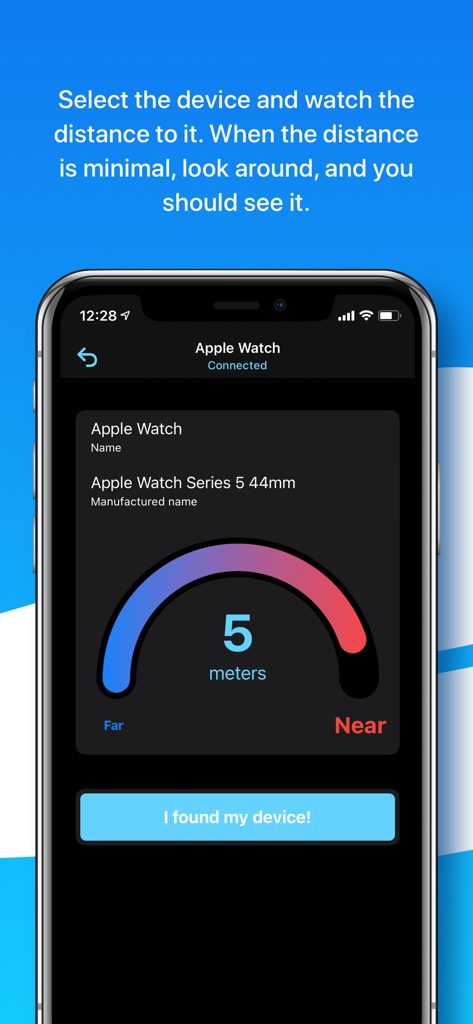
Find Device - bluetooth finder - Eine Entfernungssensor-Oberfläche, die fünf Meter zu einer verbundenen Apple Watch anzeigt

Eine Entfernungssensor-Oberfläche, die fünf Meter zu einer verbundenen Apple Watch anzeigt
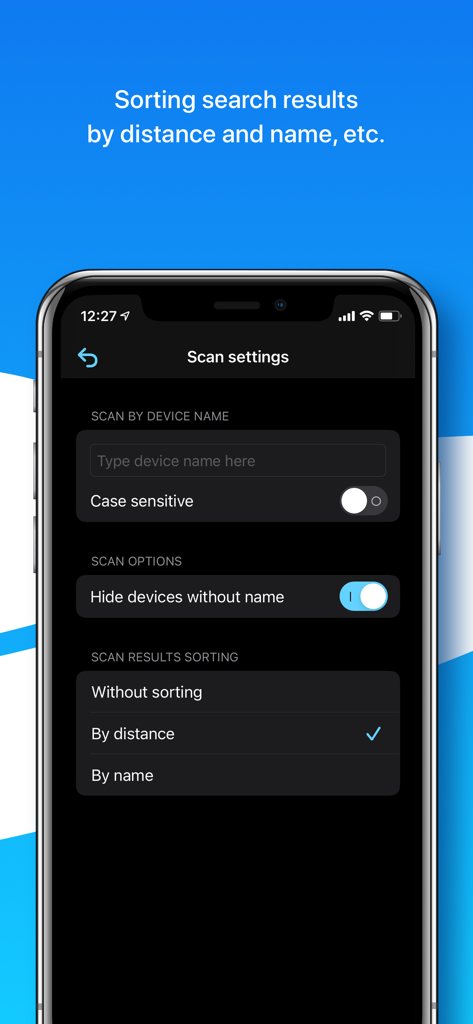
Find Device - bluetooth finder - Scan-Einstellungen-Bildschirm in der Find Device-App, der Optionen zum Filtern nach Gerätename und zum Sortieren von Ergebnissen nach Entfernung oder Name anzeigt
Scan-Einstellungen-Bildschirm in der Find Device-App, der Optionen zum Filtern nach Gerätename und zum Sortieren von Ergebnissen nach Entfernung oder Name anzeigt

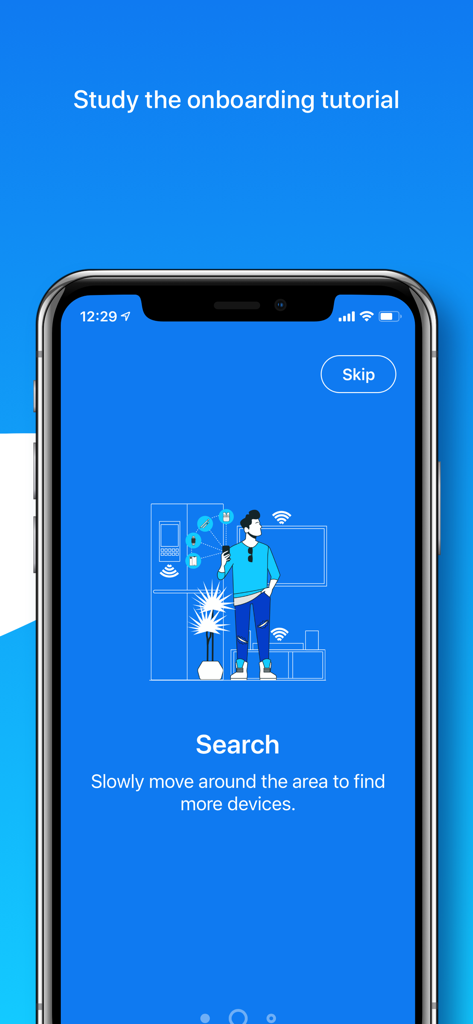
Find Device - bluetooth finder - App-Onboarding-Bildschirm, der eine Person zeigt, die einen Raum nach verlorenen Bluetooth-Geräten scannt

App-Onboarding-Bildschirm, der eine Person zeigt, die einen Raum nach verlorenen Bluetooth-Geräten scannt

Beschreibung

Can’t find your AirPods, Apple Pencil, Apple Watch, iPhone, iPad, iPod, Smartphone, Tablet, Smart Watch, Fitness Tracker, Headphones, Smart Bands, Speakers, or any other Bluetooth device? We can help you! If the lost device is on and its battery isn’t dead, we can provide you with the help to scan and find it via its Bluetooth. How to detect and find the lost device? 1. Open our application, make sure that Bluetooth is on, and the permission to use it is granted. 2. Slowly move around the alleged place of loss and find your device in the list of found. 3. Select the device and watch the distance to it. 4. When the distance is minimal, look around, and you should see it. Additionally, study the video tutorials above. We hope it’ll come in handy and provide an overview of the capabilities of our application for finding lost devices. About the app: In the application you’ll see a list of Bluetooth devices around you and the approximate distance to them. Also, a device name, manufactured name, device type, if such information can be retrieved from a Bluetooth device. You’ll be able to go to a screen with a distance sensor, which will be useful for you when searching. What else is useful in our app: - sorting search results by distance and name; - searching by a specific device name; - possibility to see unnamed Bluetooth devices, perhaps yours is among them; - helpful tips for finding and discovering devices; - convenient scale showing the distance to the device. Tips and Questions: - Why can't I see my device on the list? Sometimes not all devices are visible in the app, because they are turned off, too far away, or just not sending Bluetooth signal. - Why are the distance numbers unstable? The displayed distance is not stable because of the connection type and possible obstacles between you and your founded device. - Why do I see Unknown devices? Some devices don’t transmit data, such as name or manufactured name, however, you’ll be able to see the distance to it. - How to find a single AirPod? If you are looking for a single AirPod – put the other one in the AirPod case and close it. Then wait 5-7 seconds and continue. If you are looking for both AirPods – ignore this advice. - How to find the AirPod case? The AirPods case itself doesn’t send a signal. - Can I find AirPods if they are in a closed AirPod case? No, since AirPods in a closed case do not transmit a signal. - How to find an Apple Pencil? First try our app on iPad, to which Apple pencil was connected. But we could find Apple Pencil on both iPhone and MacBook. - Are you sure your app works? Definitely yes. Our team tested it and hid the devices all over our big office. All the devices were found. The search time was approximately 3-10 minutes. A list of the main BLE (Bluetooth Low Energy) devices that you can search for: - Apple devices such as AirPods (on iPhone/iPad), Apple Pencils (only on iPad), Apple Watches, iPods, iPads, MacBooks. - Bluetooth Headphones, Speakers, Earbuds such as JBL, Beats, etc. - Fitness Trackers as Mi Band, Xiaomi, etc. - Smartphones, Tablets, Smart Watches, and Smart Bands such as Microsoft Band, Samsung Gear, etc. - All other Bluetooth BLE (Bluetooth Low Energy) devices. The app supports Dark and Light modes, so your eyes will be happy. We’re planning to develop our application together with you. For any questions, contact support - hello@lanars.com

Download

Herunterladen auf App Store

Diese Seite ist keine offizielle Seite der App oder ihres Entwicklers, sondern eine unabhängige redaktionelle Veröffentlichung, die zu Informations- und Kommentarzwecken erstellt wurde. Sofern nicht ausdrücklich anders angegeben, sind weder die App noch ihr Entwickler mit MWM, Apple, Google Play, dem App-Herausgeber oder dem Entwickler der App verbunden, von ihnen unterstützt, gesponsert, autorisiert oder anderweitig offiziell verbunden, und nichts auf dieser Seite impliziert, dass die App unter Verwendung der Dienste von MWM entwickelt wurde. Alle Marken, Logos, Screenshots und andere Inhalte bleiben Eigentum ihrer jeweiligen Inhaber.








