Find My Phone & Device

Find My Phone & Device

Herunterladen auf App Store
Logo von Find My Phone & Device

Find My Phone & Device: Lokalisiere deine verlorenen AirPods und Bluetooth-Geräte in Sekundenschnelle

Keine Panik mehr wegen verlegter Elektronik. Nutze unseren hochempfindlichen Radar und Alarm, um deine Kopfhörer, Smartwatch oder dein Handy zu orten, bevor der Akku leer ist.

Herausgeber

Raymond NG

Kategorie

Lifestyle

Downloads

147K+

Bewertung

4.5/5

Bewertungen gesamt

3K+

Sprachen

1

Präzise lokalisieren

Entdecken Sie die Oberfläche, die von 147K+ Nutzern verwendet wird.

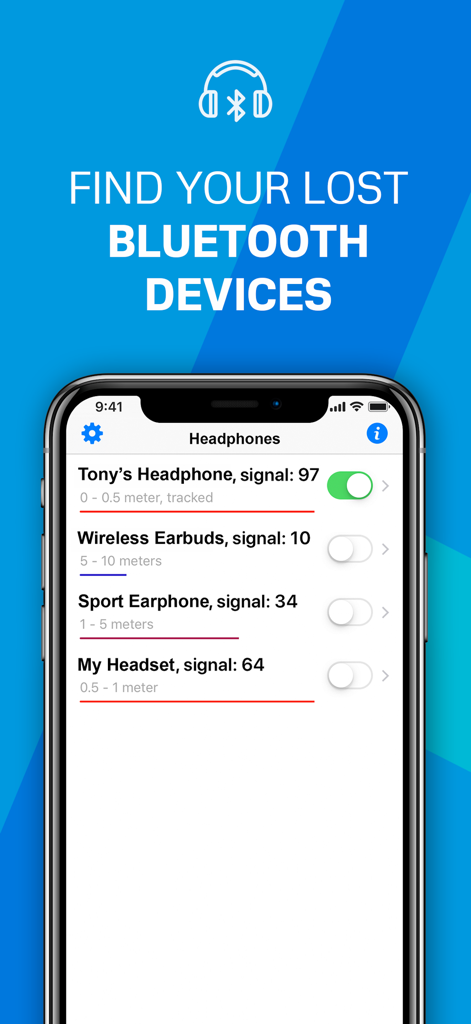
Oberfläche der Find My Phone App, die eine Liste von Bluetooth-Geräten in der Nähe mit Signalstärke und Entfernung anzeigt
Oberfläche der Find My Phone App, die eine Liste von Bluetooth-Geräten in der Nähe mit Signalstärke und Entfernung anzeigt

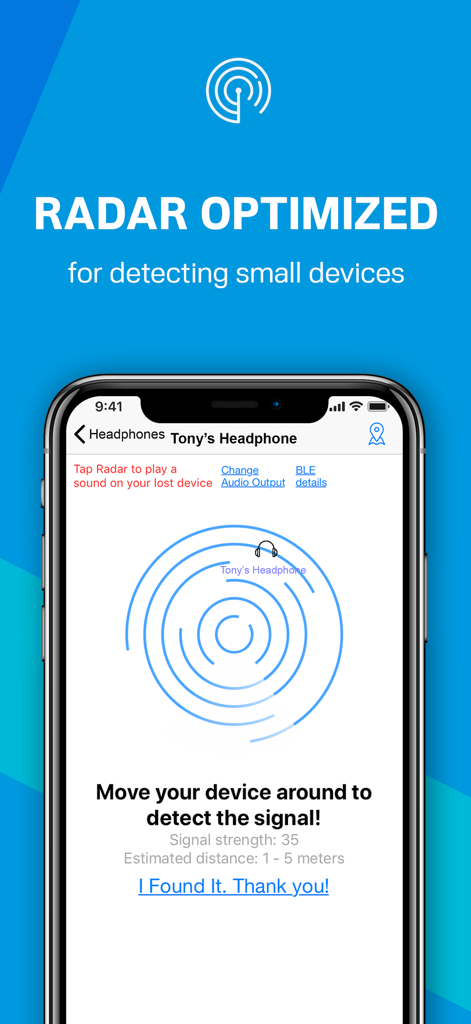
iPhone-Bildschirm mit einer Bluetooth-Radar-Oberfläche zur Ortung eines verlorenen Kopfhörers mit Signalstärke und Entfernungsabschätzung
iPhone-Bildschirm mit einer Bluetooth-Radar-Oberfläche zur Ortung eines verlorenen Kopfhörers mit Signalstärke und Entfernungsabschätzung

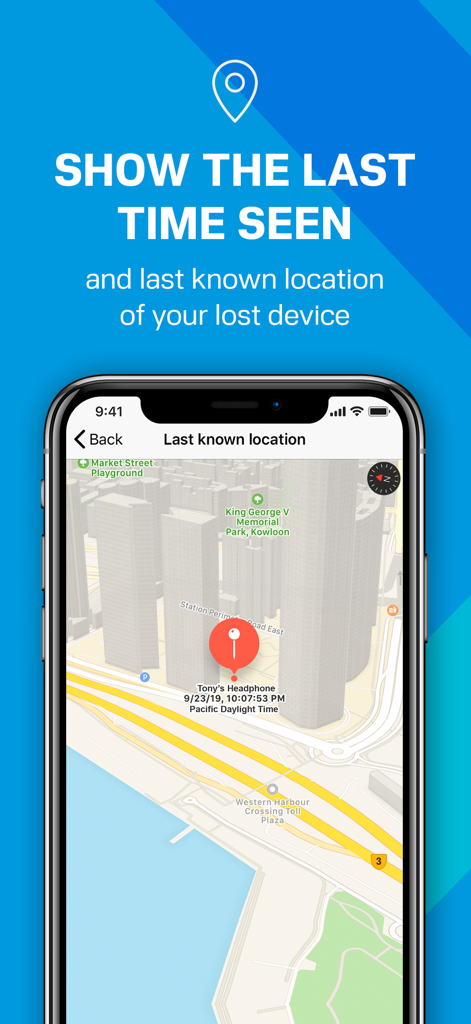
Kartenansicht innerhalb der App, die den letzten bekannten Standort und Zeitstempel eines verlorenen Bluetooth-Geräts zeigt
Kartenansicht innerhalb der App, die den letzten bekannten Standort und Zeitstempel eines verlorenen Bluetooth-Geräts zeigt

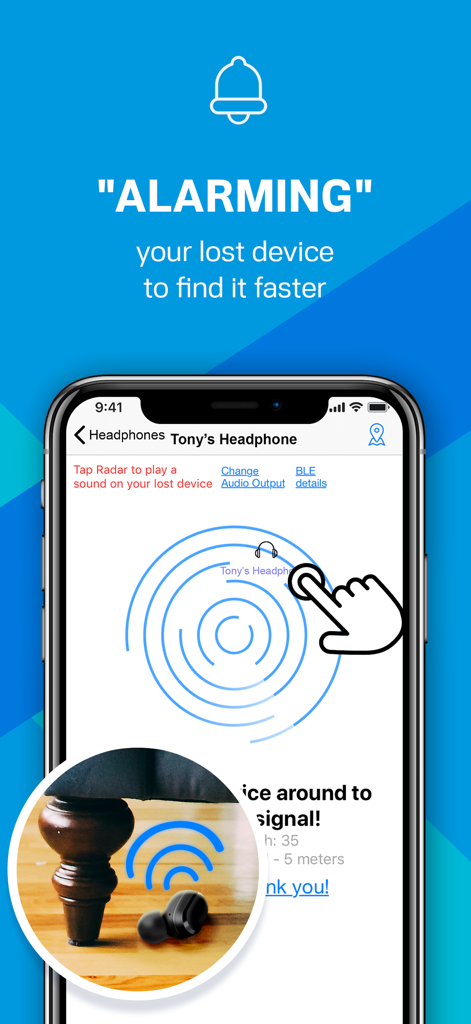
App Find My Phone and Device zeigt eine Radar-Oberfläche und Alarmfunktion zur Ortung eines verlorenen Ohrhörers unter einem Stuhl
App Find My Phone and Device zeigt eine Radar-Oberfläche und Alarmfunktion zur Ortung eines verlorenen Ohrhörers unter einem Stuhl

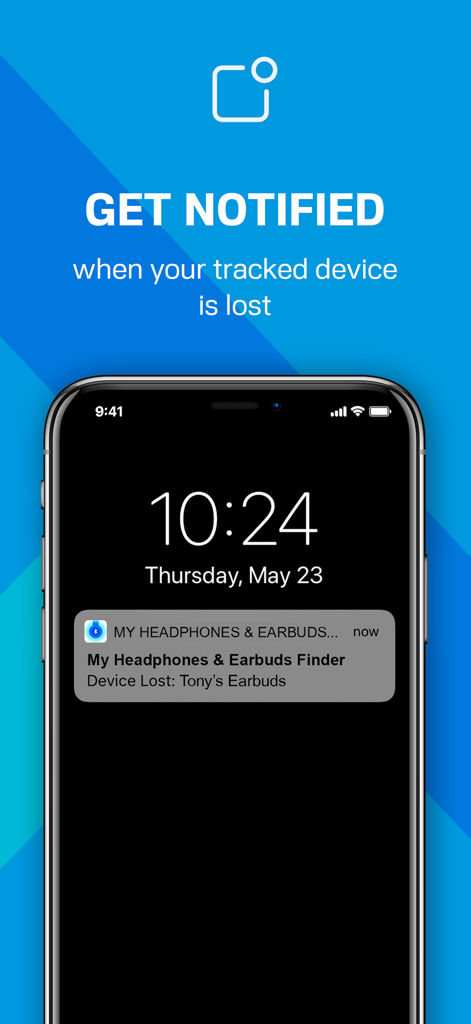
iPhone-Sperrbildschirm mit einer Benachrichtigungswarnung für einen verlorenen Bluetooth-Ohrhörer von der Find My Phone App
iPhone-Sperrbildschirm mit einer Benachrichtigungswarnung für einen verlorenen Bluetooth-Ohrhörer von der Find My Phone App

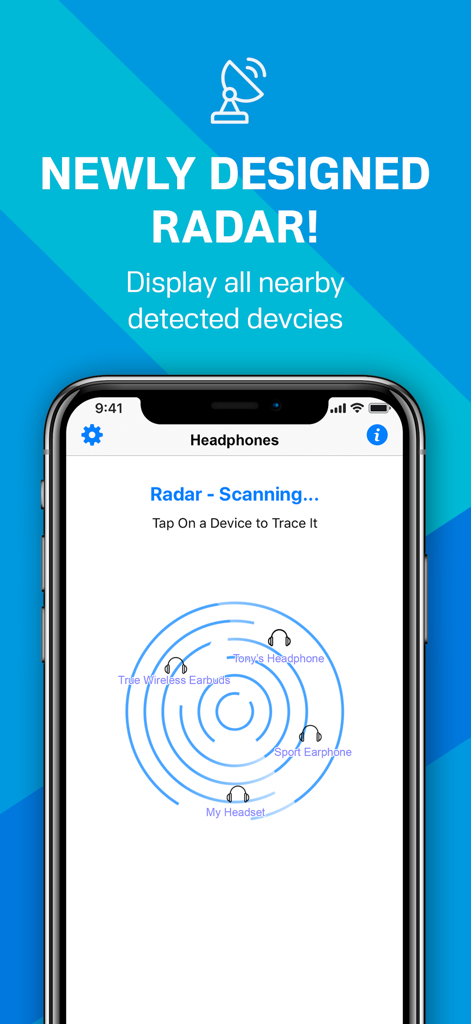
Screenshot der Find My Phone and Device App, die eine neu gestaltete Radar-Oberfläche zur Ortung von Bluetooth-Geräten in der Nähe wie Kopfhörern und Ohrhörern anzeigt.

Screenshot der Find My Phone and Device App, die eine neu gestaltete Radar-Oberfläche zur Ortung von Bluetooth-Geräten in der Nähe wie Kopfhörern und Ohrhörern anzeigt.

Finde deine Geräte in Sekundenschnelle

Die Tools, die diese App auszeichnen, gewählt von 147K+ Nutzern.

🎯

Visueller Signalradar

Keine blinde Suche mehr. Unser Präzisionsradar liefert Echtzeit-Entfernungsfeedback, damit du genau weißt, wann du dich dem Ziel näherst.

🔊

Fern-Alarmton

Das richtige Zimmer gefunden, aber sie immer noch nicht gesehen? Aktiviere einen lauten Alarm, um Ohrhörer aufzuspüren, die tief unter Sofakissen oder in Taschen versteckt sind.

📍

Letzter bekannter Standort

Frage dich nie wieder, wo du deine Ausrüstung zuletzt hattest. Die App kartiert automatisch den letzten gesehenen Ort deines Geräts und gibt dir einen klaren Ausgangspunkt.

Über die App

Alles, was Sie über wissen müssen Find My Phone & Device.

Beschreibung

Lost your Bluetooth Headphone, Earbud, Phone, or Device? If you want to find it, install this app! It'll help you find your lost device in seconds! Take action now, before the battery runs out! This app works with any BLE (Bluetooth Low Energy 4.0) Headphone, Earbud, Phone, or Device, including AirPods, Apple, Beats, Bose, Samsung, B&O, JBL, Sony, Jabra, and many other Bluetooth devices. Use it whenever you or your family misplace a device – and save the money you'd otherwise need to spend on a new one! "ALARMING" THE LOST HEADPHONE: When the signal strength is high, but you still can't see your headphone, you can use the app to play a sound alarm on your lost headphone so you can follow the sound. This help you find your lost headphone faster and more easily than just randomly looking around. To play a sound on your lost headphone, please tap "Change Audio Output" on the Radar screen and select your lost headphone as the audio output. Increase the volume to maximum, then tap the radar to play the alarm sound on your lost headphone. RADAR OPTIMIZED FOR DETECTING HEADPHONES: Some small headphones may radiate a weaker Bluetooth BLE signal compared to normal Bluetooth devices. To better detect these headphones and find them more easily, turn ON the "Optimize the sensitivity" option in the Settings screen. This will increase the sensitivity of the signal detection, so the reported signal strength will be more accurate. TRACKING FUNCTION: You can enable tracking for devices in the background by turning on the switch next to the device on the list, the application will then ping the tracked devices from time to time and remember the last location and time the device was seen. This is very useful when you’re travelling and want to keep your devices safe. You will receive a notification when your tracked device is disconnected or lost. When you tap the notification message on the Lock screen, it will open the app and shows the last known location and time of your lost device on a map. MORE APP FEATURES: • Find your lost device using our exclusively designed radar. It's fun! No need to read a manual. • Show hints, signal strength, and the estimated distance between you and your lost device to help you find it quickly. • Show the last seen (detected) time and last known location of your lost device on a map. • Show your device's BLE details such as UUID, RSSI, Services, etc. • The following Bluetooth devices can be found/tracked by this app: - AirPods, AirTag, iPhone, iPad, MacBook, Apple Watch, etc. - Beats Solo (Buds), Powerbeats Pro, Beats Studio Pro (Buds), Beats Fit Pro, Beats Fit Pro, Pill, etc. - Bose Noise Cancelling Earbuds & Headphones, QuietComfort, SoundLink, Sport, QuietControl, etc. - Sony Wireless Noise Cancelling Headphones, Truly Wireless, WF-1000XM, WH-1000XM, LinkBuds, etc. - Jabra Elite, Active, Evolve, Move, Classic, Storm, Extreme, PRO, etc. - Many other Bluetooth headphones, earbuds, and speakers (e.g., Audio-Technica, B&O, Google, Jaybird, JBL, Samsung, Sennheiser, etc.). NOTE: The app can locate any Bluetooth device that is broadcasting a BLE signal. FAQ: What is the difference between "Bluetooth BLE Device Finder" app and this "Find My Phone & Device" app? This app provides more functions (e.g. Alarming Headphone, New Radar). Also, it is optimized for detecting small headphones/earbuds/devices that radiates a weaker Bluetooth signal compared to normal Bluetooth devices. To better detect these headphones/earbuds/devices and help users find them more easily, users can turn ON the "Optimize the sensitivity" option in the Settings screen. This will increase the sensitivity of the signal detection, so the reported signal strength will be more accurate for small Bluetooth devices with a weak BLE signal. Privacy Policy: http://www.99mobileapp.com/pp.html Terms: http://www.99mobileapp.com/terms/index.html

Neueste Version

2.2.8

Größe

2.6 MB

Erstveröffentlichung

11. Okt. 2019

Nicht ersetzen, sondern finden.

Schließe dich über 147.000 Nutzern an, die unseren hochempfindlichen Radar vertrauen, um ihre teuren Ohrhörer und Geräte in Sekundenschnelle wiederzufinden. Handle jetzt, bevor der Akku leer ist, und spare Hunderte von Euro bei Ersatzkosten.

Herunterladen auf App Store

App information, icons, screenshots, and descriptions displayed on this page are sourced from the Apple App Store and are the property of their respective developers. Download estimates and rankings are based on MWM's proprietary models and may not reflect actual figures. This page is provided for informational and analytical purposes only.

Believe this page infringes your intellectual property? File a dispute