
Diese Seite ist keine offizielle Seite der App oder ihres Entwicklers, sondern eine unabhängige redaktionelle Veröffentlichung, die zu Informations- und Kommentarzwecken erstellt wurde. Sofern nicht ausdrücklich anders angegeben, sind weder die App noch ihr Entwickler mit MWM, Apple, Google Play, dem App-Herausgeber oder dem Entwickler der App verbunden, von ihnen unterstützt, gesponsert, autorisiert oder anderweitig offiziell verbunden, und nichts auf dieser Seite impliziert, dass die App unter Verwendung der Dienste von MWM entwickelt wurde. Alle Marken, Logos, Screenshots und andere Inhalte bleiben Eigentum ihrer jeweiligen Inhaber.

Fitbit Sync to Apple Health
Automatisieren Sie mühelos die Übertragung von 24 wichtigen Gesundheitsmetriken von Ihrem Fitbit zu Apple Health. Beenden Sie die manuelle Eingabe, bewahren Sie Ihre historischen Daten und zentralisieren Sie Ihre Fitnessreise auf Ihrem iPhone mit einer einfachen Einrichtung.
Downloads
130K+Bewertung
Bewertungen gesamt
10K+Herausgeber
Kategorie
Health & FitnessSprachen
1Neueste Version
1.0.58Größe
56.4 MBErstveröffentlichung
30. Mai 2023Verbinden Sie Ihr Fitness-Ökosystem
Schließen Sie die Lücke zwischen Ihrem Fitbit-Gerät und Apple Health. Automatisieren Sie Ihren Datenfluss, um eine vollständige 360-Grad-Ansicht Ihrer Gesundheitsreise zu erhalten, ohne einen Finger zu rühren.
Einrichten und vergessen
Aktivieren Sie die Premium-Autosynchronisierung, um Ihre Daten im Hintergrund zu übertragen. Beenden Sie die manuelle Eingabe und lassen Sie Ihre Statistiken mühelos aktualisieren, während Sie sich auf Ihre Ziele konzentrieren.
Synchronisieren Sie Ihren gesamten Verlauf
Bewahren Sie Ihren Fortschritt, indem Sie jahrelange historische Fitbit-Daten importieren. Behalten Sie Ihre langfristigen Trends bei und sehen Sie, wie weit Sie im Laufe der Jahre gekommen sind.
Häufig gestellte Fragen
Alles, was Sie über wissen müssen Fitbit Sync to Apple Health
Was ist Syncfit für Fitbit Sync zu Apple Health?
Syncfit ist eine App, die entwickelt wurde, um Gesundheits- und Fitnessdaten nahtlos von Ihrem Fitbit-Konto direkt in die Apple Health App zu übertragen. Sie unterstützt die Synchronisierung von 24 verschiedenen Datenpunkten.
Welche Datenpunkte kann Syncfit von Fitbit nach Apple Health übertragen?
Syncfit überträgt 24 Datenpunkte, darunter aktive Energie, Blutsauerstoff, Herzfrequenz, Schlaf, Schritte, Gewicht und Workouts. Benutzer können bestimmte Metriken auswählen, die mit Apple Health synchronisiert werden sollen.
Wie synchronisiere ich Fitbit-Daten mit Apple Health über Syncfit?
Ja, die Synchronisierung von Fitbit-Daten mit Syncfit ist unkompliziert. Laden Sie die App herunter, verbinden Sie Ihr Fitbit-Konto, verknüpfen Sie es mit Apple Health und autorisieren Sie die Datenübertragung. Die App kann dann automatisch im Hintergrund synchronisieren.
Unterstützt Syncfit die automatische Datensynchronisierung?
Ja, Syncfit unterstützt die automatische Datensynchronisierung. Die Auto-Sync-Funktion wird mit einem Premium-Abonnement aktiviert, wodurch sichergestellt wird, dass Ihre Fitbit-Daten ohne manuelle Eingriffe in Apple Health aktuell bleiben.
Kann Syncfit alte Fitbit-Daten mit Apple Health synchronisieren?
Ja, Syncfit ermöglicht es Benutzern, alle historischen Fitbit-Daten abzurufen. Diese Funktion stellt sicher, dass Ihre bisherigen Fitness- und Gesundheitsmetriken in der Apple Health App vollständig erfasst werden.
Sind Benutzerdaten bei der Synchronisierung mit der Syncfit-App sicher?
Ja, Syncfit gewährleistet die Sicherheit der Benutzerdaten. Die App priorisiert die Privatsphäre bei der Übertragung von Gesundheits- und Fitnessinformationen von Fitbit zu Apple Health. Einzelheiten finden Sie in der Datenschutzerklärung.
Wie viel kostet die Syncfit-App für die Synchronisierung von Fitbit mit Apple Health?
Syncfit bietet eine kostenlose Version und ein kostenpflichtiges Premium-Abonnement, das alle Aktivitäten und die Auto-Sync-Funktion freischaltet. Eine 3-tägige kostenlose Testversion ist für den Premium-Plan verfügbar.
Bietet Syncfit eine kostenlose Testversion für seine Premium-Funktionen an?
Ja, Syncfit bietet eine 3-tägige kostenlose Testversion für sein Premium-Abonnement an. Dies ermöglicht es Benutzern, alle freigeschalteten Aktivitäten und die Auto-Sync-Funktion zu erleben, bevor sie einen Kauf tätigen.
Entlädt Syncfit den Akku des Geräts während der Datensynchronisierung?
Nein, Syncfit ist effizient und entlädt den Akku des Geräts nicht wesentlich. Der Hintergrundsynchronisierungsprozess der App hat nur minimale Auswirkungen auf die Akkulaufzeit.
Können Benutzer ihre Syncfit-Abonnementeinstellungen verwalten?
Ja, Benutzer können ihre Syncfit-Abonnements direkt verwalten. Die automatische Verlängerung kann durch Zugriff auf die Kontoeinstellungen des Benutzers nach dem Kauf in iTunes deaktiviert werden.
Ermöglicht Syncfit die Auswahl bestimmter Daten zur Synchronisierung von Fitbit?
Ja, Syncfit ermöglicht es Benutzern, auszuwählen, welche Datenpunkte synchronisiert werden sollen. Von den 24 verfügbaren Metriken können Benutzer bestimmte wie Schritte, Schlaf oder Workouts selektiv synchronisieren.
Wird Syncfit vorhandene Daten in der Apple Health App verändern?
Nein, Syncfit fügt der Apple Health App nur neue Daten hinzu. Es verändert oder beeinträchtigt keine vorhandenen Gesundheitsdaten, die bereits in Apple Health vorhanden sind.
Die folgenden Screenshots und die Beschreibung stammen direkt aus dem offiziellen Store-Eintrag der App und sind Eigentum des Entwicklers.
App Store
Screenshots
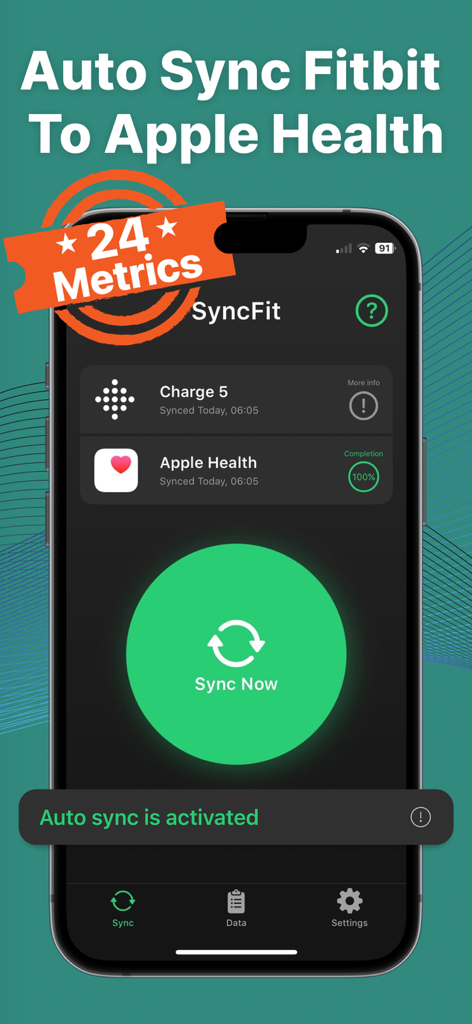
SyncFit-App-Dashboard zeigt erfolgreiche Synchronisierung zwischen Fitbit Charge 5 und Apple Health mit aktivierter Autosynchronisierung an
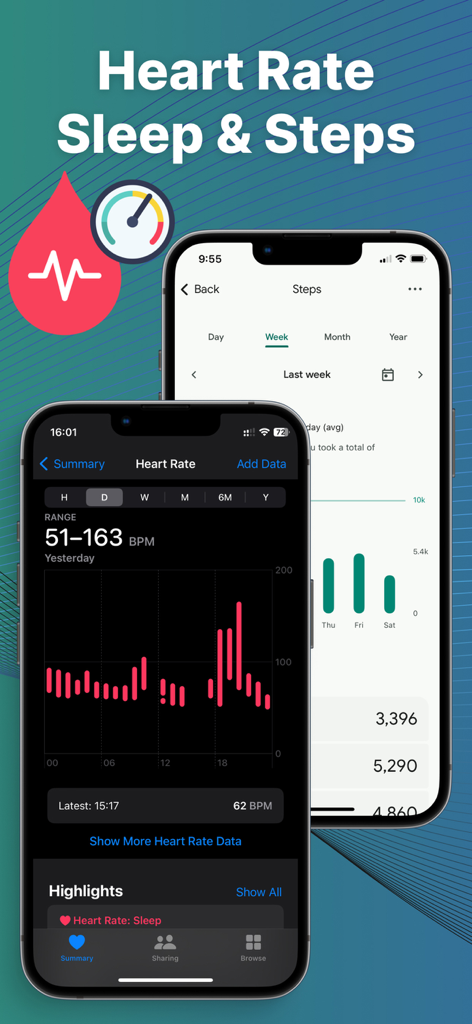
Fitbit-Herzfrequenz- und Schrittdaten, synchronisiert mit Apple Health auf einem iPhone
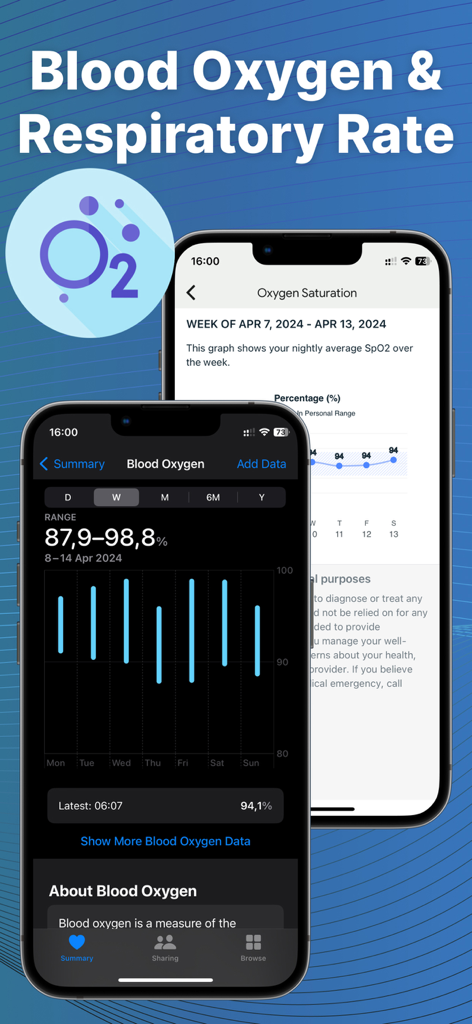
Syncfit-App-Oberfläche zeigt Visualisierung von Blutsauerstoff- und Atemfrequenzdaten an
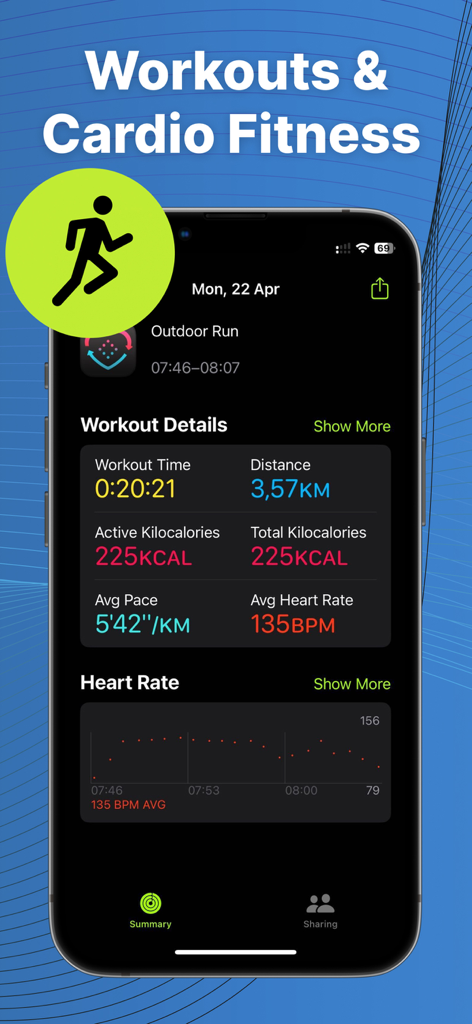
Detaillierter Trainingszusammenfassung und Herzfrequenzdaten, synchronisiert mit Apple Health
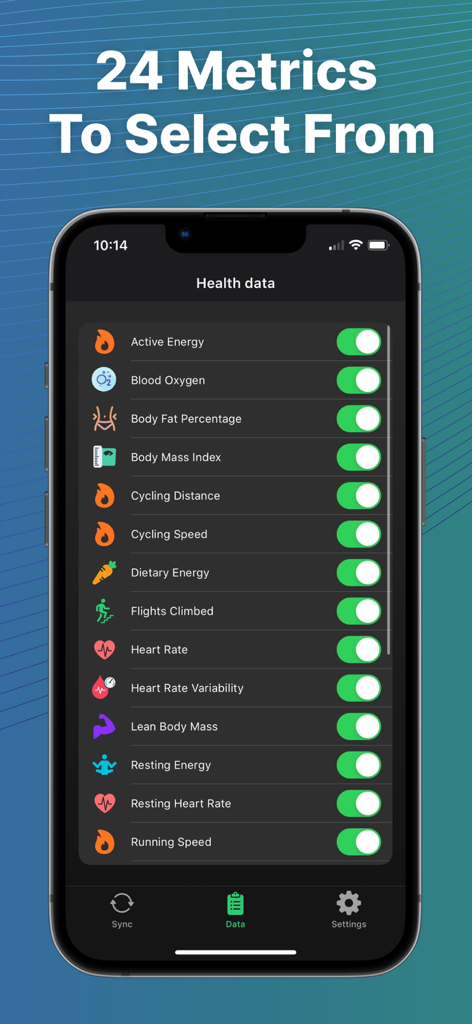
Eine Liste von 24 Gesundheitsmetriken, die von Fitbit mit Apple Health auf einem iPhone-Bildschirm synchronisiert werden können.
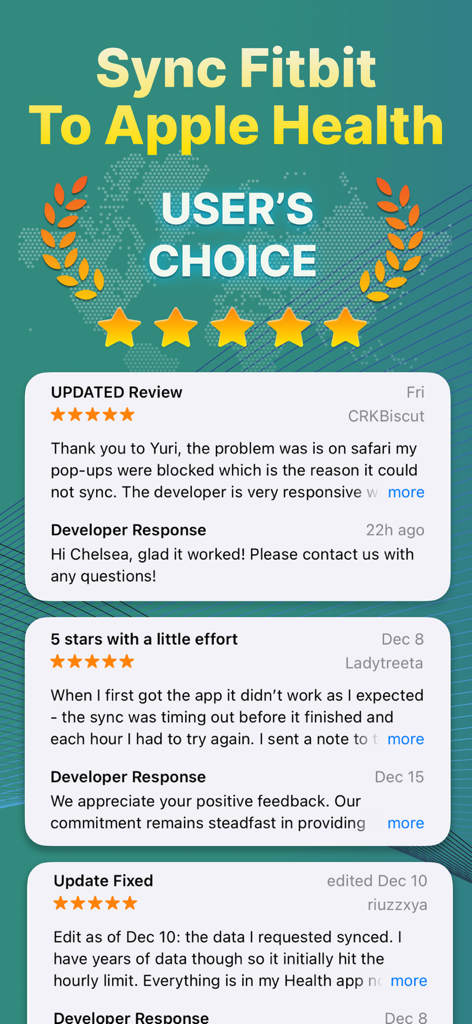
Nutzerrezensionen und 5-Sterne-Bewertungen für die Fitbit Sync to Apple Health-App
Beschreibung
Download
Ähnliche Apps
Apps mit ähnlichen Funktionen und Nutzererfahrung




Diese Seite ist keine offizielle Seite der App oder ihres Entwicklers, sondern eine unabhängige redaktionelle Veröffentlichung, die zu Informations- und Kommentarzwecken erstellt wurde. Sofern nicht ausdrücklich anders angegeben, sind weder die App noch ihr Entwickler mit MWM, Apple, Google Play, dem App-Herausgeber oder dem Entwickler der App verbunden, von ihnen unterstützt, gesponsert, autorisiert oder anderweitig offiziell verbunden, und nichts auf dieser Seite impliziert, dass die App unter Verwendung der Dienste von MWM entwickelt wurde. Alle Marken, Logos, Screenshots und andere Inhalte bleiben Eigentum ihrer jeweiligen Inhaber.