Fly Go 4: Drone Mobile Camera

Fly Go 4: Drone Mobile Camera

Herunterladen auf App Store
Logo von Fly Go 4: Drone Mobile Camera

Fly Go 4: Drohnen-Handykamera – Der ultimative professionelle Flugcontroller

Entfesseln Sie das volle Potenzial Ihrer Drohne mit Echtzeit-HD-Übertragung, intelligenten Kinematikmodi und Präzisionssteuerungen für über 34 DJI-Modelle. Erleben Sie den zuverlässigen All-in-One-Copiloten, der für Kreative und Profis entwickelt wurde.

Herausgeber

COOLDEV CO., LTD

Kategorie

Photo & Video

Downloads

32K+

Bewertung

4.0/5

Bewertungen gesamt

400

Sprachen

6

Ihr Kommandozentrum

Entdecken Sie die Oberfläche, die von 32K+ Nutzern verwendet wird.
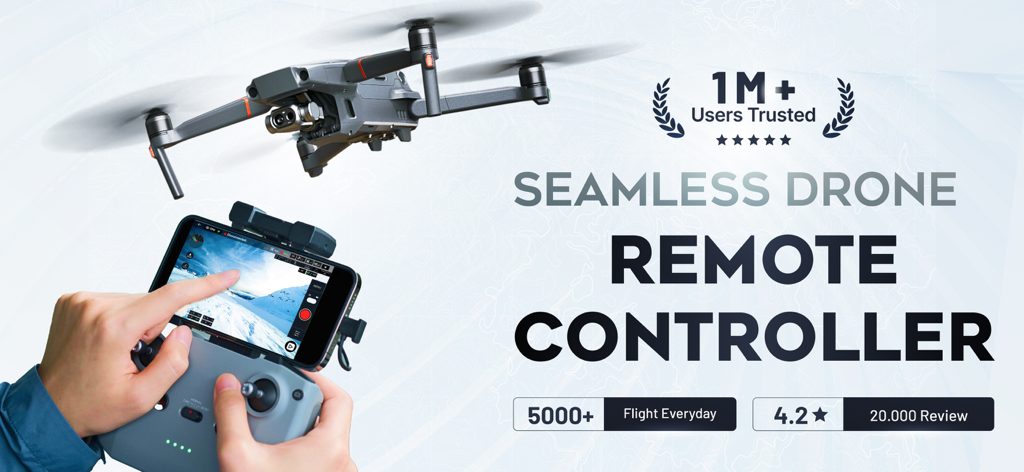
Eine Person benutzt die Fly Go 4 App auf einem Fernbedienungscontroller, um eine Drohne mit einer Live-Kameraansicht zu fliegen.

Eine Person benutzt die Fly Go 4 App auf einem Fernbedienungscontroller, um eine Drohne mit einer Live-Kameraansicht zu fliegen.

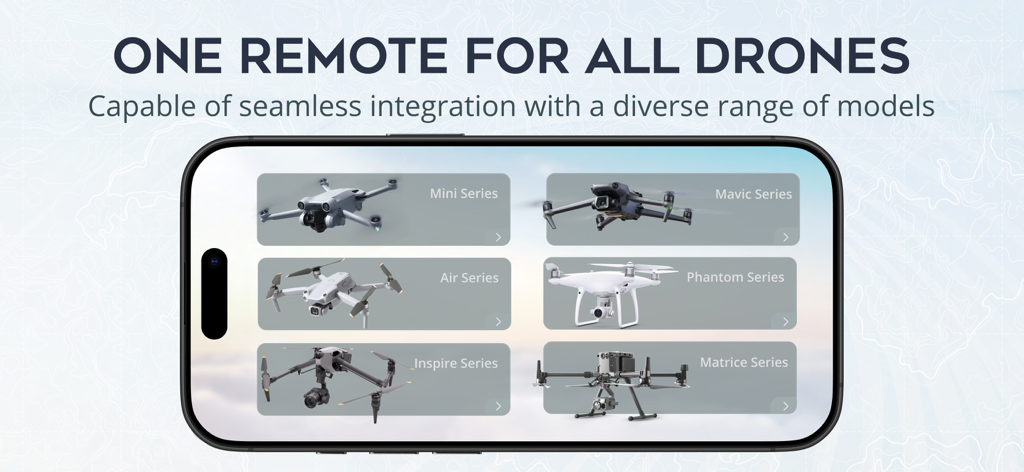
Smartphone-Bildschirm mit der Fly Go 4 App-Kompatibilität mit verschiedenen Drohnenserien wie Mavic, Phantom und Mini

Smartphone-Bildschirm mit der Fly Go 4 App-Kompatibilität mit verschiedenen Drohnenserien wie Mavic, Phantom und Mini

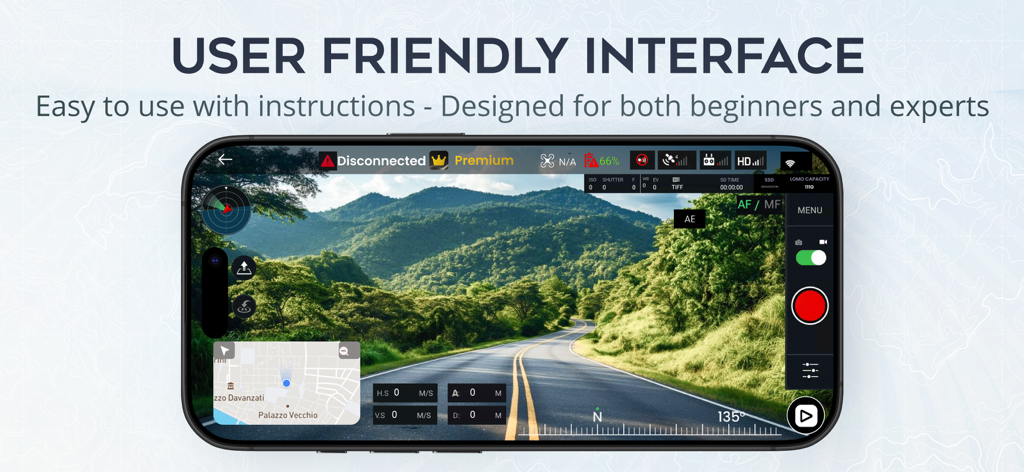
Drohnenkamera-App-Oberfläche, die eine Echtzeit-Luftaufnahme einer Straße durch grüne Berge zeigt

Drohnenkamera-App-Oberfläche, die eine Echtzeit-Luftaufnahme einer Straße durch grüne Berge zeigt

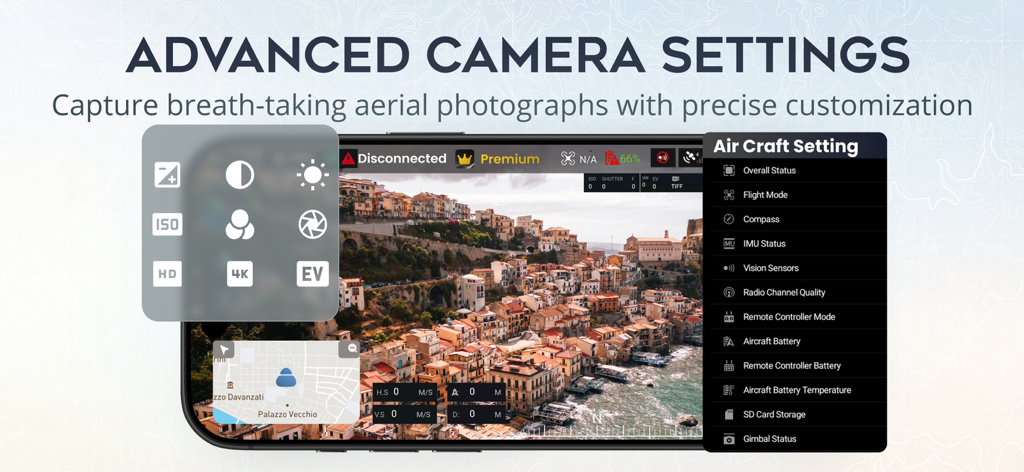
Oberfläche der Fly Go 4 App, die erweiterte Kameraeinstellungen und das Flugstatusmenü über eine malerische Luftdrohnenansicht zeigt

Oberfläche der Fly Go 4 App, die erweiterte Kameraeinstellungen und das Flugstatusmenü über eine malerische Luftdrohnenansicht zeigt

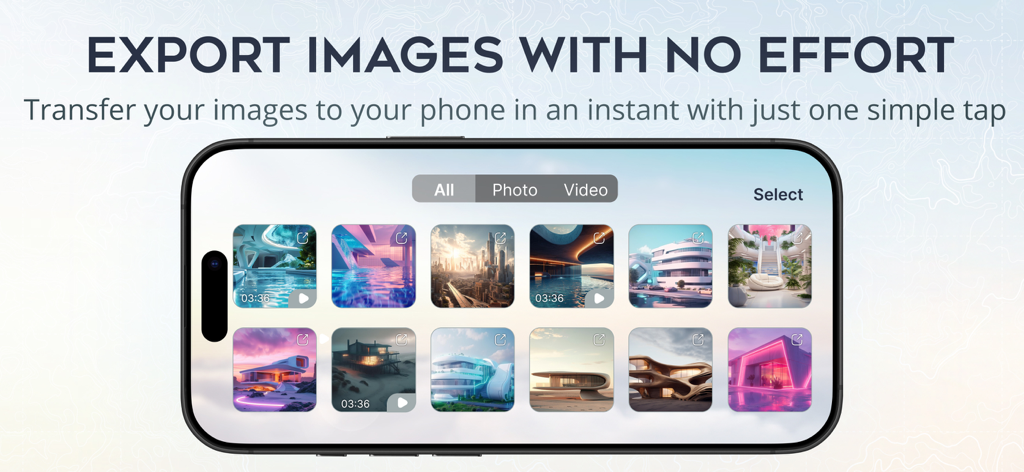
Fly Go 4 App-Oberfläche, die eine Galerie von Drohnenfotos und -videos für den schnellen Export auf ein Smartphone zeigt.

Fly Go 4 App-Oberfläche, die eine Galerie von Drohnenfotos und -videos für den schnellen Export auf ein Smartphone zeigt.

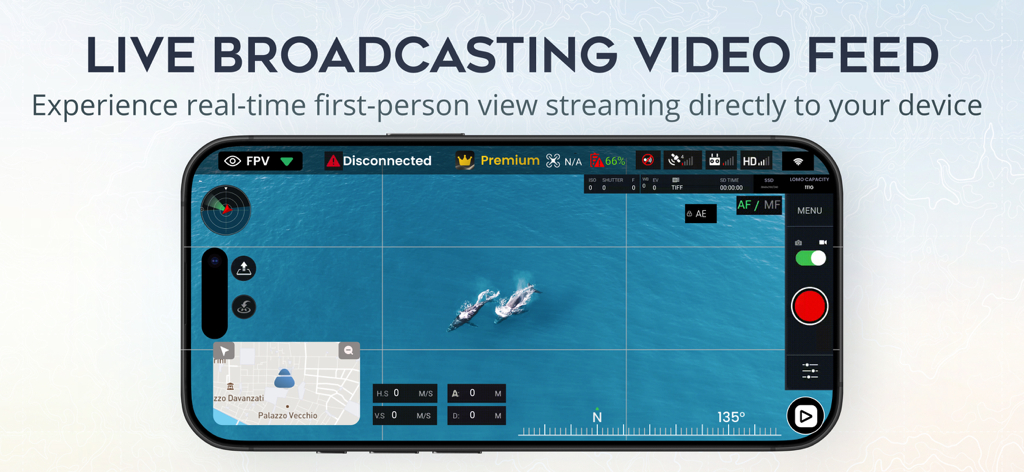
Fly Go 4 Drohnen-App zeigt eine Live-First-Person-View-Kameraansicht von Walen

Fly Go 4 Drohnen-App zeigt eine Live-First-Person-View-Kameraansicht von Walen

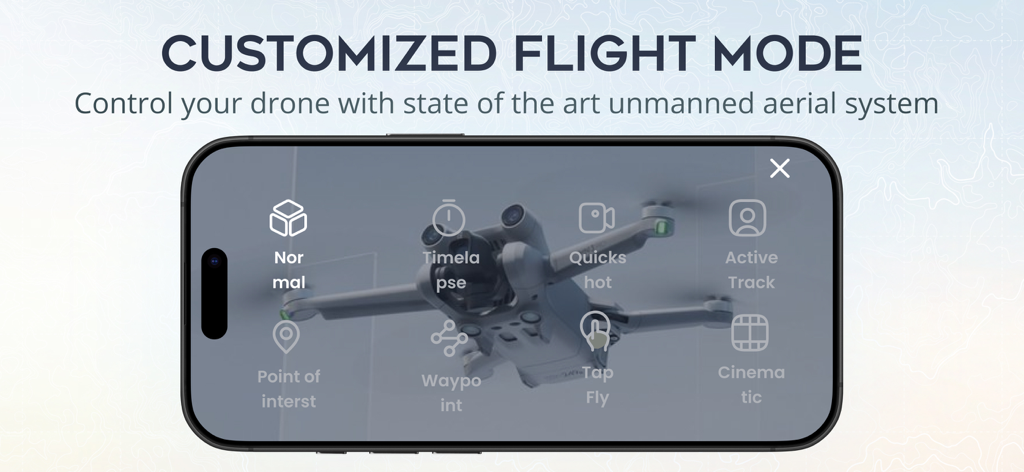
Oberfläche der Fly Go 4 App, die verschiedene benutzerdefinierte Flugmodi zur Drohnensteuerung auf einem Smartphone-Bildschirm anzeigt

Oberfläche der Fly Go 4 App, die verschiedene benutzerdefinierte Flugmodi zur Drohnensteuerung auf einem Smartphone-Bildschirm anzeigt

Jede Mission meistern

Die Tools, die diese App auszeichnen, gewählt von 32K+ Nutzern.

🚁

Universelle Flottensteuerung

Steuern Sie über 34 Drohnenmodelle über eine einzige Schnittstelle. Egal, ob Sie eine ältere Phantom oder eine moderne Mavic fliegen, genießen Sie ein konsistentes und zuverlässiges Flugerlebnis.

📶

Ultra-stabiler HD-Link

Erleben Sie latenzarme Echtzeit-Videoübertragung. Überwachen Sie Ihren Flug mit kristallklarer Auflösung, um Sekundenschnelle Entscheidungen zu treffen und die perfekte Aufnahme zu machen.

🎯

Intelligente Kinematikmodi

Erfassen Sie professionelle Aufnahmen mit KI-gestützten Flugrouten. Nutzen Sie ActiveTrack und Point of Interest, um Ergebnisse in Studioqualität ohne Aufwand zu erzielen.

Über die App

Alles, was Sie über wissen müssen Fly Go 4: Drone Mobile Camera.

Beschreibung

Unlock the skies with Fly Go 4: Drone Mobile Deploy and take your drone experience to new heights! Compatibility: Fly Go 4: Drone Mobile Deploy is built on Mobile SDK v4.16.2, which supports a wide range of drones. There are 34 drone models supported in this version: - Mavic Air - Mavic Air 2 - Mavic Mini - Mavic 2 Enterprise - Mavic 2 Enterprise Dual - Mavic 2 Pro - Mavic 2 Zoom - Mavic Pro - Phantom 3 Standard - Phantom 3 Advanced - Phantom 3 Professional - Phantom 3 4K - Phantom 4 - Phantom 4 Advanced - Phantom 4 Professional - Phantom 4 Professional V2 - Phantom 4 RTK - Phantom 4 Multispectral - Inspire 1 - Inspire 1 Pro/Raw - Inspire 2 - Matrice 100 - Matrice 200 - Matrice 200 V2 - Matrice 210 - Matrice 210 V2 - Matrice 210 RTK - Matrice 210 RTK V2 - Matrice 300 RTK - Matrice 600 - Spark - Mini 2 - Mini SE - Air 2S *For Mavic users, there are some features our app hasn't supported yet: Low Battery Warning, Critical Low Battery Warning, Time to Discharge, Sync Gimbal with Aircraft Heading, Lock Gimbal When Shooting, Gimbal Mode. Play media, Preview media, On/Off Head LEDs & Camera Forward/Down (Mavic Air 2S: double tap is C2, 1-tap is C1). Disclaimer: We would like to clarify that this application is not an official app, but rather a support app utilizing the official Mobile SDK provided by the manufacturer. Still, this app can work perfectly with all drone models above and their RCs. Additionally, it is not affiliated with or endorsed by any mentioned company, and it is not an official product of that company or its affiliates. Fly Go 4: Drone Mobile Deploy is the ultimate companion app for your drones, designed to offer unparalleled control, ease of use, and a seamless flying experience. Whether a beginner or a seasoned drone pilot, Fly Go 4: Drone Mobile Deploy provides the tools and features to explore the skies confidently and creatively. Why Choose Fly Go 4: Drone Mobile Deploy? - Intuitive Interface: Our user-friendly interface ensures easy drone operation, providing clear information for a smooth flying experience, whether you're a beginner or an experienced pilot. - Advanced Flight Controls: Take full control of your drones with Drone Mobile Deploy - Skylink's advanced flight features, which allow for precision and accuracy in complex maneuvers and effortless aerial shot capture. - Real-Time Video Transmission: Experience real-time HD video transmission directly to your mobile device. With Drone Mobile Deploy - Skylink, you can see exactly what your drone sees, allowing you to make quick decisions and adjustments for the best possible footage. - Smart Flight Modes: Capture professional-quality videos and photos with intelligent flight modes like ActiveTrack, FocusTrack, Point of Interest , QuickShot, Spotlight,... It is ideal for dynamic action scenes or serene landscapes. - Comprehensive Flight Data: Keep track of all your flight details with in-depth flight data logging. Drone Mobile Deploy - Skylink records your drone's flight path, altitude, speed, and more, providing valuable insights to improve your flying skills. - Easy Media Management: Manage your photos and videos directly within the app with QuickTransfer. Access, edit, and share your stunning aerial footage with friends and family, or upload it to social media to showcase your skills. - Safe Flying: Safety is our priority. Fly Go 4: Drone Mobile Deploy includes built-in safety features like obstacle detection, return-to-home (RTH), and flight zone restrictions to ensure that your flights are safe and secure. LICENSED APPLICATION END USER LICENSE AGREEMENT: https://www.apple.com/legal/internet-services/itunes/dev/stdeula/ Take your drone experience to new heights! Download Fly Go 4: Drone Mobile Deploy now and explore endless aerial possibilities!

Neueste Version

2.0.16

Größe

191.9 MB

Erstveröffentlichung

11. Dez. 2023

Bereit, die Lüfte zu beherrschen?

Schließen Sie sich Tausenden von Profi-Piloten an, die Fly Go 4 für professionelle Steuerung, nahtlose HD-Übertragung und kinemaische Präzision bei über 34 Drohnenmodellen vertrauen.

Herunterladen auf App Store

App information, icons, screenshots, and descriptions displayed on this page are sourced from the Apple App Store and are the property of their respective developers. Download estimates and rankings are based on MWM's proprietary models and may not reflect actual figures. This page is provided for informational and analytical purposes only.

Believe this page infringes your intellectual property? File a dispute