
Diese Seite ist keine offizielle Seite der App oder ihres Entwicklers, sondern eine unabhängige redaktionelle Veröffentlichung, die zu Informations- und Kommentarzwecken erstellt wurde. Sofern nicht ausdrücklich anders angegeben, sind weder die App noch ihr Entwickler mit MWM, Apple, Google Play, dem App-Herausgeber oder dem Entwickler der App verbunden, von ihnen unterstützt, gesponsert, autorisiert oder anderweitig offiziell verbunden, und nichts auf dieser Seite impliziert, dass die App unter Verwendung der Dienste von MWM entwickelt wurde. Alle Marken, Logos, Screenshots und andere Inhalte bleiben Eigentum ihrer jeweiligen Inhaber.


Google Photos: Backup & Edit
Ihre Fotogalerie ist ein Schwarzes Loch? Diese App holt Ihre Erinnerungen zurück ins Licht, ordnet sie und perfektioniert jedes Detail.
Downloads
250M+Bewertung
Bewertungen gesamt
4.1MHerausgeber
Kategorie
Photo & VideoSprachen
39Neueste Version
7.69.0Größe
382.9 MBErstveröffentlichung
28. Mai 2015Analyse der Kernfunktionen von Google Fotos: Backup & Edit
Eine detaillierte Bewertung der Schlüsselmerkmale, die die App zu einer unverzichtbaren Lösung für die digitale Medienverwaltung machen.
Speicherplatz auf dem Gerät freigeben
Die App bietet eine einfache Möglichkeit, gesicherte Fotos vom Gerätespeicher zu entfernen und somit wertvollen Platz freizugeben, was ein häufiges Problem bei Smartphones löst.
Umfassender Cloud-Speicher (15 GB)
Jedes Google-Konto erhält bis zu 15 GB kostenlosen Cloud-Speicher, der die automatische Sicherung von Fotos und Videos auf allen verbundenen Geräten ermöglicht.
Automatische Organisation & Gesperrter Ordner
Es ermöglicht Nutzern eine mühelose Galerieorganisation durch automatische Stapelung ähnlicher Fotos, die Erstellung intelligenter Ordner und einen geschützten 'Gesperrten Ordner' für sensible Inhalte.
Intelligente Suchfunktion
Die App verfügt über eine intuitive Suchfunktion, die es Nutzern ermöglicht, Fotos und Videos mithilfe natürlicher und beschreibender Abfragen durch Google AI schnell zu finden.
Fortgeschrittene Sicherheit und Datenschutz
Dieses Tool gewährleistet die Sicherheit der Fotos und Videos durch eine fortschrittliche Sicherheitsinfrastruktur, die die Privatsphäre der Nutzer schützt.
KI-gestützte Bearbeitungstools
Es bietet KI-gestützte Bearbeitungstools wie den Magic Eraser, Unblur und Portrait Light, die komplexe Bildverbesserungen mit wenigen Tippbewegungen ermöglichen.
Zentrale Speicherlösung für alle Erinnerungen
Die App ermöglicht Nutzern, alle Fotos und Videos von verschiedenen Apps, Galerien und Geräten an einem zentralen Ort zu sammeln und zu verwalten.
Einfaches Teilen von Erinnerungen
Es erleichtert das Teilen von Fotos, Videos und Alben mit Kontakten, auch wenn diese die Google Fotos App nicht selbst nutzen.
Häufig gestellte Fragen
Alles, was Sie über wissen müssen Google Photos: Backup & Edit
How much free cloud storage does Google Photos offer?
Google Photos provides 15 GB of free cloud storage with every Google account. This storage is shared across Google Photos, Gmail, and Google Drive.
Does Google Photos include a Magic Eraser feature?
Yes, Google Photos includes the AI-powered Magic Eraser tool. It allows users to remove unwanted distractions and objects from their photos with ease.
Can Google Photos create videos from my pictures?
Yes, Google Photos offers a "Photo to video" feature that animates static memories. It transforms your photos into moving videos using AI-powered tools.
How can I search for specific photos in Google Photos?
Google Photos features "Ask Photos" which enables simple and complex searches. Users can quickly find specific photos or videos using natural language queries.
How does Google Photos help organize my gallery?
Google Photos automatically organizes duplicates into Photo Stacks. It also creates smart folders for screenshots, documents, and custom albums, enhancing gallery organization. A locked folder protects sensitive media.
What is the Remix feature in Google Photos?
The Remix feature in Google Photos uses AI-powered tools to transform pictures into fun, unique styles. It allows users to bring their images to life with creative variations.
Is my data secure in Google Photos?
Yes, your photos and videos are safe and secure in Google Photos. They are protected by Google's advanced security infrastructure from the moment they are stored.
Can Google Photos help free up space on my device?
Yes, Google Photos helps free up device space. Photos backed up in Google Photos can be removed from your device’s storage with a single tap, without losing the content.
Can I print photos directly from Google Photos?
Yes, Google Photos allows you to print your favorite moments. You can turn memories into photo books, prints, and canvas wall art directly from the app.
Does Google Photos integrate with Google Lens?
Yes, Google Photos includes Google Lens functionality. This feature enables users to identify text and objects within their photos to learn more and take action.
Die folgenden Screenshots und die Beschreibung stammen direkt aus dem offiziellen Store-Eintrag der App und sind Eigentum des Entwicklers.
App Store
Screenshots
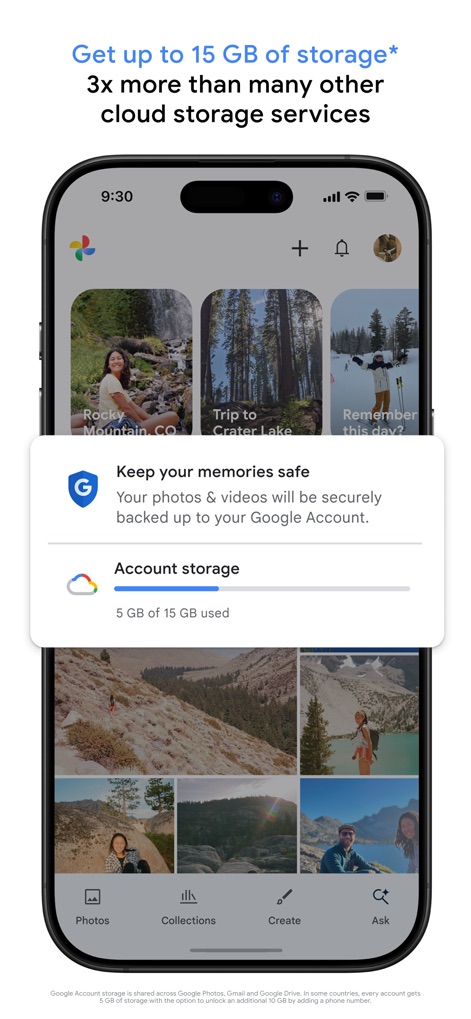
Sicherer Cloud-Speicher
Dieses Bild demonstriert die Integration von Cloud-Speicher, wobei die Benutzeroberfläche die aktuelle Speicherkapazität anzeigt und eine Bestätigung für die sichere Sicherung von Erinnerungen bereitstellt.
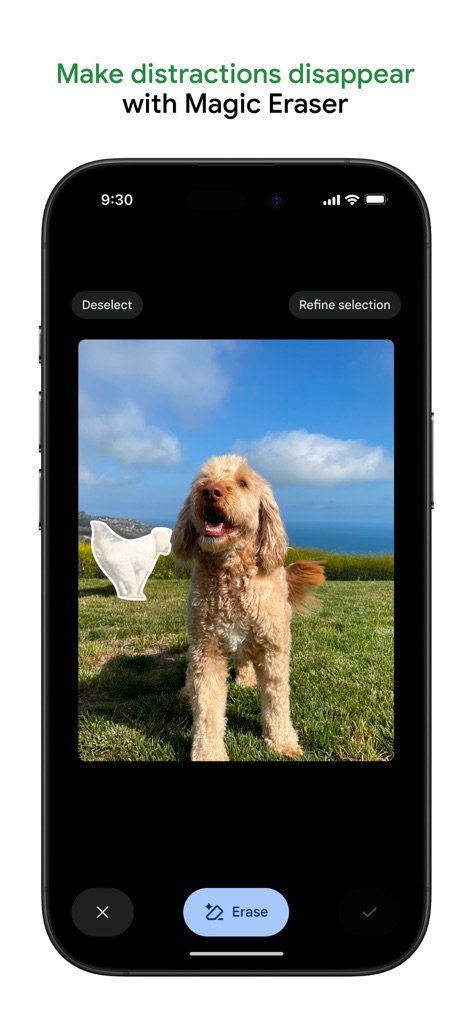
Magischer Radierer in Aktion
Nutzer können hier die 'Magischer Radierer'-Funktion in Aktion sehen, die es ermöglicht, ein ausgewähltes, ablenkendes Objekt wie das weiße Tuch neben dem Hund mühelos zu entfernen.
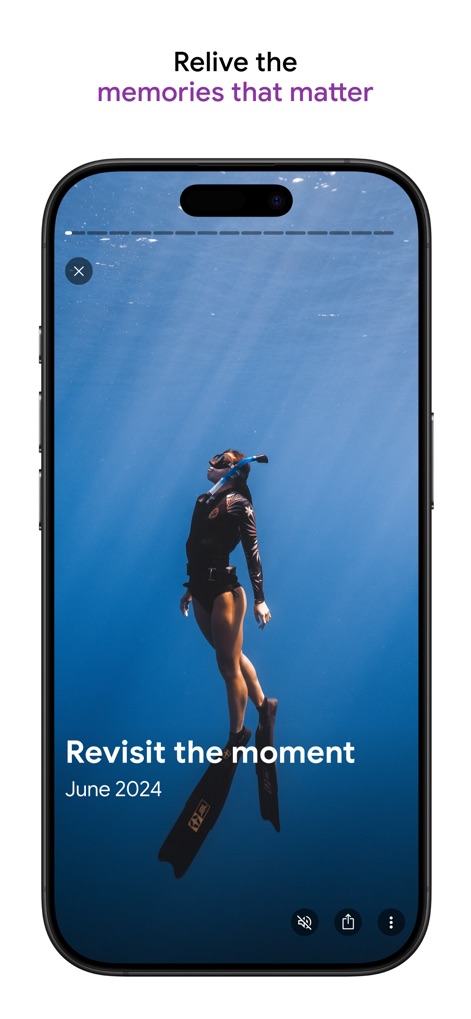
Erinnerungen neu erleben
Die App bietet eine immersive Ansicht vergangener Erlebnisse, dargestellt durch eine Vollbildansicht eines Unterwasserfotos und die zugehörige Datumsangabe 'Juni 2024'.
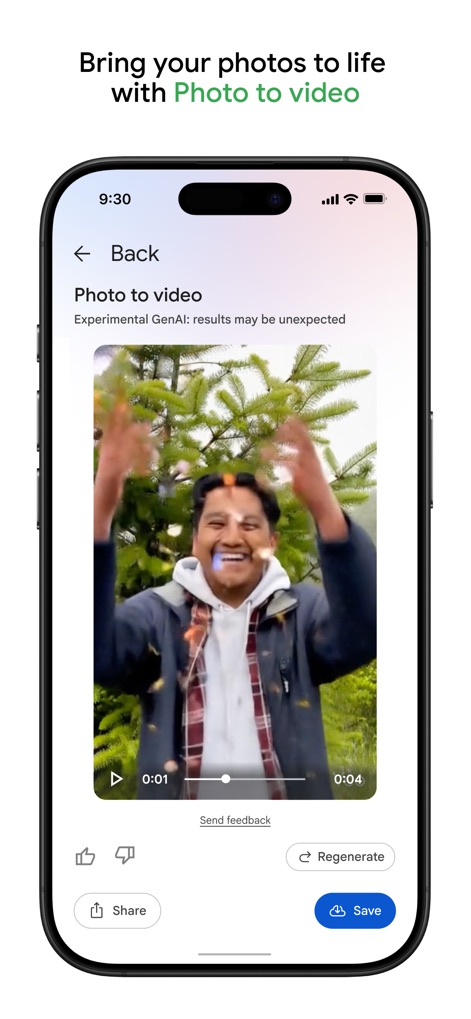
Fotos werden Videos
Diese Ansicht präsentiert die innovative 'Foto zu Video'-Funktion, die statische Bilder in dynamische Sequenzen verwandelt, exemplarisch gezeigt durch den animierten Mann, der Konfetti wirft.
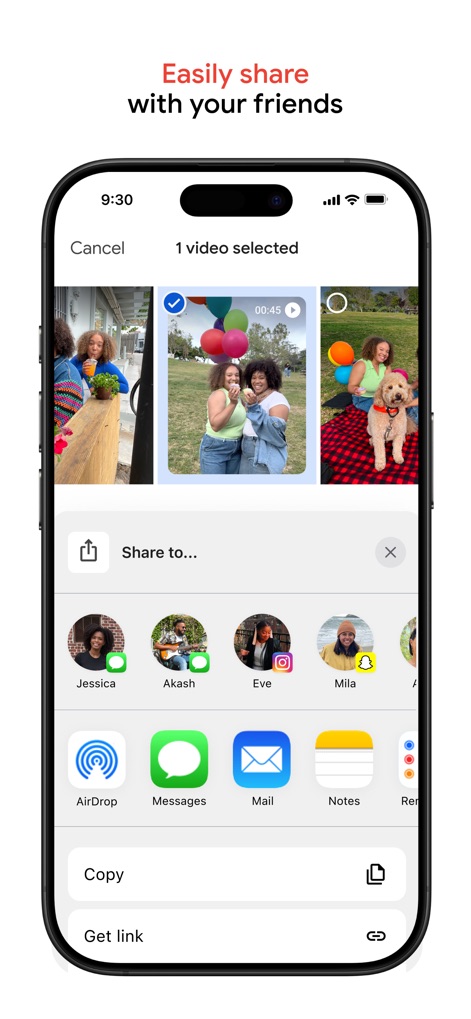
Müheloses Teilen
Nutzer können hier den unkomplizierten Freigabeprozess erleben, der sowohl eine Auswahl von Kontakten als auch verschiedene App-Icons für die einfache Verteilung von Inhalten anzeigt.
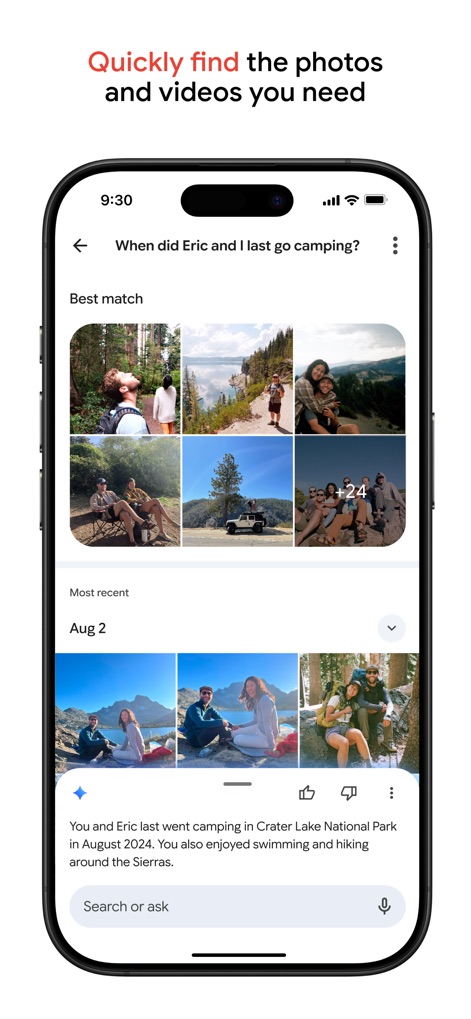
Intelligente Fotosuche
Die intelligente Suchfunktion der App wird hervorgehoben, indem eine natürliche Sprachanfrage verarbeitet und eine entsprechende Galerie mit relevanten Suchergebnissen in einem Rasterformat präsentiert wird.
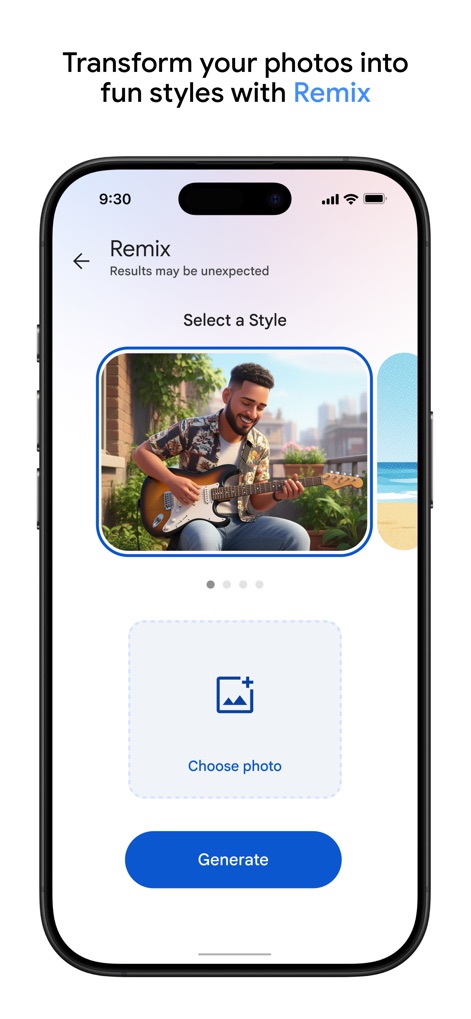
Fotos remixen
Dieses Bild zeigt die 'Remix'-Funktion, mit der Nutzer den Stil ihrer Fotos anpassen können, sichtbar am transformierten Bild eines Gitarre spielenden Mannes.
Beschreibung
Download
Ähnliche Apps
Apps mit ähnlichen Funktionen und Nutzererfahrung

iMemories
iMemories, Inc

Amazon Photos: Photo & Video
AMZN Mobile LLC

App Lock - Block Apps
文忠 许

Super App Lock: Lock Apps
Jiangsu Chengying Technology Co.,LTD

Capture App - Photo Storage
Telenor Software Lab AS

App Lock - Lock Apps & Photos
KUPERTINO BIL. YAZ. HALIL IBRAHIM KARAHAN SAFFET ARSLAN MUSTAFA AYTEN MUHAMMET YALCIN OZDEMIR K. S.

App Lock, Hide App & Lock Apps
KINGSMEN VIETNAM COMPANY LIMITED

Lock Apps ⁺ Safe Photo Album
Plane Cubes

App Lock, Hide Passwords Apps
CLEARPATH ACQUISITIONS LLC
Diese Seite ist keine offizielle Seite der App oder ihres Entwicklers, sondern eine unabhängige redaktionelle Veröffentlichung, die zu Informations- und Kommentarzwecken erstellt wurde. Sofern nicht ausdrücklich anders angegeben, sind weder die App noch ihr Entwickler mit MWM, Apple, Google Play, dem App-Herausgeber oder dem Entwickler der App verbunden, von ihnen unterstützt, gesponsert, autorisiert oder anderweitig offiziell verbunden, und nichts auf dieser Seite impliziert, dass die App unter Verwendung der Dienste von MWM entwickelt wurde. Alle Marken, Logos, Screenshots und andere Inhalte bleiben Eigentum ihrer jeweiligen Inhaber.