FlyQ+ EFB

FlyQ+ EFB

Herunterladen auf App Store
Logo von FlyQ+ EFB

FlyQ+ EFB: Der einfachste, sicherste und am besten lesbare Weg zu fliegen

Maximieren Sie Ihr Situationsbewusstsein mit 4D-Vorhersagewetter, 3D-synthetischer Sicht und branchenführendem GPS-Spoofing-Schutz. Entwickelt für Piloten, die ein leistungsstarkes und dennoch intuitives Cockpit-Erlebnis mit größeren Schriftarten und weniger Taps verlangen.

Herausgeber

APG Avionics, LLC

Kategorie

Navigation

Downloads

116K+

Bewertung

4.3/5

Bewertungen gesamt

1K+

Sprachen

1

Eine klarere Perspektive

Entdecken Sie die Oberfläche, die von 116K+ Nutzern verwendet wird.

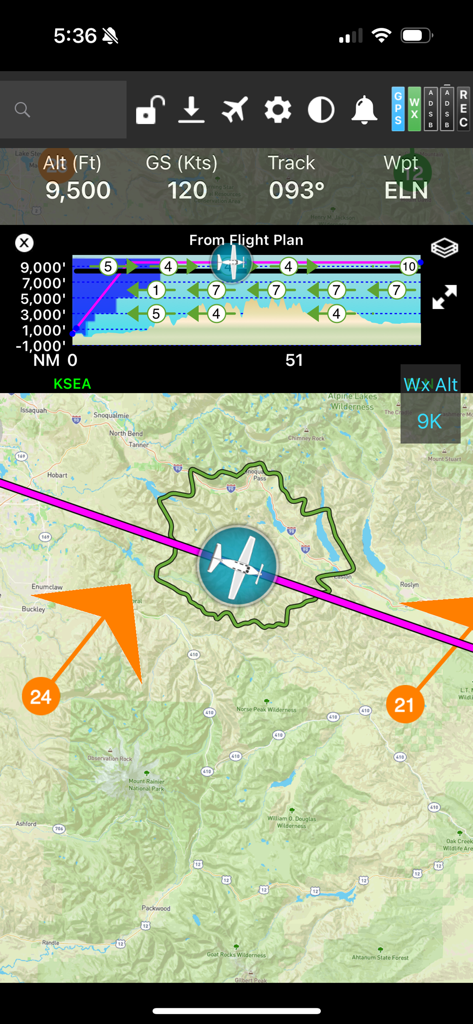
FlyQ plus EFB Flugnavigationsbildschirm, der eine bewegte Karte mit einem Gleitring und einem vertikalen Profil zeigt
FlyQ plus EFB Flugnavigationsbildschirm, der eine bewegte Karte mit einem Gleitring und einem vertikalen Profil zeigt

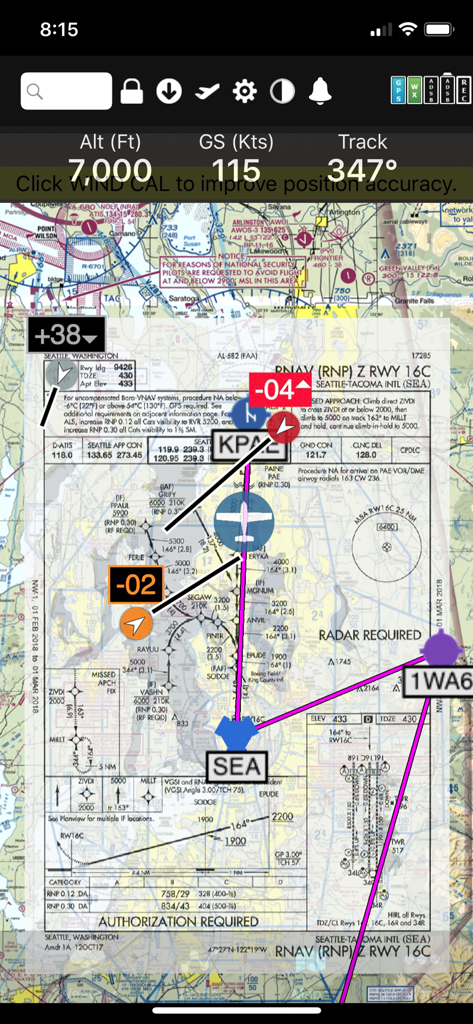
FlyQ+ EFB App-Oberfläche, die eine RNAV-Anflugplatte über einer digitalen Sektorkarte mit Flugtelemetrie zeigt
FlyQ+ EFB App-Oberfläche, die eine RNAV-Anflugplatte über einer digitalen Sektorkarte mit Flugtelemetrie zeigt

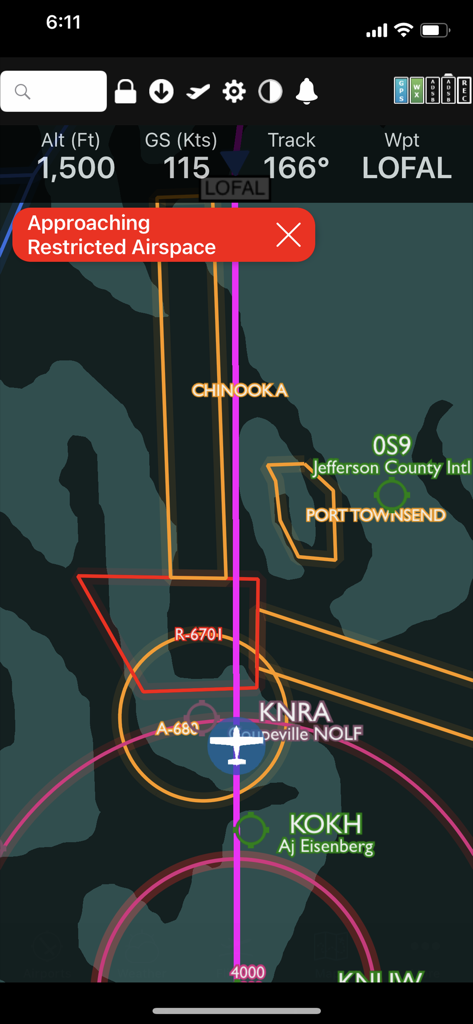
FlyQ plus App-Oberfläche, die eine Warnung vor eingeschränktem Luftraum auf einer digitalen Flugkarte zeigt.
FlyQ plus App-Oberfläche, die eine Warnung vor eingeschränktem Luftraum auf einer digitalen Flugkarte zeigt.

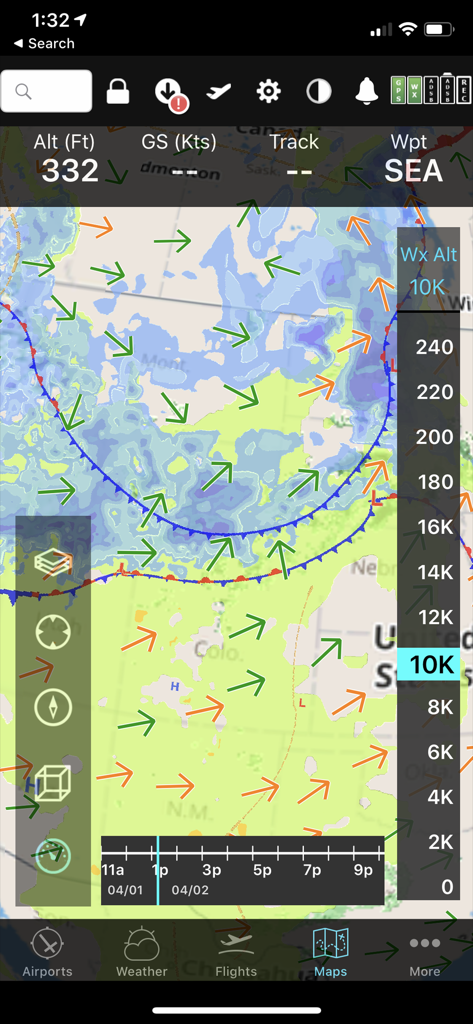
FlyQ+ EFB mobile Benutzeroberfläche, die eine prädiktive Wetterkarte mit Windvektoren und Höhenschieberegler für die Flugplanung anzeigt.
FlyQ+ EFB mobile Benutzeroberfläche, die eine prädiktive Wetterkarte mit Windvektoren und Höhenschieberegler für die Flugplanung anzeigt.

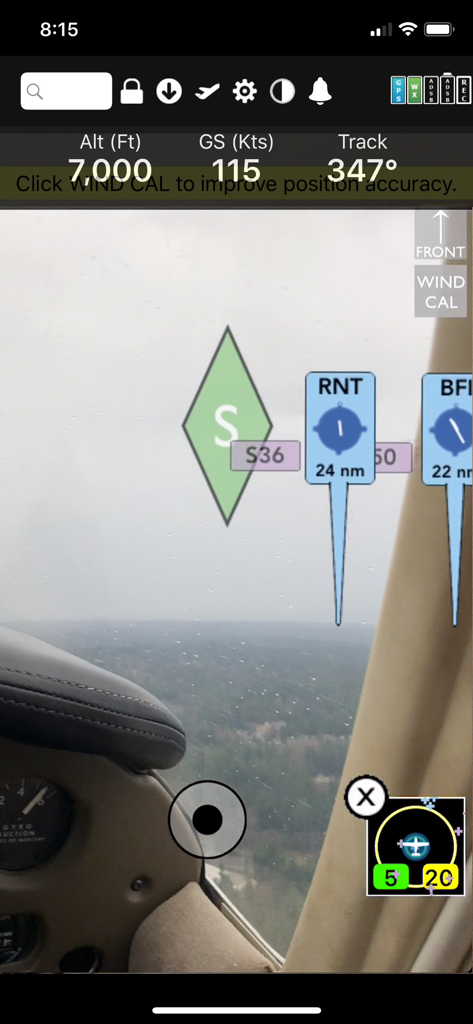
FlyQ Plus EFB Augmented Reality Navigationsdisplay, das Flughöhe, Bodengeschwindigkeit und Flughafenkennzeichnungen über einer Echtzeit-Cockpitansicht zeigt
FlyQ Plus EFB Augmented Reality Navigationsdisplay, das Flughöhe, Bodengeschwindigkeit und Flughafenkennzeichnungen über einer Echtzeit-Cockpitansicht zeigt

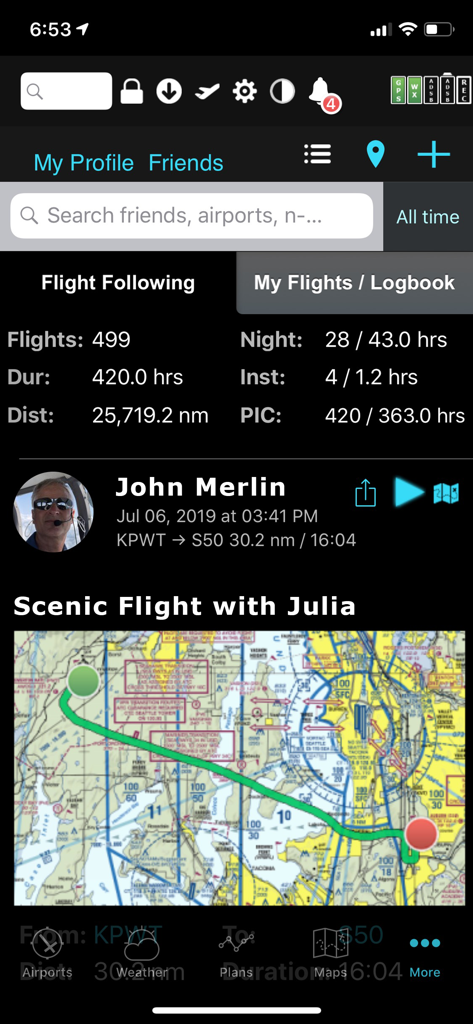
FlyQ plus EFB App, die Flugstatistiken des Piloten und eine szenische Flugkarte anzeigt
FlyQ plus EFB App, die Flugstatistiken des Piloten und eine szenische Flugkarte anzeigt

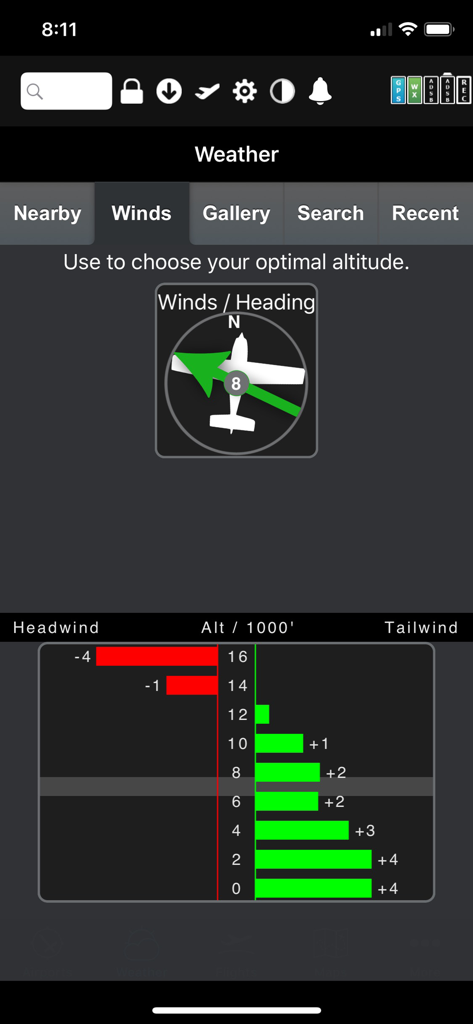
FlyQ Plus EFB grafischer Windoptimierer, der Rücken- und Gegenwinddaten nach Höhe anzeigt
FlyQ Plus EFB grafischer Windoptimierer, der Rücken- und Gegenwinddaten nach Höhe anzeigt

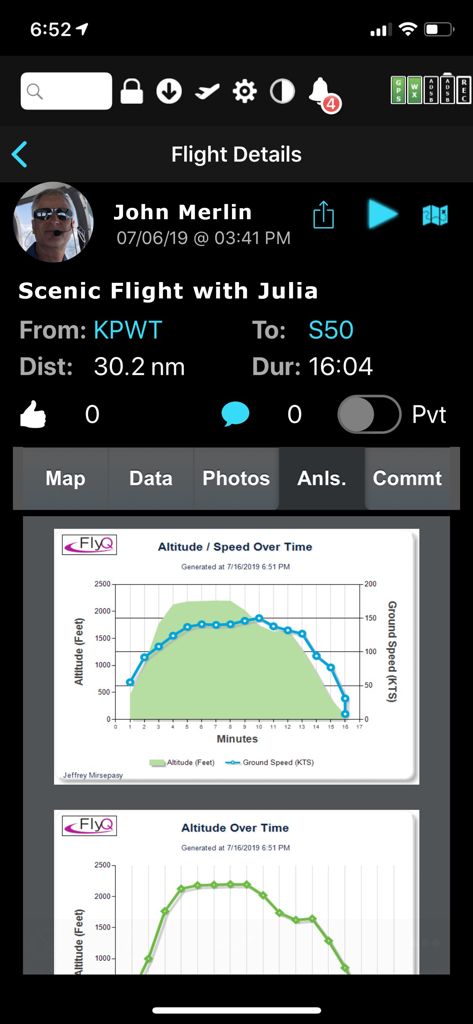
FlyQ EFB Flugdetailbildschirm, der Grafiken zur Nachfluganalyse für Höhe und Bodengeschwindigkeit anzeigt
FlyQ EFB Flugdetailbildschirm, der Grafiken zur Nachfluganalyse für Höhe und Bodengeschwindigkeit anzeigt

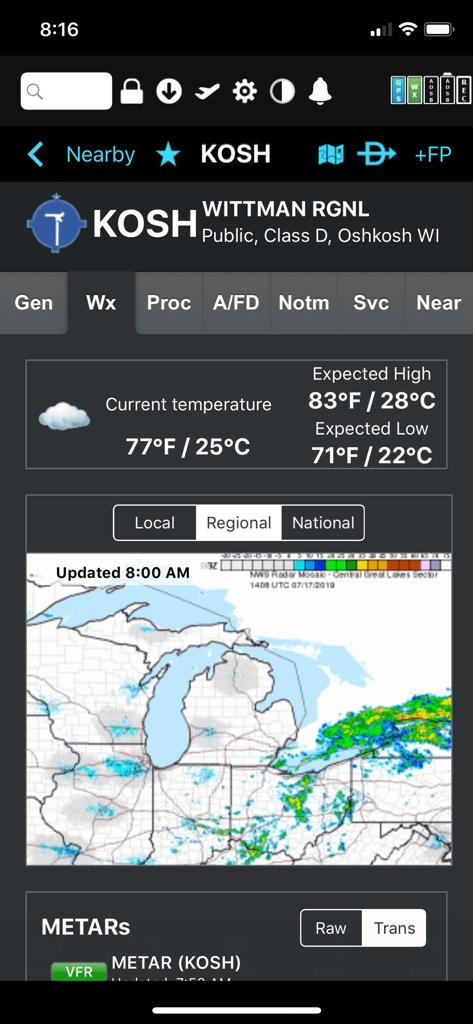
Wetteranzeige für Wittman Regional Airport mit Temperatur und regionalem Radar in der FlyQ plus EFB App

Wetteranzeige für Wittman Regional Airport mit Temperatur und regionalem Radar in der FlyQ plus EFB App

Fliegen Sie sicherer mit absoluter Klarheit

Die Tools, die diese App auszeichnen, gewählt von 116K+ Nutzern.

👁️

Hochsichtbare Benutzeroberfläche

Entwickelt für die Silver Wings-Demografie mit größeren Schriftarten und einem optimierten Layout, das die Bildschirmberührungen bei turbulenten Flugbedingungen minimiert.

🛡️

3D synthetische Sicht & AR

Erleben Sie 'Röntgenblick' durch Wolken oder bei Nacht mit Augmented Reality und 3D-Geländeanzeigen, die die Art und Weise, wie Sie die Welt um sich herum sehen, verändern.

🌬️

Intelligente Wind- & Treibstoffplanung

Optimieren Sie Ihre Überlandflüge mit 4D-Vorhersagewetter und automatischer Planung von Tankstopps, um die schnellsten Routen und die niedrigsten Preise zu finden.

Über die App

Alles, was Sie über wissen müssen FlyQ+ EFB.

Beschreibung

FlyQ+ EFB is a top-rated aviation app because it makes your flying easier and safer by thoughtfully integrating powerful features in a way that minimizes the number of screen taps and uses larger fonts to increase readability. New features such as a glide ring, graphical weather briefing, ability to download two data cycles, and a navlog that expands/collapses airways/SIDs/STARs make flying safer and easier than ever before! The Global Digital Map shows airports, airways, airspace, navaids, and waypoints from all around the world. Text rotates so it's always right-side up and the level of detail adapts to the zoom level. Our exceptional "4D Predictive Weather" system uses a Timeline and Altitude Slider to help you analyze weather at different times - both past and future - and at different altitudes. 17 weather layers from both the Internet and ADS-B (e.g. Radar, Icing, Turbulence, PIREPs, Winds Aloft, Surface Winds, Surface Analysis, Satellite, and more), many tied to the Timeline and Altitude Slider, give you unprecedented pre-flight and in-flight safety. Supports more than 20 ADS-B and in-panel devices: Stratus 3, Avidyne, Dynon, Stratux, and more. The exclusive Augmented Reality (AR) feature provides situational awareness you'd previously only seen in sci-fi movies.  The Slingshot wireless system means FlyQ+ supplies maps, plates, and apt diagrams wirelessly to certified systems from BendixKing. The Visual Logbook and Post Flight Playback / Analysis Graphs add a whole new dimension to your flying. Optionally connect with your friends to "see" and even replay their flights. CFI's can track student progress and remotely send endorsements. Other key features include split screen, 3D synthetic vision, plates on the map, more than 4,600 airport diagrams, rich Documents support, extended runways, distance measurement, fuel prices, NOTAMS, wind-optimized flight planning, and plates for Mexico and Central America. NEW! NaviGuard GPS anomaly detection guards against GPS spoofing and jamming > Maps Your Way + Digital, 2D maps, 3D Syn Vis, Augmented Reality + Sectionals and IFR charts + TACs + Photo, road, terrain maps + 17 Weather Layers + Flight Track + Fuel Prices + TFRs + Obstacle and Terrain Avoidance + ADS-B Traffic and Weather + Extended runways with right-pattern indicators + Procedures on map + Rings / Extended Course Line + CAP grid + Heli and Gulf of Mexico charts + VFR Flyways + Syn Vis includes HITS boxes, EFIS display, TAWS, Obstacles, and AHRS support. Night Mode preserves your night vision. Split screen (iPad only) and single screen. > Procedures NEW! FlyQ+ includes the same FAA DO-200B certified Seattle Avionics geo-referenced approach plates and apt diagrams that we supply to certified avionics from Honeywell and Aspen.  Split screen can show a map and a procedure simultaneously. > Flight Planning that Saves Time and Money 1. Automatically uses recently cleared ATC routes 2. Automatically plans fuel stops based on lowest cost  3. Uses expected winds to plot the fastest course 4. CAP/SAR patterns 5. Exchange flight plans with Dynon SkyView, Avidyne, and Aspen 6. Practice with X-Plane or MS Flight Sim / Prepar3D > Weather Amazing "4D Predictive Weather" uses a Timeline and Altitude slider to make detailed pre-flight and in-flight analysis easy. The Graphical Wind Optimizer uses red and green bars to show the headwind or tailwind at different altitudes. Also includes an extensive gallery of weather images. > Airport Information The Airport screen concisely shows key operational info, sat images, and rwy diagrams on a single screen. Weather, approach procedures, A/FD, and FBO info are just a tap away. Includes more than 4,600 SA Airport Diagrams. > Data Manager FlyQ+ makes it painless to download new data every month: spin and zoom a 3D globe to visually select the states you need. > Try it before you buy it Experience everything FlyQ+ EFB offers with a free 30-day subscription.

Neueste Version

7.1.1

Größe

494.2 MB

Erstveröffentlichung

24. Okt. 2014

Verbessern Sie Ihr Flugerlebnis noch heute

Erleben Sie das EFB, das für maximale Lesbarkeit und sicherere Navigation entwickelt wurde. Starten Sie Ihre 30-tägige kostenlose Testversion und sehen Sie, warum Piloten zu FlyQ+ wechseln.

Herunterladen auf App Store

App information, icons, screenshots, and descriptions displayed on this page are sourced from the Apple App Store and are the property of their respective developers. Download estimates and rankings are based on MWM's proprietary models and may not reflect actual figures. This page is provided for informational and analytical purposes only.

Believe this page infringes your intellectual property? File a dispute