
Diese Seite ist keine offizielle Seite der App oder ihres Entwicklers, sondern eine unabhängige redaktionelle Veröffentlichung, die zu Informations- und Kommentarzwecken erstellt wurde. Sofern nicht ausdrücklich anders angegeben, sind weder die App noch ihr Entwickler mit MWM, Apple, Google Play, dem App-Herausgeber oder dem Entwickler der App verbunden, von ihnen unterstützt, gesponsert, autorisiert oder anderweitig offiziell verbunden, und nichts auf dieser Seite impliziert, dass die App unter Verwendung der Dienste von MWM entwickelt wurde. Alle Marken, Logos, Screenshots und andere Inhalte bleiben Eigentum ihrer jeweiligen Inhaber.

Fotor - AI Photo Editor
Mühevolle Bildretusche? Geschichte. Diese App übersetzt deine Vision in Pixel, auf Kommando.
Downloads
12.5M+Bewertung
Bewertungen gesamt
237.7KHerausgeber
Kategorie
Photo & VideoSprachen
16Neueste Version
11.1.10Größe
296.5 MBErstveröffentlichung
24. Juli 2011Analyse der Kernfunktionen von Fotor - AI Photo Editor
Diese Bewertung beleuchtet die herausragenden KI-gestützten und traditionellen Bearbeitungstools, die Fotor zu einem vielseitigen Werkzeug für Content Creator, Social Media Enthusiasten und Kleinunternehmer machen.
KI-Agent für multifunktionale Bearbeitung
Die App bietet einen intelligenten KI-Agenten, der gesprochene oder getippte Befehle versteht und mehrere Bearbeitungen gleichzeitig ausführt, was Nutzern erheblich Zeit und Mühe spart.
KI-Hintergrundentfernung
Es ermöglicht Nutzern, Motive mit einem Klick präzise aus Bildern zu extrahieren und den Hintergrund für personalisierte und professionelle Ergebnisse einfach zu ersetzen.
KI-Bildgenerierung aus Text
Dieses Tool transformiert Textbeschreibungen in atemberaubende Bilder, wodurch Nutzer ihre kreativen Ideen schnell in einzigartige visuelle Inhalte umwandeln können.
KI-Bildverbesserung
Die App verfügt über eine Funktion zur sofortigen KI-Bildverbesserung, die verschwommene, körnige oder verpixelte Fotos umgehend klärt und ihre Qualität signifikant steigert.
Magischer Radierer
Es erlaubt Nutzern, unerwünschte Elemente wie Personen, Wasserzeichen oder Gebäude schnell und nahtlos aus Bildern zu entfernen, wobei der ursprüngliche Hintergrund perfekt angepasst wird.
KI-Bilderweiterung
Dieses Tool erweitert Motive und Hintergründe von Fotos mithilfe von KI, um verschiedene Größen anzupassen und einen ausgewogenen Effekt zu erzielen, ideal für die Anpassung an verschiedene Formate.
KI-Retusche
Die App ermöglicht eine makellose Hautretusche mit natürlicher Glättung und Entfernung von Hautunreinheiten, was zu einem verfeinerten und professionellen Erscheinungsbild führt.
Collage-Ersteller & Design-Vorlagen
Es bietet Werkzeuge zur Erstellung lebendiger Collagen und professioneller Social-Media-Beiträge, Flyer und Poster mithilfe von ansprechenden Design-Vorlagen.
Häufig gestellte Fragen
Alles, was Sie über wissen müssen Fotor - AI Photo Editor
What is the Fotor AI Agent and how does it work?
The Fotor AI Agent is an all-in-one AI photo editing toolbox that understands verbal or typed commands. Users upload a photo and describe desired edits, and the AI Agent applies multiple changes automatically.
Can Fotor's Magic Eraser remove unwanted objects from photos?
Yes, Fotor's Magic Eraser tool quickly removes unwanted elements like bystanders, watermarks, or buildings from photos. It seamlessly blends the edited area with the original background.
Does Fotor offer an AI Headshot feature for professional profiles?
Yes, Fotor offers an AI Headshot feature to create professional PFPs and avatars. These are suitable for platforms like LinkedIn and other social media.
How does Fotor enhance blurry or low-quality photos?
Fotor enhances photos using its AI Photo Enhancer to instantly clarify blurry images. It fixes grainy, pixelated, and low-resolution images with one tap.
Can Fotor generate images from text descriptions?
Yes, Fotor can generate stunning images from text. Users type a description, choose a style, and the app transforms ideas into reality in seconds.
How do I remove or change the background of an image in Fotor?
Fotor's Bg Remover extracts the subject from images with one click. Users can then replace the background to create highly personalized photos or use AI Backgrounds for product photos.
What are the subscription options for Fotor Pro?
Fotor Pro offers monthly or yearly subscription plans. The subscription automatically renews unless turned off at least 24 hours before the current period expires.
Does Fotor provide AI tools for skin retouching and blemish removal?
Yes, Fotor offers AI Retouch to achieve flawless skin. It provides natural and delicate skin smoothing and blemish removal for a refined appearance.
Can I change outfits or hairstyles in Fotor using AI?
Yes, Fotor's AI Replace tool allows instant changes to outfits, hairstyles, and colors. This feature helps users find their best style.
Can Fotor transform selfies into cartoon or anime styles?
Yes, Fotor includes trendy 3D Cartoon and Anime AI art effects. Users can easily transform their selfies into vibrant cartoon comics.
Die folgenden Screenshots und die Beschreibung stammen direkt aus dem offiziellen Store-Eintrag der App und sind Eigentum des Entwicklers.
App Store
Screenshots

Studio-Porträts erstellen
Diese Ansicht präsentiert die Fähigkeit der App, Porträts in Studio-Qualität zu erstellen und zeigt eine professionelle Bearbeitung, die durch die App erzielt werden kann.
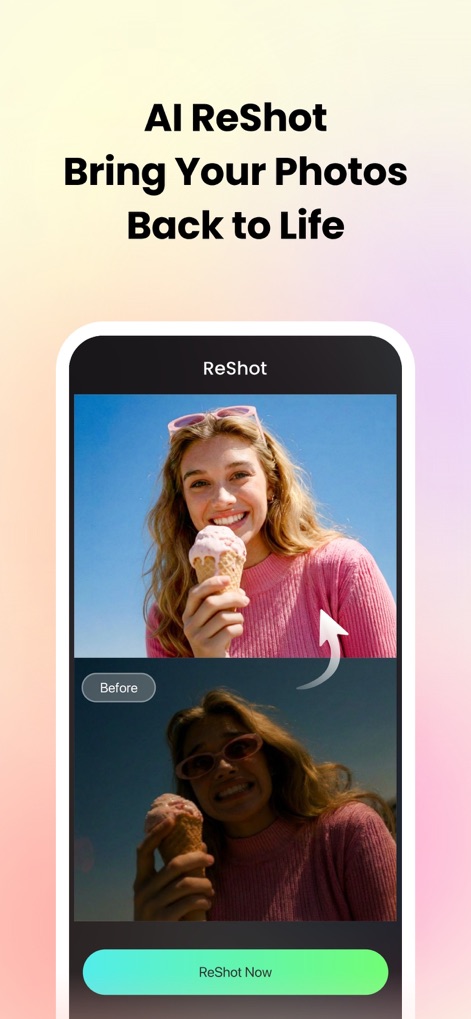
Fotos wiederbeleben
Der Vorher-Nachher-Vergleich in diesem Screenshot demonstriert eindrucksvoll die Fähigkeit der App, Fotos zu revitalisieren und die verbesserte Bildqualität nach der Bearbeitung hervorzuheben.
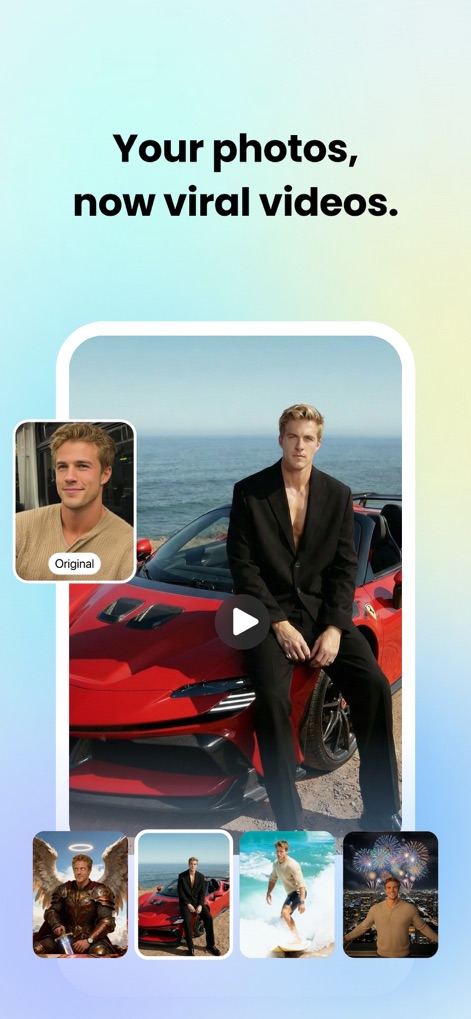
Inhalte diversifizieren
Dieses Bild zeigt, wie Nutzer ihre Fotos durch verschiedene Szenen und Stilvariationen zu ansprechenden Inhalten für Social Media gestalten können.
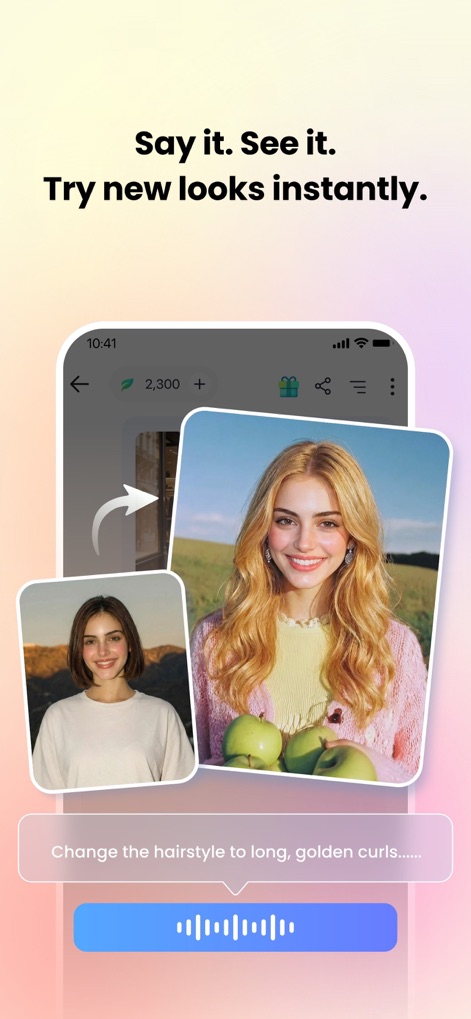
Neue Looks testen
Dieser Screenshot veranschaulicht die Anwendung von KI-Haarstyling-Funktionen, bei denen Nutzer per Sprachbefehl-Steuerung sofort neue Frisuren ausprobieren können.
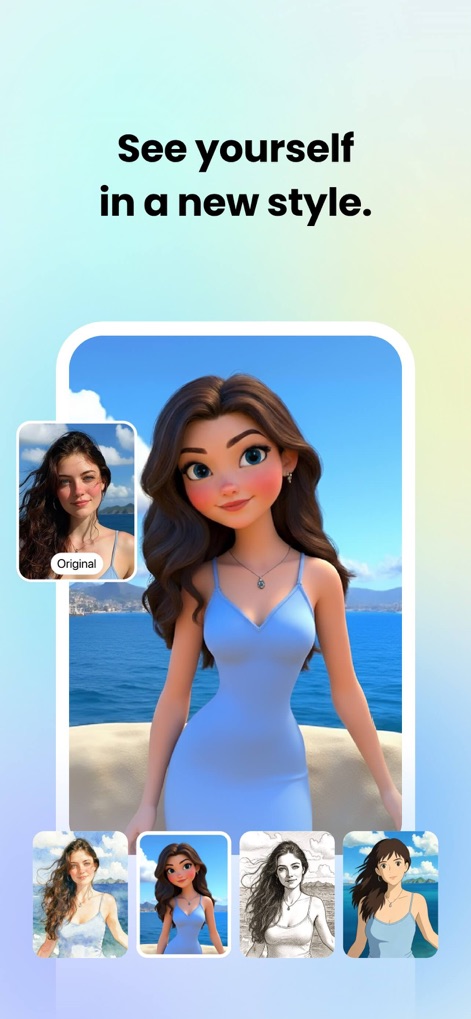
Stilvielfalt entdecken
Die Darstellung zeigt die Möglichkeit, sich selbst in verschiedenen Cartoon-Effekten und anderen Stiltransformationen neu zu entdecken und kreative Avatare zu erstellen.
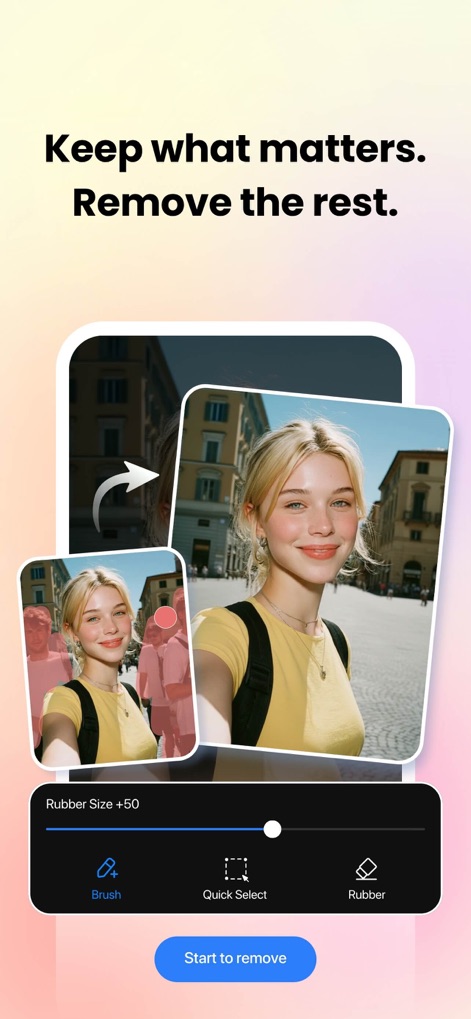
Objekte entfernen
Dieser Screenshot demonstriert die Funktion zum Entfernen unerwünschter Objekte aus Fotos mithilfe eines intuitiven Auswahlwerkzeugs, um die Bildkomposition zu optimieren.
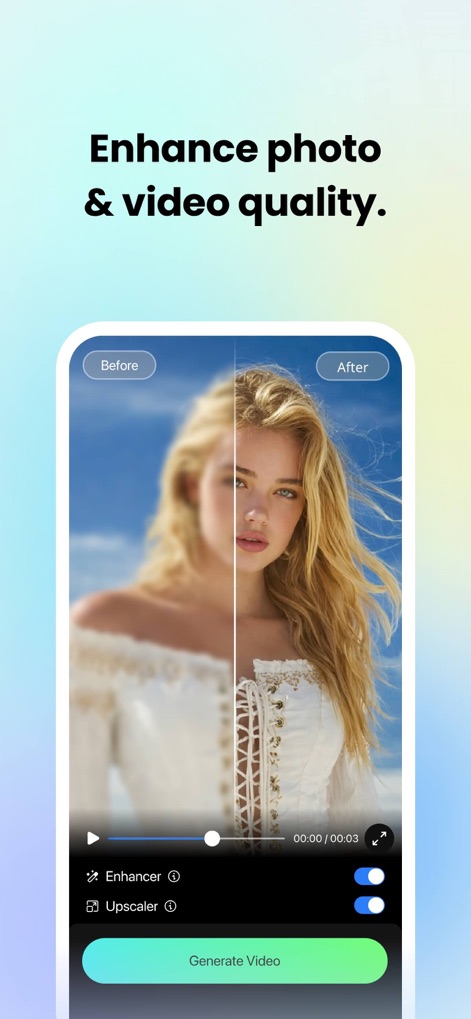
Qualität steigern
Die App ermöglicht eine signifikante Qualitätsverbesserung von Bildern und Videos durch Funktionen wie die Bildschärfung und das Upscaling.
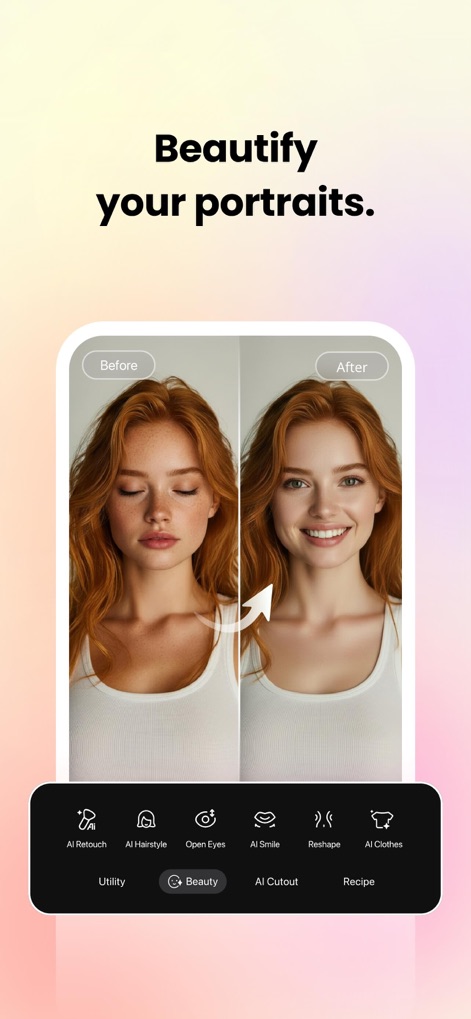
Porträts verschönern
Dieses Bild visualisiert die umfangreichen Möglichkeiten der KI-Retusche zur Gesichtsoptimierung, indem es Haut glättet und Merkmale wie das Lächeln anpasst.
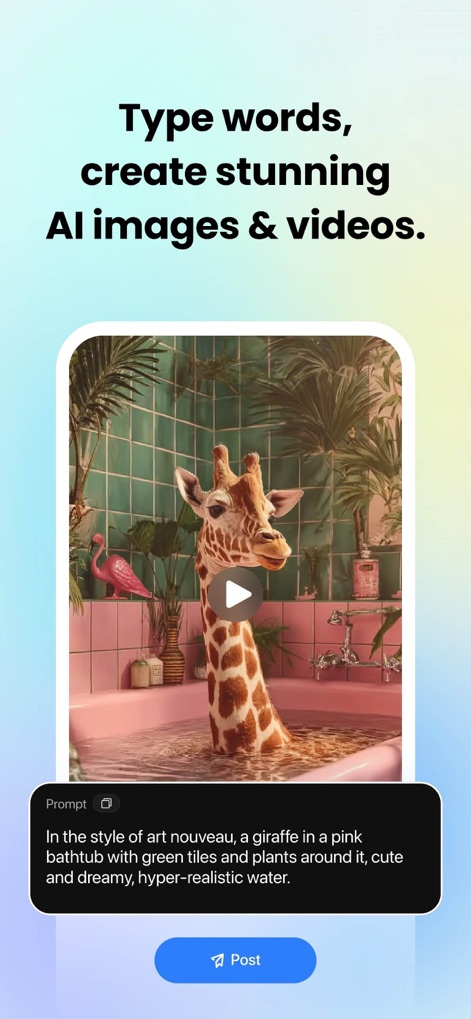
KI-Bilder erzeugen
Die App demonstriert die fortschrittliche Text-zu-Bild-Generierung, bei der Nutzer durch präzise Textbeschreibungen und stilistische Vorgaben beeindruckende visuelle Inhalte erschaffen können.
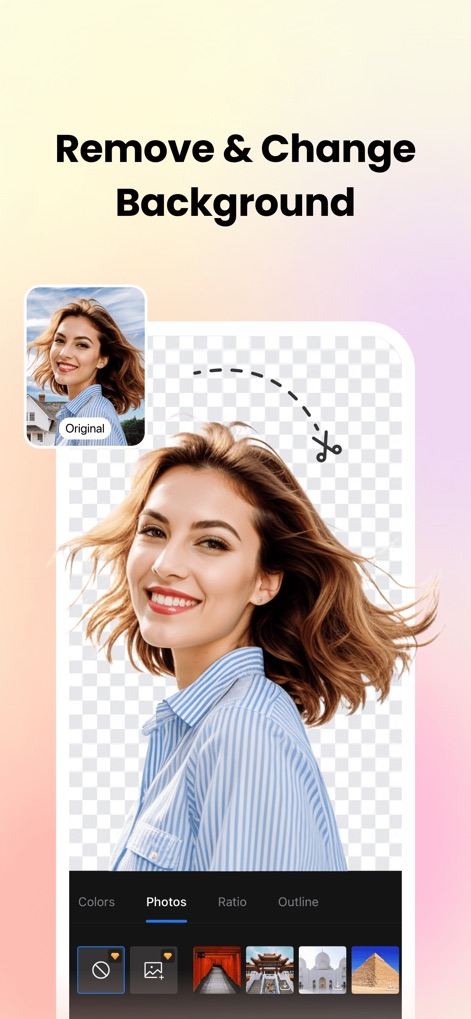
Hintergrund bearbeiten
Dieser Screenshot zeigt die präzise Hintergrundentfernung, die es Nutzern ermöglicht, Subjekte freizustellen und den Hintergrund einfach durch einen neuen zu ersetzen.
Beschreibung
Download
Ähnliche Apps
Apps mit ähnlichen Funktionen und Nutzererfahrung

ElevenLabs: AI Voice Generator
Eleven Labs Inc.

Viggle AI: Meme Maker
WarpEngine Canada Inc.

可灵AI - AI图片&视频创作工具
Beijing Kwai Technology Co., Ltd.

Leonardo.Ai - Image Generator
Leonardo Interactive Pty Ltd

Reface: Face Swap AI Photo App
NEOCORTEXT, INC.

Shedevrum
DIRECT CURSUS COMPUTER SYSTEMS TRADING LLC

Remove Objects
TAPUNIVERSE LLC

Zaps Collages
Turnip Media Private Limited

Carat - Create Anything
Paradot Corp.
Diese Seite ist keine offizielle Seite der App oder ihres Entwicklers, sondern eine unabhängige redaktionelle Veröffentlichung, die zu Informations- und Kommentarzwecken erstellt wurde. Sofern nicht ausdrücklich anders angegeben, sind weder die App noch ihr Entwickler mit MWM, Apple, Google Play, dem App-Herausgeber oder dem Entwickler der App verbunden, von ihnen unterstützt, gesponsert, autorisiert oder anderweitig offiziell verbunden, und nichts auf dieser Seite impliziert, dass die App unter Verwendung der Dienste von MWM entwickelt wurde. Alle Marken, Logos, Screenshots und andere Inhalte bleiben Eigentum ihrer jeweiligen Inhaber.