
Diese Seite ist keine offizielle Seite der App oder ihres Entwicklers, sondern eine unabhängige redaktionelle Veröffentlichung, die zu Informations- und Kommentarzwecken erstellt wurde. Sofern nicht ausdrücklich anders angegeben, sind weder die App noch ihr Entwickler mit MWM, Apple, Google Play, dem App-Herausgeber oder dem Entwickler der App verbunden, von ihnen unterstützt, gesponsert, autorisiert oder anderweitig offiziell verbunden, und nichts auf dieser Seite impliziert, dass die App unter Verwendung der Dienste von MWM entwickelt wurde. Alle Marken, Logos, Screenshots und andere Inhalte bleiben Eigentum ihrer jeweiligen Inhaber.


FUJIFILM Camera Remote
Keine Ausreden mehr für verpasste Aufnahmen: Die Kamera gehorcht jetzt aus der Ferne. Der digitale Workflow? Ein Kinderspiel.
Downloads
5M+Bewertung
Bewertungen gesamt
10.4KHerausgeber
Kategorie
Photo & VideoSprachen
12Neueste Version
4.9.6Größe
55.1 MBErstveröffentlichung
23. Jan. 2014Eine analytische Betrachtung der zentralen Funktionalitäten für Fujifilm-Kamerabesitzer.
Evaluierung der FUJIFILM Camera Remote App
Bild- und Videoübertragung
Die App ermöglicht Nutzern, aufgenommene Bilder und Videos schnell und unkompliziert auf ein Smartphone oder Tablet zu übertragen. Dies optimiert den Workflow und erlaubt die sofortige Bearbeitung oder das Teilen der Aufnahmen.
Fernsteuerung der Kamera
Dieses Tool verfügt über eine umfassende Fernsteuerungsfunktion, die es Anwendern erlaubt, ihre Fujifilm-Kamera drahtlos zu bedienen, um Bilder aufzunehmen. Dies ist ideal für anspruchsvolle Aufnahmesituationen, Gruppenfotos oder Langzeitbelichtungen.
Synchronisation von Zeit- und Standortdaten
Die App synchronisiert Datum, Uhrzeit und Standortinformationen von gekoppelten Smartphones oder Tablets mit der Kamera (bei Bluetooth-fähigen Modellen). Dies sorgt für präzise Metadaten und eine verbesserte Organisation der Aufnahmen.
Firmware-Updates über das Smartphone
Es ermöglicht Nutzern, Firmware-Updates für Bluetooth-fähige Kameras direkt über ihr Smartphone oder Tablet durchzuführen. Dies erspart den umständlichen Weg über einen Computer und eine SD-Karte.
Browsen von Kamerainhalten
Nutzer können die auf der Kamera gespeicherten Bilder und Filme bequem über die App auf ihrem Smartphone durchsuchen. Dies erleichtert die Auswahl und Vorbereitung für die Übertragung.
Bluetooth-Fernauslöser
Für Bluetooth-fähige Kameras bietet die App eine drahtlose Bluetooth-Fernauslösefunktion. Dies ermöglicht eine erschütterungsfreie Auslösung und ist nützlich für präzise Aufnahmen ohne direkten Kamerakontakt.
Häufig gestellte Fragen
Alles, was Sie über wissen müssen FUJIFILM Camera Remote
What is the FUJIFILM Camera Remote app?
The FUJIFILM Camera Remote app allows users to operate wireless-equipped FUJIFILM digital cameras remotely, view and transfer images/movies, and update firmware from smartphones or tablets.
Can I remotely control my FUJIFILM camera with the FUJIFILM Camera Remote app?
Yes, the FUJIFILM Camera Remote app enables shooting images by remote control, including live view shooting and Bluetooth wireless remote shutter release, for compatible cameras.
How do I transfer images from my FUJIFILM camera to my smartphone?
The FUJIFILM Camera Remote app allows transferring images and movies to a smartphone. It supports easy transfer for Bluetooth-capable cameras and automatic import when 'Auto-Transfer' is on.
Does the FUJIFILM Camera Remote app support camera firmware updates?
Yes, the FUJIFILM Camera Remote app supports firmware updates via a smartphone or tablet for cameras with Bluetooth capability, eliminating the need for an SD memory card.
What FUJIFILM cameras are compatible with the FUJIFILM Camera Remote app?
The FUJIFILM Camera Remote app supports a wide range of cameras, including models from the GFX, X-H, X-Pro, X-T, X-S, X-E, X-M, X-A, X100 series, and FinePix series.
Can the FUJIFILM Camera Remote app synchronize time and location data?
Yes, the FUJIFILM Camera Remote app synchronizes "date and time" and/or "location information" from your smartphone or tablet with cameras that offer Bluetooth capability.
What are the iOS system requirements for the FUJIFILM Camera Remote app?
The FUJIFILM Camera Remote app requires iOS 11.0 to 17.1 for iPhone, iPad, and iPod touch. iPad WiFi and iPod touch models cannot use Geotagging functionality.
Does the FUJIFILM Camera Remote app offer a live view for remote shooting?
Yes, the FUJIFILM Camera Remote app provides live view shooting, allowing users to remotely capture images while viewing a real-time feed from the camera on their device.
Die folgenden Screenshots und die Beschreibung stammen direkt aus dem offiziellen Store-Eintrag der App und sind Eigentum des Entwicklers.
App Store
Screenshots
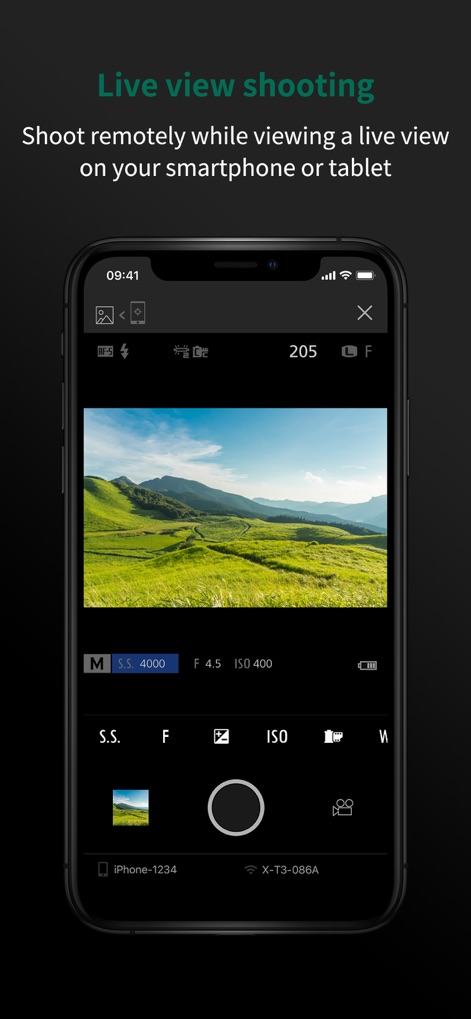
Die App ermöglicht die Fernsteuerung der Kamera, wobei Nutzer die Live-Vorschau des Motivs auf dem Smartphone-Bildschirm sehen und dabei detaillierte Kameraeinstellungen wie die Belichtungszeit und ISO anpassen können.
Live Vorschau Steuerung

Mit diesem Tool können Nutzer ihre Kamera aus der Ferne bedienen und den Auslöser über einen großen "HOLD"-Button auf dem Mobilgerät aktivieren, während die Verbindungsdetails der Kamera (z.B. X-T3-086A) sichtbar sind.
Drahtlose Fernauslösung
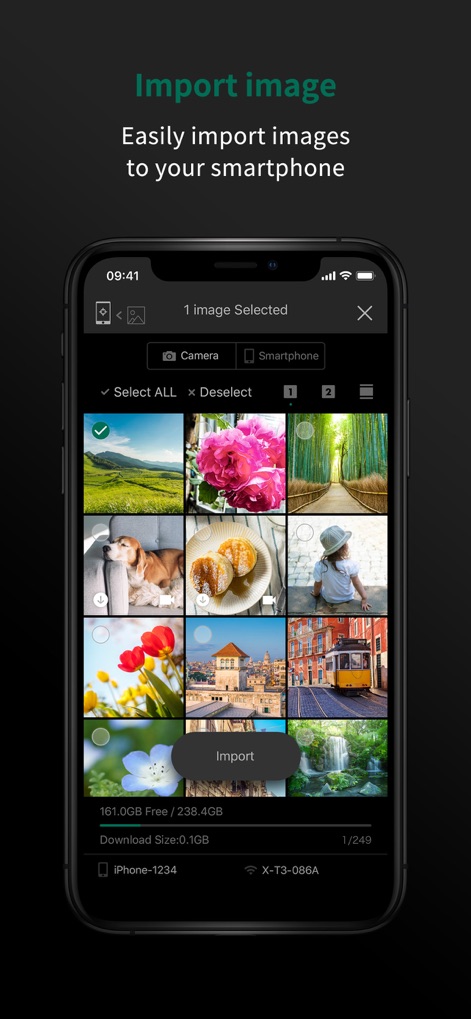
Die App bietet eine klare Übersicht über alle auf der Kamera gespeicherten Bilder in einer Gitteransicht, sodass Nutzer spezifische Fotos auswählen und deren Download-Größe für einen effizienten Transfer auf das Smartphone überprüfen können.
Bilder einfach importieren
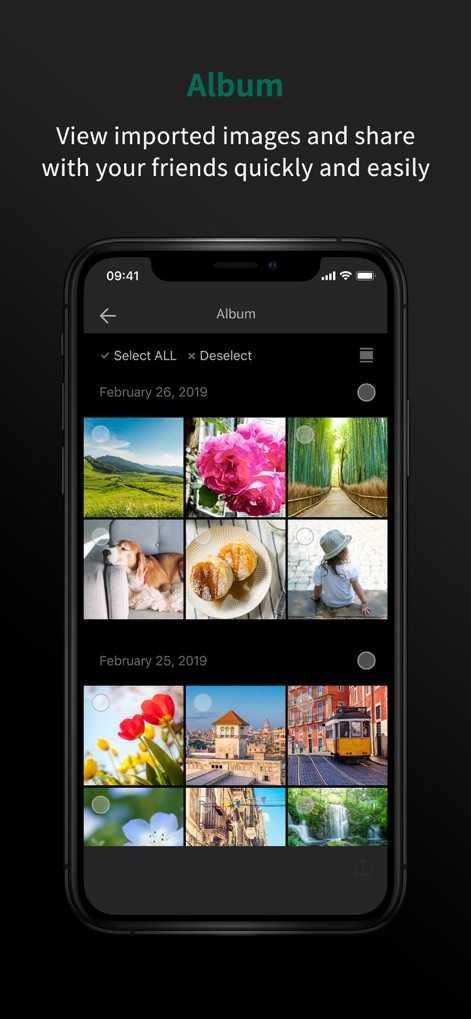
Nachdem Bilder importiert wurden, können Nutzer diese in übersichtlichen Alben nach Datum geordnet betrachten und anschließend über die integrierten Sharing-Optionen direkt mit Freunden teilen.
Fotos schnell teilen
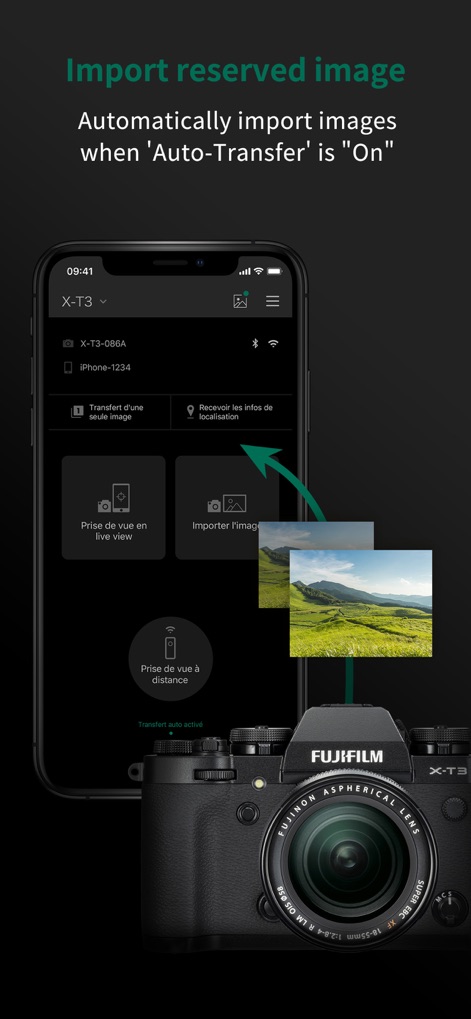
Dieses Tool automatisiert den Bildimport von der FUJIFILM X-T3 Kamera auf das Smartphone, was durch eine visuelle Darstellung des Übertragungsprozesses und eine klare Anzeige der Bluetooth-Verbindung signalisiert wird.
Automatischer Bildtransfer
Beschreibung
Download
Ähnliche Apps
Apps mit ähnlichen Funktionen und Nutzererfahrung

DJI Mimo
SZ DJI TECHNOLOGY CO., LTD

DJI Ronin
SZ DJI TECHNOLOGY CO., LTD

Roku TV Remote Control & Cast
Aleh Piashkou

Remote for Hisense TV.
Duscov Stepan

Alpha Linker - Camera Transfer
恒茂 刘

MyCentsys Pro
Centurion Systems (Pty) Ltd

Roku TV Remote Control・
Artur Belov

Luminair
Synthe FX, LLC

FUJIFILM XApp
FUJIFILM Corporation
Diese Seite ist keine offizielle Seite der App oder ihres Entwicklers, sondern eine unabhängige redaktionelle Veröffentlichung, die zu Informations- und Kommentarzwecken erstellt wurde. Sofern nicht ausdrücklich anders angegeben, sind weder die App noch ihr Entwickler mit MWM, Apple, Google Play, dem App-Herausgeber oder dem Entwickler der App verbunden, von ihnen unterstützt, gesponsert, autorisiert oder anderweitig offiziell verbunden, und nichts auf dieser Seite impliziert, dass die App unter Verwendung der Dienste von MWM entwickelt wurde. Alle Marken, Logos, Screenshots und andere Inhalte bleiben Eigentum ihrer jeweiligen Inhaber.