GoodReader Pro PDF Editor: Der ultimative professionelle Arbeitsplatz
Beherrschen Sie Ihre Dokumente mit militärischer Sicherheit, Dateiverwaltung auf Desktop-Niveau und überlegenen PDF-Tools. Einmaliger Kauf, keine Abonnements und über ein Jahrzehnt bewährte Zuverlässigkeit für Power-User.
Entdecken Sie die Oberfläche, die von 159K+ Nutzern verwendet wird.
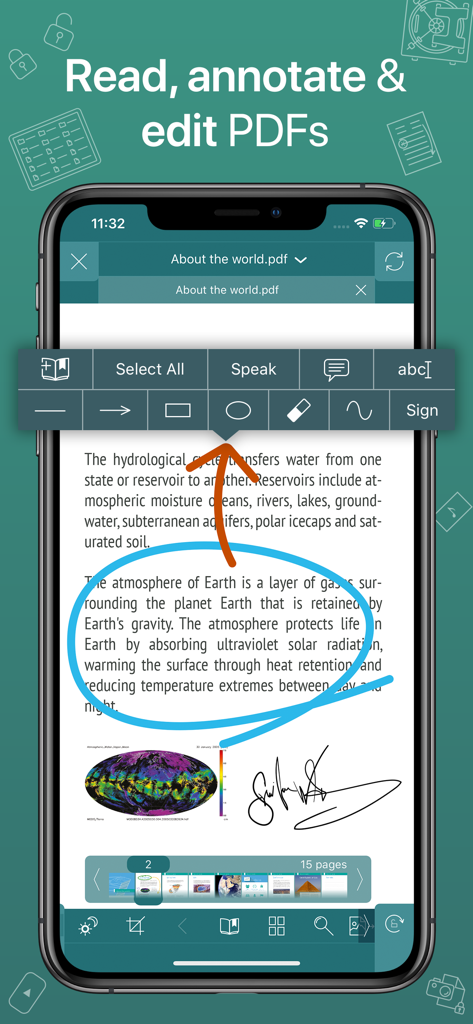
GoodReader Pro App-Oberfläche, die ein PDF-Dokument mit blauen Kreis-Annotationen und einer digitalen Signatur zeigt
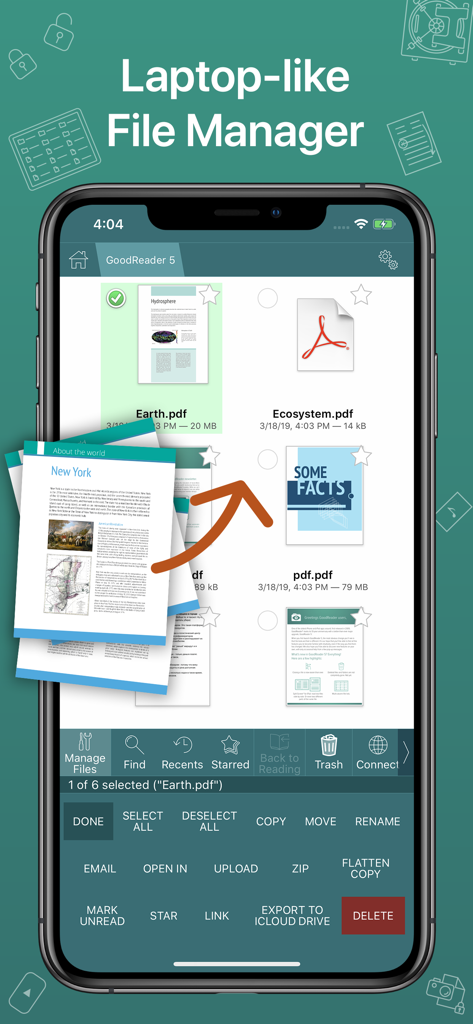
Screenshot der GoodReader Pro App, der eine professionelle, laptopähnliche Dateiverwaltungsoberfläche mit PDF-Dokumenten zeigt
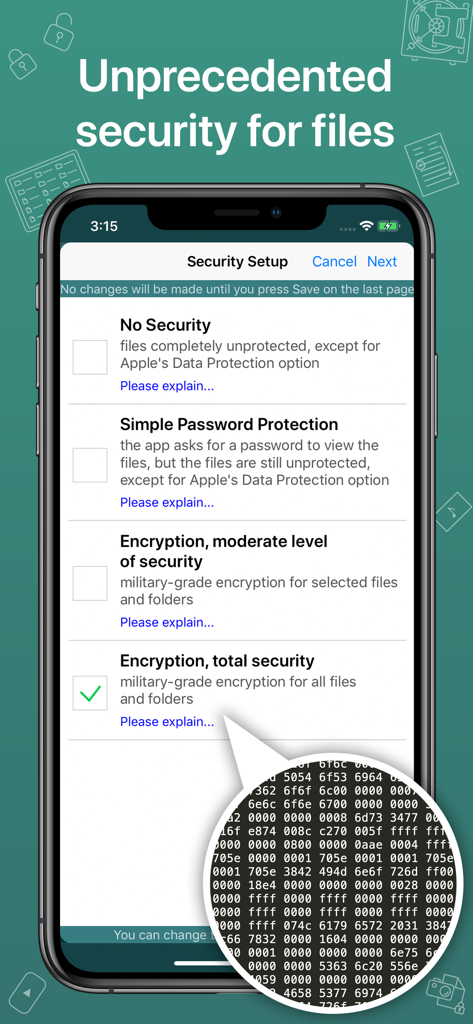
GoodReader Pro Sicherheitseinrichtungsbildschirm mit Optionen zur militärischen Dateiverschlüsselung.
Desktop-Leistung für mobile Profis
Die Tools, die diese App auszeichnen, gewählt von 159K+ Nutzern.
📂
Dateisynchronisierung auf Desktop-Niveau
Verwalten Sie riesige Bibliotheken wie ein Profi. Stellen Sie eine direkte Verbindung zu SMB-, SFTP- oder Cloud-Servern her, um ganze Ordnerstrukturen für den Offline-Zugriff zu synchronisieren.
🖋️
Erweiterte Markierungs- und Reflow-Funktionen
Eliminieren Sie das horizontale Scrollen mit PDF Reflow und nutzen Sie Präzisionswerkzeuge, um Dokumente zu kommentieren, zu signieren und zu glätten für professionelles Teilen.
🛡️
Militärische Sicherheit
Schützen Sie sensible Daten mit AES-256-Verschlüsselung. Diese unabhängige Sicherheitsebene stellt sicher, dass Ihre Dateien gesperrt bleiben, selbst wenn Ihr Gerät kompromittiert wird.
Über die App
Alles, was Sie über wissen müssen GoodReader Pro PDF Editor.
Beschreibung
GoodReader® Pro and our famous classic GoodReader app are essentially the same app, but this one comes with Pro Pack® pre-activated, no subscription or in-app purchase needed.
First released in 2009, GoodReader is truly a veteran of the App Store.
In the modern app business, it's not easy to stay relevant that long. We're proud to say that after 12 years and counting, we've been delivering wonderful updates with extraordinary new features. And we're going to keep doing that!
GoodReader is a perfect combination of document-reading and file-managing capabilities. It's your one-stop shop for all your document needs when you're on the go with your iOS device.
Use the app once, and you'll be hooked. Soon you'll be wondering how you ever managed to work without it.
-= File Reading =-
PDF, TXT, MS Office, iWork, HTML, pictures, music & audio-books, videos. This is what you can view in GoodReader, plus you can also annotate PDF files and edit TXT files.
-= PDF Reading and Annotating =-
PDF files is where GoodReader truly shines. Reading experience is so superior, it's hard to describe. To rephrase one of our customers' review, "try it, and you'll see." While you're at it, give our PDF Reflow feature a try. You'll be surprised how much better PDF reading goes when you don't have to scroll left/right all the time, for every single line of text.
Annotating PDFs is another star feature of our app. Adding notes and drawings, highlighting text, and then sharing your annotated files or annotation summaries will be your main productivity and collaboration asset.
-= File Management =-
While reading files is a big part of GoodReader, it's not all it can do. It can also serve as a central hub for all your files, even those that can't be opened by GoodReader itself. It's like bringing your personal computer experience to your mobile device — easily managing huge collections of files and folders will make you forget you don't have your laptop around.
-= Connecting =-
Dropbox, OneDrive, Google Drive, Box.com, WebDAV, SMB, AFP, FTP, SFTP — these are all accessible from inside GoodReader. Download, upload, and sync individual files or huge folder collections.
-= Security =-
With GoodReader, your data security steps up to the level previously only dreamt of. With GoodReader Pro, you'll get AES-256, a military-grade encryption, for all your data. And it's completely independent from the built-in Apple's Data Protection, so even if a hacker steals and unlocks your device, your data will still be protected by another strong layer of security, our own.
-= Split-Screen =-
This wonderful feature allows you to split an iPad screen in half, to read two files side-by-side. And even two different parts of the same file!
Neueste Version
5.19.1221
Größe
49.0 MB
Erstveröffentlichung
9. März 2019
Schluss mit Abonnements. Holen Sie sich den Industriestandard.
Schließen Sie sich über 150.000 Profis an, die sich auf GoodReader Pro für militärische Sicherheit und erstklassige Dokumentenverwaltung verlassen. Einmaliger Kauf, lebenslange Produktivität.
App information, icons, screenshots, and descriptions displayed on this page are sourced from the Apple App Store and are the property of their respective developers. Download estimates and rankings are based on MWM's proprietary models and may not reflect actual figures. This page is provided for informational and analytical purposes only.
Believe this page infringes your intellectual property? File a dispute