GoodTask - To Do List, Tasks
Herunterladen auf App Store

Diese Seite ist keine offizielle Seite der App oder ihres Entwicklers, sondern eine unabhängige redaktionelle Veröffentlichung, die zu Informations- und Kommentarzwecken erstellt wurde. Sofern nicht ausdrücklich anders angegeben, sind weder die App noch ihr Entwickler mit MWM, Apple, Google Play, dem App-Herausgeber oder dem Entwickler der App verbunden, von ihnen unterstützt, gesponsert, autorisiert oder anderweitig offiziell verbunden, und nichts auf dieser Seite impliziert, dass die App unter Verwendung der Dienste von MWM entwickelt wurde. Alle Marken, Logos, Screenshots und andere Inhalte bleiben Eigentum ihrer jeweiligen Inhaber.

Logo von GoodTask - To Do List, Tasks
Herunterladen auf App Store

GoodTask - To Do List, Tasks

Der preisgekrönte Aufgabenmanager für Power-User und Profis. Verwandeln Sie Ihre einfachen Checklisten in ein professionelles Projektmanagementsystem mit Kanban-Boards, erweiterten intelligenten Listen und nahtloser iCloud-Synchronisierung.

Kennzahlen

Downloads

467K+

Bewertung

4.5/5

Bewertungen gesamt

5K+

Herausgeber

haha Interactive

Kategorie

Productivity

Sprachen

14

Neueste Version

8.1.6

Größe

138.0 MB

Erstveröffentlichung

24. März 2016
Funktionen

Meistern Sie Ihren Arbeitstag mit professioneller Power

Verwandeln Sie Ihre Apple Erinnerungen und Kalender in ein professionelles Aufgabenmanagementsystem, das für High-Achiever entwickelt wurde.

Intelligente Smart Lists

Beseitigen Sie mentales Chaos mit erweiterten Filtern. Organisieren Sie Aufgaben nach Tags, Priorität und Ort, um sich genau auf das zu konzentrieren, was jetzt wichtig ist.

Visuelle Board-Ansichten

Bringen Sie Projektmanagement im Kanban-Stil in Ihre persönlichen Aufgaben. Visualisieren Sie Ihren Workflow und verfolgen Sie den Fortschritt über verschiedene Phasen hinweg mit Leichtigkeit.

Die folgenden Screenshots und die Beschreibung stammen direkt aus dem offiziellen Store-Eintrag der App und sind Eigentum des Entwicklers.

App Store

Screenshots
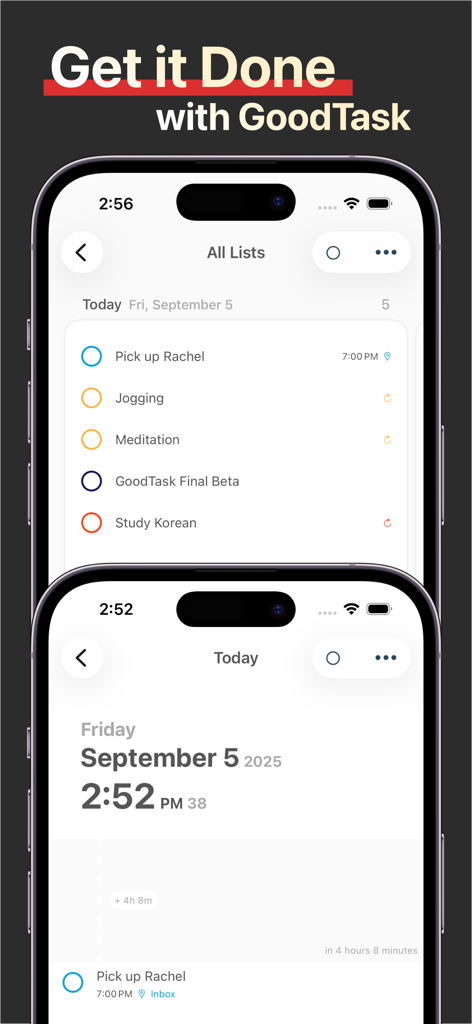
GoodTask - To Do List, Tasks - GoodTask App-Interface auf zwei iPhones mit Aufgabenlisten und Tagesplan
GoodTask App-Interface auf zwei iPhones mit Aufgabenlisten und Tagesplan

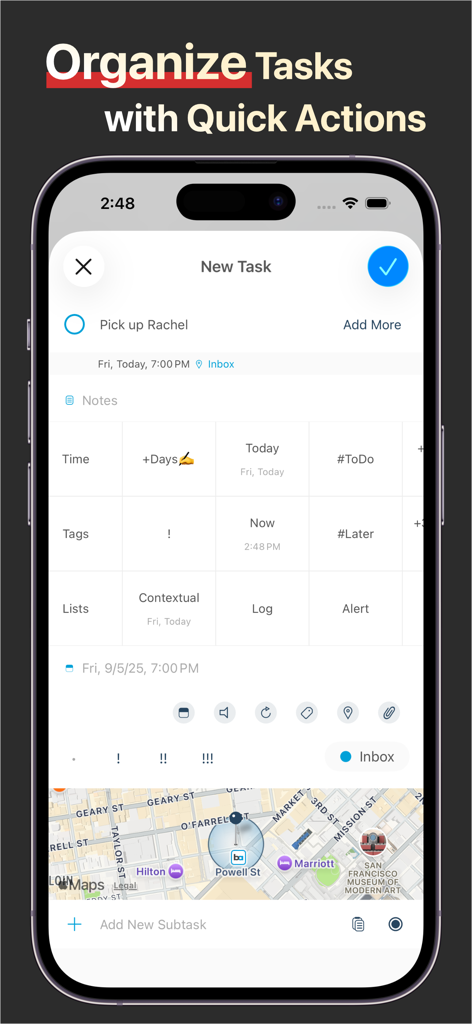
GoodTask - To Do List, Tasks - GoodTask App-Bildschirm zum Organisieren von Aufgaben mit Schnellaktionen und Standortfunktionen

GoodTask App-Bildschirm zum Organisieren von Aufgaben mit Schnellaktionen und Standortfunktionen
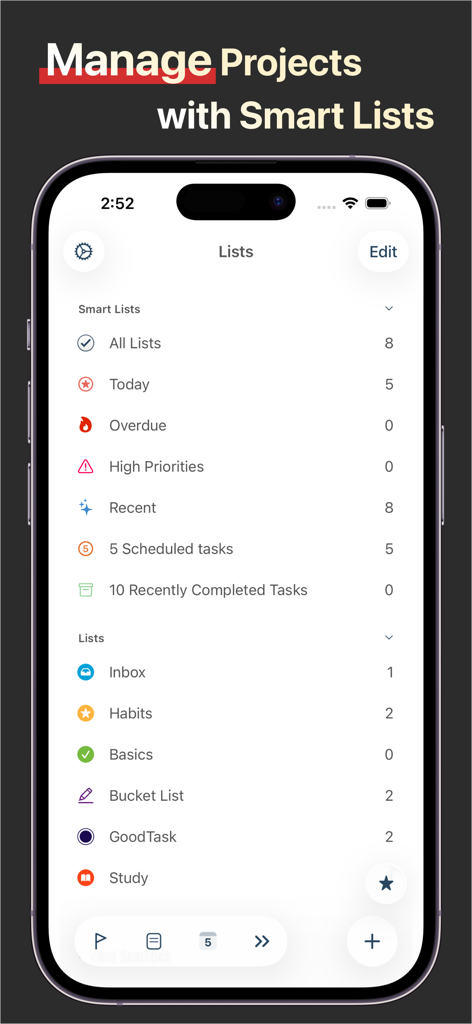
GoodTask - To Do List, Tasks - Das GoodTask App-Interface auf einem iPhone mit intelligenten Listen und Ordnern für das Projektmanagement
Das GoodTask App-Interface auf einem iPhone mit intelligenten Listen und Ordnern für das Projektmanagement

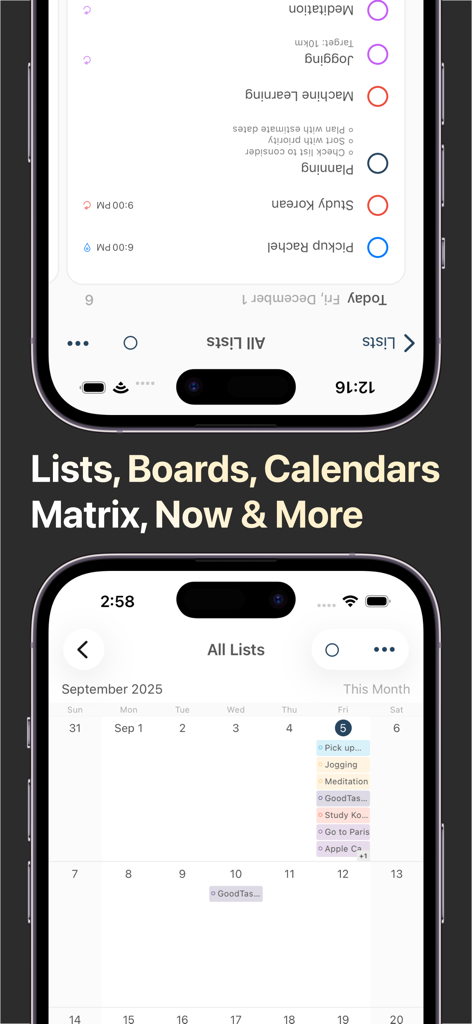
GoodTask - To Do List, Tasks - GoodTask App zeigt Listen- und Kalenderansichten für das Aufgabenmanagement
GoodTask App zeigt Listen- und Kalenderansichten für das Aufgabenmanagement

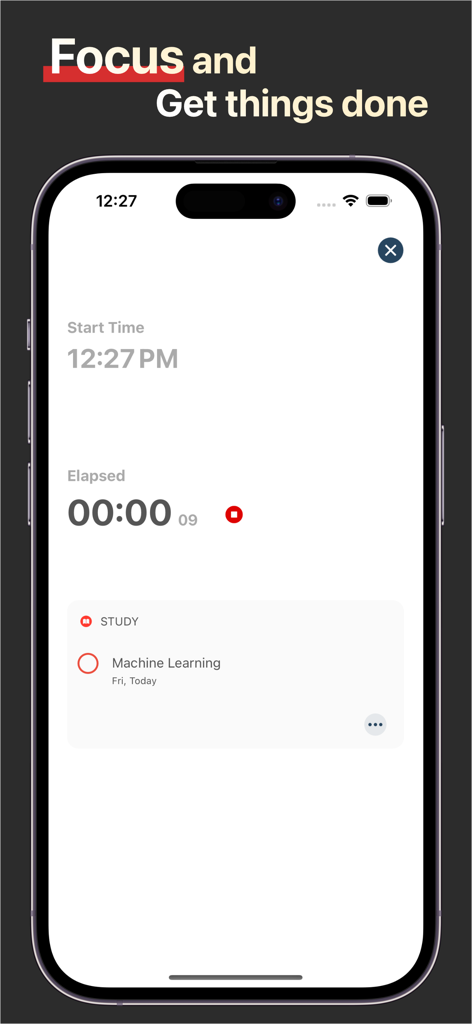
GoodTask - To Do List, Tasks - GoodTask Fokusmodus-Interface mit einem Produktivitäts-Timer und einer Lernaufgabe auf einem iPhone.
GoodTask Fokusmodus-Interface mit einem Produktivitäts-Timer und einer Lernaufgabe auf einem iPhone.

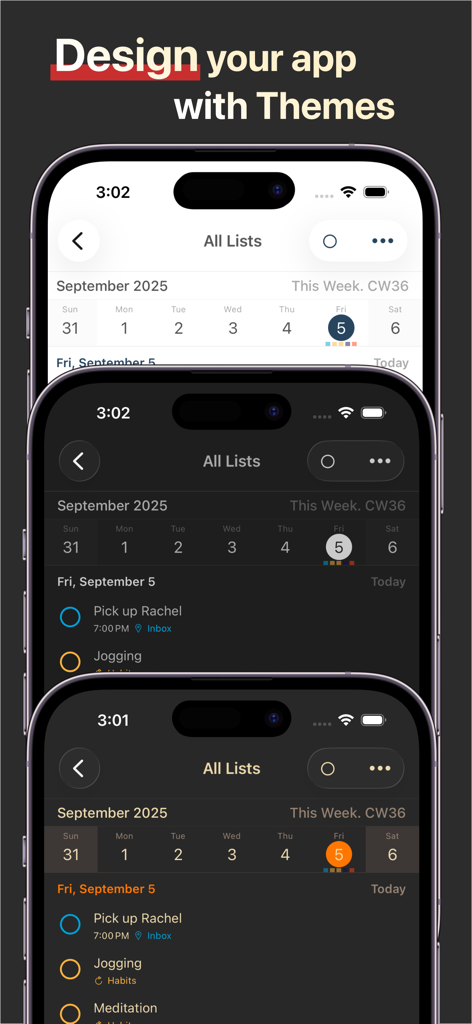
GoodTask - To Do List, Tasks - GoodTask App zeigt drei verschiedene UI-Designs auf iPhone-Bildschirmen
GoodTask App zeigt drei verschiedene UI-Designs auf iPhone-Bildschirmen

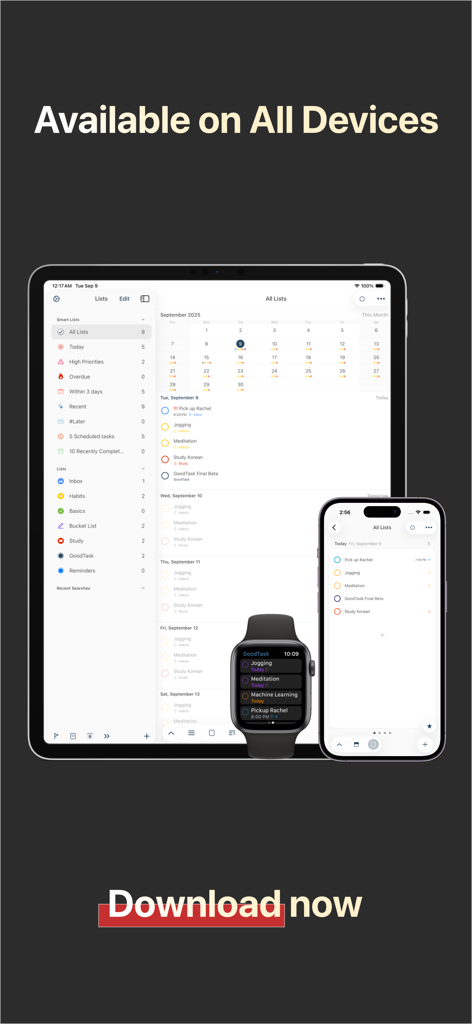
GoodTask - To Do List, Tasks - GoodTask Produktivitäts-App-Interface auf iPad, iPhone und Apple Watch.

GoodTask Produktivitäts-App-Interface auf iPad, iPhone und Apple Watch.

Beschreibung

--[ Winner of MacStories Selects. Must-Have iOS Apps, App of the Year ]-- --[ Featured as 'Apps We Love Right Now', 'Be More Productive' and 'Get Stuff Done' ]-- "GoodTask is all you need to organize your day and get things done for real" If you're using iCloud or Outlook with Reminders and Calendars, it's for you. GoodTask is a Powerful Task/Project Manager based on iOS Reminders & Calendars. You can use it as simple checklist to focus or as complex project management tool to get big things done. GoodTask provides various viewpoints to the things that you care and need to be done. Manage your tasks, projects and even your life better with GoodTask. General - Syncs with iOS Reminders & Calendars - Supports fully customizable recurring tasks - Manage Reminders Lists and Calendars easily - List, Day, Week, Month view on each lists - Board view with Date, Priority, List, Tag type - Add Quickly and Smartly with Presets and Text Snippets Smart Lists - List with selective Reminders Lists and Calendars - Filter by including or excluding text/tags - Filter by Priorities - Overdue tasks, Location-based tasks, Recent tasks, etc. Quick Actions - Quickly edit tasks on the fly - Bulk actions to edit/check/delete multiple tasks at once - Duplicate, Change due dates, add/switch tags/lists, etc. Other Key Features - App Icon Badge & Notifications - Various Themes including custom fonts - Long tap to move lists and tasks - Supports portrait/landscape mode on all devices - Supports iPad Pro and multi-tasking for all iPads - Apple Watch with complications support - Today Widget support - Time Zone support - Subtasks, Automatic Repeat after Completion & Manual sort (GoodTask 3 only) Visit our website for more information (http://goodtaskapp.com) ! If you have questions, mention @goodtaskapp on twitter or send an email to contact@hahaint.com = About Subscriptions = Subscriptions in GoodTask is OPTIONAL and solely in purpose of supporting the continuous development of the app. In case you choose to subscribe without unlocking everything, it'll be unlocked automatically to fully use the app. - Supporter is an auto-renewing subscription and is available for yearly periods. - Payment will be charged to your iTunes account at confirmation of purchase. - Your subscription will automatically renew unless auto-renew is turned off at least 24-hours before the end of the current subscription period. - Your account will be charged for renewal within 24-hours prior to the end of the current subscription period. Automatic renewals will cost the same price you were originally charged for the subscription. - You can manage your subscriptions and turn off auto-renewal by going to your Account Settings on the App Store after purchase. = Terms of Use & Privacy Policy = Terms of Use : http://hahaint.com/terms Privacy Policy : http://hahaint.com/privacy If you need support, e-mail us at contact@hahaint.com We'll get to you right away. :)

Download

Herunterladen auf App Store

Diese Seite ist keine offizielle Seite der App oder ihres Entwicklers, sondern eine unabhängige redaktionelle Veröffentlichung, die zu Informations- und Kommentarzwecken erstellt wurde. Sofern nicht ausdrücklich anders angegeben, sind weder die App noch ihr Entwickler mit MWM, Apple, Google Play, dem App-Herausgeber oder dem Entwickler der App verbunden, von ihnen unterstützt, gesponsert, autorisiert oder anderweitig offiziell verbunden, und nichts auf dieser Seite impliziert, dass die App unter Verwendung der Dienste von MWM entwickelt wurde. Alle Marken, Logos, Screenshots und andere Inhalte bleiben Eigentum ihrer jeweiligen Inhaber.