
Diese Seite ist keine offizielle Seite der App oder ihres Entwicklers, sondern eine unabhängige redaktionelle Veröffentlichung, die zu Informations- und Kommentarzwecken erstellt wurde. Sofern nicht ausdrücklich anders angegeben, sind weder die App noch ihr Entwickler mit MWM, Apple, Google Play, dem App-Herausgeber oder dem Entwickler der App verbunden, von ihnen unterstützt, gesponsert, autorisiert oder anderweitig offiziell verbunden, und nichts auf dieser Seite impliziert, dass die App unter Verwendung der Dienste von MWM entwickelt wurde. Alle Marken, Logos, Screenshots und andere Inhalte bleiben Eigentum ihrer jeweiligen Inhaber.

Google Family Link
Digitale Wildnis? Eltern übernehmen das Steuer.
Downloads
25M+Bewertung
Bewertungen gesamt
1.7MHerausgeber
Kategorie
UtilitiesSprachen
56Neueste Version
2.78.37981Größe
190.2 MBErstveröffentlichung
13. Apr. 2017Analyse der Kernfunktionen von Google Family Link
Eine umfassende Bewertung der Parental-Control-Funktionen für verantwortungsbewusste digitale Erziehung.
Inhaltsfilterung für Google-Dienste
Die App ermöglicht die Einrichtung von Kindersicherungen für Google-Dienste wie Chrome, Play, YouTube und Search, um unangemessene Inhalte zu blockieren und die Genehmigung neuer Apps zu verlangen.
Bildschirmzeitbegrenzungen
Die App bietet die Möglichkeit, tägliche Zeitlimits sowie Schulzeit- und Ausfallzeitpläne für Geräte festzulegen, um eine gesunde digitale Balance zu fördern.
Standortverfolgung in Echtzeit
Dieses Tool bietet die Möglichkeit, den Standort der Kinder auf einer Karte zu verfolgen, sofern sie ihr Gerät bei sich tragen.
App-Verwaltung und -Kontrolle
Dieses Tool ermöglicht es, individuelle App-Zeitlimits festzulegen, unbegrenzte Nutzung für Lern-Apps zu gewähren und unerwünschte Anwendungen zu blockieren.
Benachrichtigungen und Alarme
Die App sendet wichtige Benachrichtigungen, z.B. wenn das Kind einen bestimmten Ort erreicht oder verlässt, und zeigt den Batteriestand des Geräts an.
Kontosicherheit und -verwaltung
Es ermöglicht die Verwaltung der Konto- und Dateneinstellungen des Kindes, einschließlich des Zurücksetzens von Passwörtern und der Bearbeitung persönlicher Informationen.
Häufig gestellte Fragen
Alles, was Sie über wissen müssen Google Family Link
What is Google Family Link?
Google Family Link is a parental controls app designed to help families manage their children's online experience. It allows parents to set screen time limits, manage apps, filter content, track device location, and secure their child's Google account.
Can parents set screen time limits with Google Family Link?
Yes, parents can set daily screen time limits using Google Family Link. The app also allows for specific school time and downtime schedules for their children's devices.
How does Google Family Link manage a child's apps?
Google Family Link enables parents to set individual time limits for apps, designate unlimited time for educational apps, and block specific applications on their child's device.
Does Google Family Link allow parents to manage online content filters?
Yes, Google Family Link provides tools to set parental controls on Google services such as Chrome, Play, YouTube, and Search. It can block inappropriate sites and require approval for new apps.
Can I track my child's device location with Google Family Link?
Yes, Google Family Link allows parents to locate their children on a map, provided the child's device is powered on, recently active, and connected to the internet.
How can Google Family Link help secure my child's Google account?
Google Family Link provides parents with access to manage their child’s account settings. Parents can change or reset their child’s password, edit personal information, or delete the account if necessary.
Does Google Family Link require approval for all app purchases?
No, purchase approvals apply only when a child makes a purchase through Google Play’s billing system. It does not apply to app updates, previously approved apps, or purchases made via alternate billing systems.
What kind of notifications does Google Family Link provide?
Google Family Link delivers critical notifications, including alerts when a child arrives at or leaves a specific location. Parents can also ring devices and view the device's remaining battery life.
Is Google Family Link compatible with all devices?
No, Google Family Link's tools vary depending on the child's device. A list of compatible devices is available on the Google Families website.
Does Google Family Link guarantee internet safety for children?
No, Google Family Link does not guarantee internet safety. It provides tools for parents to manage their child's online experience and make decisions, but it cannot determine all content on the internet.
Die folgenden Screenshots und die Beschreibung stammen direkt aus dem offiziellen Store-Eintrag der App und sind Eigentum des Entwicklers.
App Store
Screenshots
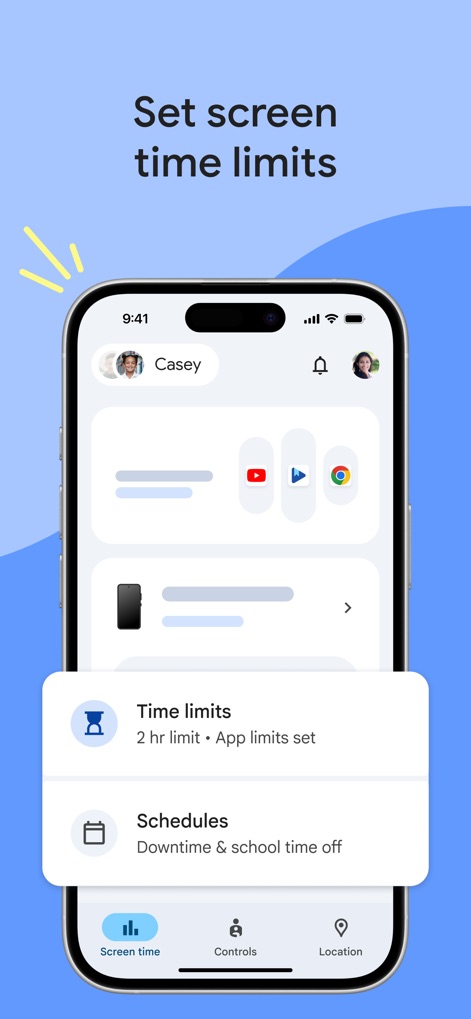
Zeitlimits festlegen
Die App ermöglicht die Festlegung von täglichen Bildschirmzeit-Limits und die Konfiguration von detaillierten Zeitplänen für Auszeiten und Schulzeiten.
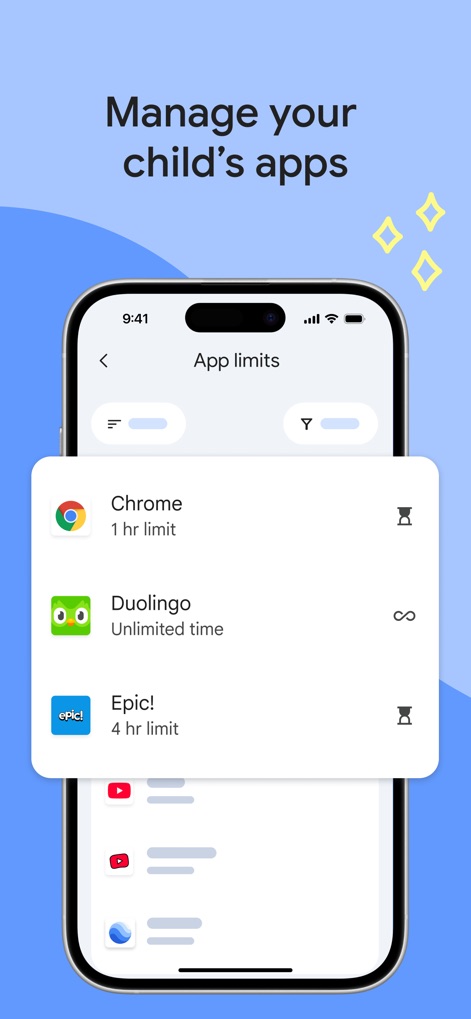
App-Nutzung steuern
Nutzer können die App-Nutzung verwalten, indem sie individuelle Zeitlimits für Apps wie Chrome setzen oder unbegrenzte Nutzung für Bildungs-Apps wie Duolingo erlauben.
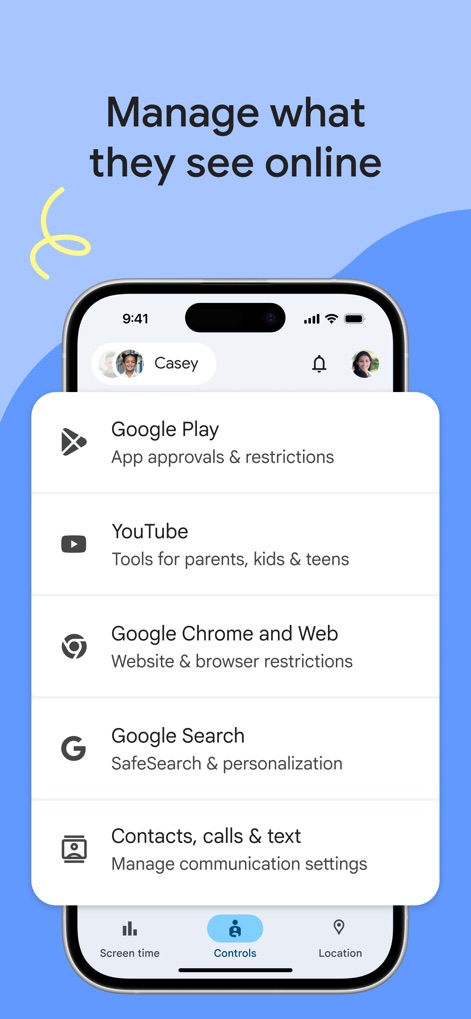
Online-Inhalte filtern
Dieses Tool bietet detaillierte Kontrollmöglichkeiten für Online-Inhalte, einschließlich App-Genehmigungen und Einschränkungen für Google Play sowie Website- und Browser-Einschränkungen für Google Chrome.
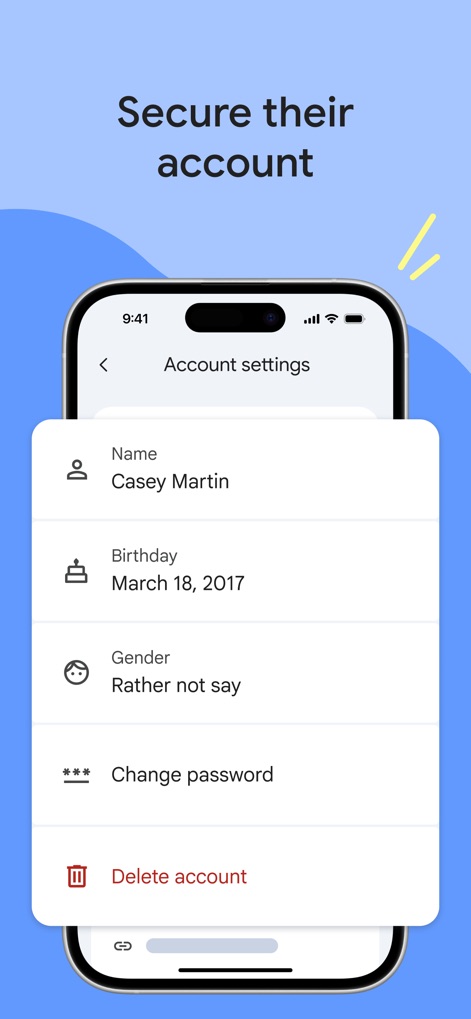
Konto sichern verwalten
Eltern können das Kinderkonto sichern, indem sie Passwörter ändern oder zurücksetzen und persönliche Informationen wie den Namen und das Geburtsdatum einsehen.
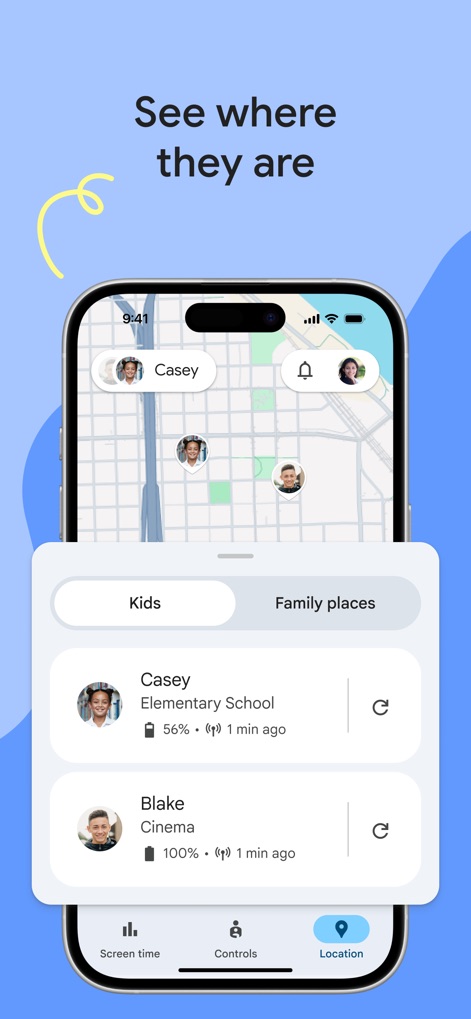
Standort verfolgen
Die App visualisiert den Standort der Kinder auf einer Karte und zeigt detaillierte Informationen wie den aktuellen Ort und den Batteriestatus ihrer Geräte an.
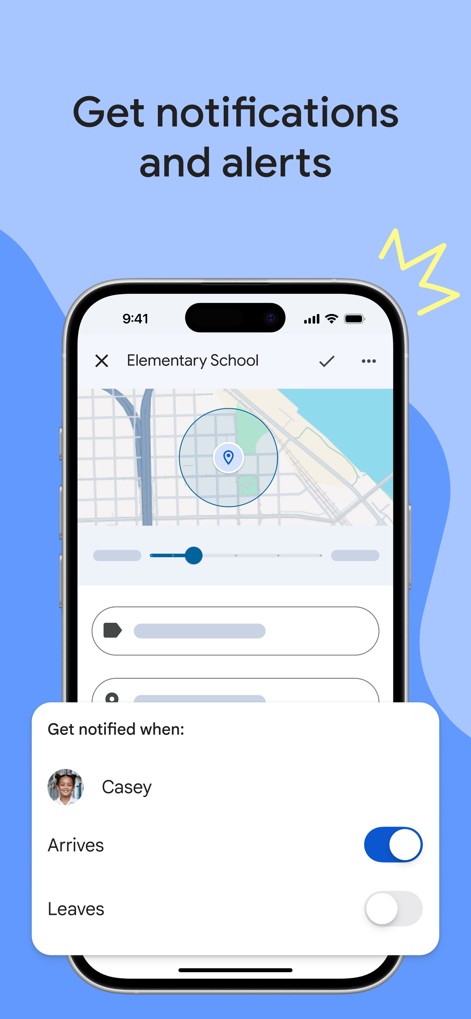
Benachrichtigungen erhalten
Nutzer können Benachrichtigungen für spezifische Standorte aktivieren, um informiert zu werden, wenn das Kind an der „Elementary School“ ankommt oder diese verlässt.
Beschreibung
Download
Ähnliche Apps
Apps mit ähnlichen Funktionen und Nutzererfahrung

Findos - Find My Device
Pollux Bilisim Teknolojileri Sanayi ve Ticaret Limited Sirketi

Boost Family Guard
Smith Micro Software, Inc.

Findmykids: GPS Phone Tracker
LETEM LTD

Nintendo Switch Parental Cont…
Nintendo Co., Ltd.

Parental Control App Kids360
ANKO SOLUTIONS LLC

JusTalk Kids - Safe Messenger
Ningbo Jus Internet Technology Co., Ltd.

FlashGet Kids:parental control
HONGKONG FLASHGET NETWORK TECHNOLOGY CO., LIMITED

Parental Control App: AirDroid
SAND STUDIO CORPORATION LIMITED

Parental Control App - Kidsee
Alenrom sp. z o.o.
Diese Seite ist keine offizielle Seite der App oder ihres Entwicklers, sondern eine unabhängige redaktionelle Veröffentlichung, die zu Informations- und Kommentarzwecken erstellt wurde. Sofern nicht ausdrücklich anders angegeben, sind weder die App noch ihr Entwickler mit MWM, Apple, Google Play, dem App-Herausgeber oder dem Entwickler der App verbunden, von ihnen unterstützt, gesponsert, autorisiert oder anderweitig offiziell verbunden, und nichts auf dieser Seite impliziert, dass die App unter Verwendung der Dienste von MWM entwickelt wurde. Alle Marken, Logos, Screenshots und andere Inhalte bleiben Eigentum ihrer jeweiligen Inhaber.