GPS Fields Area Measure App
Herunterladen auf App Store

Diese Seite ist keine offizielle Seite der App oder ihres Entwicklers, sondern eine unabhängige redaktionelle Veröffentlichung, die zu Informations- und Kommentarzwecken erstellt wurde. Sofern nicht ausdrücklich anders angegeben, sind weder die App noch ihr Entwickler mit MWM, Apple, Google Play, dem App-Herausgeber oder dem Entwickler der App verbunden, von ihnen unterstützt, gesponsert, autorisiert oder anderweitig offiziell verbunden, und nichts auf dieser Seite impliziert, dass die App unter Verwendung der Dienste von MWM entwickelt wurde. Alle Marken, Logos, Screenshots und andere Inhalte bleiben Eigentum ihrer jeweiligen Inhaber.

Logo von GPS Fields Area Measure App
Herunterladen auf App Store

GPS Fields Area Measure App

Messen Sie präzise Flächen, planen Sie Routen mit mehreren Stopps und navigieren Sie sicher mit professionellen Werkzeugen, die für Grundstückseigentümer, Bauunternehmer und Outdoor-Enthusiasten entwickelt wurden.

Kennzahlen

Downloads

14K+

Bewertung

1.0/5

Bewertungen gesamt

0

Herausgeber

Gohel Prakashbhai

Kategorie

Navigation

Sprachen

16

Neueste Version

1.0

Größe

149.8 MB

Erstveröffentlichung

10. Dez. 2024
Funktionen

Das ultimative digitale Werkzeug für Land und Straße

Von der Flächenberechnung für Landschaftsprojekte bis zur Navigation auf ländlichen Routen mit einem High-Tech-HUD bieten wir Ihnen jedes professionelle Werkzeug, das Sie in einer leistungsstarken App benötigen.

Präzise Flächen- & Gebietsberechnung

Messen Sie mühelos Morgen, Quadratfuß oder Umfänge, indem Sie Punkte auf der Karte markieren. Ideal für Zäune, Landwirtschaft und Grundstücksverwaltung.

Geotaggte GPS-Kamera

Dokumentieren Sie Ihre Arbeit mit Fotos, die automatisch Längen- und Breitengrad sowie Zeitstempel für eine professionelle Aufzeichnung enthalten.

Die folgenden Screenshots und die Beschreibung stammen direkt aus dem offiziellen Store-Eintrag der App und sind Eigentum des Entwicklers.

App Store

Screenshots
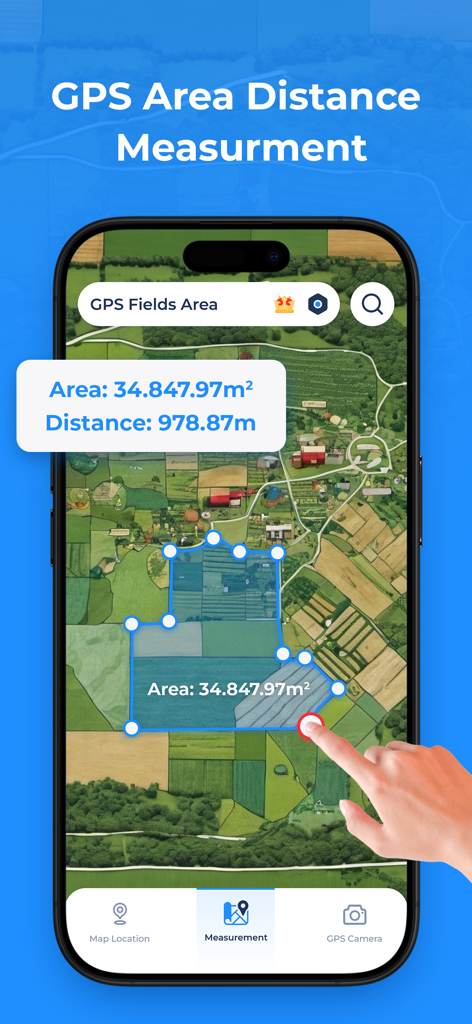
GPS Fields Area Measure App - Eine Smartphone-App, die eine Satellitenkarte mit einer gemessenen Feldfläche und Entfernungsberechnung anzeigt.
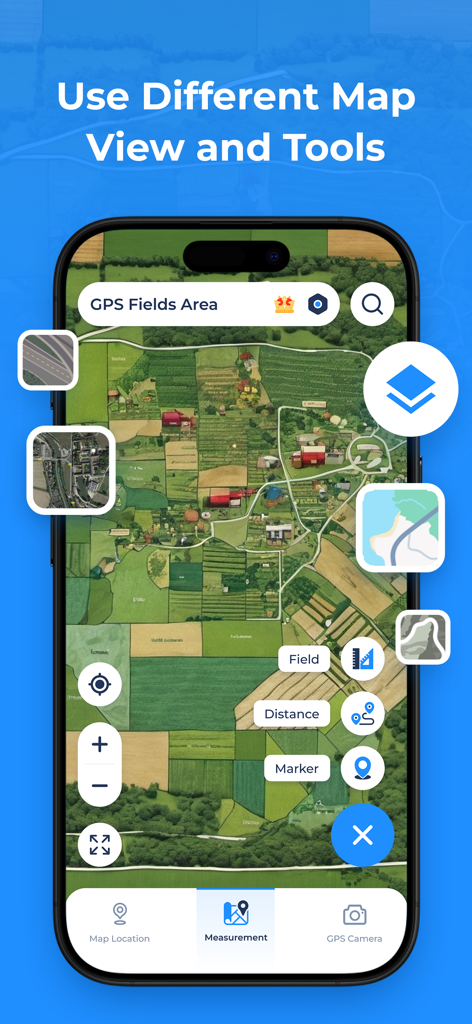
Eine Smartphone-App, die eine Satellitenkarte mit einer gemessenen Feldfläche und Entfernungsberechnung anzeigt.

GPS Fields Area Measure App - GPS Fields Area Measure App mit Satellitenkartenansicht und Landvermessungswerkzeugen
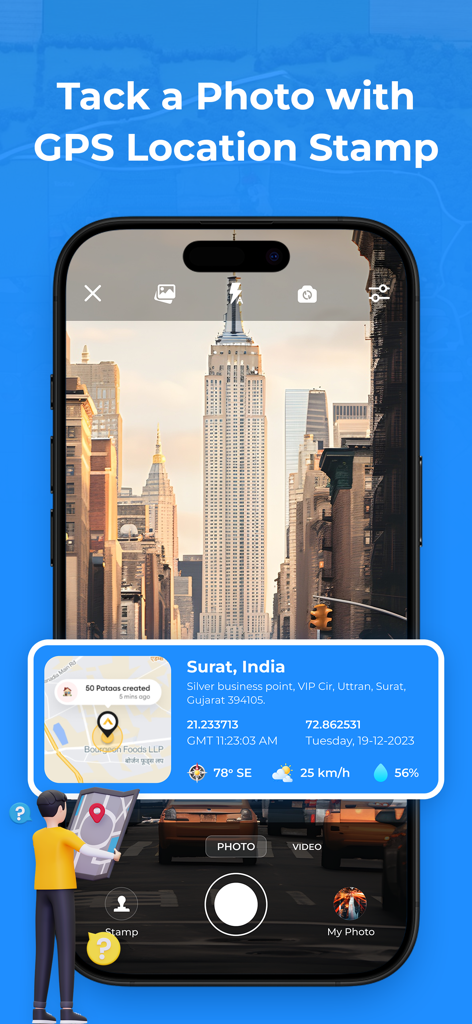
GPS Fields Area Measure App mit Satellitenkartenansicht und Landvermessungswerkzeugen

GPS Fields Area Measure App - Smartphone-Bildschirm, der die GPS-Kamerafunktion mit einer Überlagerung von Standortkoordinaten und einer Karte auf einem Foto anzeigt.
Smartphone-Bildschirm, der die GPS-Kamerafunktion mit einer Überlagerung von Standortkoordinaten und einer Karte auf einem Foto anzeigt.

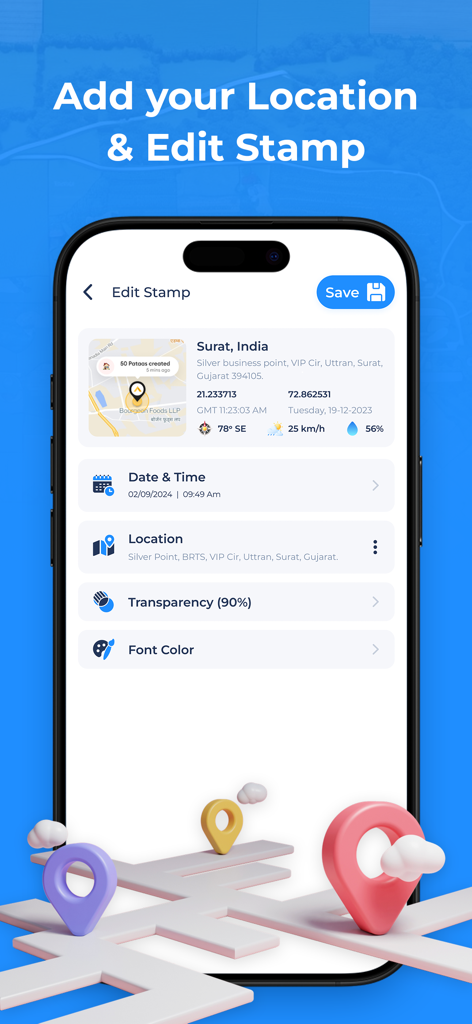
GPS Fields Area Measure App - Ein mobiler Bildschirm mit Optionen zur Bearbeitung eines GPS-Standortstempels, einschließlich Datum, Uhrzeit und Koordinaten
Ein mobiler Bildschirm mit Optionen zur Bearbeitung eines GPS-Standortstempels, einschließlich Datum, Uhrzeit und Koordinaten

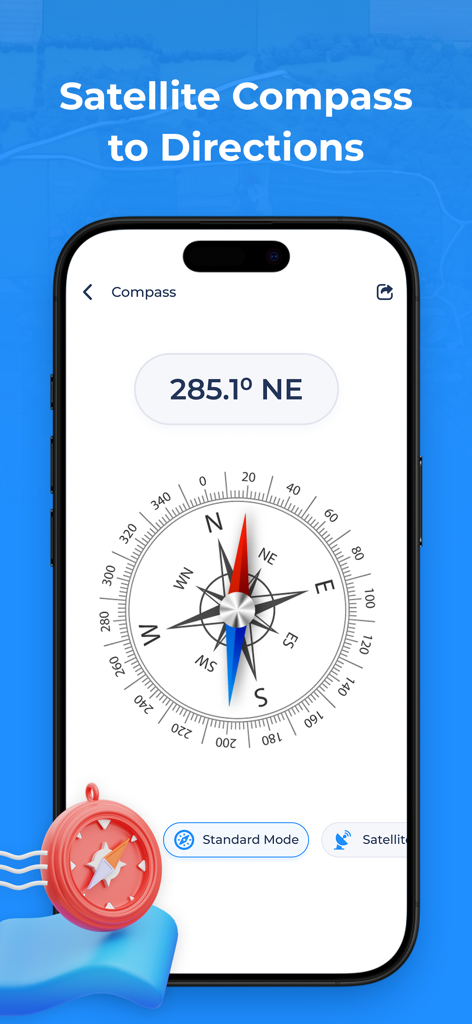
GPS Fields Area Measure App - GPS Fields Area Measure App mit einem digitalen Kompass mit Gradangaben und Satellitenmodus
GPS Fields Area Measure App mit einem digitalen Kompass mit Gradangaben und Satellitenmodus

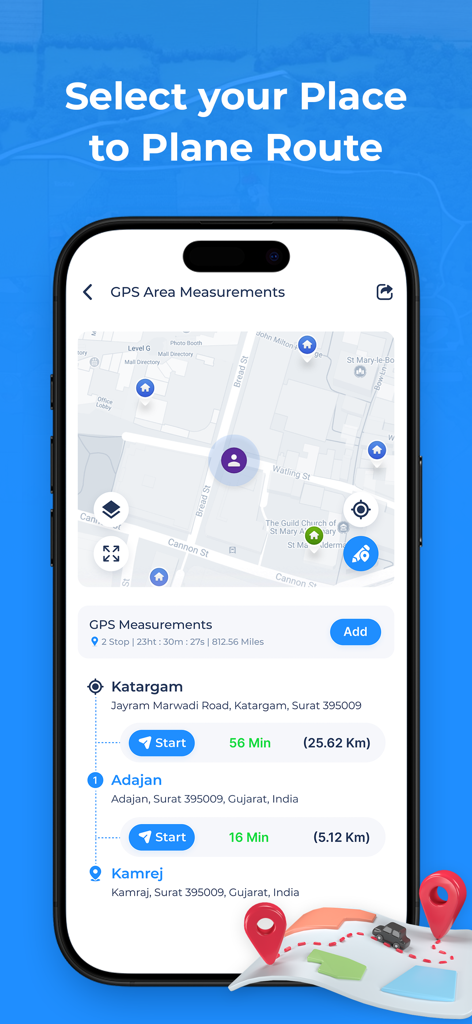
GPS Fields Area Measure App - GPS Fields Area Measure App zeigt einen Routenplaner mit mehreren Stopps mit Kartenavigation und Reisezeiten an
GPS Fields Area Measure App zeigt einen Routenplaner mit mehreren Stopps mit Kartenavigation und Reisezeiten an

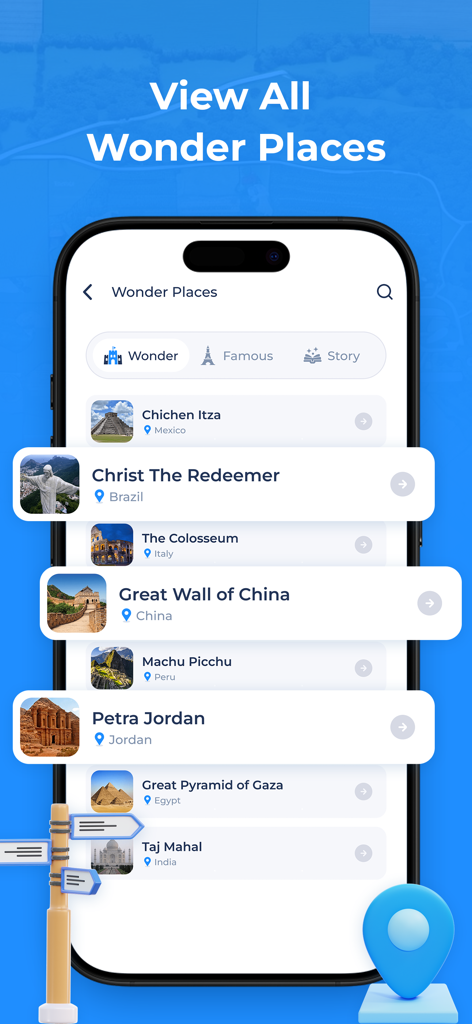
GPS Fields Area Measure App - Liste berühmter Weltwunder wie die Chinesische Mauer und Petra in der GPS-Navigations-App
Liste berühmter Weltwunder wie die Chinesische Mauer und Petra in der GPS-Navigations-App

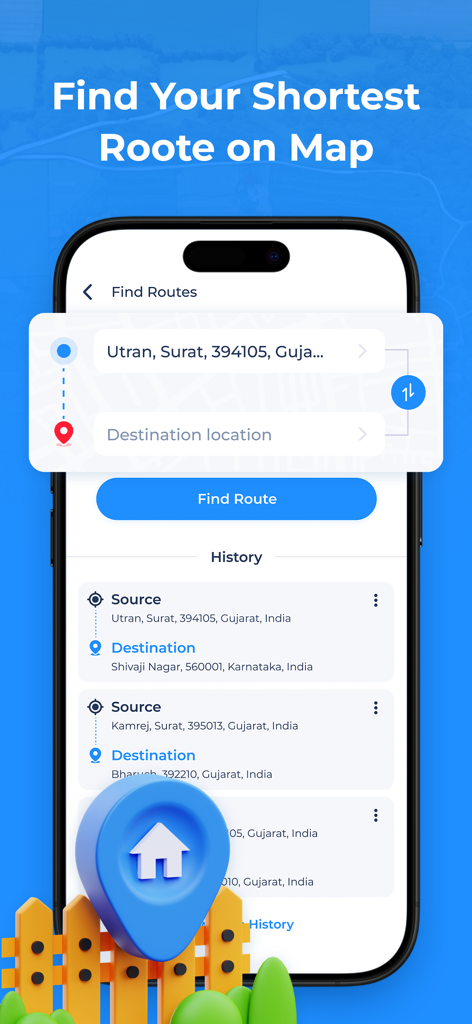
GPS Fields Area Measure App - Oberfläche der GPS Fields Area Measure App, die die Routenfinder-Funktion mit Eingaben für Quelle und Ziel sowie Suchverlauf anzeigt

Oberfläche der GPS Fields Area Measure App, die die Routenfinder-Funktion mit Eingaben für Quelle und Ziel sowie Suchverlauf anzeigt

Beschreibung

GPS Area Measurements is a free GPS navigation app designed to help you find the fastest routes worldwide. With advanced measurement tools, you can obtain accurate area measurements effortlessly. The app features a GPS Camera, GPS Compass, and GPS Speedometer to enhance your driving experience with precise guidance. Easily discover nearby places and track live locations with the built-in location tracker. Choose from four different map views—Satellite, Normal, Terrain, and Hybrid—for a customized navigation experience. Features of the GPS Area Measurements: GPS Measurement: Quickly calculate the total area from your current location with the GPS Measurement feature, providing accurate measurements for the surrounding space. GPS Area Calculator: Easily measure the enclosed area on the map by adding points to define the path. Save your measurements with a custom name and view them later in the "My Distance" section. Route Planner: Effortlessly plan your trips with a versatile multi-stop route planner. Add, modify, or adjust stops along the way to suit your journey needs. Save your customized routes with a name for quick access and future use. Distance Measurement: Plan your journey by creating a travel path with multiple points on the map to calculate the total distance. Easily add stops along the way to customize your route and make your trip more convenient. GPS Camera: GPS Camera is a feature that combines photography with location data. When you take a photo using a GPS Camera, it automatically tags the image with the precise geographical coordinates (latitude and longitude) of where it was captured. This geotagging makes it easy to organize, locate, and share photos based on their location. Voice GPS Navigation: Experience seamless car navigation with the ultimate GPS driving route finder. Use voice commands to quickly search for locations without distractions. Revisit your previously searched places easily from the history tab, and mark your favorite destinations for faster access in the future. GPS Compass: Easily navigate and find directions with the GPS Compass feature in the GPS Area Measurements app. Choose from various modes to suit your navigation needs and stay oriented wherever you go. GPS Speedometer: Track your driving speed with a versatile speedometer in analog, digital, or map mode. Set a maximum speed limit to receive warnings and alerts if you exceed it. For night driving, switch to HUD mode to project your speed onto the car’s windshield, ensuring safe and distraction-free navigation. GPS Clock: Keep track of the current time in multiple cities worldwide with the GPS Clock feature, ensuring you're always synchronized across time zones. The World Tour 360-Degree Street Views: Explore stunning and iconic destinations from around the globe right from the comfort of your home with immersive 360-degree street views. Nearby Places: Quickly find essential locations around you, such as car repair shops, fuel stations, hospitals, and pharmacies. Discover additional places like ATMs, banks, restaurants, shopping malls, cafes, and more, all with just a few taps. Main Features: - GPS area measurement for land measurement - Map distance measurement app - Calculate area on map - Unit Converter - GPS measure distance - Distance measurement app in km - Field area measurement for farmers in acres - Measure distance on map - Area measurement of square fit - Calculate area of land - Find area of land - Calculate distance with coordinates. By using the app, you confirm that you acknowledge and accept our Privacy Policy and Terms of Service: Privacy Policy: https://gohelprakashapps.blogspot.com/2024/12/privacy-policy-gps-fields-area-measure.html Terms of Service: https://gohelprakashapps.blogspot.com/2024/12/terms-conditions-gps-fields-area-measure.html

Download

Herunterladen auf App Store

Diese Seite ist keine offizielle Seite der App oder ihres Entwicklers, sondern eine unabhängige redaktionelle Veröffentlichung, die zu Informations- und Kommentarzwecken erstellt wurde. Sofern nicht ausdrücklich anders angegeben, sind weder die App noch ihr Entwickler mit MWM, Apple, Google Play, dem App-Herausgeber oder dem Entwickler der App verbunden, von ihnen unterstützt, gesponsert, autorisiert oder anderweitig offiziell verbunden, und nichts auf dieser Seite impliziert, dass die App unter Verwendung der Dienste von MWM entwickelt wurde. Alle Marken, Logos, Screenshots und andere Inhalte bleiben Eigentum ihrer jeweiligen Inhaber.








