
Diese Seite ist keine offizielle Seite der App oder ihres Entwicklers, sondern eine unabhängige redaktionelle Veröffentlichung, die zu Informations- und Kommentarzwecken erstellt wurde. Sofern nicht ausdrücklich anders angegeben, sind weder die App noch ihr Entwickler mit MWM, Apple, Google Play, dem App-Herausgeber oder dem Entwickler der App verbunden, von ihnen unterstützt, gesponsert, autorisiert oder anderweitig offiziell verbunden, und nichts auf dieser Seite impliziert, dass die App unter Verwendung der Dienste von MWM entwickelt wurde. Alle Marken, Logos, Screenshots und andere Inhalte bleiben Eigentum ihrer jeweiligen Inhaber.


GradeBook Pro: Teacher Toolkit
Optimieren Sie Ihren Unterricht mit einem All-in-One-Toolkit zur Erfassung von Noten, Anwesenheit und Verhalten – entwickelt, um administrativen Aufwand zu eliminieren und Ihnen jede Woche Stunden zu sparen.
Downloads
9K+Bewertung
Bewertungen gesamt
0Herausgeber
Kategorie
EducationSprachen
1Neueste Version
4.0Größe
51.8 MBErstveröffentlichung
8. Nov. 2010Alles, was Sie brauchen, um Ihre Unterrichtszeit zurückzugewinnen
GradeBook Pro ist der professionelle All-in-One-Digitalassistent, der für Lehrkräfte entwickelt wurde, die manuelle Papierarbeit eliminieren und sich auf den Schülererfolg konzentrieren möchten.
Dynamisches Notenmanagement
Verwalten Sie problemlos gewichtete oder punktbasierte Notenskalen. Berechnen Sie Durchschnittswerte sofort und passen Sie Notenbereiche an Ihre spezifischen Lehrplananforderungen an, ohne manuelle Berechnungen.
Nahtlose Kursverfolgung
Erfassen Sie Anwesenheiten und überwachen Sie das Schülerverhalten in Echtzeit. Verwenden Sie Schülerfotos und benutzerdefinierte Verhaltensbeschriftungen, um Ihre Kursaufzeichnungen organisiert, persönlich und korrekt zu halten.
Die folgenden Screenshots und die Beschreibung stammen direkt aus dem offiziellen Store-Eintrag der App und sind Eigentum des Entwicklers.
App Store
Screenshots
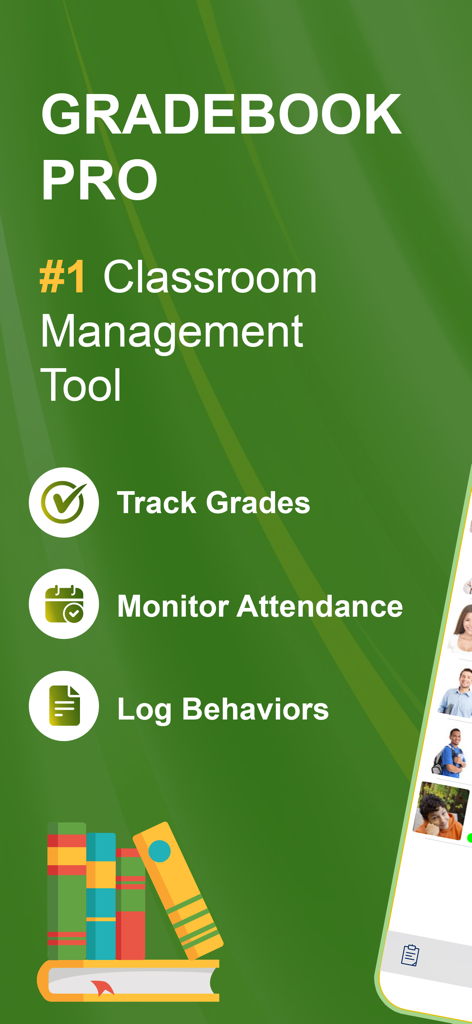
Bildschirm der GradeBook Pro App, der Funktionen zur Klassenverwaltung wie Notenerfassung, Anwesenheitsüberwachung und Protokollierung von Verhaltensweisen hervorhebt
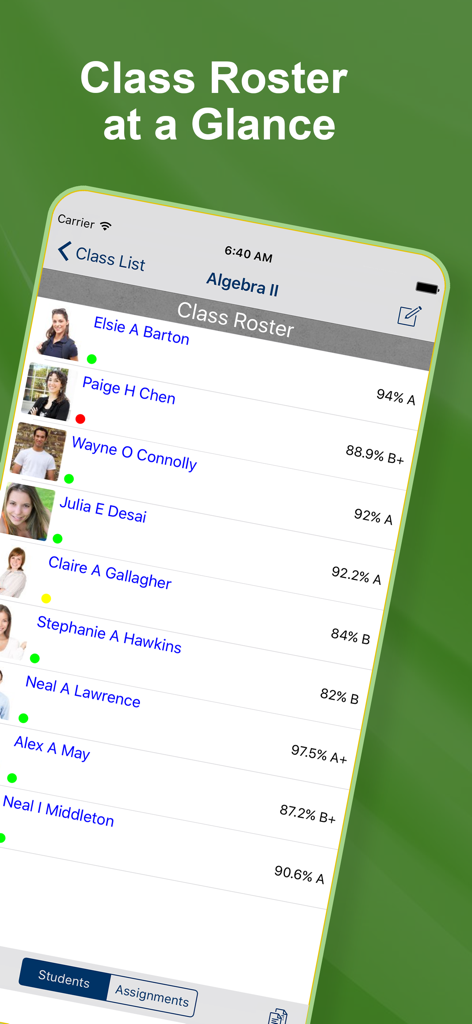
Anwesenheitsliste der Klasse in GradeBook Pro, die Schülernamen, Fotos, Anwesenheitsstatus und aktuelle Noten für Algebra II anzeigt
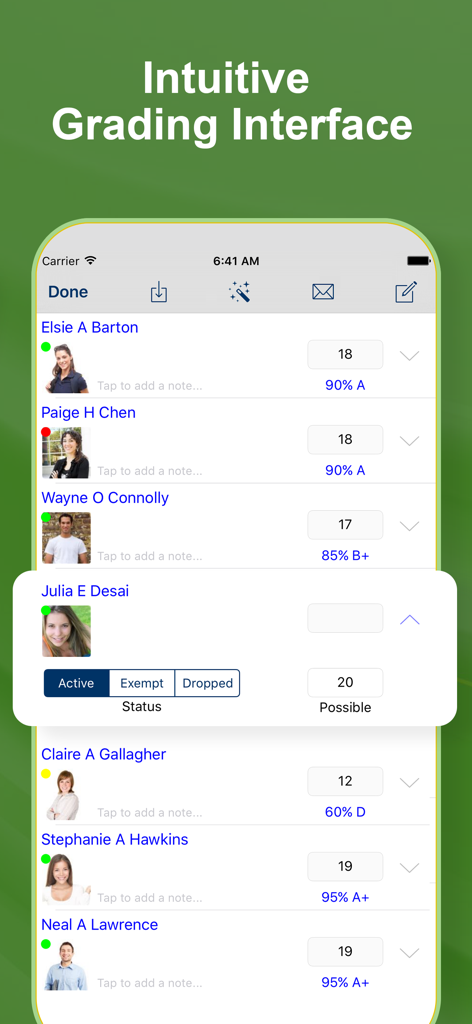
Intuitive Noteneingabeoberfläche in der GradeBook Pro App mit Schülernamen, Fotos und Noten
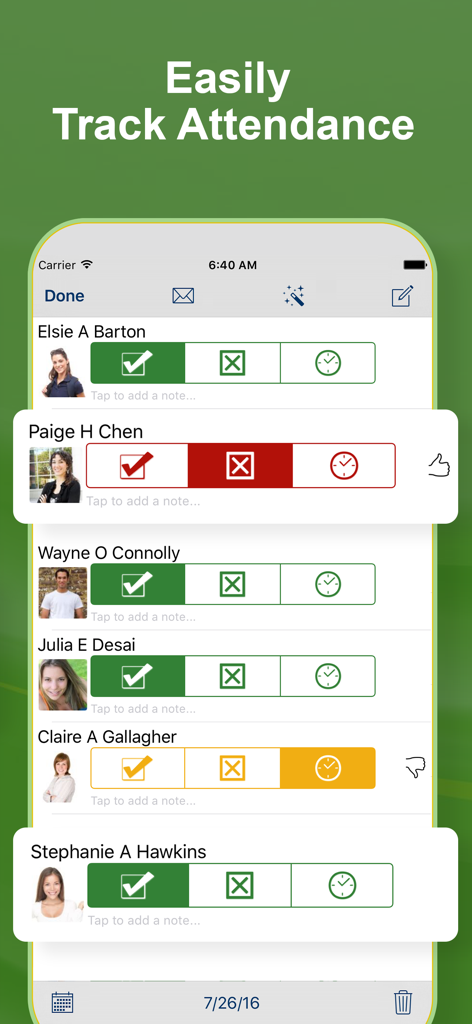
Oberfläche zur Anwesenheitsverfolgung mit Schülerfotos und Status-Icons für anwesend, abwesend oder verspätet
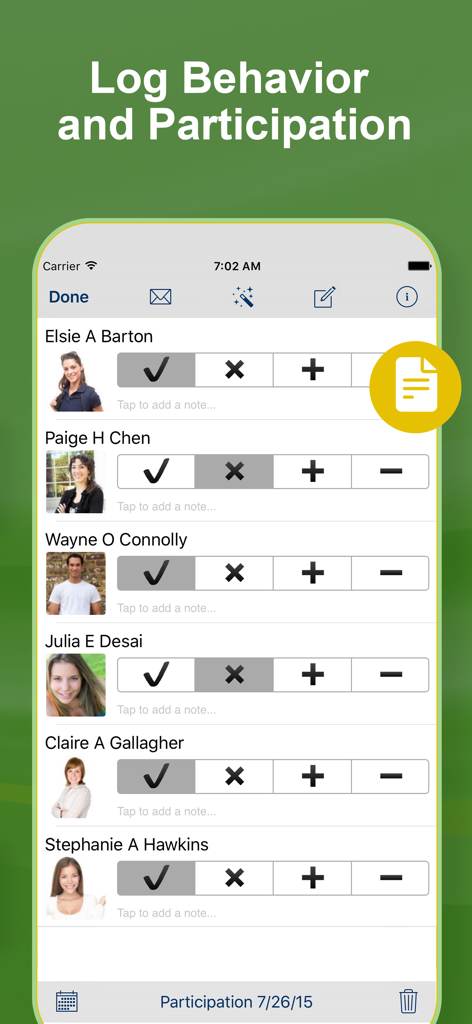
Oberfläche der GradeBook Pro App zur Erfassung von Schülerverhalten und Beteiligung
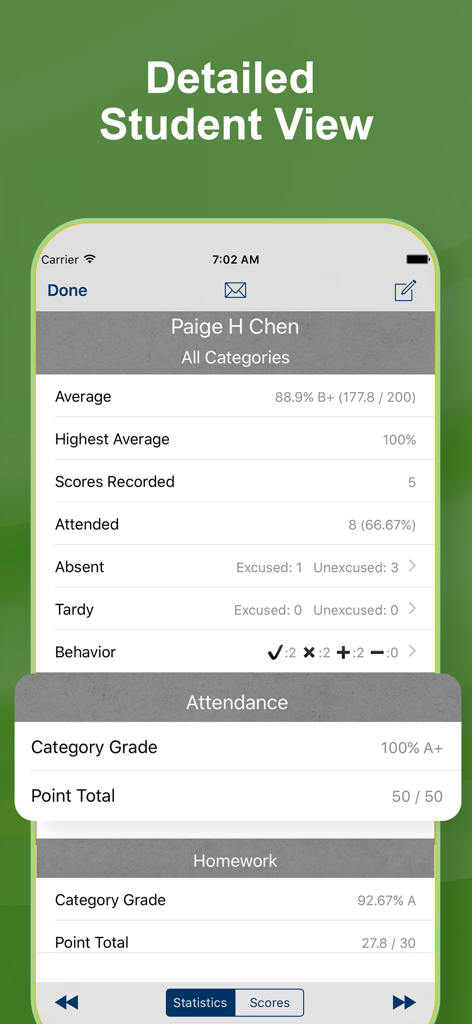
Bildschirm einer mobilen App, der eine detaillierte Leistungsansicht des Schülers mit Noten, Anwesenheit und Verhaltensstatistiken für einen einzelnen Schüler zeigt.
Beschreibung
Download
Ähnliche Apps
Top-gerankte Apps in derselben Kategorie

Duolingo - Language Lessons
Duolingo, Inc

Speak & Learn English: Learna
DEEP FLOW SOFTWARE SERVICES - FZCO

驾考宝典-科一科四驾驶证考试驾考通
Wuhan Jiakaobaodian Information Service Co., Ltd.

Toca Boca World
Toca Boca AB

Google Classroom
Google LLC

作业帮-中小学家长作业检查和辅导工具
Guangzhou Polar Future Culture Technology Co., Ltd

学信网
Student Information Consultation Service Co., Ltd.

Gauth: AI Study Companion
GAUTHTECH PTE. LTD.

ArtWorkout: Learn How to Draw
Aleksandr Ulitin
Diese Seite ist keine offizielle Seite der App oder ihres Entwicklers, sondern eine unabhängige redaktionelle Veröffentlichung, die zu Informations- und Kommentarzwecken erstellt wurde. Sofern nicht ausdrücklich anders angegeben, sind weder die App noch ihr Entwickler mit MWM, Apple, Google Play, dem App-Herausgeber oder dem Entwickler der App verbunden, von ihnen unterstützt, gesponsert, autorisiert oder anderweitig offiziell verbunden, und nichts auf dieser Seite impliziert, dass die App unter Verwendung der Dienste von MWM entwickelt wurde. Alle Marken, Logos, Screenshots und andere Inhalte bleiben Eigentum ihrer jeweiligen Inhaber.