
Diese Seite ist keine offizielle Seite der App oder ihres Entwicklers, sondern eine unabhängige redaktionelle Veröffentlichung, die zu Informations- und Kommentarzwecken erstellt wurde. Sofern nicht ausdrücklich anders angegeben, sind weder die App noch ihr Entwickler mit MWM, Apple, Google Play, dem App-Herausgeber oder dem Entwickler der App verbunden, von ihnen unterstützt, gesponsert, autorisiert oder anderweitig offiziell verbunden, und nichts auf dieser Seite impliziert, dass die App unter Verwendung der Dienste von MWM entwickelt wurde. Alle Marken, Logos, Screenshots und andere Inhalte bleiben Eigentum ihrer jeweiligen Inhaber.

Handy Recorder PRO
Verwandeln Sie Ihr iPhone in ein High-Fidelity-Studio. Nehmen Sie kristallklaren Sound auf, wenden Sie legendäre ZOOM-Effekte an und verbessern Sie Ihre Video-Soundtracks mit fortschrittlichen Postproduktionstools.
Downloads
131K+Bewertung
Bewertungen gesamt
0Herausgeber
Kategorie
MusicSprachen
6Neueste Version
5.8.0Größe
25.3 MBErstveröffentlichung
10. Dez. 2020Studio-Power, Mobile Freiheit
Handy Recorder PRO bringt professionelle Audio-Engine wie mit Ihnen in die Tasche, mit der Präzision von Hardware und der Geschwindigkeit einer App.
Präzisionsaufnahme
Nehmen Sie High-Fidelity-Audio in linearen PCM- oder AAC-Formaten auf, optimiert für die nahtlose Integration mit externen Mikrofonen der Zoom iQ-Serie.
Sofortiges professionelles Mastering
Überspringen Sie den Desktop mit integriertem 6-Band-EQ, Hall und 'Ultra Maximize'-Effekten, die Ihre Audiospuren in Sekundenschnelle radiotauglich machen.
Häufig gestellte Fragen
Alles, was Sie über wissen müssen Handy Recorder PRO
Was ist Handy Recorder PRO?
Handy Recorder PRO ist eine Audioaufnahme-App für iOS-Geräte. Sie bietet erweiterte Funktionen wie eine "MOVIE"-Funktion zur Extraktion und Verbesserung von Audio aus Videos, verschiedene Effekte und eine erweiterte Integration mit Cloud-Diensten und anderen Apps.
Welche Audioformate unterstützt Handy Recorder PRO für die Aufnahme?
Handy Recorder PRO unterstützt die Aufnahme im hochwertigen linearen PCM (WAV)-Format und im AAC-Format. AAC-Aufnahmen können mit Bitraten von 64, 128 oder 160 kbps konfiguriert werden.
Kann Handy Recorder PRO die Aufnahme automatisch starten und stoppen?
Ja, Handy Recorder PRO verfügt über eine AUTO REC-Funktion. Diese Funktion ermöglicht es der App, die Aufnahme automatisch zu starten und zu beenden, wenn sich der Pegel des Eingangssignals ändert.
Welche Audioeffekte sind in Handy Recorder PRO verfügbar?
Handy Recorder PRO bietet mehrere Audioeffekte: 6 BAND EQ, Reverb (Raum, Jazz Club, Konzerthalle, Arena, Stadion) und Mastering (Maximieren, Ultra Maximieren, Klar & Kraftvoll, Breit, Mono). Benutzer können auch Audio normalisieren.
Wie integriert sich Handy Recorder PRO mit Cloud-Diensten?
Handy Recorder PRO integriert sich mit iCloud und SoundCloud. Benutzer können Dateien manuell in iCloud hochladen oder die "Auto Sync"-Funktion für automatische Uploads in iCloud Drive unmittelbar nach Abschluss der Aufnahme nutzen.
Unterstützt Handy Recorder PRO das Teilen von aufgenommenen Audiodateien?
Ja, Handy Recorder PRO unterstützt das Standard-Sharing von iOS. Benutzer können Aufnahmen direkt aus der App an verschiedene Ziele teilen, darunter AirDrop, Mail, Notizen, Gmail, und sie können sie auch im Dateispeicher des Geräts speichern.
Kann ich die Firmware meines ZOOM iQ-Serienmikrofons mit Handy Recorder PRO aktualisieren?
Ja, Handy Recorder PRO unterstützt Firmware-Updates für angeschlossene Geräte. Die App benachrichtigt Benutzer, wenn eine neue Firmware-Version, wie z.B. V2.04, verfügbar ist, und bietet die Möglichkeit, den Update-Prozess zu starten.
Was ist die "MOVIE"-Funktion in Handy Recorder PRO?
Die "MOVIE"-Funktion in Handy Recorder PRO extrahiert eine Audiospur aus einem Video. Anschließend können Benutzer verschiedene Effekte wie EQ und Hall anwenden und die verbesserte Audiospur dann wieder in das Originalvideo integrieren.
Bietet Handy Recorder PRO Dateibearbeitungsfunktionen?
Handy Recorder PRO bietet Dateibearbeitungsfunktionen. Benutzer können aufgenommene Dateien löschen und die Teilungsfunktion verwenden, um Audiodateien an jeder beliebigen Stelle innerhalb der Aufnahme präzise zu teilen.
Wie kann ich während der Aufnahme mit Handy Recorder PRO Funkwellenstörungen vermeiden?
Handy Recorder PRO empfiehlt die Aktivierung des "Flugmodus" in den iOS-Einstellungen während der Aufnahme, um durch Funkwellen verursachte Störungen zu unterdrücken. Dies gewährleistet eine sauberere Audioaufnahme, frei von elektromagnetischen Interferenzen.
Die folgenden Screenshots und die Beschreibung stammen direkt aus dem offiziellen Store-Eintrag der App und sind Eigentum des Entwicklers.
App Store
Screenshots
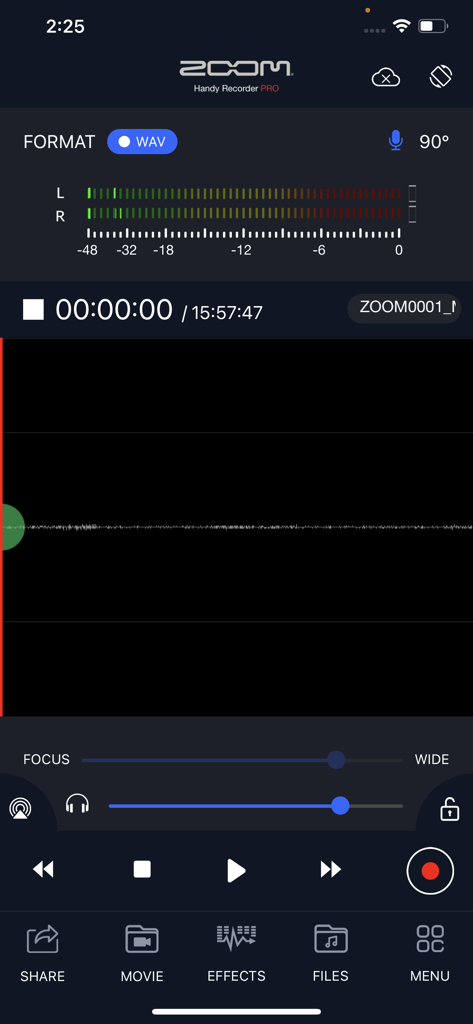
Die Haupt-Aufnahmeoberfläche der Handy Recorder PRO App zeigt Audiopegel und professionelle Wiedergabesteuerungen
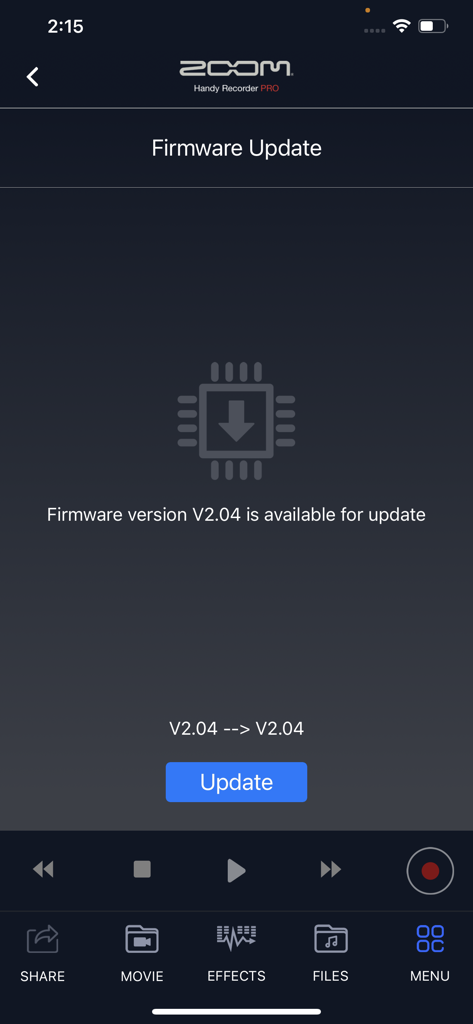
Firmware-Update-Oberfläche in der Handy Recorder PRO App, die Version 2.04 für Zoom-Hardware anzeigt
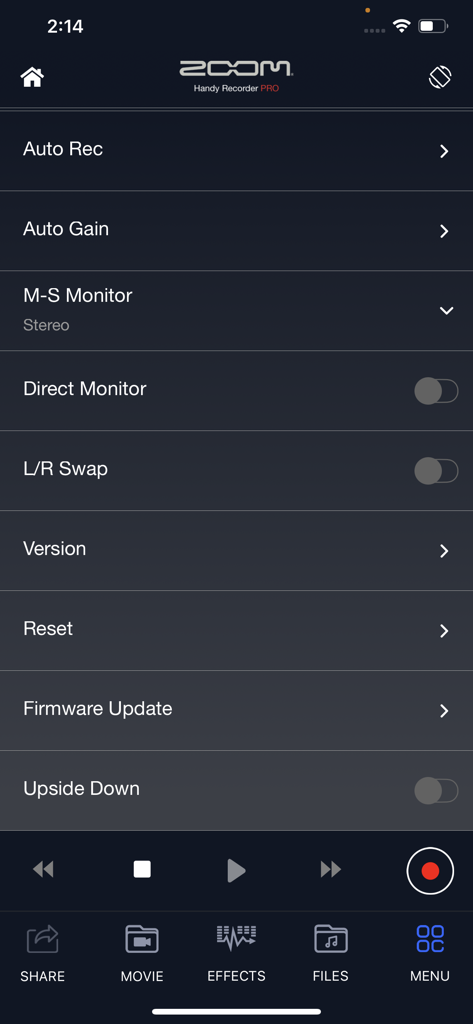
Das Einstellungsmenü der Handy Recorder PRO App mit Optionen für Audioaufnahme und -überwachung
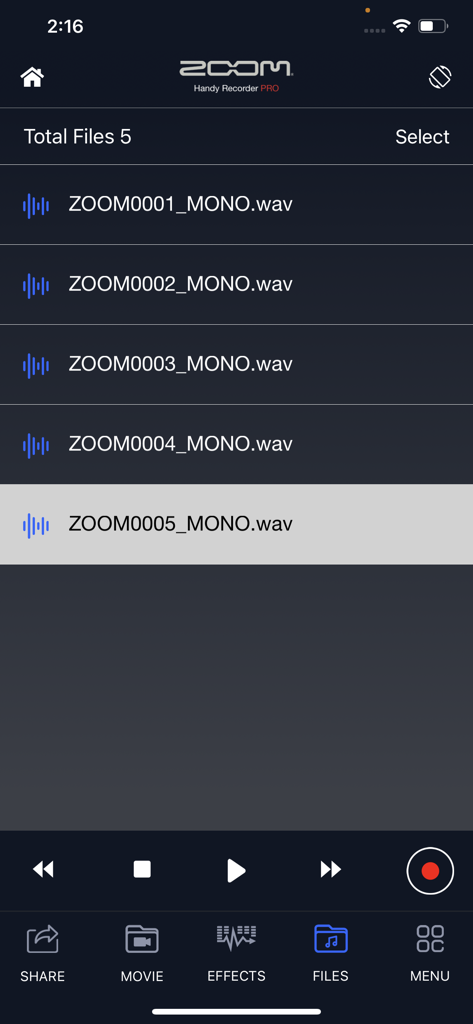
Der Bildschirm der Dateibibliothek in Handy Recorder PRO zeigt eine Liste von aufgenommenen Mono-WAV-Audiodateien.
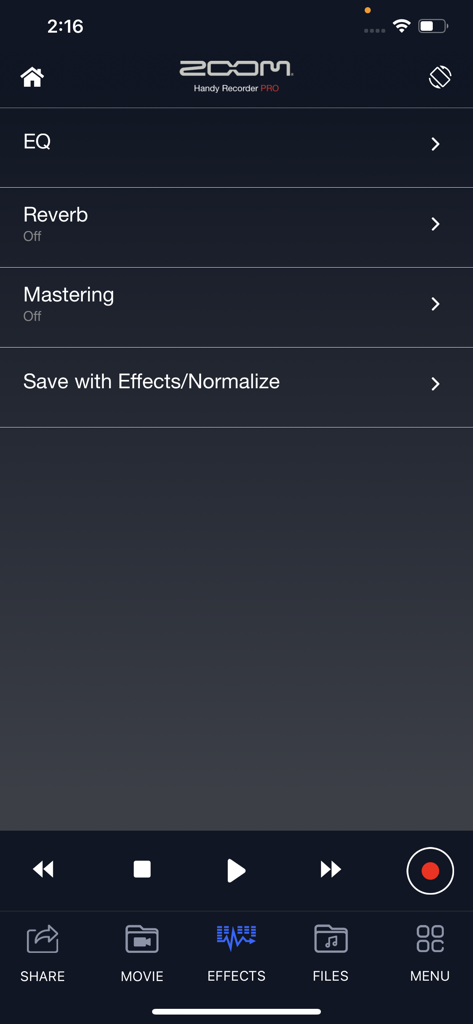
Zoom Handy Recorder PRO App Effekte-Menü mit EQ Reverb und Mastering-Optionen
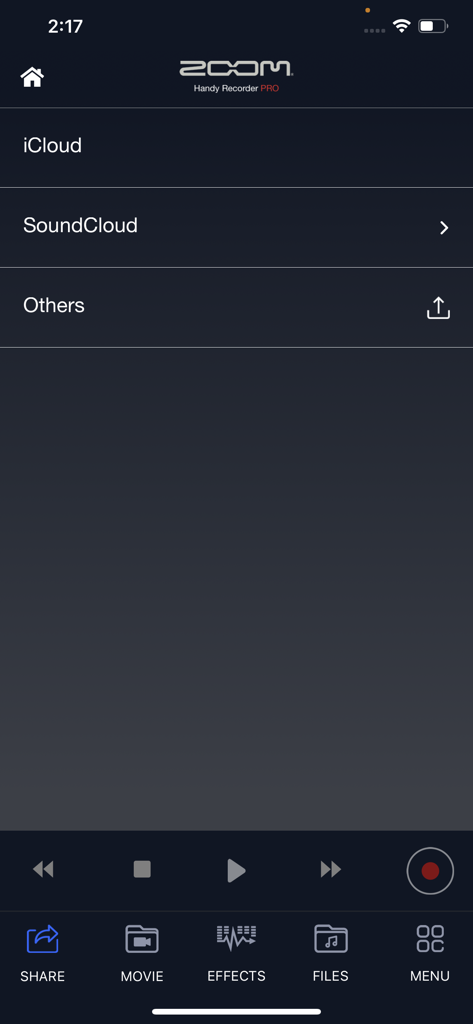
Freigabe-Menü in der Handy Recorder PRO App mit Optionen für iCloud und SoundCloud
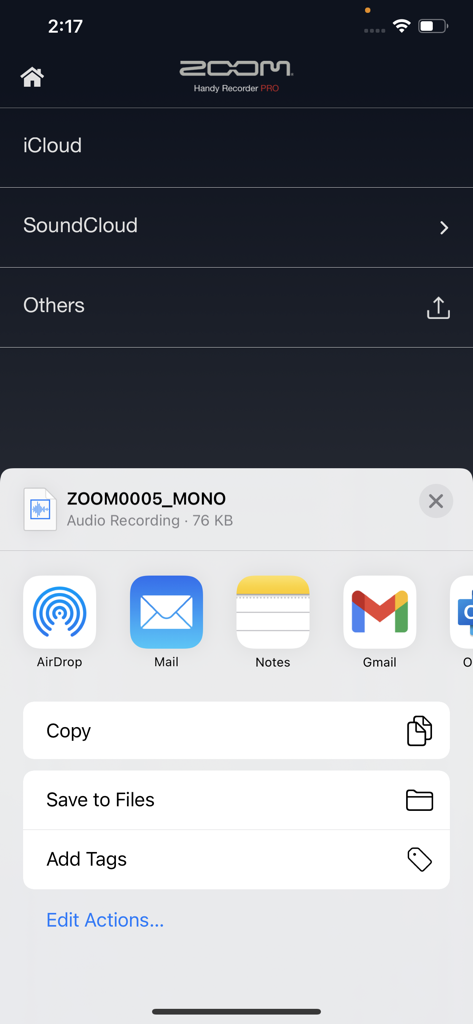
Handy Recorder PRO App zeigt Optionen zum Exportieren und Teilen von Dateien nach iCloud, SoundCloud und iOS-Apps
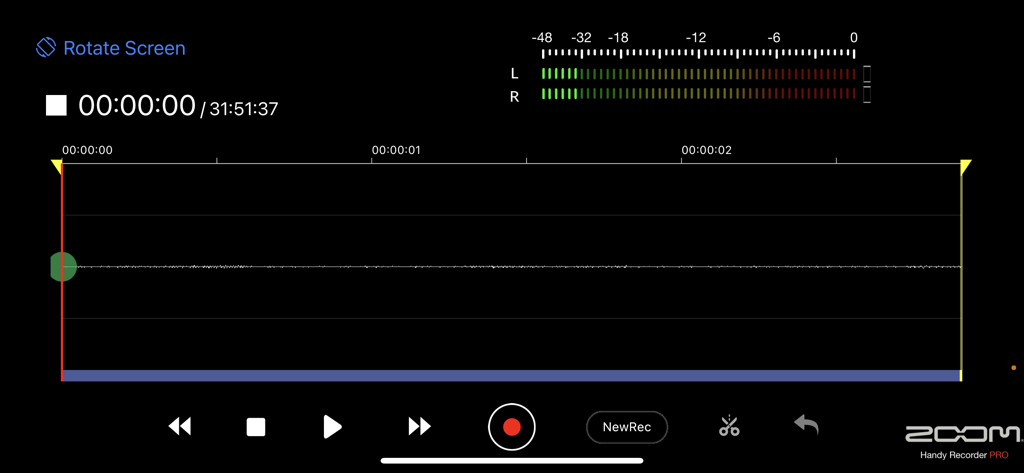
Handy Recorder PRO Querformatansicht zeigt Audio-Wellenform und Aufnahme-Steuerelemente
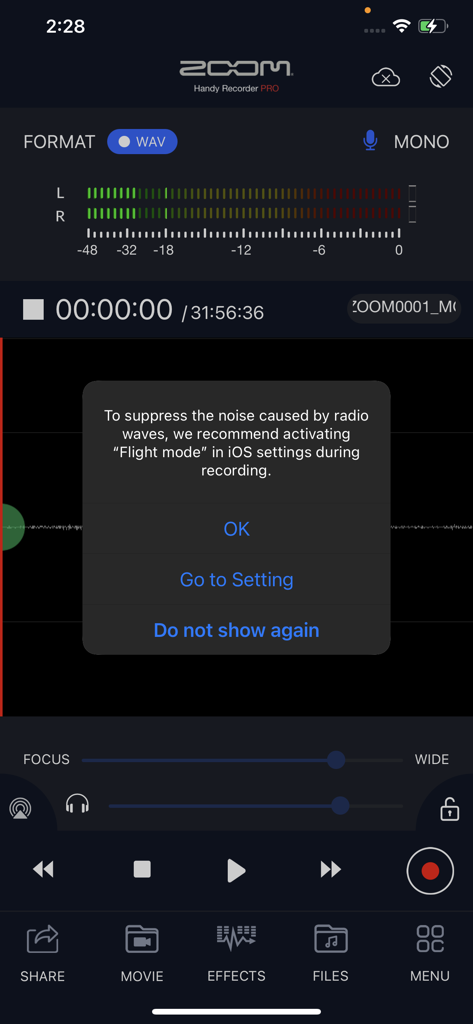
Handy Recorder PRO App zeigt ein Pop-up mit der Empfehlung, den Flugmodus für rausfreie Audioaufnahmen zu aktivieren
Beschreibung
Download
Ähnliche Apps
Top-gerankte Apps in derselben Kategorie

Spotify: Music and Podcasts
Spotify

YouTube Music
Google LLC

Shazam: Find Music & Concerts
Apple Inc.

SoundCloud: The Music You Love
SoundCloud Global Limited & Co KG

Suno - AI Songs & Music
Suno Inc.

QQ音乐 - 听我想听
Tencent Technology (Shenzhen) Company Limited

Audiomack - Play Music Offline
Audiomack, Inc.

GuitarTuna: Tune & Play Guitar
Yousician Ltd

BandLab – Music Maker & Beats
BandLab Singapore Pte Ltd
Diese Seite ist keine offizielle Seite der App oder ihres Entwicklers, sondern eine unabhängige redaktionelle Veröffentlichung, die zu Informations- und Kommentarzwecken erstellt wurde. Sofern nicht ausdrücklich anders angegeben, sind weder die App noch ihr Entwickler mit MWM, Apple, Google Play, dem App-Herausgeber oder dem Entwickler der App verbunden, von ihnen unterstützt, gesponsert, autorisiert oder anderweitig offiziell verbunden, und nichts auf dieser Seite impliziert, dass die App unter Verwendung der Dienste von MWM entwickelt wurde. Alle Marken, Logos, Screenshots und andere Inhalte bleiben Eigentum ihrer jeweiligen Inhaber.