
Diese Seite ist keine offizielle Seite der App oder ihres Entwicklers, sondern eine unabhängige redaktionelle Veröffentlichung, die zu Informations- und Kommentarzwecken erstellt wurde. Sofern nicht ausdrücklich anders angegeben, sind weder die App noch ihr Entwickler mit MWM, Apple, Google Play, dem App-Herausgeber oder dem Entwickler der App verbunden, von ihnen unterstützt, gesponsert, autorisiert oder anderweitig offiziell verbunden, und nichts auf dieser Seite impliziert, dass die App unter Verwendung der Dienste von MWM entwickelt wurde. Alle Marken, Logos, Screenshots und andere Inhalte bleiben Eigentum ihrer jeweiligen Inhaber.


HeyStar-AI Photo Editor
Schlechte Fotos sind jetzt eine Ausrede. HeyStar-AI macht Schluss mit dilettantischen Schnappschüssen.
Downloads
750k+Bewertung
Bewertungen gesamt
3.1KHerausgeber
Kategorie
UtilitiesSprachen
9Neueste Version
1.5.3Größe
110.7 MBErstveröffentlichung
29. Okt. 2025Eine Bewertung der wichtigsten Leistungsmerkmale für Social-Media-affine Nutzer.
Analyse der Kernfunktionen von HeyStar-AI Photo Editor
Trendige KI-Videoeffekte
Die App bietet Zugriff auf angesagte KI-Videoeffekte und täglich neue Filter, um auf Social-Media-Plattformen relevant zu bleiben.
KI-Bildverbesserung (AI Enhance)
Es verbessert die Bildqualität, korrigiert die Beleuchtung und schärft Details für professionell aussehende Fotos.
KI-Entschärfung (AI Deblur)
Dieses Tool wandelt verpixelte, verwackelte oder unscharfe Aufnahmen in gestochen scharfe HD-Bilder um.
KI-Objektentfernung (AI Erase)
Es ermöglicht Nutzern, unerwünschte Objekte oder Personen nahtlos aus ihren Bildern zu entfernen.
Einfache Bedienung & Intuitives UI
Die intuitive Benutzeroberfläche und die einfache Bedienung ermöglichen professionelle Bearbeitungen ohne Vorkenntnisse.
KI-Bildrestaurierung (AI Restore)
Es kann alte Familienfotos wiederbeleben, indem es Schwarz-Weiß-Bilder koloriert und beschädigte Aufnahmen restauriert.
Häufig gestellte Fragen
Alles, was Sie über wissen müssen HeyStar-AI Photo Editor
What is Hey Star?
Hey Star is an AI-powered photo enhancer that revives photos. It provides studio-grade results in seconds, improving quality, fixing lighting, deblurring, restoring, and erasing unwanted objects without complex editors.
What are the main features of HeyStar-AI Photo Editor?
HeyStar-AI Photo Editor offers AI Enhance, AI Deblur, AI Restore, and AI Erase. It also includes trending AI video effects, cartoon-style photos, elegant portraits, and artistic light/shadow visuals, delivering comprehensive editing capabilities.
Can HeyStar-AI Photo Editor fix blurry photos?
Yes, HeyStar-AI Photo Editor features AI Deblur. This function transforms pixelated, shaky, or out-of-focus shots into sharp HD images. It effectively resolves blur issues from various causes.
Can Hey Star restore old black-and-white photos?
Yes, Hey Star includes an AI Restore feature. This capability colorizes black-and-white photos and revives old family photos, bringing them back to life with enhanced quality and detail.
Can HeyStar-AI Photo Editor remove unwanted objects from pictures?
Yes, HeyStar-AI Photo Editor provides an AI Erase feature. This function seamlessly removes unwanted objects or people from photos, ensuring a clean and polished final image as described in its core features.
Is HeyStar-AI Photo Editor easy to use for beginners?
Yes, HeyStar-AI Photo Editor boasts a zero learning curve for pro-level edits. Its clean and intuitive user interface makes it accessible and easy for everyone to use, regardless of prior experience.
What are the subscription options for HeyStar-AI Photo Editor?
HeyStar-AI Photo Editor offers weekly and annual subscription periods for premium feature access. These subscriptions provide unlimited use and auto-renew unless explicitly cancelled, as detailed in the purchase terms.
How do I manage my Hey Star subscription or turn off auto-renewal?
You manage your Hey Star subscription and turn off auto-renewal in your account settings after purchase. Auto-renew must be disabled at least 24 hours before the current period ends to prevent renewal charges.
Does HeyStar-AI Photo Editor offer a free trial?
HeyStar-AI Photo Editor may offer a free trial. If a free trial is provided, any unused portion of it will be forfeited upon purchasing a subscription to premium features.
Which social media platforms are supported by Hey Star's AI video effects?
Hey Star's trending AI video effects are compatible with TikTok, X, Instagram, and Facebook. New filters and templates are added daily, ensuring users stay current on social media trends.
What types of photos can HeyStar-AI Photo Editor enhance?
HeyStar-AI Photo Editor effectively enhances various photo types, including selfies, portraits, landscapes, and old albums. It is versatile enough for diverse personal and historical photographic collections.
Die folgenden Screenshots und die Beschreibung stammen direkt aus dem offiziellen Store-Eintrag der App und sind Eigentum des Entwicklers.
App Store
Screenshots
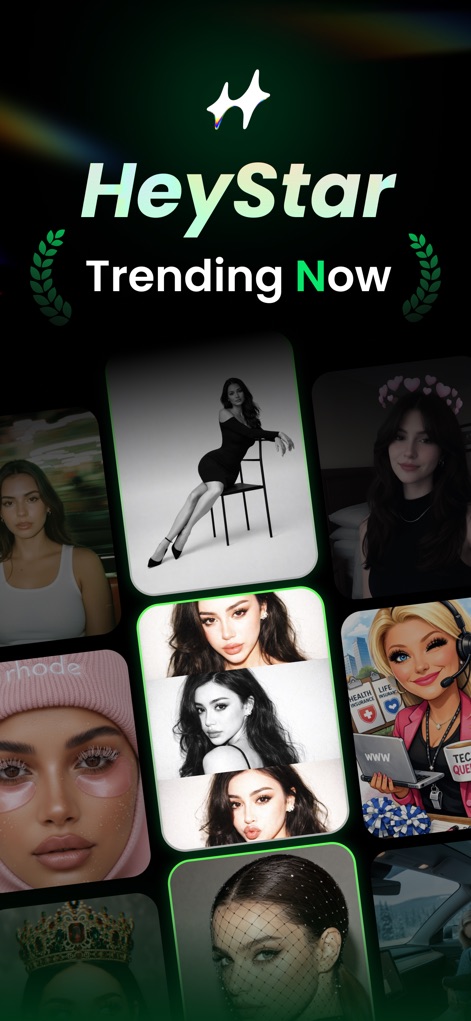
Die Startseite präsentiert die aktuellsten AI-Filter und eine breite Auswahl an stilvollen Bildvorlagen, um Nutzern sofortige Inspiration zu bieten.
Trend-Effekte Entdecken
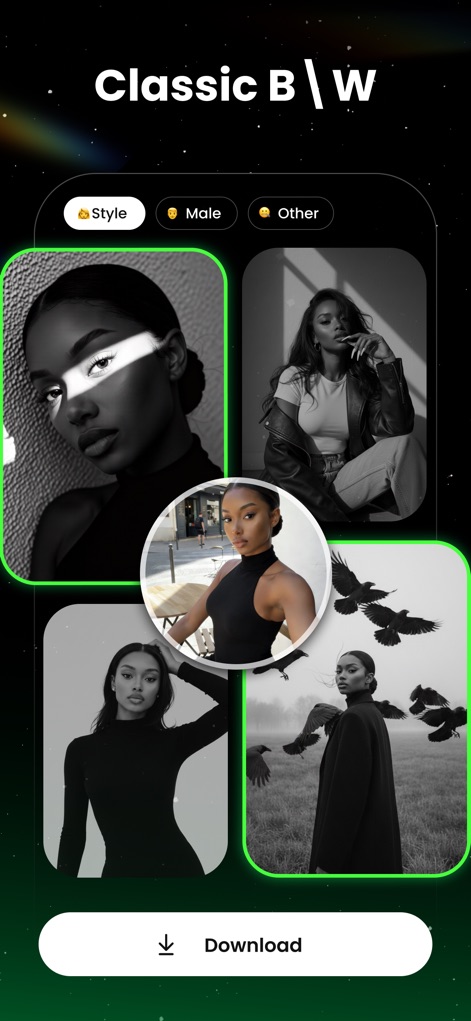
Dieses Feature verwandelt Farbfotos in kunstvolle Schwarz-Weiß-Aufnahmen und bietet anpassbare Stile für eine ästhetische Bildbearbeitung.
Zeitloser Schwarz-Weiß

Nutzer können ihre Geburtstagsfotos mit festlichen Überlagerungen und einem 'Vorher-Nachher'-Vergleich aufwerten, um besondere Momente strahlen zu lassen.
Geburtstag Glanz-Upgrade
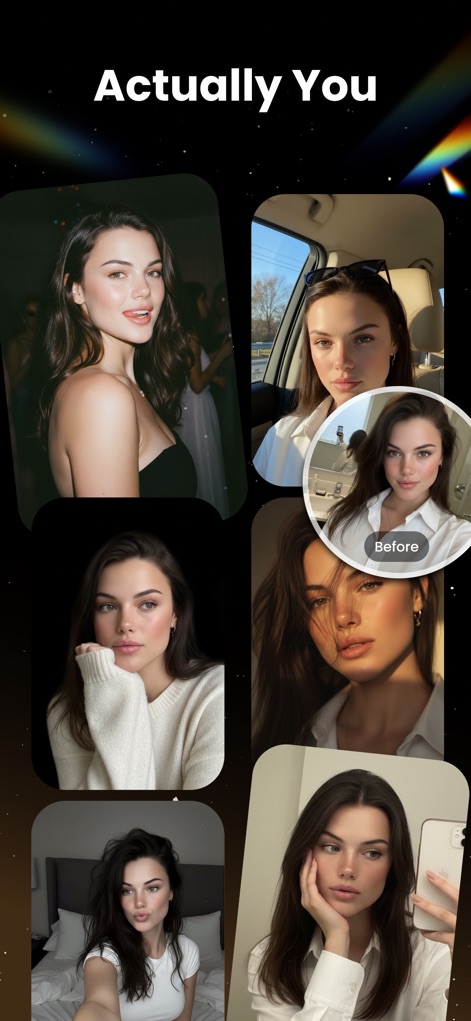
Die App optimiert Porträts, indem sie subtile Verbesserungen anwendet und einen 'Vorher'-Vergleich ermöglicht, um die natürliche Ästhetik hervorzuheben.
Natürliche Schönheit
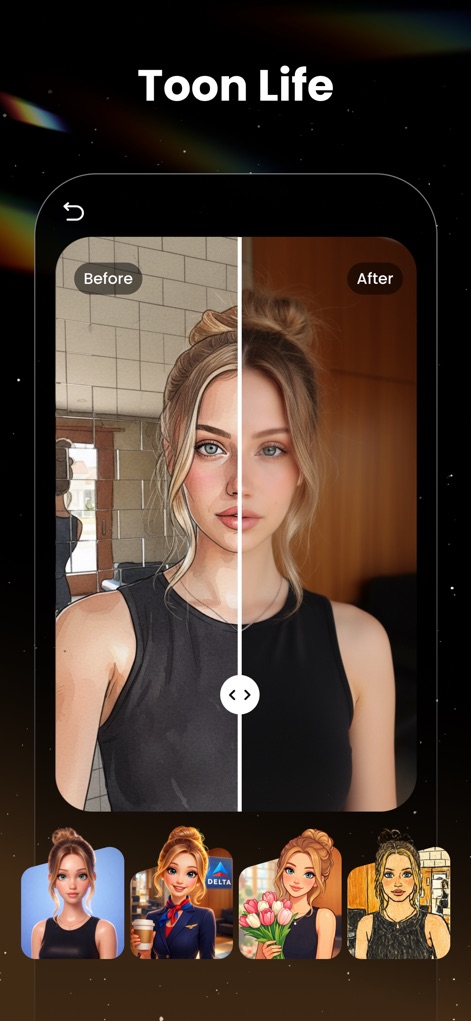
Mit diesem Tool können Nutzer Fotos in einen animierten Cartoon-Stil umwandeln und den Effekt direkt über einen 'Vorher-Nachher'-Schieberegler betrachten.
Cartoon-Transformation

Dieses Feature fügt Fotos ästhetische Elemente wie fallende Rosenblätter und Blumenbouquets hinzu, um eine romantische und gefühlvolle Atmosphäre zu schaffen.
Romantische Blüten

Nutzer können verschiedene Frisuren und Haarfarben virtuell ausprobieren und das Ergebnis in einer übersichtlichen Rasteransicht sofort begutachten.
Frisuren-Vorschau
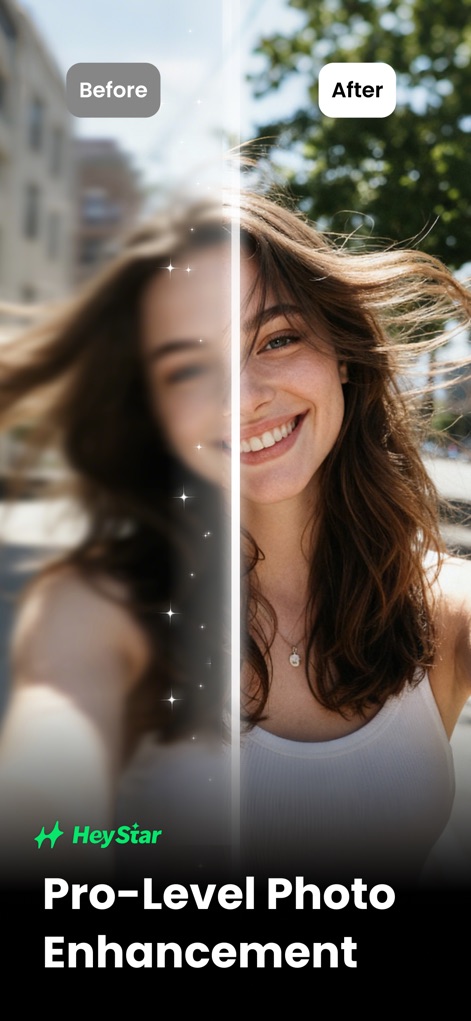
Die App nutzt fortschrittliche KI, um unscharfe Bilder in hochauflösende Aufnahmen zu verwandeln und dabei den 'Vorher-Nachher'-Effekt deutlich zu visualisieren.
KI-Fotooptimierung
Beschreibung
Download
Ähnliche Apps
Top-gerankte Apps in derselben Kategorie

Google LLC

Google Chrome
Google LLC

中国移动(手机营业厅)
China Mobile Online Services Co., Ltd.

Google Authenticator
Google LLC

CNH do Brasil
Servicos e Informacoes do Brasil

Cleanup: Phone Storage Cleaner
DEEP FLOW SOFTWARE SERVICES - FZCO

gov.br
Servicos e Informacoes do Brasil

中国电信-全国统一官方服务平台
CHINA TELECOM Corporation Ltd.

Microsoft Edge: AI Browser
Microsoft Corporation
Diese Seite ist keine offizielle Seite der App oder ihres Entwicklers, sondern eine unabhängige redaktionelle Veröffentlichung, die zu Informations- und Kommentarzwecken erstellt wurde. Sofern nicht ausdrücklich anders angegeben, sind weder die App noch ihr Entwickler mit MWM, Apple, Google Play, dem App-Herausgeber oder dem Entwickler der App verbunden, von ihnen unterstützt, gesponsert, autorisiert oder anderweitig offiziell verbunden, und nichts auf dieser Seite impliziert, dass die App unter Verwendung der Dienste von MWM entwickelt wurde. Alle Marken, Logos, Screenshots und andere Inhalte bleiben Eigentum ihrer jeweiligen Inhaber.