Histo!
Histo!
Herunterladen auf App Store

Diese Seite ist keine offizielle Seite der App oder ihres Entwicklers, sondern eine unabhängige redaktionelle Veröffentlichung, die zu Informations- und Kommentarzwecken erstellt wurde. Sofern nicht ausdrücklich anders angegeben, sind weder die App noch ihr Entwickler mit MWM, Apple, Google Play, dem App-Herausgeber oder dem Entwickler der App verbunden, von ihnen unterstützt, gesponsert, autorisiert oder anderweitig offiziell verbunden, und nichts auf dieser Seite impliziert, dass die App unter Verwendung der Dienste von MWM entwickelt wurde. Alle Marken, Logos, Screenshots und andere Inhalte bleiben Eigentum ihrer jeweiligen Inhaber.


Logo von Histo!
Herunterladen auf App Store

Histo!

Schließen Sie sich tausenden Medizin- und Zahnmedizinstudierenden an, die 2.179 interaktive Identifikationspräparate und von Experten geprüfte Quizfragen nutzen, um die Gewebeidentifizierung zu meistern – jederzeit, überall und komplett offline.

Kennzahlen

Downloads

22K+

Bewertung

5.0/5

Bewertungen gesamt

0

Herausgeber

John Ash

Kategorie

Medical

Sprachen

1

Neueste Version

1.4.03

Größe

455.9 MB

Erstveröffentlichung

6. Juni 2019
Funktionen

Meistern Sie Histologie mit akademischer Präzision

Optimieren Sie Ihre Lerneinheiten mit einem umfassenden digitalen Atlas und einer Test-Suite, die von Experten für Medizin- und Zahnmedizinstudierende entwickelt wurde.

Hochauflösender interaktiver Atlas

Meistern Sie 2.179 Identifikationspräparate mit der Möglichkeit, Beschriftungen ein- und auszuschalten, um komplexe Mikroanatomie sofort selbst zu testen.

Active-Recall-Training

Schließen Sie die Lücke zwischen Labor und Vorlesung mit speziellen Lern-, Quiz- und Testmodi, die Active Recall nutzen, um Ihr Wissen zu festigen.

Die folgenden Screenshots und die Beschreibung stammen direkt aus dem offiziellen Store-Eintrag der App und sind Eigentum des Entwicklers.

App Store

Screenshots
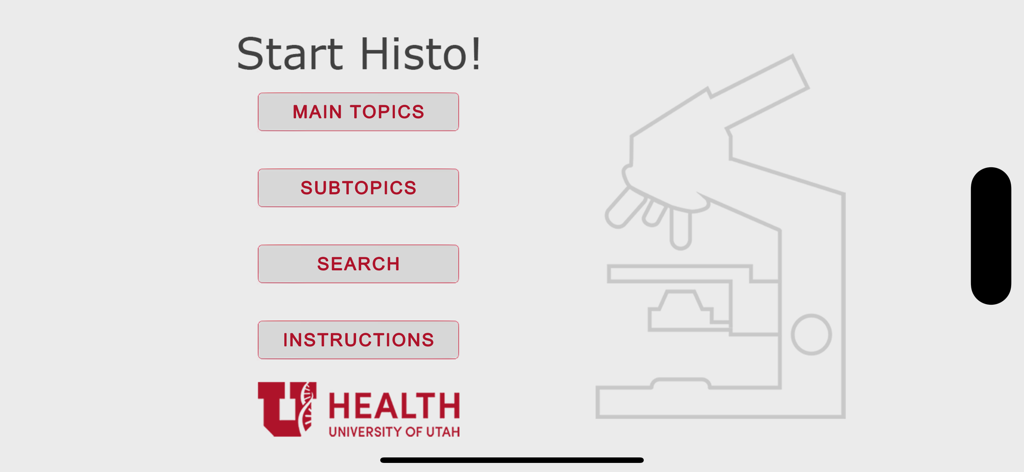
Histo! - Histo-App-Startbildschirm mit Hauptmenü und University of Utah Health Logo
Histo-App-Startbildschirm mit Hauptmenü und University of Utah Health Logo

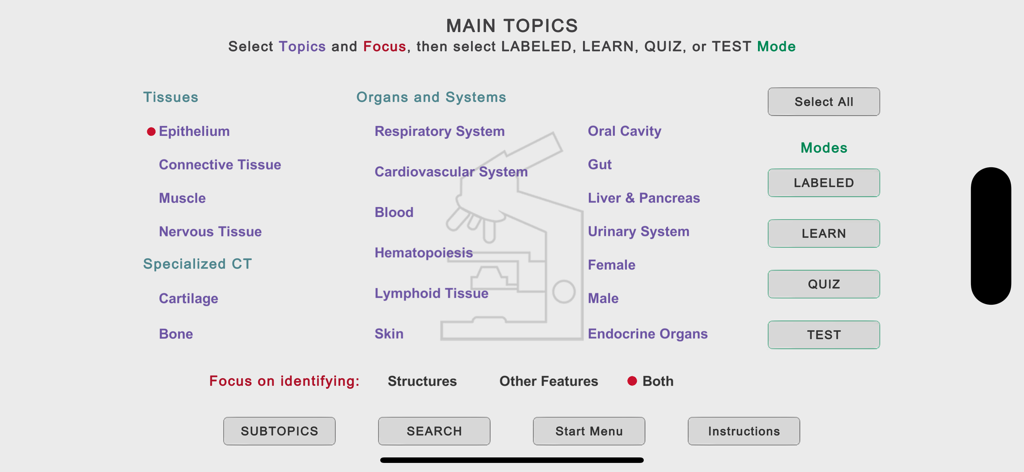
Histo! - Hauptthemenmenü der Histo-App mit Lernkategorien für Gewebe und Organsysteme.
Hauptthemenmenü der Histo-App mit Lernkategorien für Gewebe und Organsysteme.

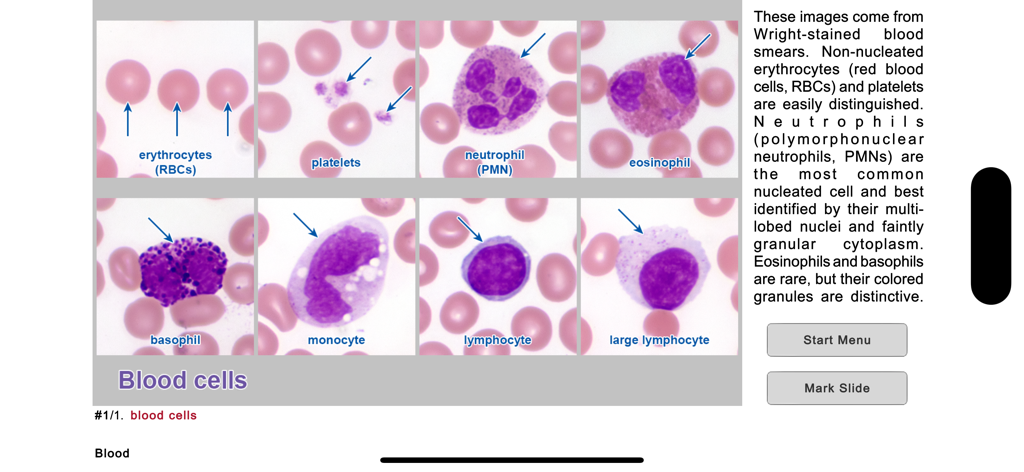
Histo! - Histologie-Lernfolie mit beschrifteten mikroskopischen Bildern verschiedener Blutzellen
Histologie-Lernfolie mit beschrifteten mikroskopischen Bildern verschiedener Blutzellen

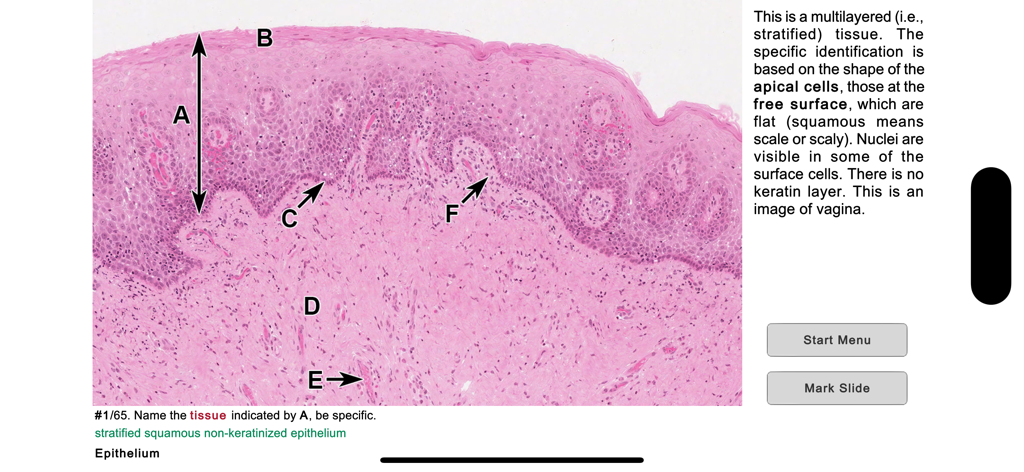
Histo! - Mikroskopische Aufnahme von mehrschichtigem Plattenepithel in der medizinischen Lern-App Histo.
Mikroskopische Aufnahme von mehrschichtigem Plattenepithel in der medizinischen Lern-App Histo.

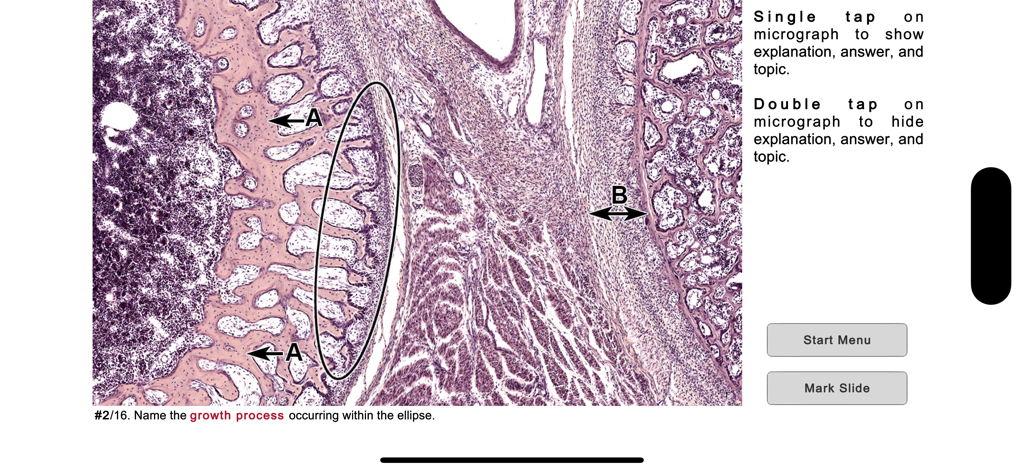
Histo! - Histologie-Quiz-Benutzeroberfläche mit einem mikroskopischen Präparat und einer Identifikationsfrage
Histologie-Quiz-Benutzeroberfläche mit einem mikroskopischen Präparat und einer Identifikationsfrage

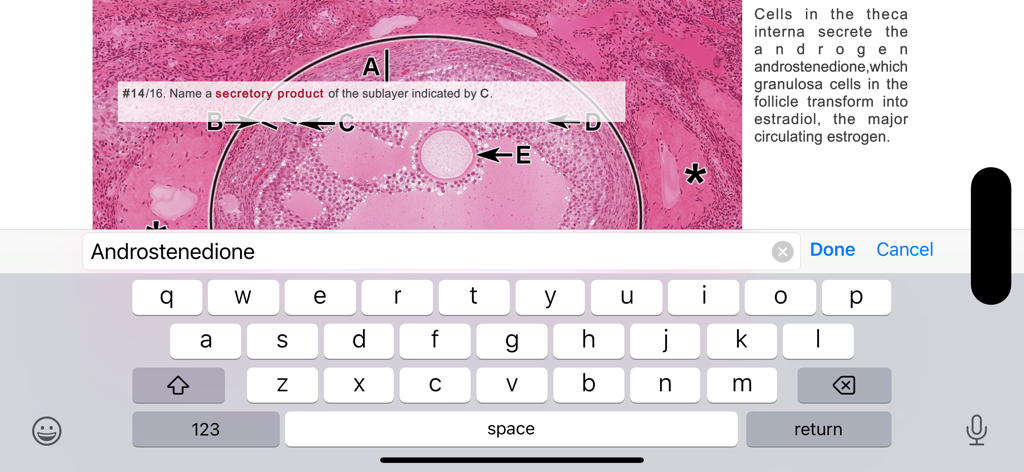
Histo! - Eine Histologie-Testfrage in der Histo-App mit einem beschrifteten Gewebepräparat und Tastatureingabe
Eine Histologie-Testfrage in der Histo-App mit einem beschrifteten Gewebepräparat und Tastatureingabe

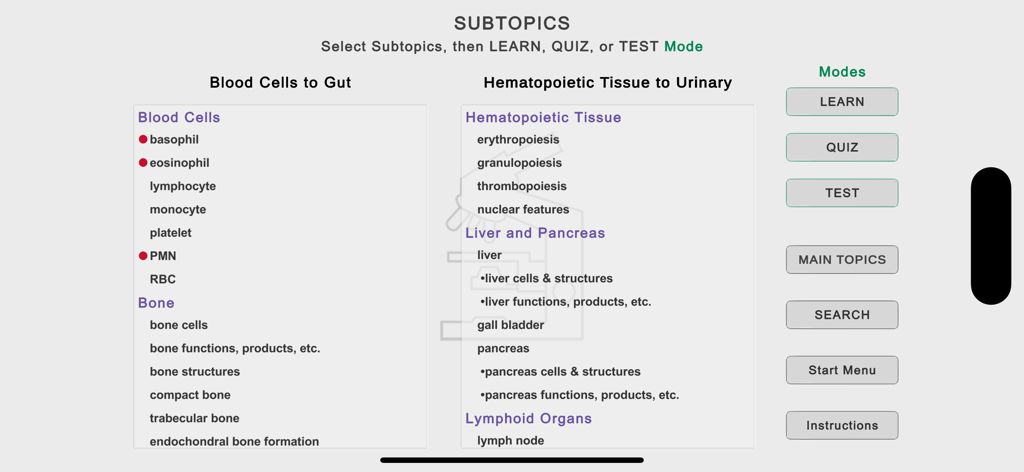
Histo! - Unterthemen-Auswahlbildschirm in der Histo-App mit Kategorien wie Blutzellen und Knochen sowie Lernmodi
Unterthemen-Auswahlbildschirm in der Histo-App mit Kategorien wie Blutzellen und Knochen sowie Lernmodi

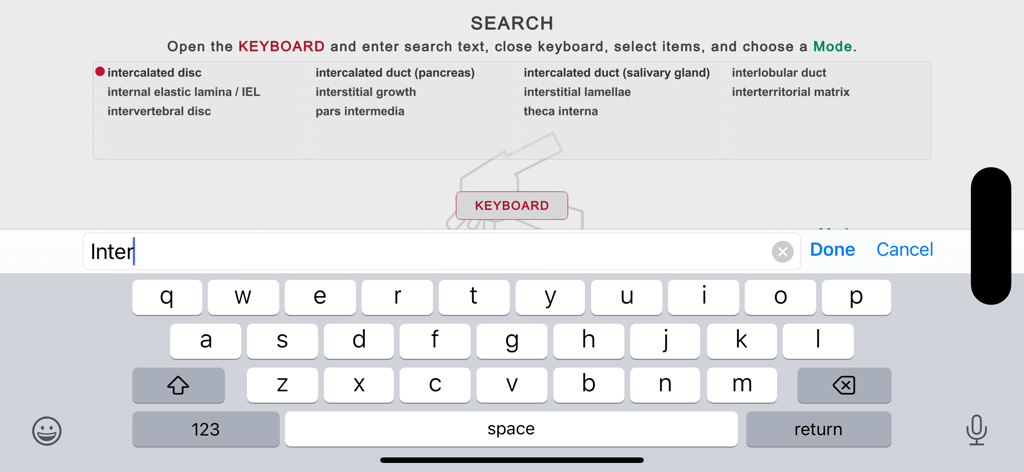
Histo! - Suchbildschirm der Histo-App mit einer Tastatur und einer Liste medizinischer Histologie-Begriffe

Suchbildschirm der Histo-App mit einer Tastatur und einer Liste medizinischer Histologie-Begriffe

Beschreibung

Histo! helps you learn histology and test your knowledge. It is the favorite study aid of medical and dental students in histology courses at the University of Utah. The App currently contains 2179 identification slides, based on 547 photomicrographic images. It is organized into 19 Main Topics and 148 Subtopics. It does not require an internet connection. NAVIGATION •Three navigation menus are provided, one to choose among the Main Topics, a second to select Subtopics of the Main Topics, and a Search feature to find slides using 675 keywords. These meus allow you focus your study as broadly or narrowly as desired. •Once slides are displayed, a one-finger left or right swipe moves forward or backward by one slide, a two-finger swipe jumps 10 slides. LABELED SLIDE MODE •This mode presents 92 micrographs that cover the Main Topics. Important structural features are named, and short explanations are given. These micrographs provide an efficient way for anyone new to a topic to quickly learn the identifications and spatial relationships of the microanatomy that are key for identifying tissues and organs. •The labels can be turned on and off by tapping, allowing immediate self-testing while learning. LEARN, QUIZ, and TEST (LQT) MODES •These modes are based on 2087 questions and answers related to 455 micrographs. •In the Learn mode, each slide displays a question, the answer, and a short explanation. The slides are presented in a logical order that helps you learn the material. •In the Quiz mode, only the question is shown, and the order of presentation is randomized. You can tap to see the answer and explanation. A Quiz persists until the user deletes it. •In the Test mode, you tap to display the built-in keyboard to answer the question, then grade your response. Results for each Main Topic are shown when you have finished a Test. STRUCTURES AND ADDITIONAL FEATURES •Histo! addresses both microanatomy and functional histology. About 70% of the LQT slides ask for identification of structures, the remainder are related to other features of these structures, such as functions, molecular components, or diseases. •From the Main Topic menu, you choose whether to review structures or other features, or both. MARKING AND UNMARKING SLIDES •Slides in any mode may be marked for later review. This happens automatically when you miss a question in the Test mode, and by tapping a button in the Label, Learn, or Quiz modes. •Whenever you return to the Start screen, either during a session or later after exiting, you are offered the chance to review slides marked in any of the four modes. Buttons to review marked slides are also present on the Main and Subtopics menus. •Slides that have been marked can be unmarked during a review by scoring the question as completely correct in the Test mode or tapping a button in the Learn or Quiz modes. SHOWING SPECIFIC SLIDES •Identifiers for slides viewed in the Labeled, Learn or Quiz modes can be recorded and then distributed via electronic documents. Anyone importing these identifiers can view the slides in the Learn mode. •Students can ask for help with a structural or functional question related to a specific slide and instructors can present preselected examples to an individual or group.

Download

Herunterladen auf App Store

Diese Seite ist keine offizielle Seite der App oder ihres Entwicklers, sondern eine unabhängige redaktionelle Veröffentlichung, die zu Informations- und Kommentarzwecken erstellt wurde. Sofern nicht ausdrücklich anders angegeben, sind weder die App noch ihr Entwickler mit MWM, Apple, Google Play, dem App-Herausgeber oder dem Entwickler der App verbunden, von ihnen unterstützt, gesponsert, autorisiert oder anderweitig offiziell verbunden, und nichts auf dieser Seite impliziert, dass die App unter Verwendung der Dienste von MWM entwickelt wurde. Alle Marken, Logos, Screenshots und andere Inhalte bleiben Eigentum ihrer jeweiligen Inhaber.