Hondata Complete
Hondata Complete
Herunterladen auf App Store

Diese Seite ist keine offizielle Seite der App oder ihres Entwicklers, sondern eine unabhängige redaktionelle Veröffentlichung, die zu Informations- und Kommentarzwecken erstellt wurde. Sofern nicht ausdrücklich anders angegeben, sind weder die App noch ihr Entwickler mit MWM, Apple, Google Play, dem App-Herausgeber oder dem Entwickler der App verbunden, von ihnen unterstützt, gesponsert, autorisiert oder anderweitig offiziell verbunden, und nichts auf dieser Seite impliziert, dass die App unter Verwendung der Dienste von MWM entwickelt wurde. Alle Marken, Logos, Screenshots und andere Inhalte bleiben Eigentum ihrer jeweiligen Inhaber.


Logo von Hondata Complete
Herunterladen auf App Store

Hondata Complete

Überwachen Sie über 80 Sensoren in Echtzeit, beheben Sie Motorcodes wie ein Profi und meistern Sie die Rennstrecke mit hochfrequenter GPS-Protokollierung – alles nahtlos in CarPlay integriert.

Kennzahlen

Downloads

77K+

Bewertung

4.7/5

Bewertungen gesamt

3K+

Herausgeber

Alphabit Software Inc.

Kategorie

Utilities

Sprachen

9

Neueste Version

1.8.2

Größe

11.8 MB

Erstveröffentlichung

26. Apr. 2019
Funktionen

Schöpfen Sie das volle Potenzial Ihres Autos aus

Verwandeln Sie Ihr Smartphone in ein professionelles Dashboard und ein Diagnosekraftpaket. Erhalten Sie vollständige Einblicke in den Zustand und die Leistung Ihres Fahrzeugs, egal ob auf der Rennstrecke oder auf dem täglichen Weg zur Arbeit.

Rennanalysen auf Profi-Niveau

Meistern Sie die Rennstrecke mit hochfrequenter GPS-Rundenzeitmessung, 0-60 mph Drag-Statistiken und Echtzeit-G-Kraft-Tracking. Zeichnen Sie Ihre Läufe in HD mit professionellen Tachoüberlagerungen auf, um jede Kurve zu analysieren.

Erweiterte DIY-Diagnosen

Hören Sie auf zu raten und fangen Sie an zu reparieren. Greifen Sie in Echtzeit auf über 80 Sensoren zu, um Fehlercodes zu lesen und zu löschen, Motorklopfen zu überwachen und den VTEC-Druck zu überprüfen, bevor Sie überhaupt zur Werkstatt fahren.

Die folgenden Screenshots und die Beschreibung stammen direkt aus dem offiziellen Store-Eintrag der App und sind Eigentum des Entwicklers.

App Store

Screenshots
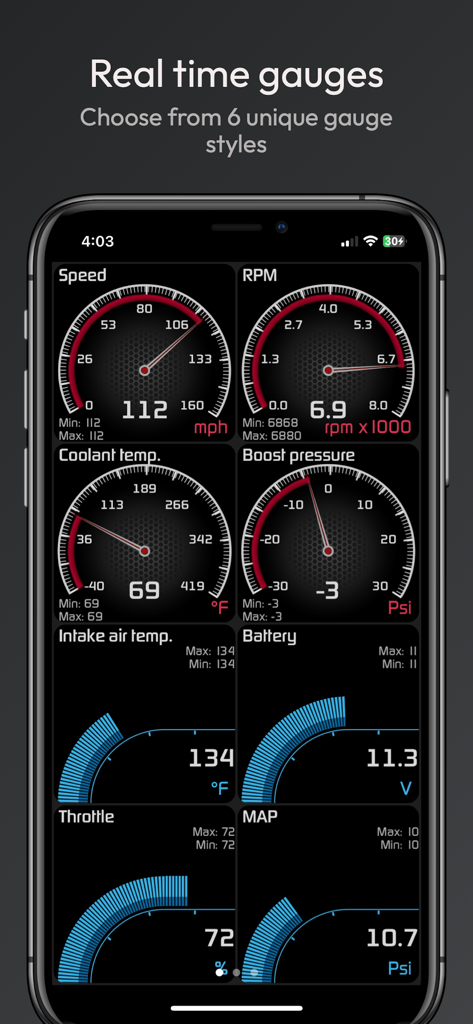
Hondata Complete - Echtzeit-Autoleistungsanzeigen-Dashboard in der Hondata Complete App
Echtzeit-Autoleistungsanzeigen-Dashboard in der Hondata Complete App

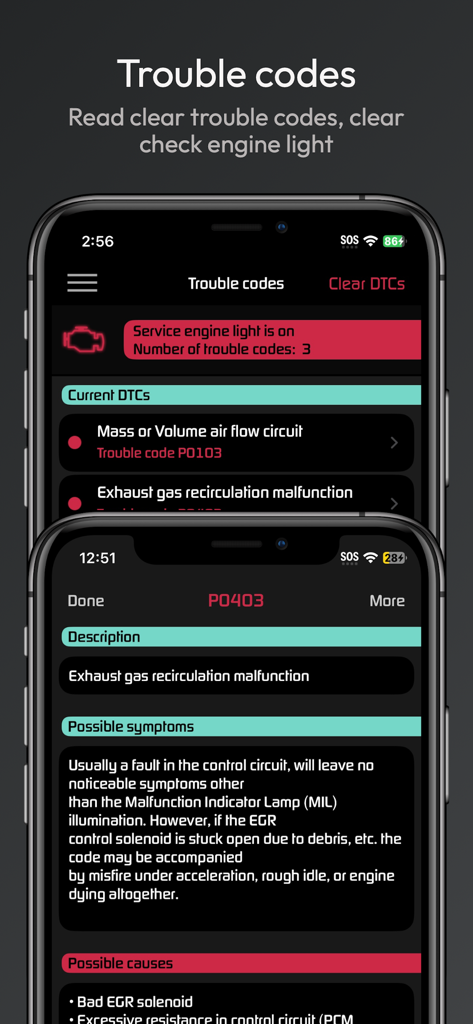
Hondata Complete - Hondata Complete App-Bildschirm, der Motor-Diagnosefehlercodes und Störungsinformationen anzeigt
Hondata Complete App-Bildschirm, der Motor-Diagnosefehlercodes und Störungsinformationen anzeigt

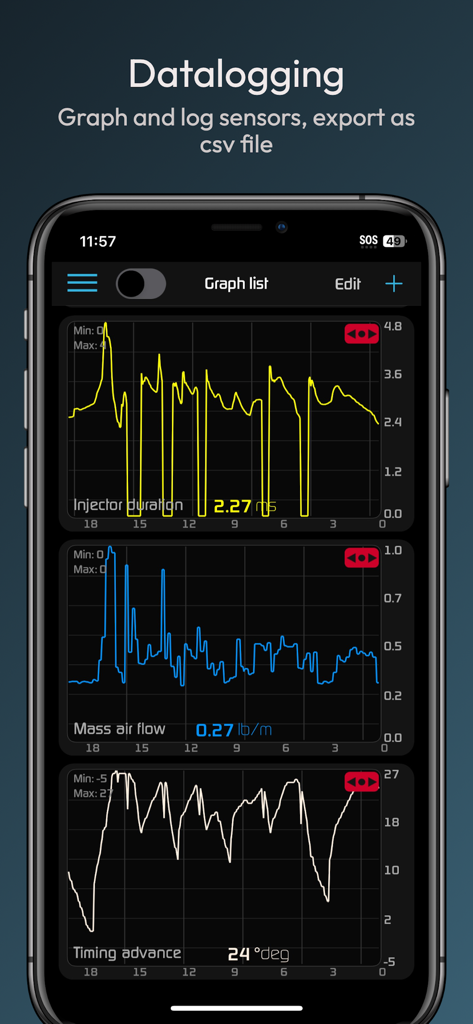
Hondata Complete - Hondata Complete App-Oberfläche, die Echtzeit-Sensor-Graphen für die Fahrzeugleistungsoptimierung anzeigt.
Hondata Complete App-Oberfläche, die Echtzeit-Sensor-Graphen für die Fahrzeugleistungsoptimierung anzeigt.

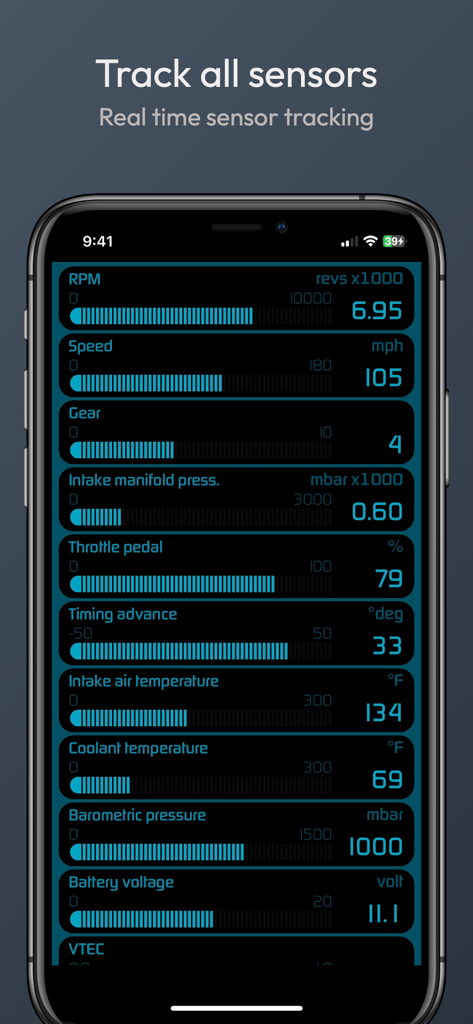
Hondata Complete - Echtzeit-Fahrzeugsensor-Tracking-Dashboard in der Hondata Complete App
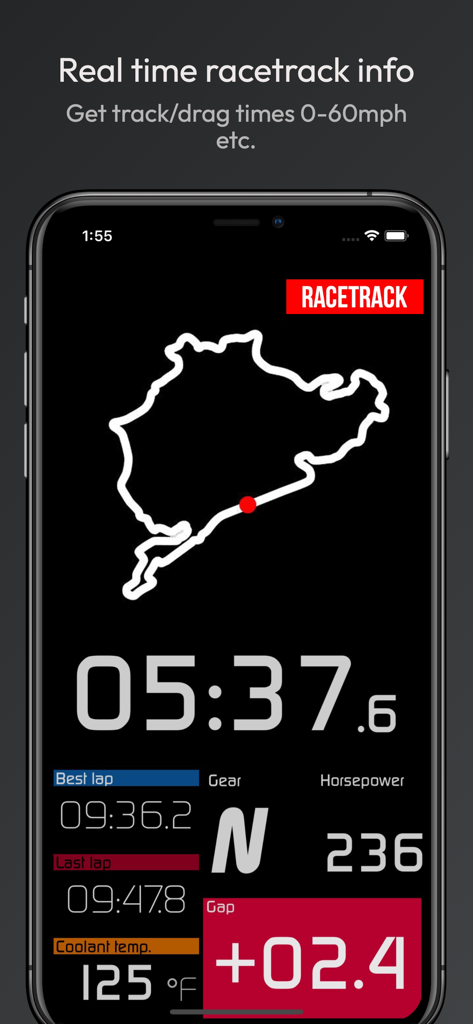
Echtzeit-Fahrzeugsensor-Tracking-Dashboard in der Hondata Complete App

Hondata Complete - Echtzeit-Rennstreckendaten-Dashboard in der Hondata Complete App mit Rundenzeiten, PS und Motordaten
Echtzeit-Rennstreckendaten-Dashboard in der Hondata Complete App mit Rundenzeiten, PS und Motordaten

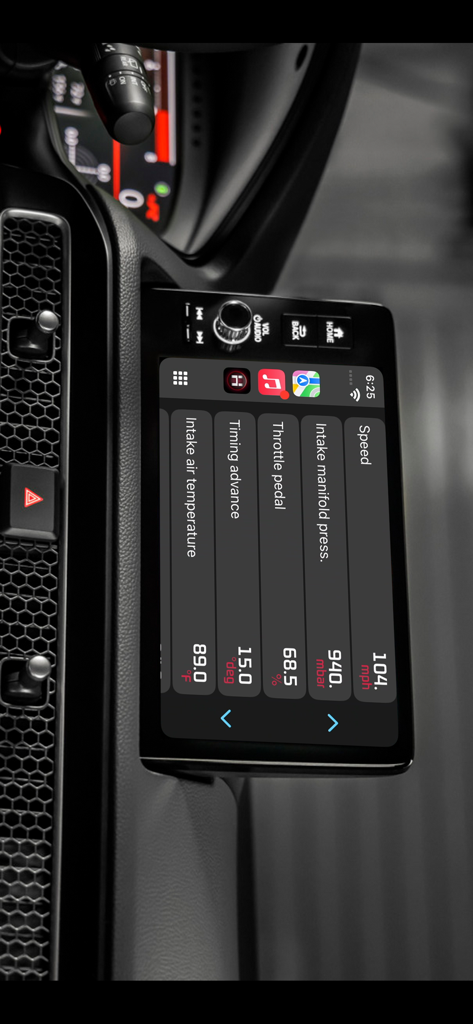
Hondata Complete - Hondata Complete App-Oberfläche auf einem Autodashboardscreen via CarPlay, die Echtzeit-Motordaten einschließlich Geschwindigkeit und Gaspedal anzeigt
Hondata Complete App-Oberfläche auf einem Autodashboardscreen via CarPlay, die Echtzeit-Motordaten einschließlich Geschwindigkeit und Gaspedal anzeigt

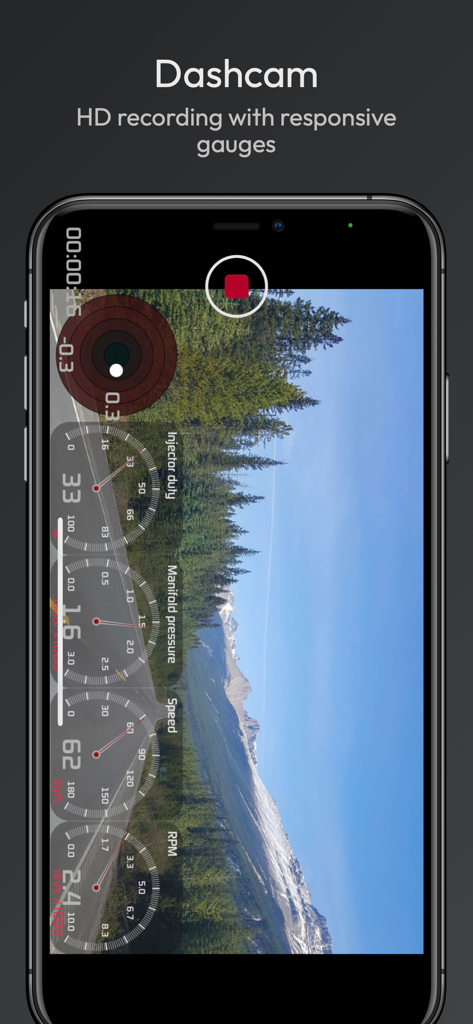
Hondata Complete - Hondata Complete Dashcam-Funktion, die mit Echtzeit-Motoranzeige-Überlagerungen für Geschwindigkeit und Drehzahl aufnimmt
Hondata Complete Dashcam-Funktion, die mit Echtzeit-Motoranzeige-Überlagerungen für Geschwindigkeit und Drehzahl aufnimmt

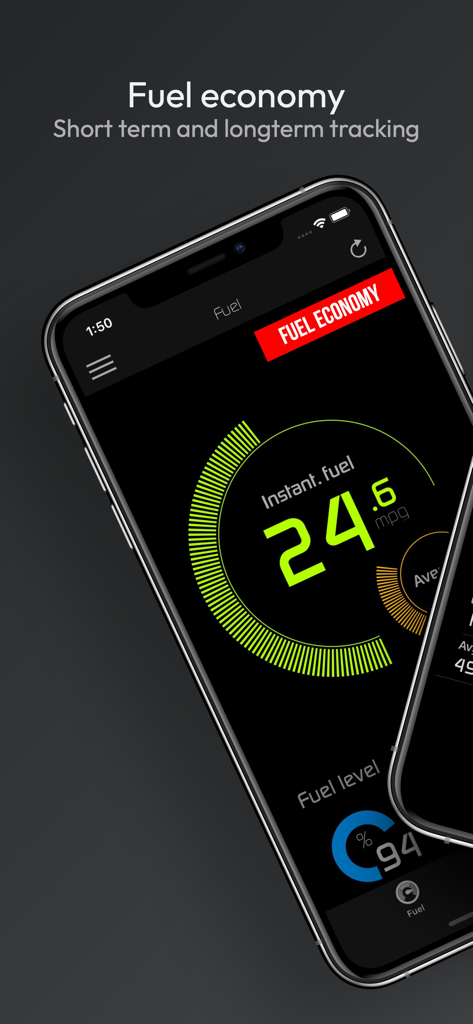
Hondata Complete - Smartphone-Bildschirm, der die Kraftstoffverbrauchsverfolgung und sofortige MPG-Daten in der Hondata Complete App anzeigt
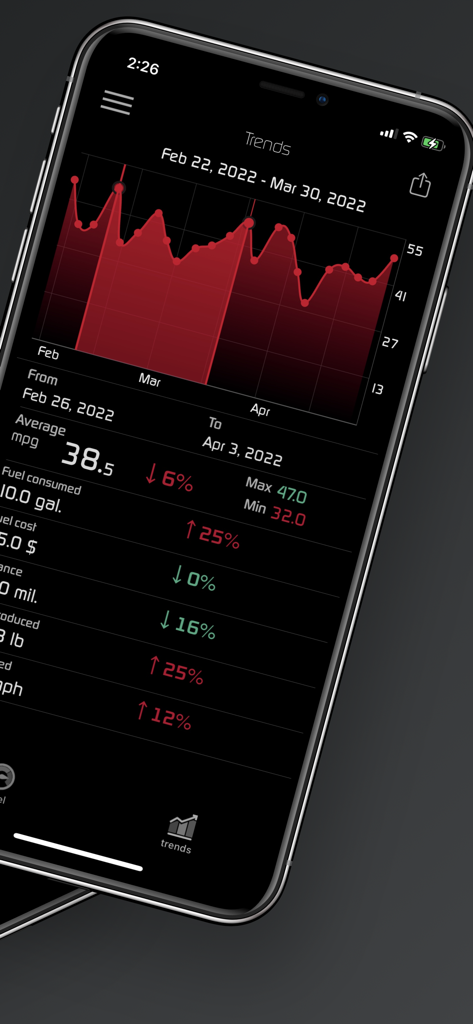
Smartphone-Bildschirm, der die Kraftstoffverbrauchsverfolgung und sofortige MPG-Daten in der Hondata Complete App anzeigt

Hondata Complete - Hondata Complete App, die einen Kraftstoffverbrauchs-Trends-Graphen und Automobil-Leistungsstatistiken auf einem iPhone anzeigt
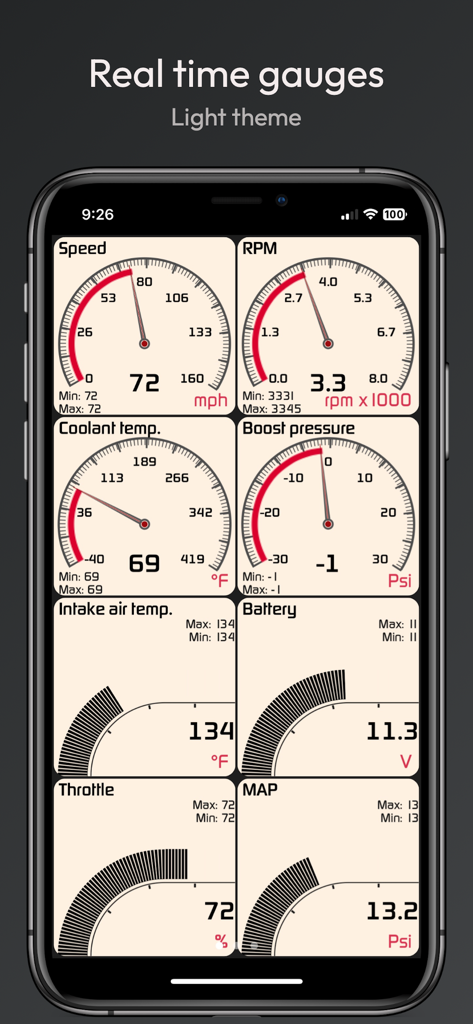
Hondata Complete App, die einen Kraftstoffverbrauchs-Trends-Graphen und Automobil-Leistungsstatistiken auf einem iPhone anzeigt

Hondata Complete - Hondata Complete App-Oberfläche, die Echtzeit-Autoleistungsanzeigen einschließlich Geschwindigkeit und Drehzahl in einem hellen Thema anzeigt.

Hondata Complete App-Oberfläche, die Echtzeit-Autoleistungsanzeigen einschließlich Geschwindigkeit und Drehzahl in einem hellen Thema anzeigt.

Beschreibung

NOTICE: Before you purchase Hondata Complete, download the "Hondata package" bundle advertised above instead. It includes Autolog, our new app at a discount. Track performance of your car in real time by gauges and graphs. Troubleshoot malfunctions by accessing the on board ECU. Know what is wrong with your car before taking it to the mechanic.Track fuel economy and save money on gas. These are just some of the features the Hondata app has to offer. Hondata app transforms your phone/tablet into an all in one performance tracking and troubleshooting tool for your car. The complete edition includes all the addons at a discounted price. Fautures: • Customizable gauges can track up to 80 sensors in real time including fuel economy, G-force and battery voltage. • Read and Clear trouble codes and reset MIL (service engine light). • Read from more than 40 diagnostics parameters including engine knock count, VTEC pressure and more. • Metric and Imperial measures. • Real-time user-defined sensor plotting. Graph up to 4 sensors at the same time on interactive graph that can be scrolled, paused and polled. • Gauge list feature can track every sensor at the same time. • CarPlay allows you to display sensor data in real time on car dash screen. • Instant horsepower, mpg/kml fuel economy, boost pressure and G force tracking. • Speed limit warning: Get notified when driving over speed limit. • High coolant temperature warning gives you instant notification when your car is running too hot. • HUD mode for dashboard view : Heads up display for driving at night. • Two themes to choose from. • landscape mode for all views. • Fuel Economy: - Live and average fuel economy tracking for 0-5 min, 0-30 min and 0-2 hr intervals and a detailed summary. - Long term tracking with six different intervals. (1 week, 2 weeks, 4 weeks, 13 weeks, 26 and 52 weeks). - 4 different units of measure: MPG,KPL (Km/L), L/100 Km, Miles per imperial gallon. - Interactive graph of long term data that can be cropped and scrolled through. - Export fuel history to CSV file (spreadsheets). - Other statistics: Distance travelled, average speed, money spent, CO2 produced and fuel consumed. - 4 methods of calculation available. For non MAF equipped vehicles. • Race track package: - Real time lap data, gap delay time and position in race track using high frequency GPS tracking. - Comprehensive summary of race with lap times, speed fluctuations on track and more. - Get drag racing times (0-60 mph, 0-100 mph, 1/4 mile 1/8 mile etc.) - Load and save unlimited number of tracks onto device. - Crucial racing data including real time horsepower, g-force and a detailed driving summary. Share your results with friends. - Transmission gear information and optional shifting assistant (for manual transmission vehicles) which notifies optimal moment for shifting. - Customizable view that toggles between speed/rpm gauge, real time track positioning and G-sensor feedback. - Record your race in HD with gauge and track overlays. (dash cam add-on required) • Dashcam: Record smooth HD video with overlaying gauges (speed,rpm, etc), time, location (GPS coordinates) and G-force sensor in four different resolutions. Record from 80 sensors and up to 5 gauges. • Sensor logger: - Record as many sensors as possible. - Save graph sensor data to CSV file and export it for further analysis. - Send real time data to a TCP socket (IP Address) over the network. *Your vehicle must be equipped with MAF sensor for instant horsepower and torque readout* *Your vehicle must be equipped with MAP sensor for boost pressure readout* Visit www.hondata.com for more info. For help: mobile@hondata.com

Download

Herunterladen auf App Store

Diese Seite ist keine offizielle Seite der App oder ihres Entwicklers, sondern eine unabhängige redaktionelle Veröffentlichung, die zu Informations- und Kommentarzwecken erstellt wurde. Sofern nicht ausdrücklich anders angegeben, sind weder die App noch ihr Entwickler mit MWM, Apple, Google Play, dem App-Herausgeber oder dem Entwickler der App verbunden, von ihnen unterstützt, gesponsert, autorisiert oder anderweitig offiziell verbunden, und nichts auf dieser Seite impliziert, dass die App unter Verwendung der Dienste von MWM entwickelt wurde. Alle Marken, Logos, Screenshots und andere Inhalte bleiben Eigentum ihrer jeweiligen Inhaber.








