
Diese Seite ist keine offizielle Seite der App oder ihres Entwicklers, sondern eine unabhängige redaktionelle Veröffentlichung, die zu Informations- und Kommentarzwecken erstellt wurde. Sofern nicht ausdrücklich anders angegeben, sind weder die App noch ihr Entwickler mit MWM, Apple, Google Play, dem App-Herausgeber oder dem Entwickler der App verbunden, von ihnen unterstützt, gesponsert, autorisiert oder anderweitig offiziell verbunden, und nichts auf dieser Seite impliziert, dass die App unter Verwendung der Dienste von MWM entwickelt wurde. Alle Marken, Logos, Screenshots und andere Inhalte bleiben Eigentum ihrer jeweiligen Inhaber.


iCircuit
Erleben Sie die Leistung einer ständig aktiven Simulations-Engine. Entwerfen Sie komplexe analoge und digitale Schaltungen, programmieren Sie virtuelle Arduinos und analysieren Sie Signale sofort mit einem integrierten Oszilloskop – alles auf Ihrem Mobilgerät.
Downloads
414K+Bewertung
Bewertungen gesamt
2K+Herausgeber
Kategorie
ProductivitySprachen
7Neueste Version
1.14.2Größe
78.8 MBErstveröffentlichung
29. Juli 2010Ein professionelles Elektroniklabor in Ihrer Tasche
Überspringen Sie das Breadboard und die verbrannten Komponenten. Entwerfen, simulieren und analysieren Sie komplexe analoge und digitale Schaltungen in Echtzeit mit einer leistungsstarken Engine, die für Ingenieure, Studenten und Maker entwickelt wurde.
Ständige Echtzeit-Simulation
Erleben Sie sofortiges Feedback. Im Gegensatz zu herkömmlichen CAD-Tools simuliert iCircuit kontinuierlich, während Sie aufbauen, und ermöglicht es Ihnen, Parameter anzupassen und Ergebnisse zu sehen, ohne jemals eine 'Start'-Schaltfläche drücken zu müssen.
Erweiterte Signalanalyse
Visualisieren Sie die Leistung Ihrer Schaltung mit einem berührungsgesteuerten Oszilloskop und Multimeter. Verfolgen Sie mehrere Signale gleichzeitig und führen Sie Fourier-Transformationen für eine tiefgehende Frequenzanalyse durch.
Die folgenden Screenshots und die Beschreibung stammen direkt aus dem offiziellen Store-Eintrag der App und sind Eigentum des Entwicklers.
App Store
Screenshots
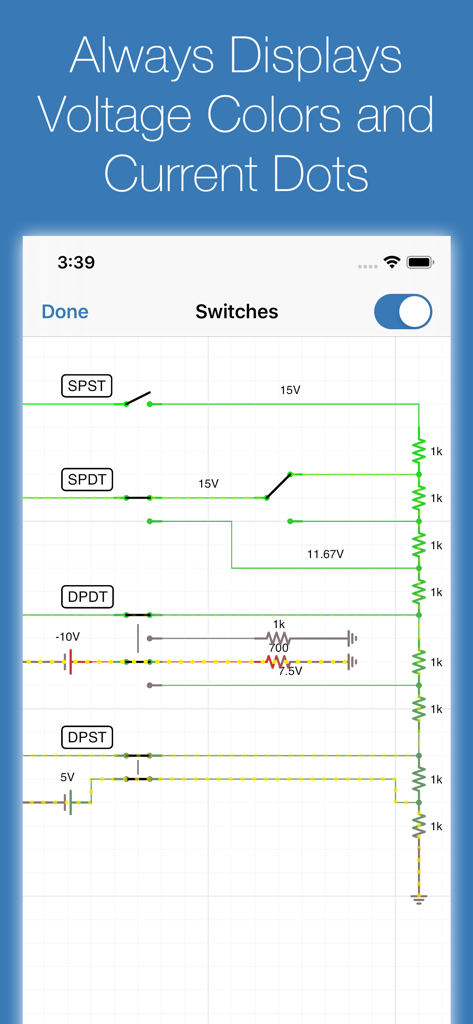
iCircuit App-Oberfläche zeigt Echtzeit-Schaltungssimulation mit Spannungsfarben und Stromflussanzeigen
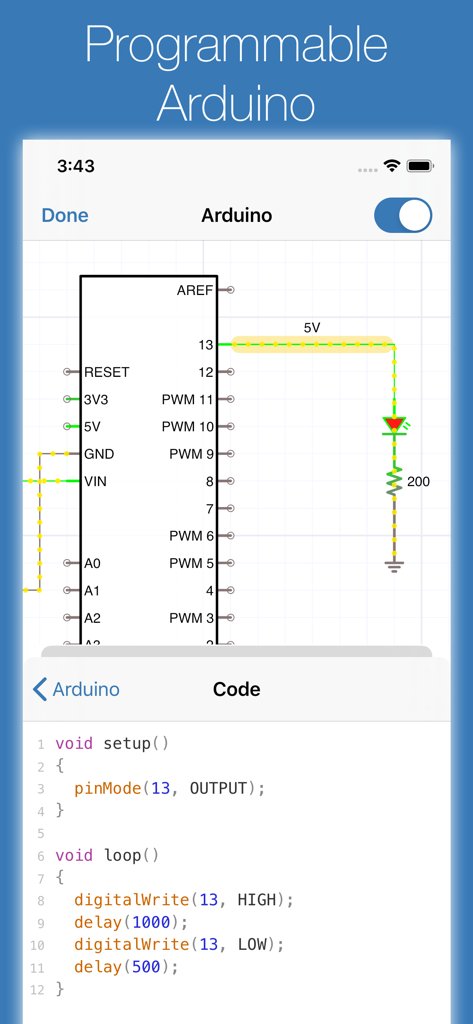
iCircuit App-Oberfläche zeigt ein Arduino-Schaltplan und den entsprechenden C-Code-Editor
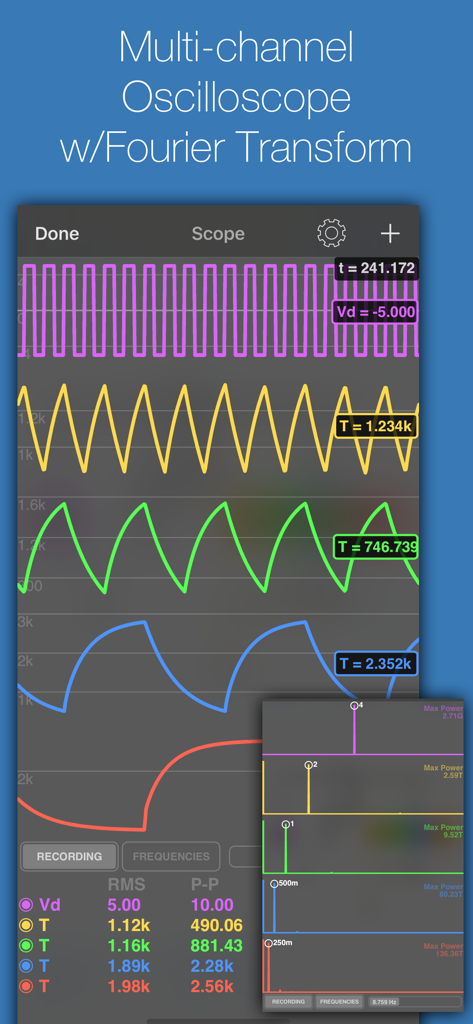
iCircuit App Mehrkanal-Oszilloskop-Anzeige mit Wellenformen und Fourier-Transform-Analyse
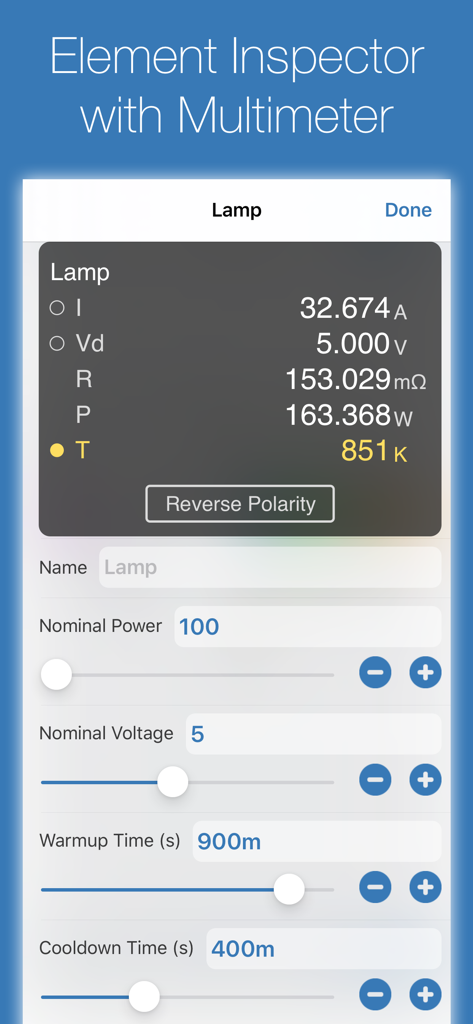
Oberfläche des iCircuit-Elementinspektors mit Multimeter-Messwerten für eine Lampenkomponente.
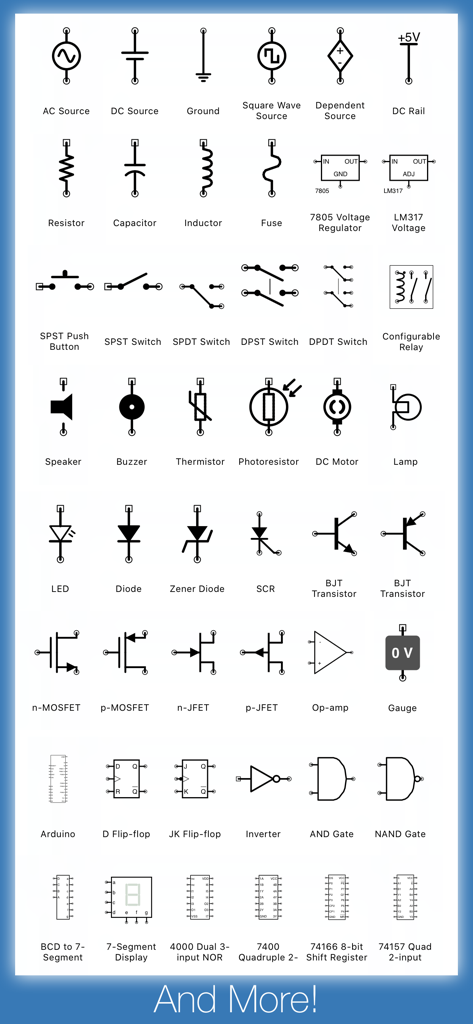
Eine umfassende Sammlung von elektronischen Schaltsymbolen und Komponenten, die in der iCircuit-App verfügbar sind
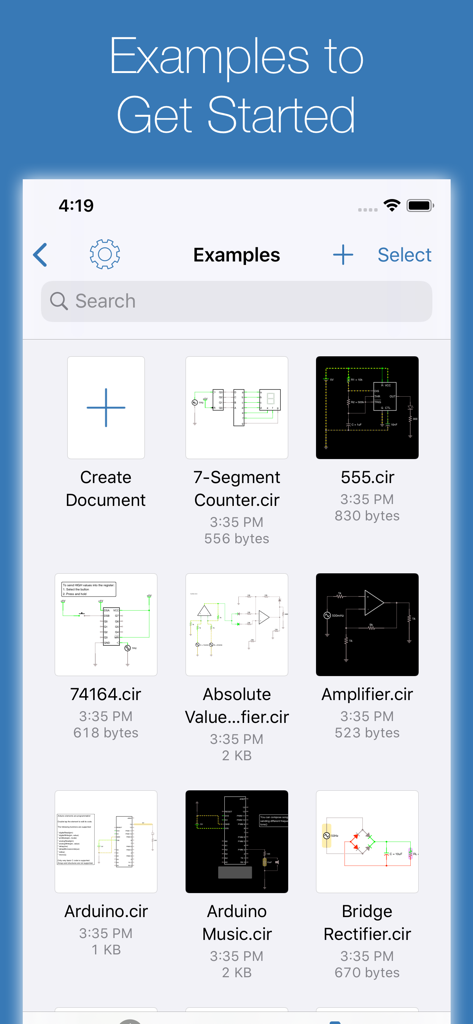
Eine Bibliothek von Schaltungsdesign-Beispielen in der iCircuit-App, einschließlich Arduino- und Verstärkerprojekten
Beschreibung
Download
Ähnliche Apps
Apps mit ähnlichen Funktionen und Nutzererfahrung

NB实验室
BeiJing LeBu Educational Technology Co., Ltd.

Physics Lab AR
Turtle Sim LLC

OLogy: Science for Kids
American Museum of Natural History

Inventioneers Full Version
Filimundus AB

Little Mouse's Encyclopedia
Circus Atos s.r.o.

Cretapedia: Science Learning
AMAZING EDTECH PTE. LTD.

Dinosaur & Prehistoric Animal
philippe Bobis

BabyBus Kids Science
BABYBUS CO.,LTD

Animal Rescue: Sea Adventure
Yateland Kids Limited
Diese Seite ist keine offizielle Seite der App oder ihres Entwicklers, sondern eine unabhängige redaktionelle Veröffentlichung, die zu Informations- und Kommentarzwecken erstellt wurde. Sofern nicht ausdrücklich anders angegeben, sind weder die App noch ihr Entwickler mit MWM, Apple, Google Play, dem App-Herausgeber oder dem Entwickler der App verbunden, von ihnen unterstützt, gesponsert, autorisiert oder anderweitig offiziell verbunden, und nichts auf dieser Seite impliziert, dass die App unter Verwendung der Dienste von MWM entwickelt wurde. Alle Marken, Logos, Screenshots und andere Inhalte bleiben Eigentum ihrer jeweiligen Inhaber.