
Diese Seite ist keine offizielle Seite der App oder ihres Entwicklers, sondern eine unabhängige redaktionelle Veröffentlichung, die zu Informations- und Kommentarzwecken erstellt wurde. Sofern nicht ausdrücklich anders angegeben, sind weder die App noch ihr Entwickler mit MWM, Apple, Google Play, dem App-Herausgeber oder dem Entwickler der App verbunden, von ihnen unterstützt, gesponsert, autorisiert oder anderweitig offiziell verbunden, und nichts auf dieser Seite impliziert, dass die App unter Verwendung der Dienste von MWM entwickelt wurde. Alle Marken, Logos, Screenshots und andere Inhalte bleiben Eigentum ihrer jeweiligen Inhaber.

ICONIT QRcode Reader
Scannen Sie, was andere nicht können. Erleben Sie erstklassige Leistung mit sofortiger Historienverfolgung, Preisvergleichen und sicherer Datenverwaltung für Ihre tägliche Produktivität.
Downloads
5M+Bewertung
Bewertungen gesamt
480K+Herausgeber
Kategorie
ProductivitySprachen
12Neueste Version
4.9.9Größe
101.4 MBErstveröffentlichung
2. März 2012Unübertroffene Präzision für jeden Scan
Verschwenden Sie keine Zeit mehr mit langsamen nativen Kameras. ICONIT liefert erstklassige Geschwindigkeit und professionelle Utility-Tools für alle, die Wert auf Effizienz, Organisation und Privatsphäre legen.
Blitzschnelle Genauigkeit
Scannen Sie komplexe, kleine oder beschädigte Barcodes sofort mit einer Hochleistungs-Engine, die decodiert, was andere nicht können.
Erweiterte Datenverwaltung
Archivieren Sie automatisch jeden Scan und exportieren Sie Ihren Verlauf in CSV-Dateien für eine mühelose Spesenverfolgung und Bestandsverwaltung.
Häufig gestellte Fragen
Alles, was Sie über wissen müssen ICONIT QRcode Reader
Was ist die ICONIT QR-Code-Reader-App?
ICONIT ist eine japanische QR-Code- und Barcode-Reader-App, die für ihre erstklassige Scan-Geschwindigkeit und Genauigkeit bekannt ist und nach dem Scannen sofort Informationen abruft.
Ist der ICONIT QR-Code-Reader kostenlos nutzbar?
Ja, alle Kernfunktionen des ICONIT QR-Code-Readers sind kostenlos verfügbar. Ein optionaler Premium-Plan kann abonniert werden, um Werbung zu entfernen.
Bietet ICONIT schnelles Scannen von QR-Codes?
Ja, ICONIT bietet blitzschnelles Scannen von QR-Codes und Barcodes mit erstklassiger Geschwindigkeit und Genauigkeit. Es rühmt sich einer Scan-Geschwindigkeit von 0,03 Sekunden.
Kann ICONIT beschädigte oder schwierige QR-Codes scannen?
Ja, ICONIT kann mühelos QR-Codes scannen, die andere Reader möglicherweise nicht lesen können. Es wird für seine überlegene Scan-Genauigkeit hoch bewertet.
Welche Arten von Barcodes und QR-Codes unterstützt ICONIT?
ICONIT unterstützt verschiedene Arten, darunter QR Code, JAN Code, EAN-128, NW-7, CODE39, Data Matrix, ITF Code, GS1 DataBar Limited, GS1 DataBar Limited Composite Symbol und GS1 DataBar Stacked Composite Symbol.
Ist die ICONIT-App sicher zu verwenden?
Ja, ICONIT ist eine sichere QR- und Barcode-Reader-App, die in Japan hergestellt wurde. Sie respektiert die Privatsphäre der Benutzer und sammelt keine persönlichen Informationen ohne ausdrückliche Erlaubnis.
Wie kann ich mit ICONIT ein Bild aus meinem Fotoalbum scannen?
Um mit ICONIT ein Bild aus Ihrem Album zu scannen, navigieren Sie zum Bildschirm "Scan", tippen Sie in der oberen rechten Ecke auf "Fotos" und wählen Sie dann das gewünschte Bild aus Ihrem Album oder der Zwischenablage aus.
Kann ich mit der ICONIT-App QR-Codes erstellen?
Ja, mit ICONIT können Sie ganz einfach QR-Codes für Kontaktinformationen, einfachen Text und URLs erstellen. Diese Funktion ist über die Funktion "QR-Generator" verfügbar.
Speichert die ICONIT-App meine Scan-Historie?
Ja, ICONIT speichert automatisch alle gescannten Daten in einer Historie. Sie können diese Historie jederzeit einsehen und sie auch als CSV-Datei für die externe Verwendung exportieren.
Kann ICONIT mir helfen, Produktpreise und Bewertungen zu vergleichen?
Ja, ICONIT ermöglicht es Ihnen, einen Barcode zu scannen und sofort zu Produktseiten auf Amazon oder Google zu gelangen. So können Sie schnell Produktdetails überprüfen und Nutzerbewertungen und Preise vergleichen.
Was sind die Vorteile der Erstellung eines Kontos bei ICONIT?
Durch die Erstellung eines Kontos bei ICONIT können Sie Ihre Scan-Historie und gesammelten Punkte auf ein neues Gerät übertragen, wenn Sie wechseln, was den Benutzerkomfort und die Datenspeicherung verbessert.
Wie viele Downloads hat die ICONIT-App erreicht?
Die ICONIT QR-Code- und Barcode-Scanner-App hat weltweit über 36 Millionen Downloads erreicht, was ihre weite Verbreitung und Benutzerzufriedenheit widerspiegelt.
Die folgenden Screenshots und die Beschreibung stammen direkt aus dem offiziellen Store-Eintrag der App und sind Eigentum des Entwicklers.
App Store
Screenshots
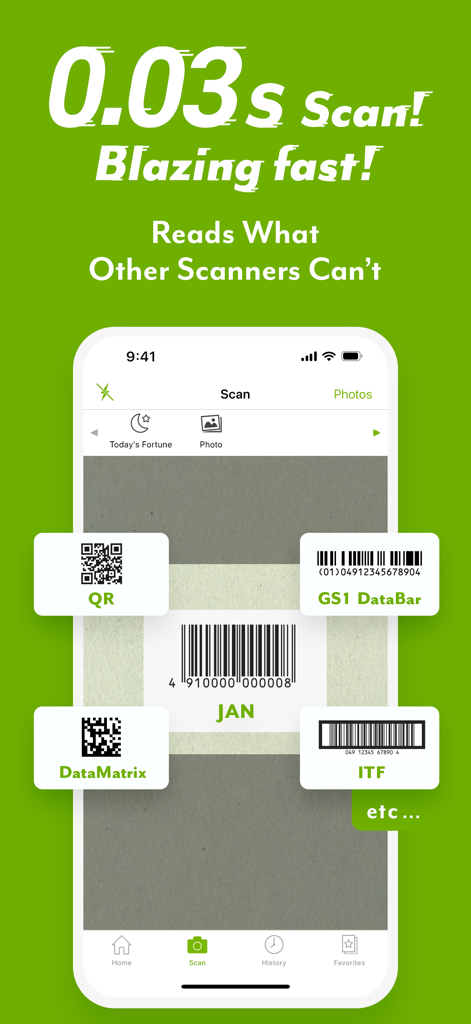
ICONIT QR-Code-Reader-App-Oberfläche, die schnelles Scannen von 0,03 Sekunden für verschiedene Barcode-Typen hervorhebt, einschließlich GS1 DataBar und DataMatrix
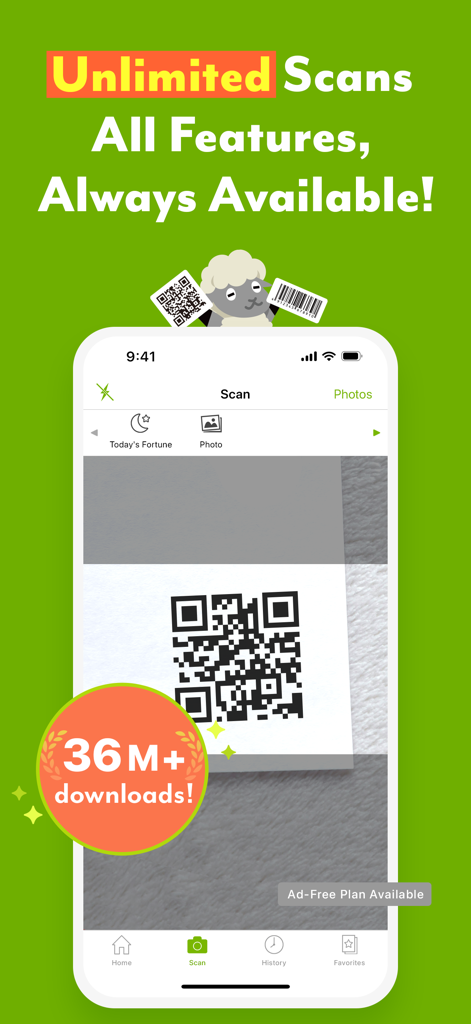
ICONIT QR-Code-Reader-App-Oberfläche, die einen QR-Code-Scan auf einem iPhone-Bildschirm zeigt
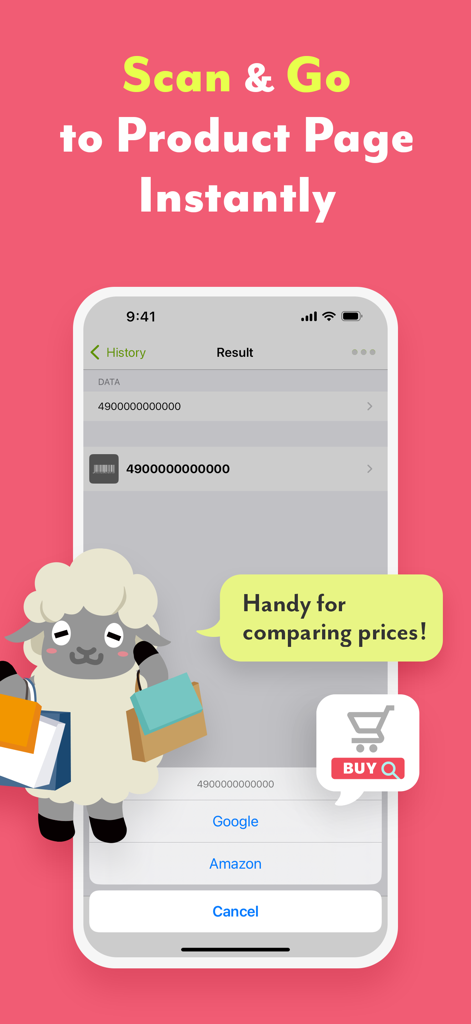
ICONIT App-Screenshot, der Barcode-Scanergebnisse und direkte Links zu Amazon und Google für Preisvergleiche zeigt.
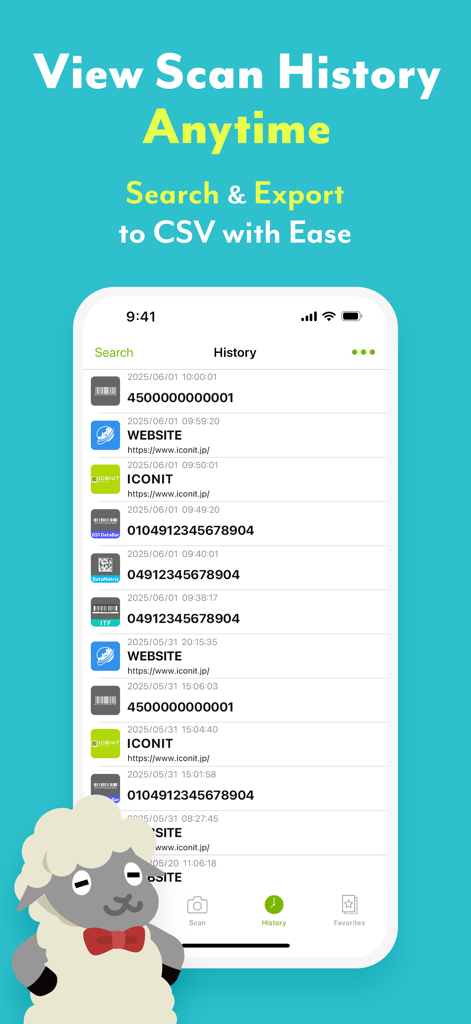
Iconit App-Verlaufsbildschirm, der eine Liste gescannter QR-Codes und Barcodes mit einer CSV-Exportoption anzeigt
Beschreibung
Download
Ähnliche Apps
Apps mit ähnlichen Funktionen und Nutzererfahrung

Me QR - QR Code Generator
ME TEAM LTD

QR Code Reader/QR Scanner App
MixerBox Inc.

QR Code Barcode: Scanner Maker
DE BITT LTD

QR Code Reader & QR Scanner ·
Simple Health Limited

Scan QR Code & Barcode
Mars Mobile LLC

QR Bot
Petr Polasek

QR Reader- Scanner & Generator
SAN MOBILE YAZILIM TICARET LIMITED SIRKETI

What's App -QR code scanner
DIGITALSTALK PRIVATE LIMITED

Power Barcode Scanner
Irvinesoft Inc
Diese Seite ist keine offizielle Seite der App oder ihres Entwicklers, sondern eine unabhängige redaktionelle Veröffentlichung, die zu Informations- und Kommentarzwecken erstellt wurde. Sofern nicht ausdrücklich anders angegeben, sind weder die App noch ihr Entwickler mit MWM, Apple, Google Play, dem App-Herausgeber oder dem Entwickler der App verbunden, von ihnen unterstützt, gesponsert, autorisiert oder anderweitig offiziell verbunden, und nichts auf dieser Seite impliziert, dass die App unter Verwendung der Dienste von MWM entwickelt wurde. Alle Marken, Logos, Screenshots und andere Inhalte bleiben Eigentum ihrer jeweiligen Inhaber.