
iFastViewer


Nehmen Sie an Meetings teil, sehen Sie sich Desktops an und übernehmen Sie die Fernsteuerung direkt von Ihrem iPhone oder iPad aus. Erleben Sie nahtlose Kommunikations- und Schulungssitzungen mit unternehmensweiter Sicherheit, egal wohin Sie Ihr Geschäft führt.
Herausgeber
Kategorie
BusinessDownloads
33K+Bewertung
Bewertungen gesamt
100Sprachen
2Entdecken Sie die Oberfläche, die von 33K+ Nutzern verwendet wird.
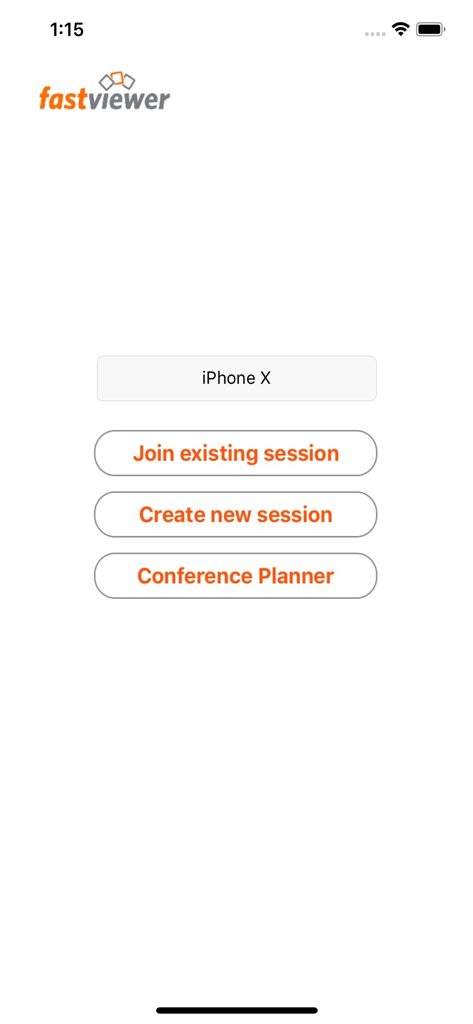
Die Tools, die diese App auszeichnen, gewählt von 33K+ Nutzern.
Steuern Sie Remote-Desktops mit flüssigen Multi-Touch-Gesten. Zoomen, kneifen und navigieren Sie durch komplexe Benutzeroberflächen für nahtlosen technischen Support unterwegs.
Bewahren Sie eine professionelle Präsenz mit kristallklarem Video und Audio. Wechseln Sie sofort vom Betrachter zum Präsentator, egal wo Sie sich befinden.
Übernehmen Sie die Kontrolle über Ihre Sitzungen, indem Sie Teilnehmer und Freigaberechte in einer sicheren, unternehmenskonformen Umgebung verwalten.
Alles, was Sie über wissen müssen iFastViewer.
Beschreibung
Neueste Version
3.3.8
Größe
10.8 MB
Erstveröffentlichung
29. Juli 2010
Schließen Sie sich Tausenden von Fachleuten an, die unterwegs produktiv bleiben. Laden Sie iFastViewer für iPhone und iPad herunter, um noch heute sichere, nahtlose Remote-Zusammenarbeit zu erleben.
Top-gerankte Apps in derselben Kategorie

Microsoft Corporation

Zoom Communications, Inc.

WhatsApp Inc.

Indeed Inc.

LinkedIn Corporation

Adobe Inc.

DingTalk Technology Co., Ltd.

Tencent Technology (Shenzhen) Company Limited

Beijing China Product Bo Farce Network Technology Co., Ltd.
App information, icons, screenshots, and descriptions displayed on this page are sourced from the Apple App Store and are the property of their respective developers. Download estimates and rankings are based on MWM's proprietary models and may not reflect actual figures. This page is provided for informational and analytical purposes only.
Believe this page infringes your intellectual property? File a dispute