iFiles
iFiles
Herunterladen auf App Store

Diese Seite ist keine offizielle Seite der App oder ihres Entwicklers, sondern eine unabhängige redaktionelle Veröffentlichung, die zu Informations- und Kommentarzwecken erstellt wurde. Sofern nicht ausdrücklich anders angegeben, sind weder die App noch ihr Entwickler mit MWM, Apple, Google Play, dem App-Herausgeber oder dem Entwickler der App verbunden, von ihnen unterstützt, gesponsert, autorisiert oder anderweitig offiziell verbunden, und nichts auf dieser Seite impliziert, dass die App unter Verwendung der Dienste von MWM entwickelt wurde. Alle Marken, Logos, Screenshots und andere Inhalte bleiben Eigentum ihrer jeweiligen Inhaber.

Logo von iFiles
Herunterladen auf App Store

iFiles

Übernehmen Sie die volle Kontrolle über Ihren digitalen Arbeitsbereich. Verwalten, bearbeiten und übertragen Sie Dateien nahtlos über Dutzende von Cloud-Diensten und Protokollen hinweg mit dem ultimativen All-in-One-Produktivitätstool für iOS.

Kennzahlen

Downloads

507K+

Bewertung

3.3/5

Bewertungen gesamt

8K+

Herausgeber

Tom Biel

Kategorie

Productivity

Sprachen

1

Neueste Version

1.18.0

Größe

37.6 MB

Erstveröffentlichung

5. Dez. 2009
Funktionen

Volle Kontrolle über Ihr digitales Leben

Befreien Sie sich von Einschränkungen des Ökosystems. iFiles bringt Dateiverwaltung im Desktop-Format auf iOS und gibt Ihnen die Möglichkeit, auf Dateien in jeder Cloud oder auf jedem Server zuzugreifen, sie zu bearbeiten und zu verschieben.

Einheitliche Cloud-Verwaltung

Verbinden Sie sich mit Google Drive, Dropbox, SFTP und Amazon S3. Übertragen Sie Dateien direkt zwischen Servern, ohne den Speicher Ihres lokalen Geräts oder Ihre Bandbreite zu belasten.

Erweiterte Dokumenten-Suite

Kommentieren Sie PDFs, bearbeiten Sie Textdateien und verwalten Sie Zip- oder RAR-Archive. Verwandeln Sie Ihr iPhone oder iPad in eine voll ausgestattete professionelle Workstation.

Die folgenden Screenshots und die Beschreibung stammen direkt aus dem offiziellen Store-Eintrag der App und sind Eigentum des Entwicklers.

App Store

Screenshots
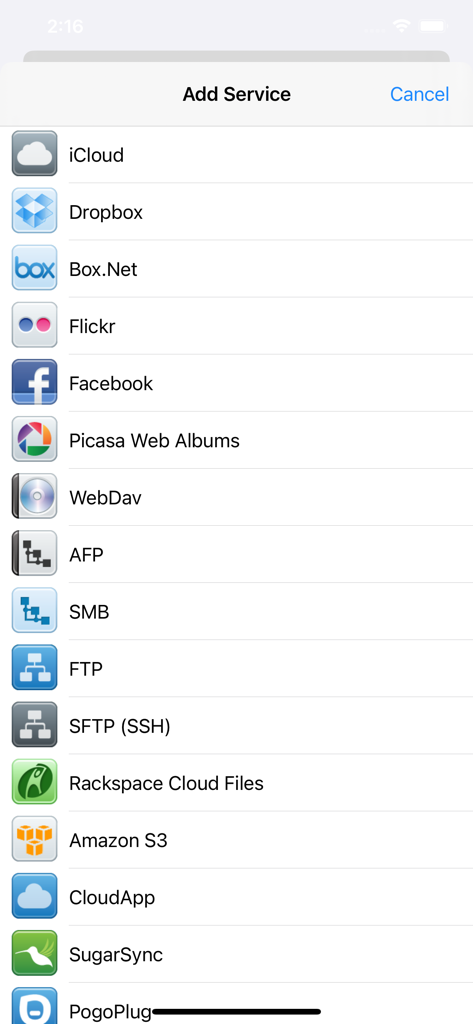
iFiles - Eine Liste von Cloud-Speicher- und Netzwerkprotokolloptionen, einschließlich Dropbox, FTP, SFTP und Amazon S3 in der iFiles-App

Eine Liste von Cloud-Speicher- und Netzwerkprotokolloptionen, einschließlich Dropbox, FTP, SFTP und Amazon S3 in der iFiles-App

iFiles - Die iFiles-App-Oberfläche, die ein gespeichertes Bild von Wasser zeigt, das in eine Hand fließt
Die iFiles-App-Oberfläche, die ein gespeichertes Bild von Wasser zeigt, das in eine Hand fließt

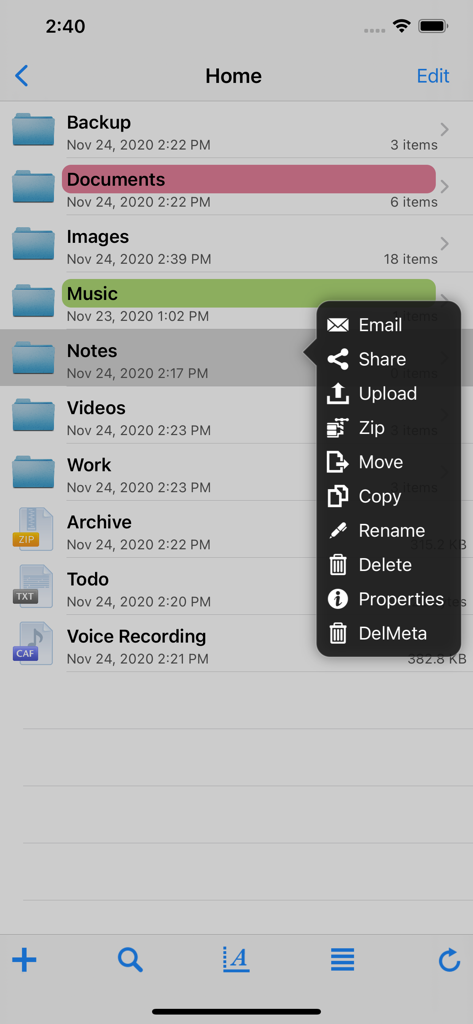
iFiles - Ein Screenshot der iFiles-App, der eine Liste von Ordnern und ein Popup-Menü mit Dateiverwaltungsoptionen wie Teilen, Hochladen, Zippen und Verschieben anzeigt
Ein Screenshot der iFiles-App, der eine Liste von Ordnern und ein Popup-Menü mit Dateiverwaltungsoptionen wie Teilen, Hochladen, Zippen und Verschieben anzeigt

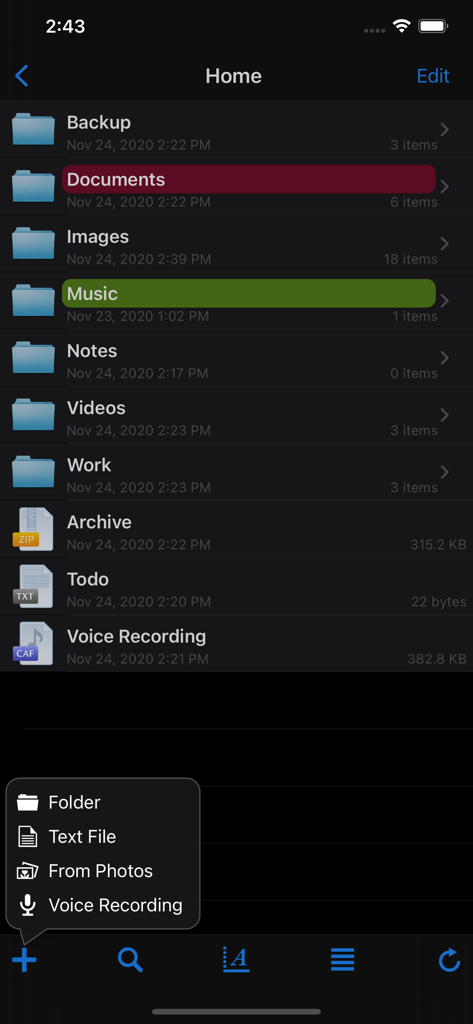
iFiles - Die Benutzeroberfläche der iFiles-Mobil-App mit einer Liste organisierter Ordner und einem Dateierstellungsmenü
Die Benutzeroberfläche der iFiles-Mobil-App mit einer Liste organisierter Ordner und einem Dateierstellungsmenü

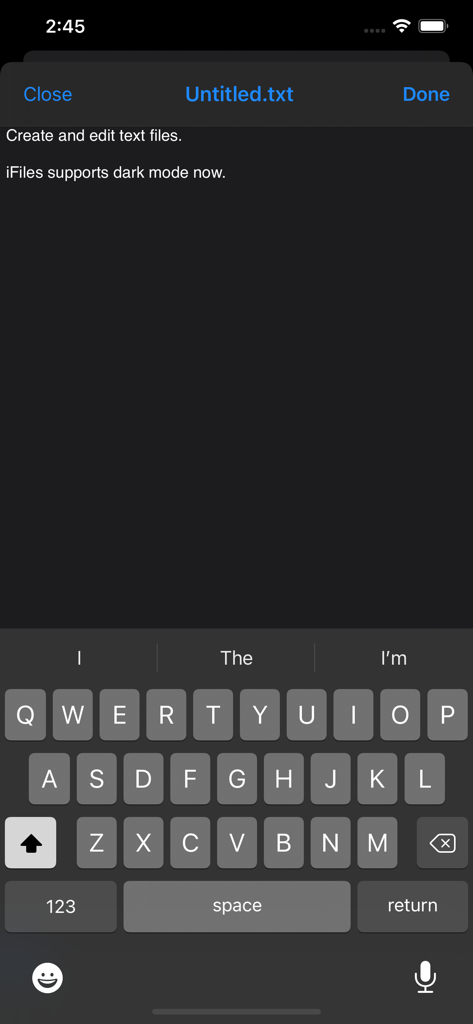
iFiles - Die iFiles-Texteditor-Oberfläche mit Unterstützung für den Dunkelmodus
Die iFiles-Texteditor-Oberfläche mit Unterstützung für den Dunkelmodus

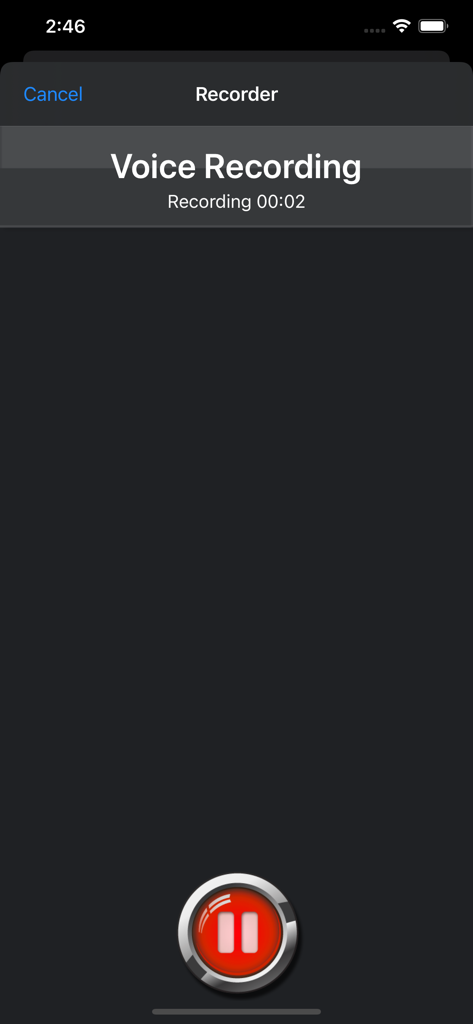
iFiles - Screenshot der integrierten Sprachrekorderfunktion in der iFiles-App für iPhone.

Screenshot der integrierten Sprachrekorderfunktion in der iFiles-App für iPhone.

Beschreibung

iFiles 2 is now available, this application is here to support legacy users. iFiles is the most intuitive file manager for iOS with features like connectivity to many file cloud services, transferring files between computer or cloud services, ability to view many file formats (PDF viewer now supports annotations, search and more), voice recorder, web downloader, text file editor and more. Supported Online Cloud Services and Protocols: Dropbox, Google Drive, iCloud, Box.net, SkyDrive, SugarSync, AFP (Mac Shares), FTP/FTPS, SFTP, Flickr, Picasa, Facebook, Rackspace CloudFiles, CloudApp, PogoPlug, WebDav, Amazon S3, Ubuntu One Files, ownCloud, 4Shared, also using Amazon S3: DreamObjects and UltiCloud. Key Features: • WEB DOWNLOADER - Download files from the web using the build in Web Browser or Safari using iFiles Bookmarks. (HTML5 Videos are now supported) • EMAIL - Send documents as email attachments directly from iFiles using iPhones email accounts or links to files stored in the cloud. (given service supports this feature) • VOICE RECORDER - Use iFiles build-in voice recorder to create voice notes. • POPUP MENU - Tap and hold on file to display context popup menu with file operations. • PROPERTIES -View and change folder and files properties: color label, icon, and rename. For services with supported API you can edit: comments, description, tags/keywords, privacy, copy/generate links. • SHARE FILES - Share files with other iOS users of iFiles over Wi-Fi or Bluetooth. • PDF VIEWER - Viewer now supports annotations, full-text search, bookmarks, highlighting, saving directly to a cloud service and more. • SECURE - If cloud services uses username and password they are stored using iOS Keychain, Remote access to your device can be secured with password, and device can be locked using passcode. (Your information is never send to any outside service) • FILE OPERATIONS - Move, Copy, Rename, Delete, and create New Folders (Operations are supported for all cloud services given that service API supports it) • ZIP/EXTRACT - Create archive files and unarchive many common archive formats: Zip, RAR, 7-zip, Tar, Gzip, and Bzip2. • TRANSFER MANAGER - Download, upload and transfer files directly between services without required to first download then upload files. Transfers support background mode and will resume if application is closed. • EASY UPLOAD - If your creating voice recording, importing photos or creating a text file, iFiles will automatically upload to the current location no matter if its local or remote. • CLIPBOARD PASTE - Paste text and photos/images directly to current folder. • OPEN IN - Open files in apps that support those file types. • PRINT - Print files using AirPrint. • TEXT FILES - Create and edit plain text files. (Locally or directly in the cloud) • PHOTO IMPORT - Take Photos, record movies or import from your Photo Library. (Multiple selection support is coming in next update) • MEDIA PLAYER - Playback audio and video files. • THUMBNAILS - Thumbnails are generated for local files: photos, videos and pdf files, thumbnails are displayed for cloud service if its supported. File Formats • iWorks (Pages, numbers, Keynote) ’08 and ’09 (with or without Preview) • Microsoft Office (Word, Excel, PowerPoint). • HTML web pages and Web archives (web pages downloaded by Safari) • PDF Documents. • RTF (Rich Text Format) and RTFD. • Plain text with auto-detection of character encoding. Text files can also be edited. • Movies (supported file formats by iPhone: MP4, MOV, MPV, 3GP, M4V) • Audio (WAV, MP3, M4A, CAF, AIF, AIFF, ACC) • Images (JPG, PNG, GIF, BMP, TIF, TIFF, ICO, CUR, XBM) Requirements A Wi-Fi connection is required to transfer files between home computer. ------------------ We're always excited to hear form you! If you have any feedback. questions, or concerns, please emails us at: support@imagam.com or visit http://www.ifilesapp.com or follow us on twitter: @ifilesapp

Download

Herunterladen auf App Store

Diese Seite ist keine offizielle Seite der App oder ihres Entwicklers, sondern eine unabhängige redaktionelle Veröffentlichung, die zu Informations- und Kommentarzwecken erstellt wurde. Sofern nicht ausdrücklich anders angegeben, sind weder die App noch ihr Entwickler mit MWM, Apple, Google Play, dem App-Herausgeber oder dem Entwickler der App verbunden, von ihnen unterstützt, gesponsert, autorisiert oder anderweitig offiziell verbunden, und nichts auf dieser Seite impliziert, dass die App unter Verwendung der Dienste von MWM entwickelt wurde. Alle Marken, Logos, Screenshots und andere Inhalte bleiben Eigentum ihrer jeweiligen Inhaber.







