Image Filters Photo Editor +

Image Filters Photo Editor +

Herunterladen auf App Store
Logo von Image Filters Photo Editor +

Image Filters Photo Editor +: Professionelle Effekte ohne Werbung

Verwandeln Sie Ihre Fotos mit über 50 Spezialfiltern in einer leichten, werbefreien App. Von künstlerischen Stilen bis zur Dokumentenverbesserung – genießen Sie ein schnelles, einfaches und vollständig barrierefreies Bearbeitungserlebnis.

Herunterladen auf App Store

Herausgeber

Paul Adam

Kategorie

Photo & Video

Downloads

1K+

Bewertung

3.1/5

Bewertungen gesamt

100

Sprachen

1

Visuelle Vielseitigkeit

Entdecken Sie die Oberfläche, die von 1K+ Nutzern verwendet wird.
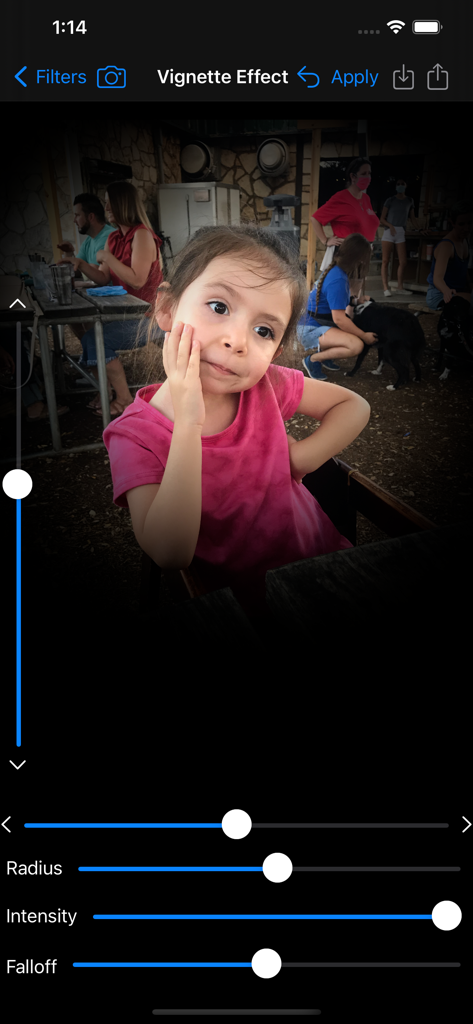
Screenshot der Image Filters Photo Editor App, der das Vignettierungs-Effekt-Tool mit Einstellschiebereglern für Radius, Intensität und Abfall auf dem Porträt eines jungen Mädchens zeigt

Screenshot der Image Filters Photo Editor App, der das Vignettierungs-Effekt-Tool mit Einstellschiebereglern für Radius, Intensität und Abfall auf dem Porträt eines jungen Mädchens zeigt

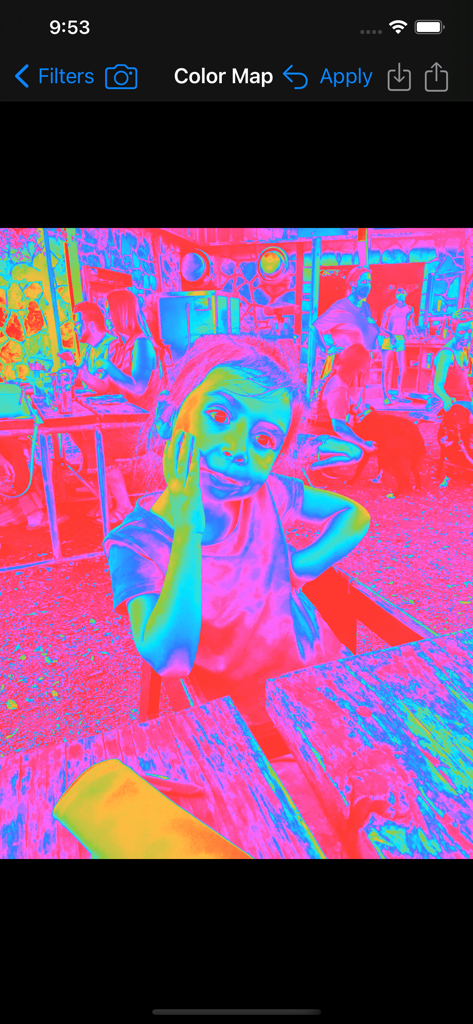
Ein psychedelischer Farbzuordnungsfilter, der auf das Foto eines Kindes in der Image Filters App-Oberfläche angewendet wird.

Ein psychedelischer Farbzuordnungsfilter, der auf das Foto eines Kindes in der Image Filters App-Oberfläche angewendet wird.

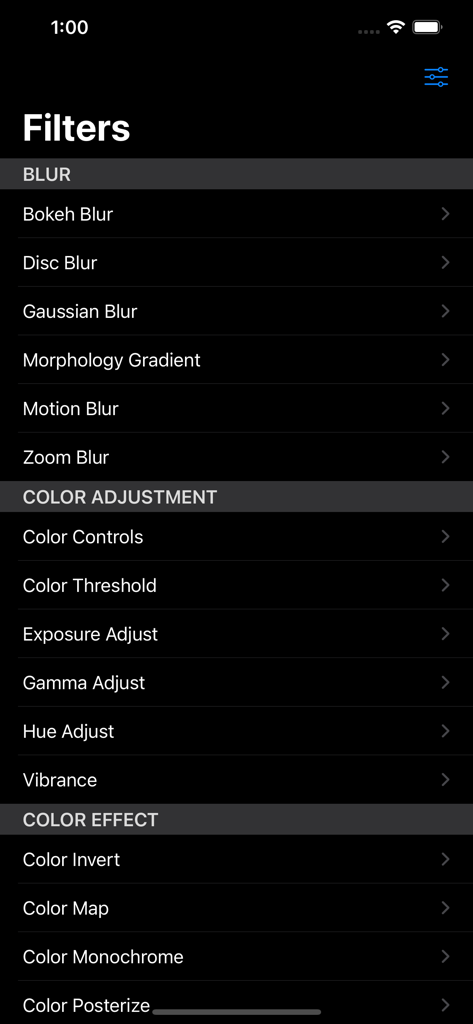
Ein Screenshot des Menüs der Image Filters App, der verschiedene Weichzeichnungs- und Farbkorrekturfilteroptionen in einer Dunkelmodus-Oberfläche zeigt.

Ein Screenshot des Menüs der Image Filters App, der verschiedene Weichzeichnungs- und Farbkorrekturfilteroptionen in einer Dunkelmodus-Oberfläche zeigt.

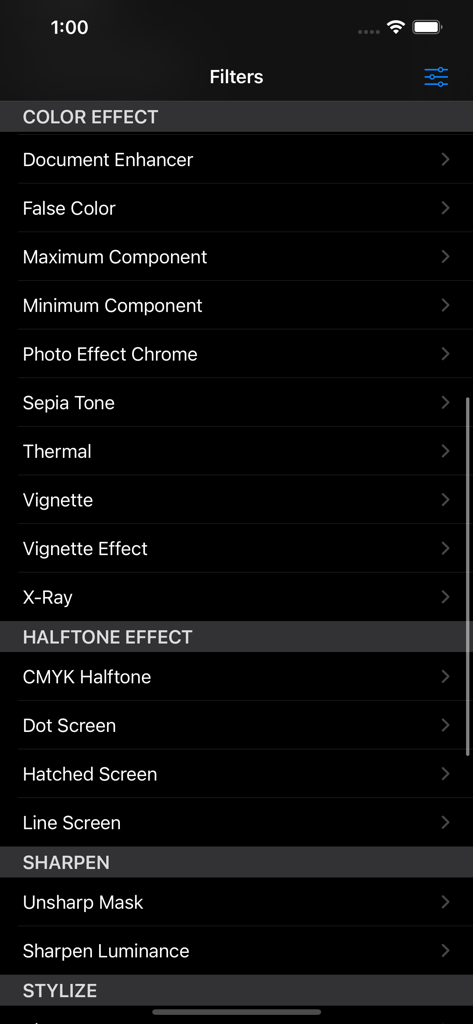
Liste der verfügbaren Fotofilter in der App, einschließlich Farbeffekten, Halbton und Schärfungsoptionen

Liste der verfügbaren Fotofilter in der App, einschließlich Farbeffekten, Halbton und Schärfungsoptionen

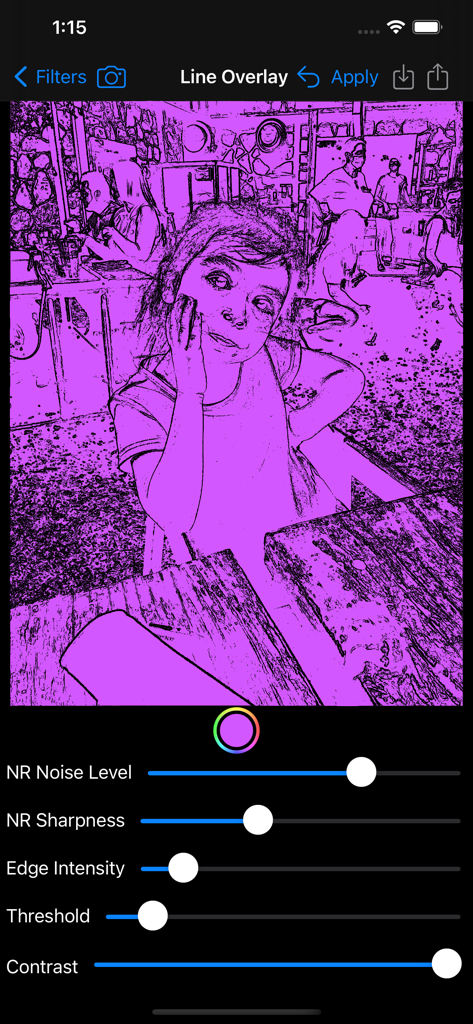
Oberfläche des Line-Overlay-Filters, die Fotobearbeitungsregler und einen lila Skizzen-Effekt zeigt

Oberfläche des Line-Overlay-Filters, die Fotobearbeitungsregler und einen lila Skizzen-Effekt zeigt

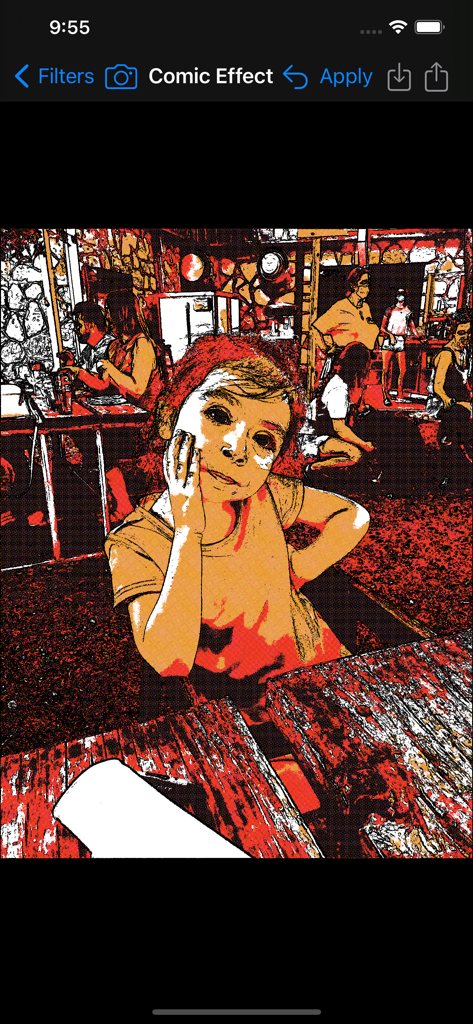
Porträt eines jungen Mädchens mit dem Comic-Effekt-Filter in der Image Filters Photo Editor + App

Porträt eines jungen Mädchens mit dem Comic-Effekt-Filter in der Image Filters Photo Editor + App

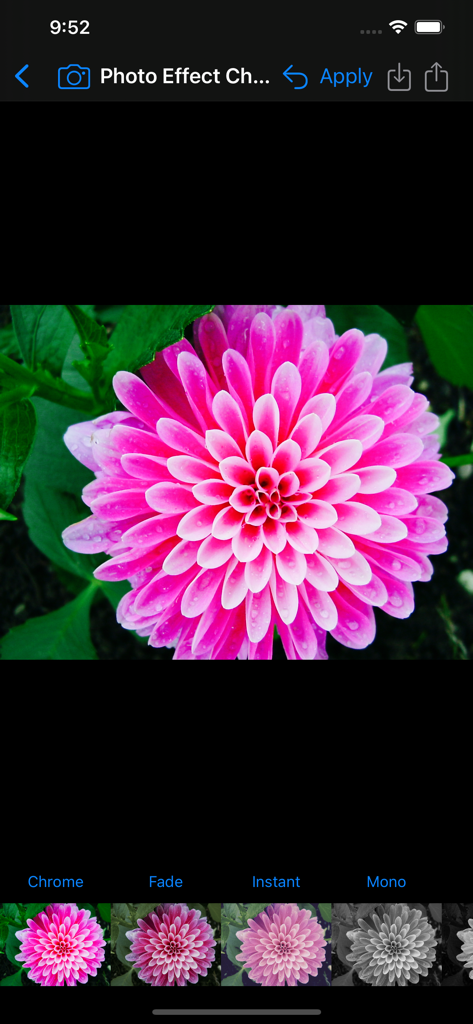
Oberfläche der Image Filters Photo Editor App mit einer rosa Blume und dem Chrome-Filter.

Oberfläche der Image Filters Photo Editor App mit einer rosa Blume und dem Chrome-Filter.

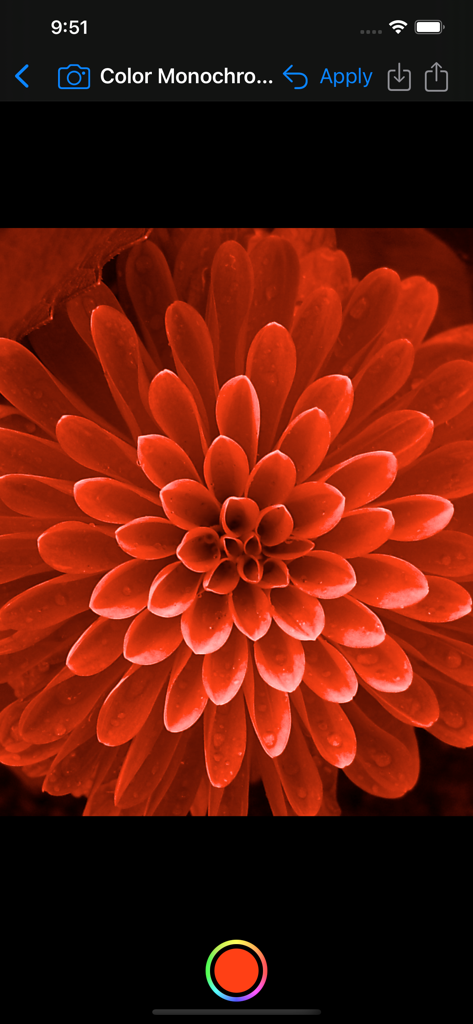
Nahaufnahme einer Blume mit einem roten Monochromfilter in der Image Filters App.

Nahaufnahme einer Blume mit einem roten Monochromfilter in der Image Filters App.

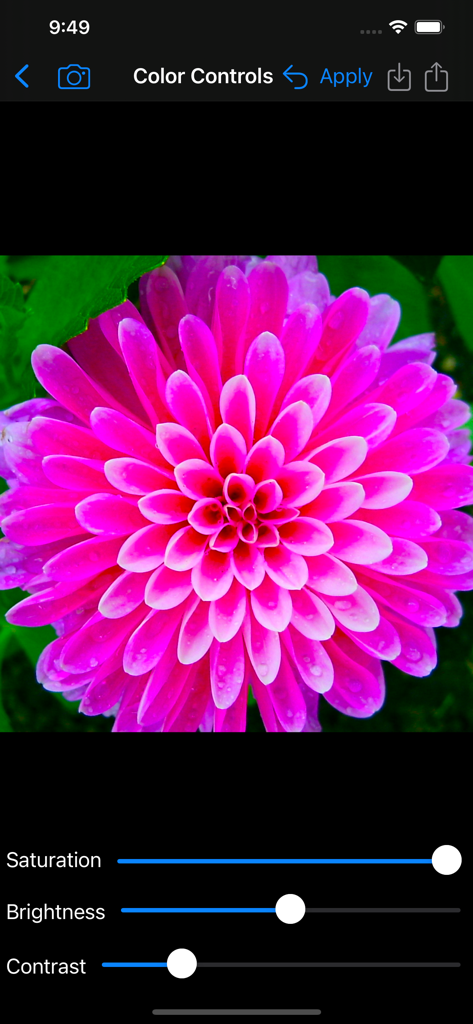
Der Bildschirm mit Farbsteuerungen in der Image Filters Photo Editor App mit Schiebereglern zur Anpassung von Sättigung, Helligkeit und Kontrast auf einer rosa Blume.

Der Bildschirm mit Farbsteuerungen in der Image Filters Photo Editor App mit Schiebereglern zur Anpassung von Sättigung, Helligkeit und Kontrast auf einer rosa Blume.

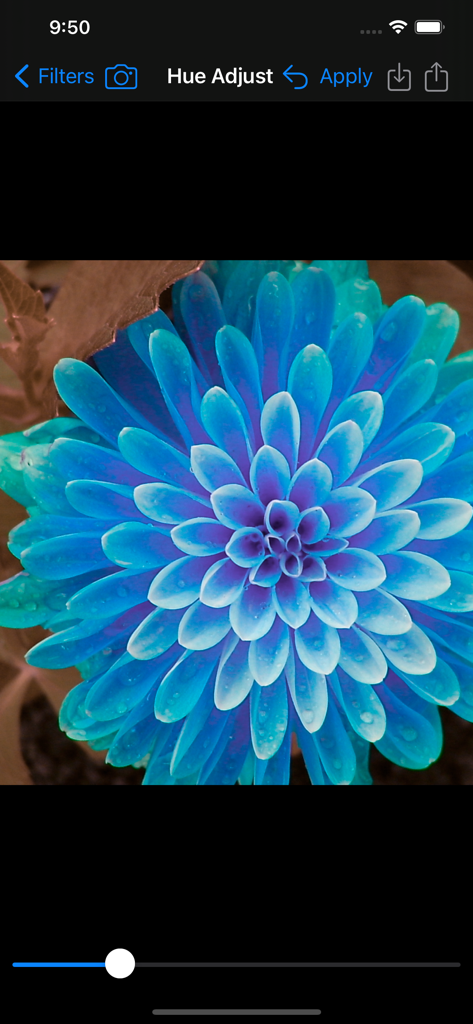
Hue Adjust Filter-Oberfläche mit einer blauen Blume in Image Filters Photo Editor

Hue Adjust Filter-Oberfläche mit einer blauen Blume in Image Filters Photo Editor

Werten Sie Ihre Fotos sofort auf

Die Tools, die diese App auszeichnen, gewählt von 1K+ Nutzern.

🎨

Professionelle künstlerische Effekte

Wählen Sie aus Vintage-Filmen, Bokeh-Unschärfen und Halbtonrastern, um Ihren Fotos einen einzigartigen, professionellen Touch zu verleihen, ohne die Komplexität.

🚫

Keine Werbung, volle Konzentration

Genießen Sie einen sauberen Arbeitsbereich ohne Pop-ups oder versteckte Gebühren. Mit nur 2 MB ist es der schnellste und effizienteste Editor auf Ihrem Gerät.

Inklusiver und praktischer Nutzen

Die einzige Filter-App mit vollständiger VoiceOver-Unterstützung für sehbehinderte Benutzer und einem speziellen Dokumentenverbesserer für kristallklare Scans.

Über die App

Alles, was Sie über wissen müssen Image Filters Photo Editor +.

Beschreibung

Filters: BLUR ◆ Bokeh Blur – Applies a bokeh effect. ◆ Disc Blur – Blurs an image using disc shapes. ◆ Gaussian Blur – Blur and smooth out images. ◆ Morphology Gradient – Finds the edges of an image. ◆ Motion Blur – Blurs an image to simulate the effect of using a camera that moves a specified angle and distance while capturing the image. ◆ Zoom Blur – Simulates the effect of zooming the camera while capturing the image. COLOR ADJUSTMENT ◆ Color Controls – Greatly enhance colors, or remove them for a black & white photo. ◆ Color Threshold – Converts image into high-contrast color. ◆ Exposure Adjust – Brighten up dark photos or darken bright photos. ◆ Gamma Adjust – Darkens or lightens photos. ◆ Hue Adjust – Adjust photo’s hue/color tint. ◆ Vibrance – Make the photo’s color pop without looking fake. COLOR EFFECT ◆ Color Invert – Invert all colors as if image was converted to a negative. ◆ Color Map – Maps the colors from a psychedelic gradient to your image. ◆ Color Monochrome – Remaps colors so they fall within shades of a single color. ◆ Color Posterize – Turn images into posters, i.e. the “Andy Warhol” effect. ◆ Document Enhancer – Enhance a document image by removing unwanted shadows, whitening the background, and enhancing contrast. ◆ False Color – Maps luminance to a color ramp of two colors. ◆ Maximum Component – Returns a grayscale image from max(r,g,b). ◆ Minimum Component – Returns a grayscale image from min(r,g,b). ◆ Photo Effects: - Chrome – Vintage photography film with exaggerated color. - Fade – Vintage photography film with diminished color. - Instant – Vintage photography film with distorted colors. - Mono – Black-and-white photography film with low contrast. - Noir – Black-and-white photography film with exaggerated contrast. - Process – Vintage photography film with emphasized cool colors. - Tonal – Black-and-white photography film without significantly altering contrast. - Transfer – Vintage photography film with emphasized warm colors. ◆ Sepia Tone – Give an old-fashioned look to your photos. ◆ Thermal – Apply a Thermal image effect. ◆ Vignette – Soften photo’s edges and draw attention to its center. ◆ Vignette Effect – More advanced controls than basic Vignette. ◆ X-Ray – Apply a X-Ray style effect to an image. HALFTONE EFFECT ◆CMYK Halftone – Creates a color, halftoned rendition of the source image, using cyan, magenta, yellow, and black inks over a white page. ◆ Dot Screen – Simulates the dot patterns of a halftone screen. ◆ Hatched Screen – Simulates the hatched pattern of a halftone screen. ◆ Line Screen – Simulates the line pattern of a halftone screen. SHARPEN ◆ Sharpen Luminance – Increases image detail by sharpening. ◆ Unsharp Mask – Sharpen images to make them stand out. STYLIZE ◆ Bloom – Softens edges and applies a pleasant glow to an image. ◆ Comic Effect – Turn images into comic book pages. ◆ Crystallize – Creates polygon-shaped color blocks from image. ◆ Edges – Finds edges in image and displays them in color. ◆ Gabor Gradients – Linear filter used for texture analysis. ◆ Gloom – Dulls the highlights of an image. ◆ Hexagonal Pixellate – Maps an image to colored hexagons. ◆ Highlight and Shadows – Increase or decrease shadows and highlight. ◆ Line Overlay – Creates a sketch that outlines the edges of an image in black. ◆ Pixelate – Makes an image blocky by mapping to colored squares defined by the replaced pixels. ◆ Pointillize – Renders photo in a pointillistic style. Apply image filters in a quick, easy to use interface. Share filtered photos to text messages & save to your phone. Save full size image to Photo Library, Send via Email, Copy into other apps. No Ads! Post to the #ImageFilterApp Hashtag to see other's image filter creations on Instagram, Twitter, & Facebook. App will be updated over time with more filters. Supports Light and Dark Modes. Landscape and Portrait orientations supported. Fully Accessible with the VoiceOver screen reader for blind and low vision users.

Neueste Version

6.1

Größe

2.1 MB

Erstveröffentlichung

5. Aug. 2013

Bereit, Ihre Fotos ohne störende Elemente zu verwandeln?

Laden Sie den leichten, werbefreien Editor herunter, der über 50 professionelle Filter und volle VoiceOver-Barrierefreiheit direkt zur Verfügung stellt.

Herunterladen auf App Store

App information, icons, screenshots, and descriptions displayed on this page are sourced from the Apple App Store and are the property of their respective developers. Download estimates and rankings are based on MWM's proprietary models and may not reflect actual figures. This page is provided for informational and analytical purposes only.

Believe this page infringes your intellectual property? File a dispute