Image to Text - Scan & Convert
Herunterladen auf App Store

Diese Seite ist keine offizielle Seite der App oder ihres Entwicklers, sondern eine unabhängige redaktionelle Veröffentlichung, die zu Informations- und Kommentarzwecken erstellt wurde. Sofern nicht ausdrücklich anders angegeben, sind weder die App noch ihr Entwickler mit MWM, Apple, Google Play, dem App-Herausgeber oder dem Entwickler der App verbunden, von ihnen unterstützt, gesponsert, autorisiert oder anderweitig offiziell verbunden, und nichts auf dieser Seite impliziert, dass die App unter Verwendung der Dienste von MWM entwickelt wurde. Alle Marken, Logos, Screenshots und andere Inhalte bleiben Eigentum ihrer jeweiligen Inhaber.

Logo von Image to Text - Scan & Convert
Herunterladen auf App Store

Image to Text - Scan & Convert

Das ultimative Produktivitätstool für vielbeschäftigte Berufstätige und Studenten. Digitalisieren Sie mühelos handschriftliche Notizen, scannen Sie Dokumente im Stapel und konvertieren Sie Dateien mit vollständiger Privatsphäre in Word oder PDF.

Kennzahlen

Downloads

5K+

Bewertung

5.0/5

Bewertungen gesamt

0

Herausgeber

CLIXADE LTD

Kategorie

Utilities

Sprachen

64

Neueste Version

2.2.7

Größe

95.9 MB

Erstveröffentlichung

25. Jan. 2022
Funktionen

Optimieren Sie Ihren digitalen Workflow

Hören Sie auf, manuell zu tippen, und fangen Sie an zu scannen. Konvertieren Sie jedes Bild oder jede handschriftliche Notiz sofort mit professioneller Genauigkeit in bearbeitbaren Text.

Blitzschnelle OCR

Extrahieren Sie mit fortschrittlicher Erkennungstechnologie für Hochgeschwindigkeitsproduktivität in Sekundenschnelle Text aus Fotos, Screenshots und Dokumenten.

Handschriften digitalisieren

Perfekt für Studenten und Berufstätige. Schließen Sie die Lücke zwischen Papier und digital, indem Sie Ihre physischen Notizen in durchsuchbare elektronische Dateien konvertieren.

Die folgenden Screenshots und die Beschreibung stammen direkt aus dem offiziellen Store-Eintrag der App und sind Eigentum des Entwicklers.

App Store

Screenshots
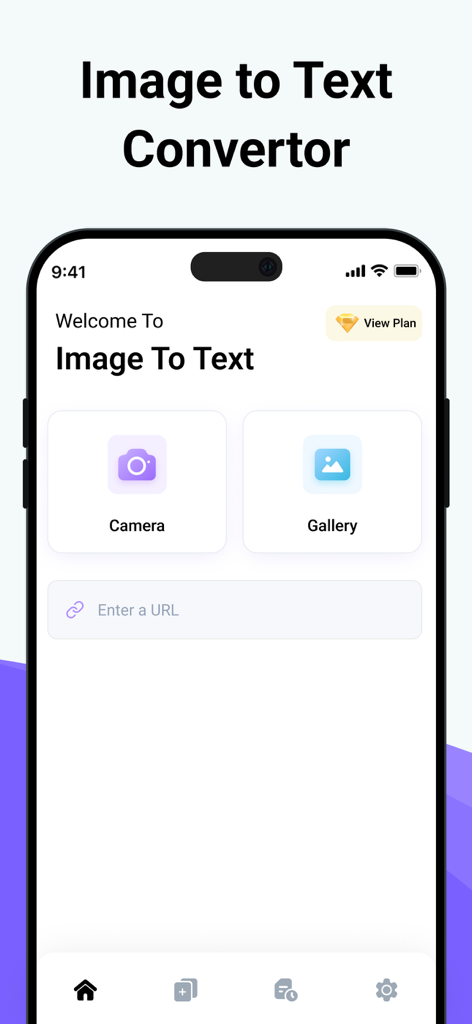
Image to Text - Scan & Convert - Hauptoberfläche der Bild-zu-Text-App mit Kamera- und Galerie-Buttons zum Scannen von Dokumenten
Hauptoberfläche der Bild-zu-Text-App mit Kamera- und Galerie-Buttons zum Scannen von Dokumenten

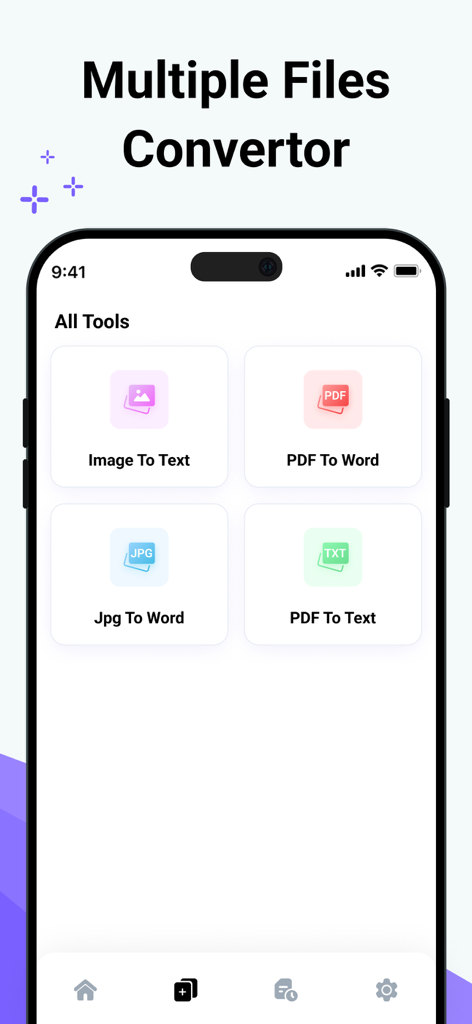
Image to Text - Scan & Convert - Mobile App-Oberfläche mit verschiedenen Dateikonvertierungswerkzeugen wie Bild zu Text und PDF zu Word
Mobile App-Oberfläche mit verschiedenen Dateikonvertierungswerkzeugen wie Bild zu Text und PDF zu Word

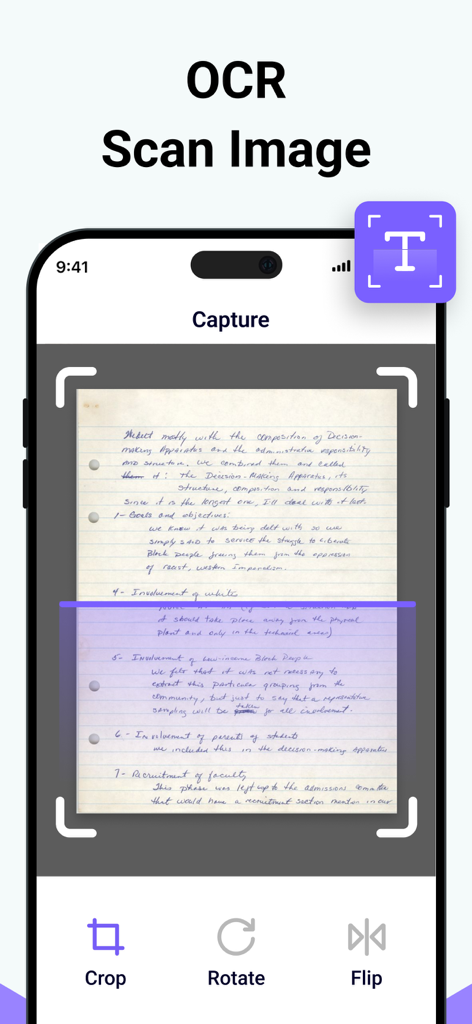
Image to Text - Scan & Convert - Mobile App-Oberfläche, die eine handschriftliche Notiz zur OCR-Textextraktion erfasst und scannt
Mobile App-Oberfläche, die eine handschriftliche Notiz zur OCR-Textextraktion erfasst und scannt

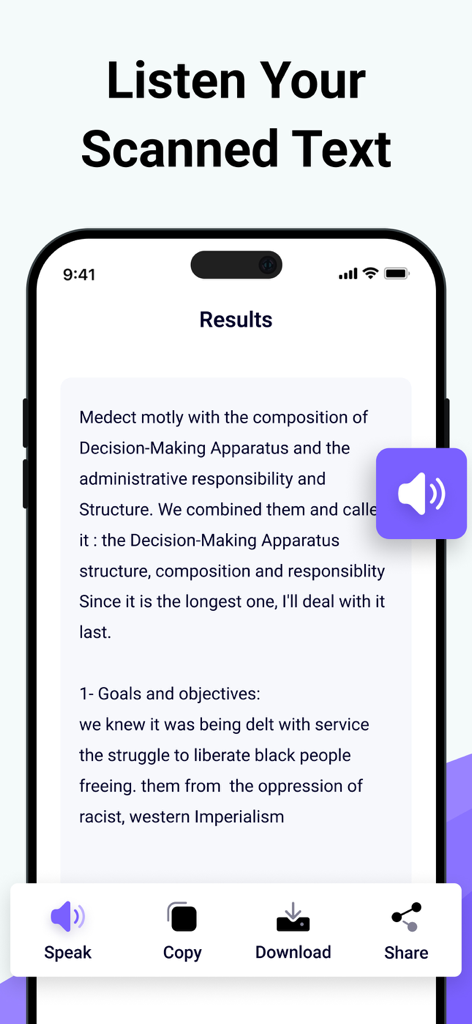
Image to Text - Scan & Convert - Oberfläche der Bild-zu-Text-App, die die Scanergebnisse mit Optionen zum Sprechen, Kopieren und Herunterladen des Textes anzeigt
Oberfläche der Bild-zu-Text-App, die die Scanergebnisse mit Optionen zum Sprechen, Kopieren und Herunterladen des Textes anzeigt

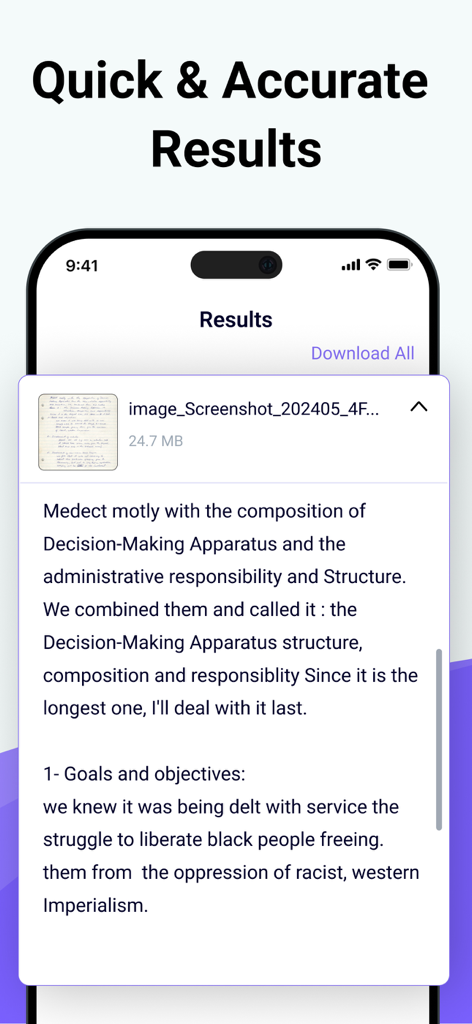
Image to Text - Scan & Convert - Extrahierter digitaler Text einer handschriftlichen Notiz, angezeigt im Ergebnisbildschirm der App

Extrahierter digitaler Text einer handschriftlichen Notiz, angezeigt im Ergebnisbildschirm der App

Beschreibung

Photo to Text Scanner App enables you to extract text from images. With this app, you can swiftly scan text from any chosen image. Photo to text app scan text quickly identifies and recognizes the text. Our Text Extractor saves you time by directly copying text from images. Scan the printed text and convert it using our free image to text converter. Introducing our advanced image to text Scanner that helps you keep your documents secure in your smart device. This handwriting to text tool ensures fast and accurate results generation. This free application allows you to scan the images immediately and convert them to editable text. There are many text scanner apps to copy and convert text from images. But this one is lightweight and quickly scans the text. If you have any pictures or doctor's prescription to convert into a soft copy? Give a try to this text scanner app to quickly extract text and copy text from anywhere. This photo to text extractor is one of the best free text scanner apps to extract text from images, extracting text from images quickly and accurately. You know that manual typing takes too much time, especially if you scan lengthy notes or documents with many pages. The ideal approach is to utilize this image to text converter app, which takes little time and allows you to convert several images into text with advanced technology of Text scanner. How to use our picture to text converter Converting your images to text is as simple as you just need to: Take a picture or upload it from your photo gallery. Select more images to get results at the same time. Click on the Submit File button. Then copy the text, share the text, and download the file. Key features: ● Here are the key features of our photo to text converter. ● Extract text from the image upload the image from the gallery or capture using the camera. ● Scans images fast. ● Convert handwritten notes into digitalize. ● Accurate results. ● More than one uploading image option. ● Allows cropping of an image. ● No-cost usage of Text scanner. ● Start a new session with a single click. ● Provides two options for later use, i.e., Copy and Download. ● Super fast mode. ● History of your previous scan image. ● Save scanned text in the clipboard. ● PDF to Word converter ● FPG to Word converter ● PDF to Text converter We have made it easy for everyone to use this Text text scanner and convert image to text. You don’t need to pay a single penny to scan text files with this Text scanner app. Our purpose is to provide you with the best experience with a text scanner. That’s not all You can convert handwritten notes to e-notes. This tool can scan the text that appears on the TV or any other smart screen. Note: We value your privacy and will never use or share your personal information with third parties. None of the images uploaded to our image to text are stored or shared with third parties. This app is completely safe and can be used by anyone. If you have any further questions or encounter any problems while using this app, please feel free to contact us so that we can resolve the issue as soon as possible. We value your feedback as it helps us improve our application and provide you with a better user experience. Payment will be charged to your iTunes Account at confirmation of purchase. Your subscription will automatically renew unless auto-renew is turned off at least 24 hours before the end of the current subscription period. Your account renewal will be charged within 24 hours before the end of the current subscription period. Automatic renewals cost the same price you were originally charged for the subscription. You can manage your subscriptions and turn off auto-renewal by visiting your account settings in the App Store after purchase. Terms of Use: https://clixade.com/terms-and-conditions Privacy Policy: https://clixade.com/privacy-policy

Download

Herunterladen auf App Store

Diese Seite ist keine offizielle Seite der App oder ihres Entwicklers, sondern eine unabhängige redaktionelle Veröffentlichung, die zu Informations- und Kommentarzwecken erstellt wurde. Sofern nicht ausdrücklich anders angegeben, sind weder die App noch ihr Entwickler mit MWM, Apple, Google Play, dem App-Herausgeber oder dem Entwickler der App verbunden, von ihnen unterstützt, gesponsert, autorisiert oder anderweitig offiziell verbunden, und nichts auf dieser Seite impliziert, dass die App unter Verwendung der Dienste von MWM entwickelt wurde. Alle Marken, Logos, Screenshots und andere Inhalte bleiben Eigentum ihrer jeweiligen Inhaber.








