Inko: Das pixelgenaue kollaborative Whiteboard für Kreativteams
Brainstormen und skizzieren Sie in Echtzeit gemeinsam auf iPad, Mac und Apple TV. Erleben Sie verzögerungsfreie, sichere Zusammenarbeit mit Zero-Config-Einrichtung – sogar ohne WLAN.
Entdecken Sie die Oberfläche, die von 898K+ Nutzern verwendet wird.
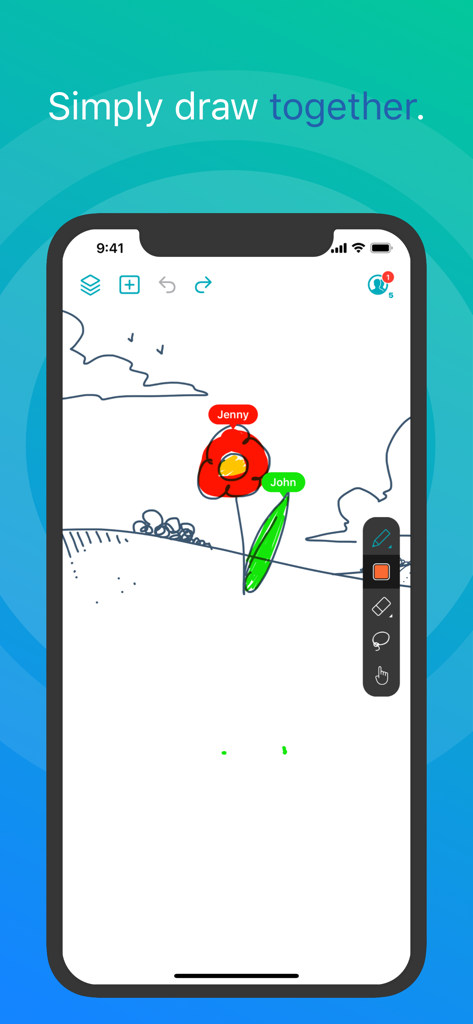
Zwei Benutzer, die in Echtzeit auf einem digitalen Whiteboard in der Inko App zusammenarbeiten.
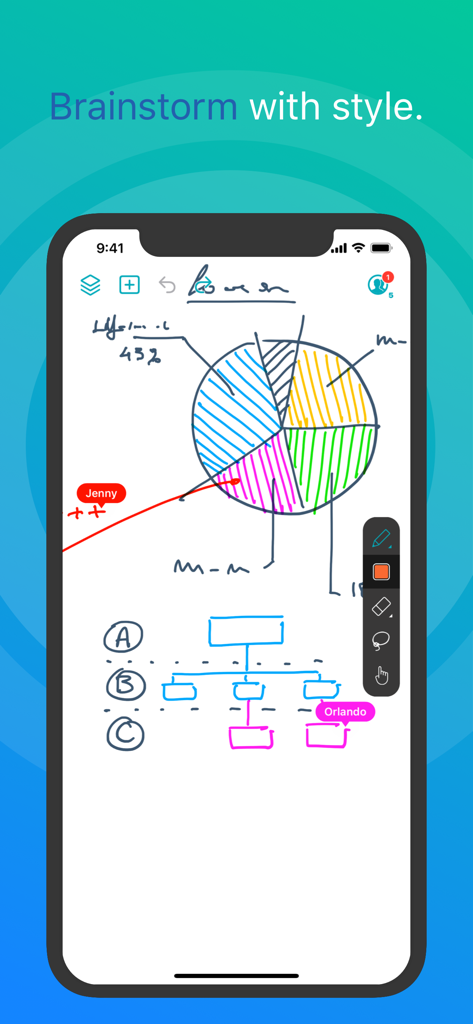
Inko App-Screenshot zeigt kollaboratives Zeichnen in Echtzeit auf einem digitalen Whiteboard mit einem Tortendiagramm und Flussdiagramm
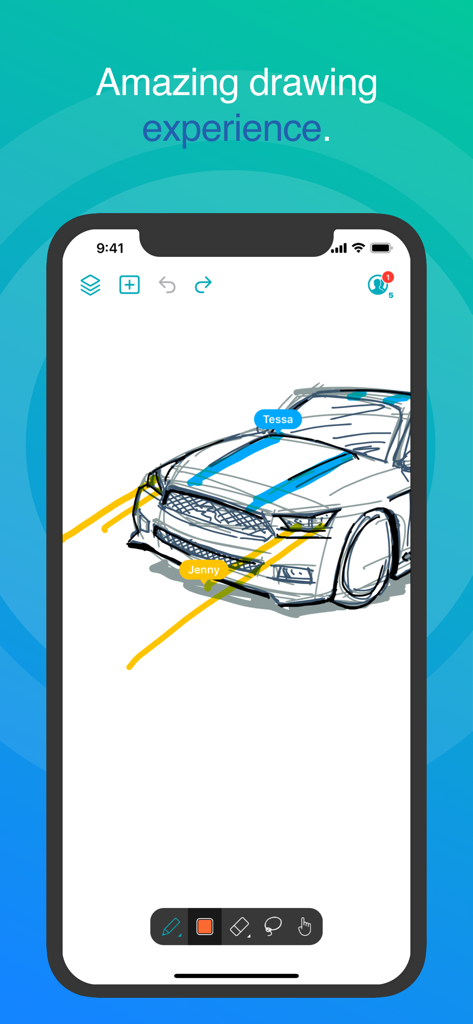
Inko App-Oberfläche zeigt kollaboratives Autozeichnen in Echtzeit mit mehreren Benutzerbeschriftungen
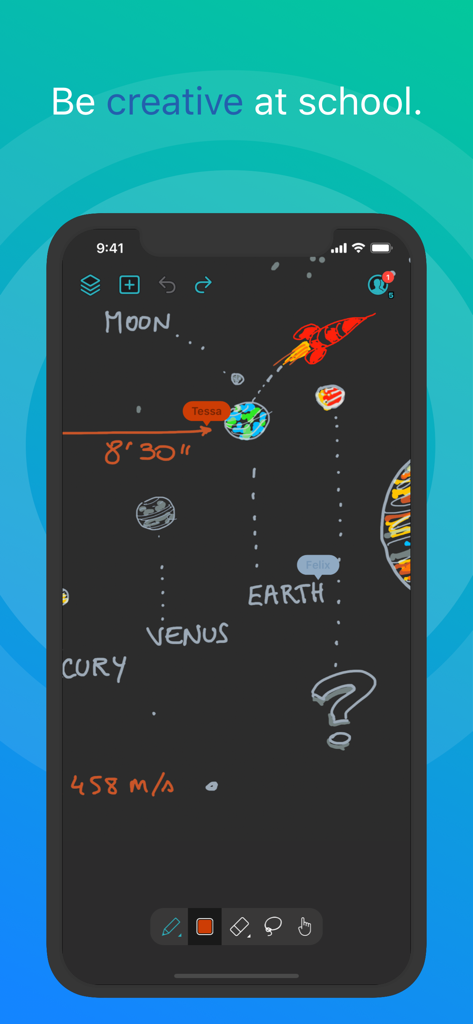
Kollaboratives Sonnensystem-Zeichnen in der Inko Whiteboard-App
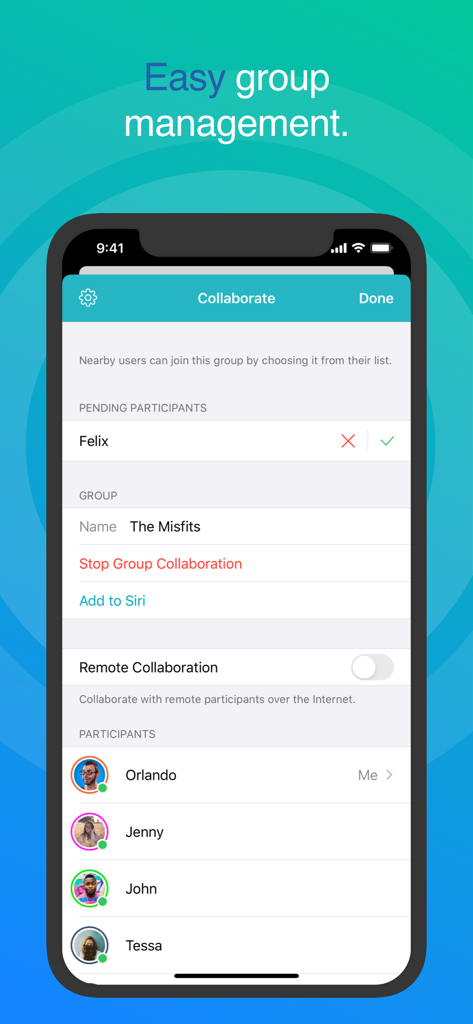
Inko Whiteboard Kollaborationsbildschirm zeigt einfache Gruppenverwaltung und Teilnehmerliste
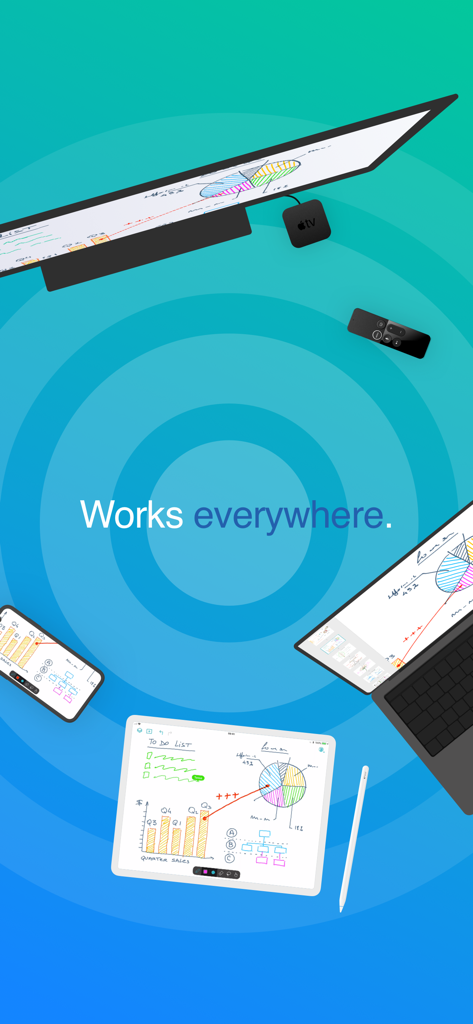
Inko Whiteboard-App synchronisiert über iPad, iPhone, Mac und Apple TV zeigt kollaborative Skizzen und Diagramme
Heben Sie Ihre kollaborative Ideenfindung hervor
Die Tools, die diese App auszeichnen, gewählt von 898K+ Nutzern.
⚡
Reibungslose Konnektivität
Beginnen Sie sofort mit der Zusammenarbeit, ohne ein Konto erstellen zu müssen. Nutzen Sie Peer-to-Peer-Konnektivität, um in Cafés oder bei Kunden vor Ort zu brainstormen, ohne einen WLAN-Zugangspunkt zu benötigen.
✏️
Präzision auf Profiniveau
Nutzen Sie die volle Apple Pencil Unterstützung mit Metal-beschleunigtem Rendering. Genießen Sie ein pixelfreies Erlebnis, das auch bei komplexen Zoom-Manövern perfekt scharf und reaktionsschnell bleibt.
📺
Der Großbildschirm-Vorteil
Verwandeln Sie Ihren Besprechungsraum oder Ihr Klassenzimmer, indem Sie auf Apple TV projizieren. Verwenden Sie die Fernbedienung als innovativen Laserpointer, um Ihr Publikum durch jedes Detail Ihres Designs zu führen.
Über die App
Alles, was Sie über wissen müssen Inko › Whiteboard: Draw+Pencil.
Beschreibung
Inko is a collaborative whiteboard that lets you draw together using multiple iPad, iPhone or Mac, and even interact on Apple TV. Ideal for team coworkers in a brainstorming session, for a creative classroom project, or for an interactive meeting between a graphic designer and their client.
Create a group and just start drawing together! No need for complex network setup, or even any network at all, thanks to nearby connectivity. Be it in a bar, or on the beach. Oh, and your drawing even goes to the big screen too thanks to the free companion app for Apple TV! It instantly connects and interacts with all devices in the room. A great alternative to those bulky & expensive interactive boards. Inko 2 now brings remote collaboration over the Internet(*), Dark Mode support, a Mac app, and much more.
Even though Inko is both simple and intuitive, it's also backed with advanced features like beautiful pixel-free rendering that stays sharp when zooming in. It also offers precise Apple Pencil support for an amazing drawing experience, lag-free and undo-capable real-time interactions, as well as hi-res PDF exports to share with your group when you’re done.
COLLABORATION & CONNECTIVITY
• Highly responsive, "appears-as-it-happens" multi-user drawing with no lag.
• Participants’ labels on drawing trails that show who is currently drawing.
• Nearby collaboration: nomadic connectivity for local devices, even without Wi-Fi access point (peer-to-peer or LAN).
• Remote collaboration: seamless connectivity over the Internet for global reach via invitation link sharing.
• Up to 8 participants for peer-to-peer connectivity or 12 participants for LAN/Internet.
• Group saving for quick setup of future sessions.
• Security & privacy: TLS connection between devices (nearby) and end-to-end encryption with daily data removal on server (remote).
• No account creation.
DRAWING & VISUALIZATION
• Beautiful pixel-free visualization that stays sharp when zooming, as well as vibrant colors on wide color displays (P3).
• High-performance Metal rendering.
• Extensive Apple Pencil support (finger action, angle, pressure, high-speed & predictive sampling).
• Pen tool with two sizes & one calligraphic variant.
• Lasso editing: select, move, rescale.
• Ephemeral highlighter to point things out. On Apple TV, it even features innovative motion-driven interaction with the remote, like a laser pointer.
• Single- and multi-user undo/redo & reliable syncing.
OTHER FEATURES
• Optimized for latest iOS: file sharing, Split View Multitasking on iPad, Drag & Drop, Today Widget, Quick Actions, Universal Link, Siri Shortcuts, SF Symbols, Smart Screenshot, Dark Mode…
• Universal app for iPad, iPhone & Mac. Free Apple TV companion app(**).
• Export images, hi-res PDF, or native archive for a productive workflow.
• iCloud sync for personal drawings.
PRICING
Multi-user collaboration requires a subscription. Two plans are proposed that enable all your devices (iPad, iPhone, Mac) and let other users join using just the free app:
• Nearby Plan enables local collaboration over peer-to-peer or LAN.
• Remote Plan enables remote collaboration over the Internet. Also includes all features of Nearby Plan.
Both plans offer a fully functional 7-day free trial. The free app provides full drawing capabilities in single-user mode, lets you access, organize, & export your drawings, and let you try out nearby collaboration for 5-minute time-limited sessions. Volume purchase (VPP) is available for schools & businesses: see Inko (Volume Ed.).
HELP & FEEDBACK
Send your questions/feedback to inko@creaceed.com
(*) requires Remote Plan
(**) only works with local connectivity. With older Apple TV models, you can use AirPlay Mirroring.
Terms of Use: https://creaceed.com/terms
Privacy Policy: https://creaceed.com/privacy
Neueste Version
2.5
Größe
33.6 MB
Erstveröffentlichung
28. März 2018
Bereit, Ihre nächste große Idee zu zeichnen?
Schließen Sie sich Tausenden von Profis und Pädagogen an, die Inko für nahtlose Zusammenarbeit in Echtzeit wählen. Starten Sie Ihre 7-tägige kostenlose Testphase und erleben Sie das reaktionsschnellste digitale Whiteboard der Welt auf all Ihren Apple-Geräten.
App information, icons, screenshots, and descriptions displayed on this page are sourced from the Apple App Store and are the property of their respective developers. Download estimates and rankings are based on MWM's proprietary models and may not reflect actual figures. This page is provided for informational and analytical purposes only.
Believe this page infringes your intellectual property? File a dispute