
Diese Seite ist keine offizielle Seite der App oder ihres Entwicklers, sondern eine unabhängige redaktionelle Veröffentlichung, die zu Informations- und Kommentarzwecken erstellt wurde. Sofern nicht ausdrücklich anders angegeben, sind weder die App noch ihr Entwickler mit MWM, Apple, Google Play, dem App-Herausgeber oder dem Entwickler der App verbunden, von ihnen unterstützt, gesponsert, autorisiert oder anderweitig offiziell verbunden, und nichts auf dieser Seite impliziert, dass die App unter Verwendung der Dienste von MWM entwickelt wurde. Alle Marken, Logos, Screenshots und andere Inhalte bleiben Eigentum ihrer jeweiligen Inhaber.


MindSpace - Mind Map
Der minimalistische Arbeitsbereich, um flüchtige Inspirationen einzufangen und dein Wissen nahtlos auf Mac, iPad und iPhone zu organisieren.
Downloads
339K+Bewertung
Bewertungen gesamt
1K+Herausgeber
Kategorie
ProductivitySprachen
20Neueste Version
1.8.4Größe
31.8 MBErstveröffentlichung
18. Sept. 2021Meistere deine geistige Klarheit
MindSpace hilft dir, die Lücke zwischen flüchtiger Inspiration und professioneller Umsetzung zu schließen. Ob du ein 'zweites Gehirn' aufbaust oder ein Projekt planst, mache es schneller und schöner auf all deinen Apple-Geräten.
Nahtloses Apple-Ökosystem
Brainstorme unterwegs auf deinem iPhone, verfeinere es auf deinem iPad und schließe es auf deinem Mac ab. Erlebe echte plattformübergreifende Kontinuität, entwickelt für Power-User.
Sofortige Ideenerfassung
Lass kein Genie entkommen. Baue schnell dein 'Wissensschloss' mit intuitiven Gesten, minimalistischen Themen und visuellen Hierarchien auf, die dich auf den Inhalt konzentrieren.
Häufig gestellte Fragen
Alles, was Sie über wissen müssen MindSpace - Mind Map
Was ist MindSpace - Mind Map?
MindSpace ist eine Anwendung, die zum schnellen Erstellen und Bearbeiten von prägnanten Mindmaps entwickelt wurde. Benutzer können Karten auf Mac, iPad und iPhone bearbeiten und sie dann als Bilder oder PDFs exportieren, um sie für Studium und Arbeit zu teilen.
Welche Funktionen bietet MindSpace zur Organisation von Ideen?
MindSpace hilft bei der Organisation von Ideen, indem es den Benutzern ermöglicht, die Informationsstruktur anzupassen, Elemente mit unterschiedlichen Farben, Formaten und Aufklebern zu unterscheiden. Es bietet auch integrierte exquisite Designs für die einheitliche Gestaltung mit einem Klick.
Kann MindSpace helfen, plötzliche Eingebungen festzuhalten?
Ja, MindSpace ermöglicht es Benutzern, flüchtige Eingebungen schnell direkt in ihre Mindmaps einzufügen. Diese Funktion hilft dabei, neue Ideen effizient in die allgemeine Wissensstruktur des Benutzers zu integrieren.
Unterstützt MindSpace den Datenexport?
Ja, MindSpace unterstützt den Export von Mindmaps. Benutzer können ihre Kreationen jederzeit als Bilder oder PDF-Dateien exportieren. Diese Funktionalität erleichtert das einfache Teilen für Studium und Arbeit.
Sind meine Daten in MindSpace sicher?
Ja, MindSpace gewährleistet Datensicherheit. Die App verwendet ein Dokumenten-Editor-Modell, was bedeutet, dass Benutzerdaten privat gespeichert werden und ausschließlich dem Benutzer gehören, nicht den MindSpace-Servern.
Welche Abonnementoptionen bietet MindSpace an?
MindSpace bietet sowohl monatliche als auch jährliche Abonnementmodelle an. Die aktuellsten Preisdetails werden im MindSpace-Kauf-Fenster angezeigt, bevor die Zahlung bestätigt wird.
Wie geht MindSpace mit Abonnementverlängerungen um?
MindSpace-Abonnements verlängern sich automatisch, es sei denn, die automatische Verlängerung wird deaktiviert. Benutzer müssen die automatische Verlängerung mindestens 24 Stunden vor Ablauf des aktuellen Abonnementzeitraums deaktivieren, um Belastungen zu vermeiden.
Kann ich eine Rückerstattung für ein MindSpace-Abonnement erhalten?
Nein, aktuelle MindSpace-Abonnementgebühren sind nicht erstattungsfähig. Benutzer müssen den Dienst selbst vor Ablauf einer kostenlosen Testphase kündigen, um Belastungen zu vermeiden.
Wie kann ich mein MindSpace-Abonnement kündigen?
Um ein MindSpace-Abonnement zu kündigen, greifen Benutzer auf die Systemeinstellungen zu, tippen auf ihre Apple-ID und dann auf Abonnements. Wähle dort "MindSpace" aus und fahre mit der Kündigung des Abonnements fort.
Welche Anpassungsoptionen bietet MindSpace für das Aussehen von Mindmaps?
MindSpace bietet Anpassungsoptionen wie verschiedene Farben, Formate, Aufkleber und integrierte exquisite Designs. Benutzer können auch den Pfadtyp, die Dicke und die Farbe in den benutzerdefinierten Details anpassen. Der Dunkelmodus ist ebenfalls verfügbar.
Welche Plattformen unterstützt MindSpace für die Bearbeitung von Mindmaps?
MindSpace ermöglicht es Benutzern, Mindmaps auf Mac, iPad und iPhone zu bearbeiten. Diese plattformübergreifende Unterstützung bietet Flexibilität für die Verwaltung und Aktualisierung von Mindmaps auf verschiedenen Apple-Geräten.
Bietet MindSpace eine Gliederungsansicht für Mindmaps an?
Ja, MindSpace bietet eine Listenansicht im Gliederungsformat. Diese Funktion ermöglicht es Benutzern, ihre Mindmap-Inhalte als textuelle Gliederung strukturiert anzuzeigen, was die visuelle Darstellung ergänzt.
Die folgenden Screenshots und die Beschreibung stammen direkt aus dem offiziellen Store-Eintrag der App und sind Eigentum des Entwicklers.
App Store
Screenshots

Eine farbenfrohe Mindmap auf lila Hintergrund, die strukturierte Ideen und Organisationsmerkmale zeigt

Mindmap-Oberfläche in der MindSpace-App, die Funktionen wie Datenschutz und intuitives Design zeigt
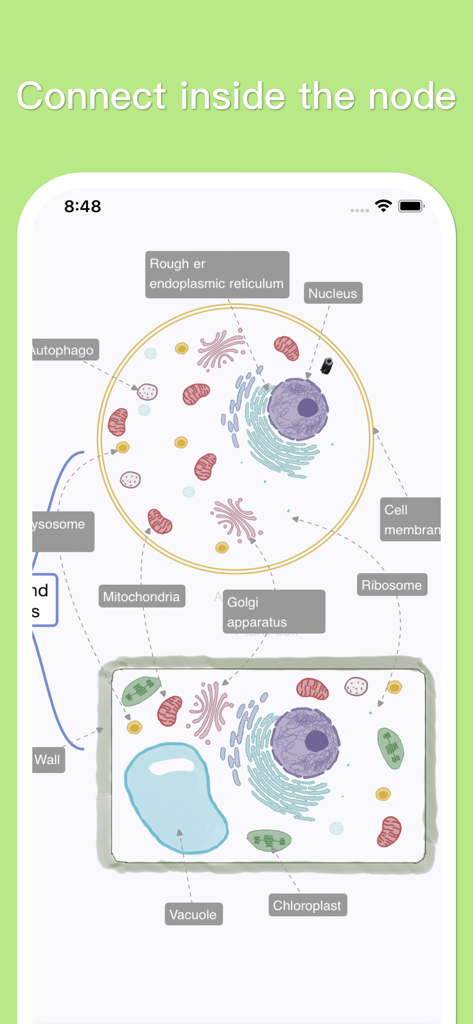
Eine detaillierte Mindmap, die eine biologische Pflanzenzelle mit beschrifteten Organellen für das Studium zeigt
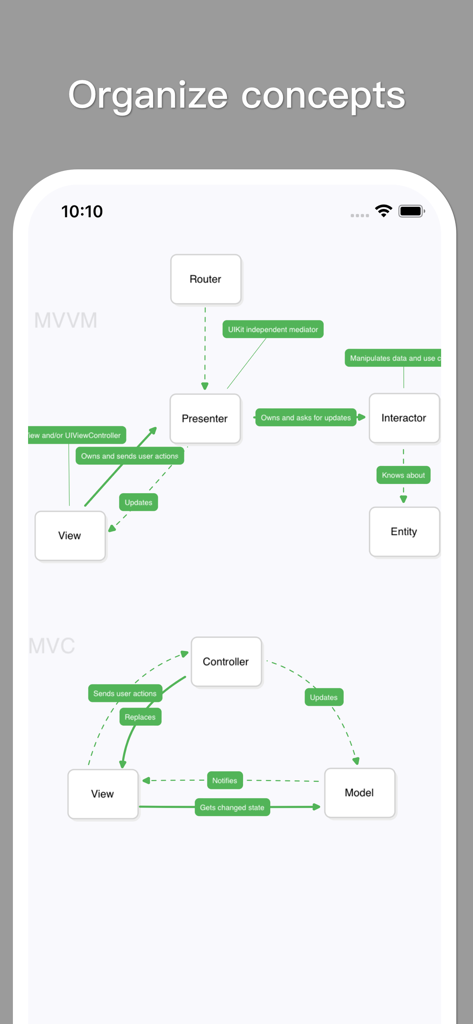
Ein minimalistisches Mindmap-Diagramm in der MindSpace-App, das MVVM- und MVC-Softwarearchitekturkonzepte veranschaulicht.
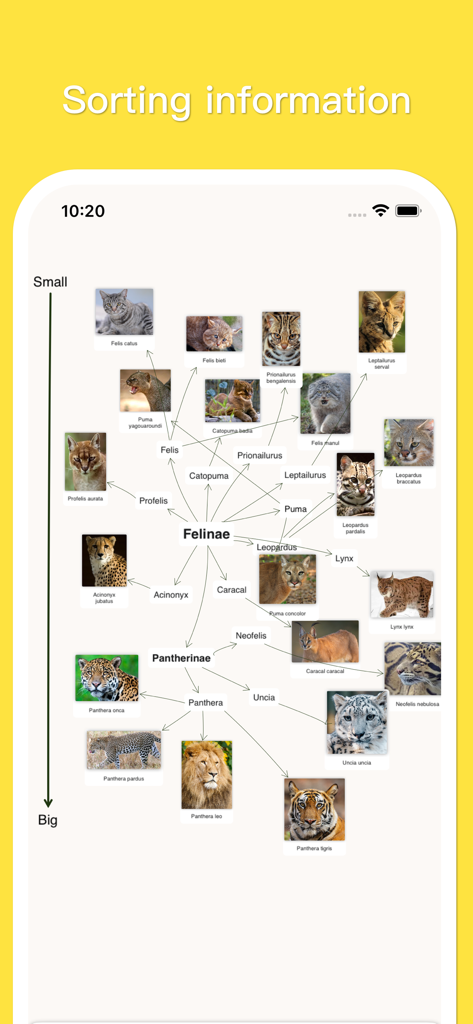
Eine visuelle Mindmap in MindSpace, die Katzenarten nach Größe mit Fotos und taxonomischen Namen klassifiziert
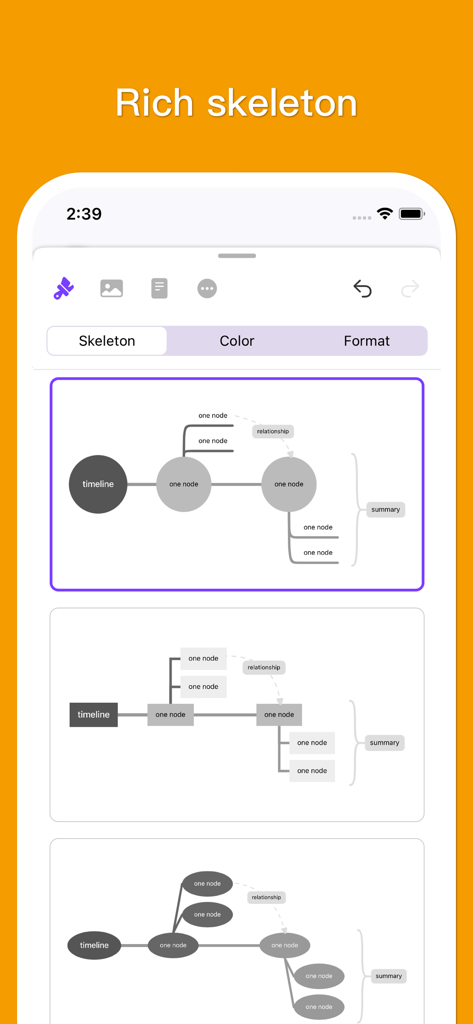
Eine Auswahl verschiedener Mindmap-Skelettlayouts und -strukturen in der MindSpace-App
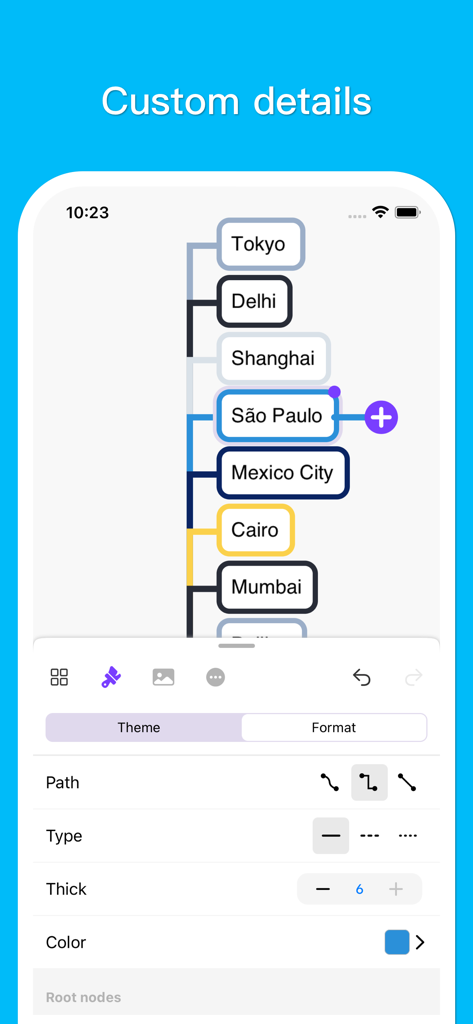
Mobile App-Oberfläche, die Anpassungsoptionen für eine Mindmap mit Weltstädten wie Tokio und São Paulo zeigt.
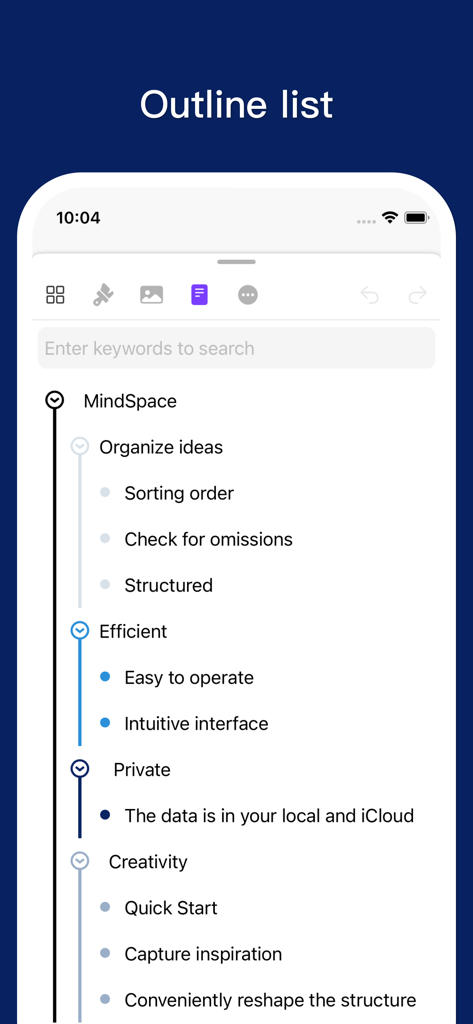
Eine vertikale Gliederungslistenoberfläche in der MindSpace-App, die organisierte Gedanken und Funktionen zeigt
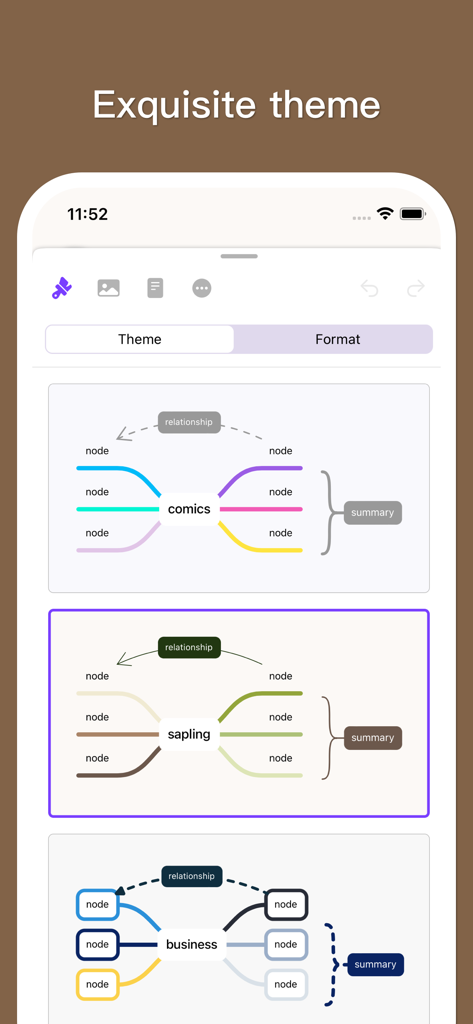
Oberfläche der MindSpace-App, die mehrere Mindmap-Designoptionen zeigt, darunter Comic- und Geschäftsstile
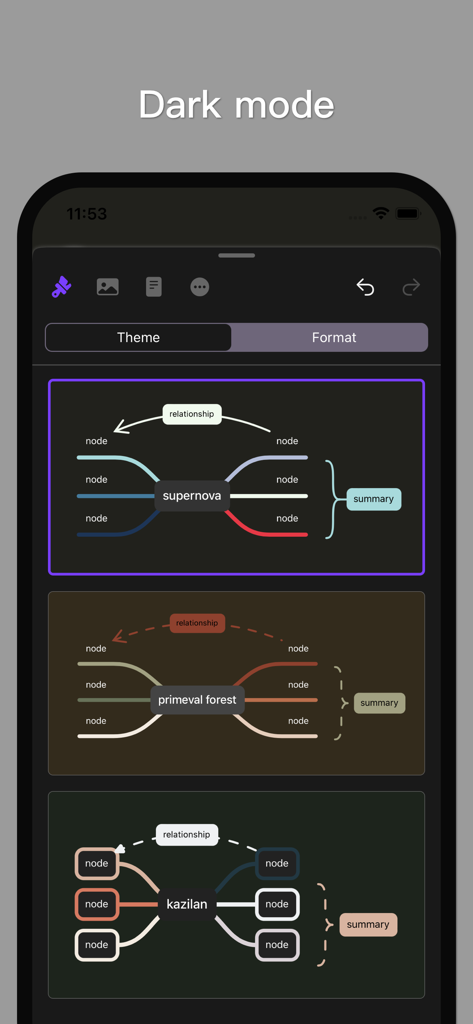
MindSpace-App-Oberfläche, die verschiedene Mindmap-Designs im Dunkelmodus anzeigt.
Beschreibung
Download
Ähnliche Apps
Apps mit ähnlichen Funktionen und Nutzererfahrung

Penned: Private Notes
Edwing H Santos Mena

MindLine Mind Map
Shenzhen Brown Bear Technology Co., LTD

MindNode: Mind Map & Outline
IdeasOnCanvas GmbH

Post-it®
3M Company

SimpleMind Pro - Mind Mapping
xpt Software & Consulting B.V.

Ayoa MindMaps for Kids
OpenGenius Limited

TouchMind-handwritten mind map
红霞 鲁

Mind Map Maker - Mindomo
Expert Software Applications Srl

Inkflow Plus Visual Notebook
Qrayon, LLC
Diese Seite ist keine offizielle Seite der App oder ihres Entwicklers, sondern eine unabhängige redaktionelle Veröffentlichung, die zu Informations- und Kommentarzwecken erstellt wurde. Sofern nicht ausdrücklich anders angegeben, sind weder die App noch ihr Entwickler mit MWM, Apple, Google Play, dem App-Herausgeber oder dem Entwickler der App verbunden, von ihnen unterstützt, gesponsert, autorisiert oder anderweitig offiziell verbunden, und nichts auf dieser Seite impliziert, dass die App unter Verwendung der Dienste von MWM entwickelt wurde. Alle Marken, Logos, Screenshots und andere Inhalte bleiben Eigentum ihrer jeweiligen Inhaber.