Interval Timer ++
Interval Timer ++
Herunterladen auf App Store

Diese Seite ist keine offizielle Seite der App oder ihres Entwicklers, sondern eine unabhängige redaktionelle Veröffentlichung, die zu Informations- und Kommentarzwecken erstellt wurde. Sofern nicht ausdrücklich anders angegeben, sind weder die App noch ihr Entwickler mit MWM, Apple, Google Play, dem App-Herausgeber oder dem Entwickler der App verbunden, von ihnen unterstützt, gesponsert, autorisiert oder anderweitig offiziell verbunden, und nichts auf dieser Seite impliziert, dass die App unter Verwendung der Dienste von MWM entwickelt wurde. Alle Marken, Logos, Screenshots und andere Inhalte bleiben Eigentum ihrer jeweiligen Inhaber.

Logo von Interval Timer ++
Herunterladen auf App Store

Interval Timer ++

Erleben Sie den preisgekrönten Timer, der auf Einfachheit ausgelegt ist. Ein-Tipp-Einrichtung, nahtlose Apple Watch-Integration und ein optisch ansprechendes Design, um Ihre täglichen Workouts zu meistern.

Kennzahlen

Downloads

741K+

Bewertung

4.7/5

Bewertungen gesamt

2K+

Herausgeber

Rong Liu

Kategorie

Health & Fitness

Sprachen

3

Neueste Version

4.3.3

Größe

86.5 MB

Erstveröffentlichung

20. Dez. 2017
Funktionen

Trainieren Sie intelligenter, nicht härter

Maximieren Sie Ihre Trainingseffizienz mit einem leistungsstarken, intuitiven Intervall-Timer, der nahtlos in Ihren aktiven Lebensstil und das Apple-Ökosystem passt.

Ein-Tipp-Workout-Einrichtung

Eliminieren Sie Entscheidungsermüdung. Starten Sie Ihr HIIT, Tabata oder benutzerdefiniertes Circuit-Training in Sekundenschnelle mit unserer blitzschnellen, ultra-einfachen Oberfläche.

Vollständige Apple Watch-Integration

Lassen Sie Ihr Handy in der Tasche. Steuern Sie Ihre Sätze, spüren Sie haptische Benachrichtigungen und verfolgen Sie Ihre Herzfrequenz direkt von Ihrem Handgelenk.

Die folgenden Screenshots und die Beschreibung stammen direkt aus dem offiziellen Store-Eintrag der App und sind Eigentum des Entwicklers.

App Store

Screenshots
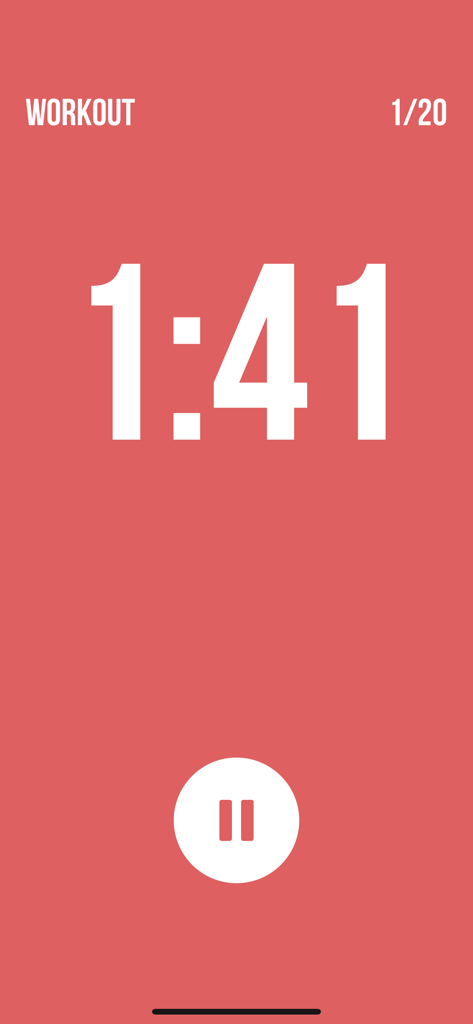
Interval Timer ++ - Minimalistischer roter HIIT-Workout-Timer-Bildschirm mit Countdown-Uhr und Pauseschaltfläche
Minimalistischer roter HIIT-Workout-Timer-Bildschirm mit Countdown-Uhr und Pauseschaltfläche

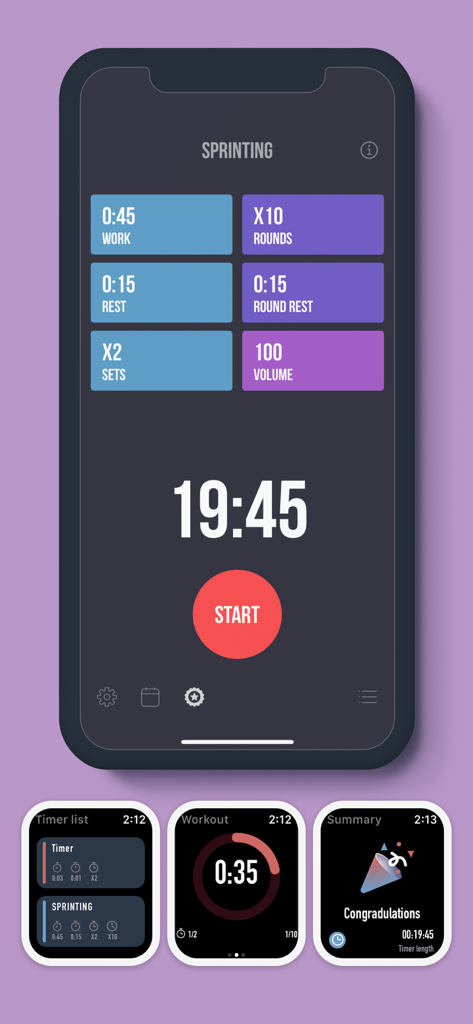
Interval Timer ++ - Oberfläche der Interval Timer Plus App, die Workout-Einstellungen auf iPhone- und Apple Watch-Bildschirmen zeigt.
Oberfläche der Interval Timer Plus App, die Workout-Einstellungen auf iPhone- und Apple Watch-Bildschirmen zeigt.

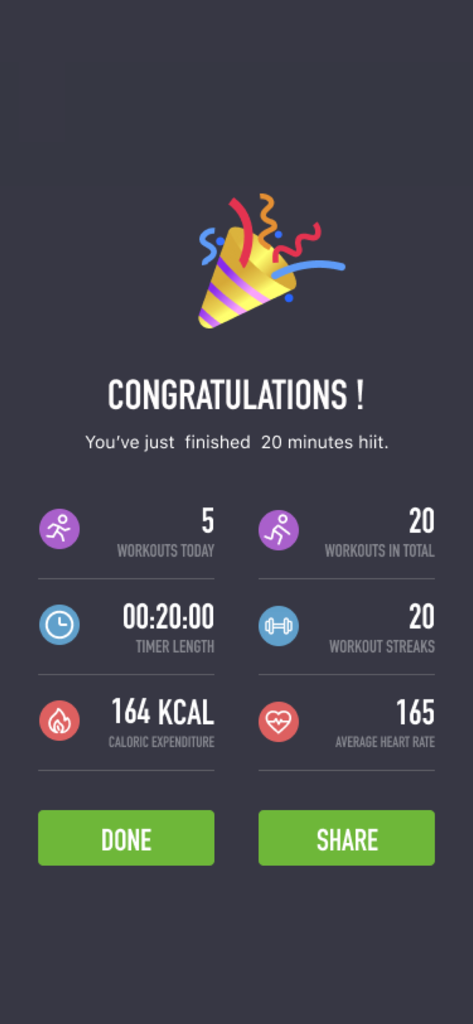
Interval Timer ++ - Bildschirm zur Workout-Abschlussanzeige in der Interval Timer App, der Statistiken für eine zwanzigminütige HIIT-Sitzung zeigt
Bildschirm zur Workout-Abschlussanzeige in der Interval Timer App, der Statistiken für eine zwanzigminütige HIIT-Sitzung zeigt

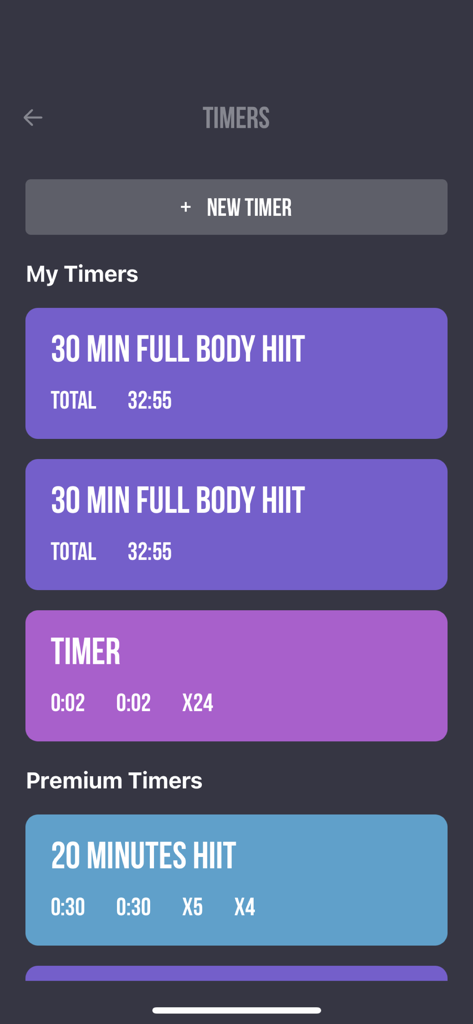
Interval Timer ++ - Bildschirm der mobilen App, der eine Liste von benutzerdefinierten und Premium-HIIT-Workout-Timern mit einer sauberen lila und blauen Oberfläche zeigt
Bildschirm der mobilen App, der eine Liste von benutzerdefinierten und Premium-HIIT-Workout-Timern mit einer sauberen lila und blauen Oberfläche zeigt

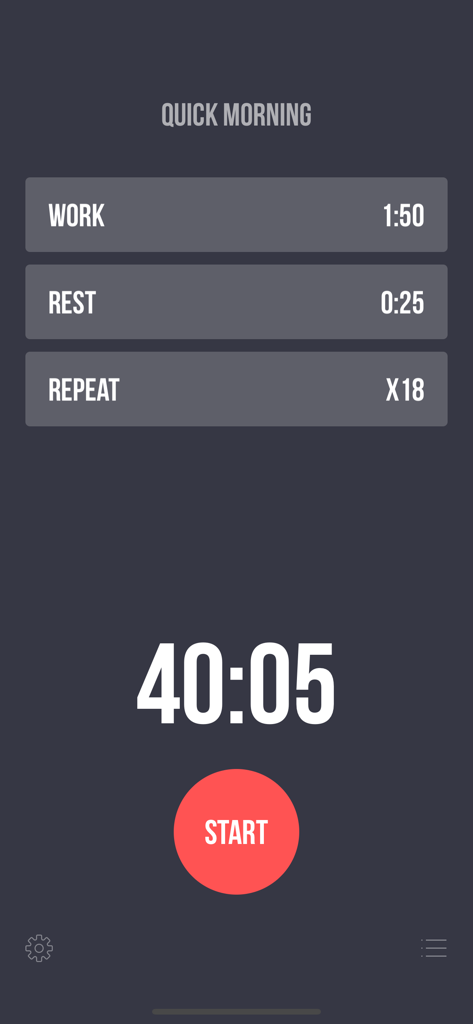
Interval Timer ++ - Bildschirm zur Konfiguration von Interval Timer Plus Workouts, der Arbeits-, Ruhe- und Wiederholungseinstellungen mit einer Startschaltfläche zeigt
Bildschirm zur Konfiguration von Interval Timer Plus Workouts, der Arbeits-, Ruhe- und Wiederholungseinstellungen mit einer Startschaltfläche zeigt

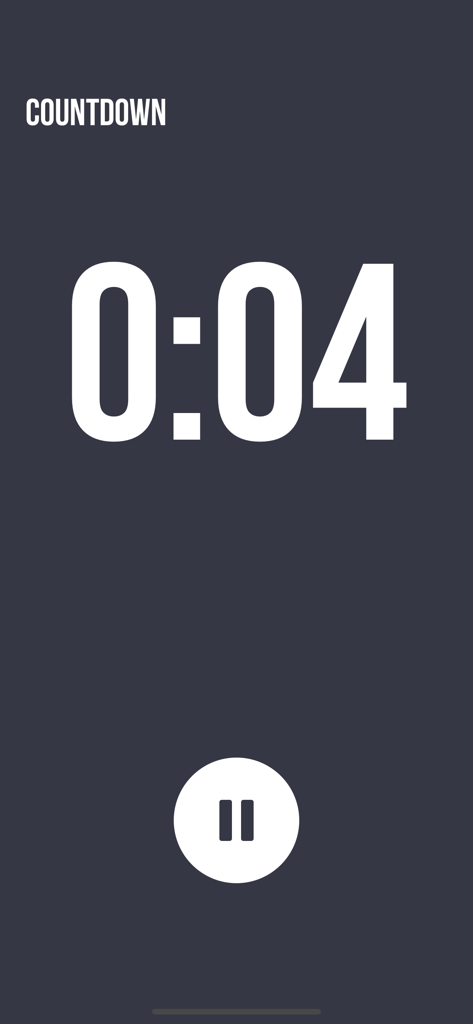
Interval Timer ++ - Minimalistischer Workout-Countdown-Bildschirm in der Interval Timer Plus App

Minimalistischer Workout-Countdown-Bildschirm in der Interval Timer Plus App

Beschreibung

Award-winning app for your daily workouts! Simple set up, intense workout: *** One touch to set up Workout, Rest, and Repeat. *** Supports both iPhone and Apple Watch *** Colorful design, to give you some eye candy while working hard *** Multiple timers for easy access and training *** Premium timers where different fitness types are mixed *** Background notification, so you can keep working out while browsing other apps, or even when screen is locked *** Listen to your favorite music while working out *** See your workout history in calendar view Health App Integration We integrate with the health app (HealthKit) to read and track your steps data and show them in a beautiful way. Feature details: - Workout duration: 2 seconds to 8 minutes - Rest duration: 0 seconds to 8 minutes - Repeat: 20 times (50 times if purchased Premium Subscription) - Premium timers: mix fitness types, including Planks, Jumping Jack, Push Ups, Sit Ups, High Knees, Side Planks, Butt Kicks, Side Lunges, Lunges, etc. - Multiple timers for quick access - Name your timers - Swipe-to-delete timers - Drag-n-drop to reorder custom timers - 10 seconds count down, so you can get into workout position - Count down sound before next workout starts, for you to recover position - Pause and resume workout at any time - Reset at any time if workout was interrupted - Calendar view: shows your work/rest/repeat sessions - Listen to your favorite music in background, while working out the Interval Timer in foreground - Background music will be tuned down when playing workout sounds - Vibration / Haptic feedbacks between workout and rest - Ability to mute all workout sound Users say good works after usage: "I love the simplicity and ease of use of this app. It is almost exactly what I am looking for." "No frills or gimmicks, this app gives it to you straight, which is how interval timers should work IMO." "An eye-candy for your tough workouts." "Mind-blowing on how easy it is to use." "Simple. Does EXACTLY what you need." Also checkout our awesome demo video on Youtube: https://www.youtube.com/watch?v=gO_z8mN1asU Interval Timer Pro (In App Purchase): - Create unlimited number of timers for easy access - Use our premium timers - Repeat workout for more than 20 times • You can subscribe for Interval Timer Pro inside the app; subscriptions are billed monthly or annually at the rate selected depending on the subscription plan. • Alternatively a one-time payment plan is available (this is not a subscription). • Payment will be charged to your iTunes account at confirmation of purchase. • Subscriptions will automatically renew unless auto-renew is cancelled at least 24 hours before the end of current period. • Your account will be charged according to your plan for renewal within 24 hours prior to the end of the current period. • You can manage or turn off auto-renew in your Apple ID account settings at any time after purchase. • To manage your subscriptions or turn off auto-renewal: - Go to Settings > iTunes & App Store - Tap your Apple ID at the top of the screen - Tap View Apple ID. You might need to sign in or use Touch ID. - Tap Subscriptions. - Tap the subscription you want to manage. - Use the options to manage your subscription. • No cancellation of the current subscription is allowed during the active subscription period. Once purchased, refunds will not be provided for any unused portion of the term. We take the security of our customers very seriously. Read our Terms of Service at https://sunnystudio.wordpress.com/2018/08/03/interval-timer-terms-of-us/ and our Privacy Policy at https://sunnystudio.wordpress.com/2018/07/31/interval-timer-privacy-policy/ Attributions: Lock by Maxim Kulikov from the Noun Project Premium by Gregor Cresnar from the Noun Project

Download

Herunterladen auf App Store

Diese Seite ist keine offizielle Seite der App oder ihres Entwicklers, sondern eine unabhängige redaktionelle Veröffentlichung, die zu Informations- und Kommentarzwecken erstellt wurde. Sofern nicht ausdrücklich anders angegeben, sind weder die App noch ihr Entwickler mit MWM, Apple, Google Play, dem App-Herausgeber oder dem Entwickler der App verbunden, von ihnen unterstützt, gesponsert, autorisiert oder anderweitig offiziell verbunden, und nichts auf dieser Seite impliziert, dass die App unter Verwendung der Dienste von MWM entwickelt wurde. Alle Marken, Logos, Screenshots und andere Inhalte bleiben Eigentum ihrer jeweiligen Inhaber.