
Diese Seite ist keine offizielle Seite der App oder ihres Entwicklers, sondern eine unabhängige redaktionelle Veröffentlichung, die zu Informations- und Kommentarzwecken erstellt wurde. Sofern nicht ausdrücklich anders angegeben, sind weder die App noch ihr Entwickler mit MWM, Apple, Google Play, dem App-Herausgeber oder dem Entwickler der App verbunden, von ihnen unterstützt, gesponsert, autorisiert oder anderweitig offiziell verbunden, und nichts auf dieser Seite impliziert, dass die App unter Verwendung der Dienste von MWM entwickelt wurde. Alle Marken, Logos, Screenshots und andere Inhalte bleiben Eigentum ihrer jeweiligen Inhaber.


IP Scanner: Network Tools
Das professionelle All-in-One-Toolkit zum Scannen verbundener Geräte, zur Fehlerbehebung bei Verbindungsproblemen und zur Optimierung Ihrer Netzwerkleistung wie ein IT-Profi.
Downloads
800Bewertung
Bewertungen gesamt
0Herausgeber
Kategorie
UtilitiesSprachen
1Neueste Version
1.1.3Größe
30.0 MBErstveröffentlichung
14. Jan. 2025Meistern Sie Ihr Heimnetzwerk mit professioneller Präzision
Das All-in-One-Toolkit für Remote-Arbeiter und Smart-Home-Besitzer zur Überprüfung, Fehlerbehebung und Optimierung der Konnektivität in Sekundenschnelle.
Sofortige Geräteprüfung
Scannen Sie Ihr gesamtes LAN, um jedes verbundene IoT-Gerät und Smartphone zu identifizieren und sicherzustellen, dass Ihr Netzwerk sicher und privat bleibt.
Leistung ohne Verzögerung
Nutzen Sie professionelle Ping- und Traceroute-Tools, um Latenzprobleme zu diagnostizieren und eine stabile Verbindung für Videoanrufe und Spiele aufrechtzuerhalten.
Die folgenden Screenshots und die Beschreibung stammen direkt aus dem offiziellen Store-Eintrag der App und sind Eigentum des Entwicklers.
App Store
Screenshots
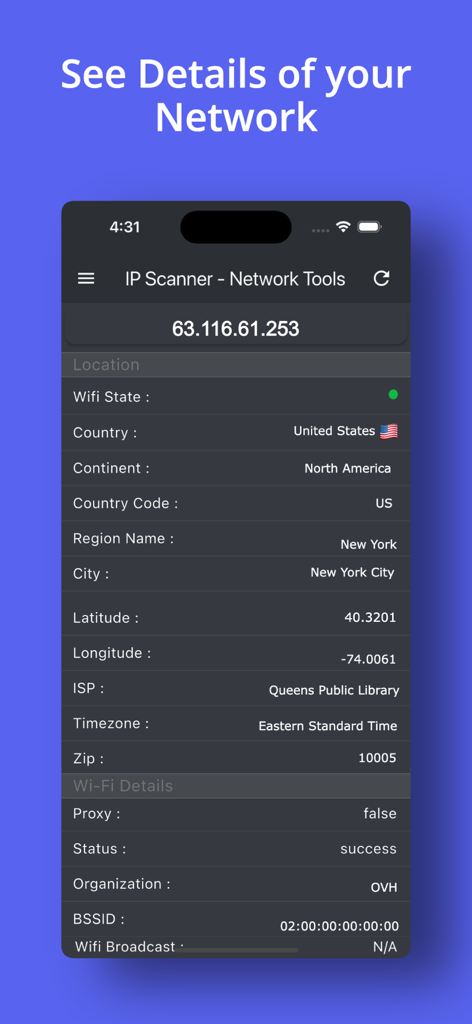
IP Scanner App-Oberfläche, die detaillierte Netzwerk- und Standortinformationen für eine bestimmte IP-Adresse anzeigt
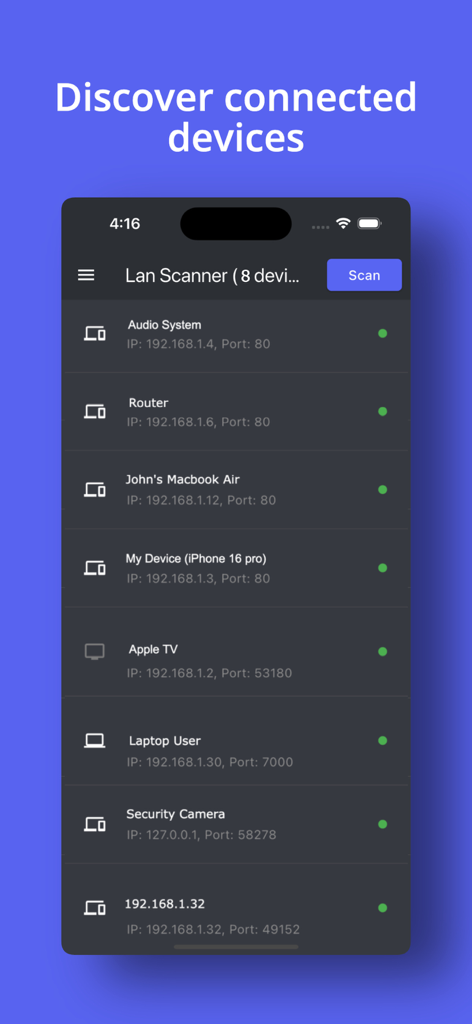
IP Scanner App-Oberfläche, die eine Liste verbundener Netzwerkgeräte mit IP- und Portdetails anzeigt
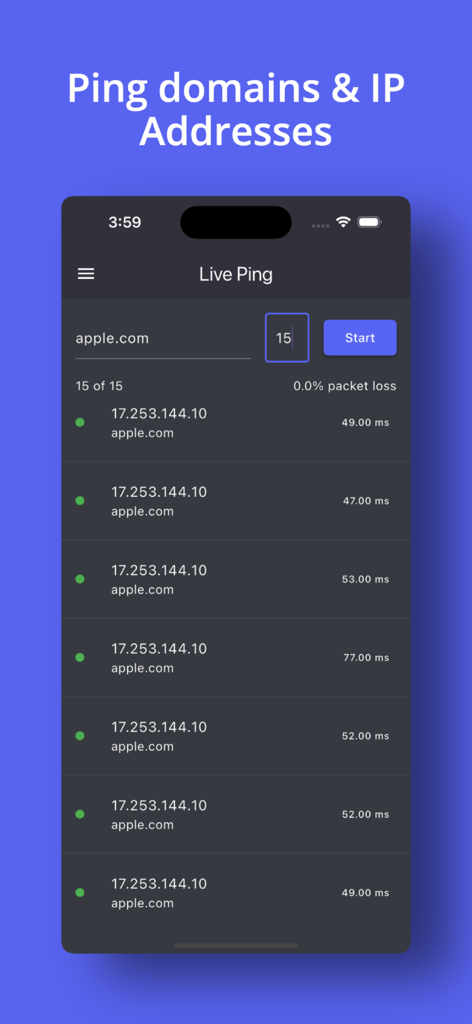
Oberfläche der IP Scanner App, die einen Live-Ping-Test für apple.com mit Antwortzeiten in Millisekunden anzeigt
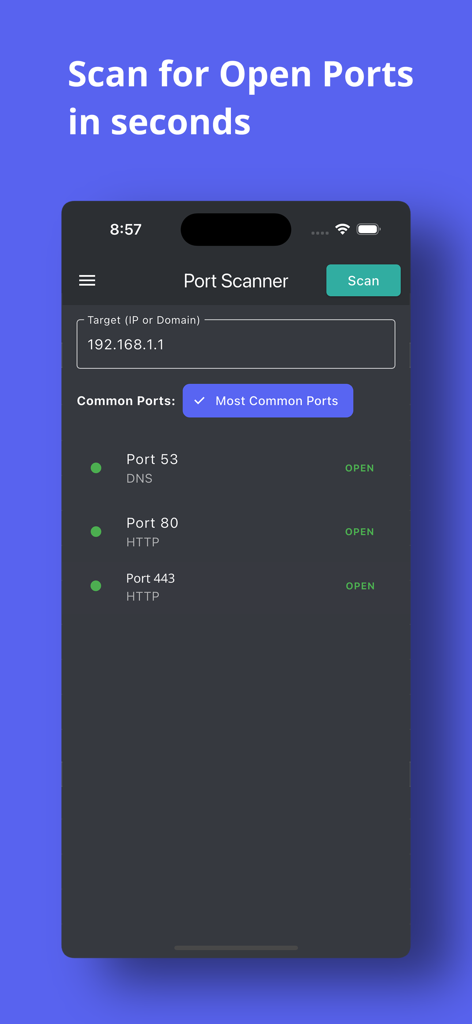
Mobile Oberfläche der IP Scanner App, die eine Liste offener Netzwerkports für eine IP-Adresse anzeigt
Beschreibung
Download
Ähnliche Apps
Top-gerankte Apps in derselben Kategorie

Google LLC

Google Chrome
Google LLC

中国移动(手机营业厅)
China Mobile Online Services Co., Ltd.

Google Authenticator
Google LLC

CNH do Brasil
Servicos e Informacoes do Brasil

Cleanup: Phone Storage Cleaner
DEEP FLOW SOFTWARE SERVICES - FZCO

gov.br
Servicos e Informacoes do Brasil

中国电信-全国统一官方服务平台
CHINA TELECOM Corporation Ltd.

Microsoft Edge: AI Browser
Microsoft Corporation
Diese Seite ist keine offizielle Seite der App oder ihres Entwicklers, sondern eine unabhängige redaktionelle Veröffentlichung, die zu Informations- und Kommentarzwecken erstellt wurde. Sofern nicht ausdrücklich anders angegeben, sind weder die App noch ihr Entwickler mit MWM, Apple, Google Play, dem App-Herausgeber oder dem Entwickler der App verbunden, von ihnen unterstützt, gesponsert, autorisiert oder anderweitig offiziell verbunden, und nichts auf dieser Seite impliziert, dass die App unter Verwendung der Dienste von MWM entwickelt wurde. Alle Marken, Logos, Screenshots und andere Inhalte bleiben Eigentum ihrer jeweiligen Inhaber.