iPeng
iPeng
Herunterladen auf App Store

Diese Seite ist keine offizielle Seite der App oder ihres Entwicklers, sondern eine unabhängige redaktionelle Veröffentlichung, die zu Informations- und Kommentarzwecken erstellt wurde. Sofern nicht ausdrücklich anders angegeben, sind weder die App noch ihr Entwickler mit MWM, Apple, Google Play, dem App-Herausgeber oder dem Entwickler der App verbunden, von ihnen unterstützt, gesponsert, autorisiert oder anderweitig offiziell verbunden, und nichts auf dieser Seite impliziert, dass die App unter Verwendung der Dienste von MWM entwickelt wurde. Alle Marken, Logos, Screenshots und andere Inhalte bleiben Eigentum ihrer jeweiligen Inhaber.


Logo von iPeng
Herunterladen auf App Store

iPeng

Modernisieren Sie Ihr High-Fidelity-Ökosystem mit der leistungsstärksten Steuerungs-App für Logitech Squeezebox und Roon. Erleben Sie nahtloses Multiroom-Management, tiefgreifende Bibliotheksanpassung und professionelle Wiedergabe auf all Ihren Apple-Geräten.

Kennzahlen

Downloads

287K+

Bewertung

4.6/5

Bewertungen gesamt

6K+

Herausgeber

Du!Business GmbH

Kategorie

Music

Sprachen

10

Neueste Version

9.8.4

Größe

36.4 MB

Erstveröffentlichung

10. Dez. 2013
Funktionen

Meistern Sie Ihr High-Fidelity-Ökosystem

iPeng 9 verwandelt Ihr iPhone, iPad und Ihre Apple Watch in eine professionelle Fernbedienung und einen Player für Squeezebox und Roon, speziell entwickelt für den anspruchsvollen Audiophilen.

Nahtlose Multiroom-Steuerung

Gruppieren Sie mühelos Player und verschieben Sie Musik zwischen Räumen mit intuitiven Drag-and-Drop-Bedienelementen und der QuickSwitch-Funktion.

Audiophile Wiedergabe

Wandeln Sie Ihr iOS-Gerät in einen Hochleistungs-Player für Roon oder Squeezebox um und stellen Sie sicher, dass Ihre bitperfekte Bibliothek immer in Reichweite ist.

Die folgenden Screenshots und die Beschreibung stammen direkt aus dem offiziellen Store-Eintrag der App und sind Eigentum des Entwicklers.

App Store

Screenshots
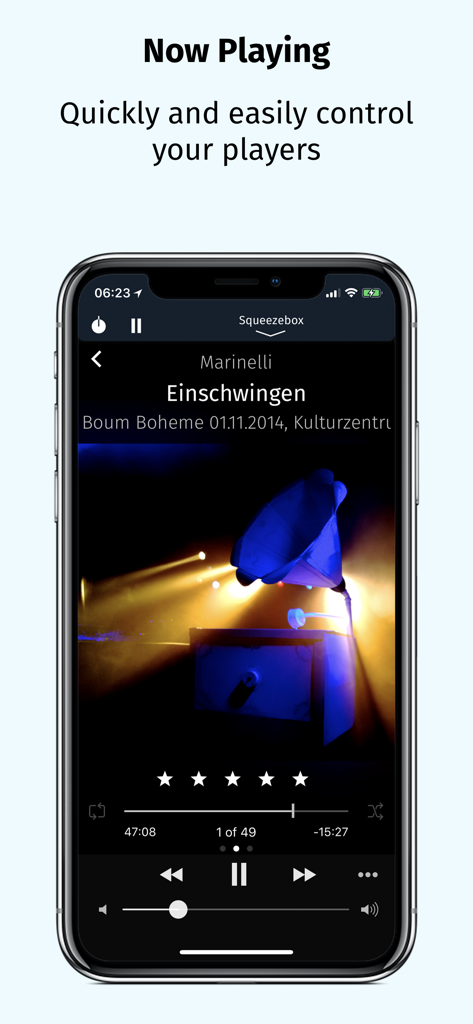
iPeng - iPeng 9 Musikfernbedienungs-App zeigt den Bildschirm "Aktuelle Wiedergabe" mit Wiedergabesteuerungen und Albumcover auf einem iPhone.
iPeng 9 Musikfernbedienungs-App zeigt den Bildschirm "Aktuelle Wiedergabe" mit Wiedergabesteuerungen und Albumcover auf einem iPhone.

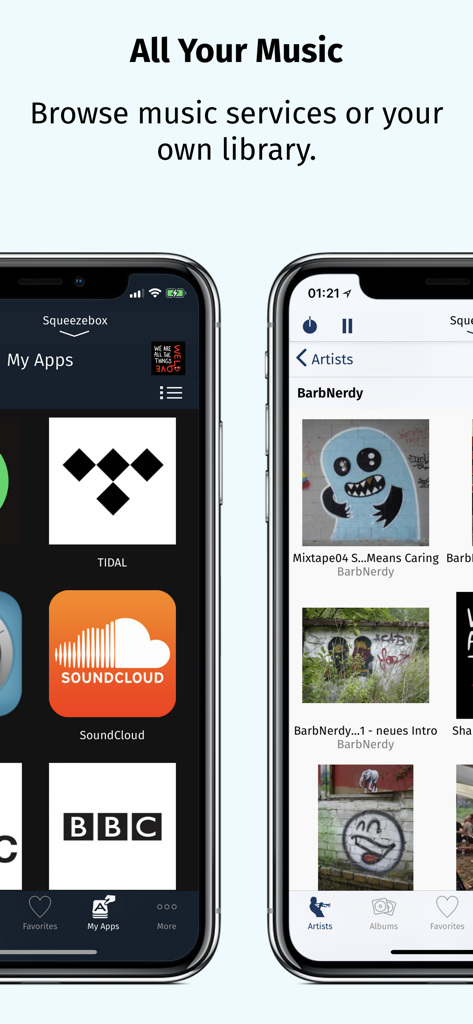
iPeng - Screenshots der iPeng 9 App, die integrierte Musikdienste wie Tidal und SoundCloud neben einer persönlichen Musikbibliothek, sortiert nach Künstler, zeigen
Screenshots der iPeng 9 App, die integrierte Musikdienste wie Tidal und SoundCloud neben einer persönlichen Musikbibliothek, sortiert nach Künstler, zeigen

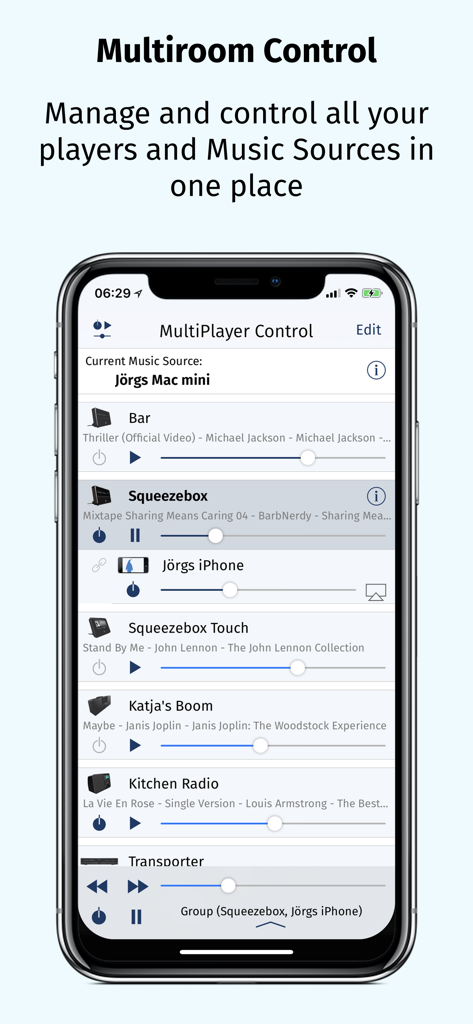
iPeng - iPhone-Bildschirm zeigt die iPeng 9 MultiPlayer Control-Oberfläche zur Verwaltung mehrerer Audioplayer
iPhone-Bildschirm zeigt die iPeng 9 MultiPlayer Control-Oberfläche zur Verwaltung mehrerer Audioplayer

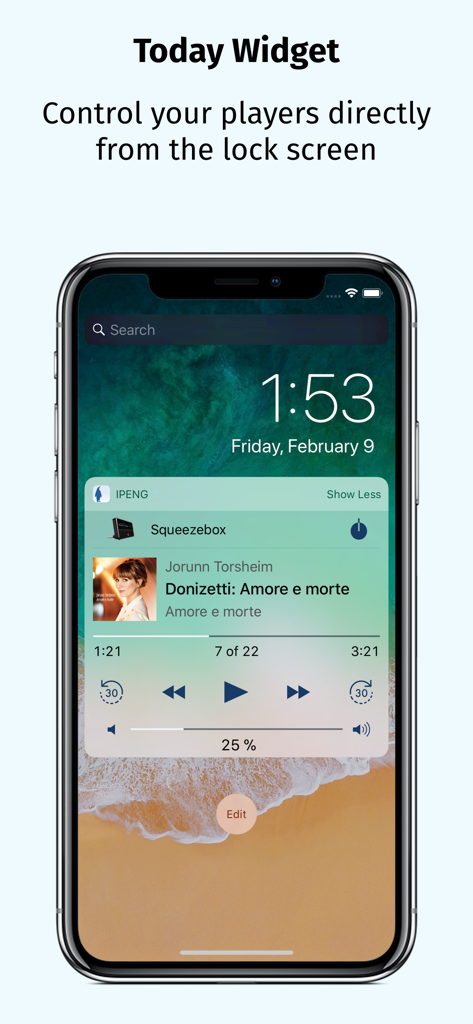
iPeng - iPeng 9 Today Widget auf dem Sperrbildschirm eines iPhones zeigt Steuerelemente für Squeezebox-Musikplayer
iPeng 9 Today Widget auf dem Sperrbildschirm eines iPhones zeigt Steuerelemente für Squeezebox-Musikplayer

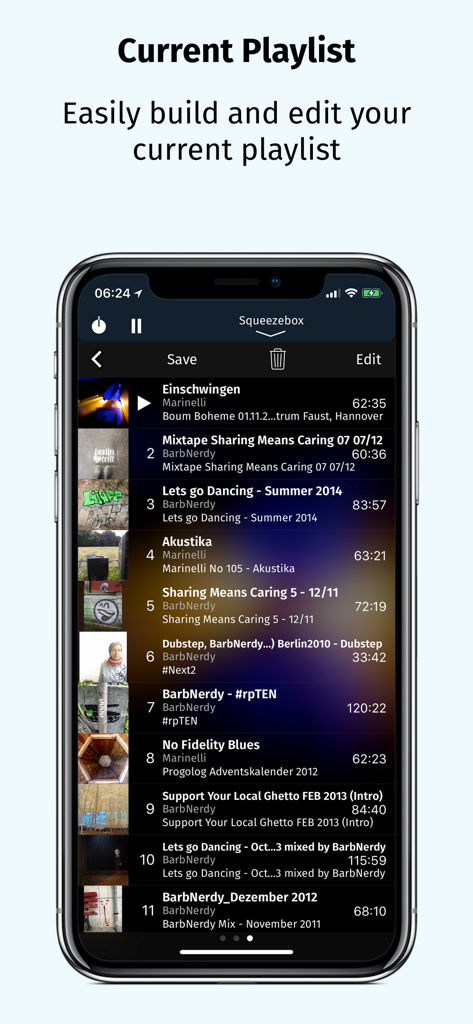
iPeng - Bildschirm der iPeng 9 Wiedergabeliste, der Titellisten und Bearbeitungsoptionen anzeigt

Bildschirm der iPeng 9 Wiedergabeliste, der Titellisten und Bearbeitungsoptionen anzeigt

Beschreibung

iPeng 9, the music remote for the Logitech® Squeezebox™, has been designed for the latest iOS versions and fully supports all iPhone and iPad form factors. iPeng 9 is a remote control app that will work all over your home with your iPhone, iPad, iPod touch and Apple Watch. You can also purchase an additional playback capability as an In-App-Purchase that will turn your iPhone or iPad into a full-blown music player for your Squeezebox Server or Roon Server. *** New in iPeng 9 *** • Support of iPhone 11, Pro, X/XS and XS Max • Latest Apple Watch support including Series 5, under watchOS 3 and newer • Today Widget to use iPeng in Notification Center and on the lock screen. • Full multitasking support on iPad and iPad Pro, including Split View and Slide Over under iOS 9 and newer. *** What’s new compared to iPeng Classic? *** * Full Support of latest iOS Versions * • iPeng has been redesigned, matching Apple's flat UI design for an up-to-date appeal, and uses a modernized platform and code base for continuous support of new iOS features. * Universal App * • iPeng 9 is a universal app for both iPhone, iPad and Apple Watch, so you only have to purchase the app once. Older iPeng versions had separate apps for iPhone and iPad. * Customizable * • The customizable main menu allows you to show different menu items in your top level menu or hide things that you don’t need. • Change the structure of your main menu through a simple drag-and-drop interface. • You can select a bright or dark color scheme for iPeng, and iPeng can even automatically select it based on your lighting conditions. * Easier Multi-Room Control * • The redesigned MultiPlayer Control simplifies handling many players. • QuickSwitch lets you move playlists from one player to another easily with a swipe of your finger. • Have direct access to Power/Volume for each connected player and change other player settings in the player details. • Group players to synchronized groups. Jointly control playback and volume for these groups and move players between them using drag-and-drop or a toolbar. • Power all players in a group off with a single click when you leave. * Manage Playlists and Favorites * • View, save, change and rearrange not only your current playlist but also saved playlists and favorites. * Works with Logitech Squeezebox and compatible players * • iPeng 9 works with all Logitech Squeezebox Players as well as many Squeezebox-compatible players like Innuos Zen, the SOtM sMS-1000SQ and sMS-100 or VortexBox players. • With iPeng Playback, iPeng also works as a player with Roon. *** Enjoy the familiar features and comfort of iPeng. *** * Easy and Fast to Use * • The functionality of iPeng is optimized for speed of use guaranteeing long-term fun. • Built-in Tutorials help you to learn iPeng’s operation. * Explore Your Music Library (1) * • Browse your own files by categories like Albums, Artists, Genres or simply search for your music. * Explore Remote Services * • You get access to a whole world of internet radio and music services like Rhapsody™ and Spotify™ and have control over them as if they were in your own library. * Use 3rd Party Plugins (2) * • iPeng supports a growing number of 3rd party plugins for Squeezebox™, e.g. CustomBrowse, TrackStat, Music and Artist Information and many more. * Use MySqueezebox.com * • iPeng 9 doesn’t require a server to operate your Squeezebox, it also supports Logitech’s MySqueezbox.com online service. Note: This does not apply to the Playback functionality. iPeng requires one or more Squeezebox™ or any compatible hard- or software player. Squeezebox™ is a trademark of Logitech. (1) LogitechMedia Server/Squeezebox Server version 7.5 or newer available for free from mysqueezebox.com/download or downloads.slimdevices.com/nightly/ (2) Installation of 3rd party plugins in Logitech Media Server required.

Download

Herunterladen auf App Store

Diese Seite ist keine offizielle Seite der App oder ihres Entwicklers, sondern eine unabhängige redaktionelle Veröffentlichung, die zu Informations- und Kommentarzwecken erstellt wurde. Sofern nicht ausdrücklich anders angegeben, sind weder die App noch ihr Entwickler mit MWM, Apple, Google Play, dem App-Herausgeber oder dem Entwickler der App verbunden, von ihnen unterstützt, gesponsert, autorisiert oder anderweitig offiziell verbunden, und nichts auf dieser Seite impliziert, dass die App unter Verwendung der Dienste von MWM entwickelt wurde. Alle Marken, Logos, Screenshots und andere Inhalte bleiben Eigentum ihrer jeweiligen Inhaber.







