
Diese Seite ist keine offizielle Seite der App oder ihres Entwicklers, sondern eine unabhängige redaktionelle Veröffentlichung, die zu Informations- und Kommentarzwecken erstellt wurde. Sofern nicht ausdrücklich anders angegeben, sind weder die App noch ihr Entwickler mit MWM, Apple, Google Play, dem App-Herausgeber oder dem Entwickler der App verbunden, von ihnen unterstützt, gesponsert, autorisiert oder anderweitig offiziell verbunden, und nichts auf dieser Seite impliziert, dass die App unter Verwendung der Dienste von MWM entwickelt wurde. Alle Marken, Logos, Screenshots und andere Inhalte bleiben Eigentum ihrer jeweiligen Inhaber.


JigSpace
Verwandeln Sie Ihre 3D-Modelle und CAD-Dateien in interaktive Augmented-Reality-Erlebnisse. Vereinfachen Sie komplexe technische Ideen, verkürzen Sie Ihren Verkaufszyklus und begeistern Sie Ihr Publikum mit der weltweit am besten bewerteten AR-App.
Downloads
1M+Bewertung
Bewertungen gesamt
31K+Herausgeber
Kategorie
Graphics & DesignSprachen
1Neueste Version
3.41.0Größe
368.4 MBErstveröffentlichung
7. Mai 2016Kommunizieren Sie mit der Geschwindigkeit des Sehens
Verwandeln Sie Ihre komplexen CAD-Dateien und technischen Ideen in atemberaubende, interaktive 3D-Präsentationen, die Ihr Publikum sofort in Augmented Reality erkunden kann.
CAD zu AR in Minuten
Überspringen Sie die steile Lernkurve herkömmlicher 3D-Software. Importieren Sie Ihre Modelle und erstellen Sie interaktive Präsentationen mit einer intuitiven No-Code-Oberfläche.
Unerreichte visuelle Klarheit
Brechen Sie Komplexität mit Explosionszeichnungen und interaktiven Beschriftungen auf. Lassen Sie Ihr Publikum Schichten abtragen, um genau zu sehen, wie Ihre Technologie funktioniert.
Die folgenden Screenshots und die Beschreibung stammen direkt aus dem offiziellen Store-Eintrag der App und sind Eigentum des Entwicklers.
App Store
Screenshots
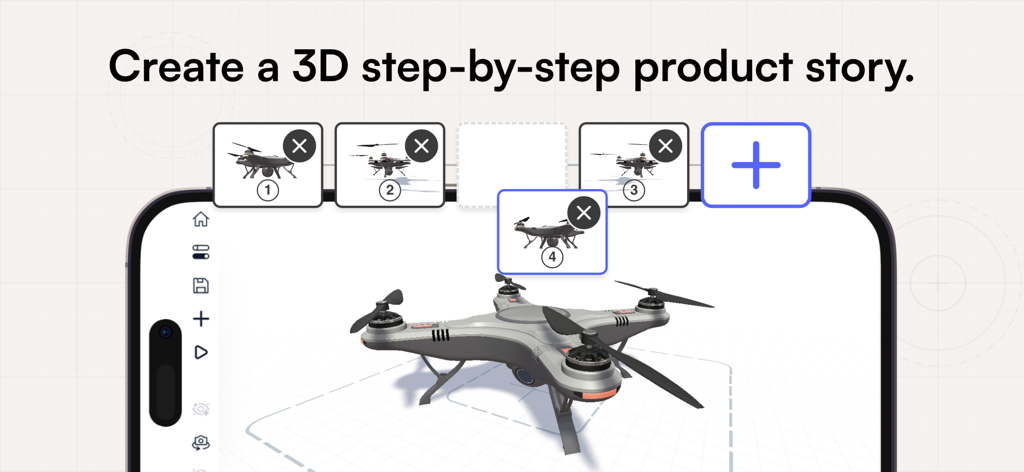
Eine Smartphone-Oberfläche zeigt die JigSpace-App beim Erstellen einer schrittweisen 3D-Produktstory mit einem Drohnenmodell.
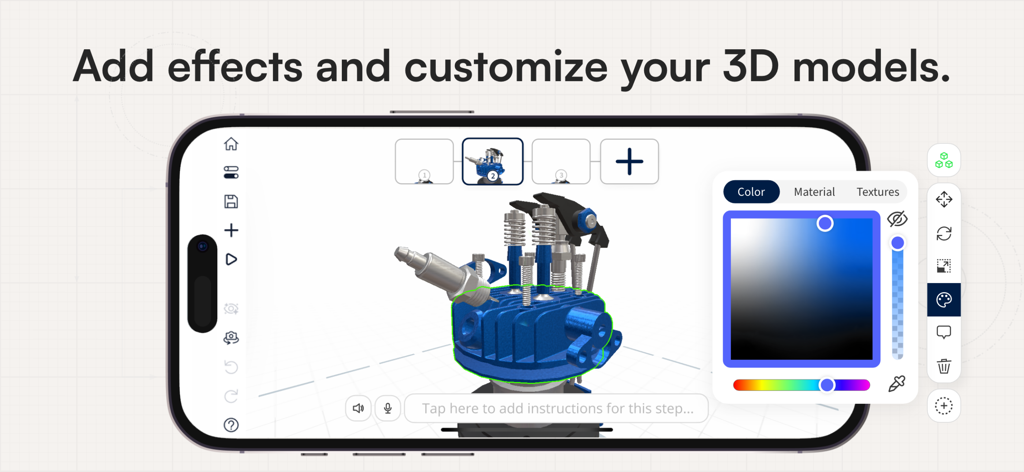
Die mobile App-Oberfläche von JigSpace zeigt die Anpassung eines 3D-Motormodells mit einem Farbauswahl-Tool.
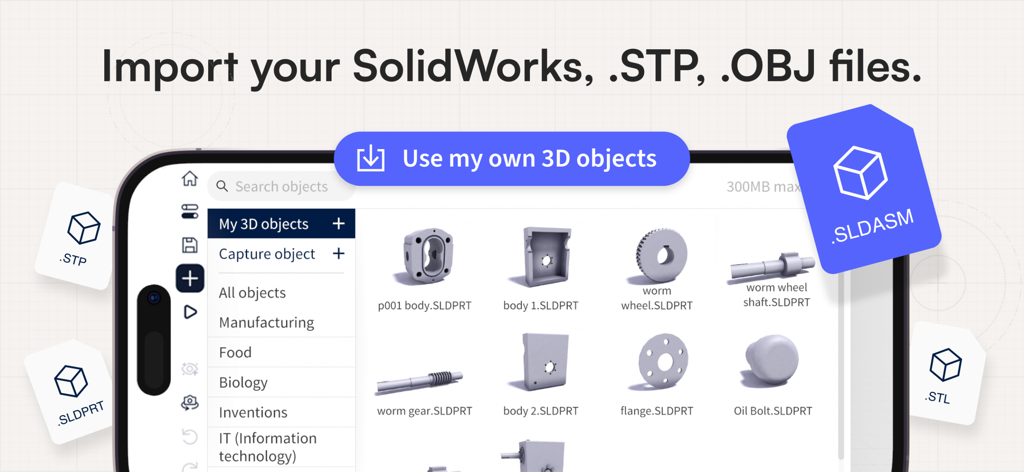
Screenshot der JigSpace-App-Oberfläche, der die Möglichkeit zeigt, SolidWorks-, STP- und OBJ-3D-Dateien zu importieren.
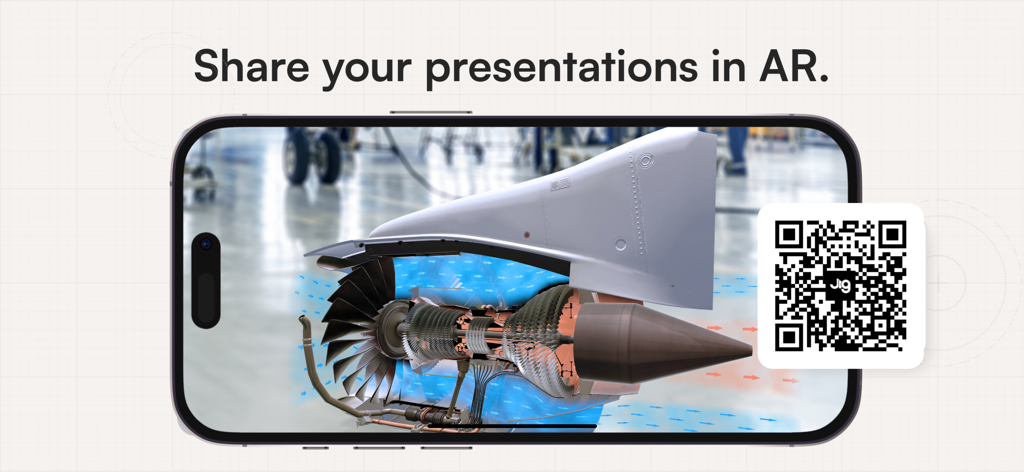
Ein Smartphone zeigt ein 3D-Strahltriebwerksmodell in Augmented Reality mit einem QR-Code zum Teilen.
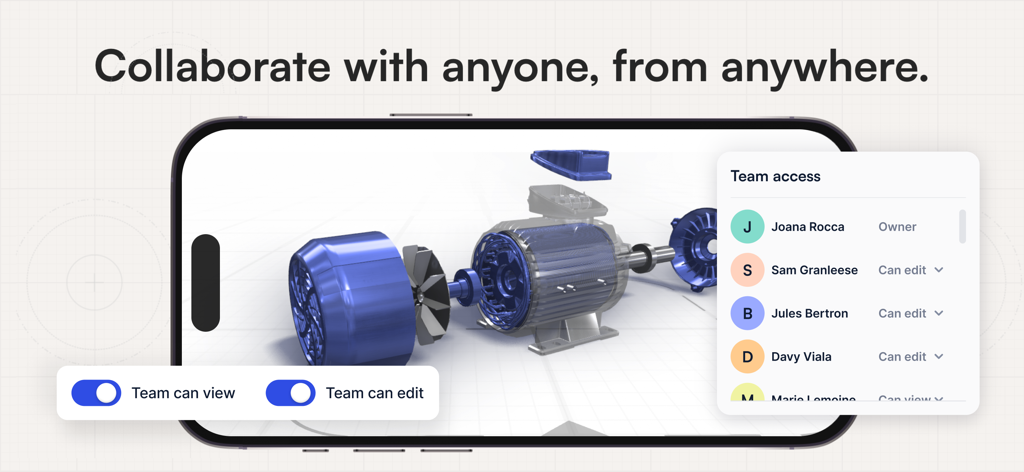
Ein Smartphone-Bildschirm zeigt ein 3D-Motormodell mit einem Team-Zugriffsmenü und Einstellungen für Zusammenarbeitsberechtigungen.
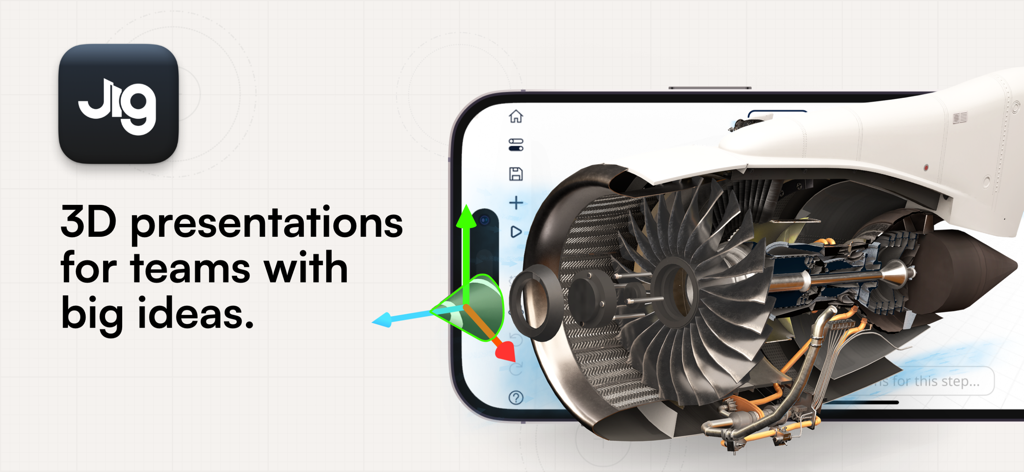
Ein Smartphone zeigt ein interaktives 3D-Augmented-Reality-Strahltriebwerksmodell in der JigSpace-App.
Beschreibung
Download
Ähnliche Apps
Apps mit ähnlichen Funktionen und Nutzererfahrung

ARLOOPA: Scan & Discover AR
ARLOOPA Inc

ARvid Augmented Reality
Elie Gebran
Reality Composer
Apple Inc.

Feather: 3D sketchbook
Sketchsoft Inc.

Wintor AR Tours
Wintor b.v.

BOCLAA
Zachary Aghaizu

UniAR
Light Generation Co., Ltd.

ARDrawing: Unleash Creativity
Tung Tran Thanh
Diese Seite ist keine offizielle Seite der App oder ihres Entwicklers, sondern eine unabhängige redaktionelle Veröffentlichung, die zu Informations- und Kommentarzwecken erstellt wurde. Sofern nicht ausdrücklich anders angegeben, sind weder die App noch ihr Entwickler mit MWM, Apple, Google Play, dem App-Herausgeber oder dem Entwickler der App verbunden, von ihnen unterstützt, gesponsert, autorisiert oder anderweitig offiziell verbunden, und nichts auf dieser Seite impliziert, dass die App unter Verwendung der Dienste von MWM entwickelt wurde. Alle Marken, Logos, Screenshots und andere Inhalte bleiben Eigentum ihrer jeweiligen Inhaber.