
Diese Seite ist keine offizielle Seite der App oder ihres Entwicklers, sondern eine unabhängige redaktionelle Veröffentlichung, die zu Informations- und Kommentarzwecken erstellt wurde. Sofern nicht ausdrücklich anders angegeben, sind weder die App noch ihr Entwickler mit MWM, Apple, Google Play, dem App-Herausgeber oder dem Entwickler der App verbunden, von ihnen unterstützt, gesponsert, autorisiert oder anderweitig offiziell verbunden, und nichts auf dieser Seite impliziert, dass die App unter Verwendung der Dienste von MWM entwickelt wurde. Alle Marken, Logos, Screenshots und andere Inhalte bleiben Eigentum ihrer jeweiligen Inhaber.

JotterPad - Novel, Screenplay
Konzentriere dich auf dein Handwerk mit einem ablenkungsfreien Markdown- und Fountain-Editor. Egal, ob du ein branchenübliches Skript oder deinen nächsten Bestseller-Roman entwirfst, JotterPad kümmert sich um die Formatierung, damit du im Flow bleibst.
Downloads
33K+Bewertung
Bewertungen gesamt
200Herausgeber
Kategorie
ProductivitySprachen
15Neueste Version
14.3.0Größe
63.9 MBErstveröffentlichung
17. Juli 2020Alles, was du zum Erstellen brauchst
Gestalte dein nächstes Meisterwerk mit Tools für moderne Storyteller – mit ablenkungsfreiem Schreiben, professioneller Formatierung und absoluter Datensicherheit.
Profi-Formatierung, null Aufwand
Erstelle professionelle Drehbücher und Romane, ohne eine Seitenrandeinstellung anfassen zu müssen. Verwende Markdown und Fountain, um automatisch Branchenstandards zu erfüllen.
Nahtloses Cloud-Ökosystem
Halte deine Dynamik aufrecht. Wechsle nahtlos zwischen iPhone, iPad und Mac mit nativer Unterstützung für iCloud, Google Drive und Dropbox.
Häufig gestellte Fragen
Alles, was Sie über wissen müssen JotterPad - Novel, Screenplay
Was ist JotterPad?
JotterPad ist ein Schreibwerkzeug und ein WYSIWYG-Editor für Markdown und Fountain für Autoren, Drehbuchautoren, Schriftsteller und Blogger. Es hilft bei der Planung, beim Schreiben, Formatieren und Veröffentlichen von schriftlichen Arbeiten.
Unterstützt JotterPad Markdown und Fountain?
Ja, JotterPad unterstützt sowohl die Syntax von Markdown als auch von Fountain. Benutzer schreiben Inhalte, und die App kümmert sich automatisch um die Formatierung und erstellt strukturierte Dokumente.
Kann ich meine Arbeit aus JotterPad exportieren?
Ja, JotterPad ermöglicht es Benutzern, schriftliche Arbeiten in mehrere Formate zu exportieren. Dazu gehören Word, PDF, HTML, Final Draft (.fdx), Fountain und Markdown.
Mit welchen Cloud-Diensten synchronisiert JotterPad?
JotterPad bietet automatische Synchronisierung mit iCloud, Google Drive, OneDrive und Dropbox. Es funktioniert offline und synchronisiert die Arbeit automatisch, sobald es wieder online ist.
Was sind die Abonnementkosten für JotterPad Pro Cloud?
JotterPad Pro Cloud kostet 6,99 US-Dollar pro Monat oder 29,99 US-Dollar pro Jahr. Dies ist ein sich automatisch erneuerndes Abonnement, wobei die Preise je nach Standort variieren können.
Bietet JotterPad Vorlagen zum Schreiben an?
Ja, JotterPad bietet über 50 Vorlagen, um Benutzer bei der Formatierung ihrer Arbeiten zu unterstützen. Diese Vorlagen helfen bei der Erstellung von Romanen, Büchern, Artikeln, Berichten und Präsentationsfolien.
Kann JotterPad branchenübliche Drehbuchformate verarbeiten?
Ja, JotterPad unterstützt branchenübliche Drehbuchformate mit Fountain-Vorlagen. Optionen sind Broadway Musical, BBC Stage Play, Radio Sitcom und Dramatists Guild Musical.
Enthält JotterPad eine Versionskontrolle für Dokumente?
Ja, JotterPad verfügt über eine integrierte Versionskontrolle. Diese sichert die Arbeit automatisch während des Schreibens und ermöglicht die Überprüfung und Bearbeitung früherer Entwurfsversionen.
Welche Plattformen unterstützt JotterPad?
JotterPad ist für iOS, iPad OS und Mac verfügbar, sodass Benutzer auf mehreren Geräten und Betriebssystemen schreiben können.
Kann ich Inhalte direkt von JotterPad in Blogs veröffentlichen?
Ja, JotterPad ermöglicht es Benutzern, ihre schriftlichen Arbeiten direkt auf Blog-Plattformen wie Tumblr, Ghost und WordPress zu veröffentlichen.
Die folgenden Screenshots und die Beschreibung stammen direkt aus dem offiziellen Store-Eintrag der App und sind Eigentum des Entwicklers.
App Store
Screenshots
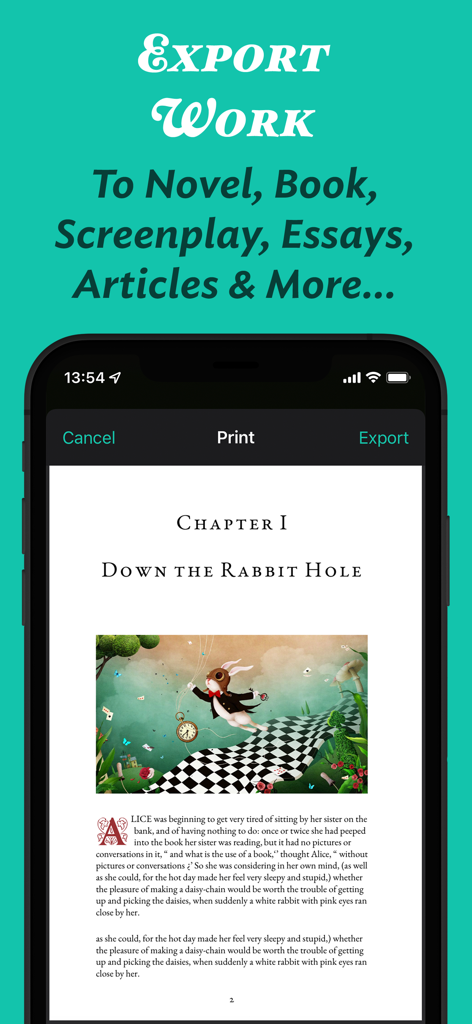
JotterPad App-Oberfläche, die eine Druck- und Exportvorschau eines formatierten Roman-Kapitels mit einer Illustration zeigt
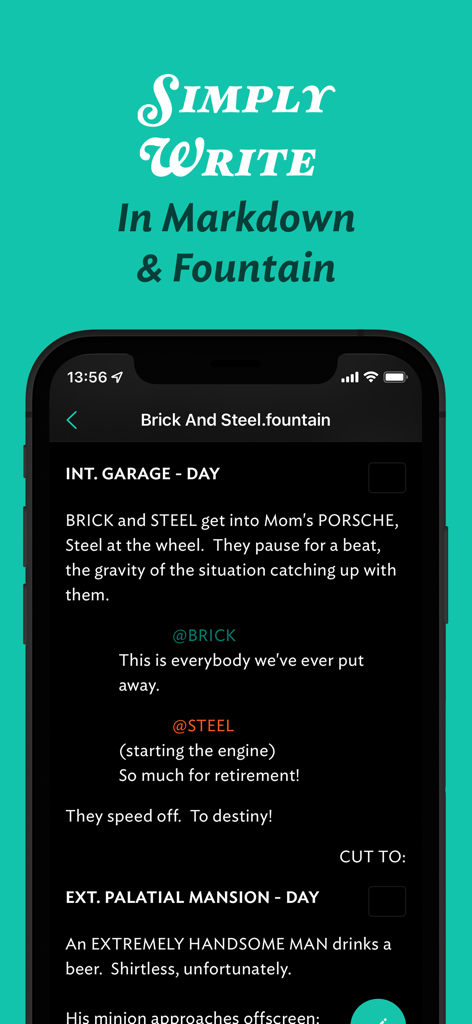
JotterPad Mobile App-Oberfläche zum Schreiben von Drehbüchern in Fountain-Syntax
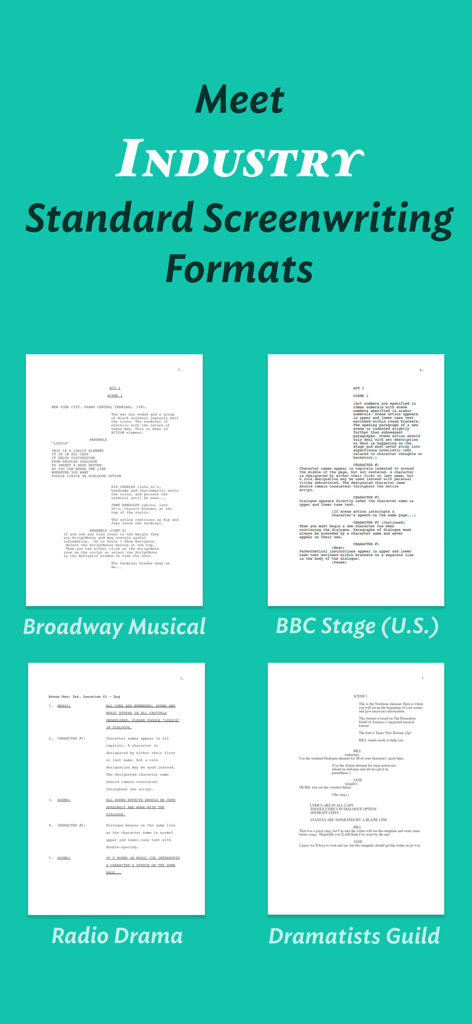
JotterPad App-Oberfläche, die branchenübliche Drehbuchvorlagen für Musicals am Broadway und Bühnenstücke der BBC zeigt
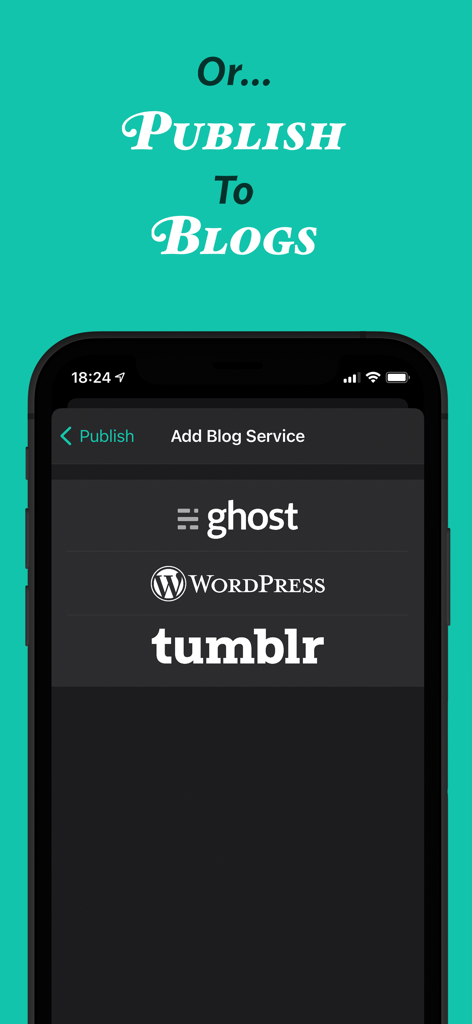
JotterPad App-Oberfläche, die Veröffentlichungsoptionen für Ghost WordPress und Tumblr Blogs zeigt
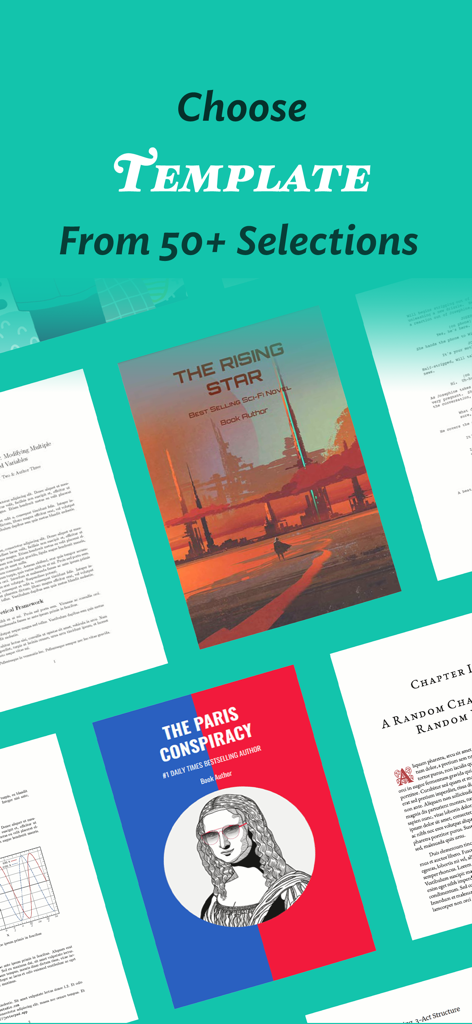
Eine Auswahl von über 50 Schreibvorlagen für Romane, Drehbücher und professionelle Dokumente in JotterPad
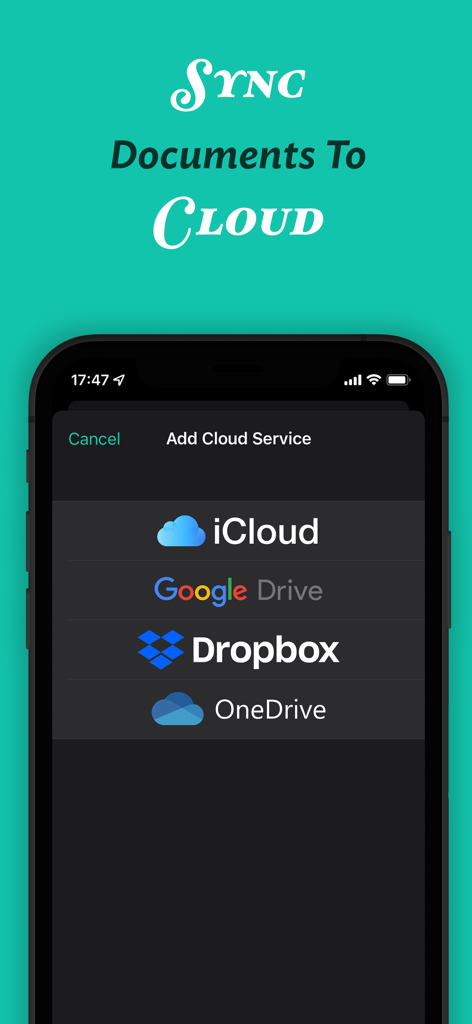
JotterPad App-Oberfläche, die Optionen zum Synchronisieren von Dokumenten mit iCloud, Google Drive, Dropbox und OneDrive zeigt.
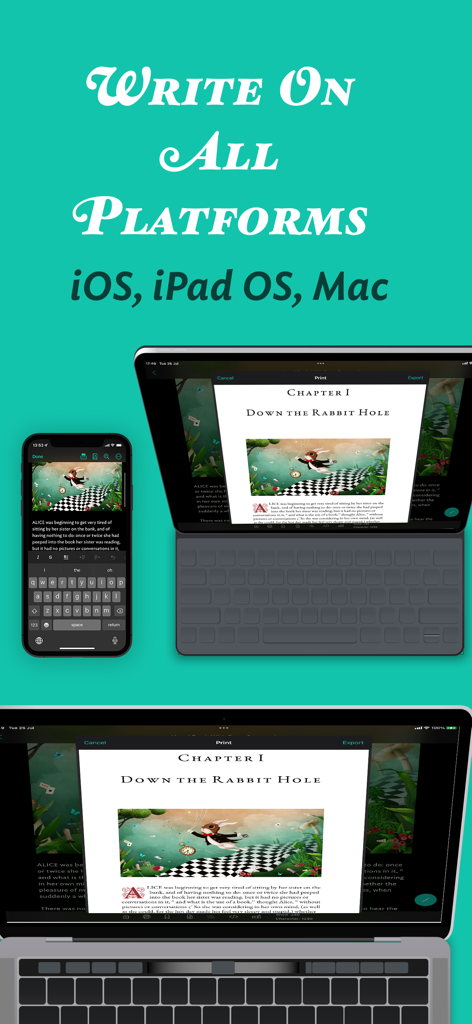
JotterPad App-Oberfläche auf iPhone, iPad und Mac, die die geräteübergreifende Dokumentensynchronisation zeigt
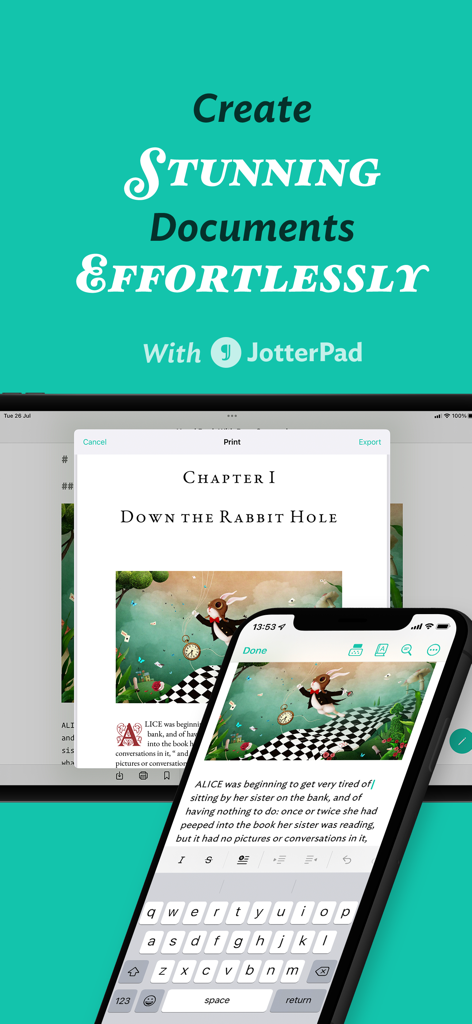
JotterPad App-Oberfläche, die die Dokumentenbearbeitung auf Smartphones und Tablets zeigt
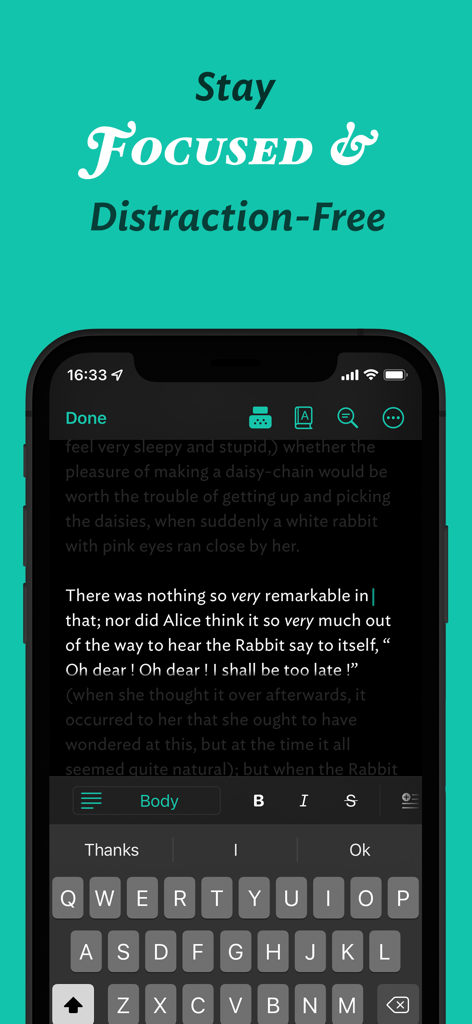
JotterPad Mobile App, die eine ablenkungsfreie Schreiboberfläche im dunklen Modus anzeigt.
Beschreibung
Download
Ähnliche Apps
Top-gerankte Apps in derselben Kategorie

ChatGPT
OpenAI OpCo, LLC

Google Gemini
Google LLC

Grok
X.AI Corporation

Gmail - Email by Google
Google LLC

千问 - 阿里最强大模型官方AI助手
Shanghai Zhixin Puhui Technology Co., Ltd.

Google Drive
Google LLC

Microsoft Authenticator
Microsoft Corporation

Google Sheets
Google LLC

Google Docs
Google LLC
Diese Seite ist keine offizielle Seite der App oder ihres Entwicklers, sondern eine unabhängige redaktionelle Veröffentlichung, die zu Informations- und Kommentarzwecken erstellt wurde. Sofern nicht ausdrücklich anders angegeben, sind weder die App noch ihr Entwickler mit MWM, Apple, Google Play, dem App-Herausgeber oder dem Entwickler der App verbunden, von ihnen unterstützt, gesponsert, autorisiert oder anderweitig offiziell verbunden, und nichts auf dieser Seite impliziert, dass die App unter Verwendung der Dienste von MWM entwickelt wurde. Alle Marken, Logos, Screenshots und andere Inhalte bleiben Eigentum ihrer jeweiligen Inhaber.