
Diese Seite ist keine offizielle Seite der App oder ihres Entwicklers, sondern eine unabhängige redaktionelle Veröffentlichung, die zu Informations- und Kommentarzwecken erstellt wurde. Sofern nicht ausdrücklich anders angegeben, sind weder die App noch ihr Entwickler mit MWM, Apple, Google Play, dem App-Herausgeber oder dem Entwickler der App verbunden, von ihnen unterstützt, gesponsert, autorisiert oder anderweitig offiziell verbunden, und nichts auf dieser Seite impliziert, dass die App unter Verwendung der Dienste von MWM entwickelt wurde. Alle Marken, Logos, Screenshots und andere Inhalte bleiben Eigentum ihrer jeweiligen Inhaber.

JUMP PAINT by MediBang
Meistere die Kunst des Manga-Zeichnens mit exklusiven Lektionen von den Redakteuren von Weekly Shonen Jump. Benutze professionelle G-Pens, Rasterfolien und Schriftarten, um dein Meisterwerk zu erschaffen und nimm direkt von deinem iPhone an offiziellen Wettbewerben teil.
Downloads
1M+Bewertung
Bewertungen gesamt
11K+Herausgeber
Kategorie
EntertainmentSprachen
18Neueste Version
6.4Größe
81.2 MBErstveröffentlichung
22. Juni 2017Meistere die Kunst des Manga-Zeichnens
Alles, was du brauchst, um deinen eigenen Manga zu erstellen, zu lernen und zu veröffentlichen, mit denselben professionellen Werkzeugen wie die Legenden von Weekly Shonen Jump.
Professionelle Manga-Werkzeuge
Greife auf über 90 kostenlose Pinsel zu, darunter authentische G-Pens und Mapping Pens, sowie über 800 professionelle Rasterfolien und Hintergründe.
Weekly Shonen Jump Lektionen
Meistere das Handwerk mit exklusiven Tutorials zu Storyboarding, Charakterdesign und Dialogen direkt von den weltbesten Manga-Redakteuren.
Häufig gestellte Fragen
Alles, was Sie über wissen müssen JUMP PAINT by MediBang
Was ist JUMP PAINT?
JUMP PAINT ist eine komplett kostenlose App zur Erstellung von offiziellen Manga und Illustrationen für das Weekly Shonen Jump. Es ist eine Zusammenarbeit zwischen MediBang Paint und Weekly Shonen Jump und bietet Werkzeuge, Pinsel, Materialien und Manga-Schriftarten.
Ist JUMP PAINT kostenlos nutzbar?
Ja, JUMP PAINT ist eine komplett kostenlose App. Sie bietet kostenlose G-Pens, Mapping Pens, Tones und Hintergründe zur Erstellung von Manga und Illustrationen ohne jegliche Kosten.
Welche Zeichenwerkzeuge sind in JUMP PAINT verfügbar?
JUMP PAINT enthält über 90 kostenlose Pinsel, wie z.B. Pen, Pencil, Watercolor, G Pen, Mapping Pen und Acrylic. Benutzer können auch benutzerdefinierte Pinsel erstellen und Funktionen wie Force Fade In und Out für präzise Linien nutzen.
Bietet JUMP PAINT Lernressourcen für die Manga-Erstellung an?
Ja, JUMP PAINT bietet umfangreiche Lernressourcen für die Manga-Erstellung. Dazu gehören Lektionen zu Story, Charakterdesign und Dialogen, die von der Redaktion von Jump bereitgestellt werden und direkt in der App zugänglich sind.
Können Benutzer über JUMP PAINT an Manga-Wettbewerben teilnehmen?
Ja, Benutzer können direkt über die JUMP PAINT App an Jump-Wettbewerben teilnehmen. Die Anwendung bietet Informationen zu jedem Wettbewerb und stellt sicher, dass die Kreativen über Möglichkeiten zur Einreichung ihrer Arbeiten informiert sind.
Unterstützt JUMP PAINT Stiftdruck auf dem iPhone?
Ja, JUMP PAINT unterstützt Stiftdruck auf kompatiblen iPhone-Modellen. Insbesondere die 3D-Touch-Funktion des iPhone 6 und iPhone 6 Plus ermöglicht es Benutzern, beim Zeichnen in der App Stiftdruck anzuwenden.
Welche kostenlosen Ressourcen sind in JUMP PAINT für Hintergründe und Tones verfügbar?
JUMP PAINT bietet 800 verschiedene Arten von kostenlosen Tones und Hintergründen. Diese Ressourcen umfassen vorgefertigte Wolken, Gebäude und Fahrzeuge, die Benutzer mit einer einzigen Berührung einfach zu ihren Kreationen hinzufügen können.
Können JUMP PAINT-Benutzer an Projekten zusammenarbeiten?
Ja, JUMP PAINT ermöglicht die Team-Erstellung, sodass Benutzer von überall aus mit Freunden an Arbeiten zusammenarbeiten können. Diese Funktion erleichtert gemeinsame kreative Projekte zwischen mehreren Benutzern.
Ist ein MediBang-Konto erforderlich, um die Cloud-Funktionen von JUMP PAINT zu nutzen?
Ja, ein MediBang-Konto ist erforderlich, um auf die Cloud-Funktionen von JUMP PAINT zugreifen zu können. Benutzer müssen ein Konto unter medibang.com erstellen, um Funktionen wie Cloud-Speicher und Datensicherung nutzen zu können.
Welche Art von Schriftarten bietet JUMP PAINT für Comics an?
JUMP PAINT bietet 50 professionelle Comic-Schriftarten an. Diese Schriftarten helfen den Benutzern, die Atmosphäre ihrer Comics zu gestalten und die Stimmungen oder Persönlichkeiten der Charaktere in ihren Kunstwerken effektiv darzustellen.
Die folgenden Screenshots und die Beschreibung stammen direkt aus dem offiziellen Store-Eintrag der App und sind Eigentum des Entwicklers.
App Store
Screenshots
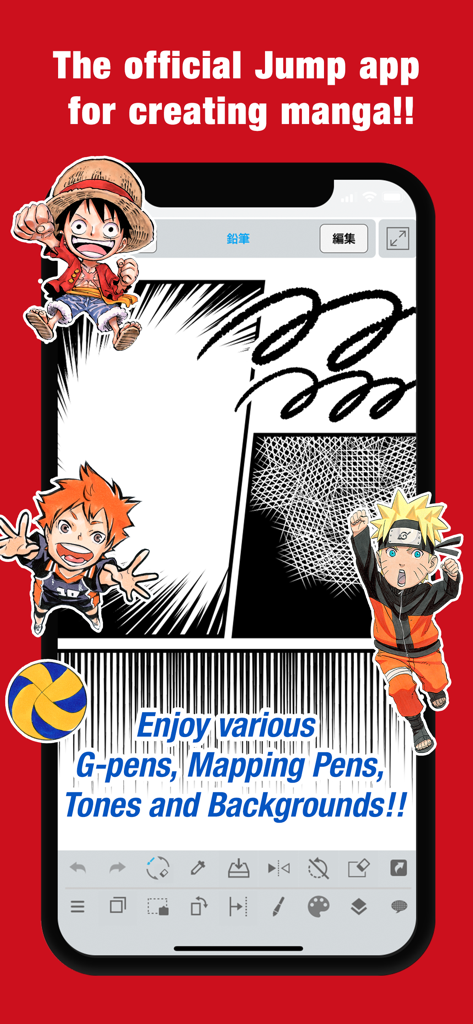
Mobile Benutzeroberfläche der JUMP PAINT App mit Manga-Panels und Charakteren wie Naruto und Luffy
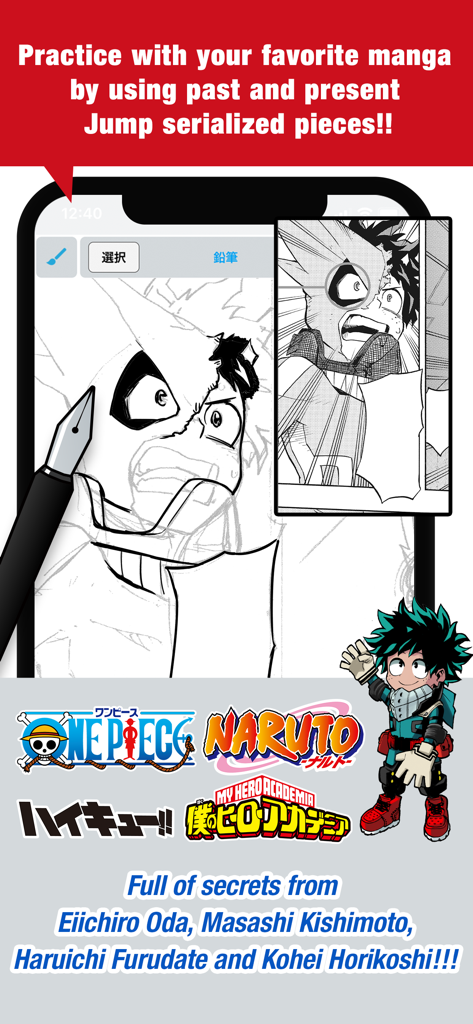
JUMP PAINT App-Bildschirm, der Zeichenübungen für Manga mit dem Charakter My Hero Academia und Logos beliebter Shonen Jump-Serien zeigt
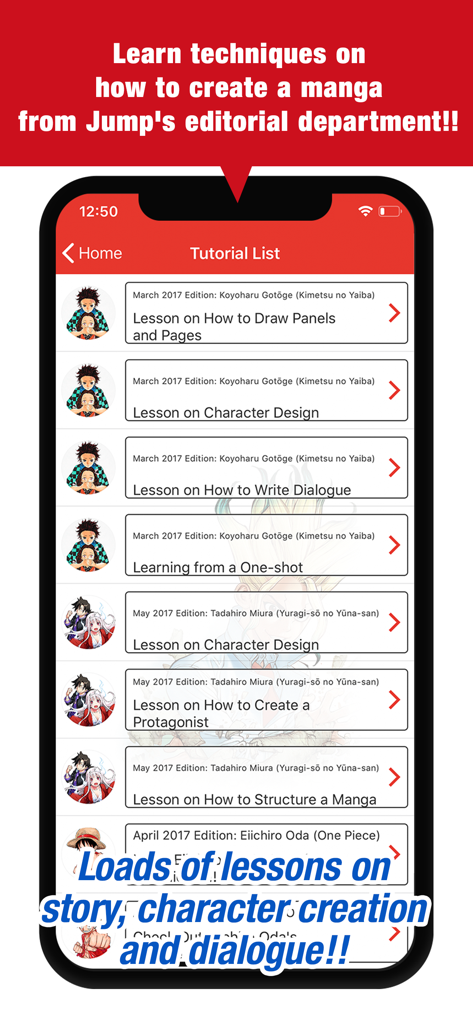
Screenshot der JUMP PAINT App, der eine Liste offizieller Manga-Erstellungstutorials von Shonen Jump-Autoren anzeigt
Beschreibung
Download
Ähnliche Apps
Top-gerankte Apps in derselben Kategorie

TikTok - Videos, Shop & LIVE
TIKTOK PTE. LTD.

Netflix
Netflix, Inc.

Freecash - Get Paid Real Money
256 REWARDS LTD

DramaBox - Stream Drama Shorts
STORYMATRIX PTE. LTD

HBO Max: Stream Movies & TV
WarnerMedia Global Digital Services, LLC

Amazon Prime Video
AMZN Mobile LLC

NetShort - Popular Dramas & TV
NETSTORY PTE. LTD.

ReelShort - Stream Drama & TV
New Leaf Publishing, Inc.

Disney+
Disney Electronic Content, Inc.
Diese Seite ist keine offizielle Seite der App oder ihres Entwicklers, sondern eine unabhängige redaktionelle Veröffentlichung, die zu Informations- und Kommentarzwecken erstellt wurde. Sofern nicht ausdrücklich anders angegeben, sind weder die App noch ihr Entwickler mit MWM, Apple, Google Play, dem App-Herausgeber oder dem Entwickler der App verbunden, von ihnen unterstützt, gesponsert, autorisiert oder anderweitig offiziell verbunden, und nichts auf dieser Seite impliziert, dass die App unter Verwendung der Dienste von MWM entwickelt wurde. Alle Marken, Logos, Screenshots und andere Inhalte bleiben Eigentum ihrer jeweiligen Inhaber.