Light Captain - DMX Controller
Herunterladen auf App Store

Diese Seite ist keine offizielle Seite der App oder ihres Entwicklers, sondern eine unabhängige redaktionelle Veröffentlichung, die zu Informations- und Kommentarzwecken erstellt wurde. Sofern nicht ausdrücklich anders angegeben, sind weder die App noch ihr Entwickler mit MWM, Apple, Google Play, dem App-Herausgeber oder dem Entwickler der App verbunden, von ihnen unterstützt, gesponsert, autorisiert oder anderweitig offiziell verbunden, und nichts auf dieser Seite impliziert, dass die App unter Verwendung der Dienste von MWM entwickelt wurde. Alle Marken, Logos, Screenshots und andere Inhalte bleiben Eigentum ihrer jeweiligen Inhaber.

Logo von Light Captain - DMX Controller
Herunterladen auf App Store

Light Captain - DMX Controller

Verwandeln Sie Ihr iPad in eine leistungsstarke Lichtkonsole. Von energiegeladenen mobilen DJ-Sets bis hin zu komplexen Theater-Cues – beherrschen Sie jede Show mit intuitiver, professioneller DMX-Programmierung für jede Location.

Kennzahlen

Downloads

2K+

Bewertung

3.9/5

Bewertungen gesamt

0

Herausgeber

Steinigke Showtechnic GmbH

Kategorie

Utilities

Sprachen

1

Neueste Version

1.3.6

Größe

25.2 MB

Erstveröffentlichung

25. Mai 2022
Funktionen

Professionelle Steuerung für jede Bühne

Vergessen Sie die schwere Hardware. Egal, ob Sie ein mobiler DJ, ein Theatertechniker oder ein Veranstaltungsbesitzer sind, Light Captain bietet eine leistungsstarke, logikbasierte DMX-Oberfläche, die für Ihr iPad optimiert ist.

Mobile-First Pro Workflow

Lassen Sie die 40-Pfund-Konsolen hinter sich. Gehen Sie durch den Raum und passen Sie die Lichtwinkel in Echtzeit an, mit einer tragbaren Oberfläche, die für den "Büro-im-Rucksack"-Profi entwickelt wurde.

Fortgeschrittene Theater- & Cue-Logik

Führen Sie komplexe Darbietungen mit präzisen Fade-Zeiten und sequenziellen Cues aus und bringen Sie High-End-Theatersteuerung auf Gemeinde Bühnen und Veranstaltungsorte.

Die folgenden Screenshots und die Beschreibung stammen direkt aus dem offiziellen Store-Eintrag der App und sind Eigentum des Entwicklers.

App Store

Screenshots
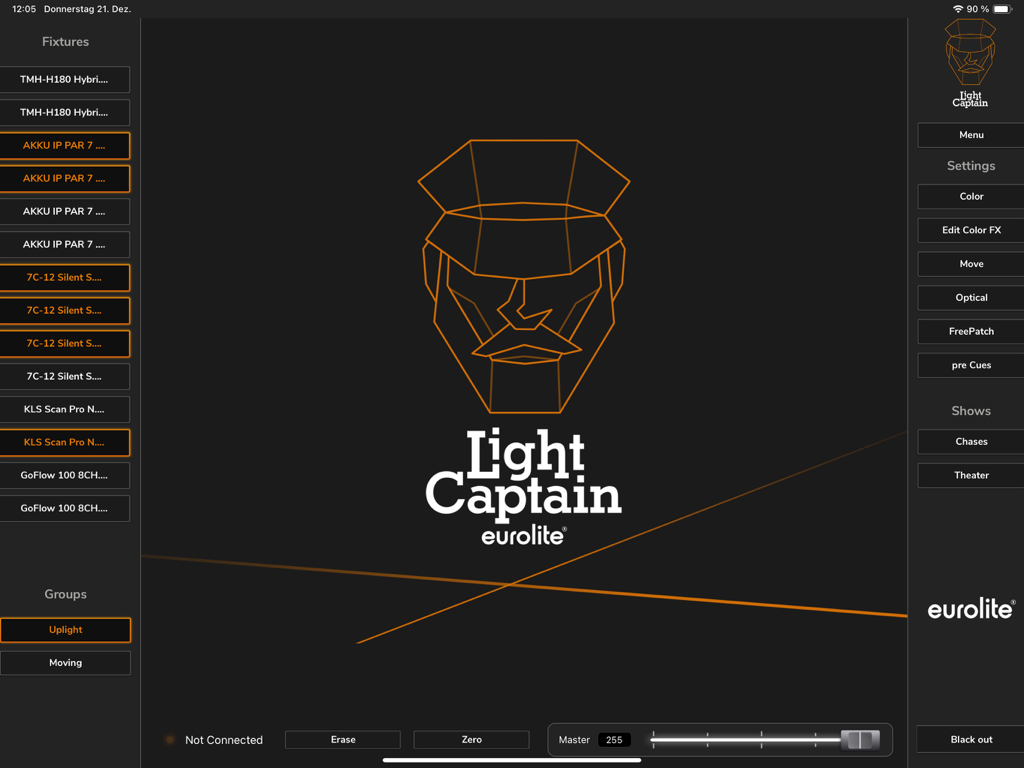
Light Captain - DMX Controller - Haupt-Dashboard der Light Captain DMX-Controller-App auf dem iPad mit Liste der Lichtgeräte und Einstellungsmöglichkeiten
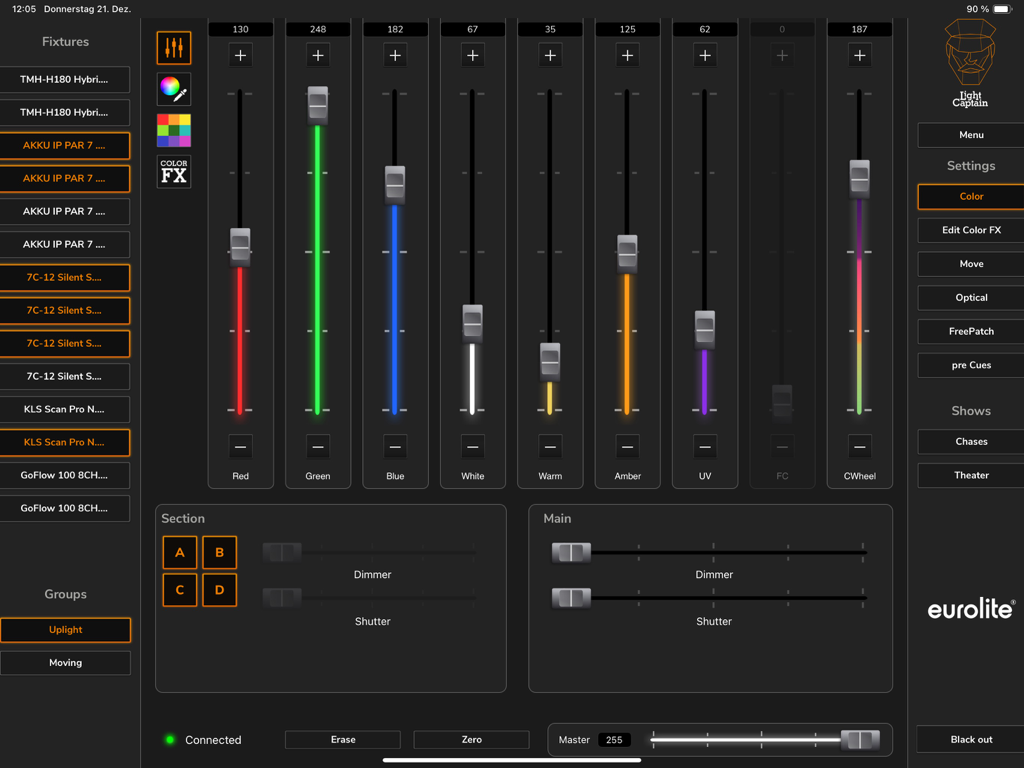
Haupt-Dashboard der Light Captain DMX-Controller-App auf dem iPad mit Liste der Lichtgeräte und Einstellungsmöglichkeiten

Light Captain - DMX Controller - Light Captain App-Oberfläche auf dem iPad, die Farbfader und Geräte-Steuerelemente für professionelle DMX-Beleuchtung zeigt
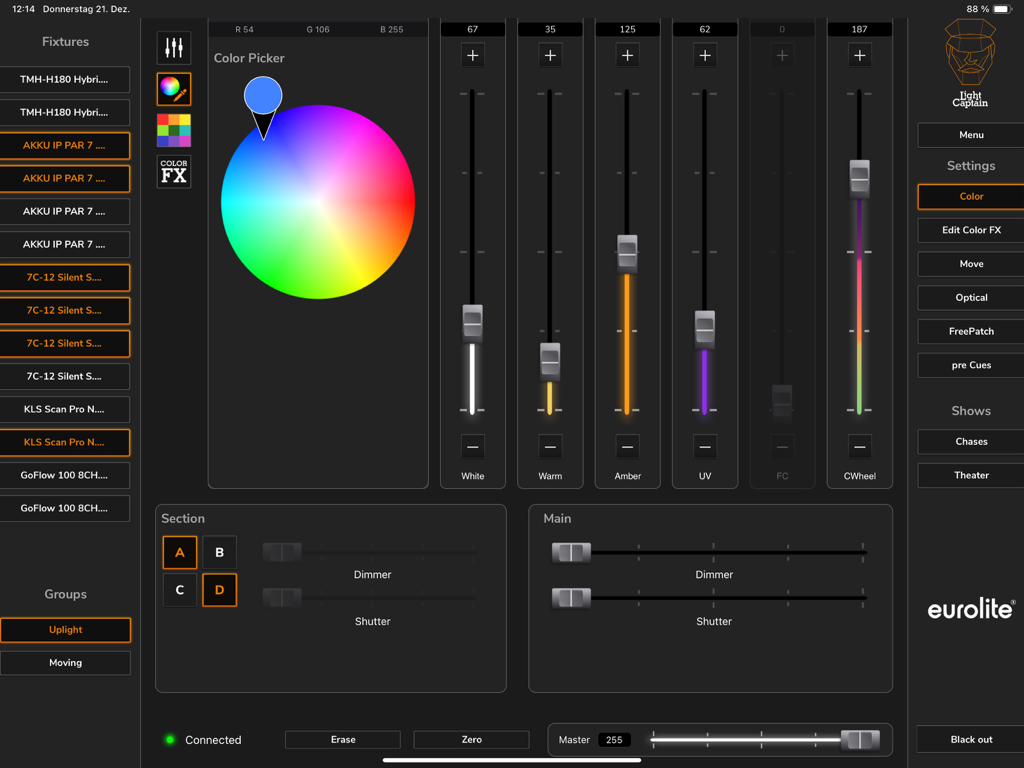
Light Captain App-Oberfläche auf dem iPad, die Farbfader und Geräte-Steuerelemente für professionelle DMX-Beleuchtung zeigt

Light Captain - DMX Controller - Professionelle Light Captain DMX Controller iPad App-Oberfläche mit Farbwähler und Geräte-Steuerungsfadern
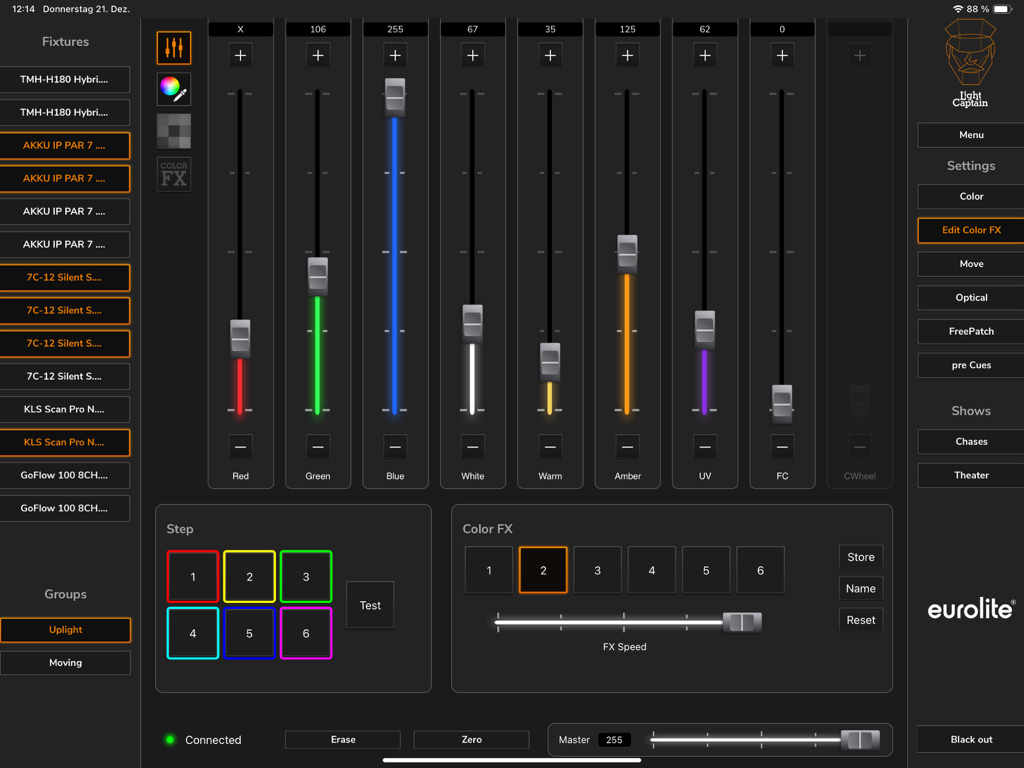
Professionelle Light Captain DMX Controller iPad App-Oberfläche mit Farbwähler und Geräte-Steuerungsfadern

Light Captain - DMX Controller - Oberfläche der Light Captain DMX App, die Farbmischungs-Fader und Effekteinstellungen auf einem iPad zeigt
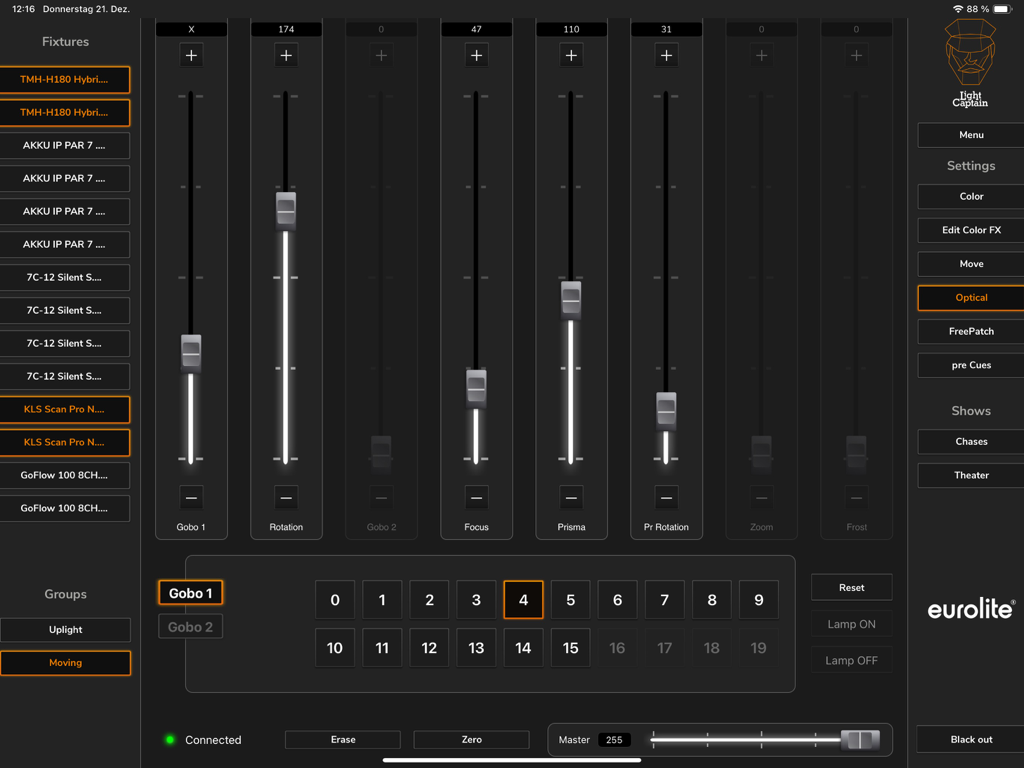
Oberfläche der Light Captain DMX App, die Farbmischungs-Fader und Effekteinstellungen auf einem iPad zeigt

Light Captain - DMX Controller - iPad-Oberfläche des Light Captain DMX Controllers, die optische Einstellungen für Lichtgeräte zeigt, einschließlich Gobo-, Fokus- und Prisma-Steuerungen
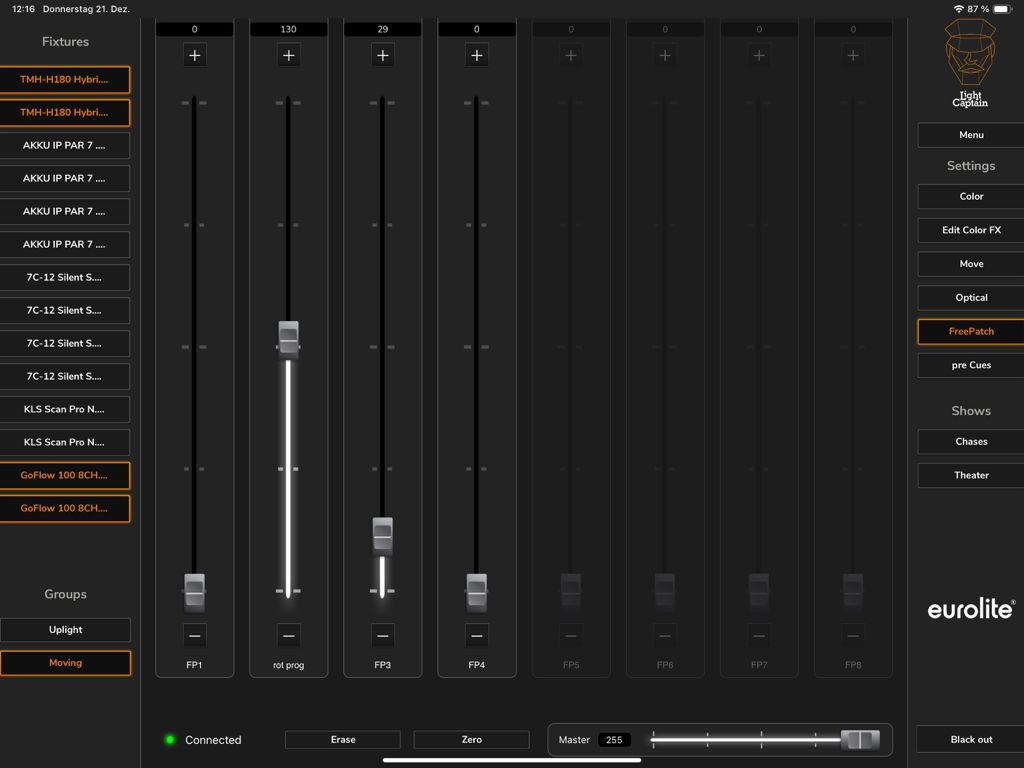
iPad-Oberfläche des Light Captain DMX Controllers, die optische Einstellungen für Lichtgeräte zeigt, einschließlich Gobo-, Fokus- und Prisma-Steuerungen

Light Captain - DMX Controller - iPad-Oberfläche der Light Captain DMX Controller App, die den FreePatch-Bereich mit einstellbaren vertikalen Fadern und einer Geräte-Liste anzeigt
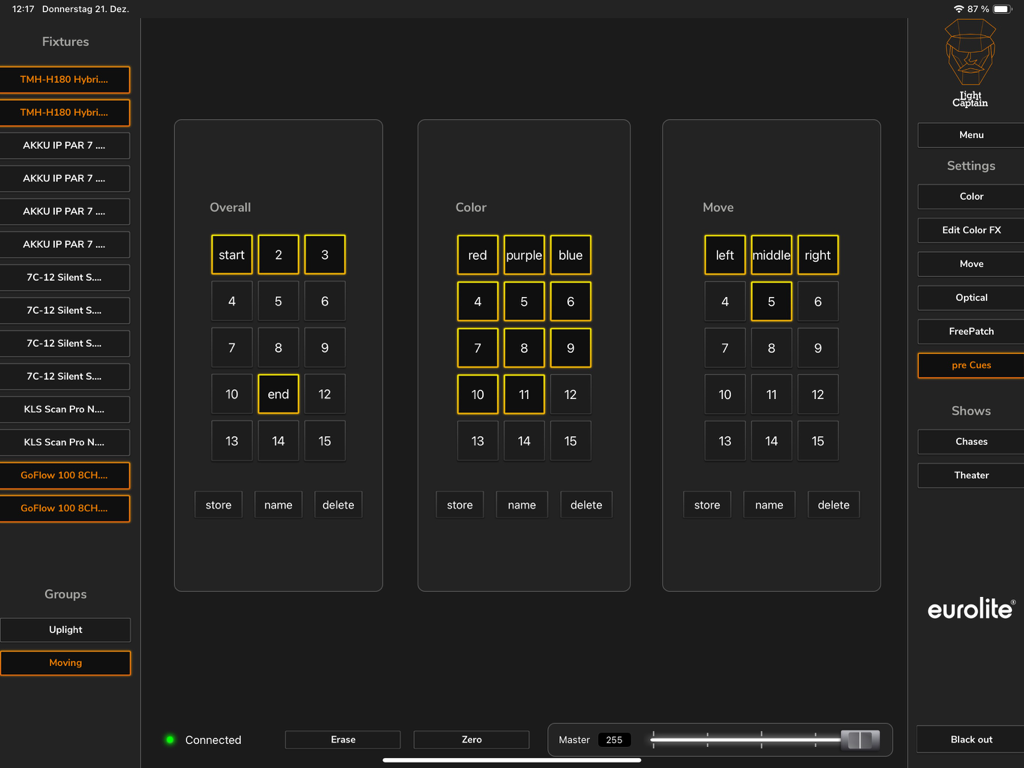
iPad-Oberfläche der Light Captain DMX Controller App, die den FreePatch-Bereich mit einstellbaren vertikalen Fadern und einer Geräte-Liste anzeigt

Light Captain - DMX Controller - Light Captain DMX Controller iPad-Oberfläche, die den Pre-Cues-Bildschirm für Farb- und Bewegungseinstellungen zeigt
Light Captain DMX Controller iPad-Oberfläche, die den Pre-Cues-Bildschirm für Farb- und Bewegungseinstellungen zeigt

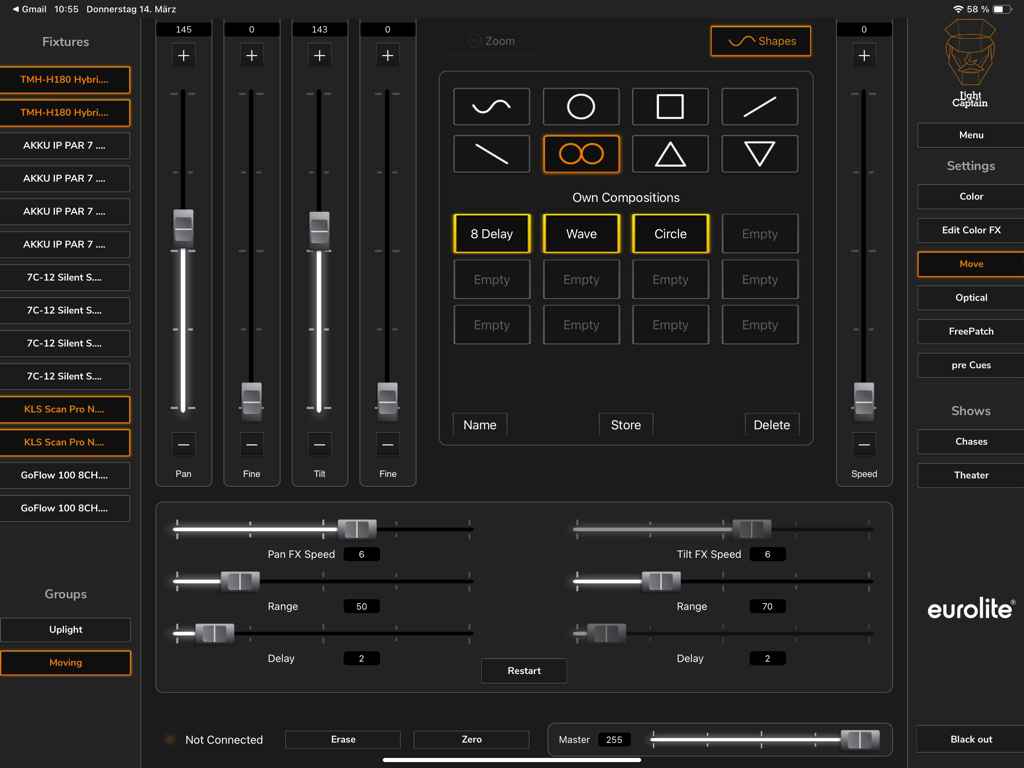
Light Captain - DMX Controller - Steuerungsoberfläche für Moving Lights in der Light Captain DMX App, die Pan-Tilt und Bewegungsformen anzeigt
Steuerungsoberfläche für Moving Lights in der Light Captain DMX App, die Pan-Tilt und Bewegungsformen anzeigt

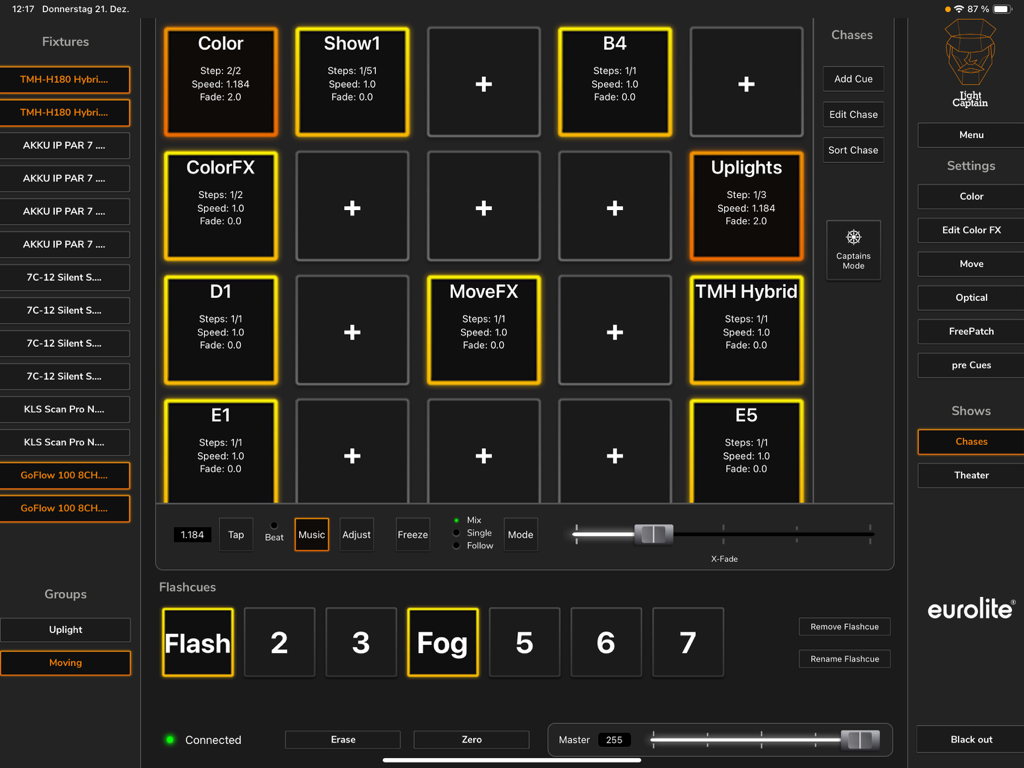
Light Captain - DMX Controller - Light Captain iPad App-Oberfläche, die das DMX-Lichtsteuerungs-Dashboard mit Chase-Presets und Geräte-Steuerelementen zeigt
Light Captain iPad App-Oberfläche, die das DMX-Lichtsteuerungs-Dashboard mit Chase-Presets und Geräte-Steuerelementen zeigt

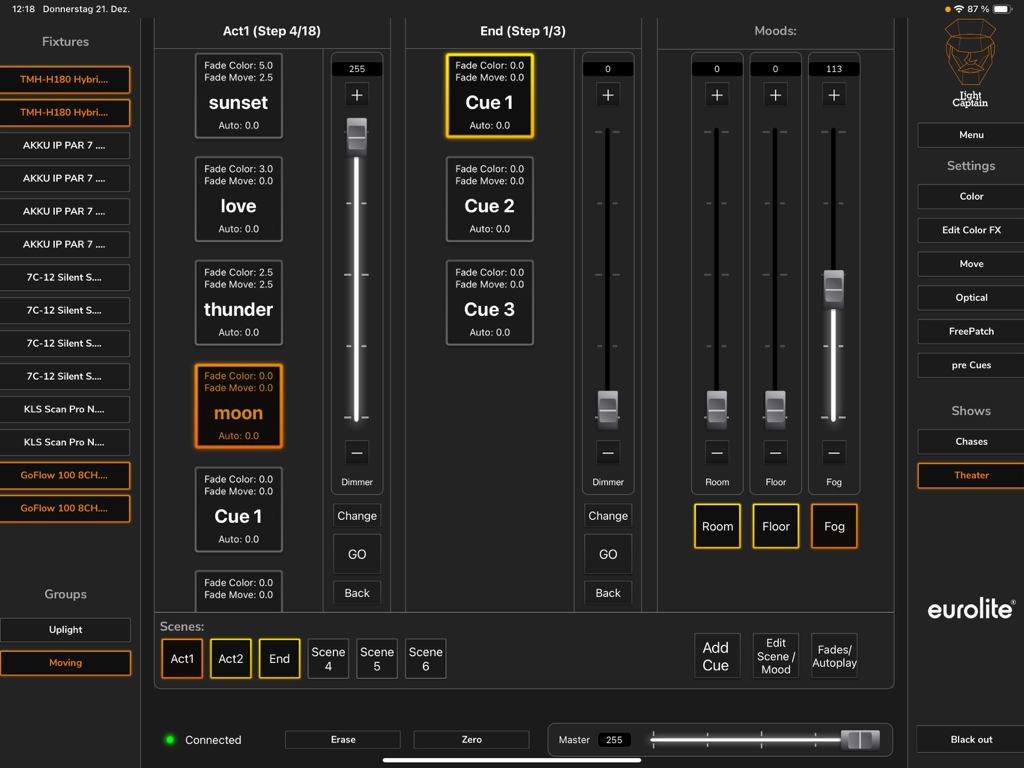
Light Captain - DMX Controller - Light Captain App-Oberfläche im Theatermodus, die Licht-Cues und Fader anzeigt

Light Captain App-Oberfläche im Theatermodus, die Licht-Cues und Fader anzeigt

Beschreibung

This lighting control app for DMX devices leaves nothing to be desired: it is just as suitable for party use as for concert or theater performance. The app is aimed at both beginners, who are taking their first DMX steps, and demanding users. Therefore, the app is very clearly and logically structured, so that even inexperienced users can quickly find their way around. At the same time, Light Captain offers many solutions that also make the work of professionals easier and enable more complex lighting situations. The app is suitable for all types of spotlights: White light spotlights, colorful LED spotlights, compact lighting systems of all kinds, lighting effects, or moving lights. Even the DMX protocols of show lasers or multi-effects can be mapped. To operate the app as a lighting controller, the Eurolite freeDMX interface is required. For beginners and professionals: In the first section (Chases), users who want to use different lighting scenes and chases for parties or concerts will feel most comfortable. Chases can be controlled either by adjusting the speed or by music control. Advanced users will prefer the second section, which also allows individual programming of cues and scenes with individual fade times. A password-protected mode allows operators to recall and adjust lights only, but not change programs or shows. Light Captain is therefore also suitable for installations and clubs where the lights are pre-programmed and need to be operated by different people without sources of error. Programming: A large and constantly growing library of fixtures already offers many models pre-programmed. Creating other fixtures is just as easy. For professional requirements, values can also be restricted or default values assigned and the individual positions of the color and gobo wheels can be defined. "Lamp on/off" commands for discharge lamps are also easy to assign and recall later. Control: Light Captain can inherently control four color segments on each fixture, each with up to 8 basic colors. No matter if KLS system, LED bar with 4 segments, or wash light with four rings, everything can be easily created and adjusted. For color effects, there is a separate effect section with 6 pre-programmed effects, which can also be modified in the expansion stages. For moving lights, there is a 16bit capable control. In addition to positioning, there is an effects unit that can be used to create motion effects quickly and effectively. Another control level is used to adjust gobos, prisms, zoom, focus, etc. Eight Freepatch controls can be freely assigned. Even complex multi-effects or show lasers can be sensibly created here. Frequently used settings can be stored on pre-cues and called up again and again. There are 15 general memory locations, 15 memory locations that store color values, and 15 memory locations that store position values. Theater mode (only available in the Full version) allows you to control your lights in programmed shows and performances. It allows you to save scenes in a specific order and then have them play during the performance.

Download

Herunterladen auf App Store

Diese Seite ist keine offizielle Seite der App oder ihres Entwicklers, sondern eine unabhängige redaktionelle Veröffentlichung, die zu Informations- und Kommentarzwecken erstellt wurde. Sofern nicht ausdrücklich anders angegeben, sind weder die App noch ihr Entwickler mit MWM, Apple, Google Play, dem App-Herausgeber oder dem Entwickler der App verbunden, von ihnen unterstützt, gesponsert, autorisiert oder anderweitig offiziell verbunden, und nichts auf dieser Seite impliziert, dass die App unter Verwendung der Dienste von MWM entwickelt wurde. Alle Marken, Logos, Screenshots und andere Inhalte bleiben Eigentum ihrer jeweiligen Inhaber.








