Lighting Designer

Lighting Designer

Herunterladen auf App Store
Logo von Lighting Designer

Lichtdesigner: Professionelle Pläne für Film, Theater und Bühne

Hören Sie auf, auf Notizzetteln zu zeichnen, und beginnen Sie, wie ein Profi zu planen. Entwerfen Sie intuitive Licht-Setups, verwalten Sie Ausrüstungslisten und synchronisieren Sie Ihre Arbeit über alle Ihre Apple-Geräte hinweg – von Technik-Scouts bis zur finalen Show.

Herausgeber

Scenario Software LLC

Kategorie

Photo & Video

Downloads

85K+

Bewertung

4.0/5

Bewertungen gesamt

500

Sprachen

1

Planen Sie mit Präzision

Entdecken Sie die Oberfläche, die von 85K+ Nutzern verwendet wird.
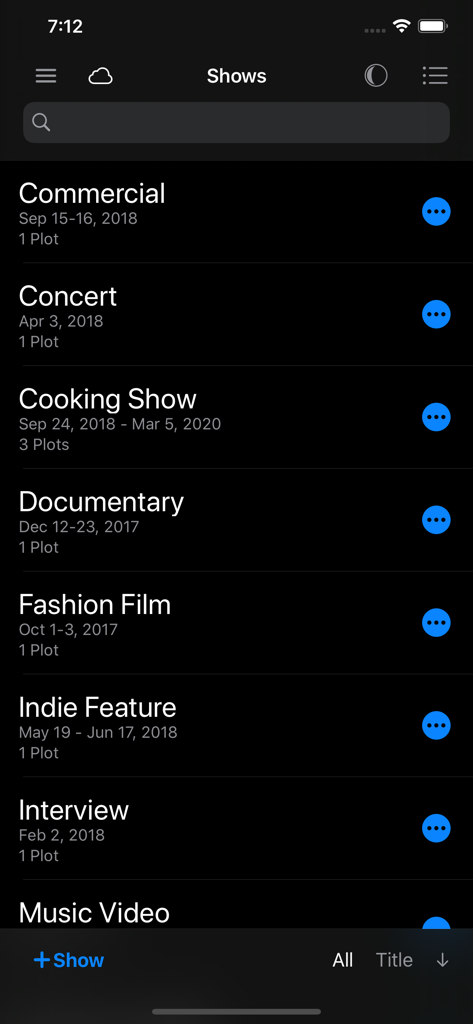
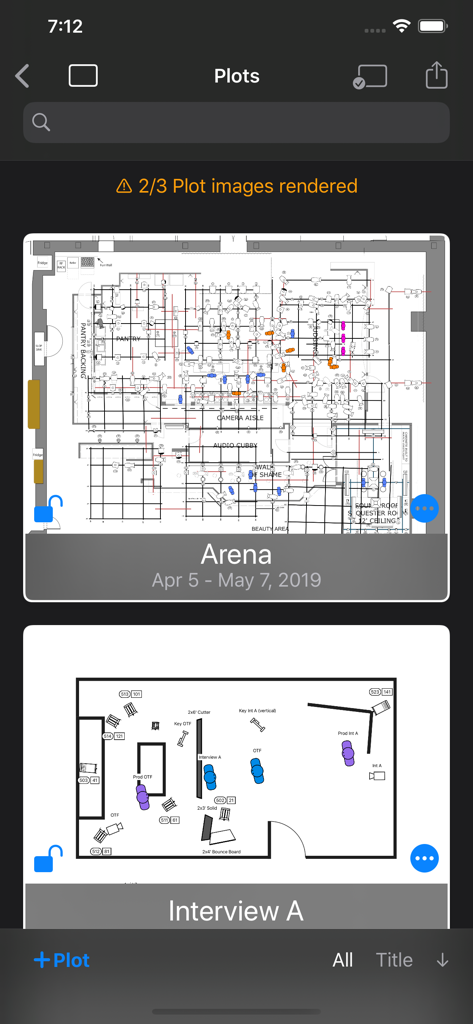
Liste der Show-Projekte in der Lighting Designer App, einschließlich kommerzieller, Konzert- und Dokumentarfilmprojekte im Dunkelmodus

Liste der Show-Projekte in der Lighting Designer App, einschließlich kommerzieller, Konzert- und Dokumentarfilmprojekte im Dunkelmodus

Oberfläche der Lighting Designer App mit einer Liste gespeicherter technischer Lichtpläne im Dunkelmodus

Oberfläche der Lighting Designer App mit einer Liste gespeicherter technischer Lichtpläne im Dunkelmodus

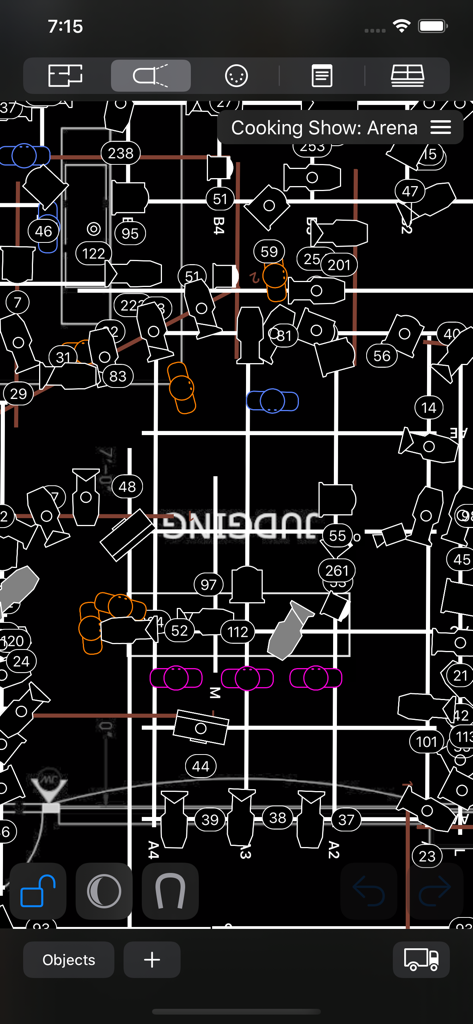
Professioneller Overhead-Lichtdesignplan im Dunkelmodus für ein Fernsehset

Professioneller Overhead-Lichtdesignplan im Dunkelmodus für ein Fernsehset

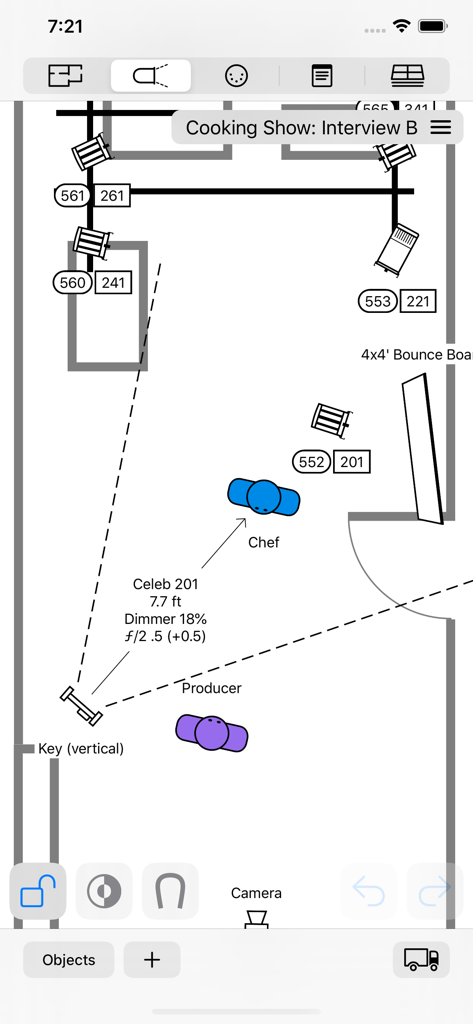
Draufsicht auf den Lichtplan für ein Filmset mit Lichtquellen und Darstellerpositionen auf einer mobilen Benutzeroberfläche

Draufsicht auf den Lichtplan für ein Filmset mit Lichtquellen und Darstellerpositionen auf einer mobilen Benutzeroberfläche

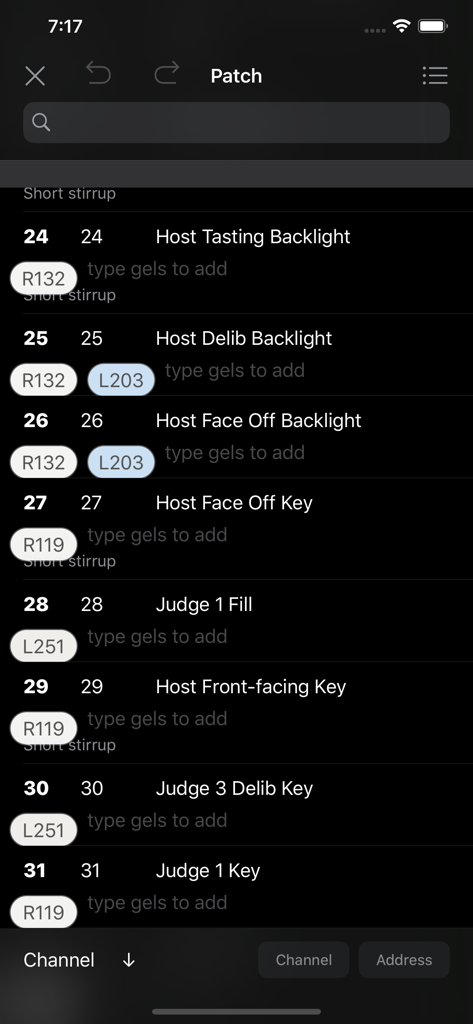
Oberfläche der Lighting Designer App mit einer digitalen Patchliste mit Kanalnummern und Farbfilterzuweisungen im Dunkelmodus

Oberfläche der Lighting Designer App mit einer digitalen Patchliste mit Kanalnummern und Farbfilterzuweisungen im Dunkelmodus

Professionelle Präzision, Null Reibung

Die Tools, die diese App auszeichnen, gewählt von 85K+ Nutzern.

📱

Entwerfen Sie überall, synchronisieren Sie überall

Arbeiten Sie nahtlos in Ihrem Apple-Ökosystem. Beginnen Sie einen Plan auf Ihrem Mac, verfeinern Sie ihn auf Ihrem iPad und greifen Sie auf Ihrem iPhone darauf zu, während Sie das Set durchgehen, mit vollständiger iCloud-Synchronisierung.

💡

Branchenübliche Ausrüstungsbibliothek

Greifen Sie auf über 2.000 integrierte Lichter und Objekte zu oder nutzen Sie über 25.000 professionelle Scheinwerfer über Crescit. Planen Sie Ihren Plan von Skypanels bis zu Source Fours mit der genauen Ausrüstung, die Sie verwenden.

📋

Automatisierte Ausrüstungs- & Crew-Listen

Verwandeln Sie Ihren visuellen Plan in ein umsetzbares technisches Dokument. Generieren Sie sofort Ausrüstungslisten und Truckpacks, um sie mit Ihrem Gaffer, Ihrem Verleih und Ihrer Produktionscrew zu teilen.

Über die App

Alles, was Sie über wissen müssen Lighting Designer.

Beschreibung

Never draw a lighting setup on a scrap of paper again. Lighting Designer is a quick and intuitive way to create overhead lighting plots for film, theater, television, concerts, and anything else you can light. The wide selection of equipment and simple yet powerful interface makes it easier than ever to illustrate and communicate your lighting setups, from most Apple devices. Your Silicon Mac is powerful and gives you the most screen to work with; your iPad is large and versatile; your iPhone will go with you anywhere. And if you like, your work can sync among all your Apple devices using iCloud, so you can start plotting on one and finish on another. LD is perfect for tech scouts, working while traveling, or just choosing the couch over your desk chair. While expensive drafting programs can take hours to use and years to master, Lighting Designer is an accessible way to plan your next show! Features: • Organize your setups into Shows, with details like shooting dates and crew members • Choose from over 2000 built-in types of lights, grip equipment, camera gear, actors, and objects like furniture and musical instruments • With a Crescit Premium account, you can have access to an additional 25,000+ pieces of lighting equipment, gels, and gobo templates • Use your own images to create custom fixtures on your Plots (read the User Guide for image specs) • For each light, specify wattage, beam spread, light output, DMX address, color, and many other details • Certain fixtures include info for exposure approximation; all can be user-configured and have their exposure reverse-calculated from real-world readings • Use Groups to create flexible collections of lights • Notes allow you to describe every detail of your setup • Pack your Truck to share gear among multiple Plots • Draw a Floor Plan using basic shapes, and images from your device • Lights can target other objects, and objects can rig onto each other for easy adjustments • Email editable Plots to the crew, with images, equipment, and crew lists • Undo/Redo functionality • Optional iCloud sync • Dark Mode presents a dark workspace to reduce eyestrain and minimize your device's light in a dark environment

Neueste Version

4.0.4

Größe

79.6 MB

Erstveröffentlichung

24. Apr. 2012

Übernehmen Sie die Kontrolle über Ihr Licht

Vergessen Sie Notizzettel und verbessern Sie Ihren professionellen Workflow. Laden Sie Lighting Designer jetzt herunter, um produktionsfertige Pläne direkt von Ihrem iPhone oder iPad zu erstellen, zu synchronisieren und zu teilen.

Herunterladen auf App Store

App information, icons, screenshots, and descriptions displayed on this page are sourced from the Apple App Store and are the property of their respective developers. Download estimates and rankings are based on MWM's proprietary models and may not reflect actual figures. This page is provided for informational and analytical purposes only.

Believe this page infringes your intellectual property? File a dispute