Linearity Move Motion Graphics
Herunterladen auf App Store

Diese Seite ist keine offizielle Seite der App oder ihres Entwicklers, sondern eine unabhängige redaktionelle Veröffentlichung, die zu Informations- und Kommentarzwecken erstellt wurde. Sofern nicht ausdrücklich anders angegeben, sind weder die App noch ihr Entwickler mit MWM, Apple, Google Play, dem App-Herausgeber oder dem Entwickler der App verbunden, von ihnen unterstützt, gesponsert, autorisiert oder anderweitig offiziell verbunden, und nichts auf dieser Seite impliziert, dass die App unter Verwendung der Dienste von MWM entwickelt wurde. Alle Marken, Logos, Screenshots und andere Inhalte bleiben Eigentum ihrer jeweiligen Inhaber.


Logo von Linearity Move Motion Graphics
Herunterladen auf App Store

Linearity Move Motion Graphics

Der intuitivste Weg, statische Designs in dynamische Geschichten zu verwandeln. Importieren Sie nahtlos aus Figma, verformen Sie Formen mühelos und erstellen Sie hochwertige Animationen auf Ihrem iPad und Mac.

Kennzahlen

Downloads

200K+

Bewertung

4.3/5

Bewertungen gesamt

600

Herausgeber

Linearity GmbH

Kategorie

Graphics & Design

Sprachen

13

Neueste Version

6.5.0

Größe

587.1 MB

Erstveröffentlichung

15. Jan. 2024
Funktionen

Animieren im Tempo der Inspiration

Linearity Move schließt die Lücke zwischen statischem Design und dynamischem Storytelling und bietet Ihnen professionelle Motion-Tools ohne steile Lernkurve.

Sofortige Bewegung durch Morphing

Überspringen Sie die mühsame Keyframe-Erstellung. Verwandeln Sie Formen und Ebenen automatisch in flüssige Animationen mit nur einem Klick.

Nahtlose Designintegration

Importieren Sie Figma-, Illustrator- oder Sketch-Dateien mit allen Ebenen intakt. Hören Sie auf, Projekte neu zu erstellen, und fangen Sie an zu animieren.

Die folgenden Screenshots und die Beschreibung stammen direkt aus dem offiziellen Store-Eintrag der App und sind Eigentum des Entwicklers.

App Store

Screenshots
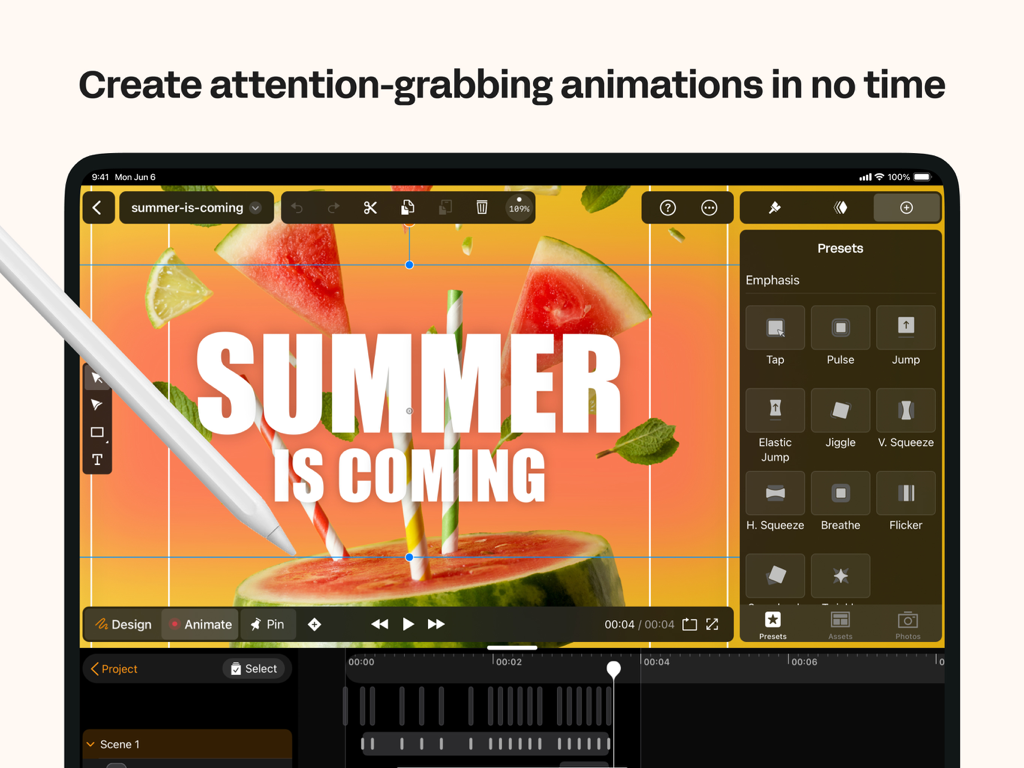
Linearity Move Motion Graphics - Linearity Move App-Oberfläche auf dem iPad, die Motion-Graphics-Voreinstellungen für ein Sommerprojekt zeigt.
Linearity Move App-Oberfläche auf dem iPad, die Motion-Graphics-Voreinstellungen für ein Sommerprojekt zeigt.

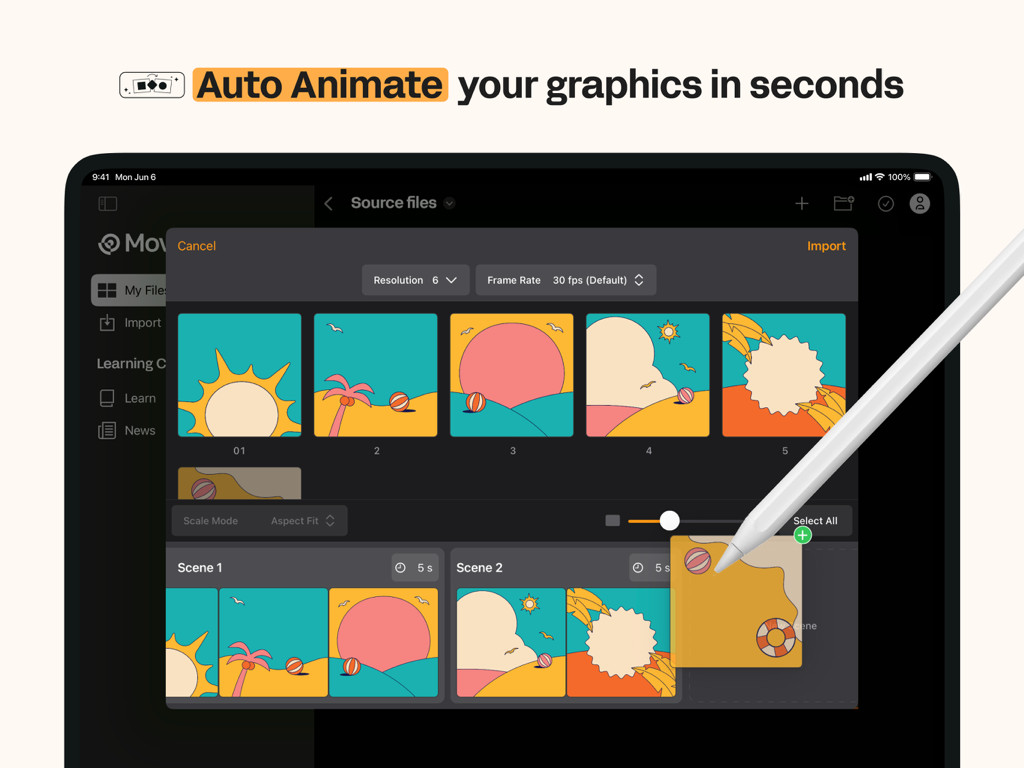
Linearity Move Motion Graphics - Linearity Move iPad-Oberfläche, die die Auto-Animate-Funktion für Motion Graphics zeigt
Linearity Move iPad-Oberfläche, die die Auto-Animate-Funktion für Motion Graphics zeigt

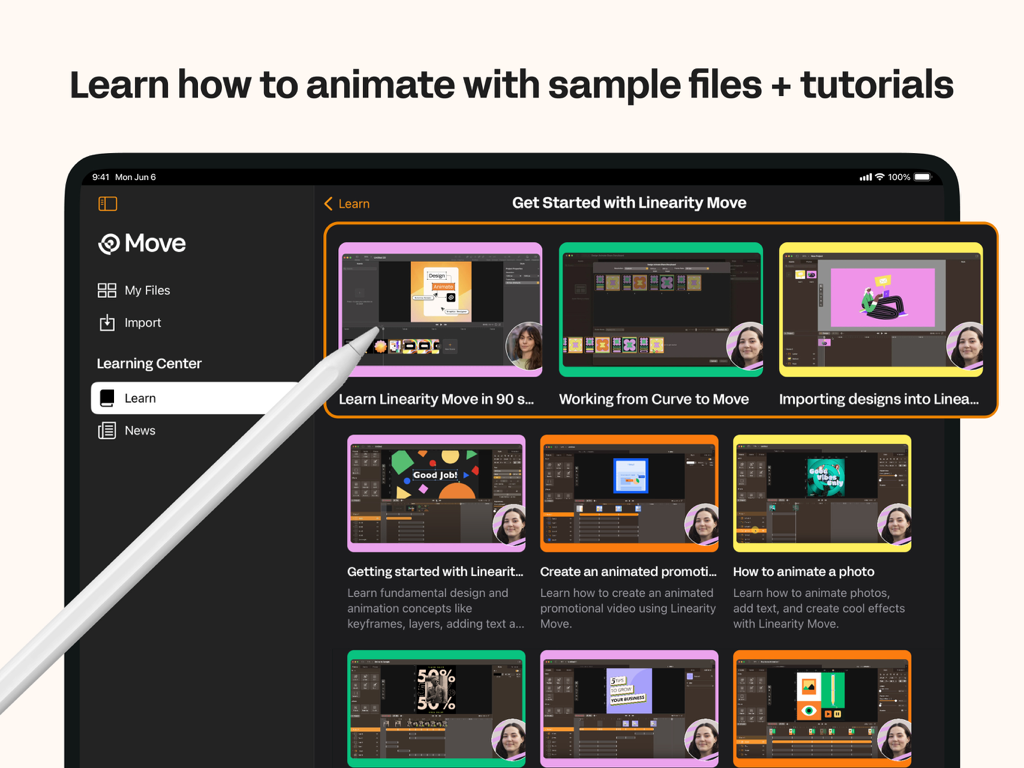
Linearity Move Motion Graphics - Ein iPad-Bildschirm, der das Linearity Move Learning Center mit verschiedenen Video-Tutorials zur Animation anzeigt
Ein iPad-Bildschirm, der das Linearity Move Learning Center mit verschiedenen Video-Tutorials zur Animation anzeigt

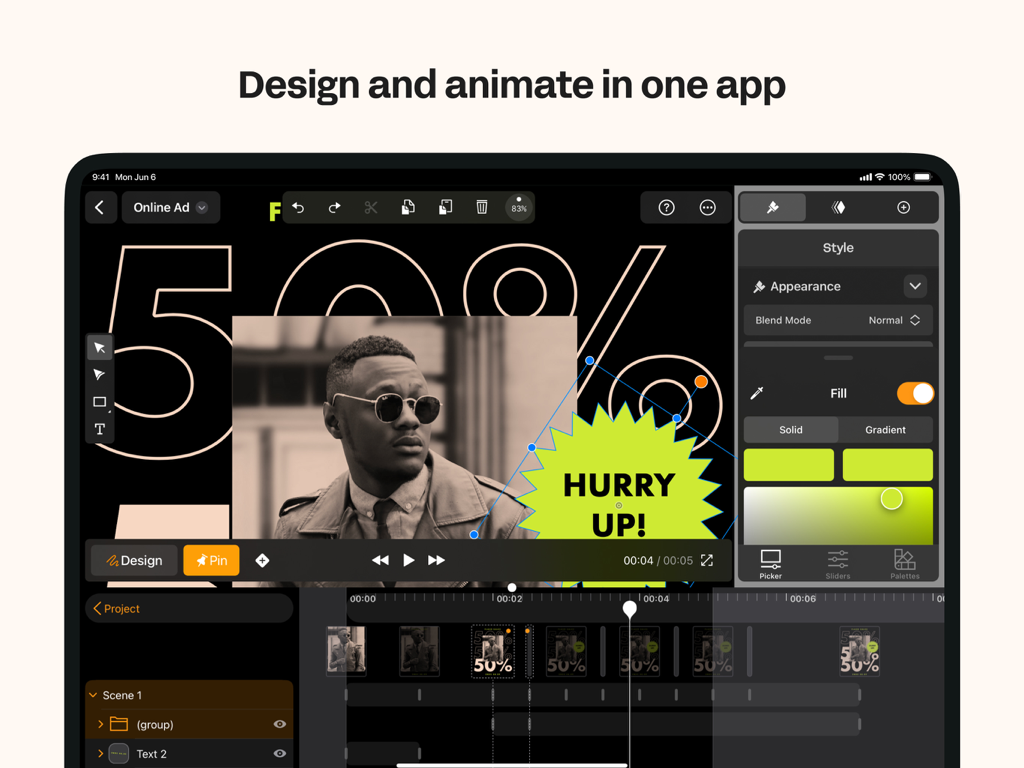
Linearity Move Motion Graphics - Linearity Move iPad App-Oberfläche, die Design- und Animationswerkzeuge für Social-Media-Grafiken zeigt
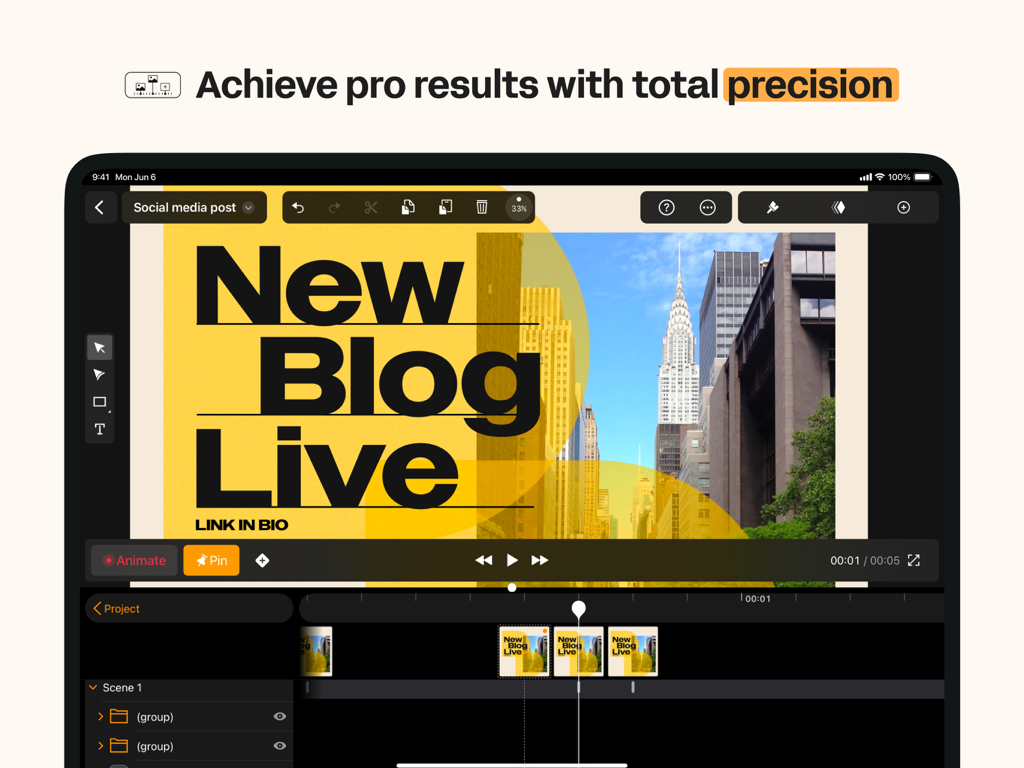
Linearity Move iPad App-Oberfläche, die Design- und Animationswerkzeuge für Social-Media-Grafiken zeigt

Linearity Move Motion Graphics - Linearity Move App-Oberfläche auf einem iPad, die professionelle Motion-Graphics-Animation mit einer Videoleiste zeigt.
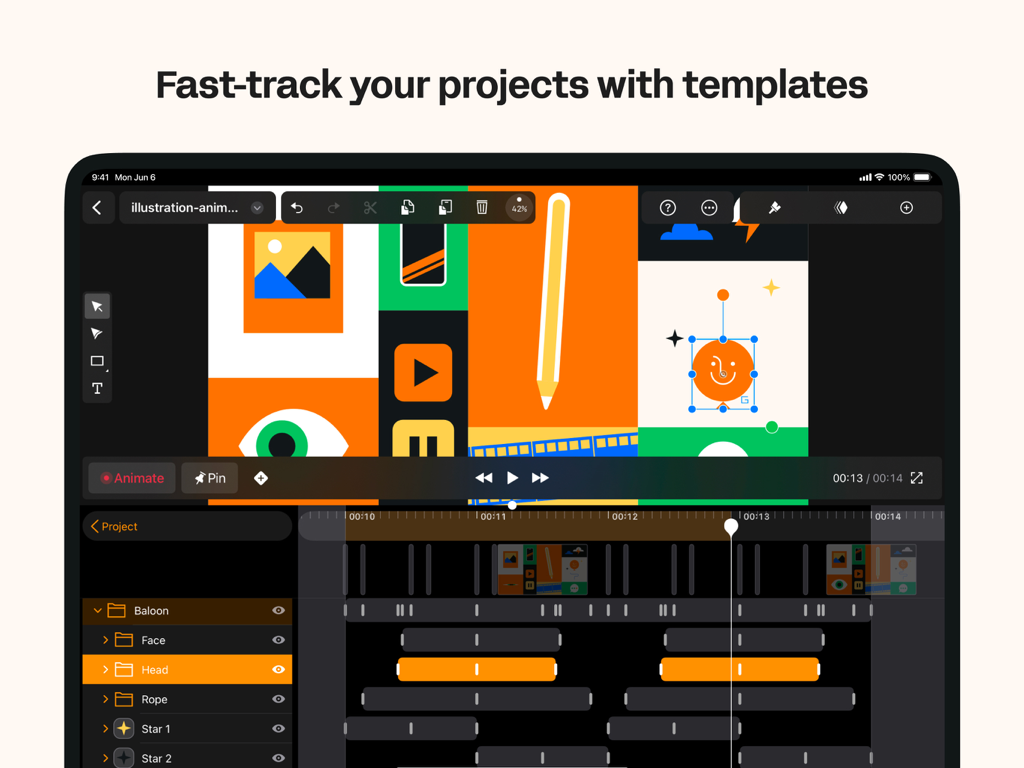
Linearity Move App-Oberfläche auf einem iPad, die professionelle Motion-Graphics-Animation mit einer Videoleiste zeigt.

Linearity Move Motion Graphics - Linearity Move Animations-Oberfläche auf dem iPad, die Grafikdesign-Vorlagen und eine Motion-Timeline zeigt.
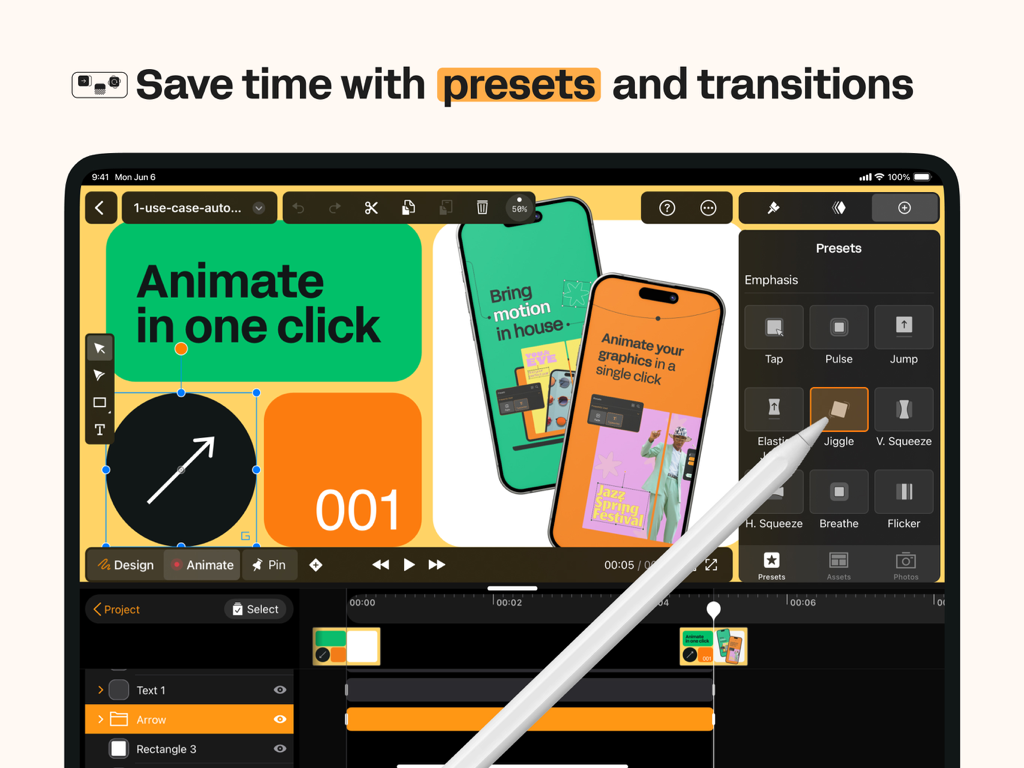
Linearity Move Animations-Oberfläche auf dem iPad, die Grafikdesign-Vorlagen und eine Motion-Timeline zeigt.

Linearity Move Motion Graphics - Linearity Move App-Oberfläche auf dem iPad, die Motion-Graphic-Animations-Voreinstellungen zeigt.

Linearity Move App-Oberfläche auf dem iPad, die Motion-Graphic-Animations-Voreinstellungen zeigt.
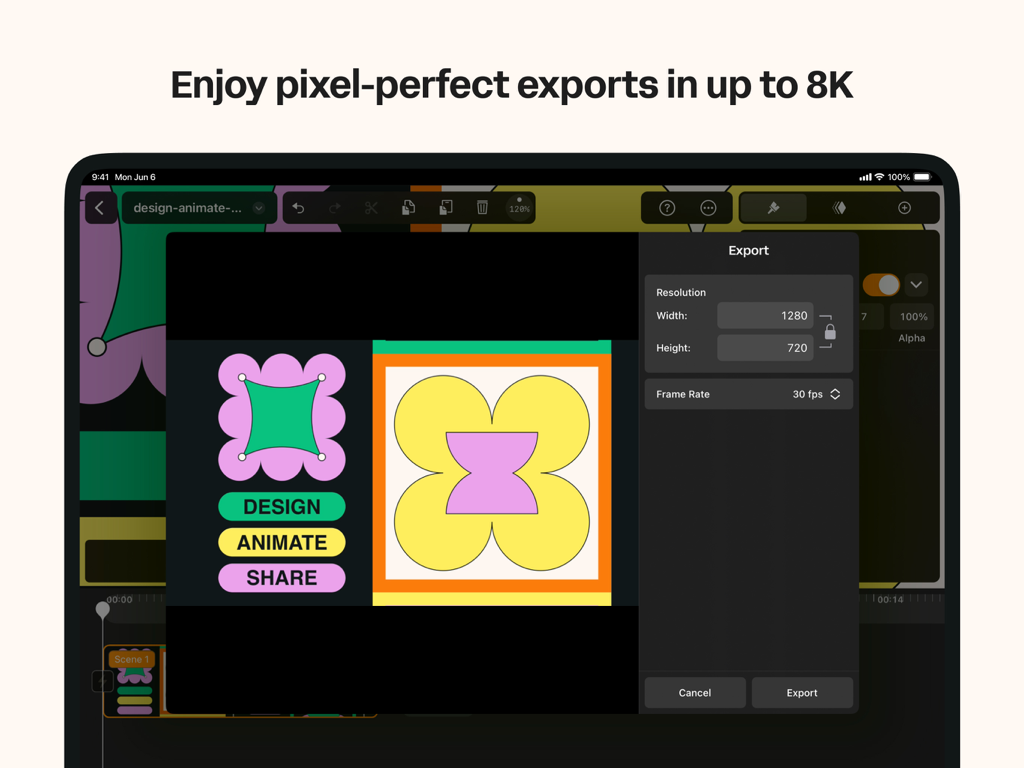
Linearity Move Motion Graphics - Das Exportmenü von Linearity Move auf dem iPad mit Auflösungs- und Bildrateneinstellungen für hochwertige Motion Graphics.
Das Exportmenü von Linearity Move auf dem iPad mit Auflösungs- und Bildrateneinstellungen für hochwertige Motion Graphics.

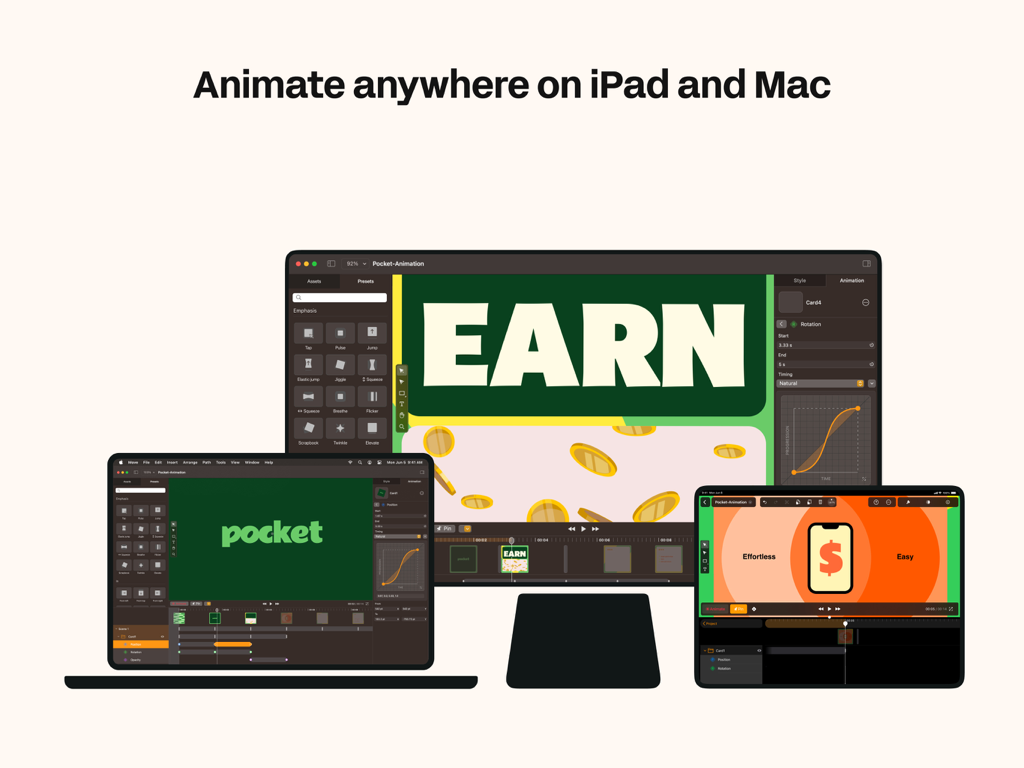
Linearity Move Motion Graphics - Die Benutzeroberfläche der Linearity Move Animationssoftware, angezeigt auf einem MacBook, iPad und Desktop-Monitor.
Die Benutzeroberfläche der Linearity Move Animationssoftware, angezeigt auf einem MacBook, iPad und Desktop-Monitor.

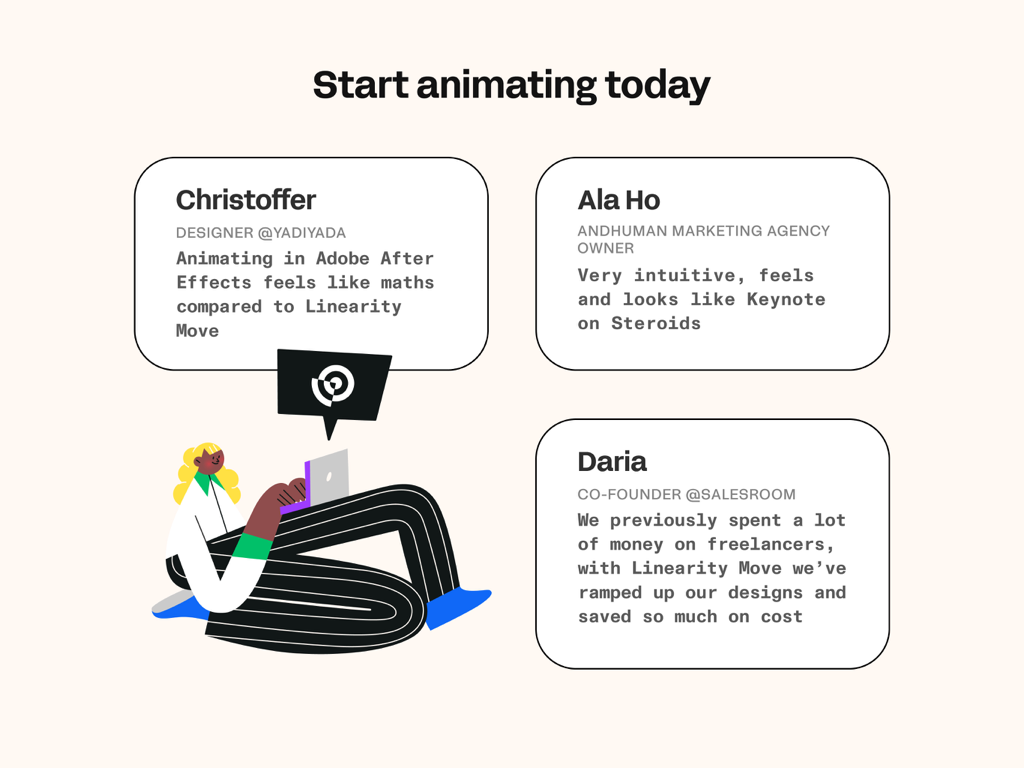
Linearity Move Motion Graphics - Benutzerrezensionen für die Linearity Move Motion-Graphics-App

Benutzerrezensionen für die Linearity Move Motion-Graphics-App

Beschreibung

Bring your ideas to life with motion graphics designed for modern creatives. Linearity Move for iPad and Mac transforms static visuals into dynamic animations — fast, intuitive, and built for designers, marketers, and anyone who wants to tell stories through motion. Whether you’re animating brand visuals, social media assets, explainer videos, or logo reveals, Move gives you all the tools you need to design, animate, and export professional-quality motion graphics — all in one app. Create motion graphics effortlessly Design isn’t static anymore. With Linearity Move, you can turn vector art, illustrations, or text into expressive animations in just a few steps. Start with artwork from Figma, Adobe Illustrator, Sketch, or Linearity Curve, and Move keeps all your layers and groups intact — giving you total control over every element in motion. Animate with precision From simple fades to complex morphs, Move gives you powerful motion design controls that feel intuitive. Morphing: Instantly transform one shape into another for seamless logo or icon animations. Pinning: Anchor start and end points to create fluid, natural movement. Custom timing curves: Shape acceleration and easing with Bézier controls for a polished, cinematic feel. Real-time keyframing: Every tweak updates automatically — no need for complex timeline management. You can even add images, videos, and audio to your projects to create rich, multimedia motion pieces. One interface for design and animation Linearity Move unifies design and animation in one clean workspace. Switch between Design mode to edit shapes, nodes, and text, and Animate mode to craft motion with precise control. No need to jump between separate design and video apps — everything happens in one intuitive interface optimized for touch and desktop. Built for professionals — accessible to everyone Linearity Move brings the power of motion graphics to designers of all levels. Whether you’re a marketing creative, illustrator, or motion designer, Move helps you animate faster without sacrificing quality. You don’t need to master complex timelines — the app makes animation approachable while keeping professional depth for advanced users. Templates and rapid prototyping Need to get started quickly? Choose from ready-made templates for social media stories, ads, product demos, logo animations, and more. Each template is fully editable, so you can adapt it to your brand and publish in minutes. High-quality exports for every platform Deliver motion graphics that look crisp everywhere. Export your work in MP4, MOV, or GIF formats, up to 8K resolution, ready for social media, video production, or digital signage. Your animations stay sharp, scalable, and professional across all screen sizes. Seamless sync and collaboration Your projects are always with you. Start animating on your Mac, then continue on iPad with identical tools and synced progress through your Linearity account. Collaborate with teammates or switch devices mid-project without missing a frame. Who it’s for • Motion designers: Build and refine professional-grade animations faster than ever. • Graphic designers & illustrators: Add motion to your vector artwork and brand visuals with zero learning curve. • Marketing teams & agencies: Produce attention-grabbing motion content in-house, from ad creatives to social stories. • Beginners & students: Learn motion design fundamentals through intuitive tools and step-by-step templates.

Download

Herunterladen auf App Store

Diese Seite ist keine offizielle Seite der App oder ihres Entwicklers, sondern eine unabhängige redaktionelle Veröffentlichung, die zu Informations- und Kommentarzwecken erstellt wurde. Sofern nicht ausdrücklich anders angegeben, sind weder die App noch ihr Entwickler mit MWM, Apple, Google Play, dem App-Herausgeber oder dem Entwickler der App verbunden, von ihnen unterstützt, gesponsert, autorisiert oder anderweitig offiziell verbunden, und nichts auf dieser Seite impliziert, dass die App unter Verwendung der Dienste von MWM entwickelt wurde. Alle Marken, Logos, Screenshots und andere Inhalte bleiben Eigentum ihrer jeweiligen Inhaber.







