
Diese Seite ist keine offizielle Seite der App oder ihres Entwicklers, sondern eine unabhängige redaktionelle Veröffentlichung, die zu Informations- und Kommentarzwecken erstellt wurde. Sofern nicht ausdrücklich anders angegeben, sind weder die App noch ihr Entwickler mit MWM, Apple, Google Play, dem App-Herausgeber oder dem Entwickler der App verbunden, von ihnen unterstützt, gesponsert, autorisiert oder anderweitig offiziell verbunden, und nichts auf dieser Seite impliziert, dass die App unter Verwendung der Dienste von MWM entwickelt wurde. Alle Marken, Logos, Screenshots und andere Inhalte bleiben Eigentum ihrer jeweiligen Inhaber.


灵动小组件 - Ld Widgets万能手机桌面主题壁纸
Werten Sie Ihr iPhone mit professionellen Liquid-Glass-Widgets, interaktiven Haustieren und beeindruckenden Hintergrundbildern mit Tiefeneffekt auf. Drücken Sie Ihren einzigartigen digitalen Stil mit dem ultimativen Toolkit für die iOS-Anpassung aus.
Downloads
0Bewertung
Bewertungen gesamt
0Herausgeber
Kategorie
UtilitiesSprachen
2Neueste Version
1.8.9Größe
346.1 MBErstveröffentlichung
15. Mai 2023Verbessern Sie Ihre digitale Ästhetik
Verwandeln Sie Ihr iPhone mit einer kuratierten Sammlung interaktiver Widgets, atemberaubender Tiefen-Hintergrundbilder und benutzerdefinierter Dynamic-Island-Animationen, die für Ihren einzigartigen Stil entwickelt wurden.
Erwecken Sie Ihre Insel zum Leben
Gehen Sie über die Kerbe hinaus mit benutzerdefinierten Haustieren für die Dynamic Island, scrollenden Fotos und kreativen Animationen, die Ihre Hardware persönlich wirken lassen.
Interaktive Produktivität
Haben Sie es satt, zwischen Apps zu wechseln? Haken Sie Ihre To-Do-Liste ab, verfolgen Sie Ihre täglichen Schritte und verwalten Sie Gewohnheiten mit nur einem Fingertipp direkt von Ihrem Startbildschirm aus.
Die folgenden Screenshots und die Beschreibung stammen direkt aus dem offiziellen Store-Eintrag der App und sind Eigentum des Entwicklers.
App Store
Screenshots
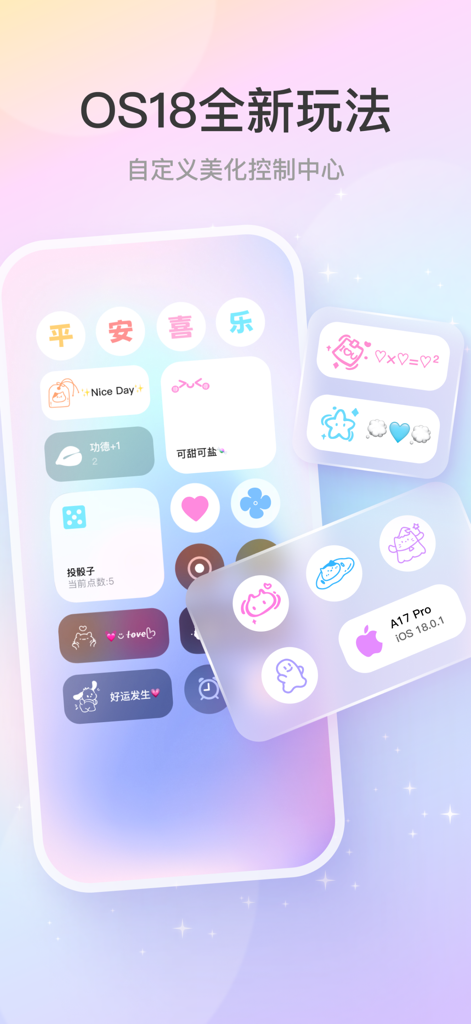
Ld Widgets App zeigt ein angepasstes iOS 18 Control Center mit ästhetischen Icons und bunten Widgets.
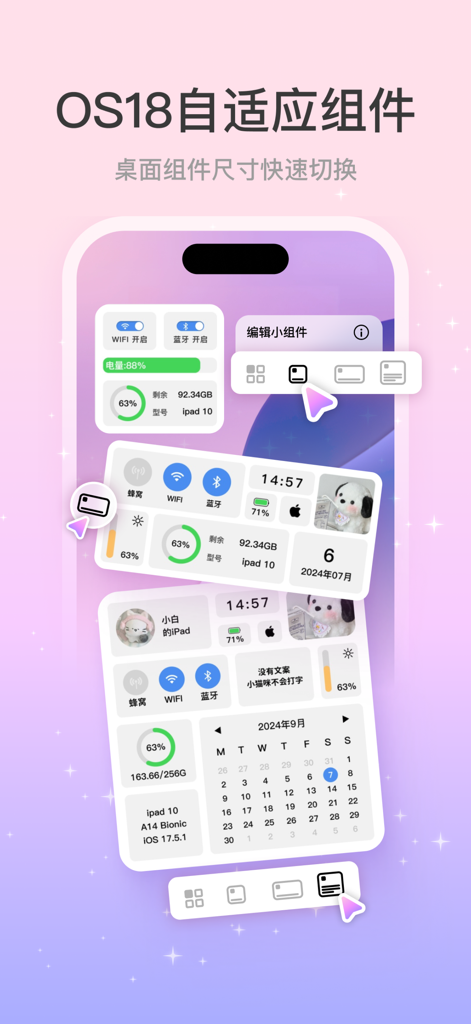
Eine Vorschau der Ld Widgets App, die anpassbare iOS 18 adaptive Home-Bildschirm-Widgets zeigt.
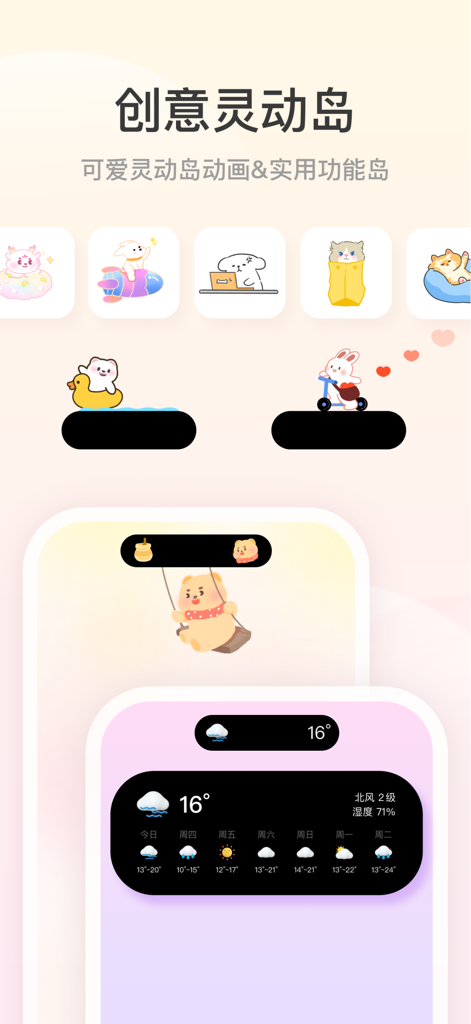
Eine Präsentation von niedlichen Cartoon-Tieranimationen und funktionalen Wetter-Widgets für die iPhone Dynamic Island von der Ld Widgets App.
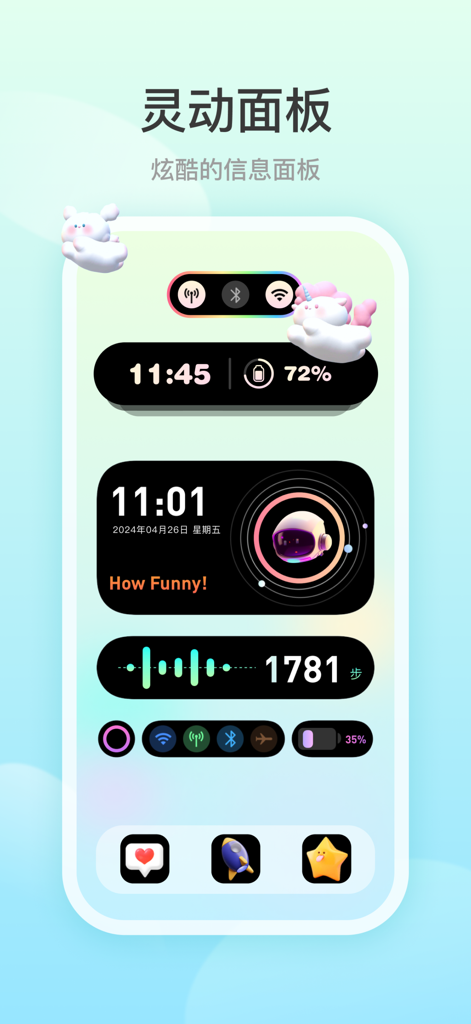
Ein Screenshot der Ld Widgets App, der ein angepasstes dynamisches Panel auf einem iPhone mit Uhr, Batteriestatus, Astronauten-Animation und Schrittzähler zeigt.
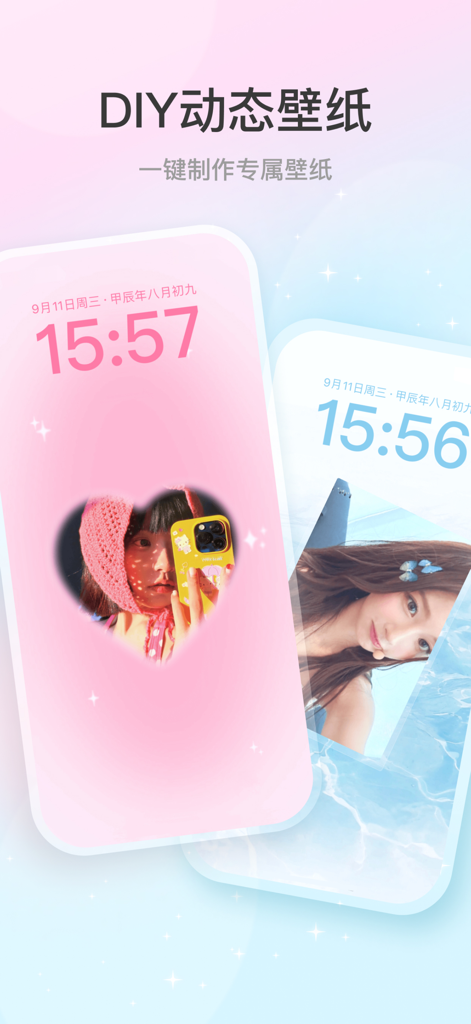
Ästhetische DIY-Dynamik-Wallpaper-Funktion auf iPhone-Sperrbildschirmen mit herzförmigen Foto-Ausschnitten und sanften Farbverläufen.
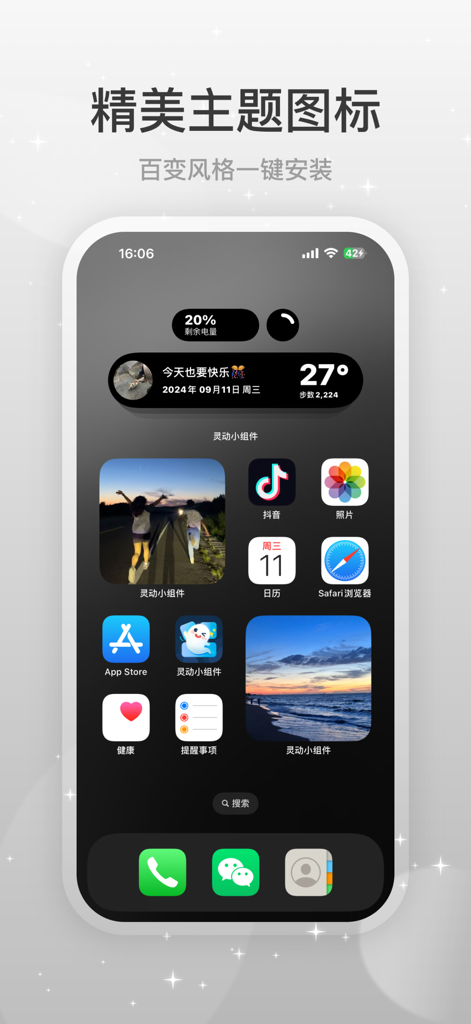
iPhone Home-Bildschirm mit einem dunklen ästhetischen Thema mit benutzerdefinierten Widgets und Icons
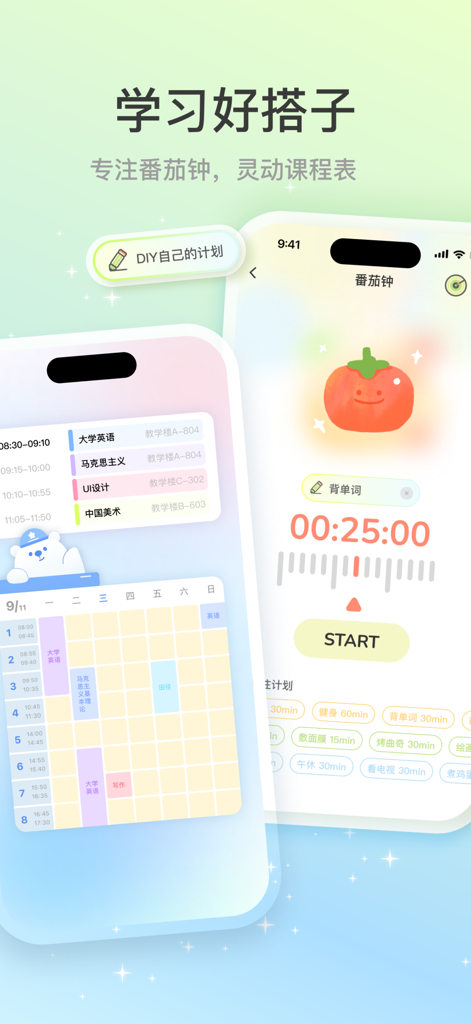
Ästhetische iPhone-Studien-Widgets mit einem Pomodoro-Timer mit einer niedlichen Tomate und einem farbcodierten Wochenplan.
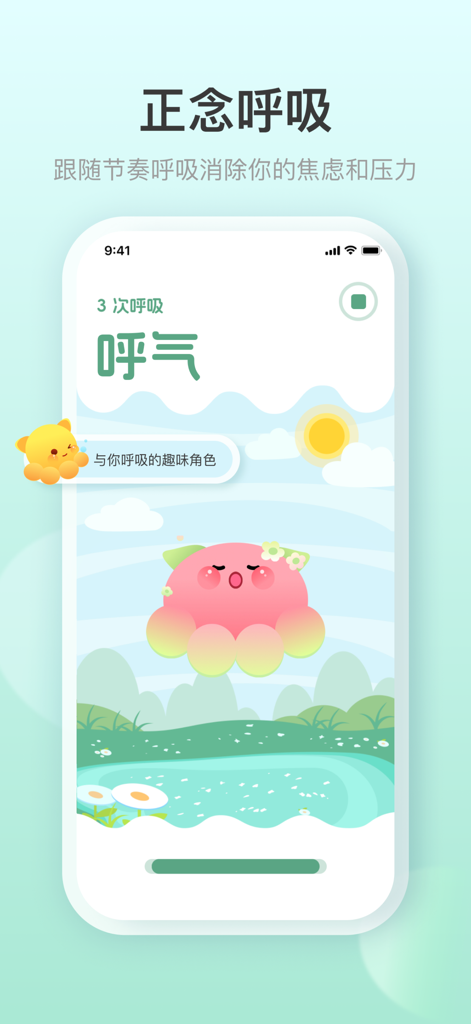
Eine mobile App-Oberfläche von Ld Widgets, die eine Achtsamkeits-Atemübung mit einem niedlichen rosa animierten Charakter und einem ruhigen Naturhintergrund zeigt.
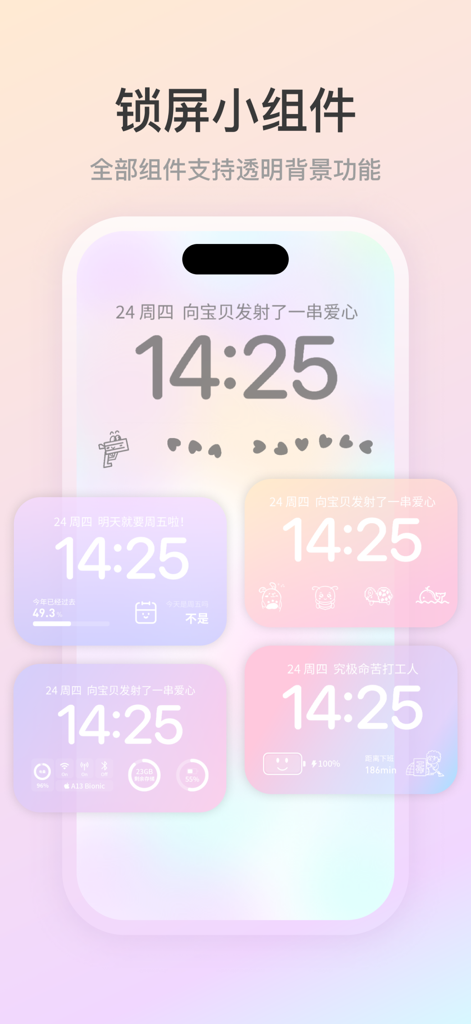
Eine Sammlung anpassbarer iPhone-Sperrbildschirm-Widgets mit transparenten Hintergründen und ästhetischem Design
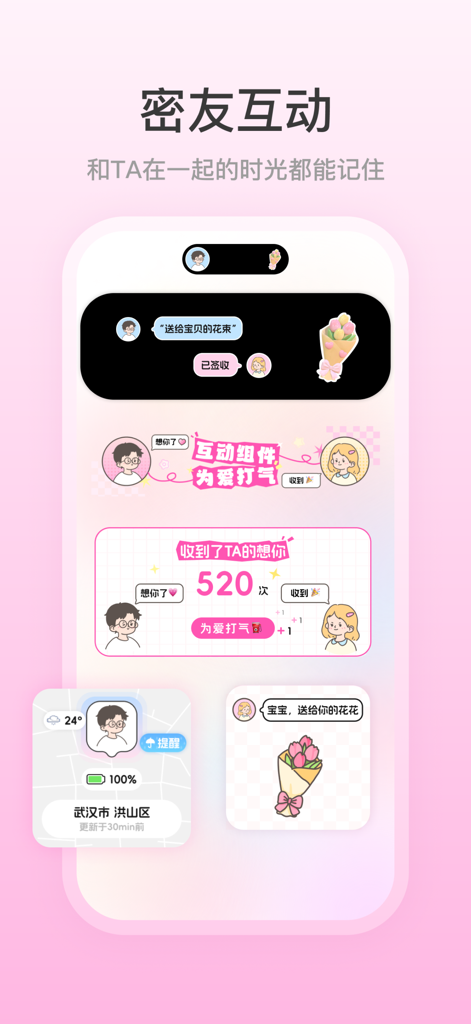
iPhone-Bildschirm, der ästhetische interaktive Widgets für enge Freunde und Paare mit Dynamic Island-Animationen anzeigt
Beschreibung
Download
Ähnliche Apps
Apps mit ähnlichen Funktionen und Nutzererfahrung

iScreen - Widgets & Wallpaper
Xiamen ShenZhuo Information Technology Co., Ltd.

Top Widgets⁺ Icons & Themes
Chengdu Tiange Technology Co., Ltd
Colorful Widget- Widget&Themes
Guangzhou ZHIFENG Information Technology Co.,Ltd.

最美壁纸-手机动态主题AI壁纸
文彬 黄

Clockology Watch Faces
Clockology, LLC

Fun Widgets-Widgets&Wallpapers
Beijing Curious Cat Co.Ltd

全能实况 - 实况壁纸制作器&视频转实况动态壁纸
Xiamen Infinity Starway Technology Co., Ltd.
屏幕精灵 - 精美图标动态壁纸充电秀来电秀一键换新
Guangzhou Shuhong Network Technology Co., Ltd.

Themes - Widget & Icon Themes
S.HOUSING INTERIOR ARCHITECTURE COMPANY LIMITED
Diese Seite ist keine offizielle Seite der App oder ihres Entwicklers, sondern eine unabhängige redaktionelle Veröffentlichung, die zu Informations- und Kommentarzwecken erstellt wurde. Sofern nicht ausdrücklich anders angegeben, sind weder die App noch ihr Entwickler mit MWM, Apple, Google Play, dem App-Herausgeber oder dem Entwickler der App verbunden, von ihnen unterstützt, gesponsert, autorisiert oder anderweitig offiziell verbunden, und nichts auf dieser Seite impliziert, dass die App unter Verwendung der Dienste von MWM entwickelt wurde. Alle Marken, Logos, Screenshots und andere Inhalte bleiben Eigentum ihrer jeweiligen Inhaber.