
Diese Seite ist keine offizielle Seite der App oder ihres Entwicklers, sondern eine unabhängige redaktionelle Veröffentlichung, die zu Informations- und Kommentarzwecken erstellt wurde. Sofern nicht ausdrücklich anders angegeben, sind weder die App noch ihr Entwickler mit MWM, Apple, Google Play, dem App-Herausgeber oder dem Entwickler der App verbunden, von ihnen unterstützt, gesponsert, autorisiert oder anderweitig offiziell verbunden, und nichts auf dieser Seite impliziert, dass die App unter Verwendung der Dienste von MWM entwickelt wurde. Alle Marken, Logos, Screenshots und andere Inhalte bleiben Eigentum ihrer jeweiligen Inhaber.


Log GPS
Das ultimative Offline-Tool für Vermesser, Inspektoren und Entdecker. Erfassen Sie präzise Koordinaten mit einem Fingertipp, schonen Sie Ihren Akku und exportieren Sie Ihre Daten als professionelle CSV- oder GPX-Dateien.
Downloads
111K+Bewertung
Bewertungen gesamt
0Herausgeber
Kategorie
NavigationSprachen
1Neueste Version
5.2.1Größe
2.7 MBErstveröffentlichung
18. Jan. 2011Präzisions-Kartierung für Außendienstmitarbeiter
Log GPS ist das ultimative Werkzeug für datenintensive Feldarbeit und bietet robuste Offline-Leistung und professionelle Exportfunktionen, ohne den Akku zu belasten.
Zuverlässige Offline-Protokollierung
Erfassen Sie präzise Koordinaten in abgelegenen ländlichen Gebieten oder städtischen Funklöchern. Unser System benötigt keinen Netzwerkzugang für die Datenerfassung und stellt sicher, dass Sie keinen Punkt verpassen.
Im Feld getestete Akkulaufzeit
Bleiben Sie während Ihrer gesamten Schicht produktiv. Log GPS ist für maximale Effizienz optimiert und vermeidet den starken Akkuverbrauch, der bei Hintergrund-Tracking-Karten-Apps typisch ist.
Die folgenden Screenshots und die Beschreibung stammen direkt aus dem offiziellen Store-Eintrag der App und sind Eigentum des Entwicklers.
App Store
Screenshots
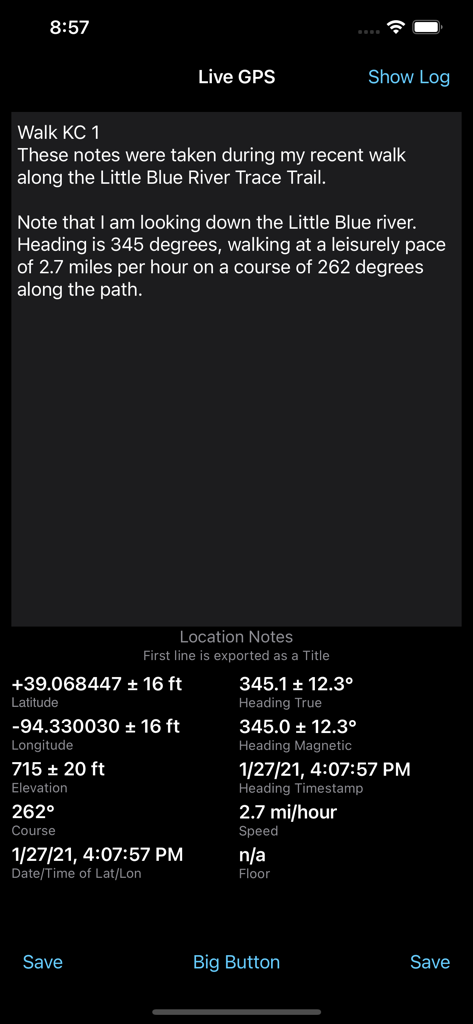
Log GPS App-Oberfläche mit Live-Koordinaten, Geschwindigkeit und Ortsnotizen
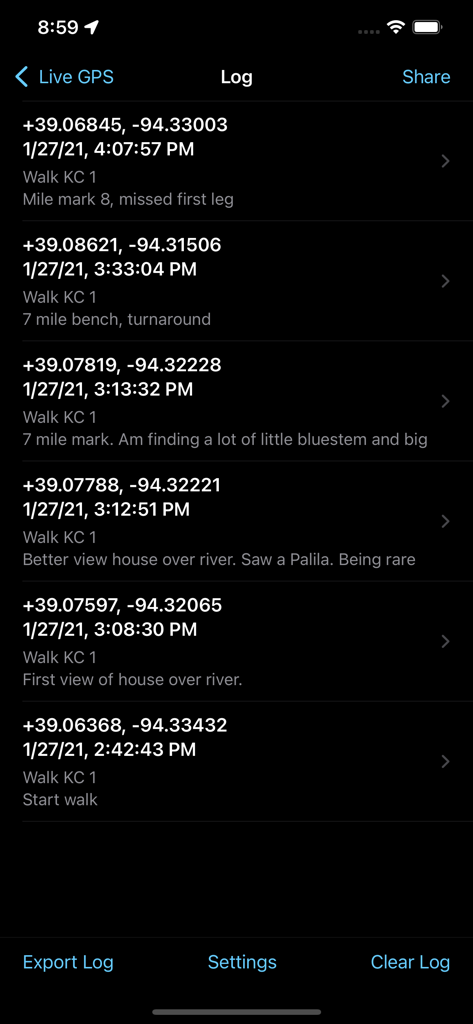
Eine Liste gespeicherter GPS-Koordinaten und Feldbemerkungen in der Log GPS App-Oberfläche.
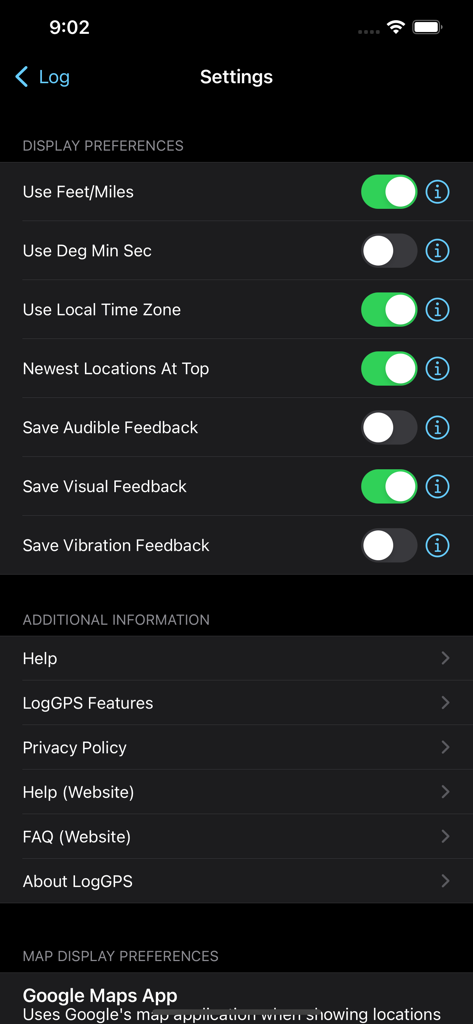
Einstellungen-Bildschirm der Log GPS App mit Umschaltern für Anzeigeoptionen und Menü für zusätzliche Informationen
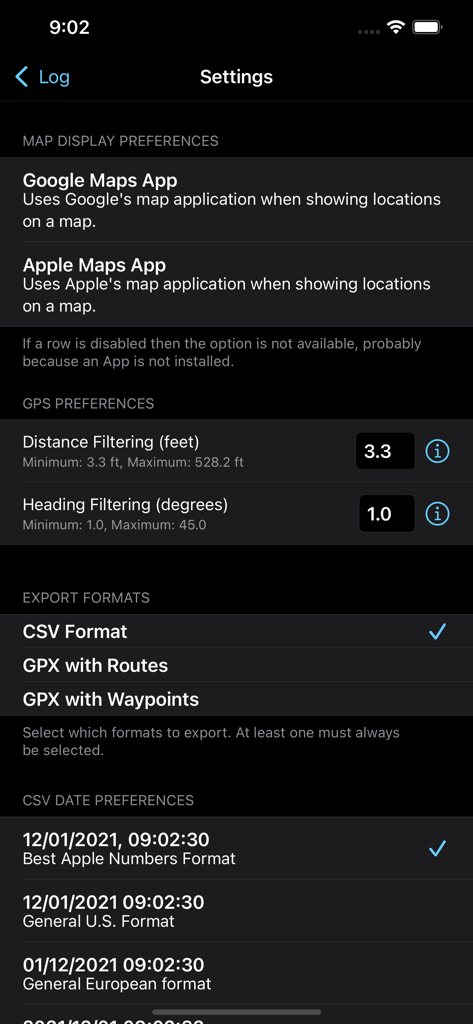
Einstellungsmenü der Log GPS App mit Anzeigeoptionen für Kartenansicht, GPS-Filteroptionen und Datenausgabeformate
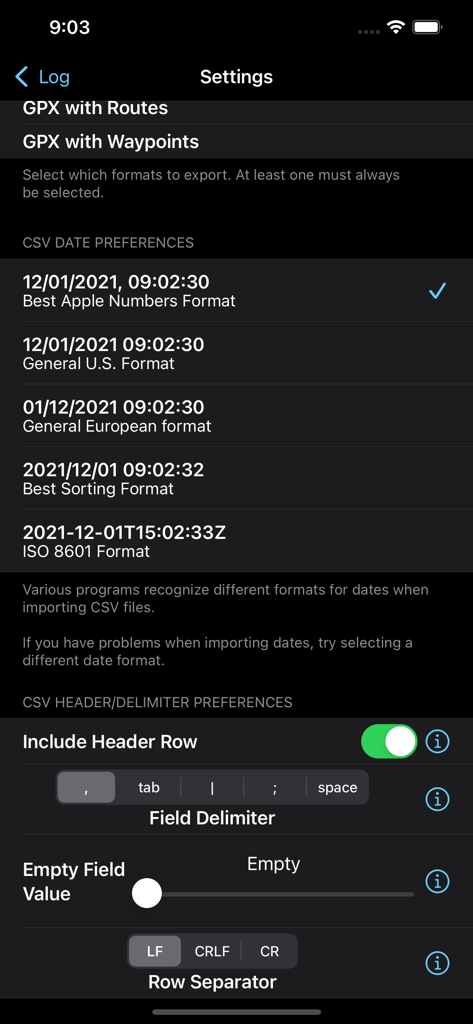
Log GPS App-Einstellungen-Bildschirm zur Konfiguration von CSV-Exportdatumsformaten und Feldtrennern
Beschreibung
Download
Ähnliche Apps
Top-gerankte Apps in derselben Kategorie

Google Maps
Google LLC

Waze Navigation & Live Traffic
waze

AMap Global
AutoNavi Information Technology Co. Ltd.

百度地图-路线规划,出行必备
Beijing Baidu Netcom Science & Technology Co.,Ltd

Moovit: Bus & Transit Tracker
Moovit App Global LTD

Transit • Subway & Bus Times
9280-0366 Quebec inc.

ParkMobile: Park. Pay. Go.
Parkmobile USA, Inc

腾讯地图-路线规划,导航地铁打车出行
Shenzhen Tencent Computer Systems Company Limited

Île-de-France Mobilités
Ile de France Mobilites
Diese Seite ist keine offizielle Seite der App oder ihres Entwicklers, sondern eine unabhängige redaktionelle Veröffentlichung, die zu Informations- und Kommentarzwecken erstellt wurde. Sofern nicht ausdrücklich anders angegeben, sind weder die App noch ihr Entwickler mit MWM, Apple, Google Play, dem App-Herausgeber oder dem Entwickler der App verbunden, von ihnen unterstützt, gesponsert, autorisiert oder anderweitig offiziell verbunden, und nichts auf dieser Seite impliziert, dass die App unter Verwendung der Dienste von MWM entwickelt wurde. Alle Marken, Logos, Screenshots und andere Inhalte bleiben Eigentum ihrer jeweiligen Inhaber.