
Diese Seite ist keine offizielle Seite der App oder ihres Entwicklers, sondern eine unabhängige redaktionelle Veröffentlichung, die zu Informations- und Kommentarzwecken erstellt wurde. Sofern nicht ausdrücklich anders angegeben, sind weder die App noch ihr Entwickler mit MWM, Apple, Google Play, dem App-Herausgeber oder dem Entwickler der App verbunden, von ihnen unterstützt, gesponsert, autorisiert oder anderweitig offiziell verbunden, und nichts auf dieser Seite impliziert, dass die App unter Verwendung der Dienste von MWM entwickelt wurde. Alle Marken, Logos, Screenshots und andere Inhalte bleiben Eigentum ihrer jeweiligen Inhaber.


Low Poly Synth
Entfessle ein endloses Universum generativer Klanglandschaften mit 8-Layer-Synthese, tiefgreifender MIDI-Steuerung und AUv3-Integration für den modernen Ambient-Produzenten.
Downloads
2K+Bewertung
Bewertungen gesamt
0Herausgeber
Kategorie
MusicSprachen
1Neueste Version
1.0Größe
6.3 MBErstveröffentlichung
14. Dez. 2025Erzeuge unendliche Klangtexturen
Entdecke Milliarden einzigartiger, sich entwickelnder Klangfarben durch eine leistungsstarke generative Engine, die für den modernen mobilen Produzenten und Ambient-Klanglandschaftskünstler entwickelt wurde.
Unendliche generative Entdeckung
Greife sofort auf über 4 Milliarden einzigartige Presets zu. Nutze die zufällige Generierung, um seltene, glitchige Texturen zu finden, die noch niemand zuvor gehört hat.
Pro AUv3 & MIDI-Steuerung
Nahtlose Integration in dein Studio. Nutze AUv3 in Hosts wie AUM und ordne über 20 Parameter deinen MIDI-Controllern für taktiles Sounddesign zu.
Die folgenden Screenshots und die Beschreibung stammen direkt aus dem offiziellen Store-Eintrag der App und sind Eigentum des Entwicklers.
App Store
Screenshots
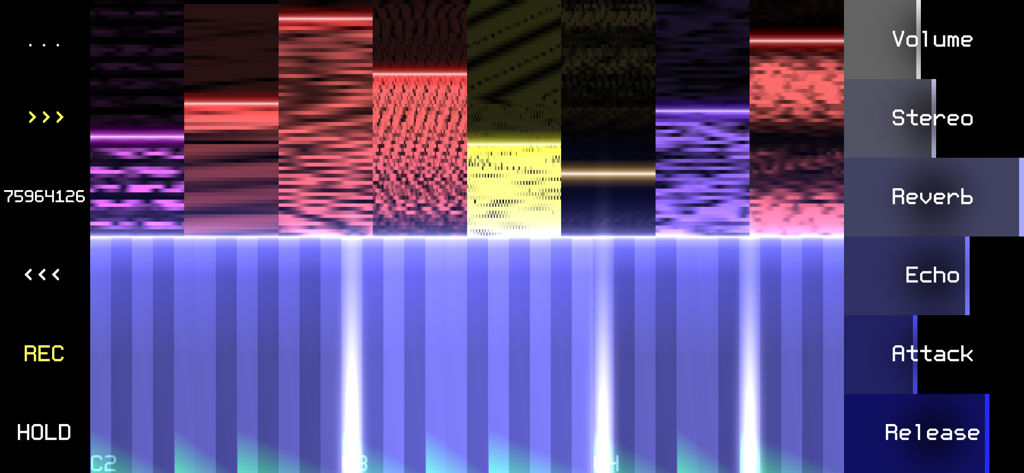
Eine generative Synthesizer-Oberfläche, die glitchige Klangtexturen und eine Klaviatur zeigt
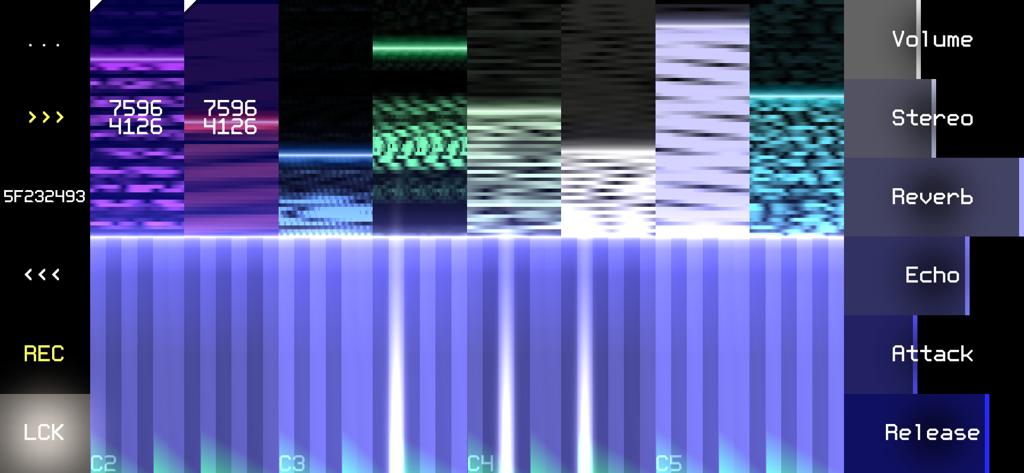
Low Poly Synth App-Oberfläche mit abstrakten Glitch-Texturen und einer Klaviatur für Sounddesign.
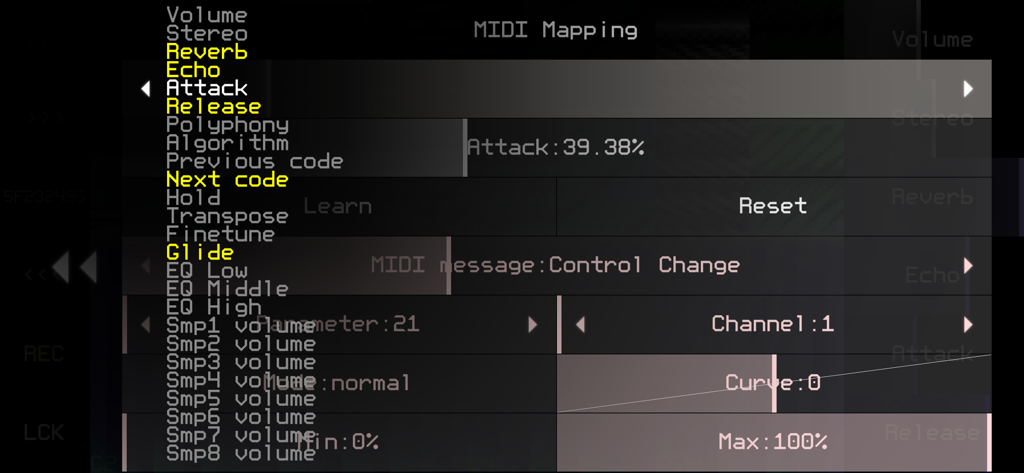
MIDI-Mapping-Einstellungen in der Low Poly Synth Mobile App
Beschreibung
Download
Ähnliche Apps
Top-gerankte Apps in derselben Kategorie

Spotify: Music and Podcasts
Spotify

YouTube Music
Google LLC

Shazam: Find Music & Concerts
Apple Inc.

SoundCloud: The Music You Love
SoundCloud Global Limited & Co KG

Suno - AI Songs & Music
Suno Inc.

QQ音乐 - 听我想听
Tencent Technology (Shenzhen) Company Limited

Audiomack - Play Music Offline
Audiomack, Inc.

GuitarTuna: Tune & Play Guitar
Yousician Ltd

BandLab – Music Maker & Beats
BandLab Singapore Pte Ltd
Diese Seite ist keine offizielle Seite der App oder ihres Entwicklers, sondern eine unabhängige redaktionelle Veröffentlichung, die zu Informations- und Kommentarzwecken erstellt wurde. Sofern nicht ausdrücklich anders angegeben, sind weder die App noch ihr Entwickler mit MWM, Apple, Google Play, dem App-Herausgeber oder dem Entwickler der App verbunden, von ihnen unterstützt, gesponsert, autorisiert oder anderweitig offiziell verbunden, und nichts auf dieser Seite impliziert, dass die App unter Verwendung der Dienste von MWM entwickelt wurde. Alle Marken, Logos, Screenshots und andere Inhalte bleiben Eigentum ihrer jeweiligen Inhaber.