
Diese Seite ist keine offizielle Seite der App oder ihres Entwicklers, sondern eine unabhängige redaktionelle Veröffentlichung, die zu Informations- und Kommentarzwecken erstellt wurde. Sofern nicht ausdrücklich anders angegeben, sind weder die App noch ihr Entwickler mit MWM, Apple, Google Play, dem App-Herausgeber oder dem Entwickler der App verbunden, von ihnen unterstützt, gesponsert, autorisiert oder anderweitig offiziell verbunden, und nichts auf dieser Seite impliziert, dass die App unter Verwendung der Dienste von MWM entwickelt wurde. Alle Marken, Logos, Screenshots und andere Inhalte bleiben Eigentum ihrer jeweiligen Inhaber.


LumaBooth Event Photo Booth
Verwandeln Sie Ihr iPad oder Ihren Mac in ein High-End-Event-Kraftpaket. Erstellen Sie atemberaubende 360-Videos, 240-fps-Zeitlupen und KI-gestützte Fotolayouts mit der zuverlässigsten Software, die für Unternehmer und Event-Profis entwickelt wurde.
Downloads
425K+Bewertung
Bewertungen gesamt
1K+Herausgeber
Kategorie
Photo & VideoSprachen
6Neueste Version
4.6.4Größe
224.9 MBErstveröffentlichung
28. Okt. 2016Professionelle Tools für Ihr nächstes Event
Alles, was Sie brauchen, um Ihr iPad oder iPhone in ein umsatzstarkes Fotobox-Business mit professionellen Ergebnissen zu verwandeln.
360 & Zeitlupen-Meisterschaft
Heben Sie sich ab mit Videostabilisierung bei hoher Bildrate und kinoreifen Effekten, die Premium-Mietpreise rechtfertigen.
Nahtloses sofortiges Teilen
Steigern Sie das Engagement mit blitzschnellem Teilen per SMS, QR und E-Mail, das sogar ohne WLAN vor Ort funktioniert.
Häufig gestellte Fragen
Alles, was Sie über wissen müssen LumaBooth Event Photo Booth
Was sind die monatlichen Kosten für LumaBooth Event Photo Booth?
Das monatlich erneuerbare Abonnement für LumaBooth Event Photo Booth kostet 19,99 USD. Dieses Abonnement bietet unbegrenzte Events und wasserzeichenfreie Weitergabe per SMS, E-Mail, Facebook und Twitter.
Welche Arten von Kabinen unterstützt die LumaBooth-Software?
LumaBooth unterstützt professionelle Fotokabinen, Videokabinen und 360-Kabinen. Es funktioniert auf iPad-, iPhone- und Mac-Geräten für den Eventgebrauch.
Können Benutzer Fotolayouts in LumaBooth anpassen?
Ja, LumaBooth verfügt über einen benutzerfreundlichen Editor zum Erstellen personalisierter Fotolayouts. Benutzer integrieren Bilder, Logos und Text in ihre Designs.
Welche Druckoptionen sind mit LumaBooth Event Photo Booth verfügbar?
LumaBooth unterstützt den Druck mit jedem AirPrint-kompatiblen Drucker. Es verbindet sich auch über die LumaBooth Assistant App mit professionellen Fotodruckern und unterstützt exklusiv DNP-Drucker über den DNP WPS Pro Printserver.
Bietet LumaBooth eine Hintergrundentfernung für Fotos und Videos?
Ja, LumaBooth bietet eine Live-Hintergrundentfernung mithilfe von KI-Entfernung oder Green-Screen-Technologie. Diese Funktion ermöglicht einzigartige und maßgeschneiderte Foto- und Videokreationen.
Welche professionellen Kameras sind mit LumaBooth Event Photo Booth kompatibel?
LumaBooth bietet erweiterte Kompatibilität mit professionellen Kameras von Canon, Sony und Nikon. Benutzer können auch benutzerdefinierte Kameraeinstellungen wie Belichtung, Weißabgleich und Videostabilisierung festlegen.
Wie können Gäste Fotos und Videos von einer LumaBooth-Veranstaltung teilen?
Gäste teilen Fotos und Videos per E-Mail, SMS, Airdrop, QR-Code, WhatsApp und Instagram. Die Weitergabe ist sowohl online als auch offline möglich.
Kann LumaBooth Zeitlupenvideos erstellen?
Ja, LumaBooth nimmt hochwertige Videos und Zeitlupenaufnahmen auf. Es unterstützt Aufnahmen mit 240 Bildern pro Sekunde auf neueren iPads und iPhones für effektive Zeitlupeneffekte und verfügt über eine Videostabilisierung.
Kann LumaBooth von Gästen vor der Teilnahme die Zustimmung zu einer Haftungsausschlusserklärung verlangen?
Ja, LumaBooth ermöglicht es Benutzern, die Anforderung eines Haftungsausschlusses zu aktivieren. Gäste müssen den Haftungsausschluss akzeptieren, andernfalls wird ihre Sitzung abgebrochen und die Fotos werden gelöscht.
Ist der Startbildschirm in LumaBooth Event Photo Booth anpassbar?
Ja, Benutzer passen den Startbildschirm von LumaBooth vollständig an. Er bietet integrierte Designs und Optionen zur Anpassung von Farben, Hintergründen und Schriftarten für ein personalisiertes Gästeerlebnis.
Die folgenden Screenshots und die Beschreibung stammen direkt aus dem offiziellen Store-Eintrag der App und sind Eigentum des Entwicklers.
App Store
Screenshots
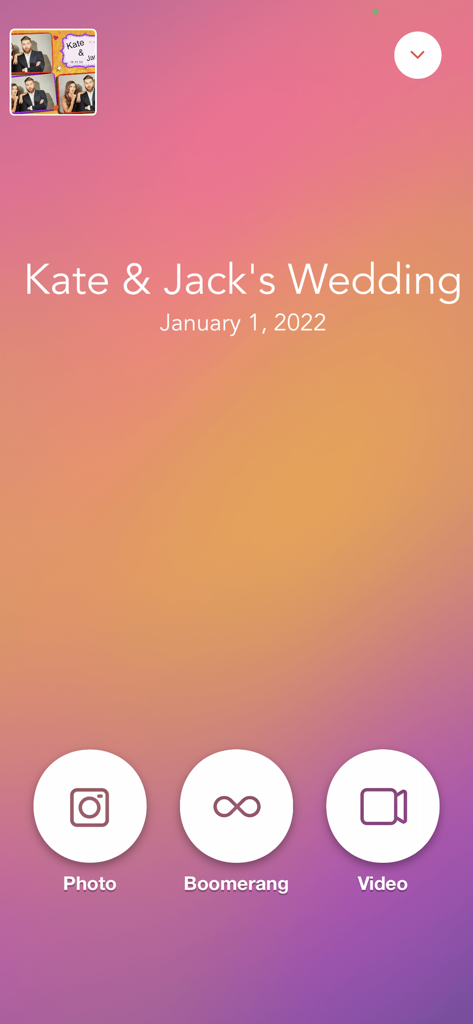
LumaBooth-App-Interface für eine Hochzeit mit Optionen für Foto-Boomerang und Videoaufnahme
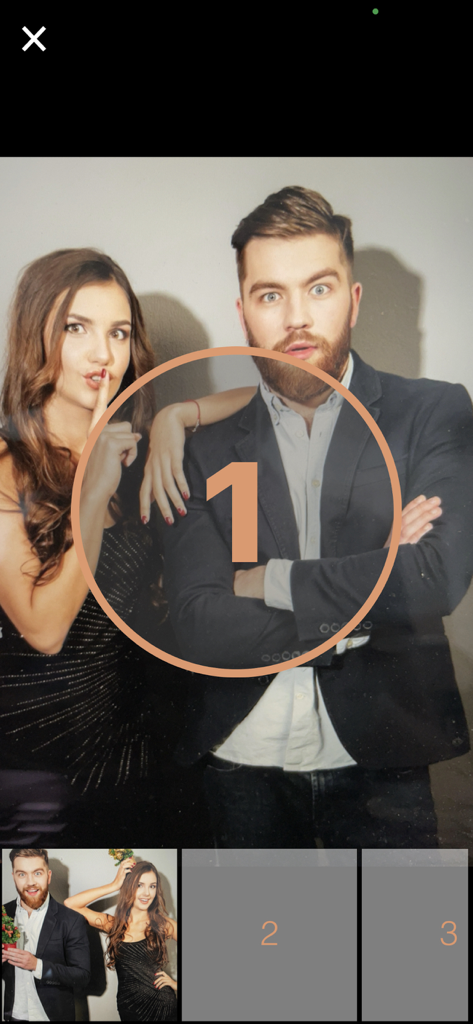
LumaBooth-App-Interface zeigt Gäste, die für ein Foto posieren, mit einem Countdown-Timer
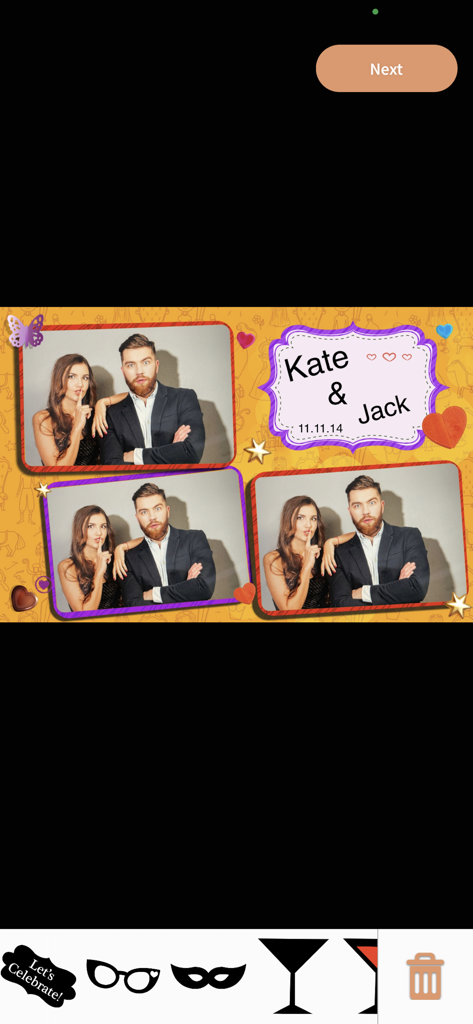
Ein individuelles Hochzeits-Fotobox-Layout in LumaBooth mit digitalen Aufklebern und einem personalisierten Theme
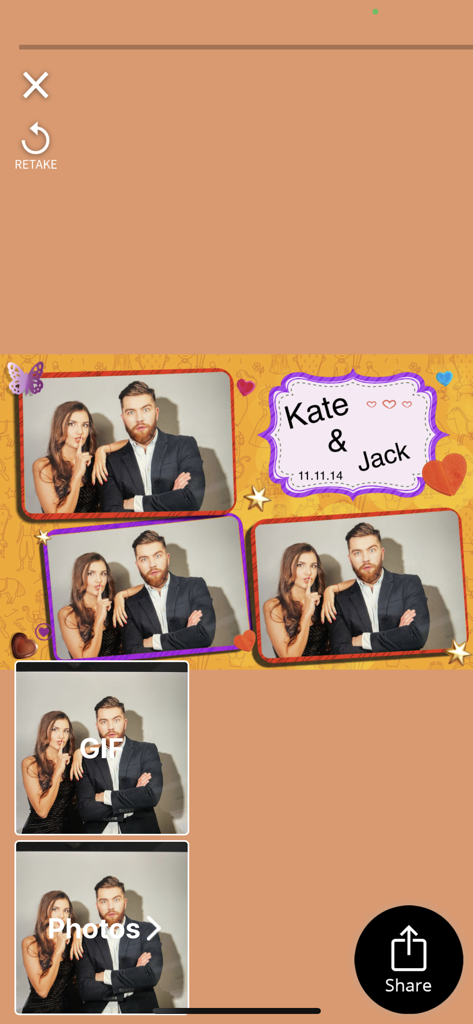
LumaBooth-App-Interface zeigt ein personalisiertes Hochzeits-Fotobox-Layout für Jack und Kate mit Optionen zum Teilen und Wiederholen.
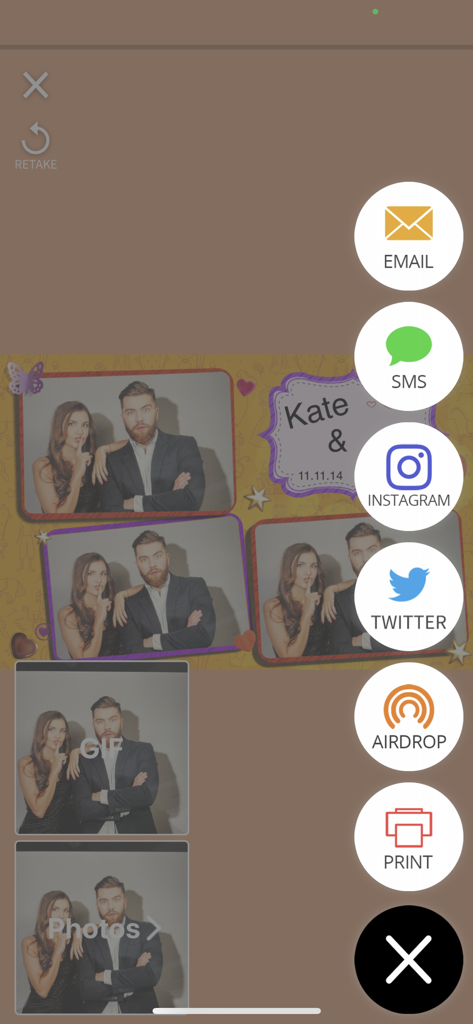
LumaBooth-App-Bildschirm mit Symbolen zum Teilen und Drucken von Fotos
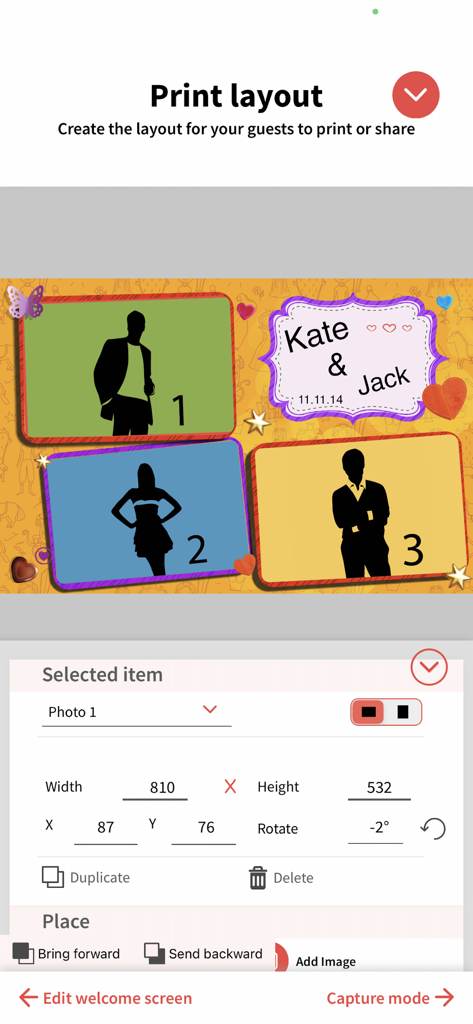
Interface zur Anpassung von Fotobox-Drucklayouts mit mehreren Fotoplatzhaltern und personalisiertem Text
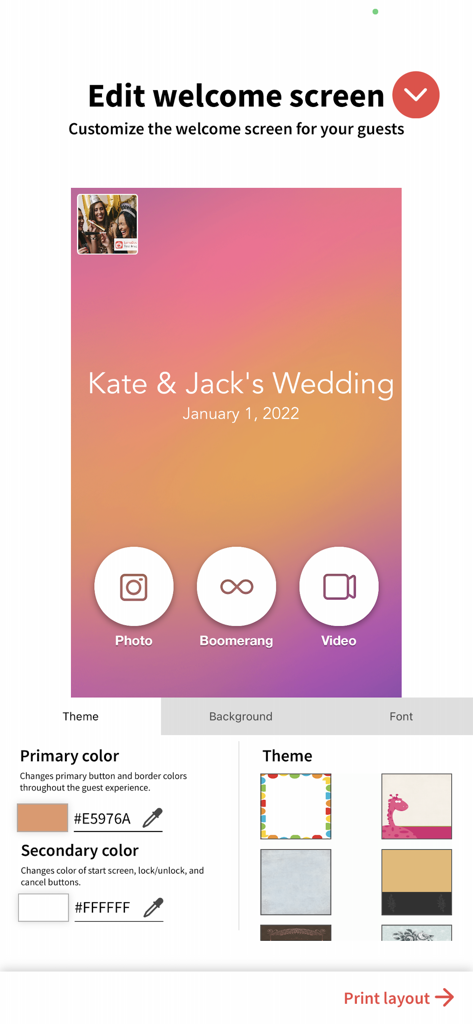
Interface zur Anpassung eines Fotobox-Willkommensbildschirms mit Optionen für Hochzeitsthemen
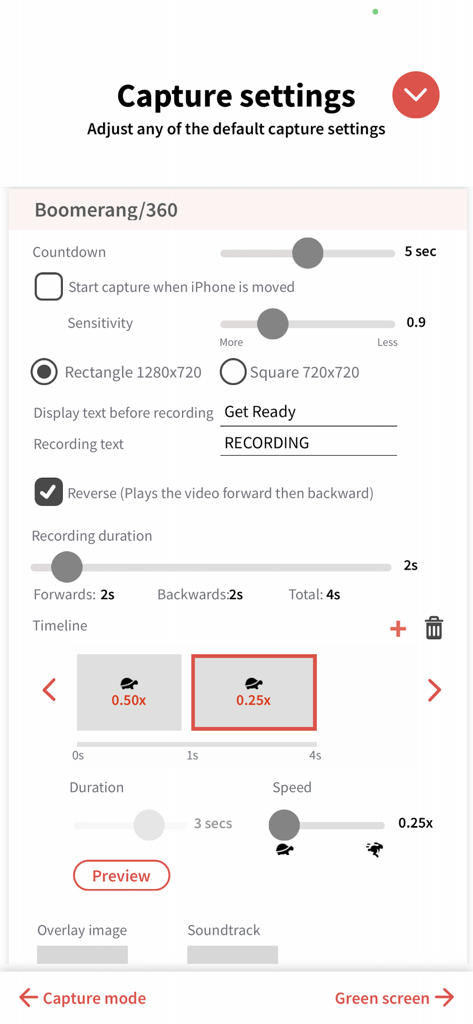
LumaBooth-App-Interface zum Anpassen von 360-Video- und Boomerang-Aufnahmeeinstellungen, einschließlich Aufnahmedauer und Zeitlupengeschwindigkeit.
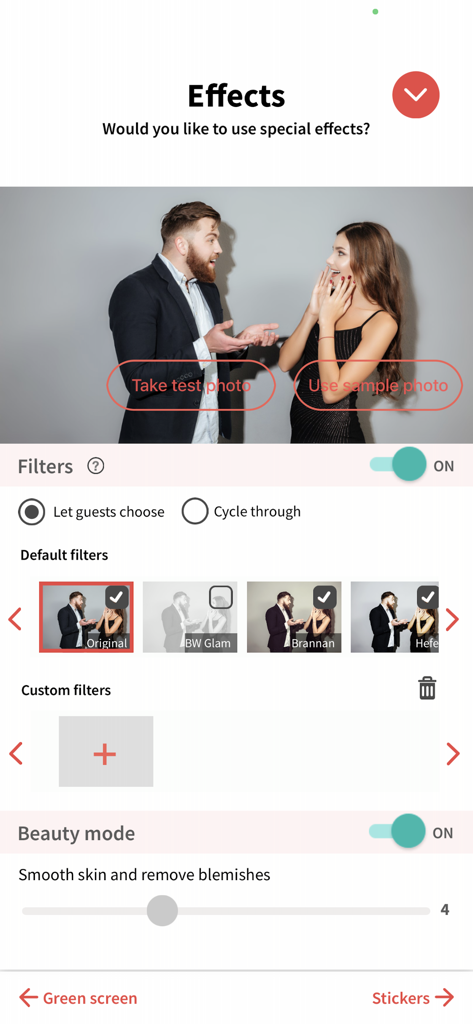
LumaBooth-App-Interface zeigt die Konfiguration für Fotofilter und Beauty-Modus-Einstellungen
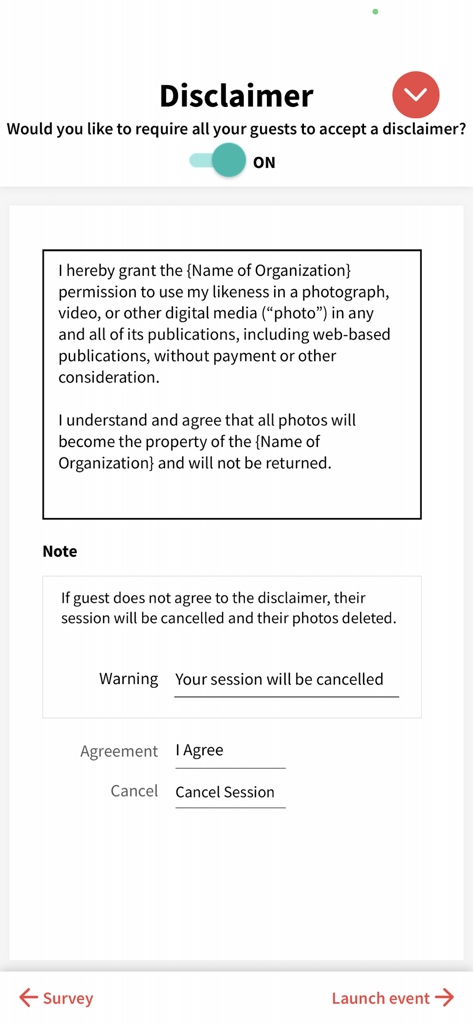
Setup-Bildschirm für Haftungsausschlüsse der Gäste und Einverständserklärungen zur Fotoveröffentlichung in LumaBooth
Beschreibung
Download
Ähnliche Apps
Apps mit ähnlichen Funktionen und Nutzererfahrung

ChackTok - 360video&photobooth
LINKSIGN UK CO., LTD

Touchpix · Photo & Video Booth
Propfun
RevoSpin 360
MRKJ INC
Mini Photobooth
Minivan Labs

Simple Booth HALO
SMPL Inc.

Simple Booth Classic
SMPL Inc.

BoothLab: Photo & Video Booth
Jorge Cozain

LumaShare Share/Print Station
Lumasoft LLC

Wifibooth the PRO photo booth
Solodigitalis Inc.
Diese Seite ist keine offizielle Seite der App oder ihres Entwicklers, sondern eine unabhängige redaktionelle Veröffentlichung, die zu Informations- und Kommentarzwecken erstellt wurde. Sofern nicht ausdrücklich anders angegeben, sind weder die App noch ihr Entwickler mit MWM, Apple, Google Play, dem App-Herausgeber oder dem Entwickler der App verbunden, von ihnen unterstützt, gesponsert, autorisiert oder anderweitig offiziell verbunden, und nichts auf dieser Seite impliziert, dass die App unter Verwendung der Dienste von MWM entwickelt wurde. Alle Marken, Logos, Screenshots und andere Inhalte bleiben Eigentum ihrer jeweiligen Inhaber.