
Diese Seite ist keine offizielle Seite der App oder ihres Entwicklers, sondern eine unabhängige redaktionelle Veröffentlichung, die zu Informations- und Kommentarzwecken erstellt wurde. Sofern nicht ausdrücklich anders angegeben, sind weder die App noch ihr Entwickler mit MWM, Apple, Google Play, dem App-Herausgeber oder dem Entwickler der App verbunden, von ihnen unterstützt, gesponsert, autorisiert oder anderweitig offiziell verbunden, und nichts auf dieser Seite impliziert, dass die App unter Verwendung der Dienste von MWM entwickelt wurde. Alle Marken, Logos, Screenshots und andere Inhalte bleiben Eigentum ihrer jeweiligen Inhaber.


Luminar Mobile AI Photo Editor
Entfesseln Sie das volle Potenzial Ihrer Fotografie auf iPhone, iPad und Vision Pro. Erleben Sie eine intuitive taktile Benutzeroberfläche und hochmoderne KI-Tools wie SkyAI und SkinAI, um jede Aufnahme mühelos in ein Meisterwerk zu verwandeln.
Downloads
868K+Bewertung
Bewertungen gesamt
10K+Herausgeber
Kategorie
Photo & VideoSprachen
21Neueste Version
3.1.2Größe
562.8 MBErstveröffentlichung
5. März 2024Professionelle Ergebnisse, KI-Geschwindigkeit
Verwandeln Sie Ihre mobilen RAW-Aufnahmen in atemberaubende Meisterwerke mit leistungsstarken KI-Tools, die für den modernen Apple-Enthusiasten entwickelt wurden.
Perfekte Himmel im Handumdrehen
Ersetzen Sie trübe, bewölkte Hintergründe durch atemberaubende Sonnenuntergänge oder lebendige Horizonte mit einem einzigen Fingertipp dank SkyAI.
KI-Verbesserung mit einem Fingertipp
Erzielen Sie automatische professionelle Farben, Töne und Klarheit mit EnhanceAI – keine komplexen manuellen Schieberegler erforderlich.
Häufig gestellte Fragen
Alles, was Sie über wissen müssen Luminar Mobile AI Photo Editor
Was ist Luminar Mobile AI Photo Editor?
Luminar Mobile ist ein All-in-One-Fotobearbeitungsprogramm und kreativer Begleiter für unterwegs für iPhone, iPad und Vision Pro. Es bietet leistungsstarke KI-gestützte Werkzeuge und eine interaktive Benutzeroberfläche für ein ansprechendes Fotoerlebnis.
Mit welchen Geräten ist Luminar Mobile AI Photo Editor kompatibel?
Luminar Mobile ist mit iPhone, iPad und Vision Pro kompatibel. Es ist für Geräte mit iOS/iPadOS 17 und neuer optimiert. Auf dem iPad 6. Generation sind bestimmte erweiterte Funktionen nicht verfügbar.
Bietet Luminar Mobile AI Photo Editor KI-gestützte Foto-Verbesserungen an?
Ja, Luminar Mobile verfügt über mehrere KI-Verbesserungen, darunter SkyAI, EnhanceAI, StructureAI, RelightAI, SkinAI und BodyAI. Diese Werkzeuge bieten intelligente, hochmoderne Fotobearbeitungsfunktionen.
Wie funktioniert SkyAI im Luminar Mobile AI Photo Editor?
SkyAI ersetzt nahtlos langweilige Himmel durch brillante, wodurch beeindruckende Hintergründe entstehen. Benutzer können neue Himmel aus den verfügbaren Optionen in der App auswählen.
Kann ich unerwünschte Objekte mit Luminar Mobile AI Photo Editor entfernen?
Ja, Luminar Mobile enthält ein "Löschen"-Werkzeug. Mit dieser Funktion können Benutzer mühelos störende Elemente aus Fotos entfernen und den Fokus auf die Hauptmotive legen.
Welche Abonnementoptionen sind für Luminar Mobile AI Photo Editor verfügbar?
Luminar Mobile bietet ein 1-Wochen-Abonnement, ein 12-Monats-Abonnement mit 7-tägiger kostenloser Testversion und eine lebenslange Lizenz. Abonnements verlängern sich automatisch, sofern sie nicht gekündigt werden.
Gibt es eine kostenlose Testversion für Luminar Mobile AI Photo Editor?
Ja, Luminar Mobile bietet eine 7-tägige kostenlose Testversion an, die speziell im 12-Monats-Abonnement enthalten ist. Nach der Testversion werden den Benutzern die jährlichen Abonnementgebühren berechnet.
Kann Luminar Mobile AI Photo Editor RAW-Fotos bearbeiten?
Ja, Luminar Mobile unterstützt die Bearbeitung von RAW-Dateien. Benutzer können RAW-Fotos direkt auf ihrem Mobilgerät bearbeiten und so maximale Bildqualität und Flexibilität in der Nachbearbeitung erhalten.
Verfügt Luminar Mobile AI Photo Editor über eine Funktion zum Umformen von Körperteilen?
Ja, Luminar Mobile enthält BodyAI. Dieses KI-Werkzeug ermöglicht es Benutzern, den mittleren Körperbereich eines Motivs realistisch zu formen, indem sie entweder Volumen hinzufügen oder entfernen, um die gewünschten Ergebnisse zu erzielen.
Wie funktioniert EnhanceAI im Luminar Mobile AI Photo Editor?
EnhanceAI verbessert die Fotoqualität mit einem einzigen Schieberegler und passt Farbe, Ton und Klarheit an, um in Sekundenschnelle professionelle Ergebnisse zu erzielen. Es ermöglicht die gleichzeitige Anpassung von bis zu einem Dutzend Steuerelementen.
Kann ich mit Luminar Mobile AI Photo Editor professionelle Fotoeffekte erzielen?
Ja, Luminar Mobile bietet "Fotofilter" und "Vorgaben". Diese Funktionen bieten eine vielfältige Sammlung von Effekten und ermöglichen es Benutzern, mit einem einzigen Fingertipp professionelle Bearbeitungen zu erzielen.
Welche iOS-Version benötigt Luminar Mobile AI Photo Editor?
Luminar Mobile ist für Geräte mit iOS/iPadOS 17 und neuer optimiert. Es erfordert diese Betriebssystemversion für die volle Funktionalität.
Funktioniert Luminar Mobile AI Photo Editor mit dem Apple Pencil?
Ja, Luminar Mobile lässt sich nahtlos in Apple-Geräte integrieren. Auf dem iPad können Benutzer mit dem Apple Pencil persönliche Akzente setzen, um feinere Details und bequeme Bearbeitungen vorzunehmen.
Wie kann ich mein Luminar Mobile AI Photo Editor-Abonnement verwalten?
Sie können Ihr Luminar Mobile-Abonnement verwalten und die automatische Verlängerung deaktivieren, indem Sie nach dem Kauf auf Ihre Kontoeinstellungen zugreifen. Dies ermöglicht die Kontrolle über Ihre Abrechnungseinstellungen.
Gibt es eine Datenschutzrichtlinie für Luminar Mobile AI Photo Editor?
Ja, Luminar Mobile hat eine Datenschutzrichtlinie. Sie kann unter https://skylum.com/legal eingesehen werden und enthält Details zur Datenverarbeitung und zum Datenschutz der Benutzer.
Die folgenden Screenshots und die Beschreibung stammen direkt aus dem offiziellen Store-Eintrag der App und sind Eigentum des Entwicklers.
App Store
Screenshots
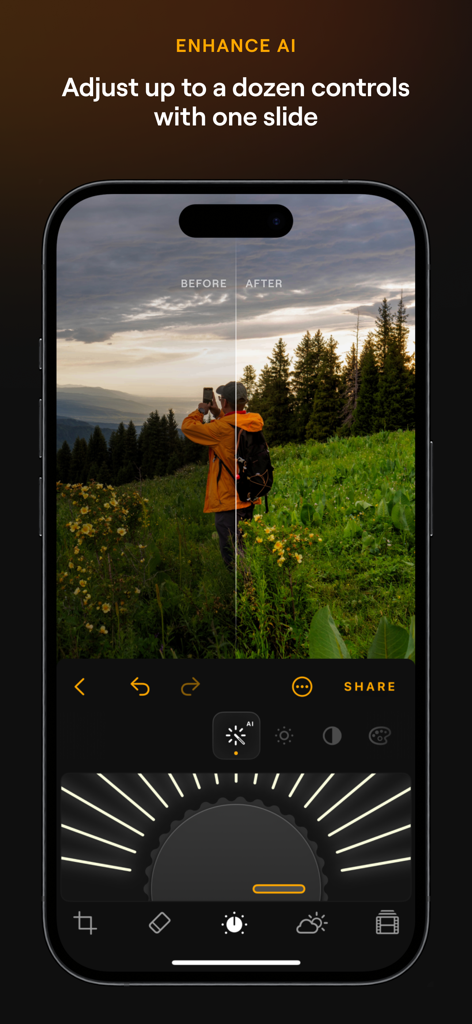
Luminar Mobile App-Oberfläche, die das Enhance AI-Fotobearbeitungswerkzeug mit einem Vorher-Nachher-Vergleich auf einem iPhone zeigt
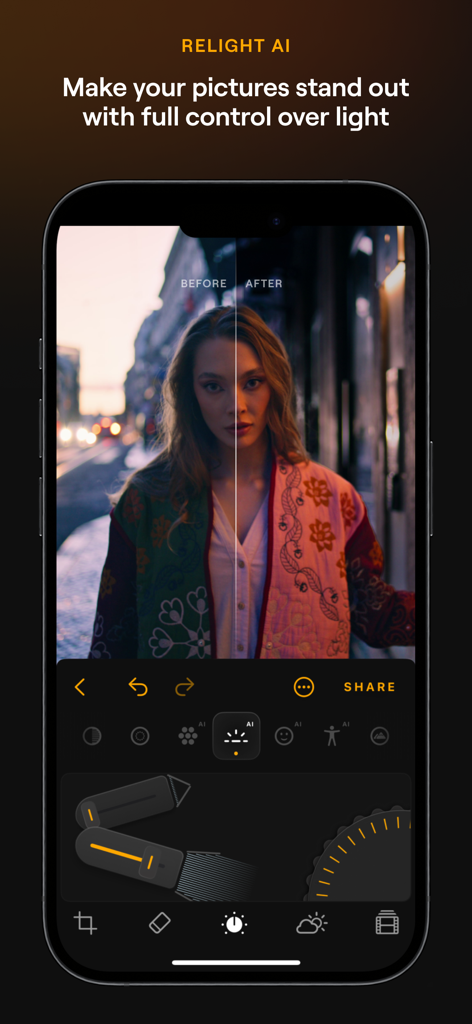
Luminar Mobile KI-Fotobearbeiter Relight KI-Funktion mit Vorher-Nachher-Beleuchtung auf einem Porträtfoto
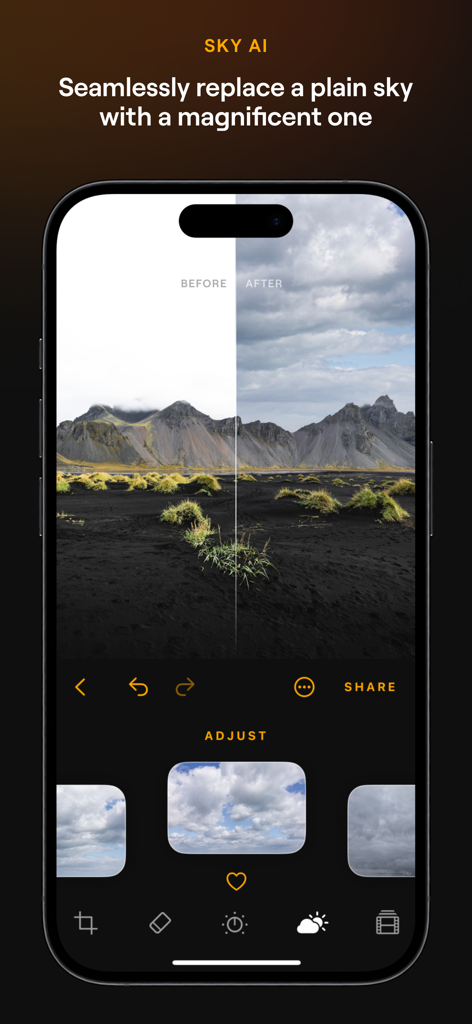
Vorher-Nachher-Vergleich der Sky AI-Ersetzungsfunktion in der Luminar Mobile App auf einer Berglandschaft
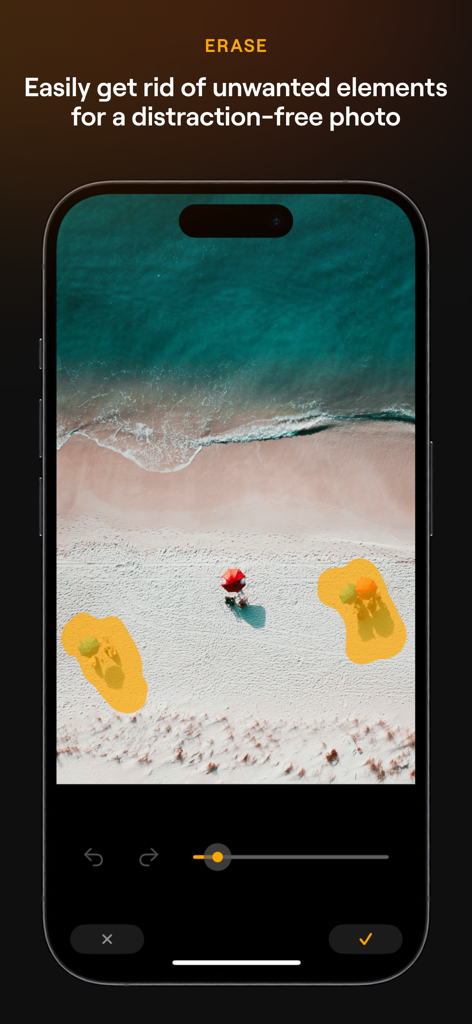
Luminar Mobile KI-Fotobearbeiter-Oberfläche, die das Radiergummi-Werkzeug zur Entfernung unerwünschter Objekte aus einer Strandszene zeigt
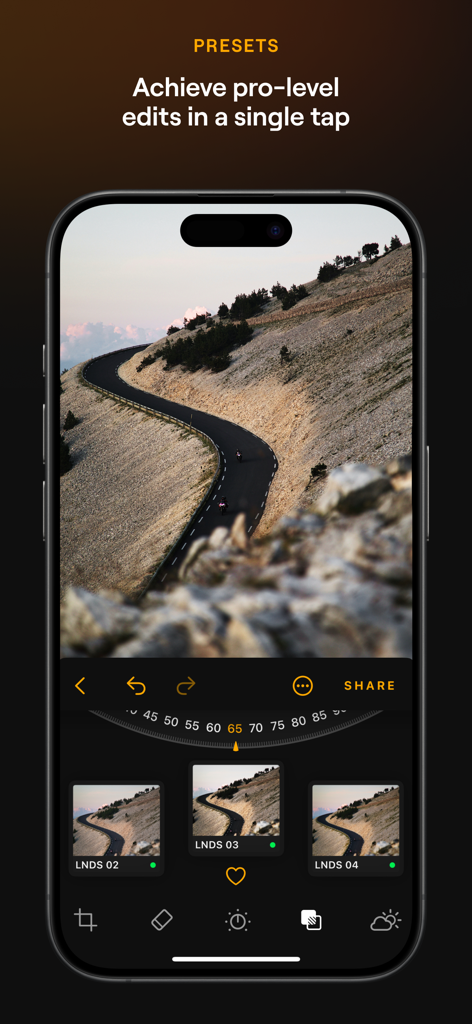
Luminar Mobile App, die Landschaftsfotografie-Voreinstellungen und einen Pro-Level-Bearbeitungsregler anzeigt
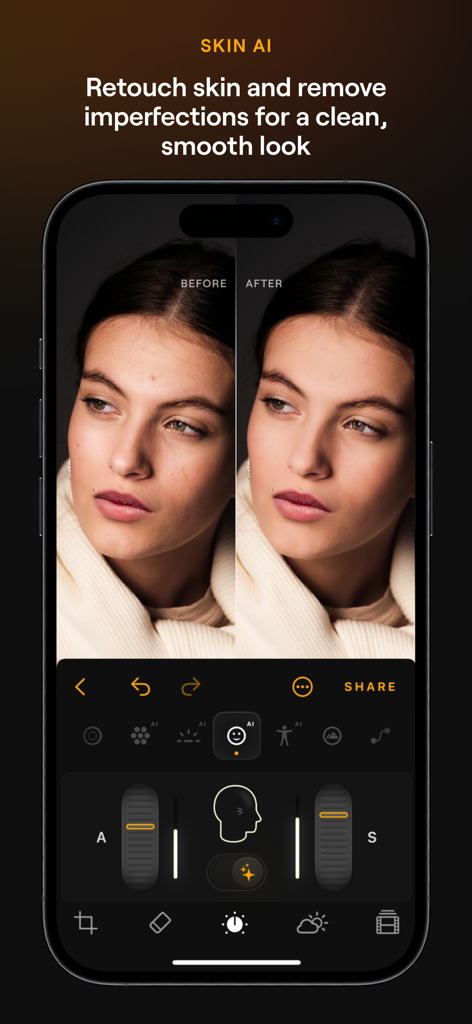
Luminar Mobile Skin AI-Funktion, die Vorher-Nachher-Porträt-Hautretusche zeigt
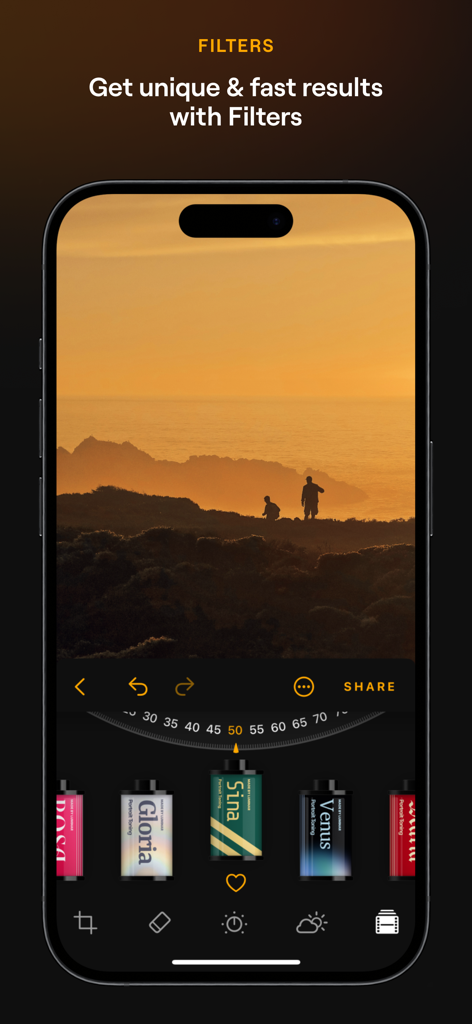
Smartphone-Bildschirm, der Filmstil-Filter im Luminar Mobile KI-Fotobearbeiter-App anzeigt
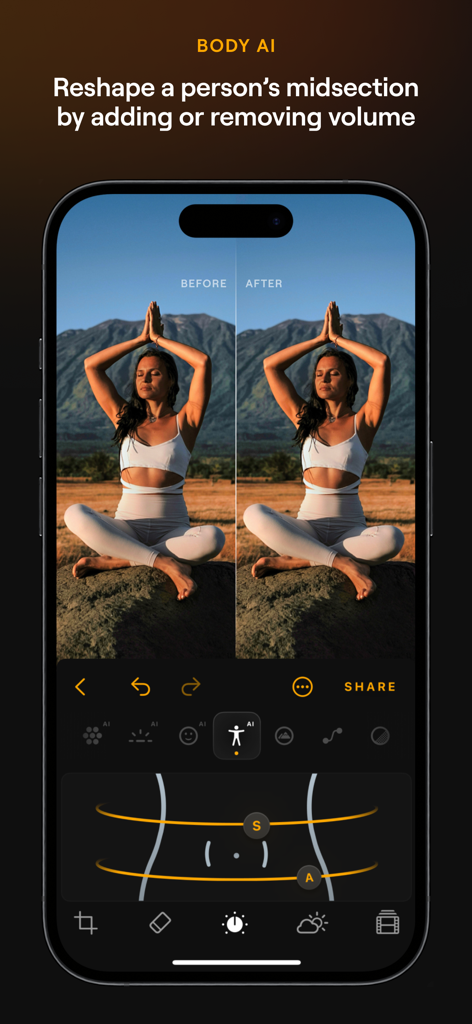
Ein Seitenvergleich der Body AI-Funktion in Luminar Mobile zur Umformung des mittleren Körperbereichs einer Person
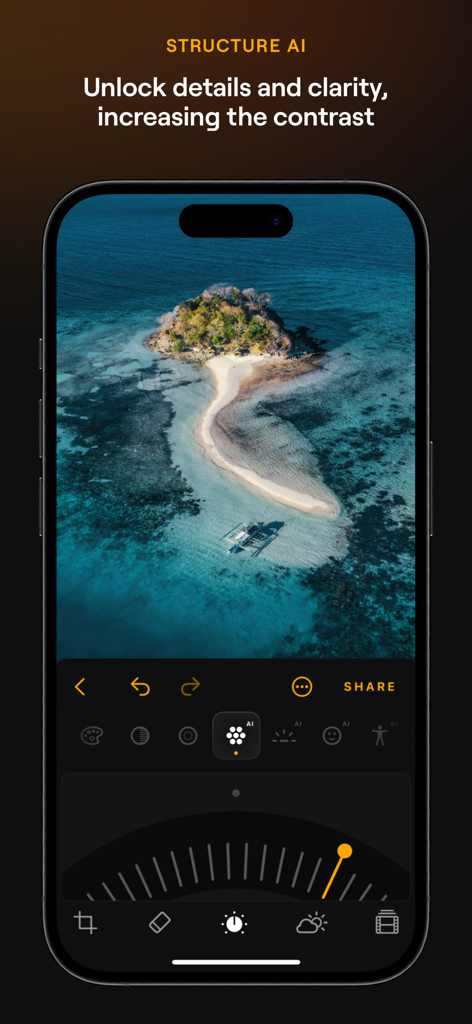
Luminar Mobile App, die das Structure AI-Werkzeug zur Verbesserung von Details in einem Landschaftsfoto zeigt.
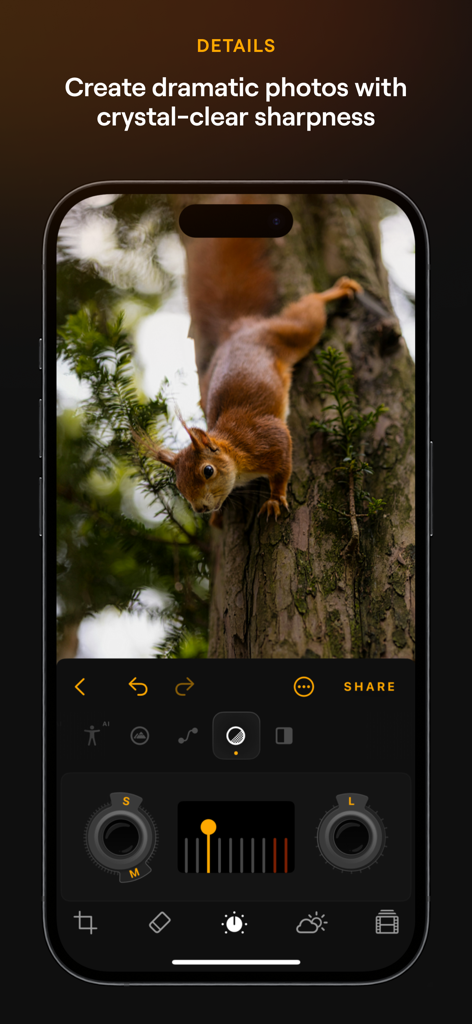
Luminar Mobile App-Oberfläche, die das Details-Werkzeug zur Verbesserung der Schärfe eines Eichhörnchenfotos auf einem iPhone zeigt.
Beschreibung
Download
Ähnliche Apps
Apps mit ähnlichen Funktionen und Nutzererfahrung

EPIK - AI Photo & Video Editor
SNOW Corporation

Citrus: AI 1 Tap Perfect Photo
Wemagine.ai LLP

SnapEdit: Photo Editor AI
SilverAI Joint Stock Company

Background Eraser 〜 Stickers
handyCloset Inc.

PhotoScan by Google Photos
Google LLC

Magic Eraser - Remove Object
Creatix Technology Global Limited

Magic Eraser Background Editor
Honk Honk Punch Pty Ltd

ProKnockOut-Cut Paste Photos
Shenzhen Qianhai Happy Tour Network Technology Co., Ltd.

Background Eraser - Remove BG*
SHANTANU PTE. LTD.
Diese Seite ist keine offizielle Seite der App oder ihres Entwicklers, sondern eine unabhängige redaktionelle Veröffentlichung, die zu Informations- und Kommentarzwecken erstellt wurde. Sofern nicht ausdrücklich anders angegeben, sind weder die App noch ihr Entwickler mit MWM, Apple, Google Play, dem App-Herausgeber oder dem Entwickler der App verbunden, von ihnen unterstützt, gesponsert, autorisiert oder anderweitig offiziell verbunden, und nichts auf dieser Seite impliziert, dass die App unter Verwendung der Dienste von MWM entwickelt wurde. Alle Marken, Logos, Screenshots und andere Inhalte bleiben Eigentum ihrer jeweiligen Inhaber.