Lyric Creator
Lyric Creator
Herunterladen auf App Store

Diese Seite ist keine offizielle Seite der App oder ihres Entwicklers, sondern eine unabhängige redaktionelle Veröffentlichung, die zu Informations- und Kommentarzwecken erstellt wurde. Sofern nicht ausdrücklich anders angegeben, sind weder die App noch ihr Entwickler mit MWM, Apple, Google Play, dem App-Herausgeber oder dem Entwickler der App verbunden, von ihnen unterstützt, gesponsert, autorisiert oder anderweitig offiziell verbunden, und nichts auf dieser Seite impliziert, dass die App unter Verwendung der Dienste von MWM entwickelt wurde. Alle Marken, Logos, Screenshots und andere Inhalte bleiben Eigentum ihrer jeweiligen Inhaber.


Logo von Lyric Creator
Herunterladen auf App Store

Lyric Creator

Der ultimative Begleiter für dein Casio CT-S1000V. Entwerfe benutzerdefinierte Sänger, bearbeite granulare Phoneme und schließe die Lücke zwischen deinen Texten und deiner Hardware mit professioneller rhythmischer Kontrolle.

Kennzahlen

Downloads

2K+

Bewertung

3.8/5

Bewertungen gesamt

0

Herausgeber

CASIO COMPUTER CO., LTD.

Kategorie

Music

Sprachen

2

Neueste Version

2.0.2

Größe

396.5 MB

Erstveröffentlichung

20. Jan. 2022
Funktionen

Meistere deine Gesangssynthese

Der ultimative Begleiter für dein Casio CT-S1000V. Schließe die Lücke zwischen Text und Klang mit präziser Textprogrammierung und benutzerdefiniertem Sängerdesign.

Intuitive Textprogrammierung

Überspringe die Hardware-Menüs. Gib Texte direkt ein oder importiere sie und verwende unser Drag-and-Drop-Gitter, um Silbennotenwerte für perfekte rhythmische Phrasierung zuzuweisen.

Erstelle originelle Sänger

Lade deine eigenen 10-sekündigen WAV-Samples hoch, um benutzerdefinierte Vocalist-Patches zu erstellen. Feinabstimmung von Alter, Geschlecht und Vibrato, um einen unverwechselbaren Sound zu kreieren.

Die folgenden Screenshots und die Beschreibung stammen direkt aus dem offiziellen Store-Eintrag der App und sind Eigentum des Entwicklers.

App Store

Screenshots
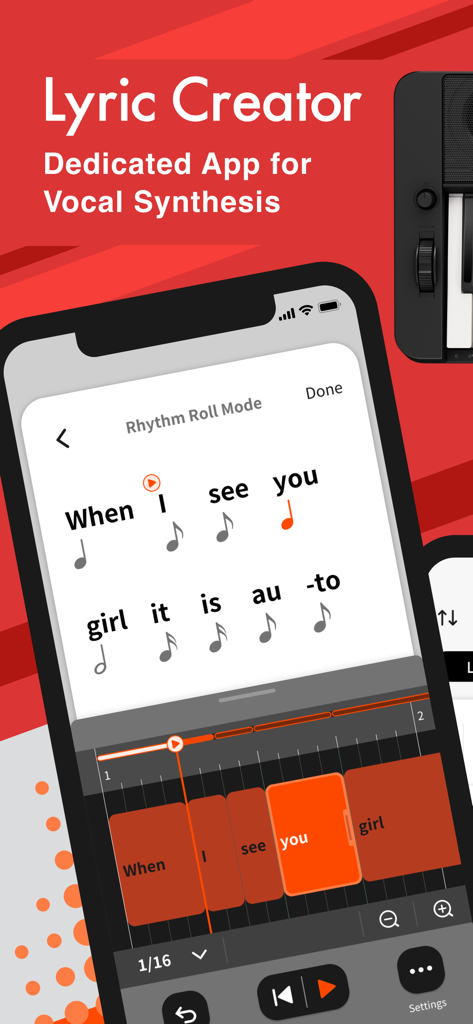
Lyric Creator - Oberfläche der Lyric Creator App, die Silben zeigt, die musikalischen Notenwerten im Rhythm Roll Mode zugeordnet sind
Oberfläche der Lyric Creator App, die Silben zeigt, die musikalischen Notenwerten im Rhythm Roll Mode zugeordnet sind

Lyric Creator - Lyric Creator App-Oberfläche auf einem Smartphone mit einem Casio CT-S1000V Keyboard
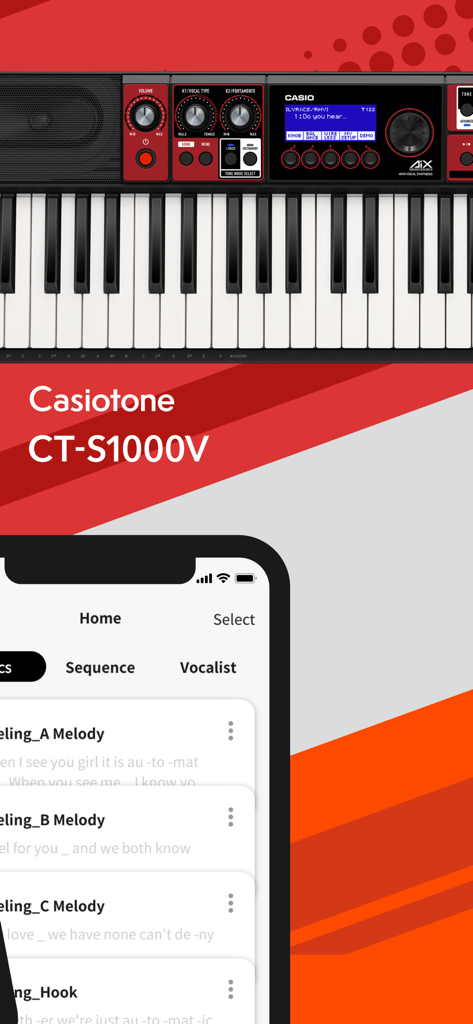
Lyric Creator App-Oberfläche auf einem Smartphone mit einem Casio CT-S1000V Keyboard

Lyric Creator - Ein Smartphone, das die Lyric Creator App-Oberfläche zur Eingabe und Formatierung von Songtexten mit Silbentrennung zeigt
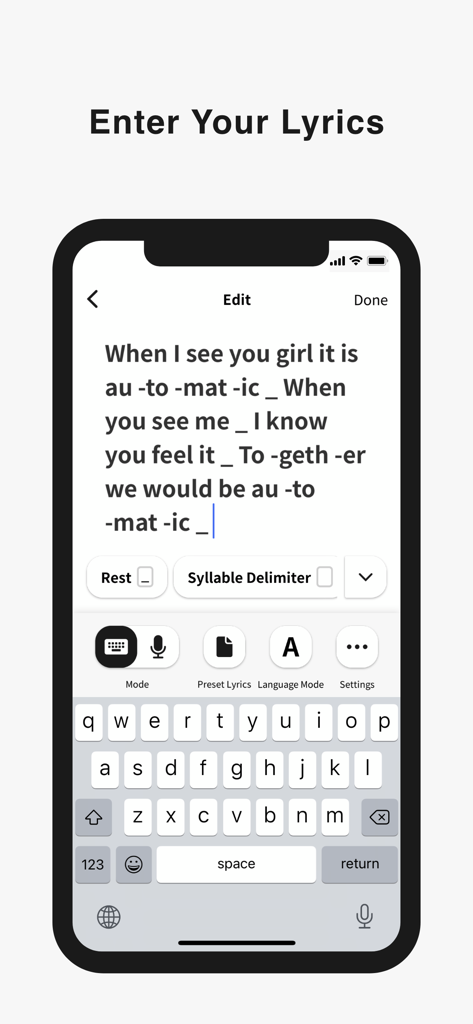
Ein Smartphone, das die Lyric Creator App-Oberfläche zur Eingabe und Formatierung von Songtexten mit Silbentrennung zeigt

Lyric Creator - Ein Screenshot der Lyric Creator App, der die Rhythm Roll Mode-Oberfläche zur Anpassung von Gesangsphrasentiming und Taktmaß zeigt
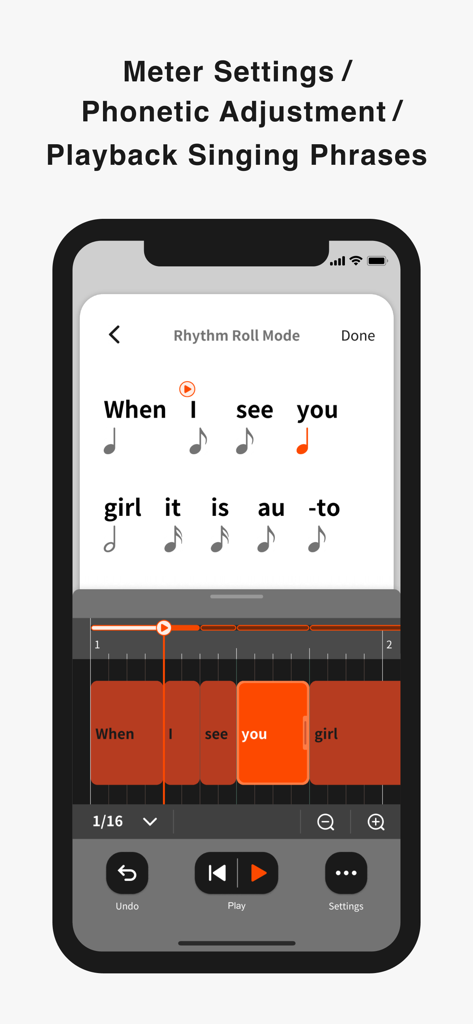
Ein Screenshot der Lyric Creator App, der die Rhythm Roll Mode-Oberfläche zur Anpassung von Gesangsphrasentiming und Taktmaß zeigt

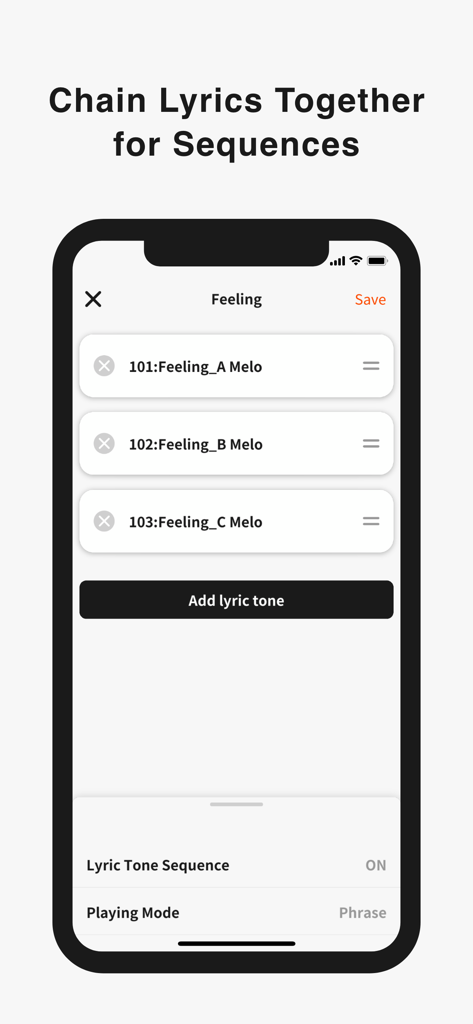
Lyric Creator - Oberfläche der Lyric Creator App, die eine Liste von Texttönen zeigt, die für eine musikalische Sequenz verkettet sind
Oberfläche der Lyric Creator App, die eine Liste von Texttönen zeigt, die für eine musikalische Sequenz verkettet sind

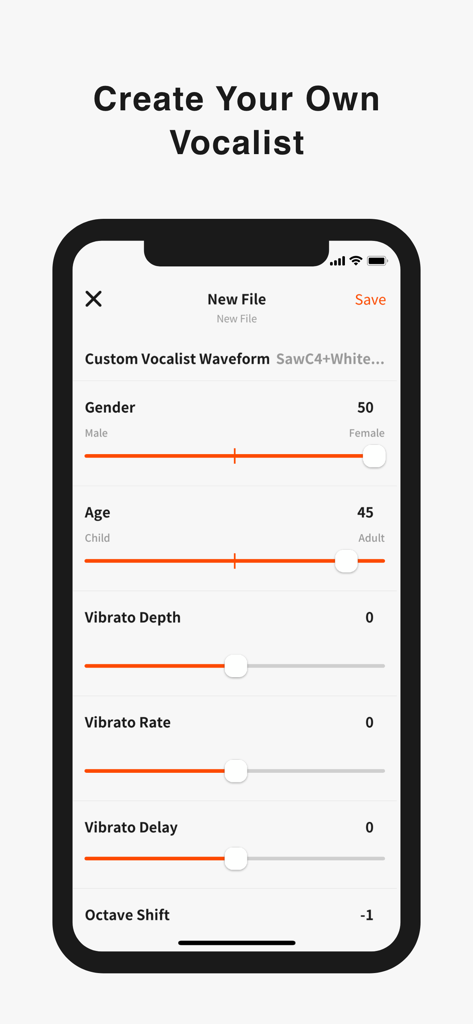
Lyric Creator - Lyric Creator App-Oberfläche zur Anpassung eines Sängers mit Alters-, Geschlechts- und Vibratokontrollen
Lyric Creator App-Oberfläche zur Anpassung eines Sängers mit Alters-, Geschlechts- und Vibratokontrollen

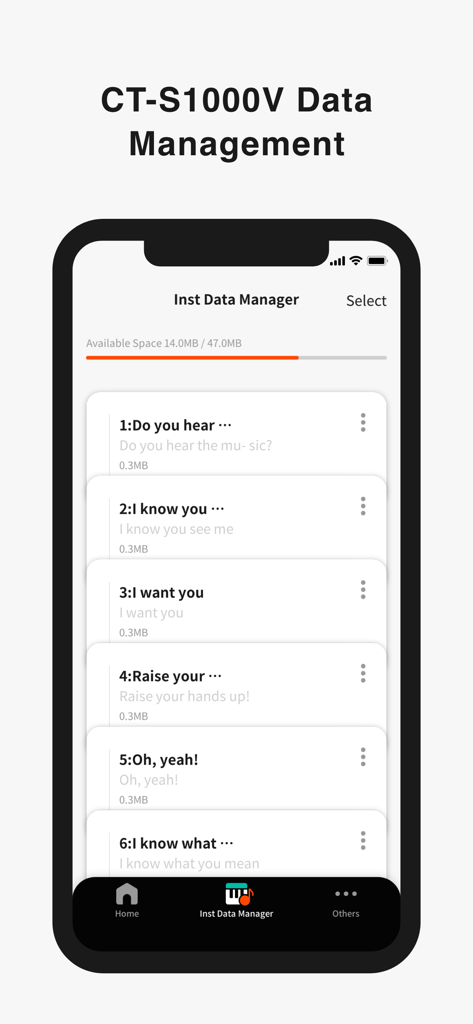
Lyric Creator - Oberfläche der Lyric Creator App, die den Instrument Data Manager mit einer Liste gespeicherter Textdateien für ein Casio-Keyboard zeigt

Oberfläche der Lyric Creator App, die den Instrument Data Manager mit einer Liste gespeicherter Textdateien für ein Casio-Keyboard zeigt

Beschreibung

Enter Your Lyrics Favorite song lyrics and original creations alike can be entered in English and Japanese using your iOS device via Casio’s own Lyric Creator app. This text is automatically divided into syllable units (though you can also assign divisions manually and group multiple syllables together), and after exporting the resulting data to your CT-S1000V, you’re ready to play. Set the Meter In Phrase Mode, the playback meter of the lyrics is determined by assigning note values (8th notes, quarter notes, etc.) to the individual syllable units and inserting rests. In addition to the traditional input of note symbols, you can now also edit the note values by visually dragging boxes along grid lines for more intuitive control. Individual lyric tones include tempo data, which can be adjusted both during the playback of singing phrases in the app as well as when playing on the CT-S1000V. Tempo can also be synced to the MIDI clock from your DAW or other external MIDI device to ensure that your vocal phrasing always remains in time regardless of how adventurous you get. Get Granular with Phrasing and Diction Users with the appetite for a truly granular approach can go even deeper and edit the phonemes that comprise individual syllables. And besides crafting clearer vocal diction, this process can be used to approximate regional accents or mimic the pronunciation of words in languages other than English and Japanese. (Note that the available phoneme library consists only of sounds that occur in standard English and Japanese.) Playback Singing Phrases Preview lyrics phrases directly in the app, in any tempo. Instantly check the rhythm and how the lyric phrase will sound before transferring the lyric data to an instrument. Chain Lyrics Together for Longer Sequences While Lyric Creator places a limit on the length of lyric that can be entered (up to 100 eighth-note syllables), once uploaded to your CT-S1000V, individual lyrics can be chained together into much longer sequences. This function allows you to fine tune individual sections at the input stage before combining them within your CT-S1000V to create a complete song. Create Your Own Vocalists The Lyric Creator app can also be used to transform a WAV audio sample (16bit/44.1kHz, mono/stereo, max. 10 seconds in length) stored within your mobile device into an original Vocalist patch that can then be loaded into the CT-S1000V. The editing interface allows you to set characteristics such as age, gender, vocal range, and vibrato. The CT-S1000V’s 22 Vocalist presets have each been designed for maximum clarity of enunciation by blending different waveforms with elements such as white noise, and as such User Vocalist waveforms may not achieve the same level of articulation. But with some experimentation you can create new sounds, including abstract ones akin to the CT-SV1000V’s Animal preset. Connecting the CT-S1000V to Your Smart Device Once the Lyric Creator app is installed on your smartphone or tablet, you can start transferring lyrics, sequences, vocal samples, etc., by connecting your device to your CT-S1000V via a USB cable. While connected, you can also use the app to view how much space is available on the CT-S1000V’s internal drive, delete files, and edit file names. Program files are exported using a proprietary format that enables sharing between CT-S1000V users. You can also import Music XML lyric data and note values from your DAW.

Download

Herunterladen auf App Store

Diese Seite ist keine offizielle Seite der App oder ihres Entwicklers, sondern eine unabhängige redaktionelle Veröffentlichung, die zu Informations- und Kommentarzwecken erstellt wurde. Sofern nicht ausdrücklich anders angegeben, sind weder die App noch ihr Entwickler mit MWM, Apple, Google Play, dem App-Herausgeber oder dem Entwickler der App verbunden, von ihnen unterstützt, gesponsert, autorisiert oder anderweitig offiziell verbunden, und nichts auf dieser Seite impliziert, dass die App unter Verwendung der Dienste von MWM entwickelt wurde. Alle Marken, Logos, Screenshots und andere Inhalte bleiben Eigentum ihrer jeweiligen Inhaber.







