
Diese Seite ist keine offizielle Seite der App oder ihres Entwicklers, sondern eine unabhängige redaktionelle Veröffentlichung, die zu Informations- und Kommentarzwecken erstellt wurde. Sofern nicht ausdrücklich anders angegeben, sind weder die App noch ihr Entwickler mit MWM, Apple, Google Play, dem App-Herausgeber oder dem Entwickler der App verbunden, von ihnen unterstützt, gesponsert, autorisiert oder anderweitig offiziell verbunden, und nichts auf dieser Seite impliziert, dass die App unter Verwendung der Dienste von MWM entwickelt wurde. Alle Marken, Logos, Screenshots und andere Inhalte bleiben Eigentum ihrer jeweiligen Inhaber.


Mail: Email, Cloud, Calendar
Wer seine digitale Existenz nicht verwaltet, verliert. Diese App erweist sich als zentraler Knotenpunkt, um die Informationsflut zu zähmen und die tägliche Ablenkung zu minimieren.
Downloads
25M+Bewertung
Bewertungen gesamt
2.5MHerausgeber
Kategorie
ProductivitySprachen
23Neueste Version
15.80.0Größe
614.6 MBErstveröffentlichung
29. März 2012Analyse der App 'Mail: Email, Cloud, Calendar'
Eine detaillierte Bewertung der Kernfunktionen für effiziente Kommunikation und Produktivität im digitalen Alltag.
Vereinheitlichte Multi-Account-Mailbox
Die App ermöglicht die zentrale Verwaltung und den Zugriff auf E-Mails von verschiedenen Anbietern wie Gmail, Outlook und Yahoo in einer einzigen Oberfläche, was die Effizienz und Übersichtlichkeit für vielbeschäftigte Nutzer erheblich steigert.
KI-gestützte E-Mail-Zusammenfassungen
Dieses Tool nutzt neuronale Netze, um lange E-Mails prägnant zusammenzufassen. Dies ermöglicht es Nutzern, schnell den Kerninhalt zu erfassen und wertvolle Zeit zu sparen, besonders bei hohem E-Mail-Aufkommen.
Integrierter Produktivitäts-Hub
Die App bündelt E-Mail, Kalender, Notizen und eine Cloud in einer Anwendung. Dies ermöglicht Nutzern, ihre digitale Kommunikation, Aufgaben und Planung zentral und effizient zu verwalten.
Umfassende Cloud-Speicherintegration
Diese Funktion bietet sicheren Speicherplatz für Fotos, Dokumente und Scans. Sie ermöglicht das Sichern von Dateianhängen aus E-Mails und hilft, den Speicher des Smartphones zu entlasten, was die Dateiverwaltung vereinfacht.
Intelligente E-Mail-Organisation
Es gruppiert E-Mails nach Betreff und Adresse, sortiert automatisch Newsletter, Nachrichten und Benachrichtigungen in spezifische Ordner und trägt somit zu einer aufgeräumten und übersichtlichen Mailbox bei.
Integriertes E-Mail-Übersetzungstool
Ein integrierter Übersetzer ermöglicht es Nutzern, fremdsprachige E-Mails schnell zu verstehen und Nachrichten in andere Sprachen zu verfassen, was die internationale Kommunikation erheblich vereinfacht.
Anpassbare Benachrichtigungsverwaltung
Nutzer können Push-Benachrichtigungen präzise anpassen, indem sie nur für relevante Ordner oder zu bestimmten Zeiten Benachrichtigungen erhalten. Dies hilft, Ablenkungen zu minimieren und konzentriert zu bleiben.
Komfortabler Offline-Modus
Die App speichert E-Mails lokal auf dem Smartphone, sodass Nutzer auch ohne Internetverbindung – etwa im Flugzeug oder an abgelegenen Orten – auf ihre Nachrichten zugreifen und diese lesen können.
Häufig gestellte Fragen
Alles, was Sie über wissen müssen Mail: Email, Cloud, Calendar
Does Mail: Email, Cloud, Calendar support multiple email accounts?
Yes, Mail: Email, Cloud, Calendar integrates accounts from various email clients like Yandex.Mail, Microsoft Outlook, Gmail, Hotmail, Rambler, Yahoo, and Zimbra, allowing users to manage them all in one application.
Does Mail: Email, Cloud, Calendar provide summaries of long emails?
Yes, the Mail app includes a neural network that provides brief summaries of long emails, helping users quickly grasp the context without reading the entire message.
Can the Calendar in Mail: Email, Cloud, Calendar help plan holidays?
Yes, the Calendar feature in Mail: Email, Cloud, Calendar helps users find the best dates for holidays. It suggests optimal months and days based on salary input.
Can I customize email notifications in Mail: Email, Cloud, Calendar?
Yes, Mail: Email, Cloud, Calendar allows users to customize new email notifications. They can select specific folders and comfortable times to receive push notifications.
What services are included in the Mail: Email, Cloud, Calendar application?
Mail: Email, Cloud, Calendar offers core services including a fast Mail service, a convenient Calendar, Notes, Cloud storage for photos and documents, Shopping, and News.
Does Mail: Email, Cloud, Calendar have an email translator?
Yes, Mail: Email, Cloud, Calendar includes a convenient email translator. Users can translate foreign newsletters or business emails instantly by opening or writing text and selecting the language.
How does Mail: Email, Cloud, Calendar manage newsletters?
Yes, Mail: Email, Cloud, Calendar collects newsletters on one page. Users can easily unsubscribe from irrelevant ones and manage their subscriptions directly within the app.
Does Mail: Email, Cloud, Calendar have a dark mode?
Yes, the Mail app offers a dark background option for comfortable viewing at night. Users can switch between bright and dark interfaces as desired.
Can I read emails offline using Mail: Email, Cloud, Calendar?
Yes, Mail: Email, Cloud, Calendar saves emails to local storage for offline reading. This feature allows users to access their mail without an internet connection, such as on a plane.
Die folgenden Screenshots und die Beschreibung stammen direkt aus dem offiziellen Store-Eintrag der App und sind Eigentum des Entwicklers.
App Store
Screenshots
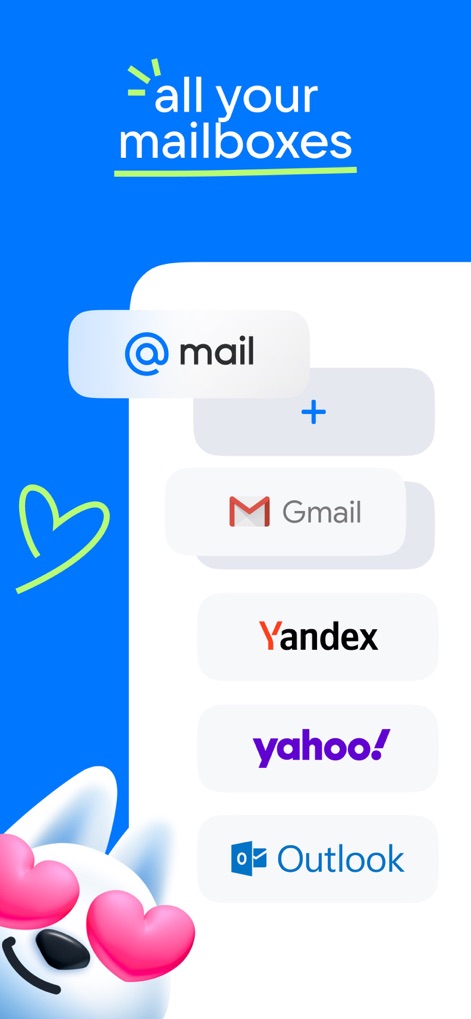
Alle Postfächer vereint
Nutzer können ihre E-Mail-Konten verschiedener Anbieter wie Gmail und Outlook nahtlos in der App bündeln.
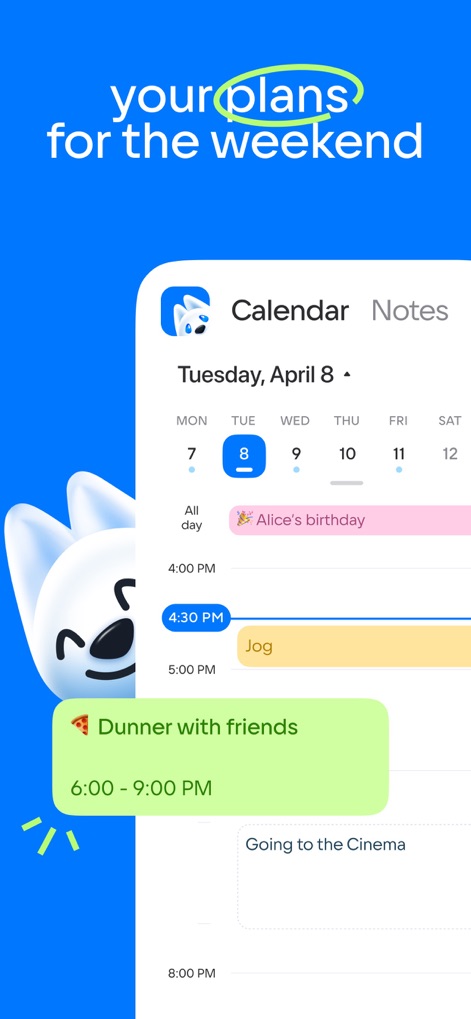
Ereignisse koordinieren
Die App zeigt Kalendereinträge für den 8. April und bietet eine Chat-ähnliche Oberfläche zur Planung von sozialen Aktivitäten wie einem Abendessen mit Freunden.
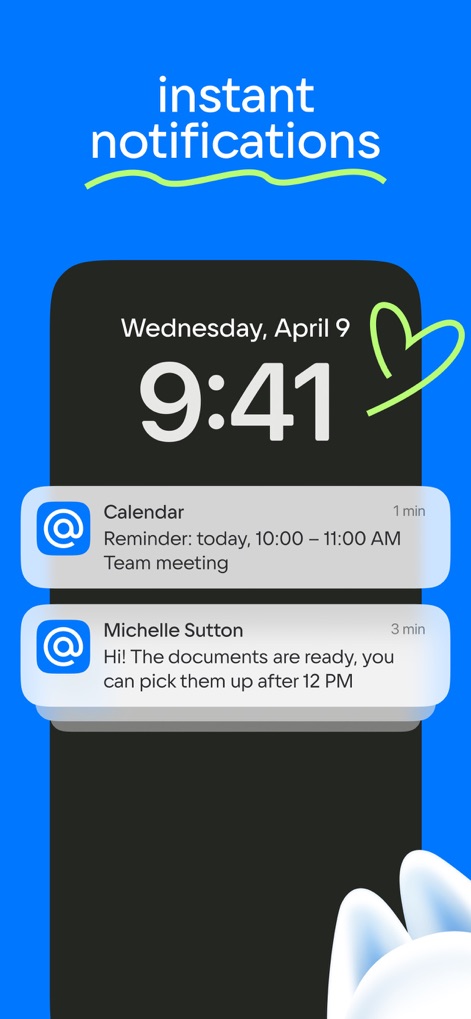
Sofortige Benachrichtigungen
Dieses Tool liefert zeitnahe Benachrichtigungen auf dem Sperrbildschirm, beispielsweise eine Kalendererinnerung und eine persönliche Nachricht von Michelle Sutton.
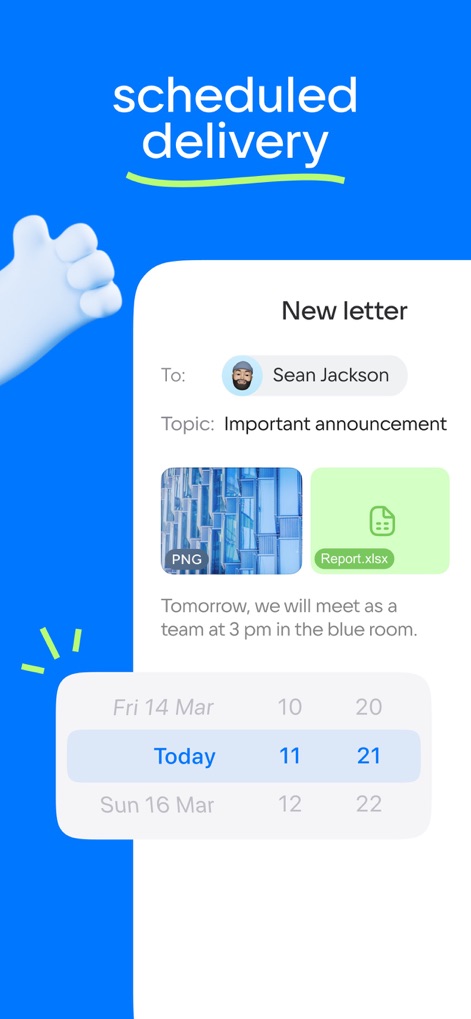
Geplante Zustellung
Nutzer können E-Mails wie die an Sean Jackson verfassen und Anhänge hinzufügen, wobei die Option zur Planung des Versanddatums über das integrierte Kalenderelement sichtbar ist.
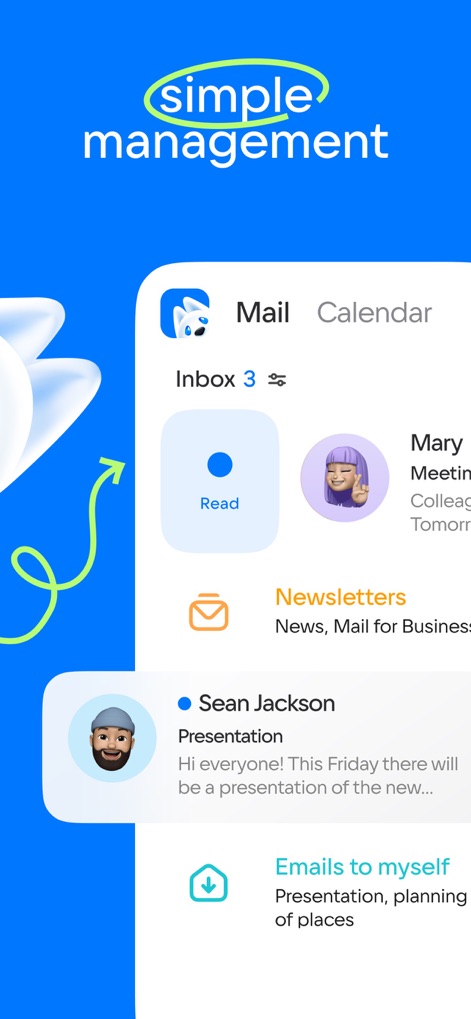
E-Mail-Organisation leicht
Die übersichtliche Inbox-Ansicht präsentiert verschiedene E-Mail-Typen wie Newsletter und persönliche Nachrichten, unterstützt durch eine intuitiv platzierte „Read“-Schaltfläche.
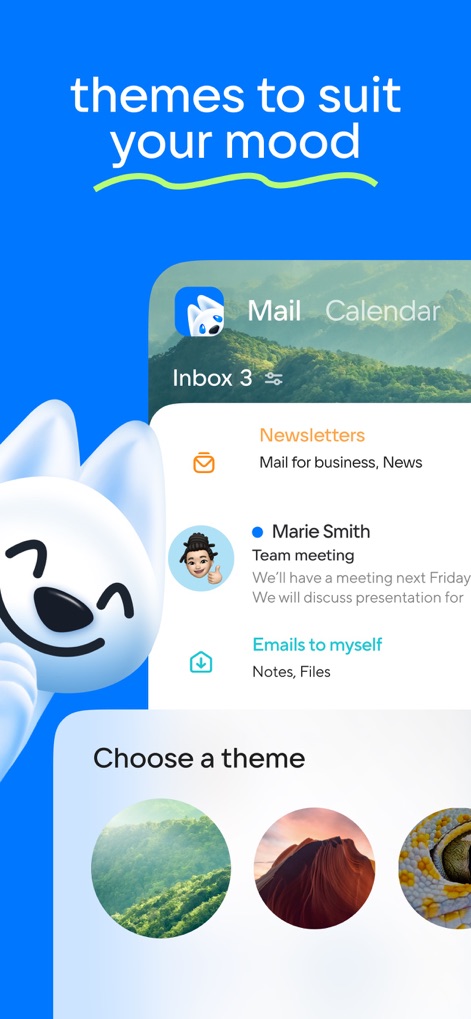
Individuelle Themenwahl
Nutzer können das visuelle Erscheinungsbild der App anpassen, indem sie aus verschiedenen Hintergrundthemen wie der gezeigten Landschaft auswählen und die Nachrichtenübersicht im Inbox-Bereich personalisieren.
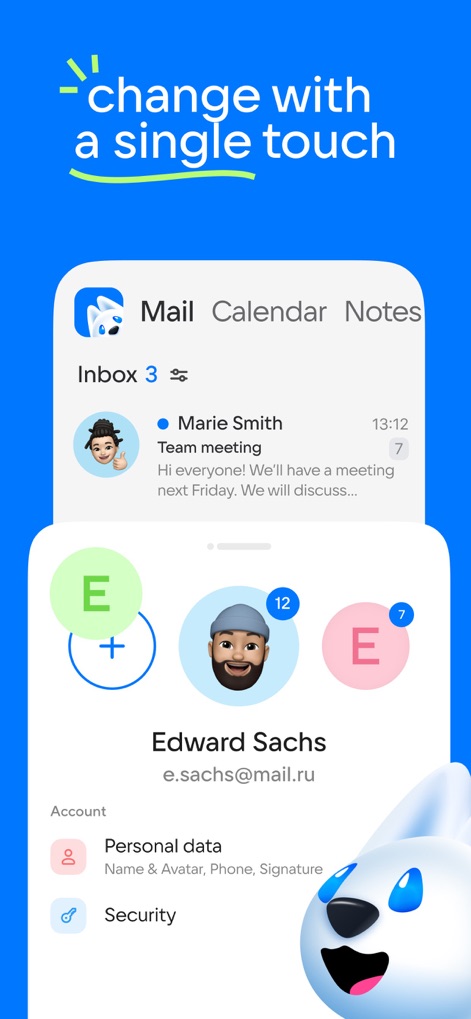
Kontoverwaltung intuitiv
Die App ermöglicht die einfache Verwaltung von Nutzerkonten, sichtbar durch die Liste der Avatare oben und die detaillierten Einstellungsoptionen für „Personal data“ und „Security“.
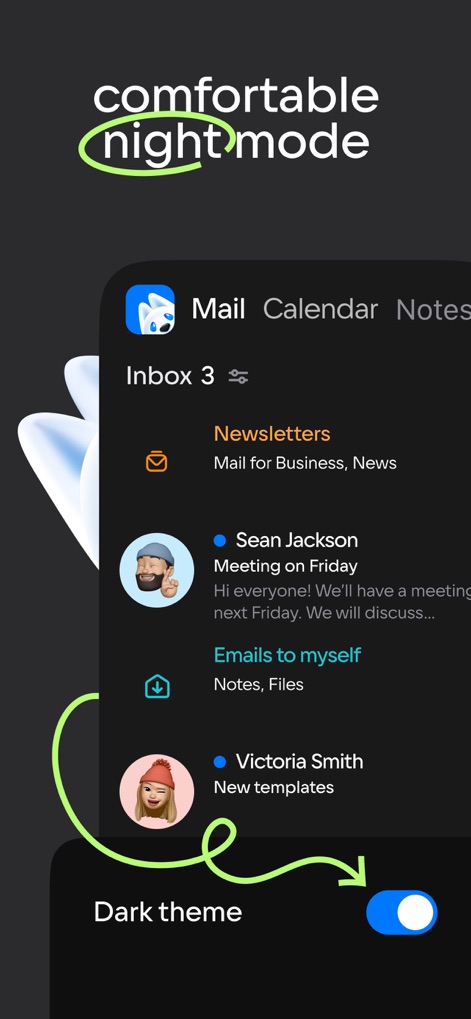
Entspannter Dunkelmodus
Die Anwendung bietet einen augenschonenden Dunkelmodus, der durch den aktivierten Schalter „Dark theme“ am unteren Rand und das dunkle Farbschema der Inbox-Oberfläche visualisiert wird.
Beschreibung
Download
Ähnliche Apps
Apps mit ähnlichen Funktionen und Nutzererfahrung

Microsoft Outlook
Microsoft Corporation

Yandex Mail: Email & Cloud
DIRECT CURSUS COMPUTER SYSTEMS TRADING LLC

Gmail - Email by Google
Google LLC

Yahoo Mail
Yahoo Inc.

Proton Mail - Encrypted Email
Proton AG

Email - Edison Mail
Edison Software Inc.

Zoho Mail - Email and Calendar
Zoho Corporation

GMX - Mail & Cloud
1&1 Mail & Media GmbH

AOL Mail, News, Weather
AOL Media LLC
Diese Seite ist keine offizielle Seite der App oder ihres Entwicklers, sondern eine unabhängige redaktionelle Veröffentlichung, die zu Informations- und Kommentarzwecken erstellt wurde. Sofern nicht ausdrücklich anders angegeben, sind weder die App noch ihr Entwickler mit MWM, Apple, Google Play, dem App-Herausgeber oder dem Entwickler der App verbunden, von ihnen unterstützt, gesponsert, autorisiert oder anderweitig offiziell verbunden, und nichts auf dieser Seite impliziert, dass die App unter Verwendung der Dienste von MWM entwickelt wurde. Alle Marken, Logos, Screenshots und andere Inhalte bleiben Eigentum ihrer jeweiligen Inhaber.