
Diese Seite ist keine offizielle Seite der App oder ihres Entwicklers, sondern eine unabhängige redaktionelle Veröffentlichung, die zu Informations- und Kommentarzwecken erstellt wurde. Sofern nicht ausdrücklich anders angegeben, sind weder die App noch ihr Entwickler mit MWM, Apple, Google Play, dem App-Herausgeber oder dem Entwickler der App verbunden, von ihnen unterstützt, gesponsert, autorisiert oder anderweitig offiziell verbunden, und nichts auf dieser Seite impliziert, dass die App unter Verwendung der Dienste von MWM entwickelt wurde. Alle Marken, Logos, Screenshots und andere Inhalte bleiben Eigentum ihrer jeweiligen Inhaber.


MarkFlow: AI Format Engine
Die ultimative Markdown-Engine für das KI-Zeitalter. Verwandeln Sie rohe Chat-Ausgaben mühelos mit einem Klick in polierte DOCX-, PDF- oder beeindruckende Bilddesigns – alles mit Offline-Verarbeitung und iOS-Shortcuts-Integration.
Downloads
3K+Bewertung
Bewertungen gesamt
0Herausgeber
Kategorie
UtilitiesSprachen
3Neueste Version
1.0.6Größe
12.0 MBErstveröffentlichung
30. März 2025Verbessern Sie Ihren KI-Workflow
MarkFlow schließt die Lücke zwischen rohen KI-Ausgaben und professionellen Inhalten. Formatieren, gestalten und teilen Sie Ihre Ideen mühelos mit einem Fingertipp.
Professionelle Dokumentenexporte
Verwandeln Sie unordentliches Markdown sofort in polierte DOCX-, PDF- oder PPTX-Dateien. Perfekt für Berichte, Präsentationen und Studentenarbeiten.
Designer-Designs für Social Media
Verwandeln Sie Text mit 12 ästhetischen Designs in beeindruckende, teilbare Grafiken. Verbessern Sie mühelos Ihre Präsenz auf LinkedIn, X und Slack.
Die folgenden Screenshots und die Beschreibung stammen direkt aus dem offiziellen Store-Eintrag der App und sind Eigentum des Entwicklers.
App Store
Screenshots
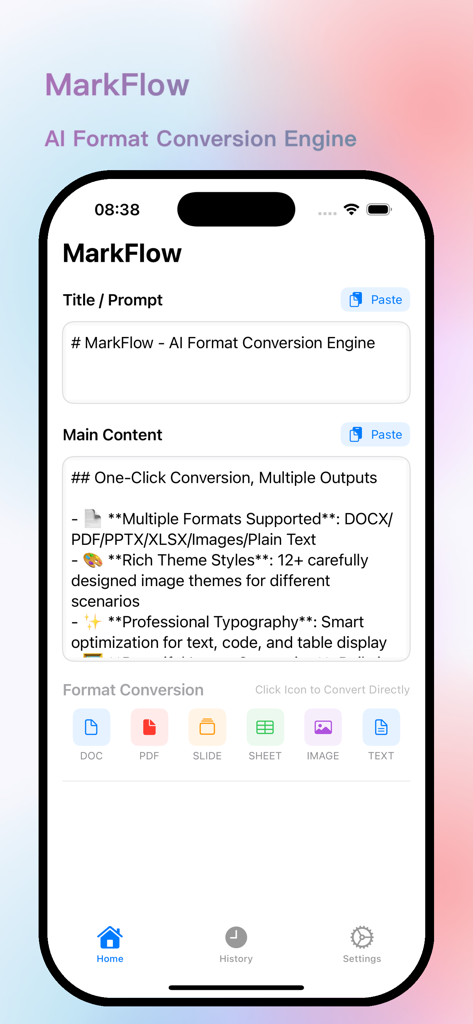
MarkFlow App-Oberfläche zeigt Markdown-Texteingabe und Optionen zur Formatkonvertierung wie PDF und DOCX.
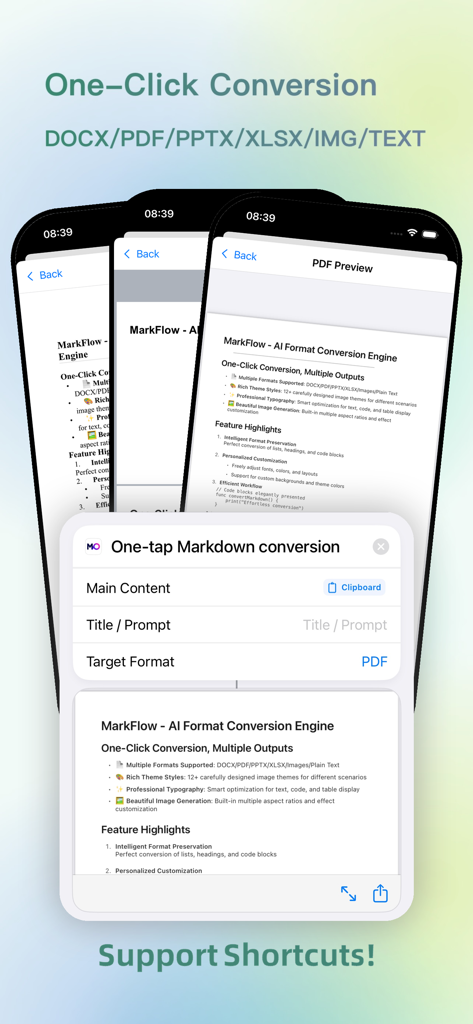
MarkFlow App-Oberfläche zeigt die One-Tap-Markdown-Konvertierung in PDF mit iOS-Shortcuts.
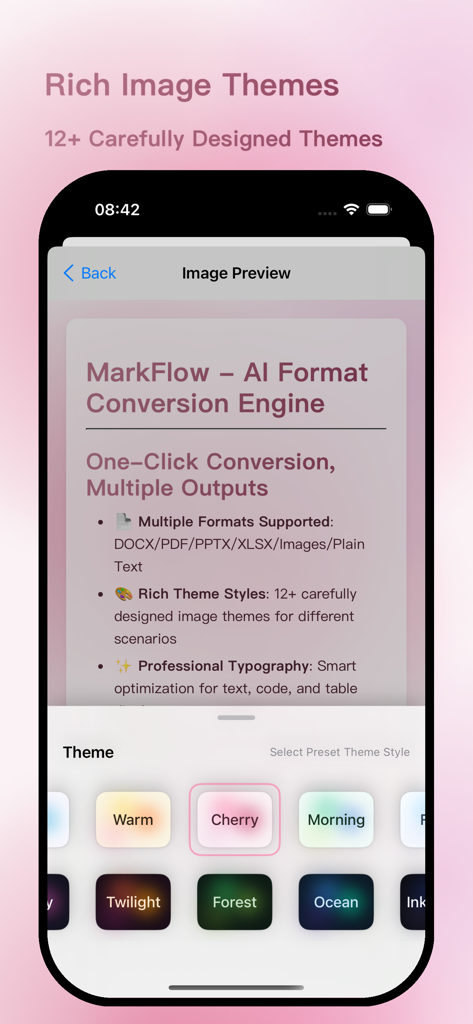
MarkFlow App-Oberfläche zeigt verschiedene ästhetische Designs zur Formatierung von Markdown-Text in Bilder.
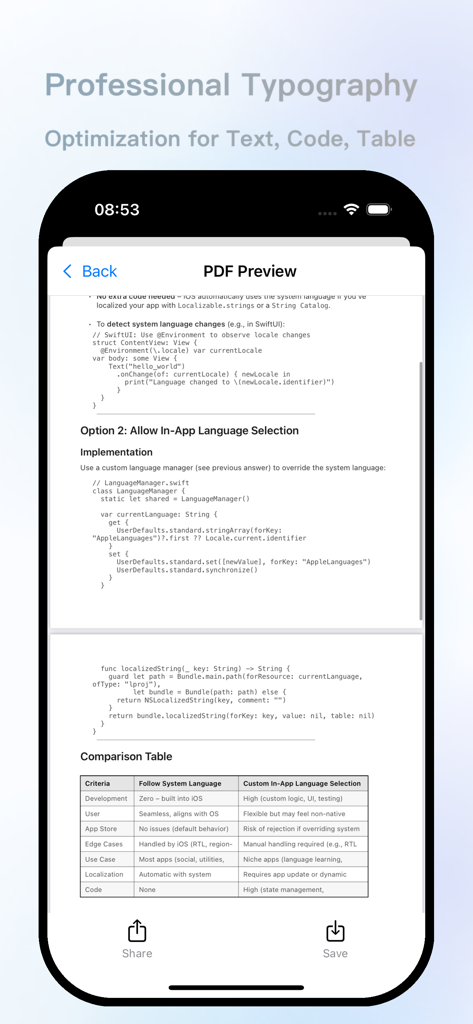
MarkFlow App-Oberfläche zeigt eine professionelle PDF-Vorschau mit optimierter Formatierung für Text, Code-Snippets und Datentabellen.
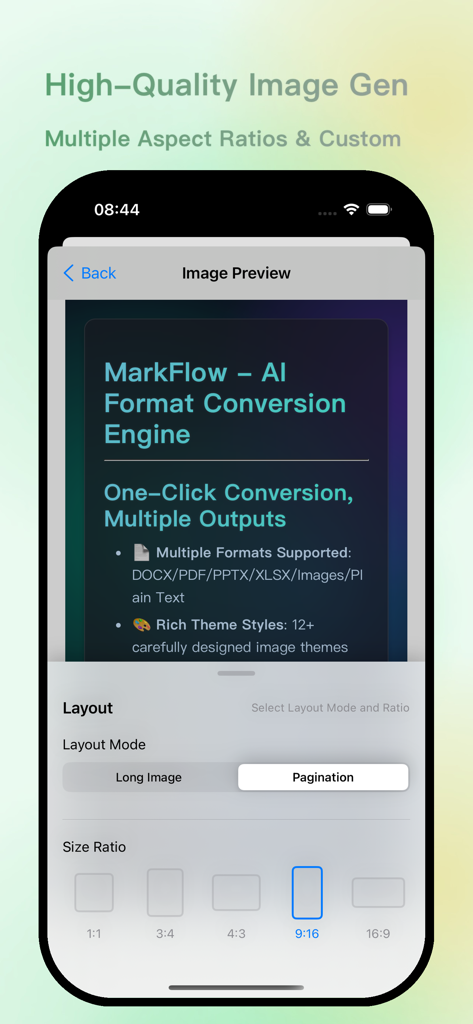
MarkFlow App-Oberfläche zeigt eine Bildvorschau mit verschiedenen Layout-Modi und Seitenverhältnisoptionen für die KI-Dokumentkonvertierung.
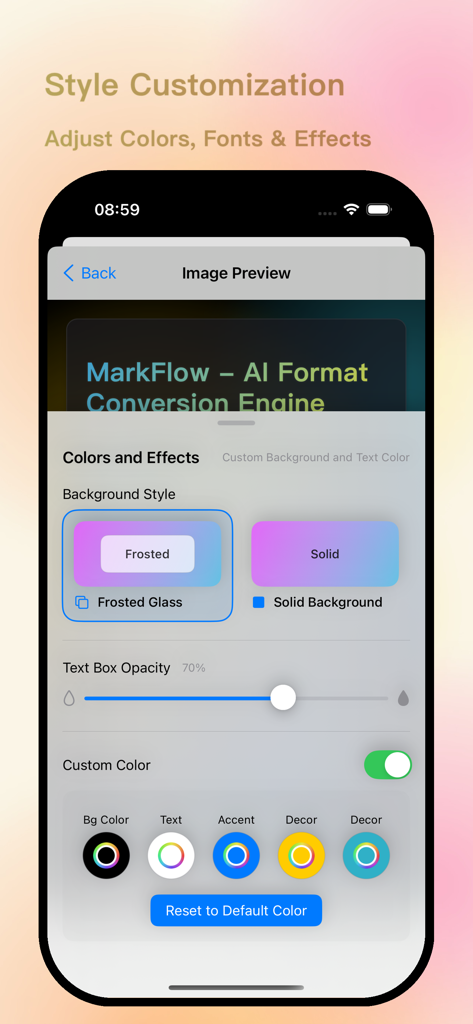
Oberfläche der MarkFlow App mit Optionen zur Stil-Anpassung für Hintergrundfarben, Textfeld-Deckkraft und Schriftarten.
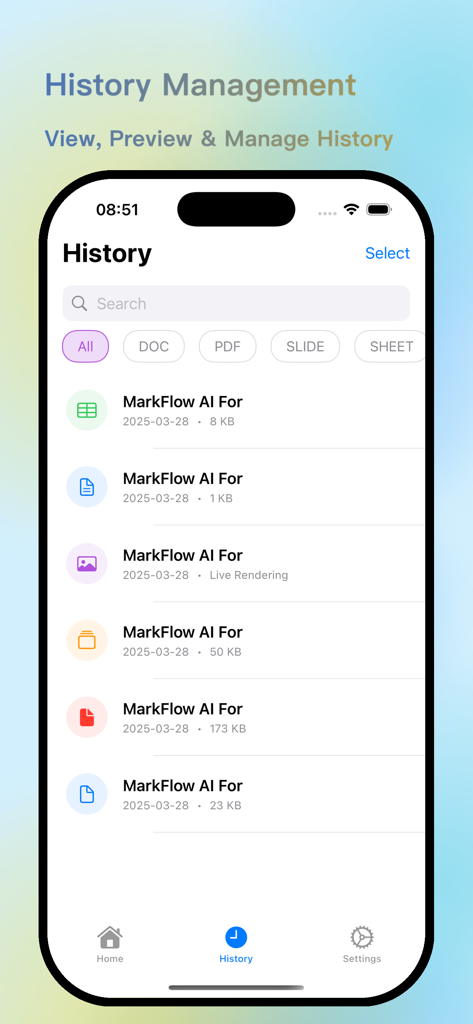
MarkFlow App-Oberfläche zur Verwaltung des Verlaufs, die eine Liste konvertierter KI-Dokumente mit Formatfiltern anzeigt
Beschreibung
Download
Ähnliche Apps
Top-gerankte Apps in derselben Kategorie

Google LLC

Google Chrome
Google LLC

中国移动(手机营业厅)
China Mobile Online Services Co., Ltd.

Google Authenticator
Google LLC

CNH do Brasil
Servicos e Informacoes do Brasil

Cleanup: Phone Storage Cleaner
DEEP FLOW SOFTWARE SERVICES - FZCO

gov.br
Servicos e Informacoes do Brasil

中国电信-全国统一官方服务平台
CHINA TELECOM Corporation Ltd.

Microsoft Edge: AI Browser
Microsoft Corporation
Diese Seite ist keine offizielle Seite der App oder ihres Entwicklers, sondern eine unabhängige redaktionelle Veröffentlichung, die zu Informations- und Kommentarzwecken erstellt wurde. Sofern nicht ausdrücklich anders angegeben, sind weder die App noch ihr Entwickler mit MWM, Apple, Google Play, dem App-Herausgeber oder dem Entwickler der App verbunden, von ihnen unterstützt, gesponsert, autorisiert oder anderweitig offiziell verbunden, und nichts auf dieser Seite impliziert, dass die App unter Verwendung der Dienste von MWM entwickelt wurde. Alle Marken, Logos, Screenshots und andere Inhalte bleiben Eigentum ihrer jeweiligen Inhaber.