
Diese Seite ist keine offizielle Seite der App oder ihres Entwicklers, sondern eine unabhängige redaktionelle Veröffentlichung, die zu Informations- und Kommentarzwecken erstellt wurde. Sofern nicht ausdrücklich anders angegeben, sind weder die App noch ihr Entwickler mit MWM, Apple, Google Play, dem App-Herausgeber oder dem Entwickler der App verbunden, von ihnen unterstützt, gesponsert, autorisiert oder anderweitig offiziell verbunden, und nichts auf dieser Seite impliziert, dass die App unter Verwendung der Dienste von MWM entwickelt wurde. Alle Marken, Logos, Screenshots und andere Inhalte bleiben Eigentum ihrer jeweiligen Inhaber.


Marshall Bluetooth
Fernkontrolle ist Macht. MWMs Kreation liefert sie direkt auf dein Handy.
Downloads
7.5M+Bewertung
Bewertungen gesamt
190.0KHerausgeber
Kategorie
MusicSprachen
11Neueste Version
3.6.4Größe
65.4 MBErstveröffentlichung
9. Okt. 2018Diese Bewertung hebt die primären Funktionen hervor, die den Wert der Marshall Bluetooth App für audiophile Nutzer und Besitzer von Marshall-Geräten steigern.
Analyse der Marshall Bluetooth App: Kernfunktionen für ein optimiertes Klangerlebnis
Personalisierter Equalizer
Die App ermöglicht Nutzern, detaillierte Klanganpassungen vorzunehmen und so ein individuelles Hörerlebnis zu schaffen, das den eigenen Vorlieben entspricht. Dies ist entscheidend für audiophile Nutzer, die eine hohe Klangtreue schätzen.
Erweiterte Geräuschkontrolle (ANC & Transparenz)
Für Kopfhörer, die dies unterstützen, bietet die App eine umfassende Steuerung von Aktiver Geräuschunterdrückung (ANC) und Transparenzmodi. Dies ermöglicht ein immersives Hörerlebnis oder die bewusste Wahrnehmung der Umgebung.
Fernsteuerung der Audiowiedergabe
Die App bietet die Möglichkeit, Lautstärke und Wiedergabe der verbundenen Marshall-Geräte bequem aus der Ferne zu steuern. Dies erhöht den Komfort und die Benutzerfreundlichkeit im Alltag erheblich.
Einfache Geräteverwaltung
Dieses Tool vereinfacht das Verbinden und Verwalten mehrerer Marshall-Bluetooth-Geräte. Es sorgt für eine nahtlose Integration in das bestehende Audio-Setup des Nutzers.
Häufig gestellte Fragen
Alles, was Sie über wissen müssen Marshall Bluetooth
What is the Marshall Bluetooth app?
The Marshall Bluetooth app manages Marshall audio devices remotely. It controls volume, customizes sound with equalizers, manages noise cancellation, and ensures device connectivity for a personalized listening experience.
Can I adjust volume with the Marshall Bluetooth app?
Yes, the Marshall Bluetooth app provides remote volume control for connected Marshall devices. Users adjust audio levels from their mobile device, ensuring convenient management of their sound environment.
Does the Marshall Bluetooth app offer an equalizer feature?
Yes, the Marshall Bluetooth app includes a customizable equalizer. Users select preset sound profiles or create their own, adjusting frequency bands like 160 Hz, 400 Hz, 1 kHz, 2.5 kHz, and 6.25 kHz.
What noise control settings are available in the Marshall Bluetooth app?
The Marshall Bluetooth app provides noise control options including Active Noise Cancellation (ANC), Off, and Transparency (TRA) modes. Users adjust the ANC level directly within the app for their headphones.
Which Marshall products are compatible with the Marshall Bluetooth app?
The Marshall Bluetooth app supports products like Bromley 750, Middleton II, Kilburn III, Monitor III A.N.C., Emberton III, Willen II, Motif II A.N.C., and many other listed Marshall audio devices.
Is the Marshall Bluetooth app required to use Marshall products?
Yes, Marshall products function independently without the Marshall Bluetooth app. The app offers advanced controls and customization, but it is not essential for basic operation of the devices.
How do I connect my Marshall device to the Marshall Bluetooth app?
To connect a device, launch the Marshall Bluetooth app and ensure your Marshall device is powered on and nearby. The app automatically searches for and lists available devices for pairing.
Can I personalize device settings using the Marshall Bluetooth app?
Yes, the Marshall Bluetooth app allows users to personalize various settings, including media playback controls for actions like play/pause and skipping tracks, as well as call management options.
Does the Marshall Bluetooth app offer product information or tips?
Yes, the Marshall Bluetooth app provides access to product information, such as guidance on fitting earbuds for optimal comfort and sound, and details regarding device firmware.
Can I update my Marshall device's firmware via the Marshall Bluetooth app?
Yes, the Marshall Bluetooth app manages firmware updates for compatible devices. It displays the current firmware version and confirms if the device's firmware is already up to date.
Die folgenden Screenshots und die Beschreibung stammen direkt aus dem offiziellen Store-Eintrag der App und sind Eigentum des Entwicklers.
App Store
Screenshots
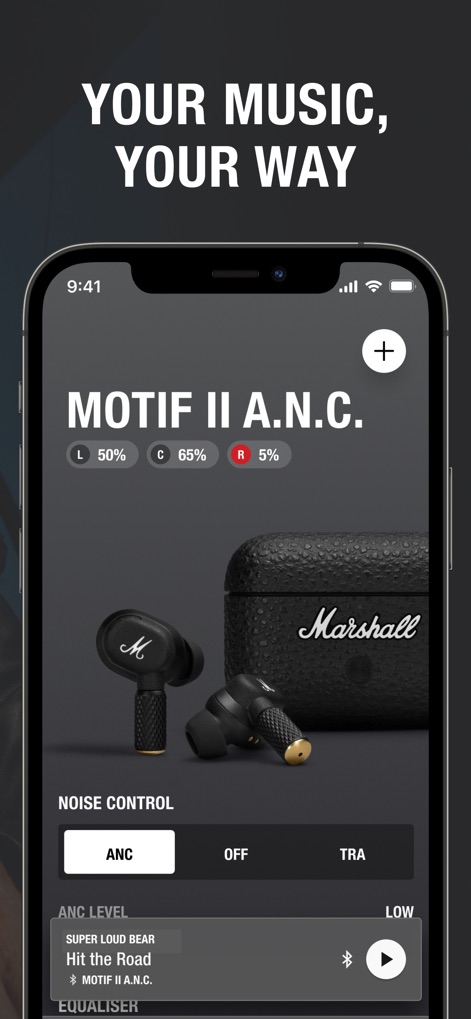
Die App bietet einen umfassenden Überblick über verbundene Geräte, wie den detaillierten Batteriestatus für linke und rechte Ohrhörer sowie die Auswahl von Rauschunterdrückungsmodi.
Gerätesteuerung Überblick
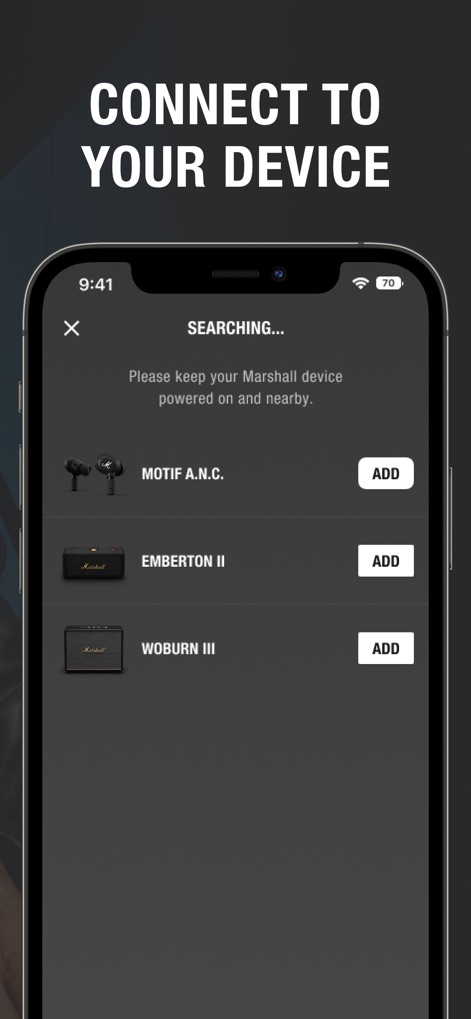
Die App ermöglicht das einfache Hinzufügen neuer Marshall-Geräte, indem sie verfügbare Produkte (z.B. Motif A.N.C. oder Woburn III) in einer übersichtlichen Liste anzeigt.
Neue Geräte hinzufügen
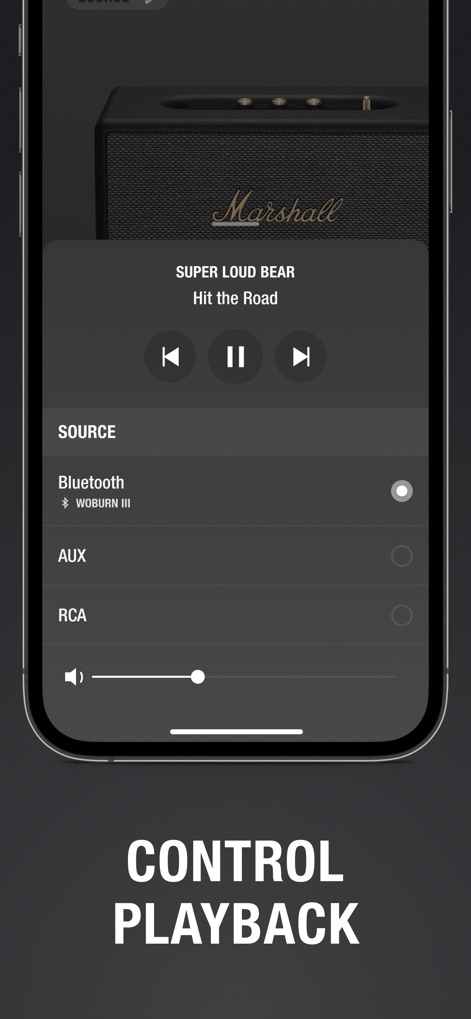
Nutzer können die Musikwiedergabe präzise über die intuitiven Bedienelemente (z.B. Play/Pause, Nächster Titel) anpassen und bequem zwischen Audioquellen wie Bluetooth, AUX und RCA wechseln.
Musikwiedergabe steuern
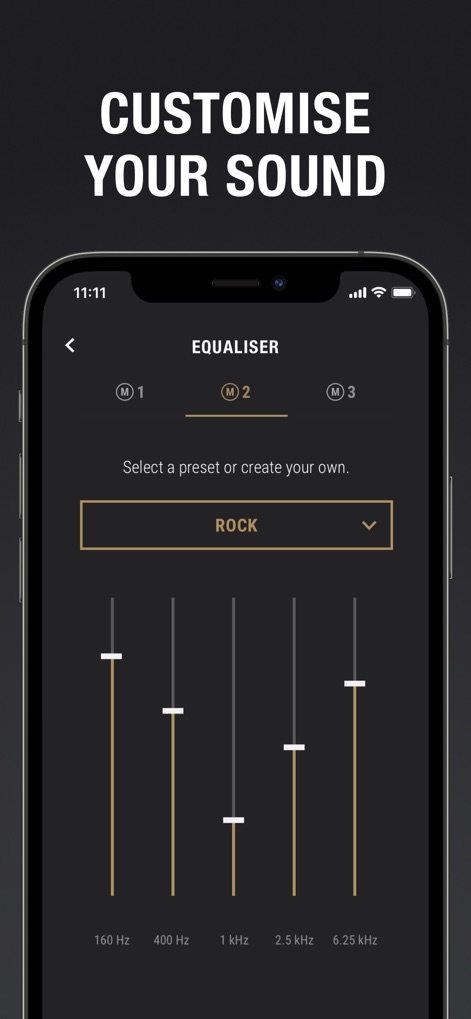
Dieses Tool ermöglicht eine feine Abstimmung des Klangs durch den Equalizer mit einstellbaren Frequenzbändern und bietet zudem vordefinierte Sound-Presets wie "ROCK" zur schnellen Auswahl.
Klangprofil anpassen
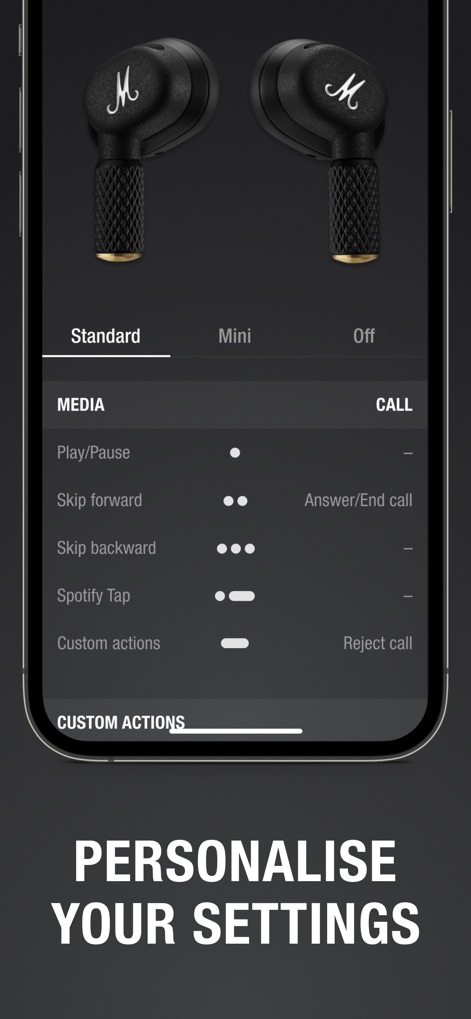
Nutzer können die Bedienelemente ihrer Ohrhörer individuell anpassen, indem sie spezifische Aktionen für Medienwiedergabe (z.B. Play/Pause) und Anrufe (z.B. Anruf annehmen/beenden) konfigurieren.
Benutzerdefinierte Einstellungen
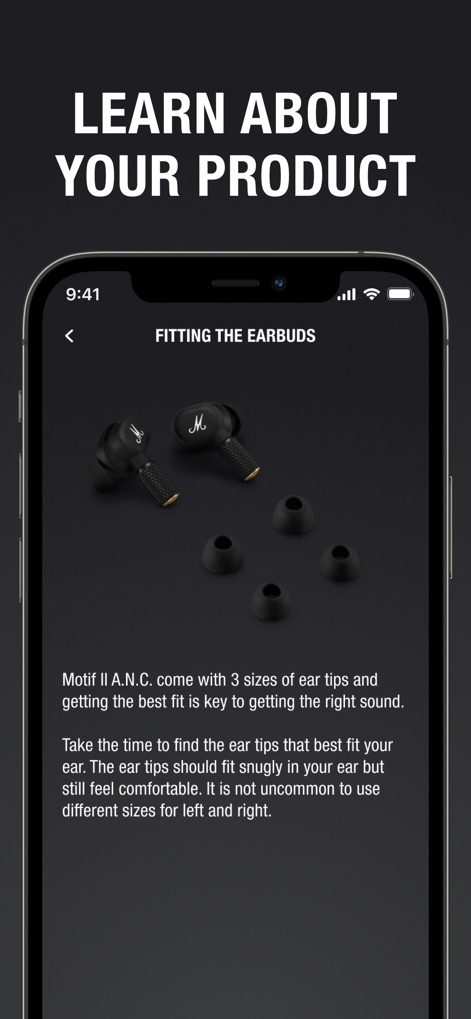
Dieser Bereich liefert detaillierte Informationen zur optimalen Passform der Ohrhörer, einschließlich der Bereitstellung von drei verschiedenen Ohrstöpselgrößen und Anleitungen zur richtigen Anwendung.
Produktinformationen entdecken
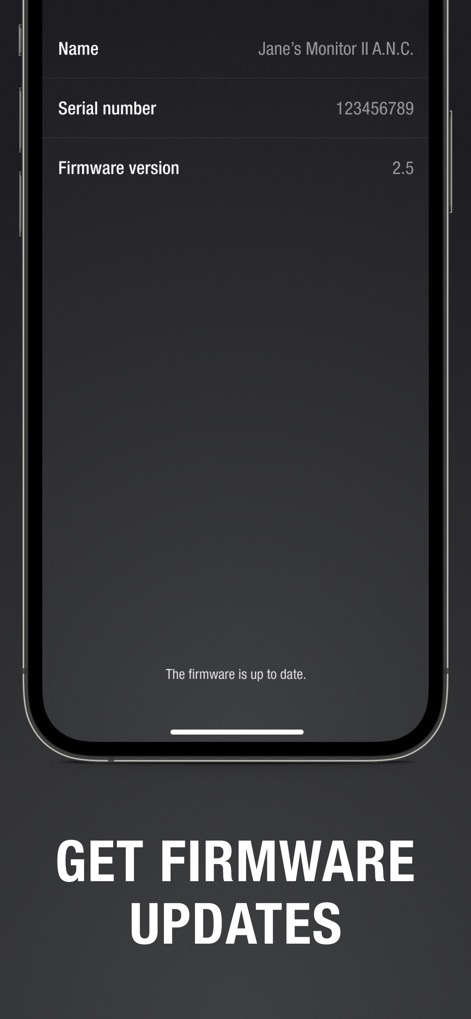
Die App zeigt wichtige Details zum verbundenen Gerät, wie den Namen und die aktuelle Firmware-Version (z.B. 2.5), und informiert den Nutzer über den Aktualisierungsstatus.
Firmware aktualisieren
Beschreibung
Download
Ähnliche Apps
Apps mit ähnlichen Funktionen und Nutzererfahrung

Bose
Bose Corporation

JBL PartyBox
Harman International Industries

Bose Connect
Bose Corporation

Bose QC Earbuds
Bose Corporation

JBL Headphones
Harman International Industries

soundcore
Power Mobile Life LLC

JBL Portable
Harman International Industries

Xiaomi Earbuds
Beijing Xiaomi Co., Ltd

Shokz
Shenzhen Shokz Co., Ltd.
Diese Seite ist keine offizielle Seite der App oder ihres Entwicklers, sondern eine unabhängige redaktionelle Veröffentlichung, die zu Informations- und Kommentarzwecken erstellt wurde. Sofern nicht ausdrücklich anders angegeben, sind weder die App noch ihr Entwickler mit MWM, Apple, Google Play, dem App-Herausgeber oder dem Entwickler der App verbunden, von ihnen unterstützt, gesponsert, autorisiert oder anderweitig offiziell verbunden, und nichts auf dieser Seite impliziert, dass die App unter Verwendung der Dienste von MWM entwickelt wurde. Alle Marken, Logos, Screenshots und andere Inhalte bleiben Eigentum ihrer jeweiligen Inhaber.