
Diese Seite ist keine offizielle Seite der App oder ihres Entwicklers, sondern eine unabhängige redaktionelle Veröffentlichung, die zu Informations- und Kommentarzwecken erstellt wurde. Sofern nicht ausdrücklich anders angegeben, sind weder die App noch ihr Entwickler mit MWM, Apple, Google Play, dem App-Herausgeber oder dem Entwickler der App verbunden, von ihnen unterstützt, gesponsert, autorisiert oder anderweitig offiziell verbunden, und nichts auf dieser Seite impliziert, dass die App unter Verwendung der Dienste von MWM entwickelt wurde. Alle Marken, Logos, Screenshots und andere Inhalte bleiben Eigentum ihrer jeweiligen Inhaber.

Math Fact Master
Befähigen Sie Ihr Kind mit der Effizienz digitaler Karteikarten und anpassbarer Übungen. Unsere werbefreie Plattform wurde für proaktive Eltern und Lehrer entwickelt und konzentriert sich mit detaillierten Fortschrittsberichten und flexiblen Lernmodi für alle vier Operationen auf Ergebnisse.
Downloads
66K+Bewertung
Bewertungen gesamt
2K+Herausgeber
Kategorie
EducationSprachen
1Neueste Version
5.4Größe
8.2 MBErstveröffentlichung
17. Feb. 2011Meistere mathematische Fakten mit Präzision und Leichtigkeit
Befähigen Sie Ihr Kind, mathematische Flüssigkeit durch eine fokussierte, ablenkungsfreie Übungsumgebung für den Erfolg in der Grundschule zu erreichen.
Maßgeschneiderte Übungssets
Wählen Sie spezifische Zahlenmengen und Operatoren, um genau das zu trainieren, was Ihr Kind in der Schule lernt, von grundlegenden Additionen bis zu fortgeschrittenen Divisionen.
Aufschlussreiche Fortschrittsverfolgung
Sehen Sie sich detaillierte Leistungsberichte an und senden Sie diese direkt an Lehrer oder Tutoren, um sicherzustellen, dass Ihr Kind auf dem richtigen Weg ist, die Klassenziele zu erreichen.
Die folgenden Screenshots und die Beschreibung stammen direkt aus dem offiziellen Store-Eintrag der App und sind Eigentum des Entwicklers.
App Store
Screenshots
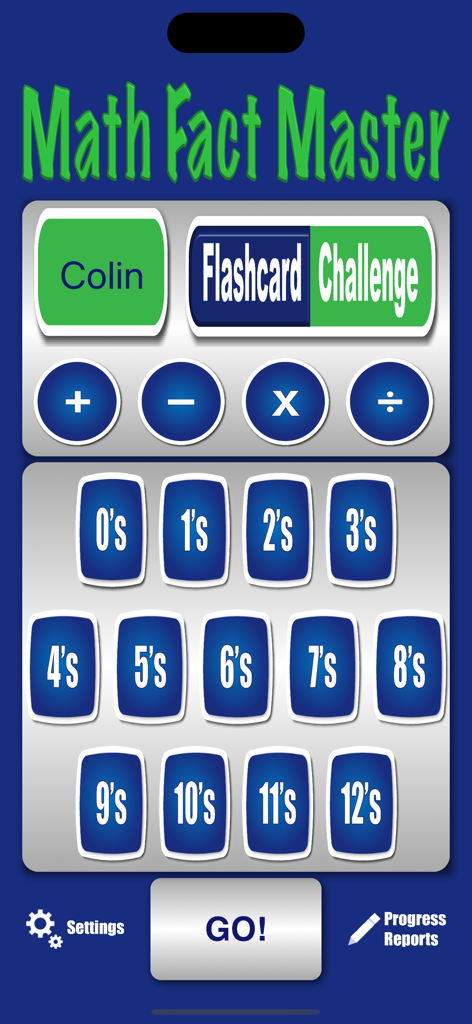
Die Hauptmenüoberfläche der Math Fact Master App mit Optionen für Addition, Subtraktion, Multiplikation, Division und Zahlenmengen von null bis zwölf.

Digitale Karteikarte aus der Math Fact Master App, die die Additionsaufgabe 3 plus 5 zeigt.
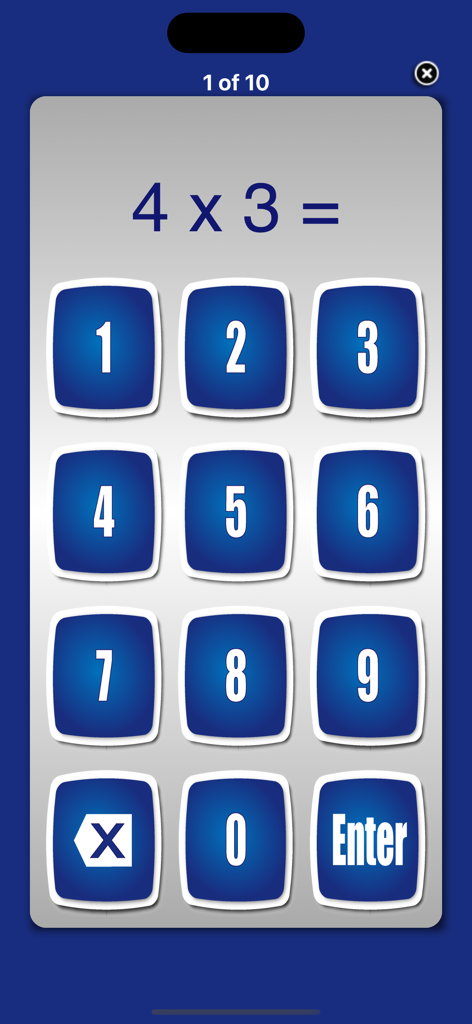
Eine Multiplikationsaufgabe 4 mal 3 wird auf einem grauen Bildschirm mit einer blauen numerischen Tastatur für Antworten in der Math Fact Master App angezeigt.
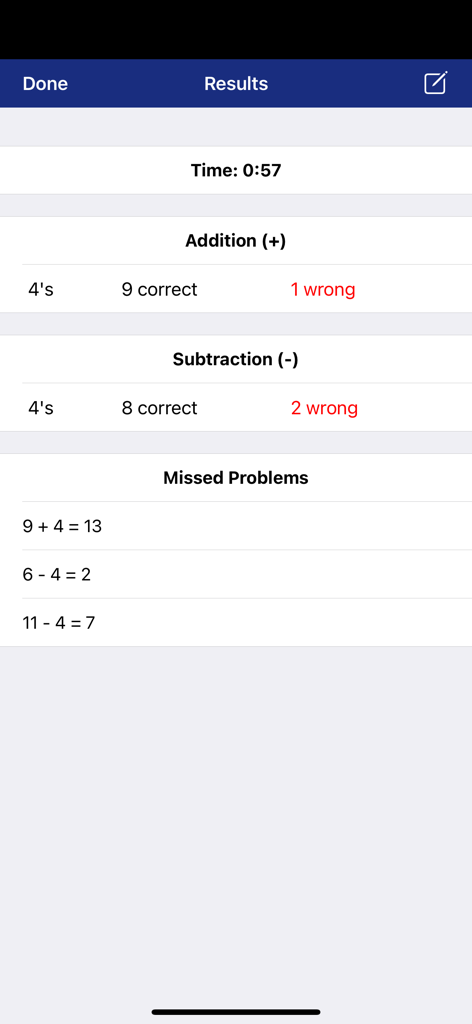
Der Ergebnisbildschirm der Math Fact Master App zeigt zeitgesteuerte Leistungen und eine Aufschlüsselung der richtigen und verfehlten Additions- und Subtraktionsaufgaben.
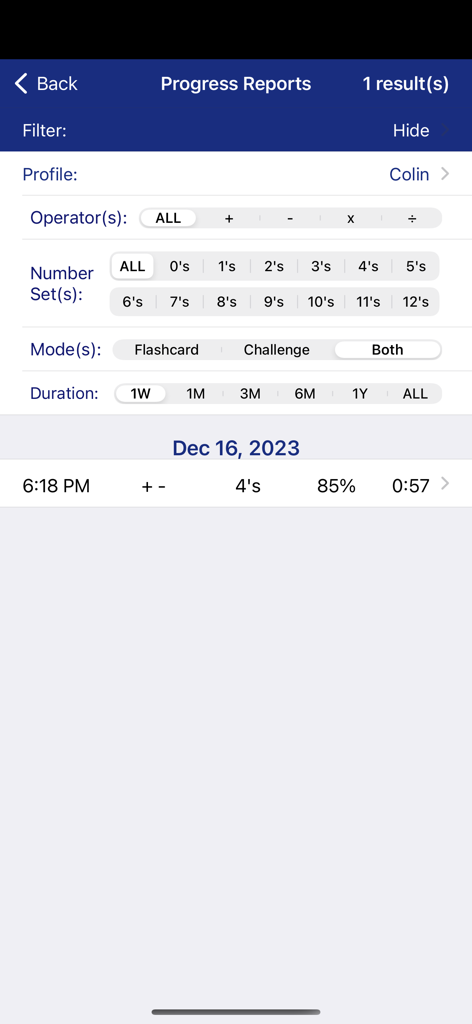
Bildschirm mit Fortschrittsberichten der Math Fact Master App, der Schülerergebnisse und Datenfilter für Eltern und Lehrer zeigt.
Beschreibung
Download
Ähnliche Apps
Top-gerankte Apps in derselben Kategorie

Duolingo - Language Lessons
Duolingo, Inc

Speak & Learn English: Learna
DEEP FLOW SOFTWARE SERVICES - FZCO

驾考宝典-科一科四驾驶证考试驾考通
Wuhan Jiakaobaodian Information Service Co., Ltd.

Toca Boca World
Toca Boca AB

Google Classroom
Google LLC

作业帮-中小学家长作业检查和辅导工具
Guangzhou Polar Future Culture Technology Co., Ltd

学信网
Student Information Consultation Service Co., Ltd.

Gauth: AI Study Companion
GAUTHTECH PTE. LTD.

ArtWorkout: Learn How to Draw
Aleksandr Ulitin
Diese Seite ist keine offizielle Seite der App oder ihres Entwicklers, sondern eine unabhängige redaktionelle Veröffentlichung, die zu Informations- und Kommentarzwecken erstellt wurde. Sofern nicht ausdrücklich anders angegeben, sind weder die App noch ihr Entwickler mit MWM, Apple, Google Play, dem App-Herausgeber oder dem Entwickler der App verbunden, von ihnen unterstützt, gesponsert, autorisiert oder anderweitig offiziell verbunden, und nichts auf dieser Seite impliziert, dass die App unter Verwendung der Dienste von MWM entwickelt wurde. Alle Marken, Logos, Screenshots und andere Inhalte bleiben Eigentum ihrer jeweiligen Inhaber.