Measure Map Pro
Measure Map Pro
Herunterladen auf App Store

Diese Seite ist keine offizielle Seite der App oder ihres Entwicklers, sondern eine unabhängige redaktionelle Veröffentlichung, die zu Informations- und Kommentarzwecken erstellt wurde. Sofern nicht ausdrücklich anders angegeben, sind weder die App noch ihr Entwickler mit MWM, Apple, Google Play, dem App-Herausgeber oder dem Entwickler der App verbunden, von ihnen unterstützt, gesponsert, autorisiert oder anderweitig offiziell verbunden, und nichts auf dieser Seite impliziert, dass die App unter Verwendung der Dienste von MWM entwickelt wurde. Alle Marken, Logos, Screenshots und andere Inhalte bleiben Eigentum ihrer jeweiligen Inhaber.


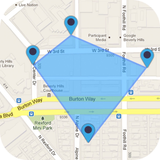
Logo von Measure Map Pro
Herunterladen auf App Store

Measure Map Pro

Das ultimative Kartierungswerkzeug für Ingenieure, Bauunternehmer und Landbesitzer. Berechnen Sie komplexe Umfänge und Flächen mit Erd­krüm­mungs­genauigkeit und exportieren Sie sofort in AutoCAD-, KML- und GIS-Formate.

Kennzahlen

Downloads

99K+

Bewertung

4.4/5

Bewertungen gesamt

2K+

Herausgeber

Blue Blink One, SL

Kategorie

Utilities

Sprachen

10

Neueste Version

13.10.5

Größe

239.0 MB

Erstveröffentlichung

22. Juni 2011
Funktionen

Professionelle Kartierung in Ihrer Handfläche

Ersetzen Sie Ihr Maßband durch hochauflösende Satellitentechnologie. Sparen Sie Stunden bei Baustellenbesuchen, indem Sie genaue Flächen, Umfänge und Entfernungen direkt von Ihrem Mobilgerät aus berechnen.

Lasergenaue präzise Messungen

Berücksichtigen Sie die Krümmung der Erde bei der Messung von kleinen Gebäudegrundrissen bis hin zu riesigen tausend Hektar großen Ranches mit einer Genauigkeit von unter einem Meter.

Branchenübliche Exporte

Exportieren Sie Ihre Daten sofort in AutoCAD (DXF), Shapefiles (SHP), KML oder CSV, um Feldmessungen nahtlos in Ihren professionellen CAD- oder GIS-Workflow zu integrieren.

Die folgenden Screenshots und die Beschreibung stammen direkt aus dem offiziellen Store-Eintrag der App und sind Eigentum des Entwicklers.

App Store

Screenshots
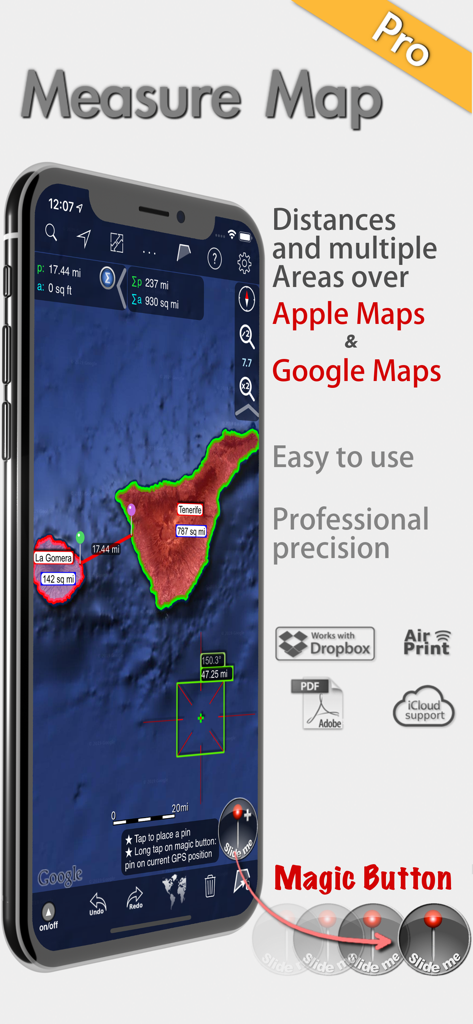
Measure Map Pro - Measure Map Pro App zeigt professionelle Flächen- und Entfernungsmessungen auf Satellitenkarten an

Measure Map Pro App zeigt professionelle Flächen- und Entfernungsmessungen auf Satellitenkarten an
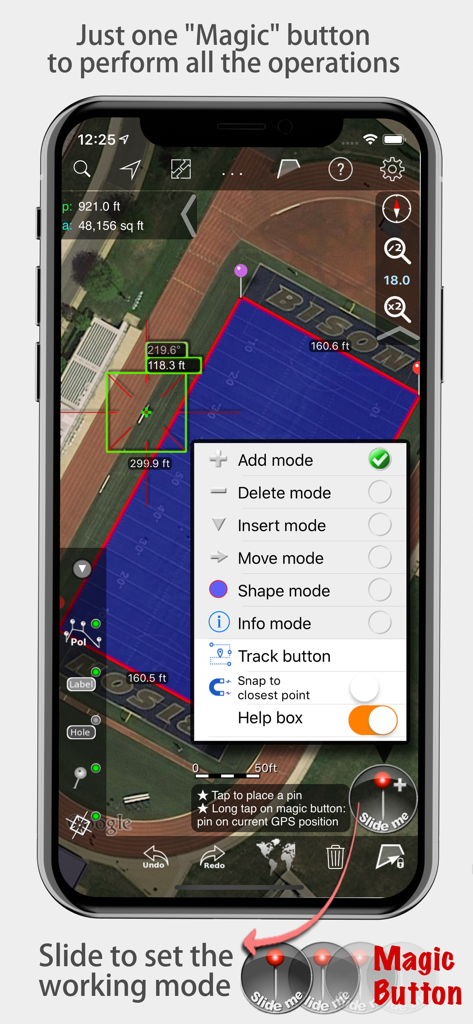
Measure Map Pro - Measure Map Pro App zeigt Flächen- und Entfernungsmessungen auf einer Satellitenkarte mit geöffnetem Magic-Button-Menü an
Measure Map Pro App zeigt Flächen- und Entfernungsmessungen auf einer Satellitenkarte mit geöffnetem Magic-Button-Menü an

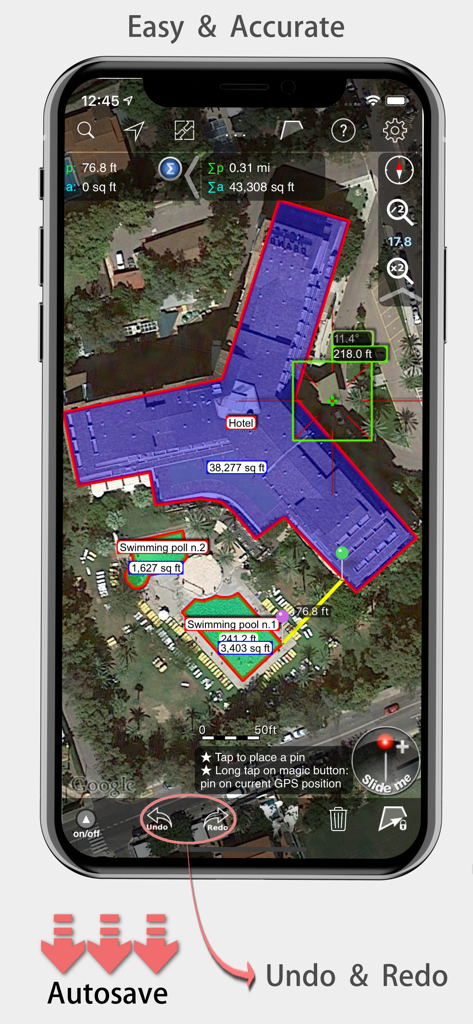
Measure Map Pro - Measure Map Pro mobile App zeigt genaue Flächen- und Entfernungsmessungen eines Hotelgebäudes auf einer Satellitenkarte an.
Measure Map Pro mobile App zeigt genaue Flächen- und Entfernungsmessungen eines Hotelgebäudes auf einer Satellitenkarte an.

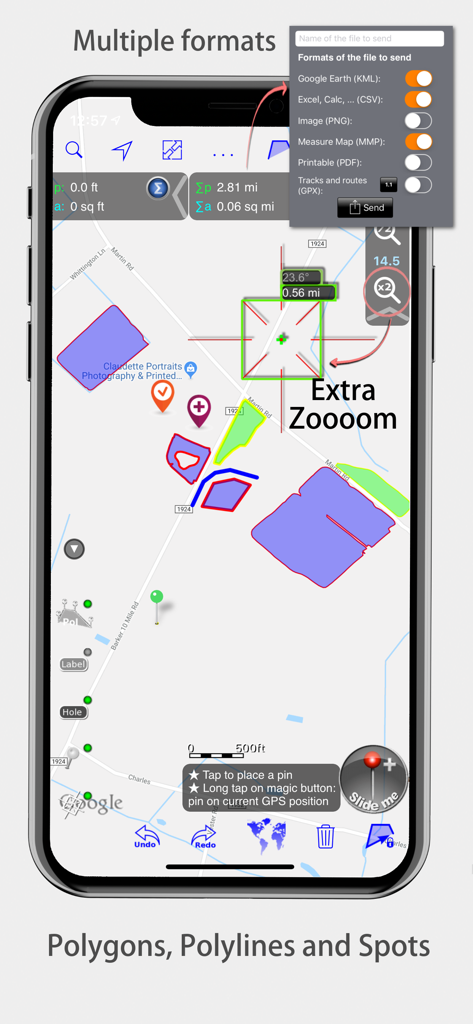
Measure Map Pro - Measure Map Pro-Oberfläche mit Kartenpolygonen und Exportformaten
Measure Map Pro-Oberfläche mit Kartenpolygonen und Exportformaten

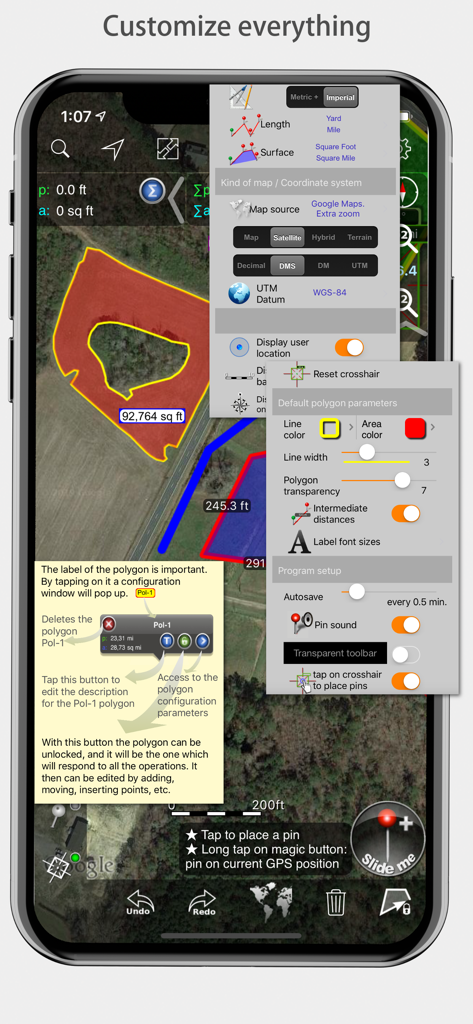
Measure Map Pro - Measure Map Pro mobile App-Oberfläche mit verschiedenen Anpassungsmenüs für Messungen und Kartenstile

Measure Map Pro mobile App-Oberfläche mit verschiedenen Anpassungsmenüs für Messungen und Kartenstile

Beschreibung

Measure Map Pro lets you quickly and easily measure multiple distances, perimeters and areas with laser sharp precision!. Use it for small areas or large, then share with coworkers. Click “...More” to learn why you should download this App today! Calculate surface areas, buildings, plots, floors, forest areas or dimensions for fencing, sports tours, trips or anything you need for field work without having to go to the spot to take measurements. Only one finger to calculate with astonishing accuracy all these measurements over satellite images. That’s what Measure Map Pro is for, to put a powerful, portable measuring tool right in the palm of your hand. Your iPhone, iPod touch or iPad can now provide you with totally precise measurements of any distance, from as small as one tenth of a meter to as big as thousands of kilometers or miles, even taking the curvature of the earth’s surface into account when measuring. It does all that, fast and effortlessly. Just one "magic" button for all the operations to easily place points without loosing it's professional accuracy. Some impressive features you get in Measure Map Pro (some of them via in-app purchase): * Autosave * Attractive, smooth, easy navigation and use * For iPhone and iPad * Apple or G00GLE Maps with extra zoom level. * Displays Maps View: Map, Satellite, Hybrid and Terrain. * Undo and redo operations as needed * AirPrint and iCloud support * More maps with extra zoom level through in-app purchase: Bing, Here, and ArcGIS. And Open Street, Open Cycle, World Street and more in the future * Operations: Add, delete intermediate pins, insert between pins, move pins, get info. * Circles and rectangles * Multiple areas and routes on screen * Display of altitude above sea level, azimuth and angle * Calculates azimuth or bearing * Search for current location, text (villages, places of interest, etc.) * Length units: meters, kilometers, feet, yards, miles, nautical miles, ken, ri, bù, lǐ * Surface units: square meters and kilometers, ares, hectares, square foot, square yards, square miles, acres, fanegas (Valencian, Castilian or Colombian), tsubo, bu, so, lí, mǔ * Intermediate distances between pins can be displayed * Attach pictures to points * Ability to select color and thickness of the perimeter line. * Ability to select the color and transparency of the selected area. * Working format: Measure Map, KMZ, KML (G00GLE Earth), CSV (Excel), Autocad (DXF), Shape (SHP), GPX, Image (PNG) and PDF * Export and import of surfaces and routes via e-mail, iTunes, AirDrop and Dropbox. * Save to photo album * Download surfaces and routes from the Internet. * Calculates multiple areas and routes simultaneously * Ability to create inner polygons as "holes". * Drawing of shapes: circle and rectangle. * More maps with extra zoom level through in-app purchase * Calculates azimuth or bearing * Attach pictures to points * Displays altitude above sea level, azimuth and angle. * Imports KML, KMZ and GPX format files besides exporting them. * Track mode: drops pins on current GPS position at regular intervals. (Continued use of GPS running in the background can dramatically decrease battery life) * Coordinate system DM * Apple Pencil drawing mode (with iPad Pro) * Image layers If precise measurements are important to you, this is the app you need. You won’t find one that is better, more accurate and easier to use.

Download

Herunterladen auf App Store

Diese Seite ist keine offizielle Seite der App oder ihres Entwicklers, sondern eine unabhängige redaktionelle Veröffentlichung, die zu Informations- und Kommentarzwecken erstellt wurde. Sofern nicht ausdrücklich anders angegeben, sind weder die App noch ihr Entwickler mit MWM, Apple, Google Play, dem App-Herausgeber oder dem Entwickler der App verbunden, von ihnen unterstützt, gesponsert, autorisiert oder anderweitig offiziell verbunden, und nichts auf dieser Seite impliziert, dass die App unter Verwendung der Dienste von MWM entwickelt wurde. Alle Marken, Logos, Screenshots und andere Inhalte bleiben Eigentum ihrer jeweiligen Inhaber.