
Diese Seite ist keine offizielle Seite der App oder ihres Entwicklers, sondern eine unabhängige redaktionelle Veröffentlichung, die zu Informations- und Kommentarzwecken erstellt wurde. Sofern nicht ausdrücklich anders angegeben, sind weder die App noch ihr Entwickler mit MWM, Apple, Google Play, dem App-Herausgeber oder dem Entwickler der App verbunden, von ihnen unterstützt, gesponsert, autorisiert oder anderweitig offiziell verbunden, und nichts auf dieser Seite impliziert, dass die App unter Verwendung der Dienste von MWM entwickelt wurde. Alle Marken, Logos, Screenshots und andere Inhalte bleiben Eigentum ihrer jeweiligen Inhaber.


Medal - Game Clipping
Ewige Clips. Medal hebt Ihre fragwürdigen Gameplay-Momente aus der Versenkung.
Downloads
2.5M+Bewertung
Bewertungen gesamt
43.3KHerausgeber
Kategorie
Photo & VideoSprachen
21Neueste Version
6.7.0Größe
165.6 MBErstveröffentlichung
3. Dez. 2020Eine detaillierte Betrachtung der Schlüsselmerkmale für Gamer und Content-Ersteller.
Analyse der Kernfunktionen von Medal - Game Clipping
Sofortige PC-Clip-Aufnahme
Die App ermöglicht die sofortige Aufnahme von Gameplay-Momenten auf dem PC mit einem einzigen Tastendruck, wodurch flüchtige, beeindruckende Szenen mühelos festgehalten werden können.
Umfassende Social-Media-Integration
Dieses Tool erlaubt das direkte Teilen von Gameplay-Clips auf diversen sozialen Plattformen wie Discord, TikTok und Instagram, was die Reichweite für Content-Ersteller maximiert.
Ressourcenschonende Aufnahme
Die Aufnahmefunktion ist GPU-schonend konzipiert, was eine minimale Beeinträchtigung der Spieleleistung während der Aufnahme sicherstellt.
Kostenlose High-Quality Uploads
Es bietet die Möglichkeit, Gameplay-Clips kostenlos in Full-HD-Qualität (1080p bei 60fps) hochzuladen, was eine professionelle Darstellung der Inhalte gewährleistet.
Plattformübergreifender Clip-Zugriff
Nutzer können ihre auf dem PC und Konsolen aufgenommenen Gameplay-Clips bequem über die mobile App aufrufen und verwalten, was einen zentralen Zugriffspunkt schafft.
Sofortiges Teilen & private Links
Die App ermöglicht das sofortige Posten von Gameplay-Clips und die Erstellung privater Links, um Inhalte gezielt mit Freunden zu teilen.
Häufig gestellte Fragen
Alles, was Sie über wissen müssen Medal - Game Clipping
What is Medal - Game Clipping?
Medal - Game Clipping is an app designed for capturing, sharing, and watching gaming moments. Users can access PC and console clips, upload them, and share with friends or on social media.
Can I watch gaming clips from my friends on Medal - Game Clipping?
Yes, Medal - Game Clipping allows users to watch clips uploaded by their friends directly within the mobile application.
Does Medal - Game Clipping support sharing to social media?
Yes, Medal - Game Clipping supports direct sharing of clips to various social apps, including Discord, TikTok, and Instagram.
How do I record PC game clips with Medal - Game Clipping?
To record PC clips, download Medal Desktop onto your PC. Press one hotkey to record gameplay, and the sessions will appear instantly on the mobile app.
Can Medal - Game Clipping upload clips in high quality?
Yes, Medal - Game Clipping offers free uploads in 1080p at 60 frames per second, ensuring high-quality sharing of your game clips.
Is Medal - Game Clipping lightweight on PC performance during recording?
Yes, Medal - Game Clipping is designed to be lightweight on the GPU, causing minimal impact to game performance while recording on PC.
Can I access console game clips using the Medal app?
Yes, users can sync their account with Medal to access their console game clips directly through the mobile application.
Can I create private share links for my clips on Medal?
Yes, Medal allows users to create private links for their game clips, enabling sharing with specific friends or groups.
How can I find trending gaming clips on Medal - Game Clipping?
The Medal app features sections for new and trending gaming clips, allowing users to discover popular content. It also highlights trending games like Roblox.
Can I save favorite clips to my profile in Medal - Game Clipping?
Yes, users can favorite clips and save them directly to their profile within the Medal - Game Clipping application for easy access.
Where can I find my posted clips within the Medal app?
Users can find their posted clips on their profile within the Medal - Game Clipping app, as indicated by the 'Find your posts on profile' feature.
Does Medal - Game Clipping offer a way to manage uploaded clips?
Yes, Medal - Game Clipping allows users to manage their clips within the app. This includes viewing a gallery and accessing playback controls.
What contact options are available for feedback or questions about Medal?
Users can contact Medal via social media for feedback and questions. Available platforms include Discord, Twitter, Instagram, Facebook, and Reddit.
Die folgenden Screenshots und die Beschreibung stammen direkt aus dem offiziellen Store-Eintrag der App und sind Eigentum des Entwicklers.
App Store
Screenshots
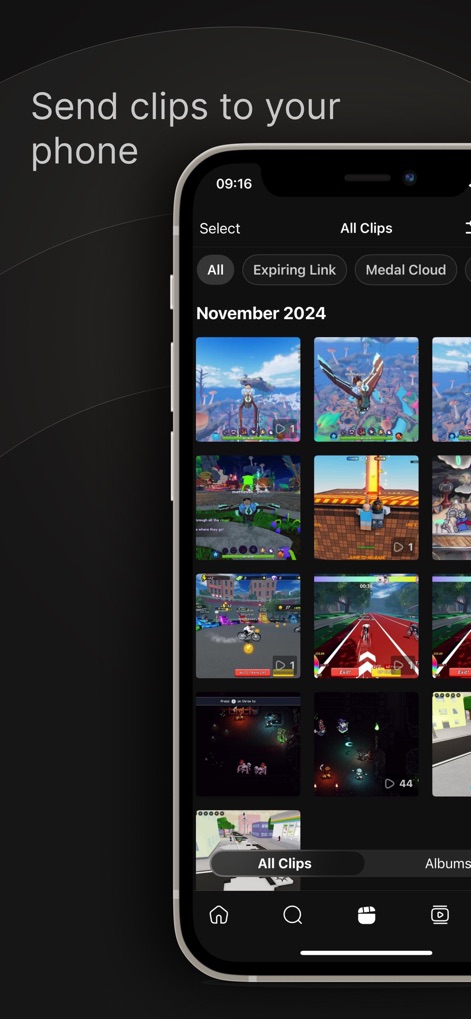
Die App ermöglicht es, alle Spielclips übersichtlich in einer Galerie zu verwalten und nach Kategorien wie „Alle Clips“ oder „Medal Cloud“ zu filtern.
Clips synchronisieren
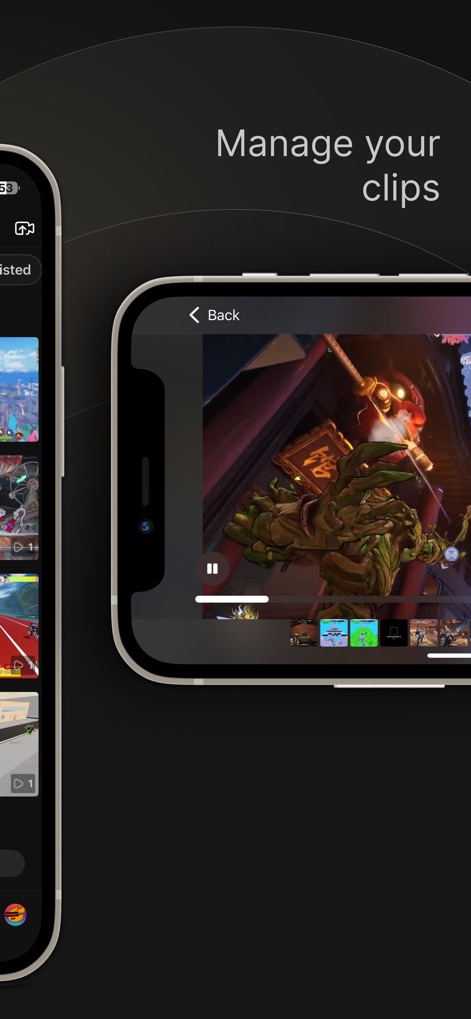
Nutzer können ihre Gameplay-Clips über eine intuitive Wiedergabeoberfläche ansehen und die Clip-Timeline nutzen, um präzise Schnitte vorzunehmen.
Clips verwalten
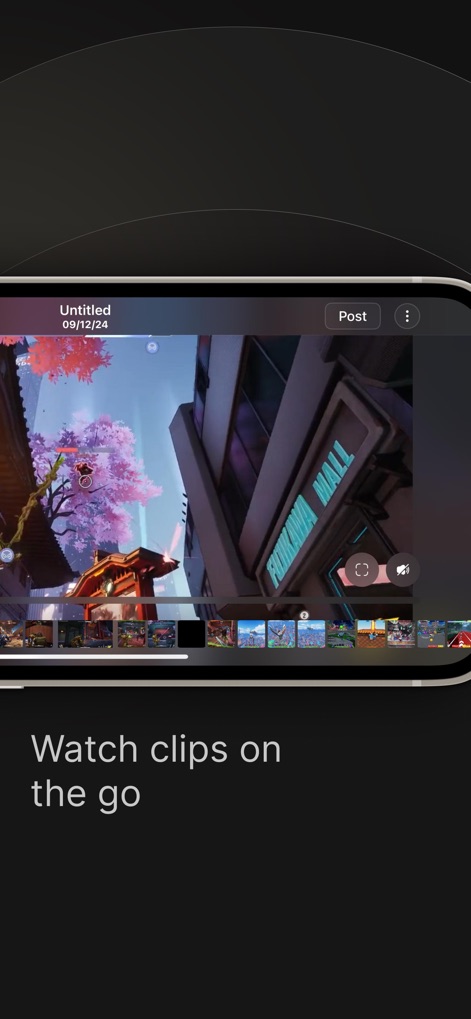
Diese Ansicht ermöglicht das sofortige Ansehen von Spielclips und das direkte Teilen über die „Post“-Schaltfläche sowie das Durchsuchen weiterer Clips in der unteren Leiste.
Clips ansehen
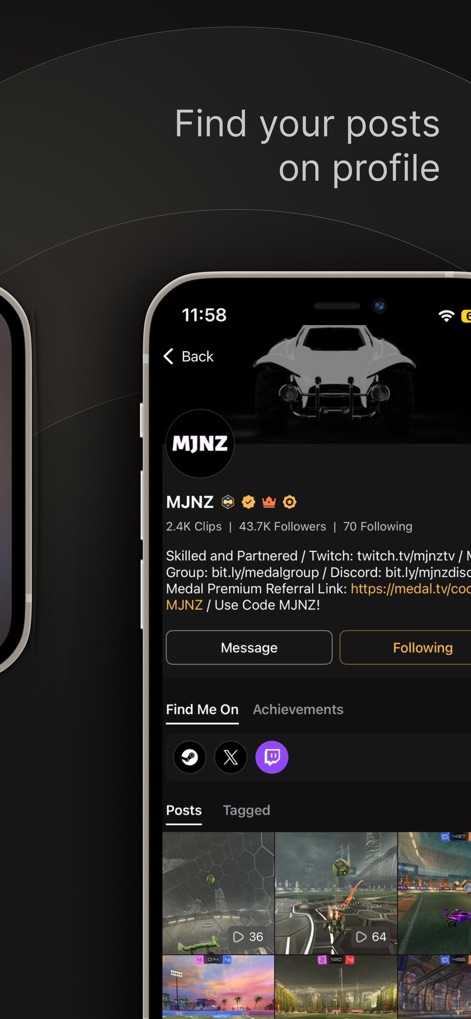
Die App bietet eine detaillierte Profilseite, die die Anzahl der Clips und Follower eines Nutzers anzeigt, sowie separate Tabs für eigene „Posts“ und „Getaggte“ Inhalte.
Profilübersicht
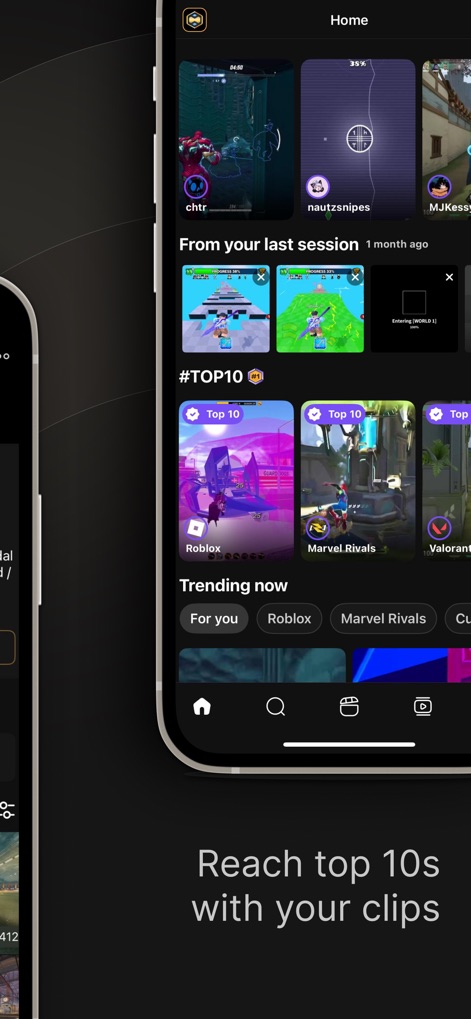
Die Startseite präsentiert angesagte Clips in den „Trending now“-Kategorien und ermöglicht das Entdecken populärer Inhalte für Spiele wie „Roblox“ und „Marvel Rivals“.
Trend-Entdeckung
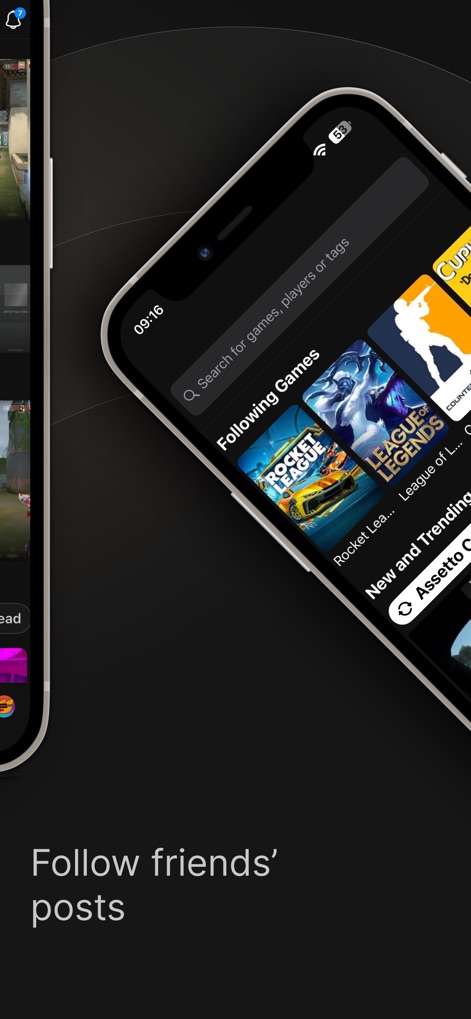
Das Suchfeld ermöglicht das Auffinden von Freunden und Inhalten, während Abschnitte wie „Following Games“ und „New and Trending“ aktuelle Spieletitel präsentieren.
Freunde entdecken

Nutzer können eine Vielzahl von Gameplay-Clips aus verschiedenen Spielen wie „Assetto Corsa“ erkunden und über die intuitive Navigationsleiste schnell andere Bereiche erreichen.
Neue Spiele
Beschreibung
Download
Ähnliche Apps
Apps mit ähnlichen Funktionen und Nutzererfahrung

Screen Recorder,Video Recorder
VIDEOSHOW PTE. LTD.

Screen Recorder
App of the Year LLC

Record it! :: Screen Recorder
DIGISET LLC

Screen Recorder Voice & Video
Arthur Eduardo Skaetta Alvarez Desenvolvimento de Software LTDA.

Screen Recorder ®
Poster App LLP

Super Screen Recorder: Full HD
Dream United, Ltd.

Screen Recorder: Go Record
Torqued Studios LLC

Screen Recorder-Video & Voice
Danila Ianushev

Screen recorder - video
Mark Thomas
Diese Seite ist keine offizielle Seite der App oder ihres Entwicklers, sondern eine unabhängige redaktionelle Veröffentlichung, die zu Informations- und Kommentarzwecken erstellt wurde. Sofern nicht ausdrücklich anders angegeben, sind weder die App noch ihr Entwickler mit MWM, Apple, Google Play, dem App-Herausgeber oder dem Entwickler der App verbunden, von ihnen unterstützt, gesponsert, autorisiert oder anderweitig offiziell verbunden, und nichts auf dieser Seite impliziert, dass die App unter Verwendung der Dienste von MWM entwickelt wurde. Alle Marken, Logos, Screenshots und andere Inhalte bleiben Eigentum ihrer jeweiligen Inhaber.