Metronomics Metronome
Herunterladen auf App Store

Diese Seite ist keine offizielle Seite der App oder ihres Entwicklers, sondern eine unabhängige redaktionelle Veröffentlichung, die zu Informations- und Kommentarzwecken erstellt wurde. Sofern nicht ausdrücklich anders angegeben, sind weder die App noch ihr Entwickler mit MWM, Apple, Google Play, dem App-Herausgeber oder dem Entwickler der App verbunden, von ihnen unterstützt, gesponsert, autorisiert oder anderweitig offiziell verbunden, und nichts auf dieser Seite impliziert, dass die App unter Verwendung der Dienste von MWM entwickelt wurde. Alle Marken, Logos, Screenshots und andere Inhalte bleiben Eigentum ihrer jeweiligen Inhaber.


Logo von Metronomics Metronome
Herunterladen auf App Store

Metronomics Metronome

Das professionelle Metronom für rhythmische Architekten. Erstelle sequenzierte Grooves, meistere gemischte Taktarten und baue einen makellosen inneren Takt mit fortgeschrittener Unterteilungssteuerung auf.

Kennzahlen

Downloads

156K+

Bewertung

4.8/5

Bewertungen gesamt

100

Herausgeber

John Nastos

Kategorie

Music

Sprachen

1

Neueste Version

2024.2

Größe

14.7 MB

Erstveröffentlichung

16. Mai 2011
Funktionen

Meistere deinen inneren Takt

Metronomik ist mehr als nur ein Klick-Track. Es ist eine umfassende Umgebung für Rhythmustraining, entwickelt für fortgeschrittene Praktiker, die technische Präzision und kreative Flexibilität verlangen.

Unabhängigkeitstrainingsmodus

Baue eine felsenfeste rhythmische Sicherheit auf, indem du das Metronom so einstellst, dass es für bestimmte Takte stumm bleibt, was dich herausfordert, die perfekte Zeit ohne Führung beizubehalten.

Meisterung komplexer Taktarten

Programmiere nahtlos gemischte Taktarten und benutzerdefinierte Unterteilungen wie 5/7 oder 23/4, was die mathematische Präzision für moderne und technische Kompositionen bietet.

Die folgenden Screenshots und die Beschreibung stammen direkt aus dem offiziellen Store-Eintrag der App und sind Eigentum des Entwicklers.

App Store

Screenshots
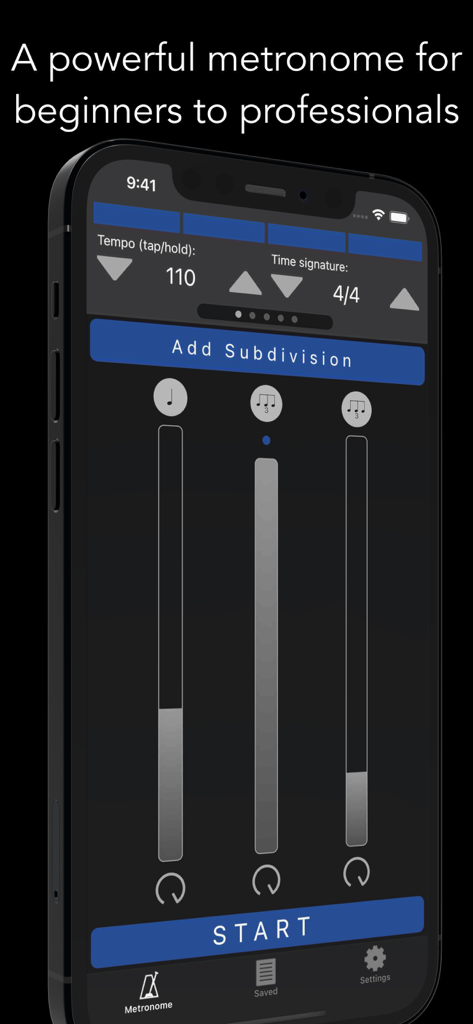
Metronomics Metronome - Metronomik Metronom App-Oberfläche, die Tempo- und rhythmische Unterteilungssteuerungen auf einem iPhone zeigt
Metronomik Metronom App-Oberfläche, die Tempo- und rhythmische Unterteilungssteuerungen auf einem iPhone zeigt

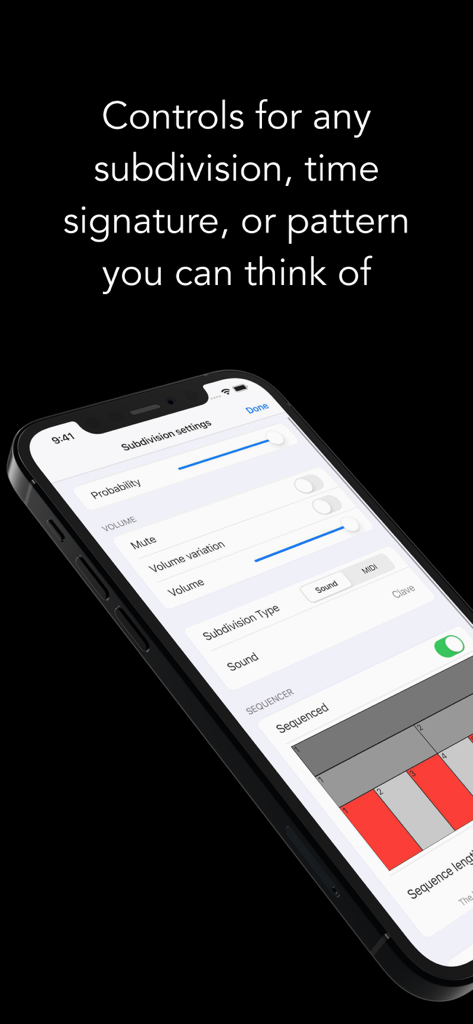
Metronomics Metronome - Der Einstellungsbildschirm für die Unterteilungen der Metronomik-App, der Optionen zur rhythmischen Steuerung wie Lautstärke und Wahrscheinlichkeit anzeigt
Der Einstellungsbildschirm für die Unterteilungen der Metronomik-App, der Optionen zur rhythmischen Steuerung wie Lautstärke und Wahrscheinlichkeit anzeigt

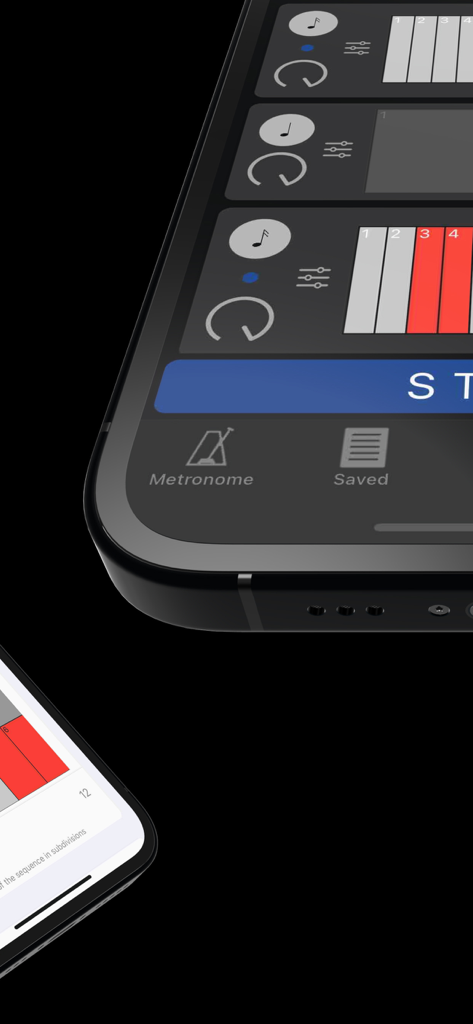
Metronomics Metronome - Nahaufnahme der Metronomik Metronom App Grid Sequenzer Oberfläche, die rhythmische Muster zeigt.
Nahaufnahme der Metronomik Metronom App Grid Sequenzer Oberfläche, die rhythmische Muster zeigt.

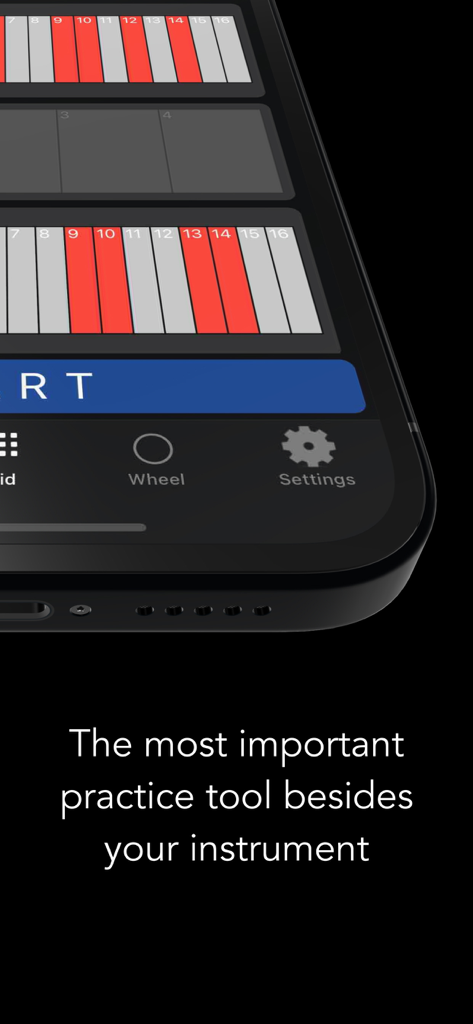
Metronomics Metronome - Metronomik-App, die ein rhythmisches Raster auf einem Smartphone-Bildschirm mit dem Text 'Das wichtigste Übungswerkzeug neben deinem Instrument' anzeigt
Metronomik-App, die ein rhythmisches Raster auf einem Smartphone-Bildschirm mit dem Text 'Das wichtigste Übungswerkzeug neben deinem Instrument' anzeigt

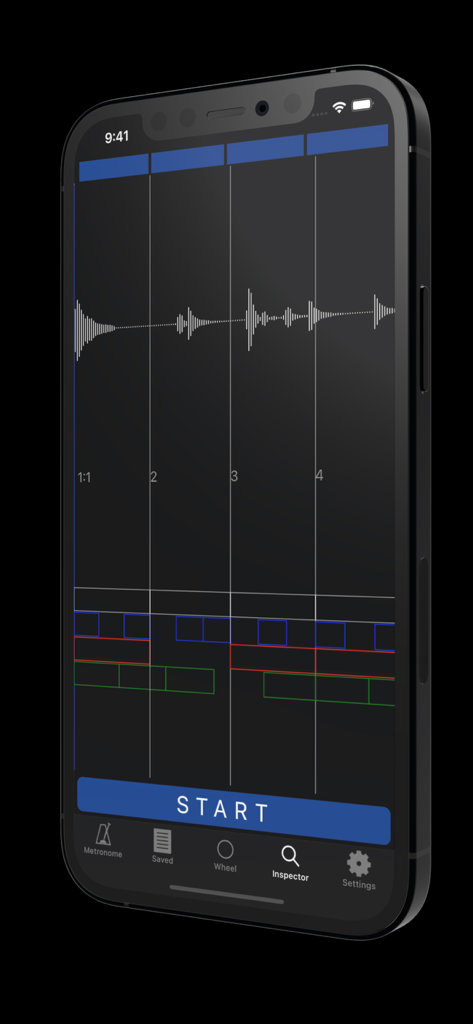
Metronomics Metronome - iPhone, das die Metronomik Metronom App Inspector-Modus mit einer Audio-Wellenform und einer Analyse des rhythmischen Rasters anzeigt.
iPhone, das die Metronomik Metronom App Inspector-Modus mit einer Audio-Wellenform und einer Analyse des rhythmischen Rasters anzeigt.

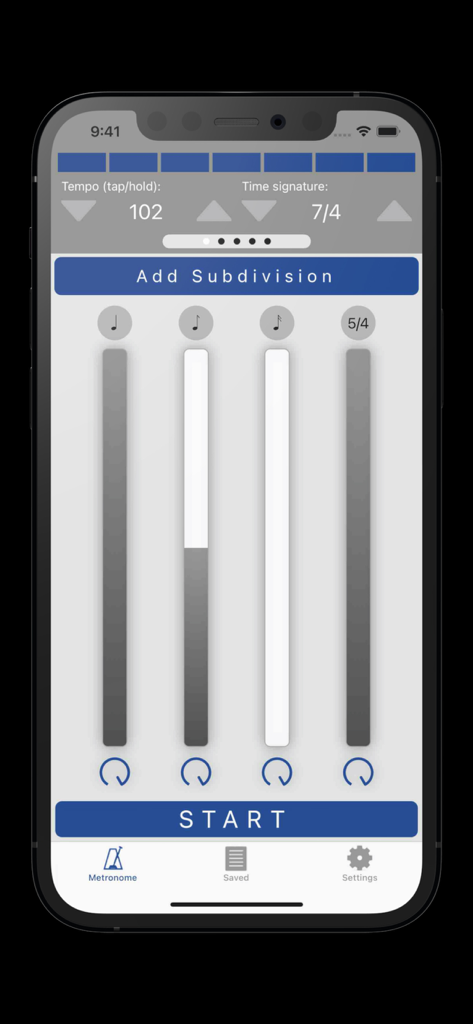
Metronomics Metronome - Metronomik Metronom App-Oberfläche, die Tempoeinstellungen und rhythmische Unterteilungen zeigt
Metronomik Metronom App-Oberfläche, die Tempoeinstellungen und rhythmische Unterteilungen zeigt

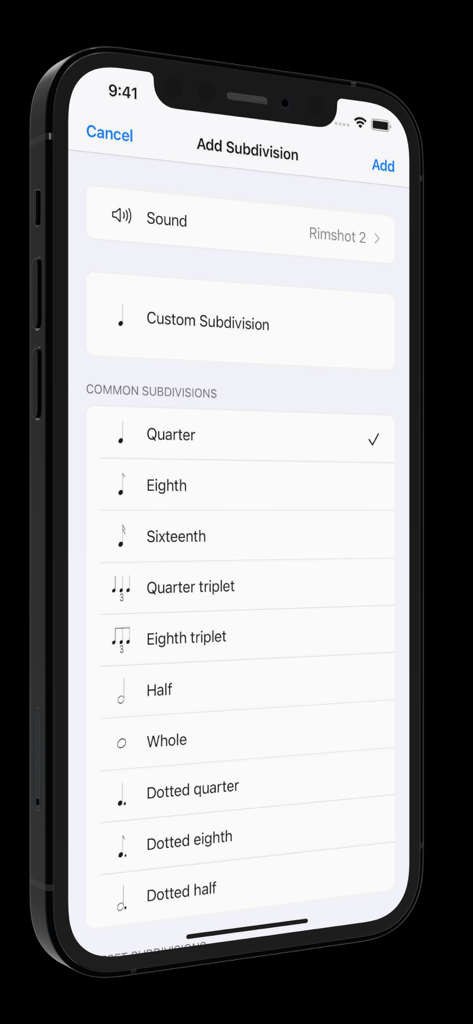
Metronomics Metronome - Oberfläche der Metronomik-App, die gängige rhythmische Unterteilungsoptionen wie Viertel- und Achtelnoten zeigt

Oberfläche der Metronomik-App, die gängige rhythmische Unterteilungsoptionen wie Viertel- und Achtelnoten zeigt

Beschreibung

Metronomics is not only a metronome, but a tool designed to help build a solid sense of time and rhythmic security. It's a new kind of metronome -- use Metronomics to generate random patterns, sequenced grooves, or a combination of both to help you practice with more than just your typical click track. Enough features to keep a professional busy for years or start a beginner on the right track. The only metronome that gives you complete control over how subdivisions are played -- add subdivisions of any type (including custom subdivisions like 5/7) and have them played all the time, at random intervals, or in a sequenced pattern. Now available across platforms for both iOS and macOS -- the most powerful metronome, available for all of your devices. Features: - Choose from 40 different samples for each subdivision - Generate patterns using random or sequenced variations of different subdivisions - Include built-in preset patterns such as claves or ride cymbal patterns - Choose any number of beats per measure (with any denominator) you like or practice mixed meters such as 4/4 + 3/8 + 5/4 where the segments of the bar get accented automatically - Use any type of subdivision. Common types like quarter notes, sixteenth notes, eighth triplets, etc, or create your own. 5/7, 23/4, no problem! - Take a rhythm and use the "offset" feature to move it to different parts of the measure to practice with. - Set the metronome to speed up or slow down by a given amount after a set number of measures - Have Metronomics start with a count off - Set the metronome to run for a certain amount of time - Share saved metronomes back and forth with other Metronomics users - Track your metronome usage. App shows how much you've practiced with it each day and total (optionally turn off time tracking) - Train yourself with "independence" mode where you can set some bars to be inaudible -- keep the time going yourself until the click starts again - Variable swing feel -- choose how much each subdivision swings - Speech sounds for counting up to 10 that can be assigned to any subdivision (English language only) - Play in the background - Normalized sounds for good volume - Manual (plus videos) describing how to use all the features and hints about how they might be useful Pro subscription features: - Wheel view that allows you to visualize the passage of subdivisions with geometric shapes - Grid view that lets you easily sequence patterns on a grid much like a drum machine, but with the more-powerful features of Metronomics - Inspector mode -- graph your own playing with microphone or MIDI input and see how you line up with the metronome - iCloud sync -- sync your saved metronomes via iCloud drive - MIDI output -- set subdivisions to send MIDI data to outside MIDI synths or use an on-board synthesizer Within Metronomics, there is an option to upgrade to Metronomics Pro, which is an auto-renewing yearly subscription service. It enables the following features: Subscription details: - Service: Metronomics Pro - Time period: one year, auto-renewing subscription - Payment will be charged to iTunes Account at confirmation of purchase - Subscription automatically renews unless auto-renew is turned off at least 24-hours before the end of the current period - Account will be charged for renewal within 24-hours prior to the end of the current period, and identify the cost of the renewal - Subscriptions may be managed by the user and auto-renewal may be turned off by going to the user’s Account Settings after purchase - Privacy policy: https://metronomicsapp.com/privacy.html / Terms of use: https://metronomicsapp.com/terms.html - Any unused portion of a free trial period, if offered, will be forfeited when the user purchases a subscription to that publication, where applicable.

Download

Herunterladen auf App Store

Diese Seite ist keine offizielle Seite der App oder ihres Entwicklers, sondern eine unabhängige redaktionelle Veröffentlichung, die zu Informations- und Kommentarzwecken erstellt wurde. Sofern nicht ausdrücklich anders angegeben, sind weder die App noch ihr Entwickler mit MWM, Apple, Google Play, dem App-Herausgeber oder dem Entwickler der App verbunden, von ihnen unterstützt, gesponsert, autorisiert oder anderweitig offiziell verbunden, und nichts auf dieser Seite impliziert, dass die App unter Verwendung der Dienste von MWM entwickelt wurde. Alle Marken, Logos, Screenshots und andere Inhalte bleiben Eigentum ihrer jeweiligen Inhaber.







